Overall Rating: 4.1/5 ⭐
- Protection: 3.7/5 ⭐
- Performance: 4.5/5 ⭐
- Features: 3.3/5 ⭐
- Support: 5.0/5 ⭐
- Value: 4.5/5 ⭐
From $2.79/mo on Surfshark One. Pricing checked October 2026.
Surfshark Antivirus Review: Ratings, Pros and Cons
Most Surfshark antivirus reviews treat this as a standalone product. It isn’t one. The antivirus comes with Surfshark One, so you’re choosing a bundle, and the antivirus should be treated as an included extra. Judged that way, it does better than expected. Judged as a security suite, it’s missing a lot.
👍 Where It Wins
- 95% phishing detection. Zero false alarms.
- Zero false positives across my whole sample set.
- Boot time rose by 2 seconds.
- Live chat answered in 15 seconds.
- Unlimited devices on every tier.
👎 Where It Falls Short
- 93.44% malware detection. Could be better.
- No firewall, password manager, or parental controls.
- No vulnerability scanner or ransomware rollback.
- Thin independent lab record versus established brands.
- Cannot be bought separately.
✅️ Best for: households that want a strong VPN first and will take malware protection as a bonus.
❌ Skip if: you want a full suite with a firewall and parental controls, or you need a long testing record before you buy.
Surfshark One and One+: What You Are Actually Buying
There is no standalone Surfshark Antivirus. You can’t buy it separately, and a Surfshark One review that skips this is answering the wrong question. Surfshark One antivirus is one component. The others are the VPN, breach alerts, private search, and Alternative ID. That distinction is what most Surfshark One reviews miss. Surfshark One+ adds Incogni data removal and identity theft insurance.
That reframes the whole decision. You aren’t comparing this against Bitdefender or Norton as a purchase. You’re deciding whether a bundle built around a VPN is worth its price, with malware protection thrown in.
What Is Included in Surfshark One
- Surfshark VPN: 4,500+ servers in 100 countries, unlimited devices
- Antivirus: real-time protection, scheduled scans, web protection, webcam protection
- Alert: breach monitoring for email addresses, credit cards, and ID numbers
- Search: a private search engine with no ads or tracking
- Alternative ID: a generated persona and proxy email address
What Surfshark One+ Adds
One+ brings Incogni, which contacts data brokers on your behalf and requests removal of your personal information, then repeats the process as brokers re-list you. Identity theft insurance covers costs if your identity is misused, and that is US-only.
Incogni sells separately for more than the tier difference, so if data broker removal appeals, One+ is the cheaper route to it. If it doesn’t, the upgrade adds little for a non-US user and isn’t worth it in my book.
Surfshark VPN Alone vs Surfshark One: Which to Buy
This is the real decision, and it comes down to a small figure. Surfshark Starter is the VPN-only plan at $2.49/mo. Surfshark One is $2.79/mo. The difference is 30 cents a month, and for that you get the antivirus, Alert, Search, and Alternative ID. At that difference, One is the obvious pick for almost everyone.
The alternative is Starter plus Microsoft Defender, which costs nothing extra and detects more malware. But you’d lose Alert and Alternative ID, and those are the components I’d actually miss. Plus, Microsoft Defender works only on Windows, while Surfshark Antivirus covers macOS, Android, and iOS.
Surfshark Antivirus Protection Test Results
Is Surfshark antivirus good? On phishing, excellent, really. On malware, the weakest engine I’ve put through this test. Here’s more detail.
Independent Lab Coverage: Thin, but Not Absent
Surfshark appears in far fewer lab rounds than the established antivirus brands, which matters when you’re weighing it against Bitdefender or Norton. It does appear, though. AV-TEST tested Surfshark in May and June 2026 on Windows 11 Professional, report 261317. The scores:
- Protection: 6.0/6.0. 100% against 11,772 widespread malware samples in both months, and 99.8 to 100% on real-world zero-day attacks across 224 samples
- Performance: 4.5/6.0
- Usability: 6.0/6.0. Zero false detections against 1,223,746 legitimate software samples, where the industry average was 2
That totals 16.5, which earns Certified status. Top Product requires 17.5. One detail explains the whole performance deduction. Surfshark slowed the installation of common applications by 137% on a standard PC, against a 30% industry average. Every other performance measure matched or beat the average, including file copying at 1% against 4%.
Installing software is the one thing it makes slower. AV-Comparatives has no recent Surfshark round to cite, and SE Labs publishes consumer results infrequently.
What It Caught on My Machine
Against my malware sample set, Surfshark Antivirus blocked 93.44%. That’s the weakest result I’ve recorded, and it falls several points below every other product I’ve tested on the same hardware. It produced zero false alarms. Not one clean file flagged. That’s the only perfect false-positive score I’ve measured, and AV-TEST reached the same conclusion independently across more than a million samples.
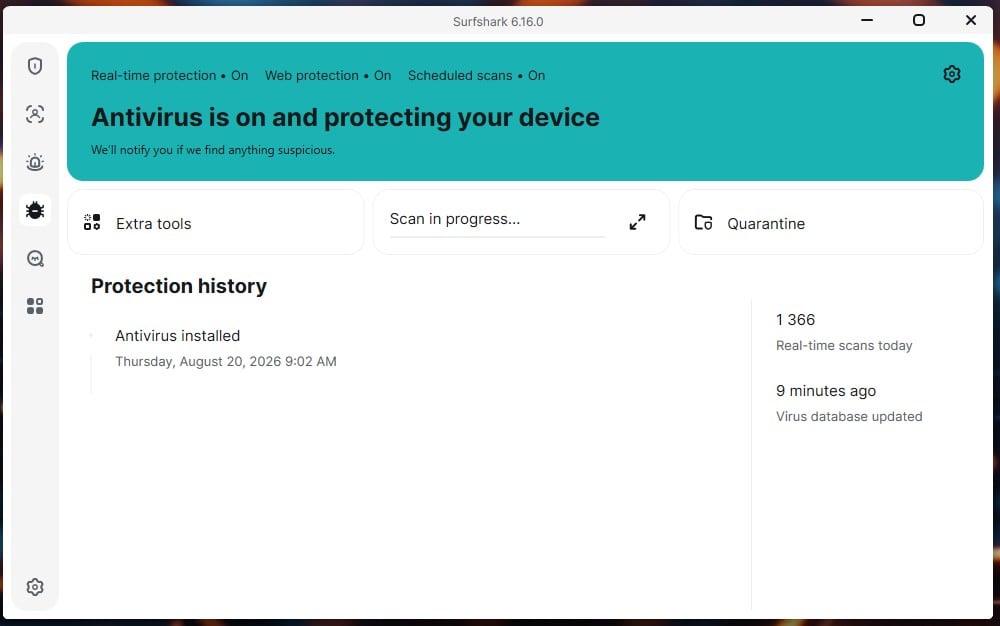
Phishing went the other way. Surfshark blocked 95% of the phishing pages I tried, with zero false alarms, including on emails from my own ISP that have tripped other products. Read together, this is a conservative engine. It’s cautious about calling something malware, which costs it catch rate and buys it precision.
For a reader who’s been burned by false positives quarantining work files, that trade may be the right one. For anyone who wants maximum catch rate, it isn’t.
Scan Types, Scan Speed and Real-Time Protection
Three scan types are available. Full scan covers the device thoroughly. Quick scan covers frequently used folders. Custom scan takes a file or folder you choose, including external drives, by drag-and-drop.
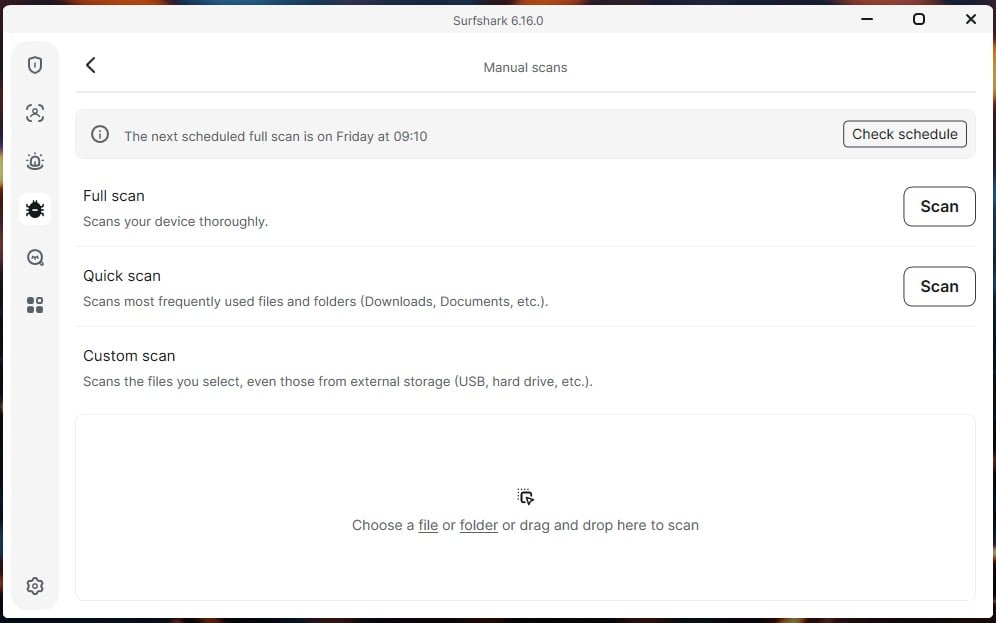
Timings on my rig:
- Quick scan: 1 minute 4 seconds
- Full scan: 16 minutes 24 seconds
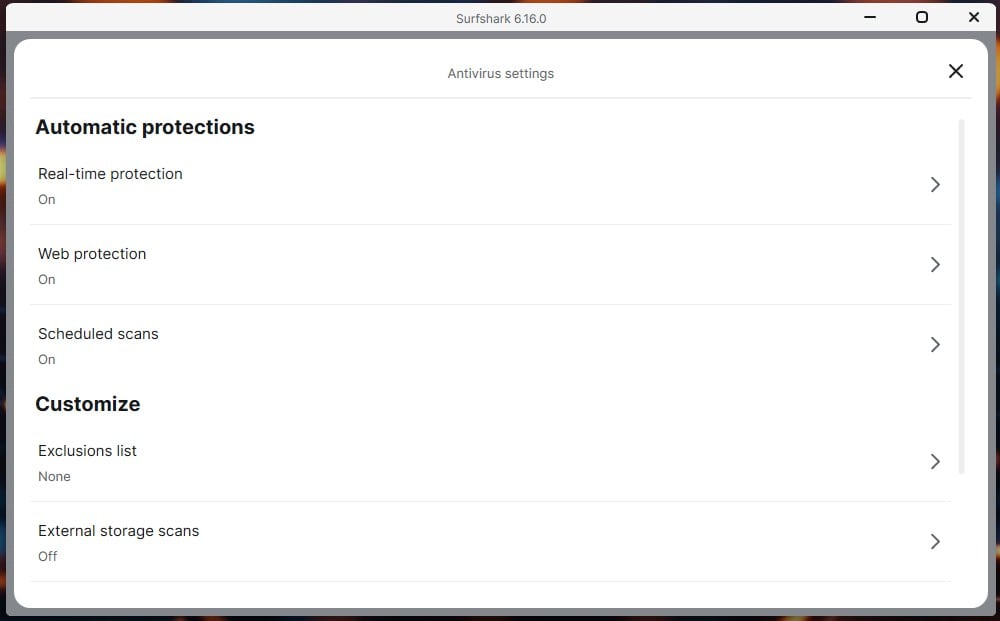
Scheduled scans are on by default, with the next run shown on the dashboard. There’s more configuration here. Settings expose real-time protection, web protection, and scheduled scans as separate toggles, an exclusions list, external storage scanning, virus database auto-update, and quarantine auto-delete.
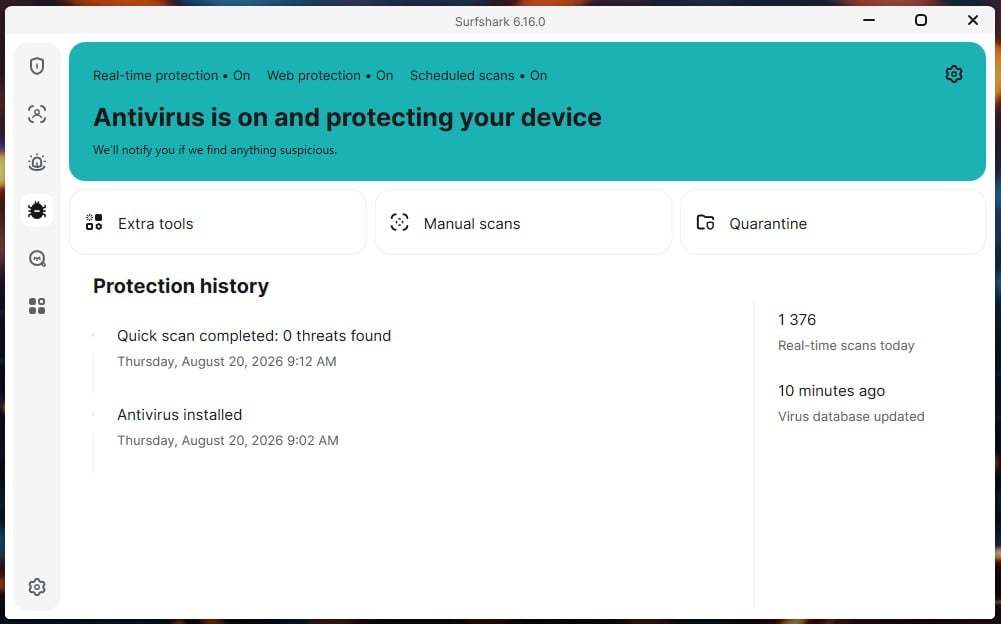
Two of those are switched off: external storage scans and quarantine auto-delete. If you plug in USB drives regularly, turn the first one on.
System Impact
This is where Surfshark Antivirus is strongest.
- Idle RAM: 100 to 130 MB
- Boot time: 18 seconds clean, 20 seconds with Surfshark installed
- Peak CPU during full scan: 23%
- Peak RAM during full scan: 588 MB
- Disk usage: never above 12%
A two-second boot penalty is close to nothing. During the full scan, the machine stayed usable, and I kept working through it without noticing. The 588 MB scan peak is the one figure that stands out. It’s heavy for a product this light everywhere else, though it only applies while a full scan is running.
🖥️ Test machine: Ryzen 7 5800X, 32 GB DDR4-2666, Windows 11 Pro, two M.2 SSDs.
What Surfshark Antivirus Does Not Include
Surfshark antivirus any good as a full suite? No, and the missing pieces are the reason. Here’s what’s absent, sorted by whether it actually matters.
Absences that matter:
- No password manager. If you don’t already use one, this is a genuine hole. Alternative ID gives you a proxy email, not credential storage.
- No parental controls. A dealbreaker for families and irrelevant to everyone else. If you need child protection, you can enable Web Content Blocker that blocks out specific site types, but it’s not as good as full-on parental control from Norton.
- No ransomware rollback. Real-time protection blocks known ransomware, but there’s no file recovery if something gets through.
Absences that sound worse than they are:
- No firewall. On Windows 11 this barely matters. Windows has a capable firewall that’s on by default, and third-party replacements mostly duplicate it.
- No vulnerability scanner. Windows Update handles the OS. For third-party apps, you’d want a software updater, which Surfshark also lacks, but this is a convenience, not a security failure.
- No cloud backup. Bundled backup allowances are usually too small to matter. A dedicated backup service does it better.
- No system tune-up. These tools rarely deliver much on modern hardware.
For a single user on Windows 11 who already has a password manager, almost nothing here is a problem. For a family, the missing parental controls end the conversation.
Everything Bundled With Surfshark One, Rated Tool by Tool
Surfshark VPN
The VPN is the star, and it’s the product most people are actually buying. Retested in October 2026 on WireGuard against a 190.36 Mbps line, it averaged a 10.6% download loss and 4.3% upload loss. London came back at 186.33 Mbps and 44 ms, New York at 165.53 Mbps and 112 ms, Tokyo at 158.47 Mbps and 222 ms. Losing only 2.1% on a nearby server is about as little as a VPN can take.
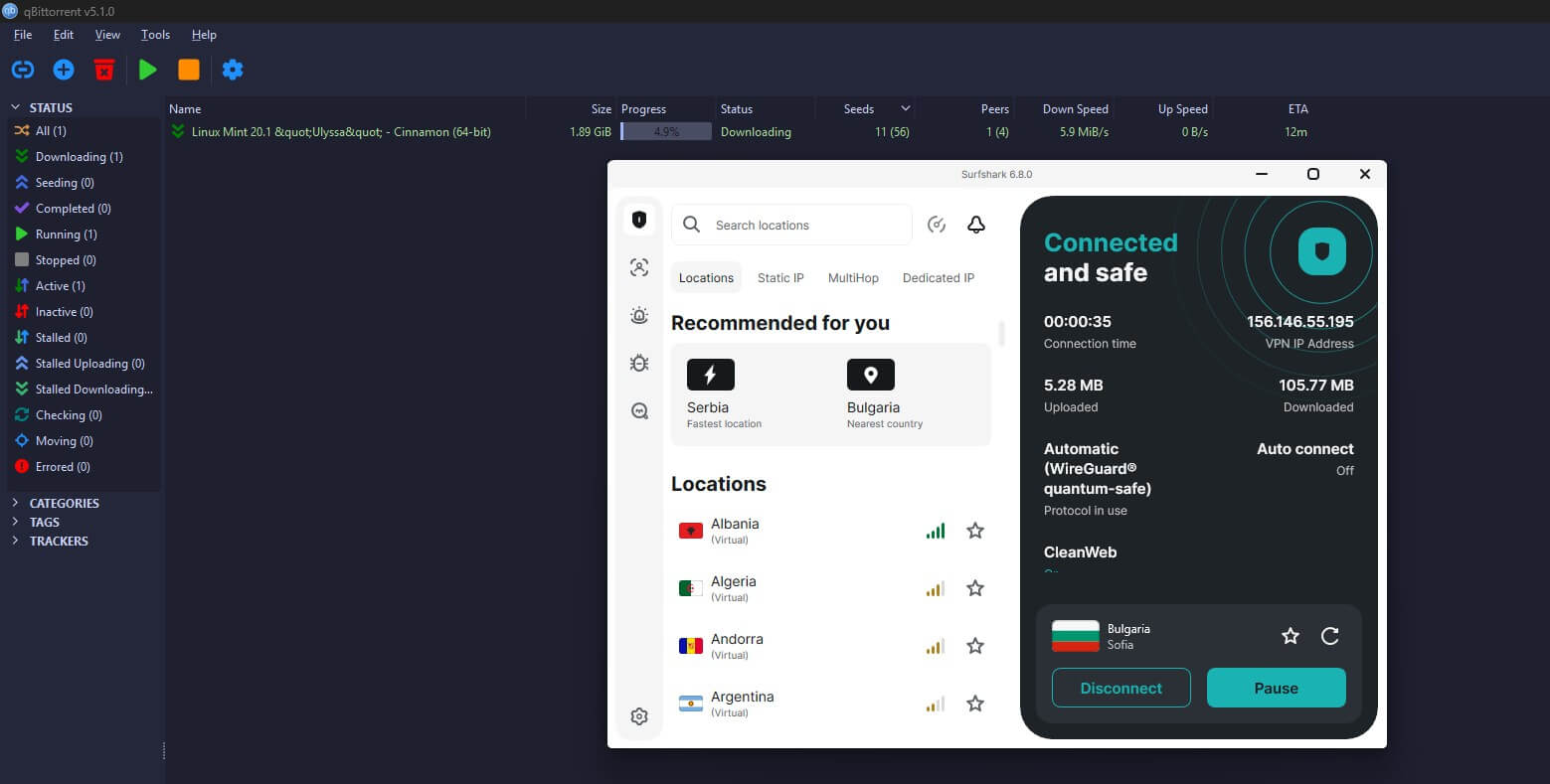
The network covers 4,500+ servers in 100 countries, RAM-only, with unlimited simultaneous connections. Extras include MultiHop, split tunneling, CleanWeb ad blocking, and Dausos, Surfshark’s own post-quantum protocol on macOS. The no-logs policy has been audited by Cure53 and Deloitte, as well.
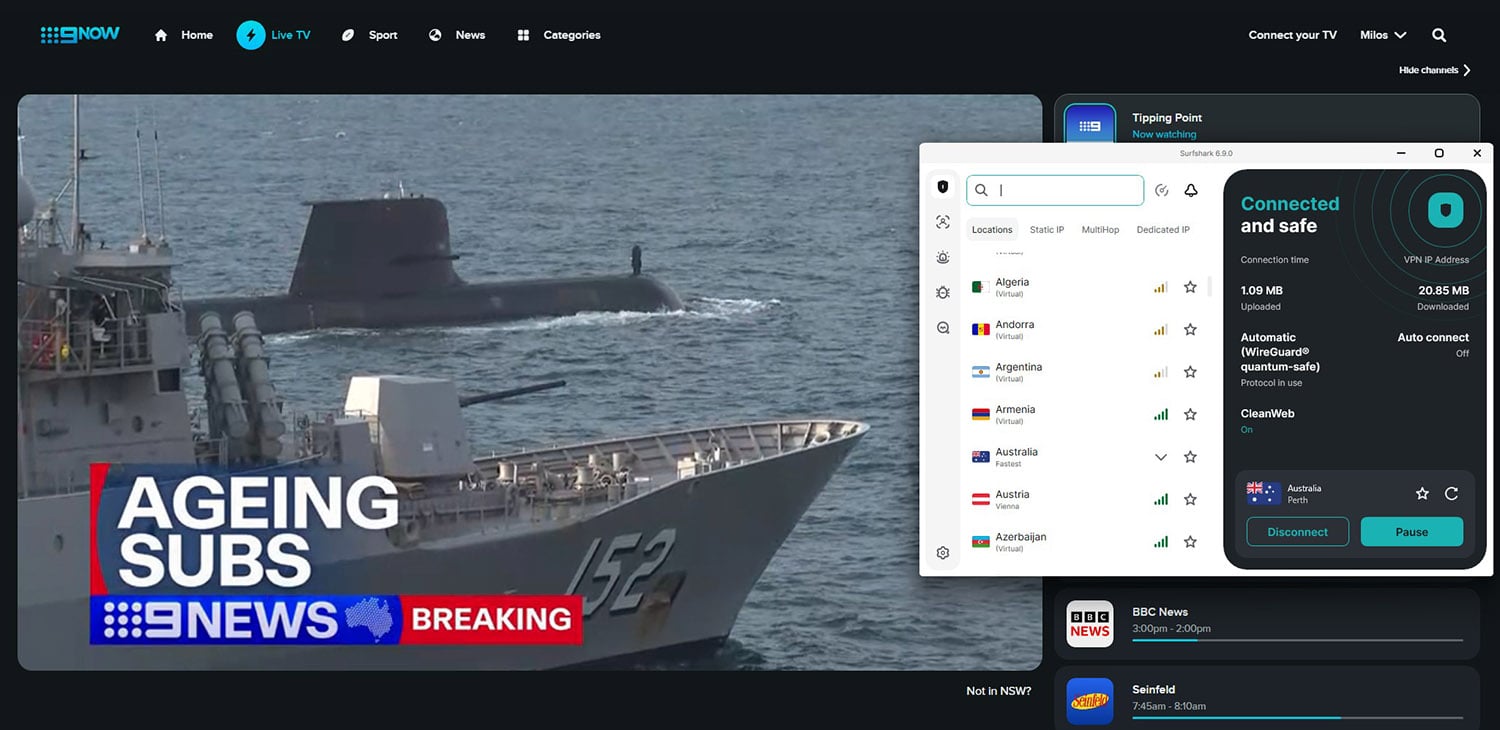
✅ Verdict: absolutely worth using, and the reason to buy the bundle. Our full Surfshark VPN review covers it properly and explains everything in detail.
Surfshark Alert: Breach Monitoring
Alert monitors email addresses, credit card numbers, and ID numbers against known breaches. Monitoring one email address, it found seven leaks. Each entry showed a severity badge, the breached service, the date, and how many records were exposed. They ranged from a 2019 breach to one dated January 2025, and included two entries logged only as an unidentified database.
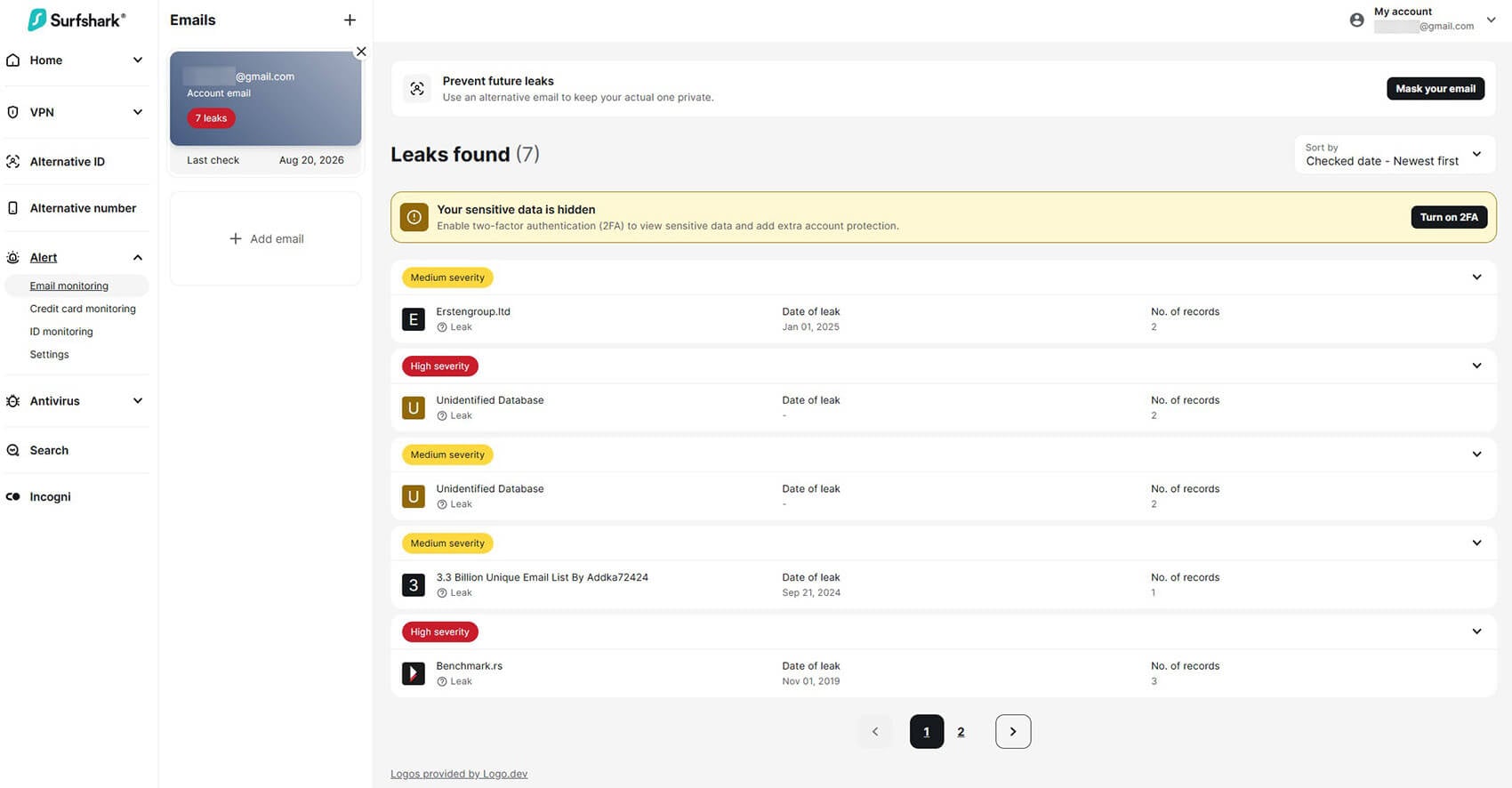
One detail I approve: sensitive data stays hidden until you enable two-factor authentication on your Surfshark account. That’s the right default.
✅ Verdict: worth using. Accurate, specific, and no false alarms in my testing.
Alternative ID
Alternative ID generates a complete alternate persona: name, date of birth, gender, location and address, plus a proxy email address that forwards to your real inbox. The point is to stop handing your actual email and details to every site that demands them. Sign up with the alias, and if that site leaks, your real address stays clean.
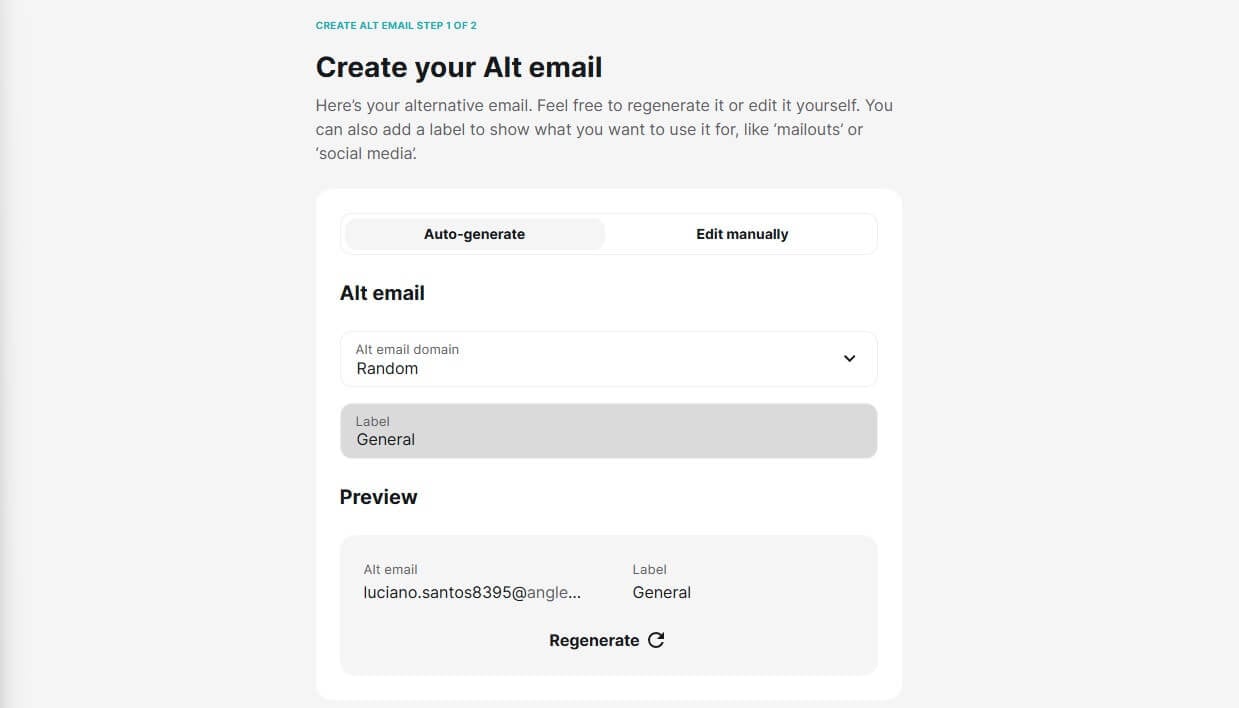
An Alternative Number add-on generates a masking phone number for $2.29/mo, which is separate from the bundle.
✅ Verdict: worth using, and genuinely unusual. Most suites have nothing like it.
Surfshark Search
Search is a separate private search engine with no ads and no tracking. Its distinctive feature is that you can sort results by country instead of being locked to results based on where you are. Useful if you’re researching prices or availability abroad.
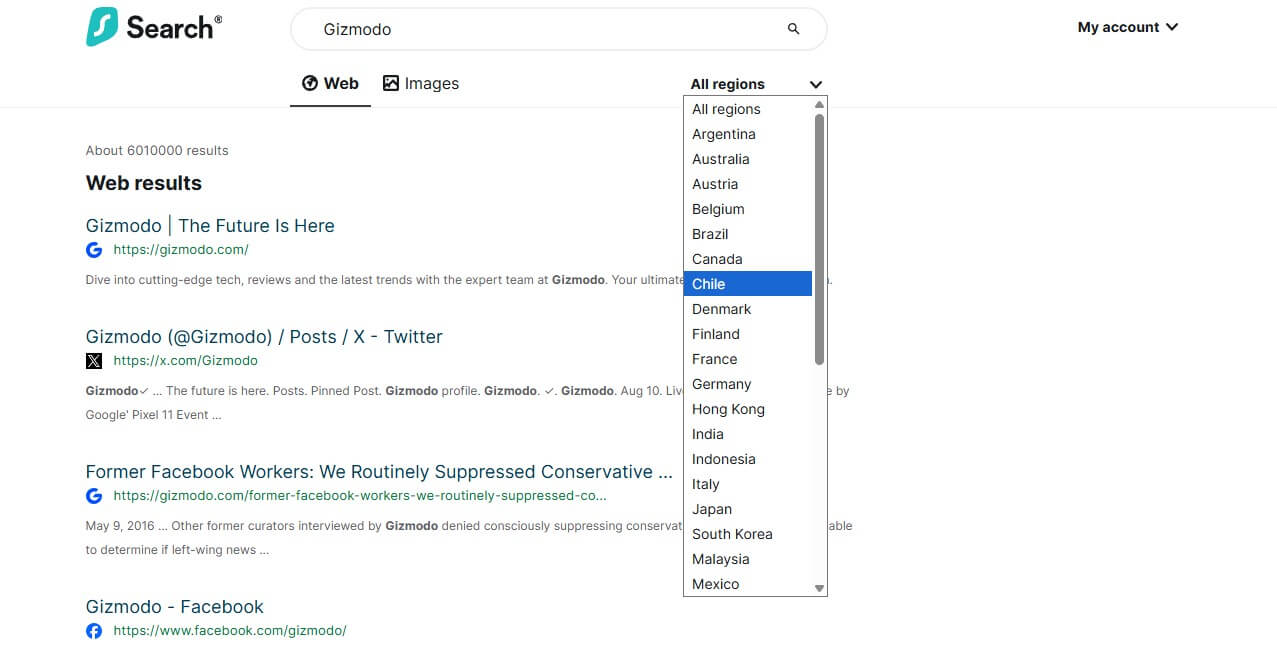
✅ Verdict: pleasant, but nobody switches search engines for a bundled extra. Use it when the country sorting helps, or you need more privacy.
Webcam Protection
Webcam protection blocks applications from accessing your camera without permission, alerting you when something tries. It’s Windows-only within the bundle, and it works just as advertised.
✅ Verdict: simple and worth leaving on.
Incogni Data Removal (One+ Only)
Incogni is the strongest argument for the One+ tier. It identifies data brokers holding your personal information, sends removal requests on your behalf, and repeats the process as brokers re-list you. That repetition is the point. A one-time removal is temporary, because brokers rebuild their databases continuously.
Coverage is strongest in the US, UK, EU, Canada, and Switzerland, where data protection law gives the requests legal force.
✅ Verdict: worth the upgrade if data broker removal appeals. Ignore it if not.
Surfshark Antivirus Pricing and Renewal Costs
| Devices | Included | Monthly | Billed | Renewal | |
| Starter | Unlimited | VPN, CleanWeb, Alternative ID | $2.49 | $67.23 | $79/yr |
| One | Unlimited | Adds Antivirus, Alert, Search | $2.79 | $75.33 | $99/yr |
| One+ | Unlimited | Adds Incogni, identity insurance | $4.49 | $121.23 | $119/yr |
Prices checked October 2026, on the 27-month term that includes three bonus months. The renewal is the number to watch. Introductory pricing works out to $33 a year on One, and that becomes $99 a year once the first term ends. Starter goes to $79 and One+ to $119. The increase is normal for the category, and Surfshark holds the introductory rate for 27 months, so you get more than two years before it applies.
The tiers also stay close at renewal: $20 a year separates each step, so One remains the sensible middle choice long after signup. Two more things separate this from most antivirus pricing. Unlimited devices. Bitdefender covers 5 devices on Total Security, Norton covers 5 on Deluxe, and McAfee reserves unlimited for its higher plans. Surfshark applies it to the cheapest tier, which changes the per-device math completely for anyone with more than a few machines.
Every tier opens with a 7-day free trial at no charge, then a 30-day money-back guarantee once you’re paying. Cancelling auto-renewal is self-service through your account. Refunds go through live chat, and in my case, a PayPal refund was processed the same day. Card refunds take longer, typically 3 to 5 business days.
Surfshark Antivirus on Windows, Mac and Android
Windows requires Windows 10 or later, 64-bit. It has real-time protection, full, quick, and custom scans, scheduled scanning, web and phishing protection, webcam protection, and the deepest heuristic and zero-day analysis.
macOS keeps real-time protection plus scheduled and custom scans. What’s thinner: web scanning and phishing protection are less complete than on Windows, so Mac users lean more on browser safety. The heuristic and behavioral analysis is tuned more deeply for Windows, and webcam protection is Windows-only.
Surfshark antivirus for Android works differently. It scans newly installed apps and APK files, and it’s inside the main Surfshark mobile app instead of a separate suite. It needs Android 10 or later on a 64-bit device. That’s a lighter tool than the desktop version, which suits how Android threats actually arrive.
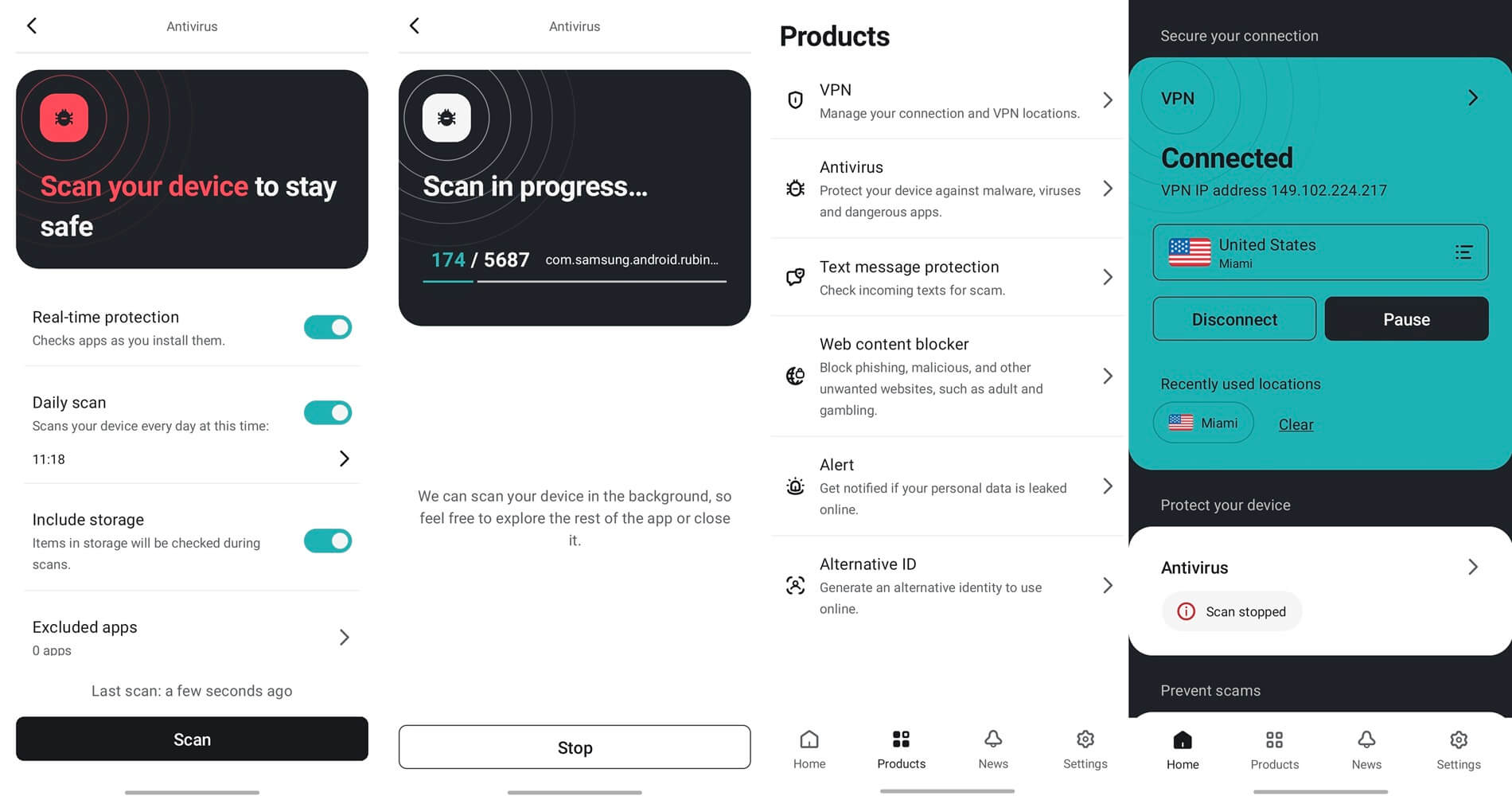
iOS gets no antivirus, and no iOS antivirus does. Apple prevents third-party apps from scanning the file system, so Surfshark’s iPhone app provides the VPN, Alert, and Alternative ID instead.
Surfshark Antivirus Compared With the Alternatives
🆚 Surfshark Antivirus vs Windows Defender
Searches split between Surfshark antivirus vs Windows Defender and Surfshark antivirus vs Microsoft Defender, because Microsoft renamed the product. Same thing either way. Microsoft Defender is free, built into Windows, and scores well in the same labs. It also detected more malware than Surfshark in my testing.
So the honest question isn’t which antivirus is better. It’s whether the Surfshark bundle is worth paying for at all, given Defender already covers the malware layer.
Stay on Microsoft Defender if: you only want malware protection, you don’t want a VPN, you keep your backups, and you’re comfortable with what Windows provides.
Take Surfshark One if: you want a VPN anyway, you have more devices than a typical plan covers, or you want breach monitoring and Alternative ID appeal. The antivirus is a bonus on top, not the reason to buy.
🆚 Surfshark Antivirus vs Bitdefender
On antivirus alone, this isn’t close. Bitdefender has the lab record, the full feature set, faster scans, and considerably better detection. It’s the stronger security product by every measure that matters here. Surfshark wins one argument: covering unlimited devices, with a strong VPN. Bitdefender covers 5 devices, and its bundled VPN is capped at 200 MB per day unless you pay more.
Pick Bitdefender if you want the best antivirus. Pick Surfshark if you want a VPN first and enough devices covered. Our Bitdefender review has the full results.
🆚 Surfshark One vs NordVPN Threat Protection Pro
The most useful comparison, because it’s the same idea: a VPN company bundling malware protection. Worth disclosing first. Nord Security has owned Surfshark since the two merged in 2022, though the products are developed and sold separately. NordVPN’s Threat Protection Pro blocked 45 of 50 malware samples in testing and warned on 95% of phishing URLs, close to Surfshark’s numbers.
It requires NordVPN Complete, and it isn’t a full antivirus: it inspects downloads and web traffic without offering scheduled disk scans. Surfshark gives you a genuine antivirus with real scan types. NordVPN gives you the faster VPN and a larger network. On devices, Surfshark’s unlimited policy beats NordVPN’s cap of 10.
Pick NordVPN for the better VPN. Pick Surfshark One for more devices and an actual antivirus. See our NordVPN review for more information.
Alternatives Worth Considering
- Norton if identity protection matters and you want the longest independent testing record. See our Norton review.
- Bitdefender if you want a real antivirus suite with a firewall, vulnerability scanning, and a password manager.
- Microsoft Defender plus a standalone VPN if you want the cheapest path to the same protection. Our antivirus roundup compares the full field.
Who Surfshark One Suits: Final Verdict
✅ Buy it if:
- You want a strong VPN first, with malware protection as a bonus
- Your household has more devices than most plans cover
- Breach monitoring and Alternative ID appeal to you
- False positives have disrupted your work before
- You want one subscription instead of two
❌ Buy something else if:
- You want a full suite with a firewall and parental controls
- You need a long independent testing record before buying
- You have children and need content filtering
- You’re happy with Defender and don’t want a VPN
On tiers: take Surfshark One. At 30 cents a month above the VPN-only plan, the antivirus, Alert, and Alternative ID are nearly free. Only take One+ if data broker removal genuinely appeals, since Incogni is what you’re paying the extra for.
Common Questions About Surfshark Antivirus
👌 Is Surfshark Antivirus Good?
Yes, with limits. Phishing blocking reached 95% with no false alarms in testing, and AV-TEST gave it a perfect 6.0/6.0 protection score in June 2026. Malware detection came in at 93.44%, below every rival tested on the same hardware, and independent lab coverage is thinner than established brands can show.
⚖️ Is Surfshark Antivirus Any Good Compared to a Full Suite?
No, and the missing components explain why. There's no firewall, no password manager, no parental controls, no vulnerability scanner, and no ransomware rollback. Bitdefender and Norton include all of those. What Surfshark offers instead is a VPN-led bundle covering unlimited devices.
🎁 Can You Buy Surfshark Antivirus on Its Own?
No. The antivirus is only sold as part of Surfshark One or One+, with the VPN, breach alerts, private search, and Alternative ID. There is no standalone purchase.
🛡️ Is Surfshark Antivirus Better Than Windows Defender?
No on malware detection, which Defender does better. Yes on phishing blocking and false positives, where Surfshark scored 95% and zero, respectively. Since Defender is free and built-in, the question is whether the surrounding bundle justifies the subscription.
🔰 Surfshark or Bitdefender: Which Should You Choose?
Bitdefender for antivirus, Surfshark for everything around it. Bitdefender detects more malware, scans faster, and includes a full feature set. Surfshark covers unlimited devices and includes a much better VPN, which suits households buying one subscription for everything.
🐌 Does Surfshark Antivirus Slow Down Your Computer?
Yes, but barely. Boot time rose by 2 seconds in testing, idle memory use stayed between 100 and 130 MB, and disk activity never exceeded 12%. A full scan peaks at 23% CPU and 588 MB of RAM, and the machine stayed comfortably usable.
⚙️ Does Surfshark Antivirus Work on Android?
Yes. The Android version scans newly installed apps and downloaded APK files, and it operates inside the main Surfshark mobile app instead of a separate suite. It requires Android 10 or later on a 64-bit device, and it's lighter than the Windows build.
🍎 Is There Surfshark Antivirus for iPhone?
No, and no iOS antivirus exists in the traditional sense. Apple blocks third-party apps from scanning the file system. The iPhone app provides the VPN, breach alerts, and Alternative ID instead of malware scanning.
💡 What Is the Difference Between Surfshark One and One+?
One+ adds Incogni data broker removal and identity theft insurance, which is US-only. The tier difference is $1.70 a month at signup and $20 a year at renewal. Incogni costs more than that sold separately.
📝 Does Surfshark Have a Money-Back Guarantee?
Yes, 30 days on all plans, and every tier opens with a 7-day free trial. Cancelling auto-renewal is self-service in the account, which matters because renewal prices climb to $79, $99, and $119 a year. Refunds go through live chat, and PayPal refunds process faster than card refunds.
📌 Is Surfshark Antivirus Included With a Surfshark VPN Subscription?
No. The Starter plan covers the VPN only. Antivirus arrives with Surfshark One and above, which catches people out. The difference is 30 cents a month, so upgrading is usually the better decision.
🧪 Has Surfshark Antivirus Been Independently Tested?
Yes, though less often than established brands. AV-TEST assessed it in May and June 2026 on Windows 11, awarding 6.0/6.0 for protection, 4.5/6.0 for performance, and 6.0/6.0 for usability. That totals 16.5, earning Certified status instead of Top Product.