Norton Antivirus Review: Verdict at a Glance
Norton 360 is the most complete consumer security suite sold today (and probably the best antivirus software out there), and the one that costs the most to keep. Everything in this Norton review comes from one test machine. That lets me compare the five products directly.
👍 What Norton Gets Right
- Fastest scans of the five products I measured. A quick scan took 58 seconds, a full system scan 13 minutes 22 seconds.
- Detection averaged 99.8% on my sample set with 3 false alarms, the fewest of any product I tested. Phishing blocking hit 95% with none.
- AV-TEST scored it 6/6/6 in June 2026, a perfect score across protection, performance, and usability.
- Norton Family is the best parental control package in the category. Nothing else at this price is close.
- The refund window is 60 days, double what Bitdefender, Avast and McAfee offer.
- Cloud backup, VPN, password manager, and dark web monitoring are all included with Norton 360 Standard and above.
👎 What Norton Gets Wrong
- Norton 360 Deluxe costs $49.99 for year one and $124.99 after that, a 150% increase.
- Peak CPU and memory during scans were roughly double Bitdefender’s on identical hardware.
- Norton sells LifeLock identity theft protection only in the US. UK and Australian readers pay for a tier they cannot fully use.
- Two dashboards to learn: the desktop app handles scanning, the web account handles billing, backup and devices.
✅ Best for: households with several devices and children to cover. Skip if: you protect one machine, keep software for years, and hate price rises.
What Is Norton, and Who Owns It Now?
What is Norton? Antivirus software. Symantec bought Peter Norton Computing in 1991 and has sold it under the Norton name ever since. For most of that time, the branding read “Norton by Symantec,” which explains why “Norton Symantec” still draws searches. Symantec no longer owns the brand. The ownership chain moved twice in four years. Symantec sold its enterprise security division to Broadcom in 2019, kept the consumer arm, and renamed it NortonLifeLock.
In 2022, NortonLifeLock merged with Avast and the combined company became Gen Digital. So the answer to who owns Norton antivirus today, and who owns Norton 360, is Gen Digital, a Nasdaq-listed company headquartered in Tempe, Arizona. That matters more than a corporate footnote usually would. Gen Digital also owns Avast, AVG and Avira, so four brands competing on the shelf share one parent.
At least three share a detection engine, as the lab results below show. What does Norton do in 2026? The core is a virus scanner with real-time protection, but Norton Security now bundles a firewall, a VPN, a password manager, cloud backup, dark web monitoring, and parental controls into one subscription. Norton antivirus software is sold in tiers, and which of those tools you get depends entirely on which tier you buy.
The full breakdown is below. One point of confusion worth clearing up: there is no Norton 365. The name collides with Microsoft 365 in people’s memory. Norton products use the 360 label across the entire consumer range, and the unspaced norton360 that turns up in search boxes means the same thing. Older forum threads and retail listings still call it Norton AV, Norton anti virus, or the Norton security suite. All of them mean the same Norton cyber security line.
Norton Plans and Pricing: Which Version Is Worth Buying
Every piece of Norton software opens on a first-year discount that expires, and Norton 360 antivirus is no exception. The Norton services bundled at each step up matter more than the price gaps between them. Every price below shows the day-one cost and the twelve-month cost. That second figure decides whether Norton is good value. Prices are US dollars, checked October 2026.
| Plan | Devices | Key additions | Year one | Renewal |
|---|---|---|---|---|
| Norton AntiVirus Plus | 1 | Antivirus, Smart Firewall, Scam Protection, password manager, 2 GB backup | $29.99 (50% off) | $59.99 |
| Norton 360 Standard | 3 | Adds VPN, dark web monitoring, two more devices | $39.99 (57% off) | $94.99 |
| Norton 360 Deluxe | 5 | Adds 50 GB backup, Parental Control, Privacy Monitor | $49.99 (60% off) | $124.99 |
| Norton 360 with LifeLock Select Plus | 10 | Adds 250 GB backup, Scam Protection Pro, LifeLock, one-bureau credit monitoring, $25,000 stolen funds cover | $99.99 (47% off) | $189.99 |
Norton 360 antivirus protection is layered the same way at every price. The Smart Firewall, Scam Protection, deepfake protection, the password manager, and the 100% Virus Protection Promise sit on every tier, including the cheapest. The VPN and dark web monitoring start at Norton 360 Standard. Above that, only the backup allowance, the parental controls, and the identity features change.
Norton AntiVirus Plus
One device for $29.99, renewing at $59.99. That device can be a PC, a Mac, a tablet or a phone, so the tier reaches further than its Windows-only reputation. Against Norton 360 Standard, it lacks only the VPN and dark web monitoring.
In year one, Standard costs $10 more and adds two devices plus both features, so take Standard. At renewal the gap widens to $35, and a single-device buyer who already pays for a VPN can defend staying on Plus.
Norton 360 Standard
Three devices, $39.99 for the first year, $94.99 after. This is where Norton internet security starts to look like the suite it advertises. Secure VPN and dark web monitoring arrive at this tier, and the device count triples.
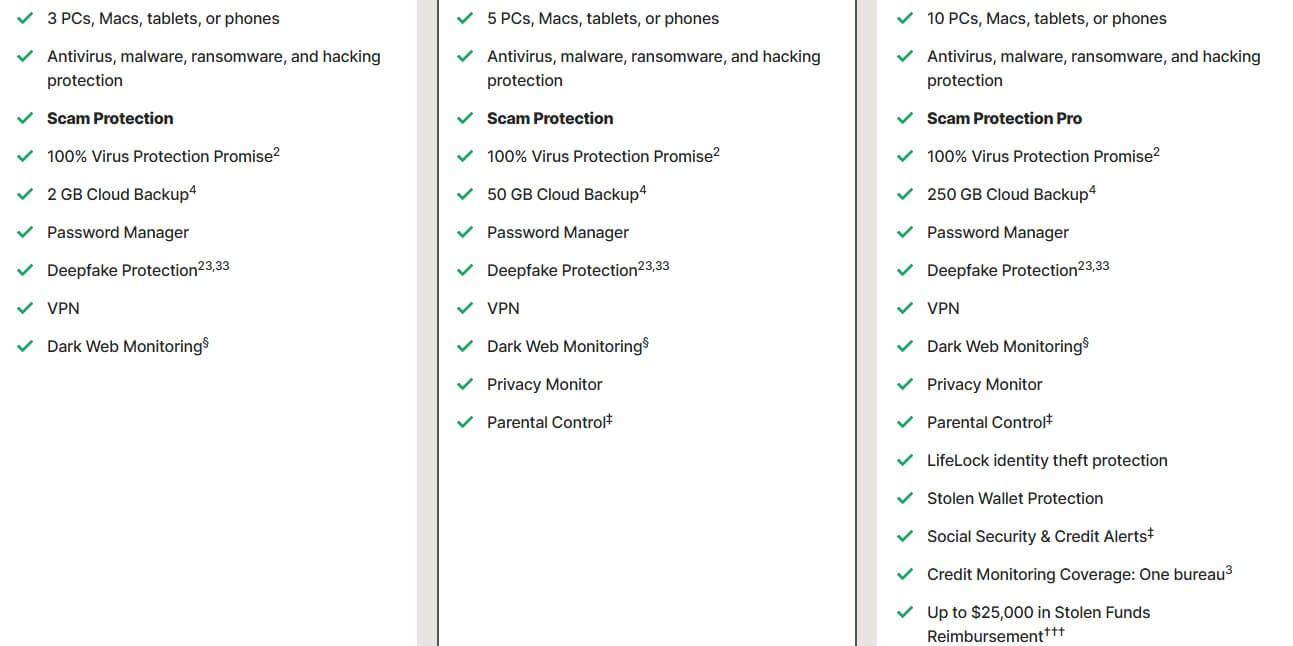
The backup allowance is the weak point. 2 GB suits tax records and documents. Photo libraries need somewhere else. Standard fits a couple with a laptop each and one shared machine.
Norton 360 Deluxe
Five devices, 50 GB of backup, Norton Family and Privacy Monitor, at $49.99 then $124.99. This is the tier to buy. Ten dollars over Standard buys two more device slots, 25 times the backup, and parental controls that are Norton’s actual advantage over every rival in this price bracket. Per device at renewal, Deluxe costs $25.00 a year against Standard’s $31.66. Buying the cheaper plan costs more per machine.
Norton 360 With LifeLock: US Only
Select with LifeLock covers ten devices for $99.99, renewing at $189.99. On top of Deluxe, it adds 250 GB of backup, Scam Protection Pro, Stolen Wallet Protection, Social Security and credit alerts, credit monitoring at one bureau, and up to $25,000 in stolen funds reimbursement.
LifeLock is a US product, built around US credit files and US law. In the UK or Australia, the identity half does nothing, leaving a $50 premium over Deluxe for 200 GB of backup and five device slots. Credit monitoring here covers one bureau out of three, so two credit files stay unwatched.
Norton 360 Standard vs Deluxe: What the Extra Money Buys
Standalone parental control software costs $50 or more a year, so any household with children clears the $30 renewal gap on Norton Family alone. Standard holds up in one case only: three devices or fewer, and nobody under 18 in the house.
What Norton Costs After the First Year
How much is Norton antivirus per year? That depends on which year, and the gap is wide. Here’s what I mean by it:
- Norton AntiVirus Plus: $29.99, then $59.99. A 100% increase. Two-year cost $89.98.
- Norton 360 Standard: $39.99, then $94.99. A 138% increase. Two-year cost $134.98.
- Norton 360 Deluxe: $49.99, then $124.99. A 150% increase. Two-year cost $174.98.
- Select Plus with LifeLock: $99.99, then $189.99. A 90% increase. Two-year cost $289.98.
Deluxe carries the steepest increase, which matters because it is both the tier Norton badges as its best deal and the one I recommend. Select Plus rises least in percentage terms while climbing $90 in absolute money. Norton advertises the first-year prices as $2.50, $3.33, $4.17 and $8.33 a month. At renewal, those same plans cost $5.00, $7.92, $10.42 and $15.83.
Bitdefender doubles. McAfee triples on some tiers, and NordVPN’s security bundle climbs further than either. Norton sits mid-pack in a market that treats the first year as a discount and the second as the price. Subscriptions auto-renew by default, Norton bills a few days ahead of the anniversary, and the charge arrives at full rate with no second discount. Two things to do.
Set a calendar reminder two weeks before the renewal date, just to be sure, and leave auto-renewal switched on until then, because turning it off early costs you the Virus Protection Promise.
Is Norton Free? Trials, Free Tools and What They Cover
No. Norton has no permanently free antivirus. Avast and AVG give away a scanner at no cost. The Norton range has no equivalent, so free Norton antivirus means either a trial or a standalone utility. Free Norton virus protection in the permanent sense does not exist. What does exist is a 7-day free trial on Norton 360 plans, which asks for payment details and converts to a paid subscription unless you cancel.
It buys you enough time to check the interface and see whether a full scan bothers your machine, and little more. There’s no Norton free trial 30 days offer anymore. Separately, Norton gives away a handful of standalone utilities. The Norton free virus scan people look for is Power Eraser, an aggressive standalone scanner for machines already showing symptoms, and it needs no subscription.
Safe Web is a free browser extension that flags dangerous sites in search results. Norton Password Manager has a free tier in most regions. None of these offer real-time protection, so none replaces an antivirus. A warning about the other kind of free. Searches for cracked Norton installers and licence key generators mostly return malware. The installer usually works.
It installs something else alongside it. Antivirus Norton free downloads from unofficial sources are one of the more reliable ways to infect a machine you were trying to protect. If the budget is zero, Microsoft Defender is free, legitimate, and scored 6/5.5/6 at AV-TEST in June 2026. Use that instead.
Setting Norton Up: Install, Dashboard and Everyday Use
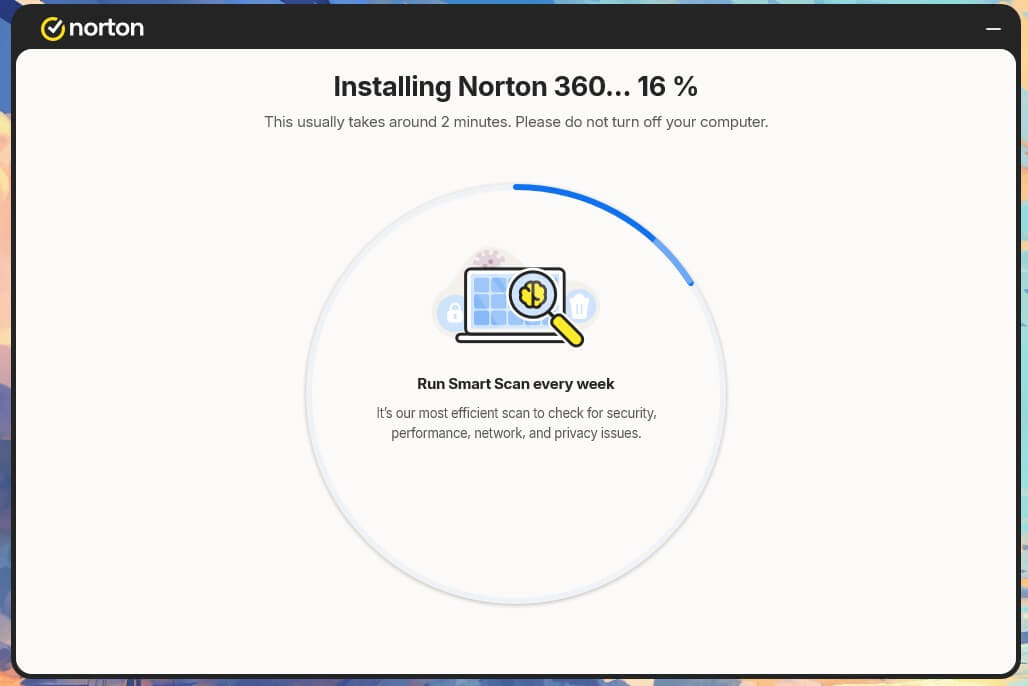
Installation is quick. The first screen is where attention is needed. Below the Install button, Norton pre-ticks two boxes: install Norton Private Browser, and make it the default browser. I unticked both since I didn’t want the browser.
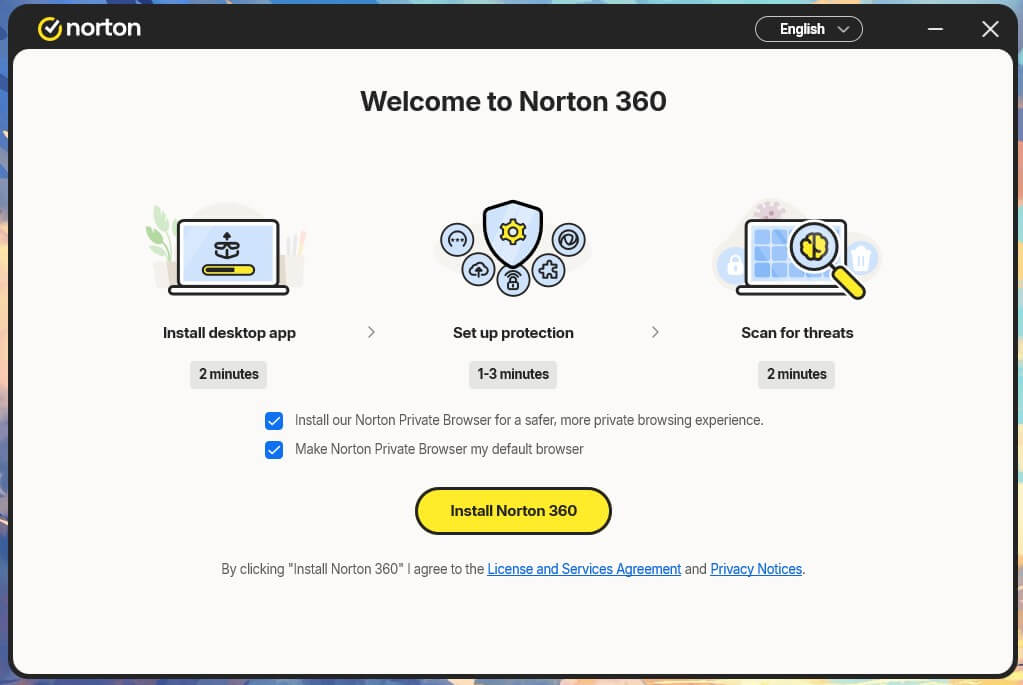
Norton estimates two minutes. On my rig, it took 2 minutes 43 seconds, so the estimate is fair. Start Setup walks through activation from one list. I switched Cloud Backup off and set the VPN to connect manually. The last step offers a Smart Scan now or later. I didn’t want to do it right then and there, so I opted for later.
The dashboard puts navigation on the left, status in the middle, and Control Panel on the right. Security, Performance, Privacy and Identity open their own page. The right column carries Scans, Scam Protection, Secure VPN, Cloud Backup and Software Updates, so all that most people touch sits one click from the home screen.
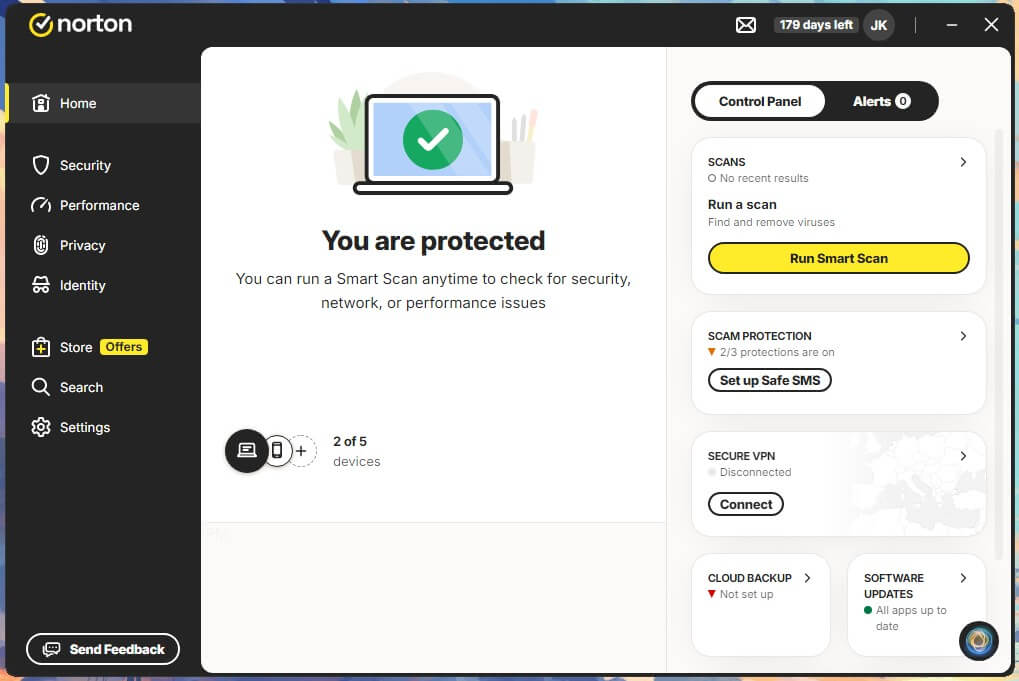
Two things spoil it. A Store entry sits in the primary navigation with an Offers badge, with the upsell beside the security features. The desktop app is only half the product. Dark Web Monitoring and several account functions open in a browser, so managing Norton means learning two interfaces that look nothing alike.
For a less technical buyer, that split is the obstacle. The desktop app is clear enough alone. Being bounced to a website mid-task and asked to sign in again is where people give up. Installing Norton is easy. Living with it takes patience, and the app is overdue for an overhaul.
Norton Protection Test Results: How Much Malware It Stops
Is Norton antivirus good at the job it is named for? Yes. Independent labs and my own bench agree on that. Is Norton a good antivirus set against the cheaper alternatives, and is Norton security good enough to justify the premium? Those questions are harder, and the answers flatter Norton less.
Independent Lab Scores: AV-TEST and AV-Comparatives
AV-TEST rated Norton 360 at 6/6/6 in its June 2026 Windows 11 home user round, a perfect card across protection, performance and usability. Bitdefender, ESET, F-Secure, Kaspersky and McAfee all matched it. So did Avast Free Antivirus and AVG Free, meaning two free products matched the paid suites.
AV-Comparatives sets a harder test. In the March 2026 Malware Protection Test, Norton blocked 96.3% of samples offline, 98.7% online, and reached a 99.97% online protection rate, with 9 false alarms. Bitdefender scored 97.6% offline and 99.94% online protection with 4 false alarms. Microsoft Defender hit 99.93% with 3. Look at who else posts Norton’s exact figures.
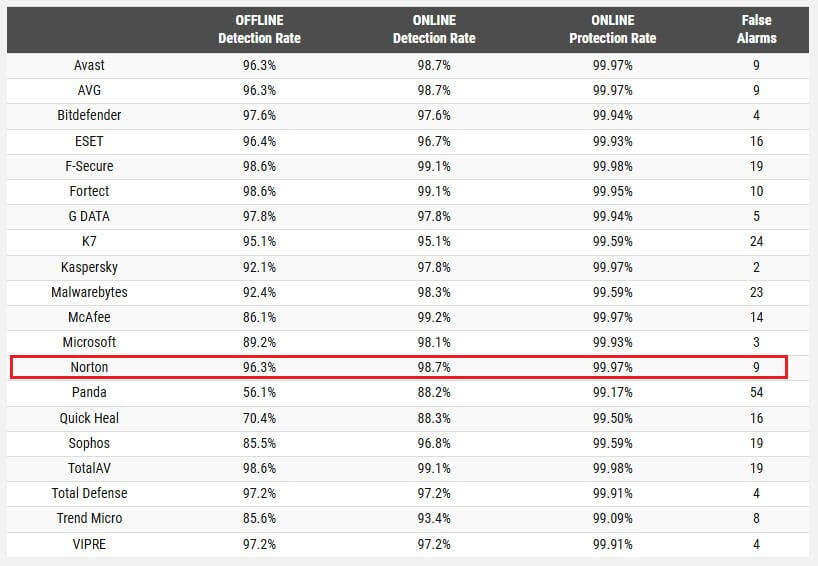
Avast and AVG match it across all four columns, to the decimal, which points to a shared detection core under one parent. Detection alone gives nobody a reason to pay Norton’s price over Avast’s. What separates 99.94% from 99.97% in practice? On ten thousand samples, three misses against six. Norton virus protection is excellent, and so is the competition’s, so Norton antivirus protection earns a pass here alongside every other mainstream suite.
How good is Norton antivirus in absolute terms? Good enough that the engine is never the reason to shop elsewhere. Definitions update several times a day, which is where the antivirus malware protection layer does most of its work.
Malware and Phishing Blocking in Testing
On my own sample set, Norton’s combined online and offline detection averaged 99.8%, with 3 false alarms, two of which were ordinary documents. Three false alarms was the cleanest result of the four full scanners I measured, against 4 for Avast, 5 for Bitdefender and 7 for McAfee. My sample set is far smaller, so the lab figure is likely the more reliable number.
Phishing is where Norton separates itself from the field. On my test set, it blocked 95% of live phishing pages and raised no false alarms, so it never flagged a legitimate login page as fraudulent. AV-Comparatives certified Norton at 93% in its anti-phishing round from 12 June 2026, close enough to my result that both look sound. Bitdefender scored 91% on my set and 87% at the lab.
Norton leads by four points in my testing and six at AV-Comparatives, and the two tests agree on direction and roughly on margin.
Ransomware Protection and the Virus Protection Promise
Norton layers behavioural detection over signature scanning through SONAR, which judges a program by its behavior. Encrypting files in bulk, altering shadow copies, and contacting known command servers all trigger intervention, even for samples nobody has catalogued yet. This layer catches ransomware families that appear after your last definition update.
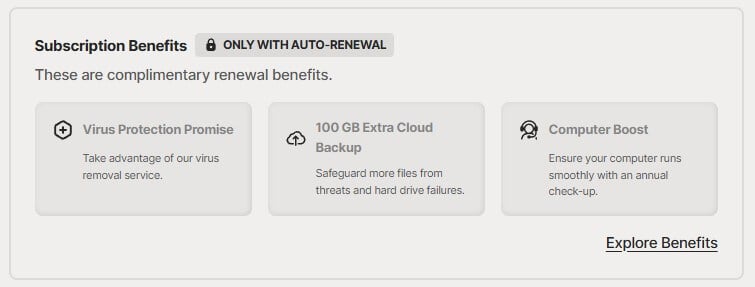
The 100% Virus Protection Promise sits on top: if Norton cannot remove a virus from your device, you get your money back. Two conditions shape how much that is worth. The promise applies at every tier and every price. You contact Norton support and let an agent attempt removal first; the refund then covers your current subscription term, and it applies to annual subscriptions with auto-renewal switched on.
Norton Virus Main Scan Types and How Long They Take
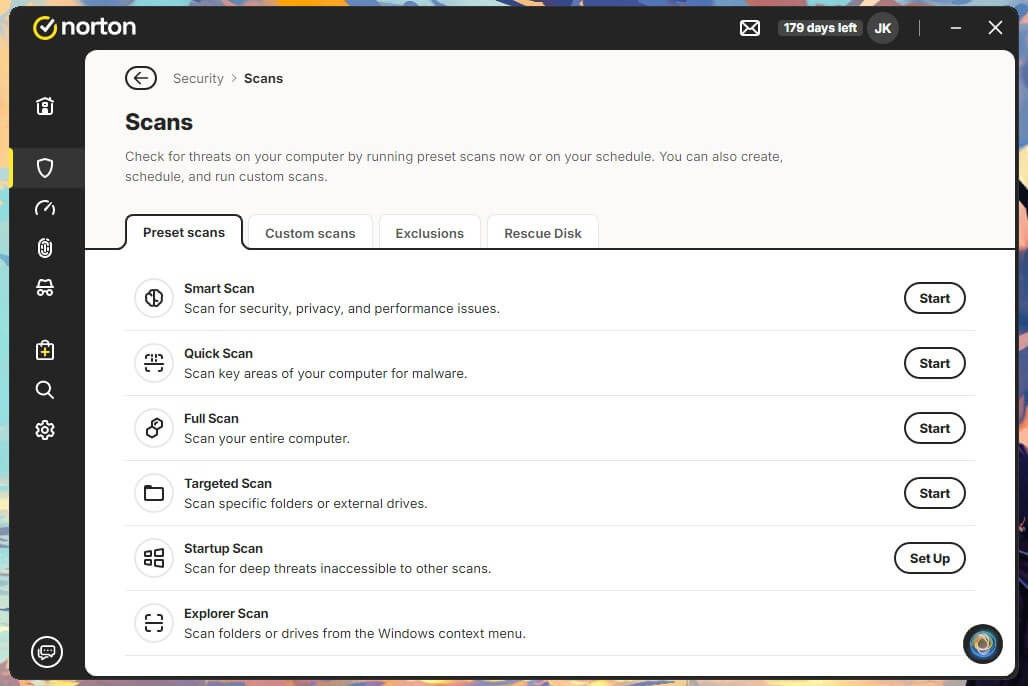
Norton virus software offers four scan modes:
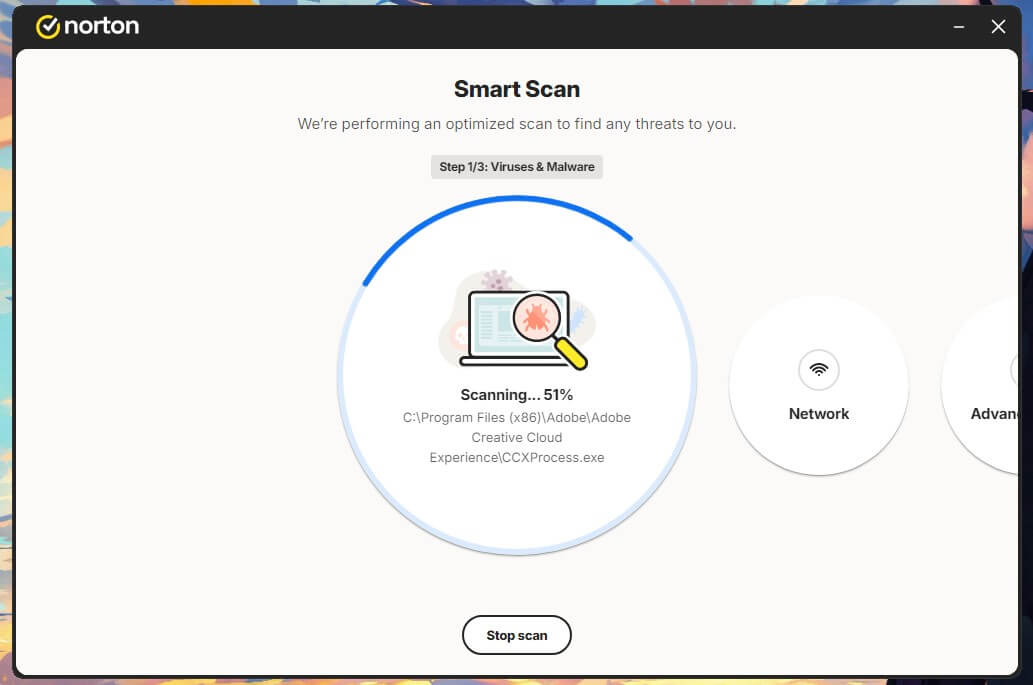
- Quick scan and Smart scan. Memory, startup items, and the usual infection sites. Took 58 seconds on my machine. This is the daily-use option.
- Full system scan. Every file on every drive. 13 minutes 22 seconds across two SSDs holding roughly 530 GB of data. Worth doing monthly, or after any incident.
- Custom scan and Targeted Scan. A folder, a drive, or a specific file. The right tool for something you just downloaded and do not trust.
- Startup scan. Requires a restart, but it’s actually very useful for checking system files and hidden malware that start running just as your computer boots. In my test, it took 47 seconds, so it was fairly quick, though it didn’t catch anything.
- Explorer scan. Scans pretty much everything from the Windows context menu, even RAR, ZIP, and 7-Zip archives, and informs you in real-time. No need to enable it, just configure it, and you’re set.
Both timed scans were the fastest of the five products on the same hardware. The next section covers what that speed costs.
Norton Speed and System Impact: Does it Slow Down PC?
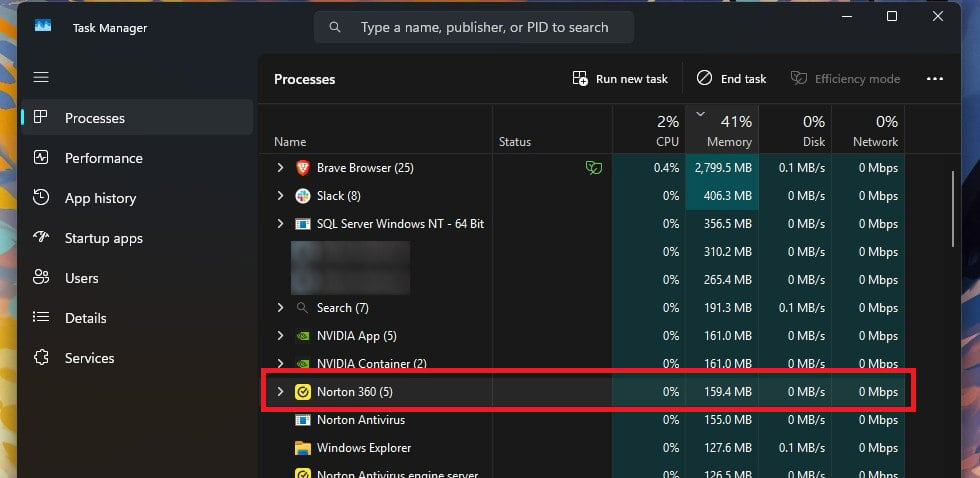
Yes, while it scans. Less than its reputation suggests the rest of the time. Every number below comes from one desktop: a Ryzen 7 5800X, 32 GB of DDR4-2666, Windows 11 Pro, two M.2 SSDs. At idle, Norton takes up to 180 MB of memory, 0.2% of CPU, and 0.1 MB/s of disk. On any machine built in the last five years, that is invisible.
During a full scan, Norton peaked at 23% CPU and 384 MB, more than double its idle footprint, pushing the drives between 90 and 220 MB/s. Bitdefender on the same machine peaked at 11% CPU, 183 MB, and 10 to 121 MB/s. Norton finished 41 seconds sooner while drawing roughly twice the CPU and twice the memory.
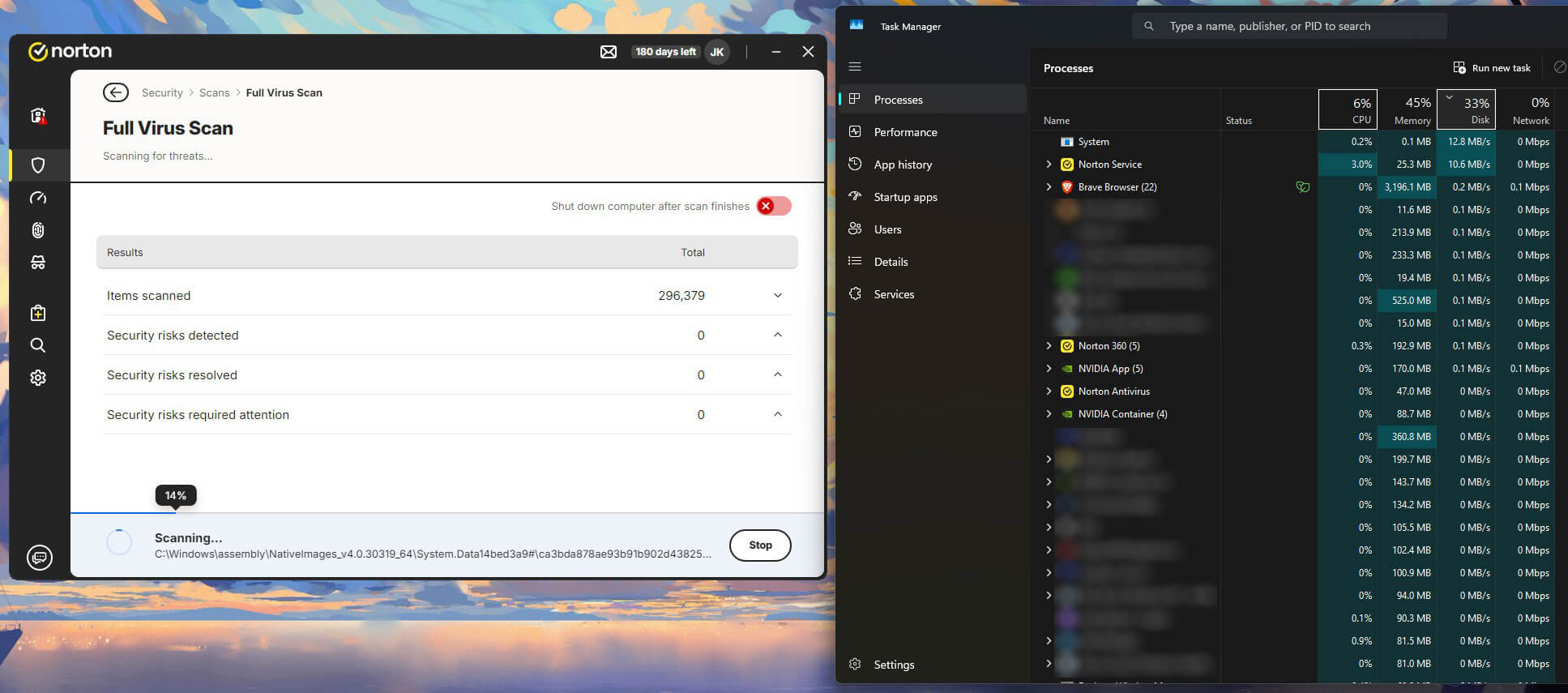
Norton still finished first every time, 9.4% quicker than Bitdefender on the quick scan, 19.4% quicker than Avast, and 32.6% quicker than McAfee. Working the hardware harder is the better trade on a capable desktop. On a thermally limited laptop four years old, it is what makes people say Norton bogs their computer down. AV-Comparatives points the other way.
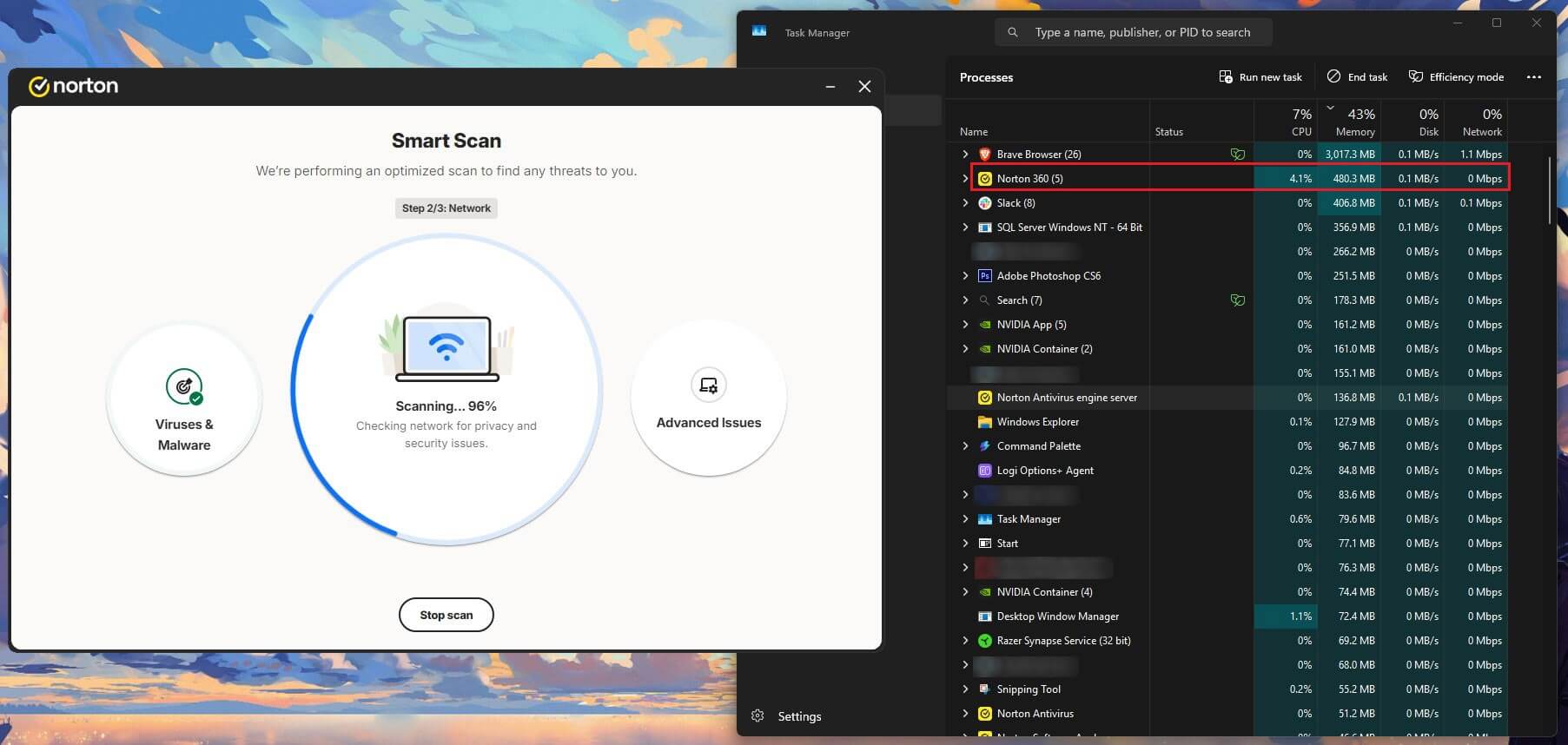
Its April 2026 Performance Test scored Norton at 5.3 and Bitdefender at 9.6, where lower is better, making Norton the lighter of the two. That test times everyday operations like copying files and launching programs, never peak load during a scan. Boot time is where Norton costs you most.
With no antivirus installed and Defender off, my machine reached a usable desktop in 18 seconds. With Norton, 30 seconds. A 67% increase on every cold start, and the clearest single cost of the suite. Norton also starts with Windows and takes 15 seconds to open fully once the desktop appears.
Everything Bundled With Norton 360, Rated Tool by Tool
Norton 360 stacks a lot of software behind the scanner. Some of it earns its place. Some of it exists so the feature list looks longer than the competition’s. Each tool below is judged on its own merits.
Norton Secure VPN and Wi-Fi Security
Included from Norton 360 Standard upward with no data cap. Norton Wi-Fi Security watches for compromised or spoofed hotspots and prompts you to connect when it finds one, which is the use case the product was designed around. As a VPN, it stays basic. Split tunnelling, a kill switch, and ad tracker blocking, post-quantum encryption are all present, and the location list is short next to a dedicated VPN.
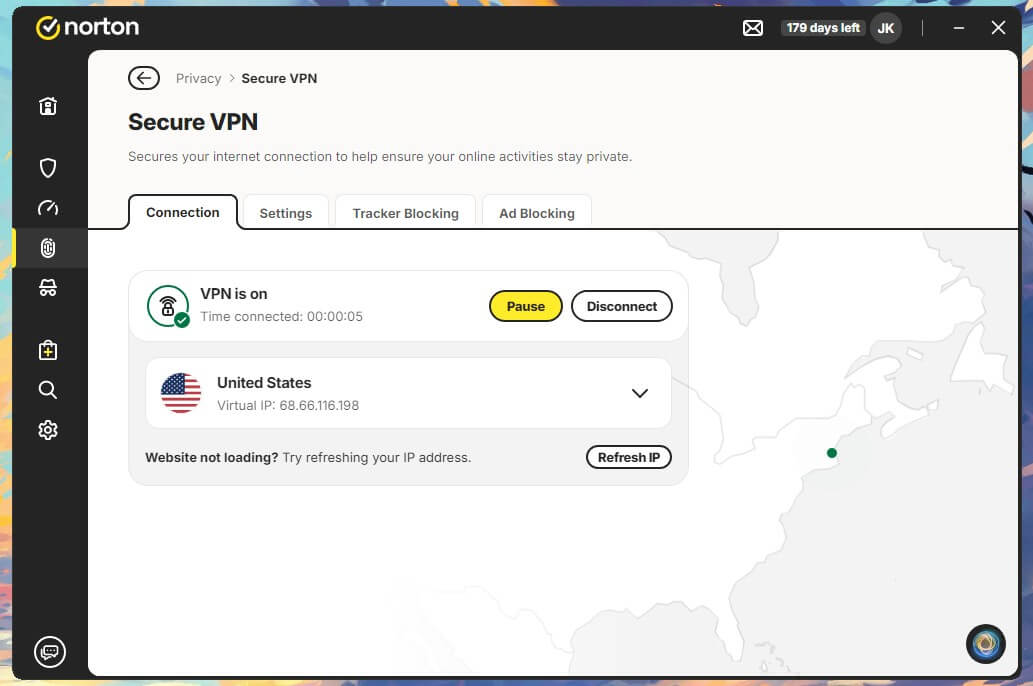
It is built for encrypting a connection on an untrusted network. Switching countries to reach other streaming catalogues sits outside its scope. Norton’s policy states it does not log browsing activity, though the product carries no published no-logs audit of the kind the major standalone providers commission.
✅ Verdict: Switch it on for hotel and airport Wi-Fi for privacy and bypassing geo-blocks. Buying Norton 360 for the VPN alone means buying the wrong product.
Norton Password Manager
Free, included on every tier, and available without a Norton subscription. The vault uses AES-256 with zero-knowledge encryption, so Norton cannot read what you store in it. Import works from Chrome, Firefox, Edge, and a CSV file, which covers most people switching over. Autofill behaves on desktop and copes on mobile.
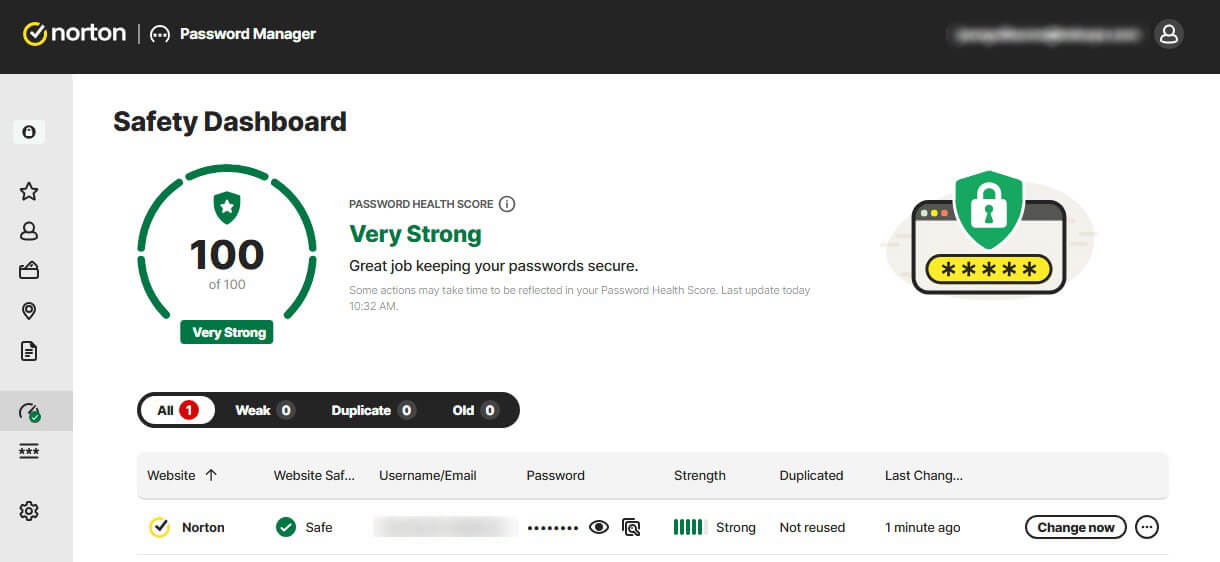
Extensions exist for Chrome, Firefox, Edge, and Safari, and there is no native desktop app, so the extension is the whole interface. Missing: shared vaults, emergency access, secure file storage and mature passkey support.
✅ Verdict: better than reusing passwords, and it costs nothing. Bitwarden’s free tier does more, and there are better password managers.
Cloud Backup and Ransomware Insurance
Windows only. It copies selected folders and file types, so documents, photos, and financial records. It will not image the drive, and it will not restore Windows itself. Restores happen through the desktop app or the web account, file by file or folder by folder. The point of the feature is ransomware. An encrypted local drive is survivable when the files also sit somewhere the attacker cannot reach.
✅ Verdict: switch it on and treat 50 GB as document insurance. A photo library needs a dedicated backup service given the limited storage.
Smart Firewall and Intrusion Prevention
On every Norton plan, AntiVirus Plus included. Windows already includes a firewall, so the question is what Norton adds to it. Two things. Outbound connection control decides what your own programs may contact, and intrusion prevention inspects incoming traffic for exploit signatures before it reaches the application.
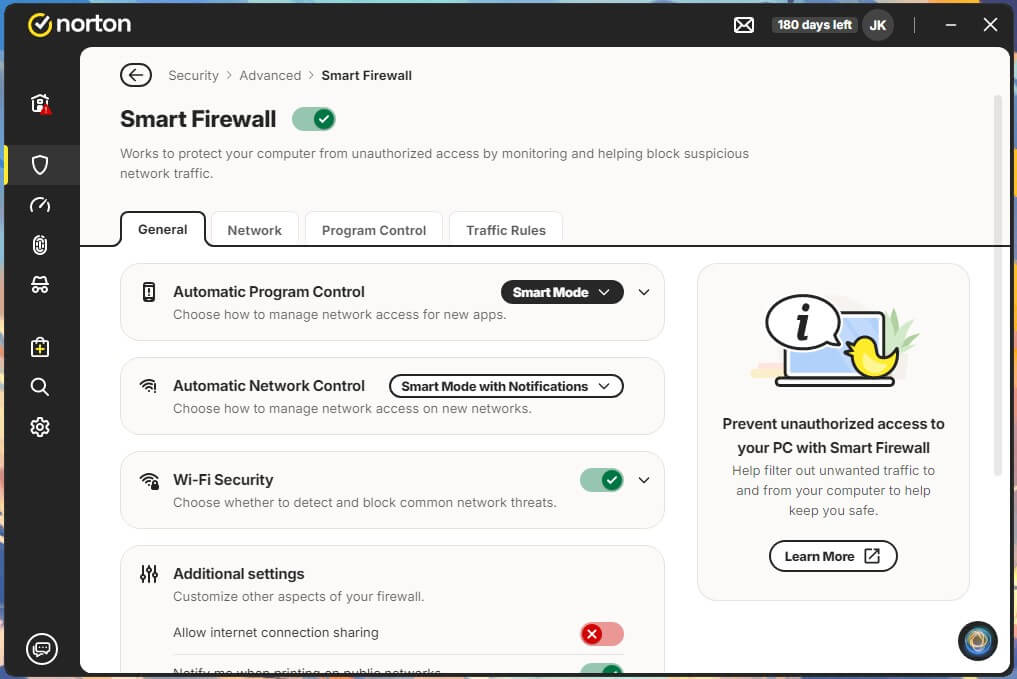
Windows Defender Firewall handles the first poorly and the second not at all. Noise stays low by default. Norton decides automatically for software it recognises and only asks about the rest, which for most people means it rarely asks.
✅ Verdict: keep it on. Intrusion prevention is the genuine upgrade over the built-in firewall across all operating systems (Windows, primarily).
Norton Private Browser and Safe Web
Two different products that get conflated. Norton Safe Web is a free browser extension that grades search results and blocks known phishing and malware pages. Norton Private Browser is a Chromium build with Safe Web, an ad blocker, and the password manager already inside it.
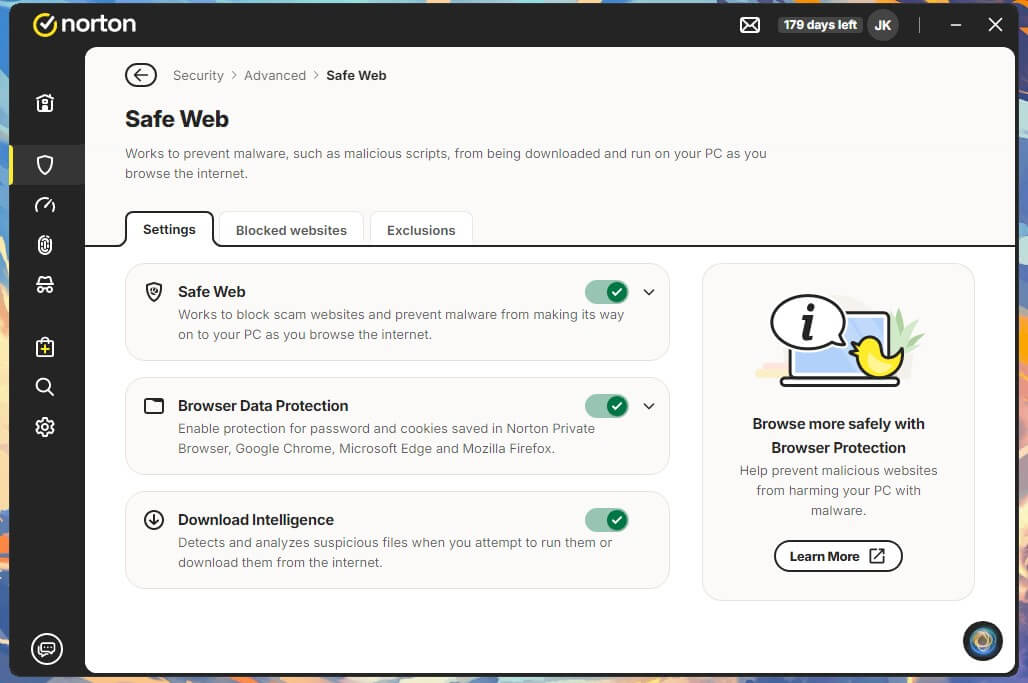
Safe Web does the work. The 95% phishing block rate measured earlier comes through this layer. The browser adds convenience, though third-party Chromium builds typically trail upstream Chrome on security patches.
✅ Verdict: install Safe Web in the browser you already use. Norton Private Browser adds little that the extension does not already cover.
Parental Controls With Norton Family
Norton Family arrives on Deluxe and above, and it is the strongest argument for choosing this suite over any rival. Web filtering works by category with separate rules per child. Screen time can be capped daily or scheduled by hour. School Time locks a device to approved education sites during class, and no competitor at this price matches it at the moment.
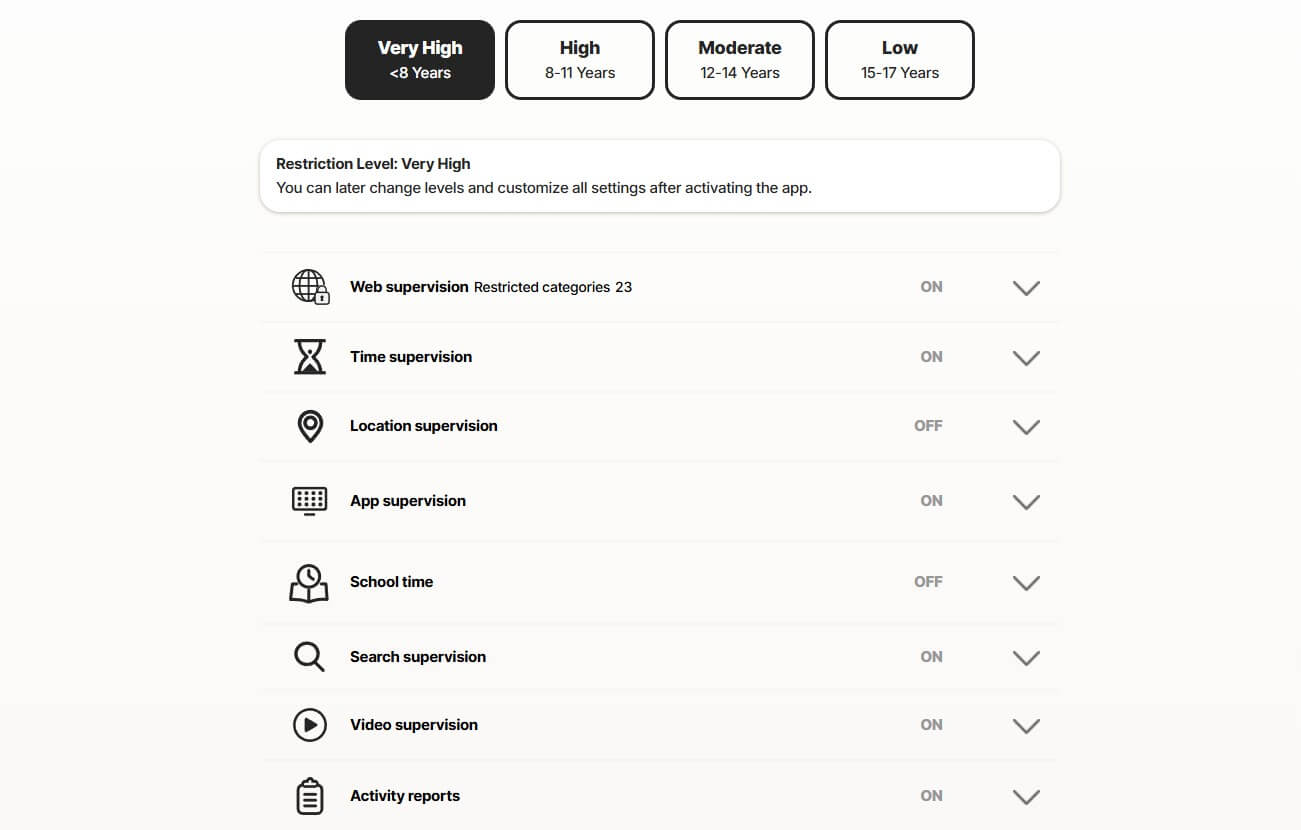
Location tracking and search supervision work on mobile. Activity reports hold 30 days of history, which shows patterns instead of isolated incidents. There is no macOS client, and iOS restricts app supervision in ways Apple controls.
✅ Verdict: best in class, and on its own worth the step up to Deluxe.
Scam Detector, Norton Genie and Dark Web Monitoring
Norton Genie takes a screenshot or pasted text of a suspicious message and tells you whether it looks like a scam. It is free, it works without a subscription, and it is the most useful of Norton’s recent additions. Scam Detector extends that to SMS and calls on mobile, filtering messages before you read them.
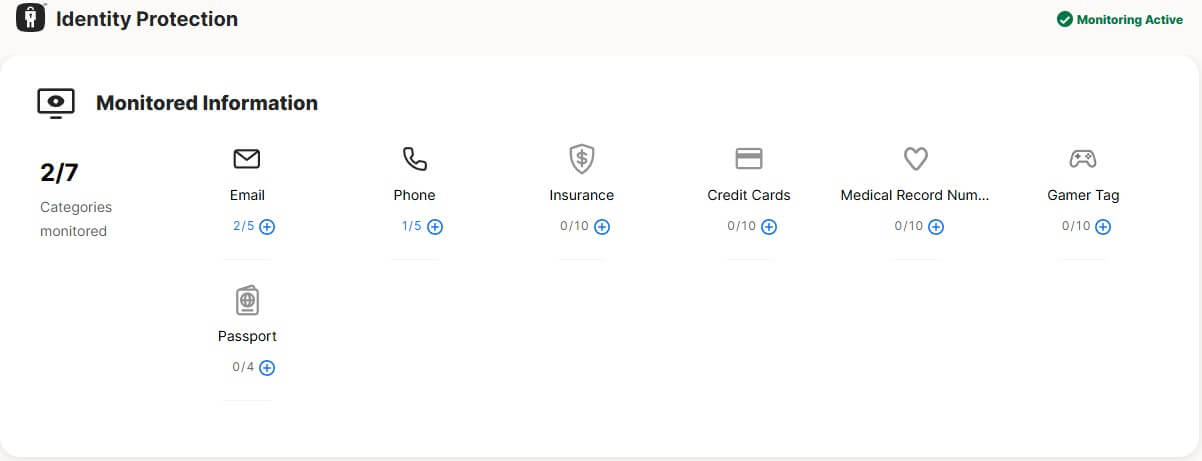
Availability varies by country, so check your region before depending on it. Dark web monitoring watches breach dumps for your email address and alerts you when it surfaces. US subscribers get the most monitored identity elements.
✅ Verdict: Use Genie whether or not you buy Norton. Dark web monitoring is convenient, though free breach-notification services cover the same ground.
LifeLock Identity Theft Protection
US only, on Select Plus and the tiers above it. The monitoring side watches credit activity, Social Security number use and stolen wallet contents, then alerts you when something moves. Alerts on their own only tell you that damage has already started. Restoration is what the money buys.
If someone takes your identity, a specialist handles the account cancellations, the police report, the credit bureau disputes, and the months of follow-up. Doing that alone costs weeks of phone calls.
✅ Verdict: worth it in the US for anyone who would actually pick up the phone and use it. The monitoring alone changes very little.
Norton on Windows, Mac, Android and iPhone
Norton antivirus protection covers Windows, macOS, Android and iOS on one plan, and the device slots work across all four. Here’s what you get:
- Windows. The full product. Norton antivirus for PC carries real-time scanning, the Smart Firewall, cloud backup, Norton Family, the VPN and the password manager. Every measured figure in this review comes from the Windows version. Norton antivirus for laptop and desktop is the same software, and the licence draws no distinction between them.
- macOS. Scanning, the firewall, Safe Web, the VPN and the password manager all work. Cloud backup is Windows only. Norton Family has no macOS client either, so a Mac in a family household sits outside the parental controls.
- Android. The strongest of the two mobile apps, sold for years as Norton Mobile Security before Norton turned it into 360. It scans installed apps and downloads, App Advisor flags problem apps before installation, Wi-Fi scanning checks networks, and SMS filtering catches scam texts.
- iOS. Apple permits no app to scan another app’s files, so Norton on iPhone performs no file scanning at all. What it does instead: Web Protection blocks malicious sites, Wi-Fi Security checks networks, Device Security flags missing OS updates and jailbreak indicators, and the VPN works normally. Every iOS security app faces the same restriction.
- Device slots. Every app reports to one Norton antivirus online account, and that is where licences move between devices. At the limit, adding a device prompts you to release an old one. Licences move freely, so replacing a laptop costs nothing.
Is Norton Safe? Privacy Policy, Data Collection and Past Incidents
Is Norton a virus, and is Norton 360 safe to keep installed? No, and yes. Norton is legitimate security software from a Nasdaq-listed company, and two independent labs test it. The phrase Norton viruses gets searched both ways, by people asking what it catches and people asking whether it is one. The reputation has three sources, all earned. The first is renewal behavior.
Norton has historically pushed subscription notifications, and popups demanding money look like the thing antivirus is supposed to stop. The second is bundling: Norton came preinstalled on consumer laptops for years, and software you didn’t choose that nags you feels hostile. The third is Norton Crypto, an Ethereum mining feature added to Norton 360 in 2021 that took a 15% cut of anything mined.
It was opt-in, and putting a cryptocurrency miner inside security software damaged trust well past the feature’s own lifespan. Norton has since retired it.
2023 Incident Explained
Attackers reached around 6,450 Norton Password Manager accounts using username and password pairs leaked from other services. Nobody breached Gen Digital’s systems, and nobody cracked the vaults. The exposure hit customers who reused a password elsewhere and had skipped two-factor authentication. For a buyer, the lesson concerns password reuse and 2FA.
On privacy, Gen Digital collects telemetry on threats detected, files scanned, and product usage, and shares data with service providers and for legal compliance. It is a US company under US jurisdiction. Nothing in the policy is unusual for the category, and nothing in it is a privacy feature.
Norton Customer Support Put to the Test
Norton offers 24/7 chat (first with a chatbot, Kate), 24/7 phone, a community forum, and a knowledge base. Chat is the channel worth using. The support site opens with a chatbot that narrows by category. I chose Threats and Scams, then Browser security, and it offered self-help articles before proposing an agent.
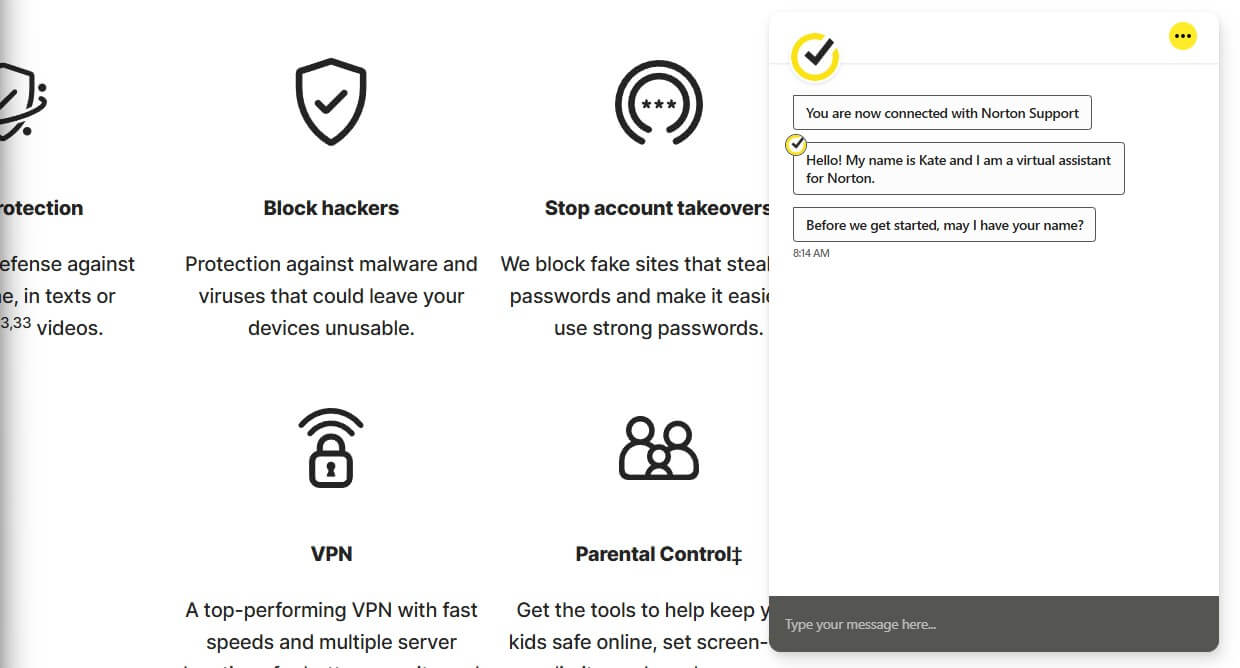
Asking for a person moves the conversation to a human without an argument. Wait time was roughly two minutes. The answer came back accurate and specific, with no scripted padding and no attempt to sell me a higher tier. Agents can take control of the machine through Remote Assistance when a problem needs hands-on attention. The community forum is busy.
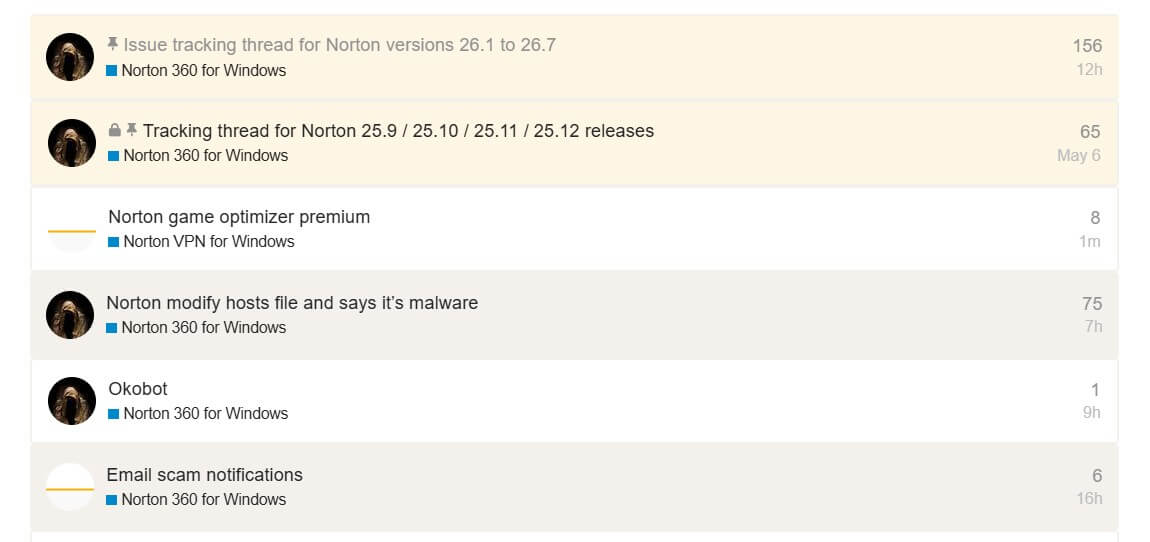
Norton staff answer alongside customers. Anyone whose question can wait will probably find it answered there already. One failure is worth reporting. The support link inside the desktop app never worked. Every attempt returned HTTP 400 Bad Request, repeatedly, over several tries.
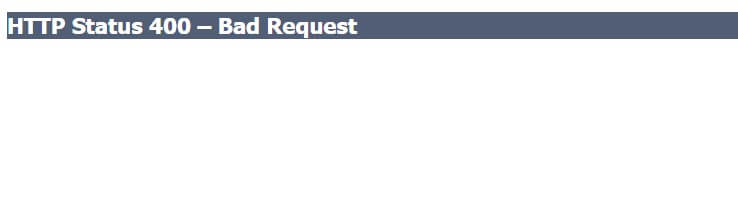
Reaching support through a browser presents no difficulty, so nothing is lost beyond a click. A broken help button inside security software is still a poor look. Cancelling is simple, and worth knowing before buying. Sign in to the Norton account, open My Subscriptions, and switch auto-renewal off. That stops the next charge without ending current cover. A refund on a charge already taken goes through support, inside the large 60-day window.
Verdict: among the best support in this category once you reach it. Two minutes to a competent human is fast for this category.
Norton Compared With the Main Alternatives
Three names dominate antivirus reviews alongside Norton. Each of them beats it at something specific. Here’s more information:
🆚 Norton vs Windows Defender
Windows Defender vs Norton is a closer fight than it was a few years ago. Defender scored 99.93% online protection at AV-Comparatives in March 2026 with only 3 false alarms, against Norton’s 99.97% and 9. On core malware blocking, the free option built into your OS is competitive. Norton pulls ahead elsewhere.
Phishing and scam page blocking is stronger. The suite covers Macs, Android and iOS from one plan. Parental controls and dark web monitoring have no Defender equivalent, and Norton answers the phone when something goes wrong.
Stay on Defender if you protect one Windows PC, keep your software patched, have no children to filter, and are comfortable troubleshooting alone. Upgrade if any of those is untrue.
🆚 Norton vs McAfee
McAfee or Norton comes down to device count against everything else. McAfee sells unlimited devices from its Premium tier at $49.99, which no Norton plan matches at any price. Norton wins on almost every other axis. On my bench, McAfee was both the slowest and the heaviest product measured.
It took 16 minutes 47 seconds for a full scan at 33% CPU and 415 MB of memory, with 7 false alarms against Norton’s 3. AV-Comparatives recorded 14 false alarms for McAfee in March, the worst of the mainstream suites. McAfee and Norton cost about the same. The quality gap between them is wide.
Verdict: Norton, unless you are covering more than ten devices, in which case McAfee’s unlimited licence wins on arithmetic alone.
🆚 Norton vs Bitdefender
The closest rival, and the comparison that will decide this page for a lot of readers. Malware detection is a dead heat: 99.8% for both on my sample set, and a 0.03-point gap at AV-Comparatives that means nothing in practice. Phishing splits them, and Norton takes it in my testing and at the lab.
Bitdefender is the lighter product by a wide margin, drawing half the CPU and half the memory during scans. Norton is the faster one, and it has Norton Family, a bigger backup allowance and a 60-day refund window against Bitdefender’s 30. On price at five devices, the two are close enough to ignore: Norton Deluxe costs $174.98 over two years, Bitdefender Total Security $169.98.
Verdict: Bitdefender on older or low-powered hardware. Norton if you have children, want the backup, or click enough links that the phishing gap earns its money.
Alternatives Worth Considering Instead of Norton
- Bitdefender Total Security. The pick for anyone whose machine is more than a few years old. Same detection, half the resource cost.
- Avast One. Shares Norton’s detection engine under the same parent, and the free tier scored 6/6/6 at AV-TEST. Hard to argue with for a zero budget.
- Microsoft Defender. Already installed, already competitive on malware, and free. The honest default for a single well-maintained Windows PC.
Who Norton Antivirus Is Right For, and Who Should Skip It
Is Norton worth it, and is Norton 360 worth it at the tier most people settle on? For three kinds of buyer, clearly yes.
➡️ Families with children. Norton Family is the strongest reason to choose this suite over any rival, and it arrives at Deluxe for $49.99. Bought separately, comparable parental control software costs about as much again.
➡️ Multi-device households. Five devices at $25.00 each per renewal year, covering Windows, Mac, Android and iOS from one account, is competitive pricing for what is included.
➡️ People who want one subscription instead of five. If you would otherwise pay separately for antivirus, a VPN, a password manager and cloud backup, the bundle saves money even at renewal prices. It saves nothing if you already have a VPN you like better.
Three buyers should look elsewhere. Defender covers a single well-patched Windows PC for nothing. Owners of older laptops will have a better time with Bitdefender. And people outside the USA should not buy a LifeLock tier because it won’t work. Is Norton antivirus worth it once the introductory price expires? At Deluxe, yes, if you use parental controls and the backup.
At AntiVirus Plus, yes for a single device at $59.99. Standard is the weak step because $94.99 buys three devices when $30 more covers five and adds the parental controls. The tier to buy is Norton 360 Deluxe.
The Bottom Line on Norton Antivirus
This Norton 360 review closes at 4.8/5, judged on the renewal price, because that is what you pay for as long as you keep it. Protection matches anything sold to consumers. Scans finished faster than every rival on the same hardware, and Norton Family has no competitor at this price. The suite is the most complete on the market, and for a household covering several devices it is the right buy at the Deluxe tier.
The reason to hesitate is arithmetic. $49.99 becomes $124.99 after 12 months. If you’ll use the parental controls and the 50 GB of backup, the renewal is defensible. If you won’t, Bitdefender handles the security half with less impact on your machine, and Defender handles it for free. Buy it, set a calendar reminder for day 350, and use the 60-day refund window if the first month disappoints.
Common Questions About Norton Antivirus
💯 Is Norton Antivirus Good?
Yes. Norton scored 6/6/6 at AV-TEST in June 2026 and reached a 99.97% online protection rate at AV-Comparatives in March. Phishing blocking measured 95% with no false alarms, the strongest result in this test set. The question, is Norton good, gets the same answer from every lab that tests it. The caveat is price, because year two costs between 90% and 150% more than year one.
🛡️ Is Norton 360 Good, and Which Tier Is Best?
Norton 360 is good, and Deluxe is the tier to buy. It covers 5 devices for $49.99 in year one, includes 50 GB of cloud backup, and carries Norton Family, the best parental control package in the category. Standard saves $10 up front and costs more per device. Select Plus suits only US buyers who will use the LifeLock restoration service.
📊 How Much Is Norton Antivirus per Year?
Between $29.99 and $99.99 for the first year, then between $59.99 and $189.99 every year after. AntiVirus Plus sits at the bottom of both ranges with one device, Select Plus with LifeLock at the top with ten. Deluxe, the tier most households should buy, costs $49.99 and then $124.99.
🔒 Is Norton a Virus or Is It Safe to Install?
Norton is absolutely safe to install. It is legitimate software from Gen Digital, a Nasdaq-listed company, and AV-TEST and AV-Comparatives test it continuously. The question comes from three habits: insistent renewal reminders, preinstallation on laptops nobody chose it for, and a cryptocurrency mining feature added in 2021 and since retired. None of those makes it malicious.
💼 Who Owns Norton Antivirus?
Gen Digital owns Norton. Symantec sold its enterprise arm to Broadcom in 2019 and renamed the consumer business NortonLifeLock, which merged with Avast in 2022 to form Gen Digital. The same company now owns Norton, Avast, AVG, and Avira, which explains why three of those brands.
⚖️ Norton or McAfee: Which Should You Buy?
Norton, in almost every case. It scans faster, uses less memory, and produces fewer false alarms than McAfee on identical hardware. McAfee posts the worst false-positive count of the mainstream suites at AV-Comparatives. McAfee wins on unlimited device coverage from $49.99, which no Norton tier matches at any price.
🔰 Is Windows Defender Enough Instead of Norton?
For a single Windows PC kept patched, yes. Defender reached a 99.93% online protection rate at AV-Comparatives in March 2026 with only 3 false alarms, so core malware blocking is competitive. Norton earns the upgrade when there are children to filter, Macs or phones to cover, or phishing risk worth insuring against.
🔄 How Do You Cancel Norton and Stop Auto-Renewal?
You can cancel Norton and stop auto-renewal by signing in to your account, going to My Subscriptions, and stopping auto-renewal manually. Switching auto-renewal off does not cancel the subscription or end protection, which continues to the end of the paid term. Refunds are available for 60 days from the charge.