Minecraft has kept a large player base for more than a decade, and running your own server is still the best way to control the rules, the mods and who gets to join. A server on your home connection struggles with lag, downtime and attacks, so most owners rent one from a host.
The best Minecraft server hosting gives you enough RAM for your mods and players, fast storage, protection against DDoS attacks and a control panel that installs the server for you. We focused on hosts that sell dedicated Minecraft plans with one-click setup, because setting a server up by hand is where many owners give up.
This guide compares five of them on price, RAM, mod support, refund policy and locations, with the most secure hosts in mind. The prices come from each host’s plans, and we say where we tested a service ourselves and where we rely on published specs.
5 best Minecraft server hosting services ranked
- Hostinger: the best Minecraft hosting overall in 2026
- InMotion Hosting: flexible and mod-friendly
- Shockbyte: suitable for beginners with lower demands
- ScalaCube: cheap Minecraft server hosting with a free tier
- Apex Minecraft Hosting: managed hosting with premium hardware
Minecraft server hosting compared
The table shows how the five hosts differ on the points that matter most before you buy.
| Host | Entry price | RAM range | Refund window | Locations | Best for |
|---|---|---|---|---|---|
| Hostinger | $6.99/mo on a 24-month term | 4 to 32 GB | 30 days | North America, South America, Europe, Asia | Modded servers and growing communities |
| InMotion Hosting | $6/mo | 2 to 32 GB | 7 days | United States only | Flexible plans with a flat renewal price |
| Shockbyte | $3.99/mo ($2.79 the first month) | 1 to 16 GB | 72 hours | Several regions | Beginners and small servers |
| ScalaCube | $2/mo | 768 MB to 32 GB | None | 14 locations | Tight budgets and a free tier |
| Apex Minecraft Hosting | $7.99/mo | 2 to 32 GB | 7 days | More than a dozen locations | Managed hosting with premium hardware |
How we chose these hosts
We looked for hosts that sell dedicated Minecraft plans with one-click setup, and we compared them on RAM per dollar, mod support, refund windows, locations and how much of the server you control. The details come from each host’s published plans and prices, and from Hostinger’s own Minecraft pages for the Hostinger section. Where we tested a service ourselves, such as the uptime we monitored in our Hostinger review, we say so, and everywhere else we say that the notes rest on specs.
Best Minecraft server hosting: our detailed list for 2026
You can technically host a Minecraft server on any reliable hosting service, but you then have to install and configure the server yourself, and people who aren’t tech-savvy often give up at that stage. We wanted to avoid that, so every host on this list sells dedicated Minecraft plans where the server setup takes a single click.
1. Hostinger
Pros
- The most RAM per dollar on this list
- Up to 32 GB of RAM
- NVMe storage and AMD EPYC processors
- Full root access on every plan
- More than 2,000 modpacks and Java and Bedrock server types
- 30-day money-back guarantee
Cons
- Renewals cost 1.6 to 2.1 times the intro price
- The intro price needs a 24-month commitment
- Self-managed VPS, so more setup than Apex or Shockbyte
- Support isn’t Minecraft-specific
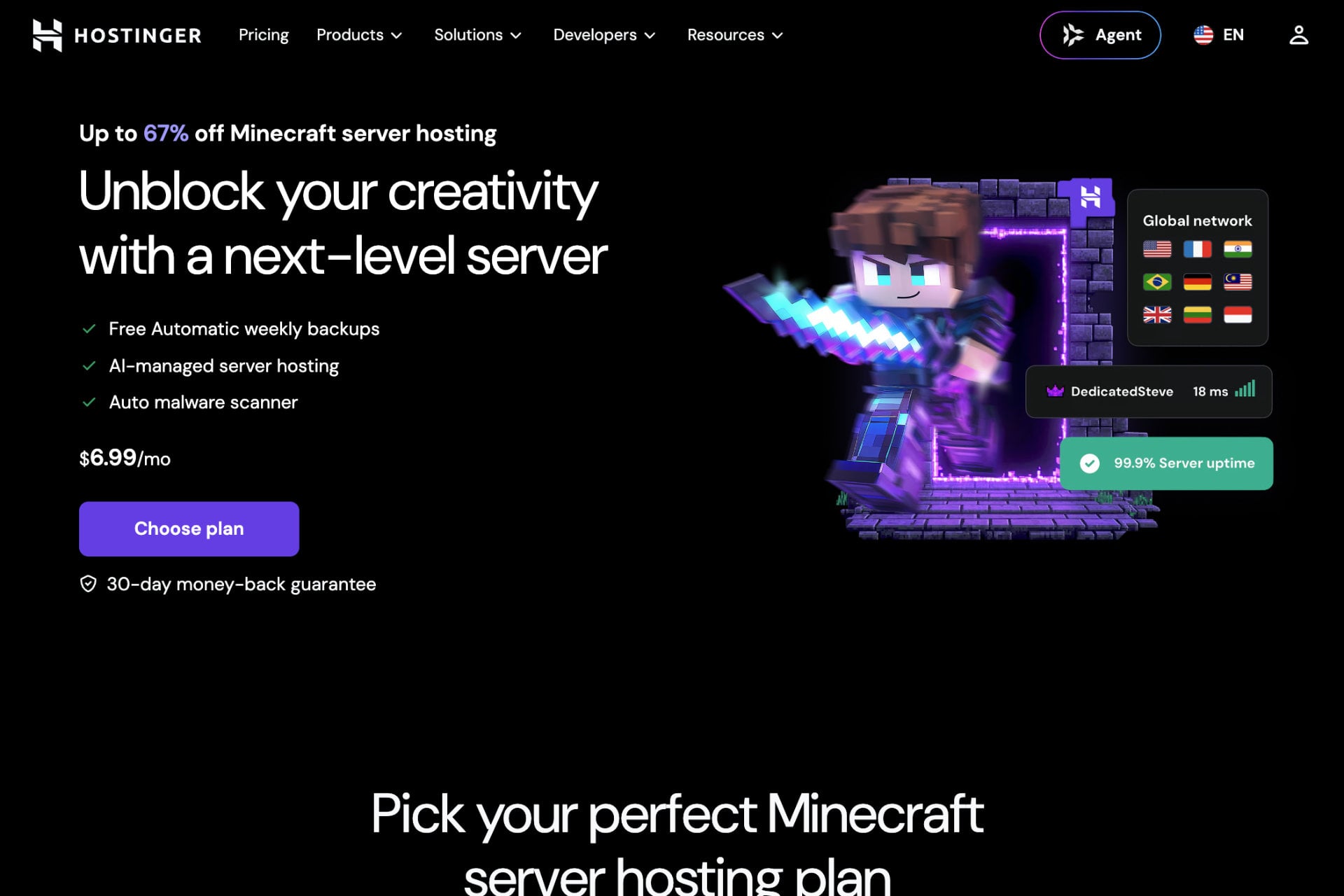
Hostinger is the best Minecraft server hosting overall in 2026: its Game Panel plans start at $6.99 a month on a 24-month term ($6.29 with code GIZMODO), and every plan has full root access, mod support and AMD EPYC processors. The company has a whole page dedicated to Minecraft, although it isn’t easy to spot on the main site.
See Hostinger Game Panel plans
Hostinger sells Minecraft hosting as a VPS with a game panel on top, which gives you more control than a managed game host and a little more responsibility. VPS hosting is also faster and more stable than shared hosting, because your CPU, RAM and storage aren’t shared with other customers.
Hostinger Minecraft plans and features
There are four plans, named Game Panel 1, 2, 4 and 8. The prices below are for a 24-month term paid upfront, so Game Panel 1 costs $167.76 at checkout against a regular price of $467.76, and code GIZMODO takes another 10% off any Hostinger plan.
| Plan | Price per month (24-month term) | With code GIZMODO | Renews at | RAM | vCPU | Storage | Players (Hostinger estimate) |
|---|---|---|---|---|---|---|---|
| Game Panel 1 | $6.99 | $6.29 | $11.99/mo | 4 GB | 1 | 50 GB NVMe | Up to 25 |
| Game Panel 2 | $9.49 | $8.54 | $14.99/mo | 8 GB | 2 | 100 GB NVMe | Up to 90 |
| Game Panel 4 | $13.99 | $12.59 | $28.99/mo | 16 GB | 4 | 200 GB NVMe | 150+ |
| Game Panel 8 | $27.99 | $25.19 | $49.99/mo | 32 GB | 8 | 400 GB NVMe | Not listed |
Hostinger’s help page estimates up to 25 players and 40 mods on Game Panel 1, up to 90 players on Game Panel 2 and more than 150 on Game Panel 4. Those are Hostinger’s own numbers, and a heavy modpack will bring them down. Game Panel 1 suits a small modded server for a group of friends, Game Panel 2 (the plan labeled most popular) suits a growing community, and Game Panel 8 is aimed at large communities or several servers on one machine.
Every plan includes mod support, one-click installation, NVMe storage, DDoS protection, full root access, AMD EPYC processors, an AI agent powered by MCP and a free .cloud domain for a year. The FAQ on Hostinger’s Minecraft page adds that you can switch between more than 2,000 modpacks from the dashboard and change server type at any time. The options include Paper, Spigot, Purpur, Forge, Bedrock and several older types. For mods you install a loader such as Fabric or Forge first, and Hostinger’s AI assistant, called Kodee on that page, can help with configuration.
Setting up a server on Hostinger
Hostinger’s FAQ describes the setup in a few steps. Once you have chosen a plan and the VPS is ready, you log in to your dashboard and enter a server name, a Game Panel password and your preferred server location. You then configure the Game Panel, pick a server type and invite your friends to join. Hostinger also links a step-by-step guide with a video tutorial, and a second guide covers installing Forge and adding modpacks through the panel.
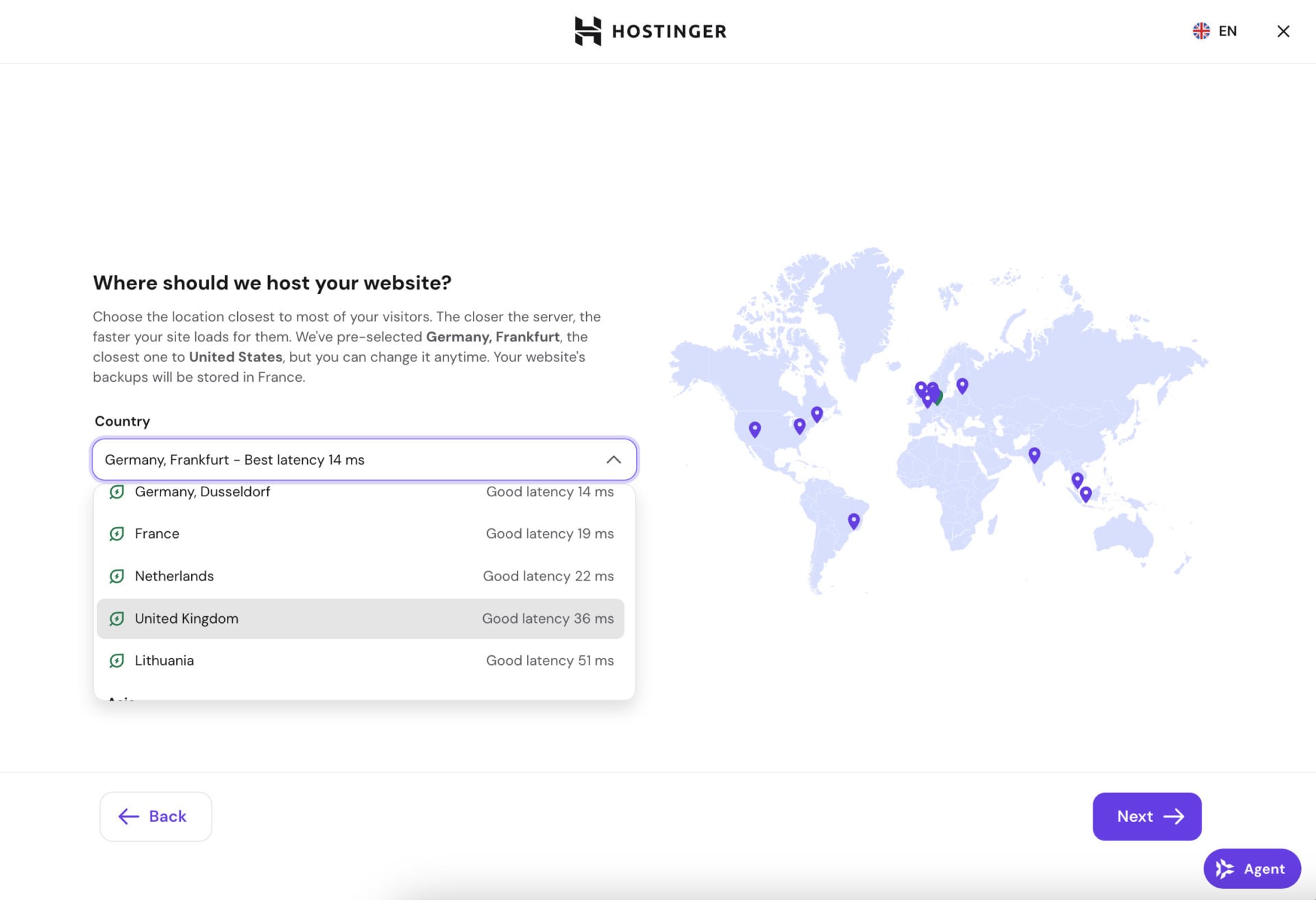
The Minecraft page lists data centers in North America, South America, Europe and Asia and marks them on a world map. When we opened the location picker from Switzerland, Hostinger recommended Germany with a best latency of 14 ms. Your reading will depend on where you connect from, so pick the location closest to most of your players.
Hostinger guarantees 99.9% uptime and in our Hostinger review a test site we monitored for several months matched that figure. VPS plans also include free weekly backups. We haven’t run a Minecraft server on Game Panel ourselves for this update, so the performance notes here come from Hostinger’s specs and pages rather than our own benchmarks.
One technical point deserves a mention: the main game loop of a Minecraft server runs mostly on a single CPU core, so single-core speed matters as much as the number of cores. Hostinger uses AMD EPYC server processors, while Apex’s premium tier uses desktop-class Ryzen 9 chips, which usually run at higher clock speeds.
See Hostinger Game Panel plans
Where Hostinger falls short
The plans are self-managed VPS, so you handle more of the setup than on Apex or Shockbyte, although the Game Panel installs the server for you. Support isn’t Minecraft-specific, and the 4 GB of RAM on the cheapest plan is the practical minimum for a modded server rather than a comfortable amount. The intro prices also need a 24-month commitment, and they renew at 1.6 to 2.1 times the intro rate.
2. InMotion Hosting
Pros
- Eight plans from 2 GB to 32 GB
- Prices don’t rise at renewal
- Dedicated IP address
- Bedrock and Java edition support
- One-click Minecraft installation
Cons
- Data centers in the United States only
- Modpacks aren’t recommended on the two smallest plans
- Short 7-day refund policy
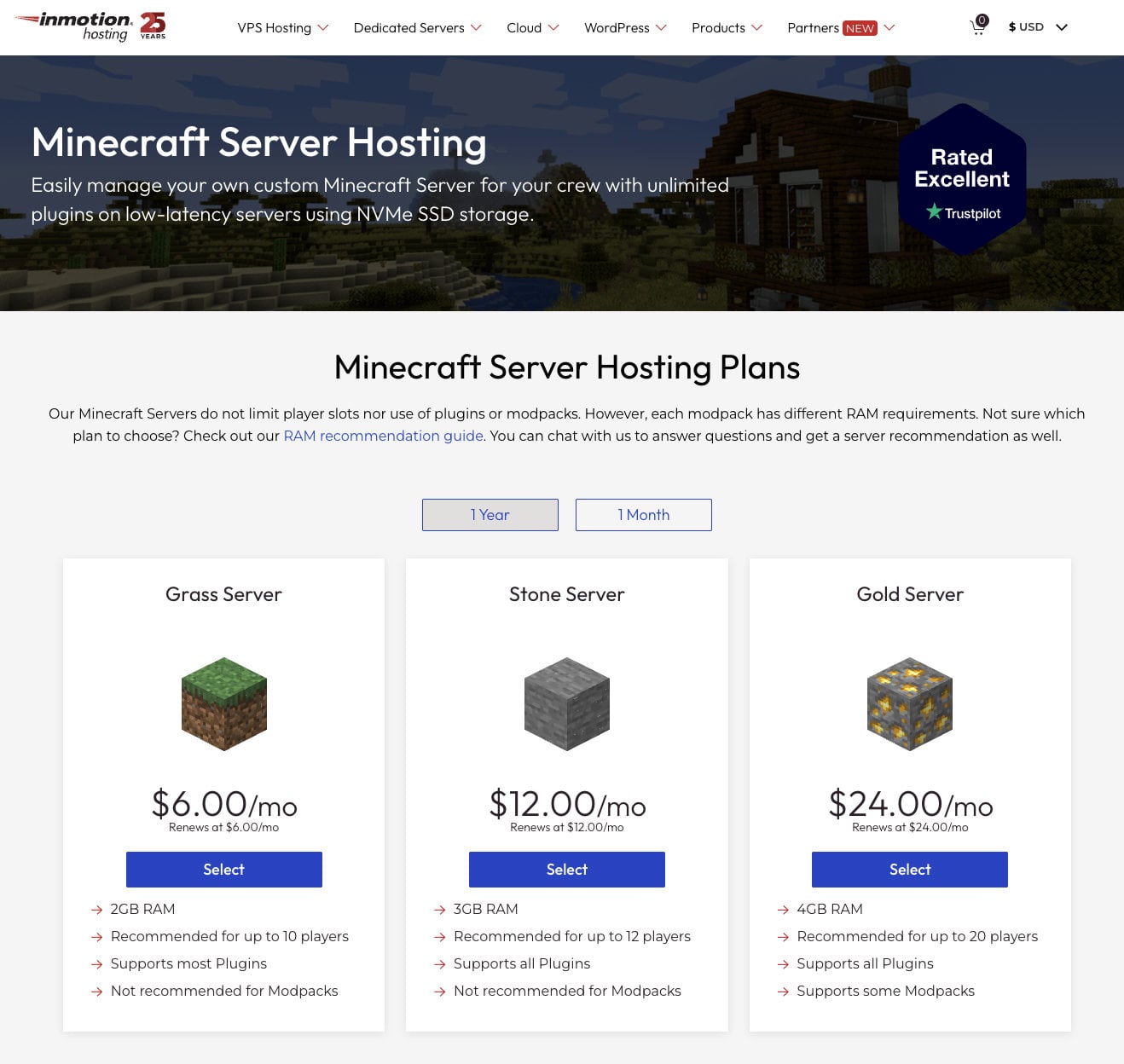
Our second pick is InMotion Hosting, a mainstream web host with a set of Minecraft plans named after blocks from the game, from Grass to Netherite. The plans are flexible, and InMotion says each one renews at the price you start with, which is a real advantage over hosts whose intro prices jump later. You can pick eight fully customizable plans, more than Hostinger’s four.
InMotion Hosting Minecraft plans and features
InMotion shows two rates for each plan, and both renew at the price you start with.
| Server | Price | RAM | Players (InMotion estimate) | Plugin support | Modpack support |
|---|---|---|---|---|---|
| Grass | $6/mo | 2 GB | 10 | Most | No |
| Stone | $12/mo | 3 GB | 12 | All | No |
| Gold | $24/mo | 4 GB | 20 | All | Some |
| Iron | $31/mo | 6 GB | 25 | All | Most |
| Obsidian | $48/mo | 8 GB | 35 | All | All |
| Emerald | $64/mo | 12 GB | 50 | All | All |
| Diamond | $92/mo | 16 GB | 75 | All | All |
| Netherite | $185/mo | 32 GB | 100+ | All | All |
InMotion is more flexible than Hostinger and ends at the same 32 GB of RAM, but it doesn’t support plugins and modpacks equally on every plan, so the cheapest options are the less capable ones. You get a dedicated Minecraft server with a game panel, and both Java and Bedrock editions work, which leaves more room for customization.
Each plan includes a dedicated IP address and DDoS protection, and InMotion runs its Minecraft servers on Intel Xeon hardware with a 99.9% uptime target. The company offers 24/7 support for Minecraft-specific problems, and setup is simple enough for beginners while still giving tech-savvy users access to FTP and MySQL databases. The refund window is only 7 days, compared with 30 days on InMotion’s standard web hosting plans.
Where InMotion falls short
The first two plans are hard to recommend, because Grass and Stone have 2 GB and 3 GB of RAM and InMotion itself advises against modpacks on them. To run every plugin and modpack you need Obsidian at $48 a month, and the top plan, Netherite, costs $185 a month. That is about 6.6 times Hostinger’s 32 GB plan at its intro price of $27.99, although Hostinger’s plan is a self-managed VPS. All of InMotion’s data centers are in the United States, which adds latency for players in Europe or Asia.
3. Shockbyte
Pros
- Beginner-friendly setup
- Entry plans from $3.99 a month, with a budget tier from $1.99
- No fixed player limit
- Automatic backups
Cons
- Tops out at 16 GB of RAM
- About $4 per GB of RAM at every tier
- 72-hour money-back window
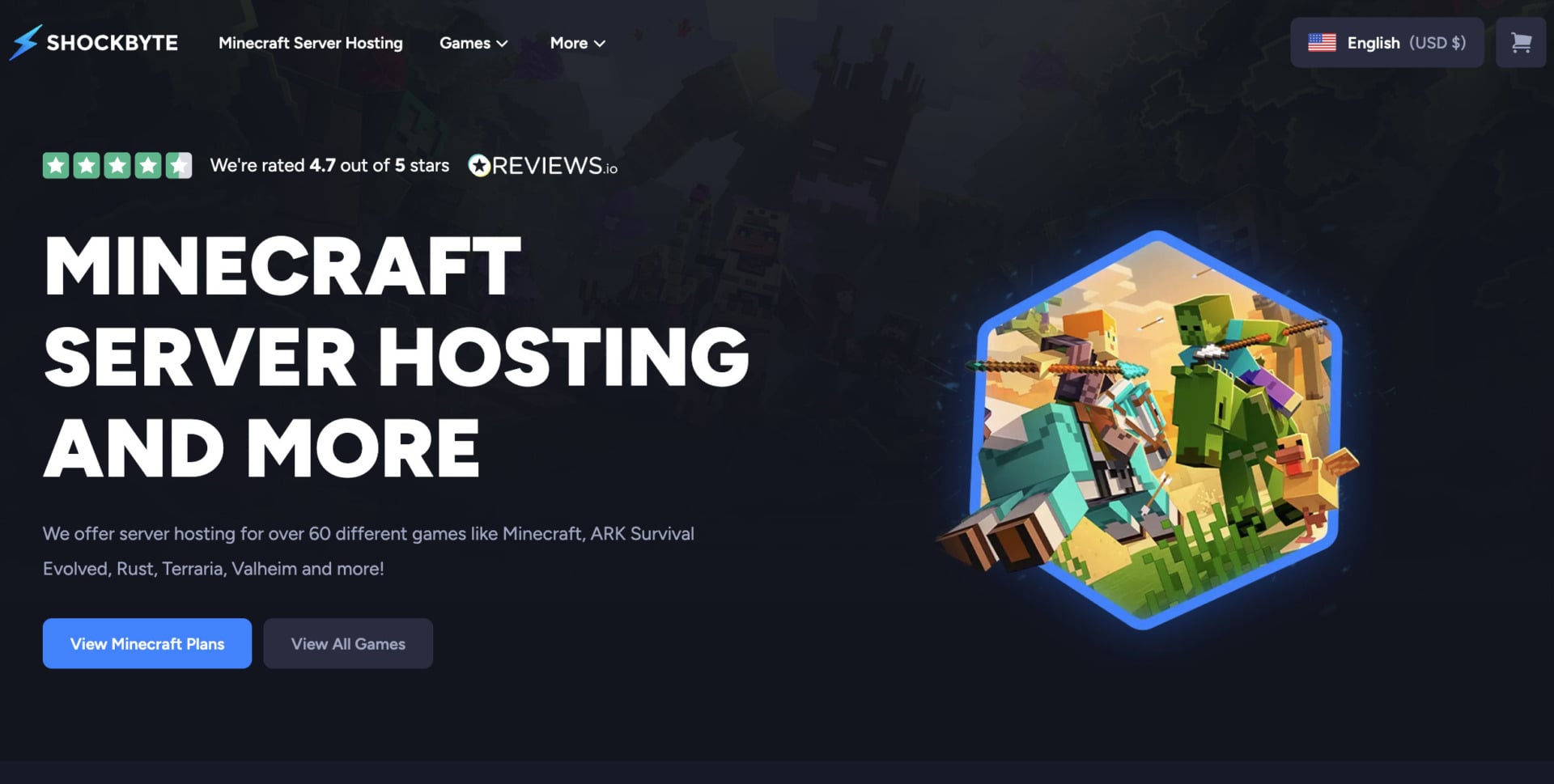
You may not have heard of Shockbyte in the context of website hosting, because it is a game server host founded in Australia in 2013. It rents servers for Stardew Valley, Palworld, Garry’s Mod and many other games, and Minecraft is its best-known product.
Shockbyte Minecraft plans and features
Shockbyte prices its Minecraft plans by RAM and lets you pay monthly, quarterly, semi-annually or annually, with annual plans saving up to 25%. The four entry plans are:
| Plan | RAM | Regular price | First month |
|---|---|---|---|
| Dirt | 1 GB | $3.99/mo | $2.79 |
| Sand | 2 GB | $7.99/mo | $5.59 |
| Cobblestone | 3 GB | $11.99/mo | $8.39 |
| Iron | 4 GB | $15.99/mo | $11.19 |
The plans continue with Gold (5 GB), Redstone (6 GB), Diamond (7 GB), Emerald (8 GB), Obsidian (9 GB), Spartan (10 GB), Zeus (12 GB) and Titan (16 GB) at roughly the same rate of $4 per GB. Every plan includes instant setup, a game panel, DDoS protection and automatic backups, and none has a fixed player cap. RAM is what limits your player count. Shockbyte says its Minecraft servers run on NVMe storage with unlimited bandwidth, and it supports Java and Bedrock editions, a free subdomain and several global locations.
Shockbyte suits beginners and small servers that don’t need more than 16 GB of RAM. We haven’t tested Shockbyte’s servers ourselves, so this section rests on its published plans and prices.
Where Shockbyte falls short
Shockbyte caps at 16 GB of RAM instead of 32 GB, so very large communities need another host. The price per GB stays flat at about $4 as you move up, which makes the bigger plans expensive next to Hostinger or ScalaCube. The refund window is 72 hours, which is too short to test your setup with real players, and it doesn’t cover renewals.
4. ScalaCube
Pros
- Free Minecraft server with 6 GB of RAM
- About $3 per GB of RAM on paid plans
- Up to 600 player slots
- 14 locations
- DDoS protection
Cons
- No money-back guarantee
- Support runs mostly through tickets
- The cheapest plan has only 768 MB of RAM
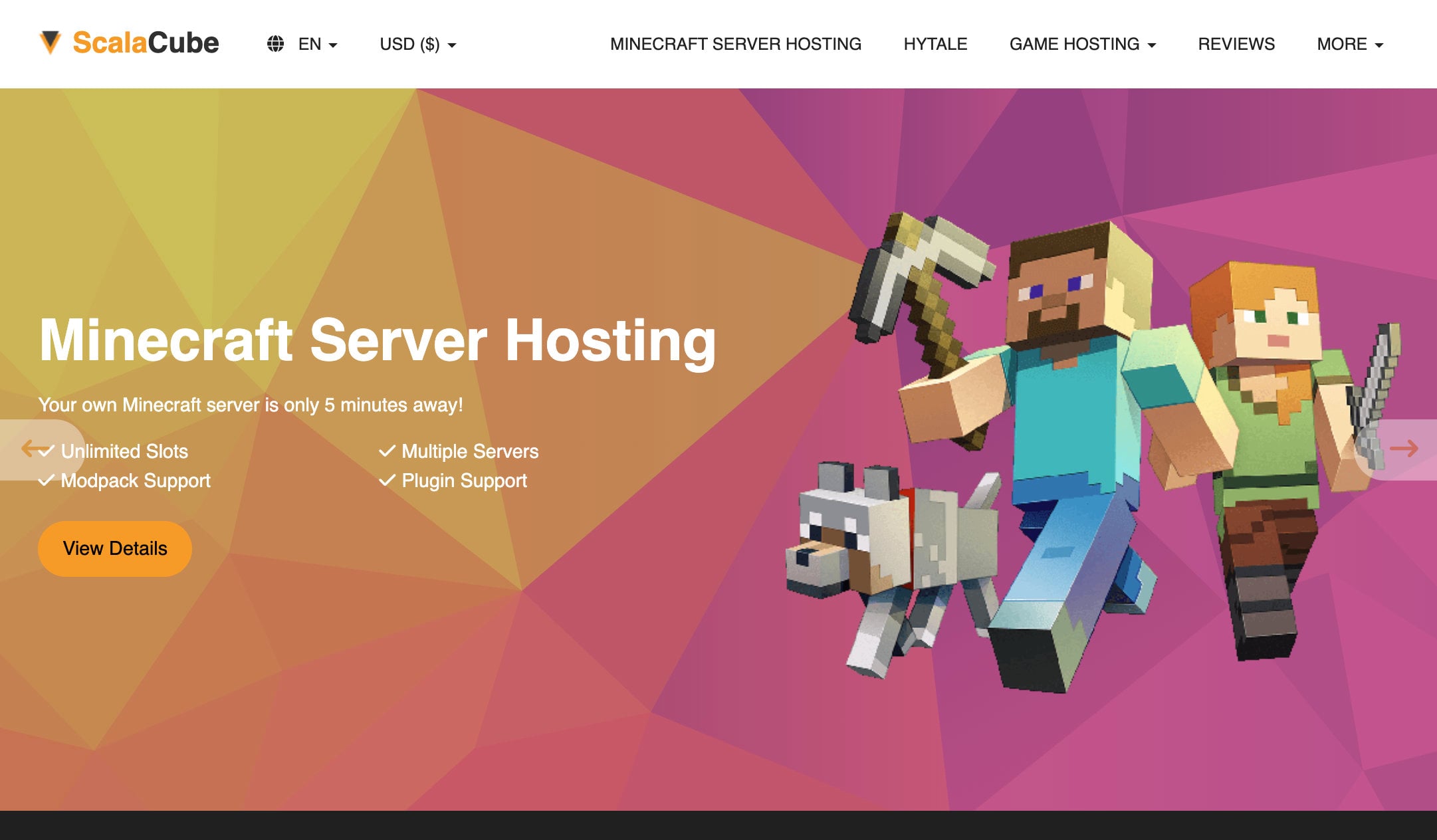
ScalaCube is an Estonian game hosting provider with servers in 14 locations, including the United States, Canada, France, the United Kingdom, Germany, Poland, India, Australia and Singapore. It targets small servers and tight budgets, and its paid Minecraft plans run on per-RAM tiers at roughly $3 per GB.
ScalaCube Minecraft plans and features
ScalaCube has nine paid Minecraft plans, and it advertises 50% off the first month.
| Plan | Price | RAM | CPU | SSD storage | Player slots |
|---|---|---|---|---|---|
| Proxy 768M | $2/mo | 768 MB | 2×3.4 GHz | 10 GB | 10 |
| Minecraft 1.5G | $5/mo | 1.5 GB | 2×3.4 GHz | 15 GB | 20 |
| Minecraft 3G | $10/mo | 3 GB | 4×3.4 GHz | 30 GB | 40 |
| Minecraft 4.5G | $13/mo | 4.5 GB | 4×3.4 GHz | 45 GB | 70 |
| Minecraft 6G | $18/mo | 6 GB | 6×3.4 GHz | 60 GB | 100 |
| Minecraft 8G | $24/mo | 8 GB | 6×3.4 GHz | 80 GB | 150 |
| Minecraft 12G | $36/mo | 12 GB | 8×3.4 GHz | 120 GB | 225 |
| Minecraft 16G | $48/mo | 16 GB | 8×3.4 GHz | 160 GB | 300 |
| Minecraft 32G | $96/mo | 32 GB | 8×3.4 GHz | 320 GB | 600 |
The first plans are light on resources, but they still support 10 to 70 players, which is a mid-sized server for friends. ScalaCube lets you choose the server location, so a European server can sit in Germany, France, Poland or the United Kingdom. The 32G plan handles up to 600 players at $96 a month, which is more than InMotion Hosting or Hostinger list.
ScalaCube advertises 99.9% uptime, fast CPUs, full mod and add-on support, one-click updates and several server types such as Spigot and BungeeCord. Setup takes a couple of minutes, and you get a game panel and a free subdomain. It also has a free Minecraft server with 6 GB of RAM and no credit card, which you renew every two days from the control panel, so it works for testing but not for a public server.
Where ScalaCube falls short
ScalaCube treats purchases as final, so you can’t get your money back if the server doesn’t suit you. Support runs mostly through tickets, which makes the live chat widget less useful when something breaks. The cheapest plan has 768 MB of RAM, which is below the 1 GB that most vanilla servers need with real players.
5. Apex Minecraft Hosting
Pros
- Premium hardware, with Ryzen 9 CPUs on the top tier
- Modpack support on almost every plan
- Free MySQL database
- No fixed player limit
Cons
- The most expensive host here at each RAM size
- Monthly or quarterly billing only
- No root access
- 7-day refund window that requires a reason
Apex Minecraft Hosting is a managed host that has run Minecraft servers since 2013. It supports Bedrock and Java, and it has locations across North America, Europe, Asia, Australia and Brazil.
Apex Minecraft Hosting plans and features
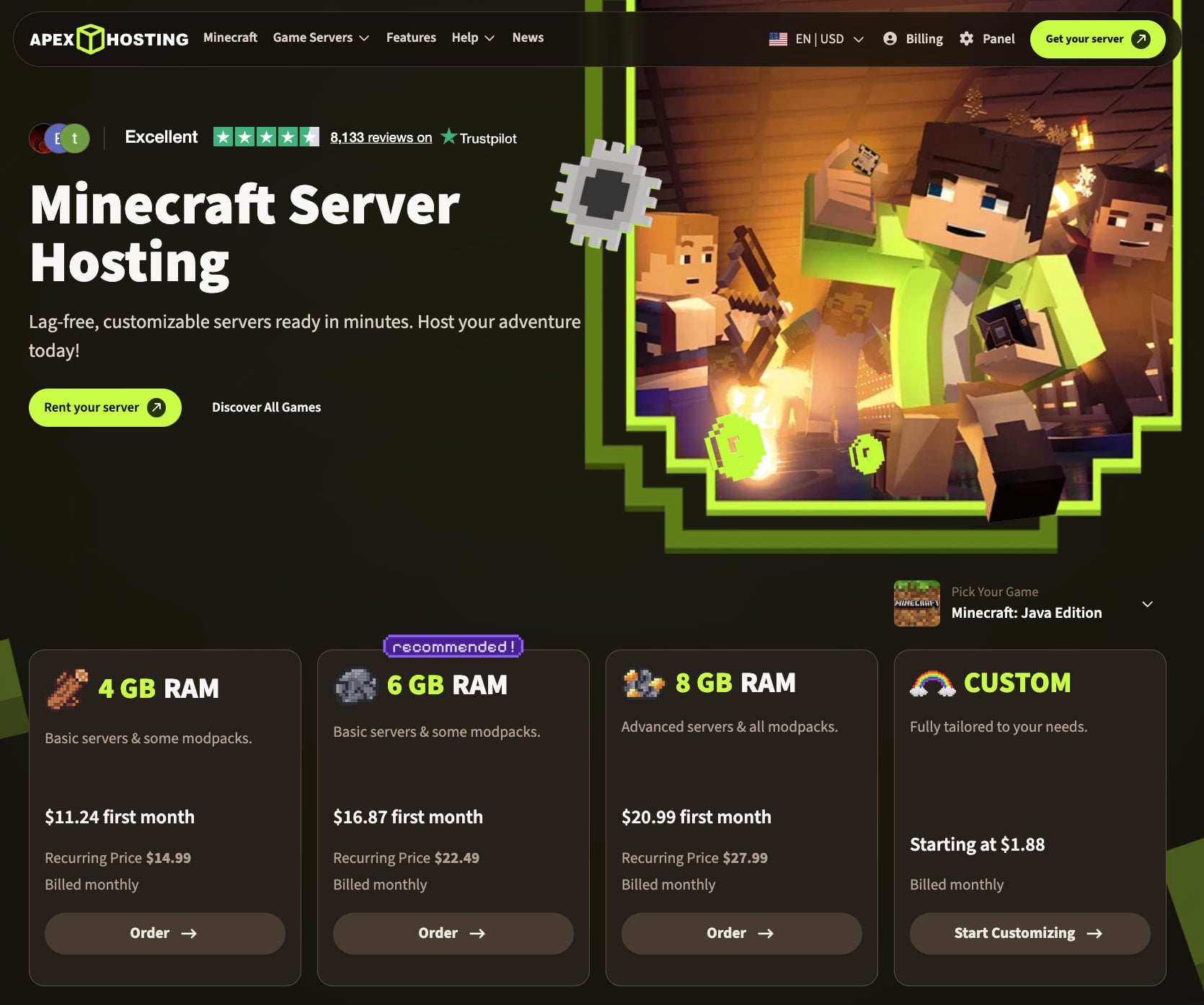
Apex prices its plans by RAM, and the same price applies to Java and Bedrock. The longest commitment is a quarter, so you can’t lock in a low rate for years. The most common plans are:
| Plan | RAM | Monthly price | First month |
|---|---|---|---|
| Starter | 2 GB | $7.99 | $5.99 |
| Standard | 4 GB | $14.99 | $11.24 |
| Pro | 6 GB | $22.49 | $16.87 |
| Advanced | 8 GB | $27.99 | $20.99 |
The 4 GB plan at $14.99 a month is the one we would start with. It handles a mid-sized server, and Apex says modpacks work on almost every plan. The premium tier adds four dedicated vCores on a Ryzen 9 7950X (a Ryzen 7 in Asia-Pacific), a free dedicated IP and premium support, and it costs much more than the standard plans.
Every plan includes DDoS protection, automated backups, a free MySQL database and a free subdomain. Apex sets no fixed player limit, so RAM is the real ceiling. Bedrock servers need at least 2 GB of RAM, which rules out Apex’s smallest plans for that edition. Apex doesn’t give root access, because its panel is managed rather than a VPS, so it suits owners who want less to configure. We haven’t tested Apex’s servers ourselves, so this section rests on its published plans and prices.
Where Apex falls short
Apex costs more than every other host on the list at similar RAM sizes, and the gap widens on the premium tier. The quarterly billing cap and the lack of root access limit how far you can customize the server. The 7-day refund window requires a reason, so treat it as a short safety net.
What Minecraft hosting costs per GB of RAM
RAM is the resource you will notice most, so we divided each plan’s monthly price by its RAM. Hostinger’s prices assume a 24-month prepayment on a self-managed VPS, while the other hosts bill monthly and manage the server for you.
| Host | Plan | RAM | Monthly price | Price per GB of RAM |
|---|---|---|---|---|
| Hostinger | Game Panel 1 | 4 GB | $6.99 | $1.75 |
| Hostinger | Game Panel 2 | 8 GB | $9.49 | $1.19 |
| Hostinger | Game Panel 4 | 16 GB | $13.99 | $0.87 |
| Hostinger | Game Panel 8 | 32 GB | $27.99 | $0.87 |
| InMotion Hosting | Grass | 2 GB | $6 | $3.00 |
| InMotion Hosting | Gold | 4 GB | $24 | $6.00 |
| InMotion Hosting | Obsidian | 8 GB | $48 | $6.00 |
| InMotion Hosting | Netherite | 32 GB | $185 | $5.78 |
| Shockbyte | Dirt | 1 GB | $3.99 | $3.99 |
| Shockbyte | Iron | 4 GB | $15.99 | $4.00 |
| ScalaCube | Minecraft 3G | 3 GB | $10 | $3.33 |
| ScalaCube | Minecraft 8G | 8 GB | $24 | $3.00 |
| ScalaCube | Minecraft 32G | 32 GB | $96 | $3.00 |
| Apex Minecraft Hosting | Starter | 2 GB | $7.99 | $4.00 |
| Apex Minecraft Hosting | Standard | 4 GB | $14.99 | $3.75 |
| Apex Minecraft Hosting | Advanced | 8 GB | $27.99 | $3.50 |
After the intro term, Hostinger’s Game Panel 1 renews at $11.99, or $3.00 per GB, which matches ScalaCube. Game Panel 8 renews at $49.99, or $1.56 per GB, and still costs less per GB than any managed host here.
How to choose the best Minecraft server hosting
The five hosts offer different mixes of price and convenience, and the right one depends on your server. Consider these points before you spend more than you need to.
Server resources
Start with the version of the game you want to run and whether you plan to use modpacks. A vanilla server needs at least one CPU core, 1 GB of RAM and fast storage, and we suggest 2 GB to 4 GB for a smooth experience. Hostinger’s help page says 4 GB to 6 GB is enough for up to 10 players in a small world, and that larger worlds need 8 GB or more.
Plugins usually need about 1 GB of RAM for every three plugins, so add that to your estimate. Aim for a plan slightly above your needs, and if you run a modded server for around 20 players, start at 6 GB of RAM with a dual-core CPU and NVMe or fast SSD storage. Hostinger’s Game Panel 2, with 8 GB of RAM, 2 vCPU cores and 100 GB of NVMe storage, fits that case well.
How much RAM do you need for players?
Hosts publish their own player estimates, and they differ widely. Hostinger says 4 GB supports up to 25 players, while InMotion suggests up to 20 on its 4 GB plan.
| RAM | Hostinger estimate | InMotion estimate |
|---|---|---|
| 4 GB | Up to 25 players | Up to 20 players (Gold) |
| 8 GB | Up to 90 players | Up to 35 players (Obsidian) |
| 16 GB | 150 or more players | Up to 75 players (Diamond) |
The gap is largest at 8 GB, where Hostinger estimates 90 players and InMotion 35. Mods, world size and plugins affect the result far more than the player count does, so use the estimates as rough guides.
Storage size and type
SSD storage is fast enough for most servers, but we recommend NVMe when you can get it, because game resources load faster and the experience is smoother for players. Hostinger and InMotion list NVMe storage, which is one reason we ranked them higher. If NVMe is out of budget, an adequately sized SSD works well when it is paired with enough RAM and CPU power.
Modpack and plugin support
Decide early whether you want mods, because it limits your choice of plan. A single mod adds one feature, while a modpack bundles many mods that change several parts of the game. Players need to install the same mods on their own devices to join a modded server, whereas plugins run on the server and require nothing from players.
Pick a host with an easy control panel that lets you install, enable and disable modpacks and plugins. Beginners are usually better off with vanilla or plugins, because mods can be confusing at the start. Modpacks also need more RAM, so check the host’s own advice for each plan.
Java or Bedrock
Java Edition has the largest ecosystem of mods and plugins, and it runs on Windows, macOS and Linux. Bedrock Edition lets players join from consoles, phones and Windows, but it supports far fewer mods. Hostinger, InMotion, Shockbyte, ScalaCube and Apex support both, and a Bedrock server needs at least 2 GB of RAM.
Locations and latency
Latency depends on how far your players are from the server, so choose a location near most of them. Hostinger’s location picker shows a latency reading for each option, and ScalaCube and Apex also let you pick a region. InMotion’s servers are only in the United States, which adds delay for players in other regions.
Security, backups and uptime
A public Minecraft server attracts DDoS attacks, so protection should come with the plan rather than as a paid add-on. All five hosts list DDoS protection, and most also include backups: Hostinger’s VPS plans have free weekly backups, Shockbyte and ScalaCube list automatic backups, and Apex lists daily ones. Look for an uptime commitment too, since 99.9% still allows about nine hours of downtime a year. Hostinger, InMotion and ScalaCube all advertise that figure.
Setup, support and refunds
Beginners want one-click setup and a clear game panel, and all five hosts offer both. Support matters too, and 24/7 help from Hostinger or InMotion saves time when you get stuck. Refund windows differ a lot: Hostinger gives 30 days, InMotion and Apex 7 days, Shockbyte 72 hours and ScalaCube none, so the longer window gives you more time to test the plan with real players.
Best modded Minecraft server hosting
Modded servers need more RAM and more CPU than vanilla ones, so we look at the plan size first and the host second. Hostinger’s Game Panel 1 can run a lightweight modded server for a few friends, and Game Panel 2 gives you 8 GB, which is a better starting point for a shared modpack.
InMotion recommends against modpacks on Grass and Stone, supports some on Gold and most on Iron, and only handles all of them from Obsidian at $48 a month. Apex supports modpacks on almost every plan, and ScalaCube supports full mods and add-ons. For the best mix of RAM, price and freedom, Hostinger wins on paper, while Apex is the easier choice if you would rather not manage a VPS.
For a light to medium modpack, we would start at 6 GB of RAM and move up if the server lags. Here is what that costs at each host:
| Host | Plan with about 6 to 8 GB | RAM | Monthly price |
|---|---|---|---|
| Hostinger | Game Panel 2 | 8 GB | $9.49 (24-month term) |
| InMotion Hosting | Iron | 6 GB | $31 |
| Shockbyte | Redstone | 6 GB | About $24 |
| ScalaCube | Minecraft 6G | 6 GB | $18 |
| Apex Minecraft Hosting | Pro | 6 GB | $22.49 |
Hostinger’s Game Panel 2 has two more GB of RAM than the 6 GB plans and costs the least, although its price requires a 24-month commitment and renews at $14.99. If you prefer to pay month to month, ScalaCube’s Minecraft 6G at $18 is the cheapest 6 GB plan on the list.
Cheap Minecraft server hosting
ScalaCube and Shockbyte have the lowest entry prices, at $2 and $3.99 a month, but their smallest plans have only 768 MB and 1 GB of RAM, which suits two or three friends on a vanilla world. Shockbyte’s budget tier starts at $1.99 for similar hardware.
If you want more RAM for the money, Hostinger’s Game Panel 1 costs $6.99 a month on a 24-month term and includes 4 GB, which works out to $1.75 per GB. That price needs a two-year commitment and renews at $11.99, so a cheaper monthly plan can make more sense if you aren’t sure the server will last.
| Host | Plan | RAM | Monthly price |
|---|---|---|---|
| ScalaCube | Proxy 768M | 768 MB | $2 |
| ScalaCube | Minecraft 1.5G | 1.5 GB | $5 |
| Shockbyte | Dirt | 1 GB | $3.99 |
| InMotion Hosting | Grass | 2 GB | $6 |
| Hostinger | Game Panel 1 | 4 GB | $6.99 (24-month term) |
| Apex Minecraft Hosting | Starter | 2 GB | $7.99 |
The cheapest plans save money but limit what you can run. For a vanilla server with two or three friends, ScalaCube’s 1.5G plan or Shockbyte’s Sand plan is enough, and for anything modded you should move up to at least 4 GB.
Which host should you pick?
If you want the most RAM for your money and don’t mind managing a VPS, choose Hostinger. If most of your players are in the United States and you want prices that stay flat after the first term, InMotion Hosting is the better fit, and its larger plans handle every modpack.
For a small vanilla server with a few friends, Shockbyte’s Dirt or Sand plan is the simplest start, and ScalaCube’s 1.5G plan costs even less. If you would rather have someone else manage the server and can pay more for it, Apex is the option to look at.
The bottom line
Hostinger is our pick for Minecraft server hosting, with the most RAM per dollar, full root access and support for more than 2,000 modpacks, and code GIZMODO takes another 10% off. InMotion Hosting is a close second if you want flat renewal prices and a broad range of plans.
The other three are more Minecraft-specific. Shockbyte suits beginners on small servers, ScalaCube suits tight budgets and has a free tier, and Apex offers managed hosting with premium hardware at a higher price. Hostinger’s 30-day guarantee also gives you the most time to test a server before you commit.
Try Hostinger Game Panel for 30 days
FAQ
How much RAM is enough for Minecraft server hosting?
It depends on the player count and on mods, but 4 GB is a practical minimum for a small server. We suggest at least 6 GB for modded play and 8 GB or more for a community, so you don’t have to upgrade every few months.
How much does Minecraft server hosting cost?
Entry plans cost between $2 and $8 a month, but the price depends mostly on RAM. For about 4 GB, the five hosts charge between $6.99 and $24 a month, and for about 8 GB they charge between $9.49 and $48. Check the renewal price as well, because it can be higher than the intro rate.
Can I change the modpack on my server later?
On Hostinger, yes. Its dashboard lets you switch between more than 2,000 modpacks and change the server type at any time. Other hosts also install modpacks in one click, but the number of supported packs varies, so check the list before you buy.
Does Hostinger support Bedrock servers?
Yes. Bedrock is one of the server types available in Hostinger’s Game Panel, next to Paper, Spigot, Purpur, Forge and several others. A Bedrock server needs at least 2 GB of RAM, so the 4 GB plan is a comfortable starting point.
What’s the best Minecraft server hosting for mods?
Hostinger is our pick for mods. Its plans give you full root access, support for more than 2,000 modpacks and the most RAM per dollar on this list. InMotion Hosting and Apex also handle modpacks, but InMotion’s two smallest plans don’t.
What’s the cheapest Minecraft server hosting?
ScalaCube and Shockbyte have the lowest entry prices. Hostinger’s Game Panel 1 costs more per month but gives you 4 GB of RAM, which makes it the cheapest per GB of RAM on a long term.
Is there free Minecraft server hosting?
Yes, but with limits. ScalaCube offers a free Minecraft server with 6 GB of RAM that you renew every two days, and community hosts such as Aternos and Minehut are free too. Free servers suit testing or a few friends, not a public server.
Which type of hosting is best for Minecraft?
VPS is the most popular choice. It performs far better than shared hosting and slightly below dedicated hosting, which costs more to maintain and mainly makes sense for servers with a thousand or more players.
Can I host Java and Bedrock servers?
Yes, on most Minecraft hosts. Hostinger, InMotion Hosting, Shockbyte, ScalaCube and Apex all support Java and Bedrock servers. Java has the largest mod and plugin ecosystem, while Bedrock lets players join from consoles and phones.
How do I set up a Minecraft server on a host?
Pick a plan, log in to the dashboard, name the server, choose a location and open the game panel. On Hostinger you also set a Game Panel password before inviting your friends.
How can I make money from my Minecraft server?
Most servers sell cosmetic items, offer paid ranks with no gameplay advantage or ask for donations. Read Mojang’s commercial usage guidelines before you sell anything, because they limit what a server may charge for, and avoid pay-to-win items.