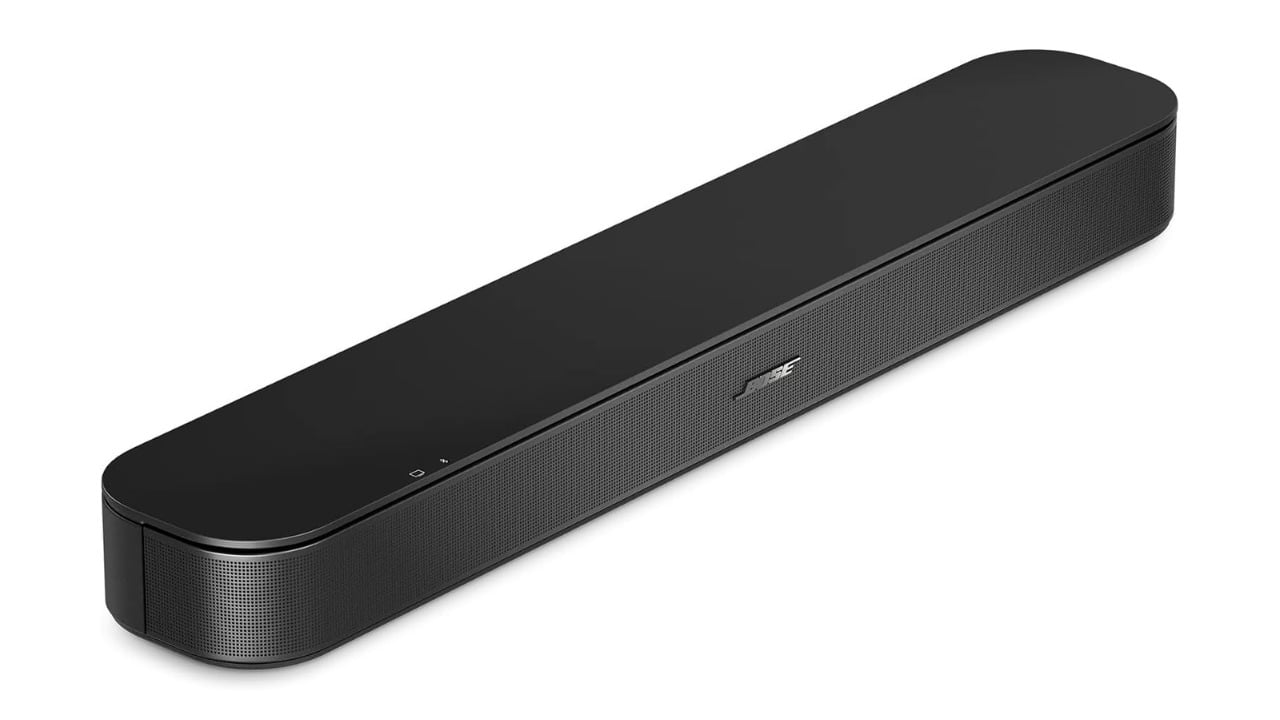
Bose’s second-generation TV Speaker delivers clearer dialogue and improved sound quality in a small soundbar that’s just over 2 inches high. The new soundbar includes a separate center tweeter specifically for voice, making conversation in shows and movies much clearer. Connecting to your TV is made very simple by using one HDMI cable that comes with the TV Speaker (2nd Gen), and you’re also able to use it as a wireless speaker for your music via Bluetooth.
A compact soundbar with a dedicated tweeter for voices
The TV Speaker was created to deliver higher-quality audio than your television’s built-in speakers, without taking up all the space in your living room. It achieves this with a renewed, rounded look, a separate center tweeter for voices, Dialogue Mode, Dolby Atmos compatibility, bass adjustment, HDMI ARC and optical connections, Bluetooth wireless capabilities, and an included remote. All of this functionality is in a soundbar that’s about 24 inches wide and fits comfortably in front of almost any TV. It’s a great option for improving audio clarity in bedrooms, apartments, or smaller living rooms.
Dialogue Mode uses the center tweeter to move voices forward in the mix, so you can better hear soft-spoken conversation, different languages, and those important lines of dialogue that often get lost under music and the rest of the audio in a film. Instead of navigating settings menus to enable it, you can turn Dialogue Mode on with a button on your remote while you’re playing content. This is one reason why Dialogue Mode is an advantage at night. When you watch TV at night, you usually keep the volume down so you don’t disturb others, but you may find yourself straining to hear what someone said.
Bose engineers designed the TV Speaker to deliver deep bass and full room sound from a single device. The Bose TV Speaker supports Dolby Atmos and lets you adjust the bass output based on what you’re watching, whether it’s sports, action films, or comedies.
Setting up the new Bose TV Speaker is easy and quick. Simply connect the Bose soundbar to your TV with the provided HDMI cable, using either the HDMI ARC or eARC input. Many TVs let you use your TV remote to control the soundbar’s volume. If your television doesn’t have these ports, you can connect using alternative methods, including optical input. You can also wirelessly connect devices to play music playlists and podcasts from your smart device when the TV is off. The TV Speaker also lets you add more bass down the road by connecting either the Bose Bass Module 700 or the Bose Lifestyle Ultra Subwoofer, both sold separately, using either the Bose Bass Module Connection Cable or a traditional 3.5mm audio cable.
The Bose TV Speaker (2nd Gen) adds clearer dialogue, richer sound, and simple setup, all in a small, round unit that can add value to your television. This is especially useful if you need to turn on captions so you don’t miss what’s being said.