Have Microsoft David Read Off Your In-Game Chats
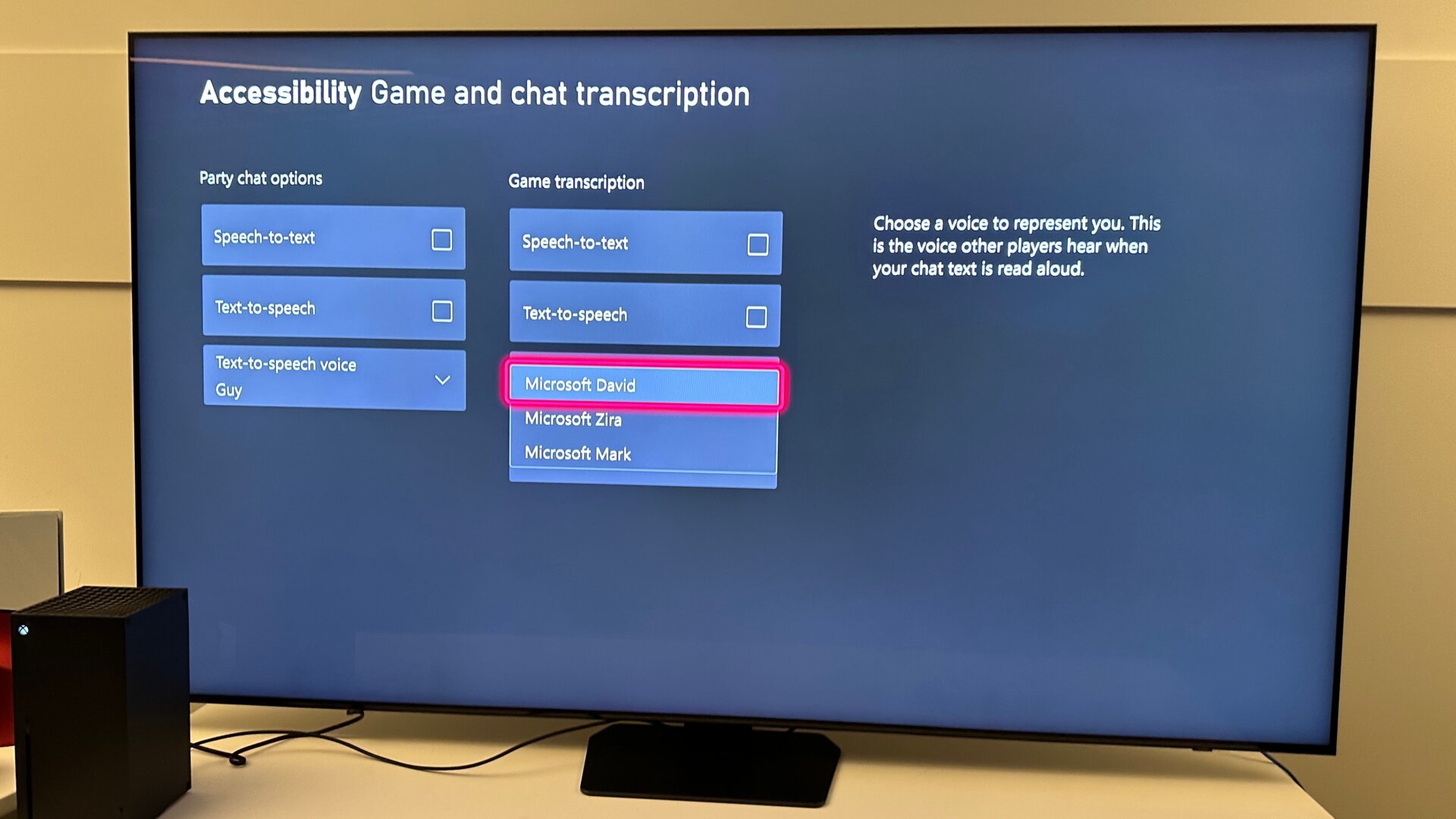
We still miss Microsoft Sam, but Microsoft David, Zira, and Mark can take up a bit of the slack. There’s an accessibility option for those who want to hear their console read off their friend’s in-game chats, and it comes with the computerized voices first made famous by Windows.
You can find the setting in Settings, Accessibility, Game and chat transcription, and then the In-game chat voice in the right-hand column. Here, you can also change a bunch of other accessibility options like text-to-speech or enable a game reader.