Samsung’s Bloated Camera App
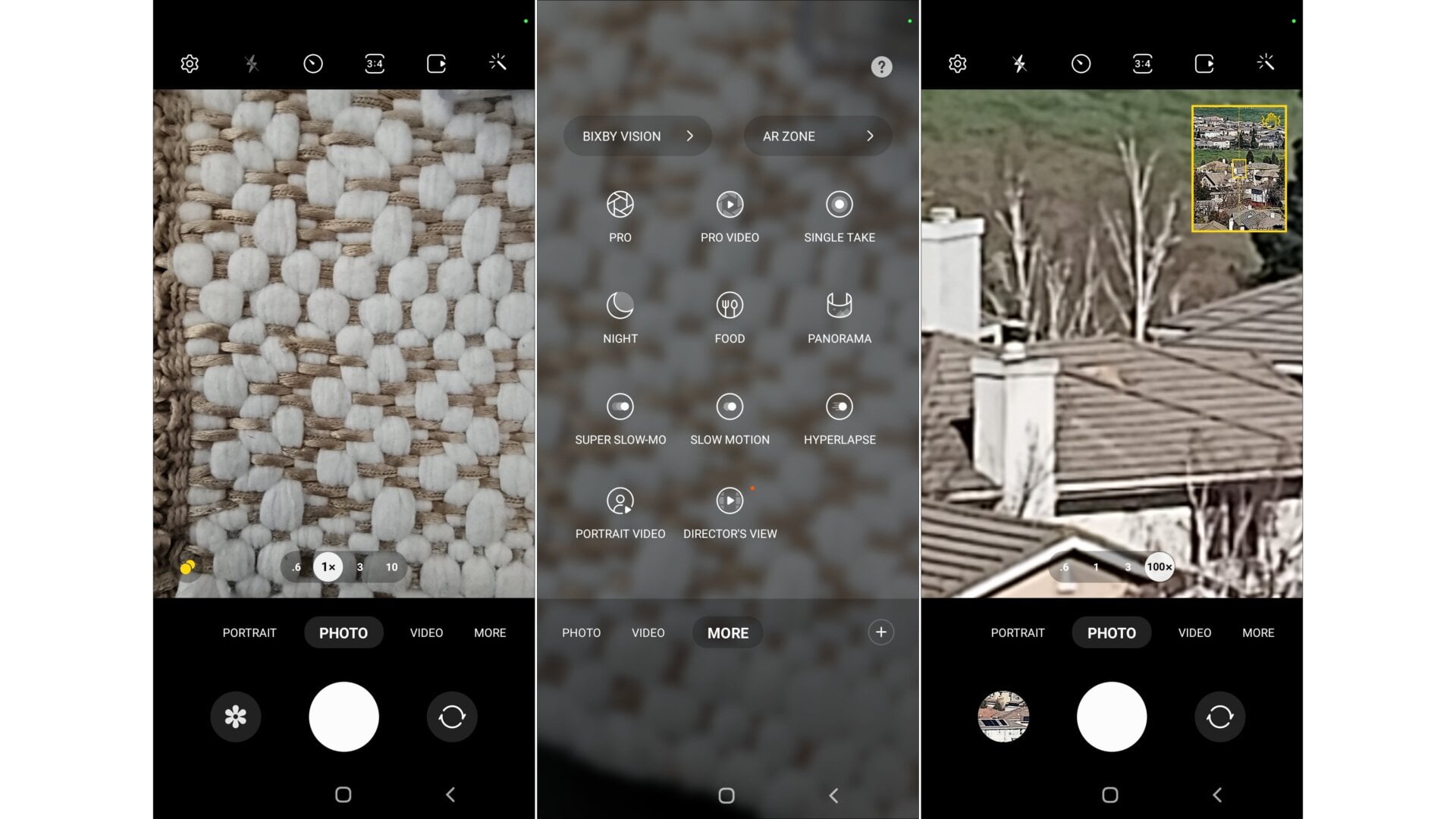
The Galaxy S22 Ultra’s camera app is the same as it is on Samsung’s other smartphones, which is to say: hectic. There are tons of features buried throughout, and they’re not intuitive to find. To shoot with the 108-MP camera, you have to select it from the aspect ratio option. The Ultra’s Night Mode also taps that lens to capture more light in dim conditions.
The zoom slider isn’t easy to use even when the Ultra is propped on a tripod. I had a tough time adjusting the zoom whenever I went further than the 10x optical zoom, even with the helpful preview window (seen in the last screenshot above). That feels like one of the downsides of having such an overly expansive digital zoom offering. At the very least, Samsung offers some helpful bookmarks of the more common zoom lengths at the bottom of the preview window.