Wait to install Windows 10
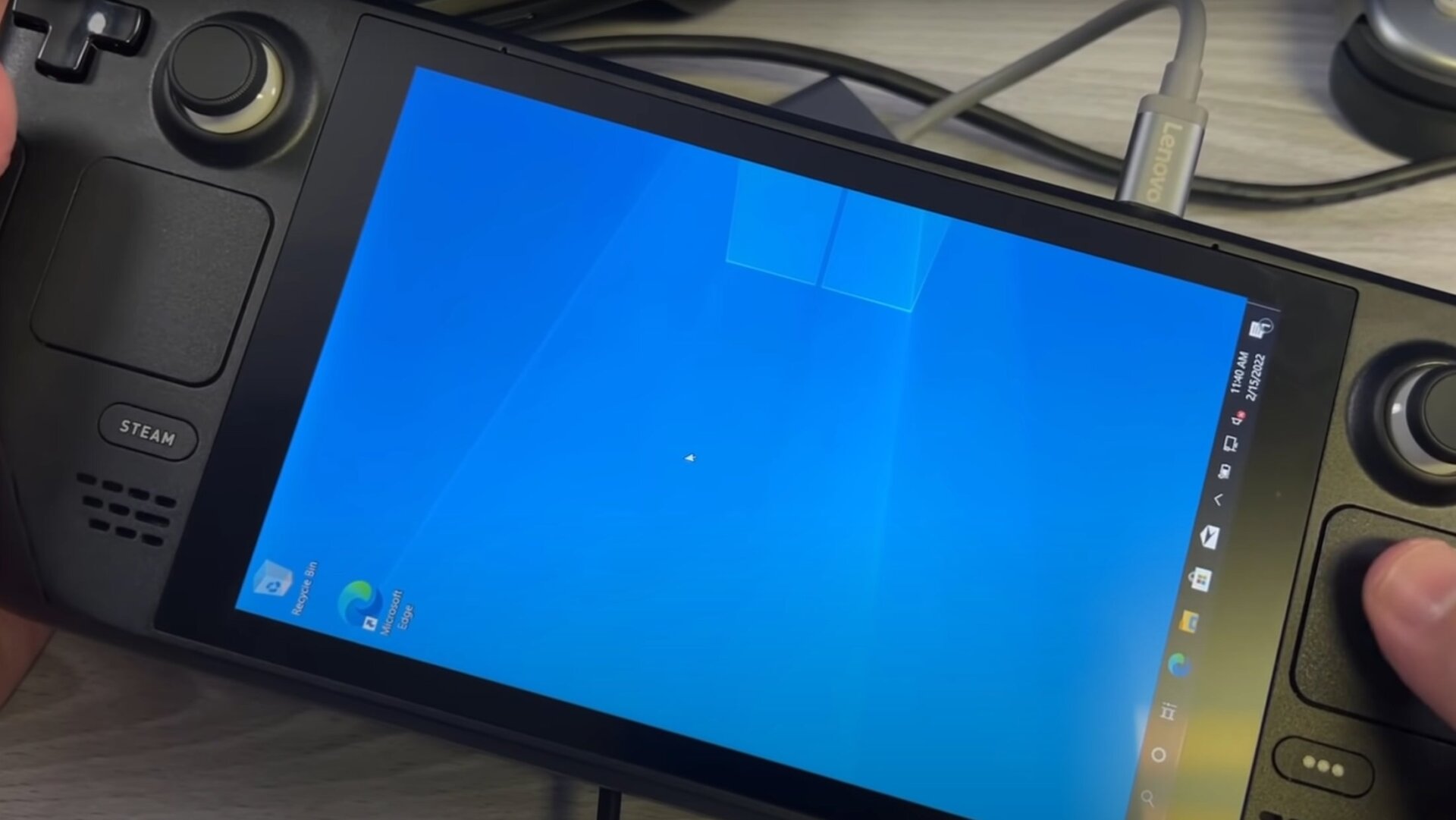
You can install Windows 10 on the Steam Deck. Should you? It’s complicated. For now, I’d resist the urge. Valve released Wi-Fi, Bluetooth, and GPU drivers so the Steam Deck has the basics needed to download games and play them on Windows. However, to do this, you’ll need to erase the Steam Deck, and since there is no dual boot support, that means wiping Steam OS. Worse yet, the Steam Deck’s speakers and headphone jack won’t function because Valve has, thus far, provided only bare-bones Windows support.
Then there is the question of performance and stability. Not every Steam game runs on Linux, so you might be tempted to download Windows as a workaround to get full access to your Steam library or games you own on other stores (including Xbox Game Pass games). That sounds great and all, but these games haven’t been tested to play on the Steam Deck, so you’ll be the guinea pig until other gamblers provide more data.
If you’re a tinkerer who considers the reward of downloading Windows onto the Steam Deck as being greater than the risk, then go for it. Most people, however, should stick with Steam OS.