How to customize AirPods sound
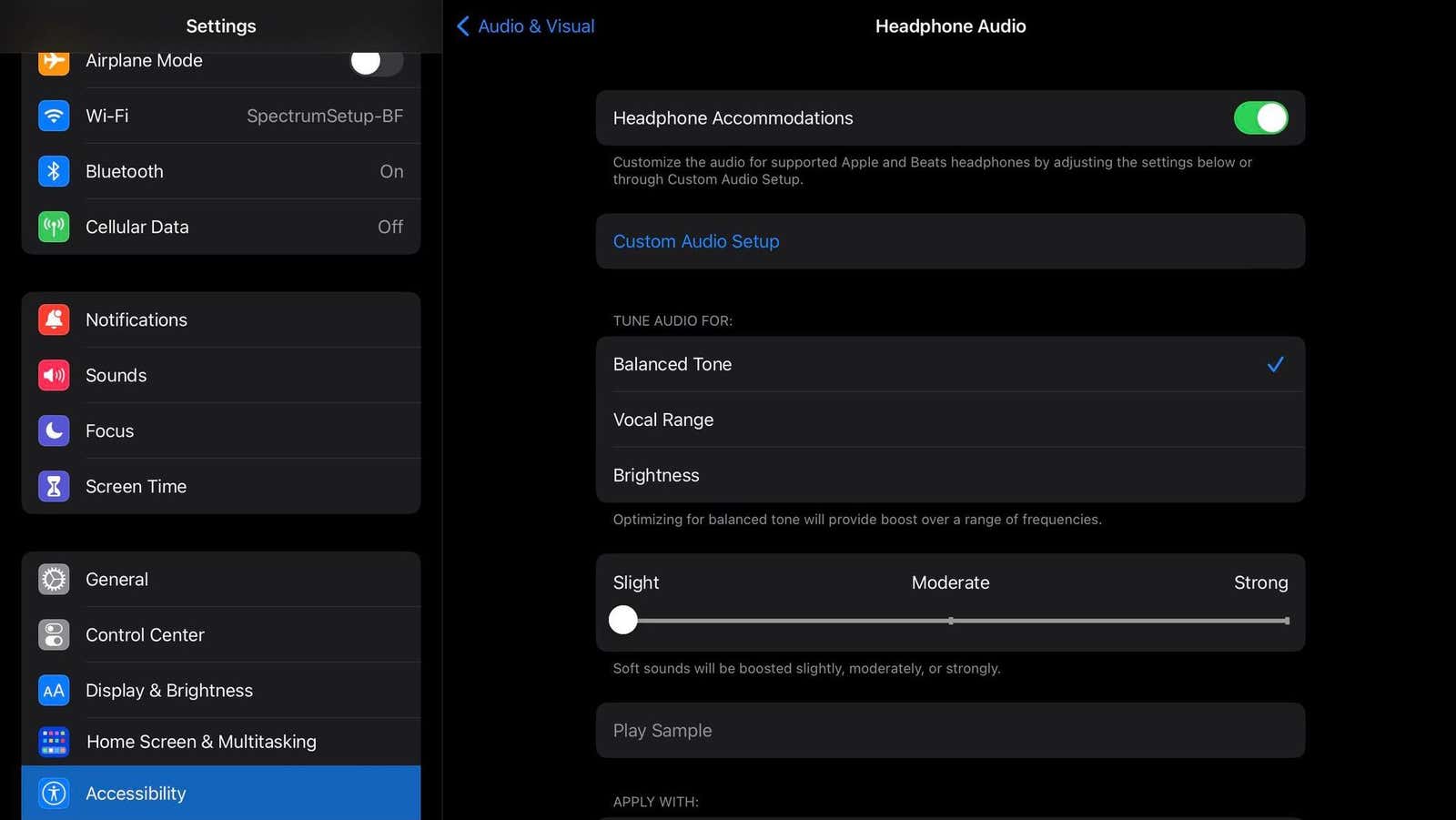
If you go into Settings > Accessibility > Audio & Visual > Headphone Accommodations, you can tweak your music according to your preferences.
Start by turning on the toggle switch for Headphone Accommodations, then tap Custom Audio Setup. You will first see the option to add your personal audiogram test results. These can be uploaded via the Camera, Photos, or Files app. If you’re not interested, hit Don’t Use Audiogram on the Add an Audiogram screen. Doing that will prompt you to go to the next step of the process.
Here, you’ll listen to music samples and pick the one you like best. You’ll be asked to repeat the test with different samples. This part determines what frequencies you like emphasized and the level of detail you want in your music.
Once you’re done, you can pick an automatic setting from the options. These allow you to tune your audio for a specific quality (balanced tone, vocal range, or brightness) and pick how much (slight, moderate, or strong) you want to boost the soft sounds in your songs.