How to customize AirPods controls
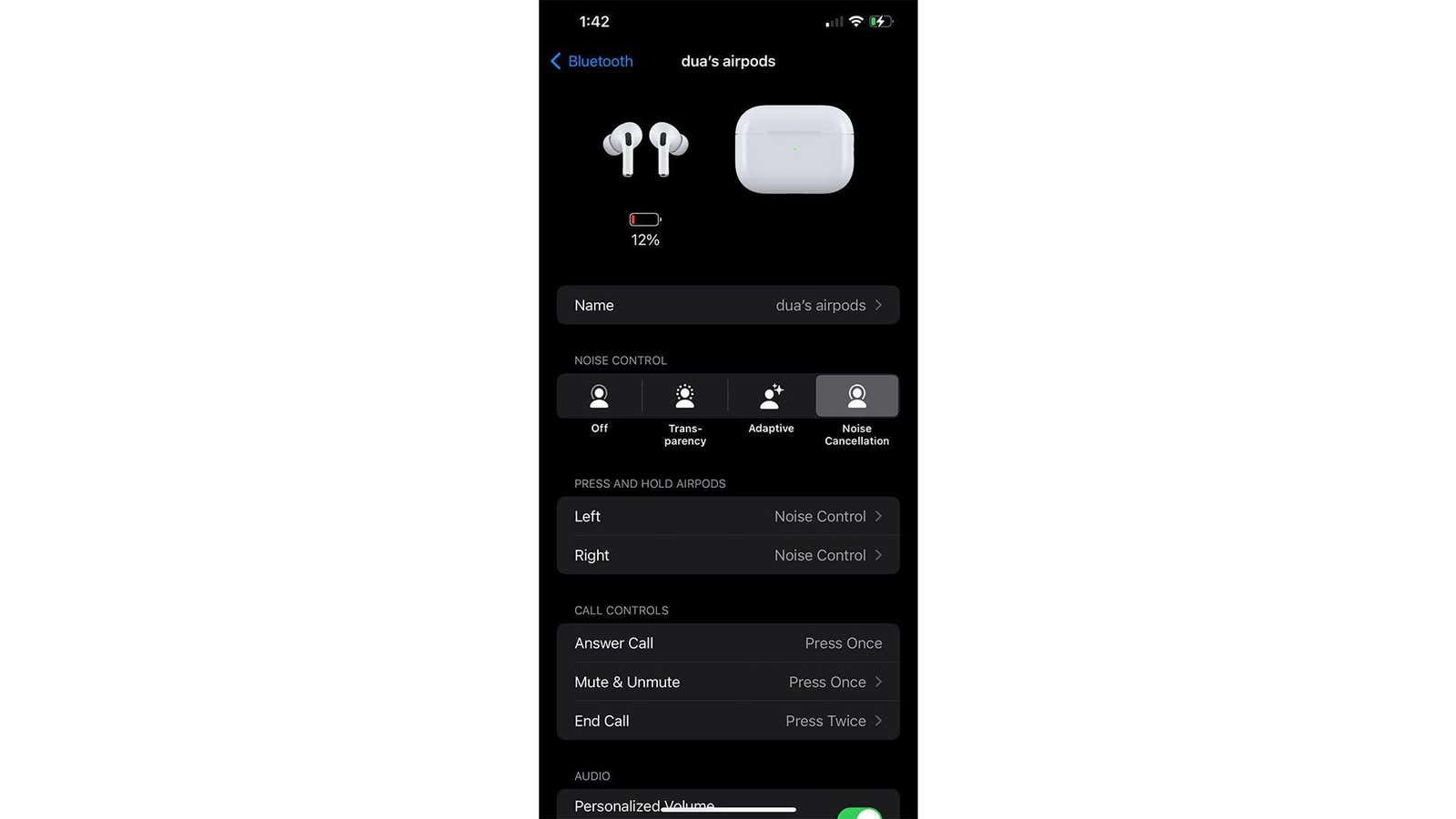
You don’t have to stick to your AirPods’ out-of-the-box touch settings. When pressed, you can change what they do by going into Settings > Bluetooth Settings and tapping the little info icon next to your AirPods.
Start by tapping Left and Right and choosing what action they will activate. Your two options are Noise Control and Siri.
Then, navigate the Call Controls list to choose how to mute/unmute and end calls. You can pick from Press Once (single tap) or Press twice (double tap).
The options here are pretty limited, but it’s still a helpful feature.