Set the Google Assistant as the default
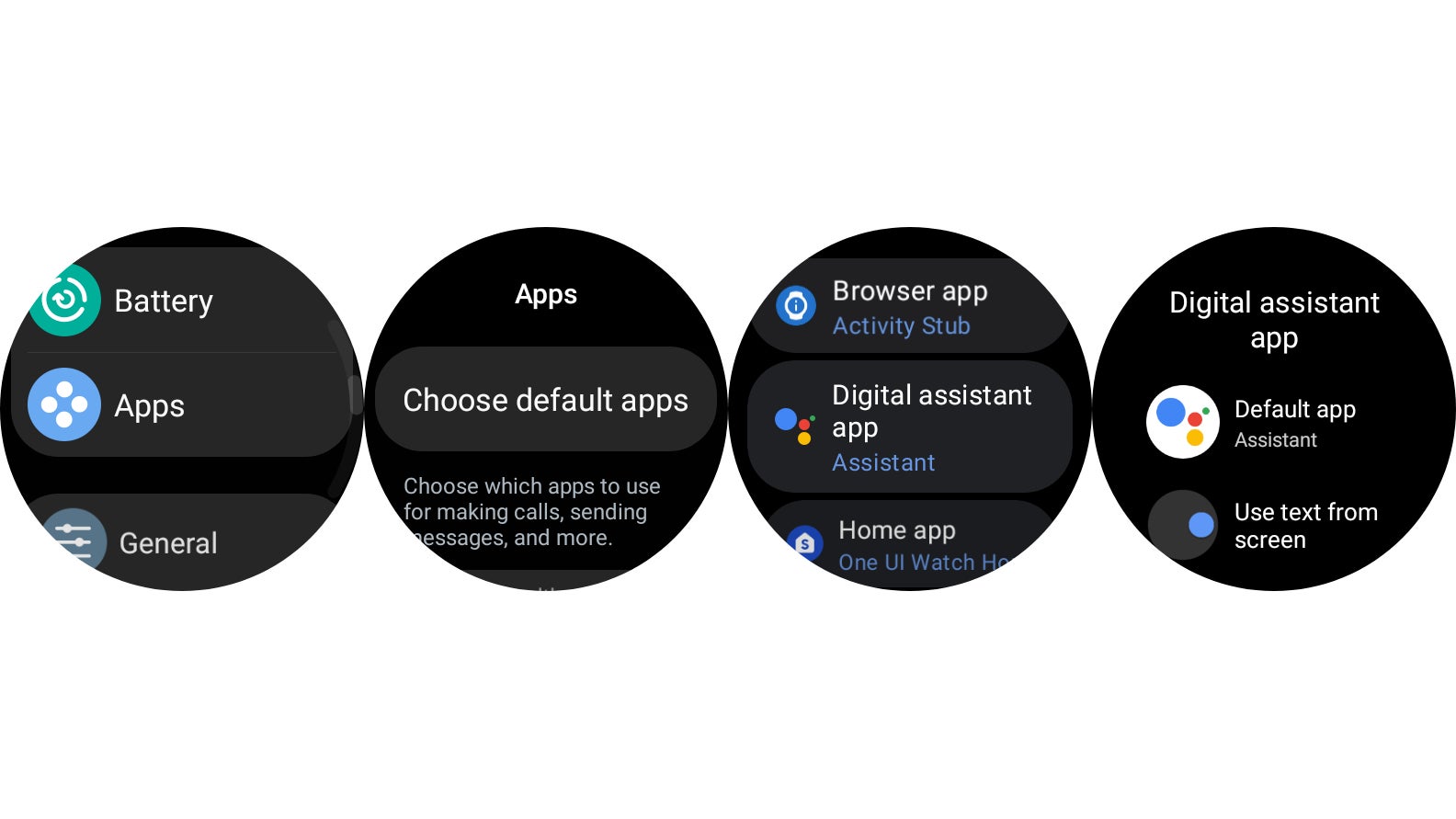
If you’re ready to commit to the Google Assistant as your full-time digital assistant (on your wrist), head back into the watch settings. Under Apps, select Choose default apps, then tap on the Digital assistant app option.
As an aside, if you happen to like Samsung’s Bixby, which lives concurrently with Google Assistant on the Galaxy Watch 4, you shouldn’t feel like you have to make the jump to Google’s digital assistant for things like smart home controls and basic queries. If you’re an Alexa user, you might actually prefer Bixby, for its easier integration with Amazon’s digital assistant.