Active Stabilization
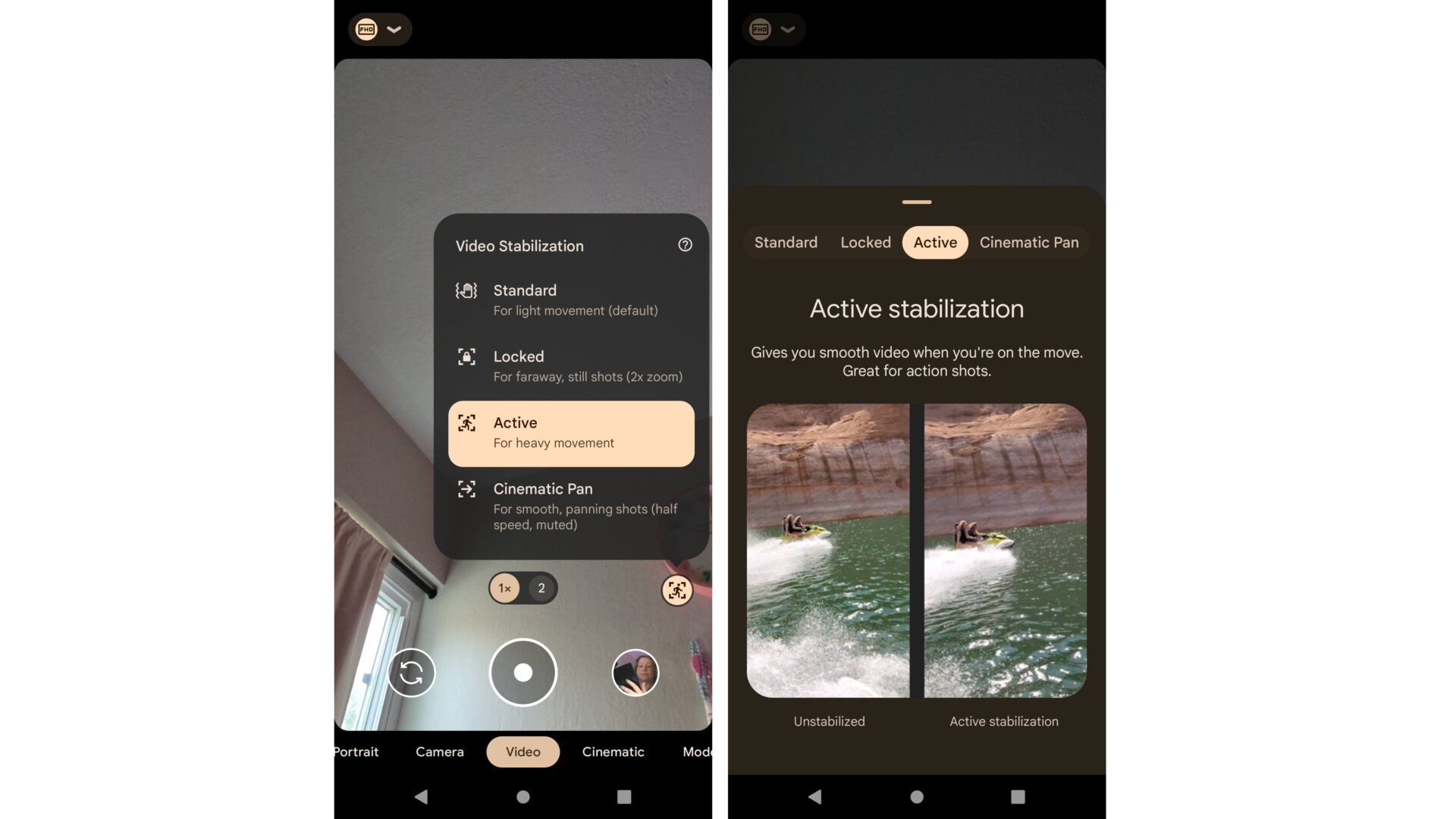
Google wants you to use the Pixel 7 and 7 Pro’s maximum 4K resolution video recording capabilities. But you’ll want to enable Active Stabilization, so the video appears smooth and shareable.
You can enable this feature in the Camera app by sliding over to Video recording mode, then tapping on the little hand-shake icon in the bottom right-hand corner. Select Active for the video stabilization option if you’re planning to take the Pixel 7/7 Pro out on a jet ski or horseback—something shakey and unstable.
My life has not been very exciting, so I haven’t been able to fully test the abilities of Active Stabilization. But for walking down the street, when I’m filming my daily mental health walk, I can say it stabilizes the image so you can’t tell how much I bounce around. A solid 3.5/5 until I get on a jet ski to test it out.