What you get for $2,700 in 2026 is a big, solid, and occasionally loud PC that hits a minimum bar for 4K gaming. As expensive as that sounds, the iBuyPower Element Pulse X PC may be one of your better bets in this age of obscene PC component pricing. Despite being loaded with lower-end components, it’s a beefy rig that looks the part and offers enough space for upgrades down the road.
iBuyPower RDY Element Pulse X B02
It's a pretty PC case that loses the plot with its clashing motherboard and poor cable management.
Pros
- Very clean, pretty case
- Excellent airflow
- Performance is just enough for 4K, with DLSS
- Comes with backup keyboard and mouse
Cons
- Need to install GPU yourself
- Port selection isn't top-tier
- Poor cable management
- Clashing aesthetics
Rather than one of AMD’s ilk, the iBuyPower RDY Element Pulse X B02 model (which is also listed on one of those perma-sales for $2,550) uses an Asus Z890 Max Gaming motherboard with a Intel LGA 1851 socket. My review unit—which is what should ship with the $2,700 model—features the Intel Core Ultra 7 270K Plus chip from this year. It’s Intel’s lone love letter to desktop PC gaming this year, though as a mid-range chip it still doesn’t quite meet the bar of AMD’s best-for-gaming 3D cache chips if you’re looking for a pure play experience. It’s also running an Nvidia GeForce RTX 5070, though not the original one with only 8GB of VRAM. This one is slightly better for higher resolutions with 12GB of video memory. This PC also comes packed with dual-channel 32GB of DDR5 6000MHz RAM, two sticks alone that can easily cost over $600 by themselves.
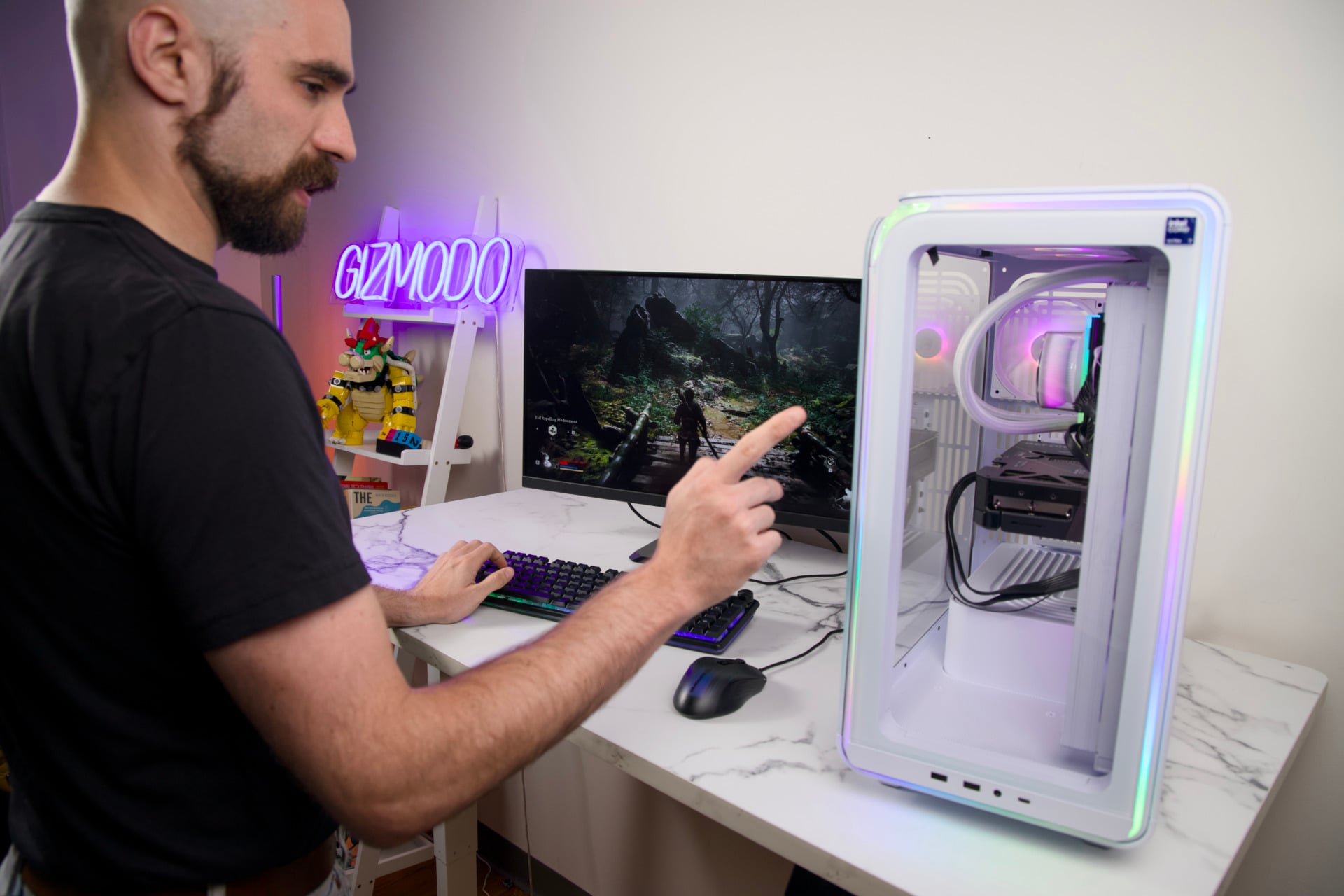
All those mid-range components are then shoved into a mid-sized full ATX case that is really quite premium, with tempered glass panels, aluminum sides, and integrated RGB lights flowing like rivers from every seam. The white Element X case is especially cutesy, though it clashes with the industrial look of the internal motherboard, exposed NVMe slot, and jumbled wires spread like parasites throughout the PC’s internals.
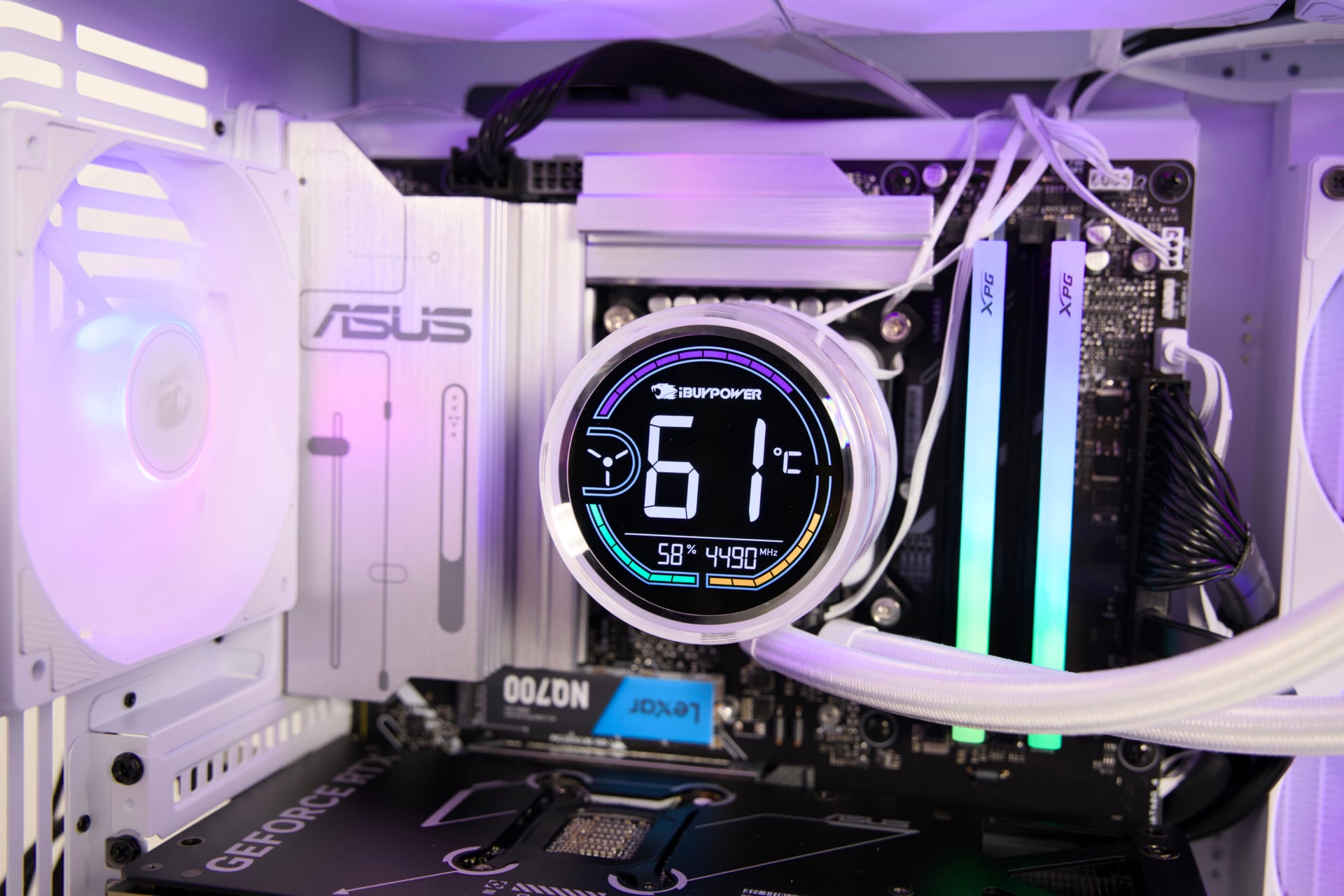
Despite the look, the case offers lots of upgrade space. It’s certainly large enough to accept a larger multi-slot GPU, more RAM sticks, and even some SATA drives in the rear compartment. Then again, I’m keen to quote Dennis Reynolds from It’s Always Sunny in Philadelphia when I describe the iBuyPower Element Pulse X less as a “starter car” but a “finisher car” that, despite its looks, isn’t quite the “transporter of gods” it seems it could be. PC component prices being what they are, you’ll likely be stuck with mid-range performance for long after you purchase your next pre-config.
Now that’s what I call a power button
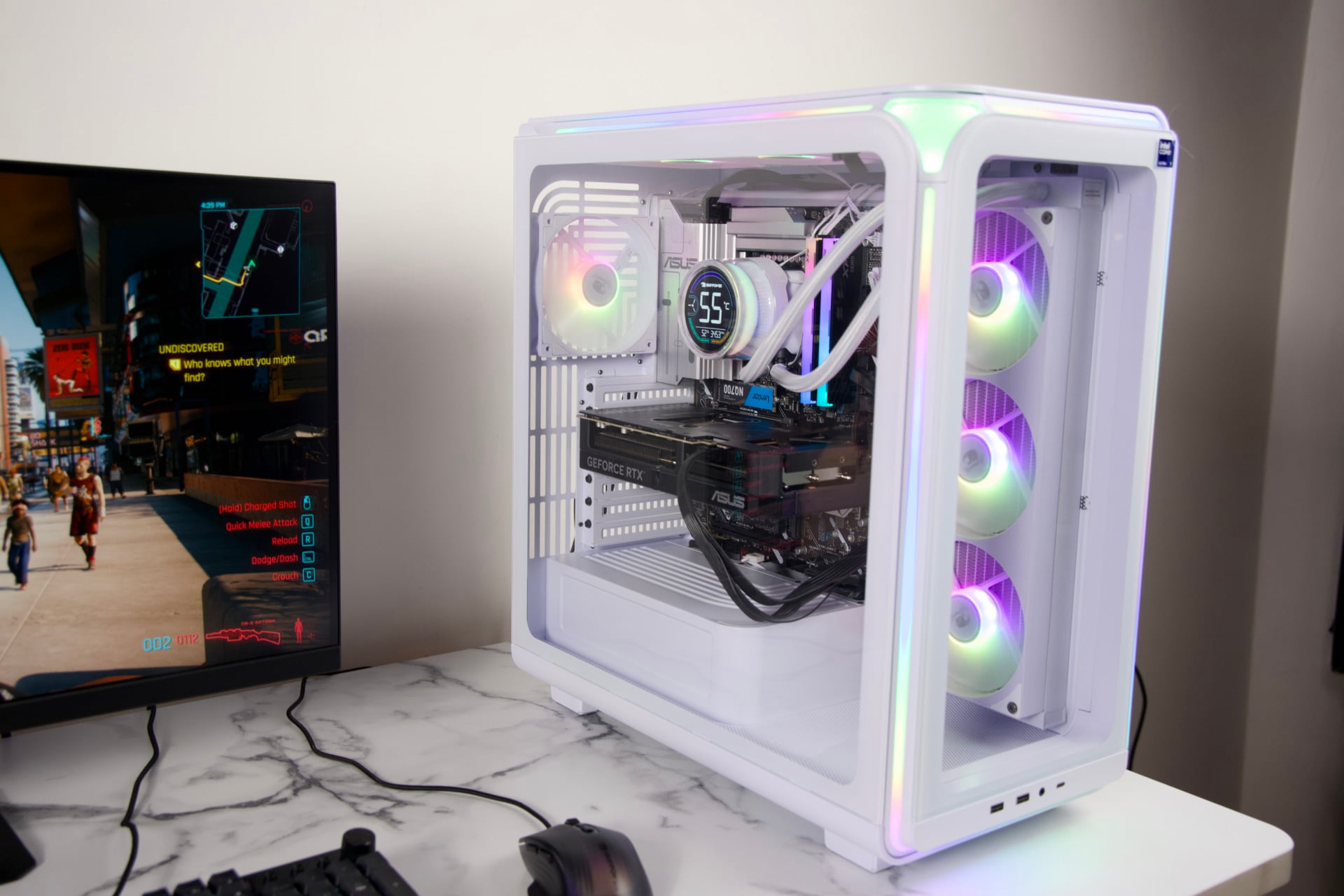
The Element Pulse case sings with pulsing lights and whirring fans. As with many fishbowl PCs—like iBuyPower’s own Trace X PC I reviewed earlier this year—the PC sucks in air from the side and directs it above and out the rear panel. This would make this a negative pressure-type airflow that’s better for keeping dust out of your system. The case can technically support an additional 120mm fan on the bottom panel if you want to increase the amount of air intake.
Based on my tests with the PC, the airflow manages to keep up and maintain the CPU temps at around 60 degrees Celsius at around 50% load, while the GPU remains purring during extended game sessions. For work that involved using more CPU, temperatures did not get that much higher, around 65 to 70 degrees Celsius.
It’s an easy case to access, too. The toolless side panels slip on and off with a satisfyingly sturdy ball-and-socket clasp. If you want to remove the top panel above the 360mm radiator fans, you’ll need a Phillips head screwdriver. The front panel is more confusing by far. It was annoying enough I accidentally hit the power button multiple times just trying to extricate that damn panel from the case.
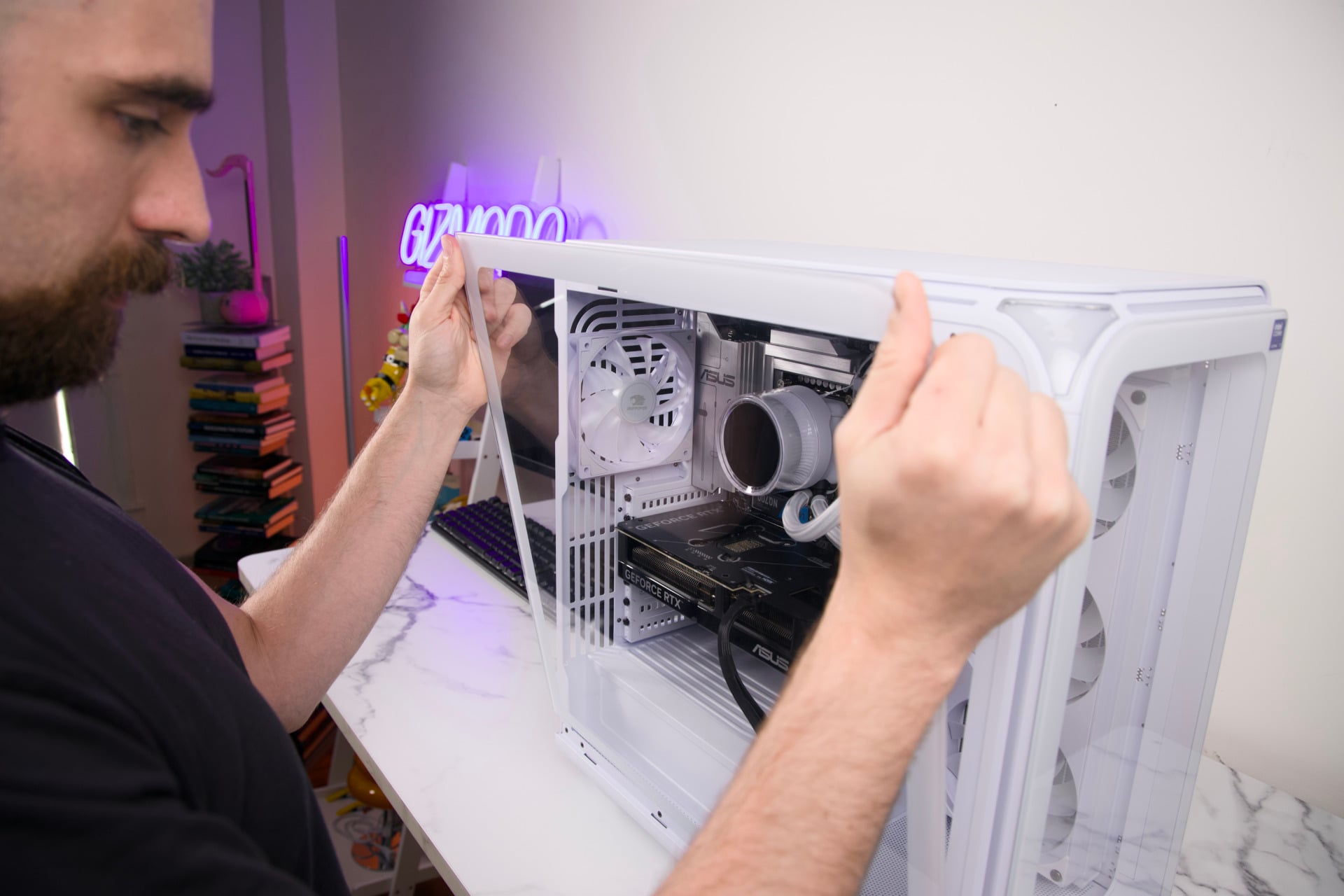
However, I do appreciate how the big triangular power key blends in with the rest of the RGB design. It gives it a look that’s both bold and design-forward. I only wish that it meant I could have a few more front I/Os. There are two USB-A, one USB-C, and a headphone jack to contend with. I would have preferred at least one more USB-C.
The rear port selection on the Asus Z890 Max Gaming motherboard is also slightly lacking. There’s no built-in HDMI should anything go wrong with the RTX 5070 and you need to troubleshoot, though there is a single DisplayPort. There’s a single 20Gbps-capable USB-C among several varieties of USB-A, 2.5GB Ethernet, three audio jacks, and hookups for the included Wi-Fi antenna. As I mentioned, at the very least this case is upgrade capable with a SATA cage behind the side panel. It would be enough to call this design great for most PC users, but there are other, small problems that may crop up and make the entire design seem slightly less premium.
Why does my PC sound like an air conditioner?
The iBuyPower Element Pulse X PC was running cool and relatively quietly during my weeks spent with it in the background. However, when running some benchmarks or loading into some games, like Black Myth Wukong, the PC fans kicked into life and created a racket that made my colleagues at the desks nearby concerned for my well-being. I said it sounded like an air conditioner. One of my deskmates said it sounded exactly like their home air purifier.
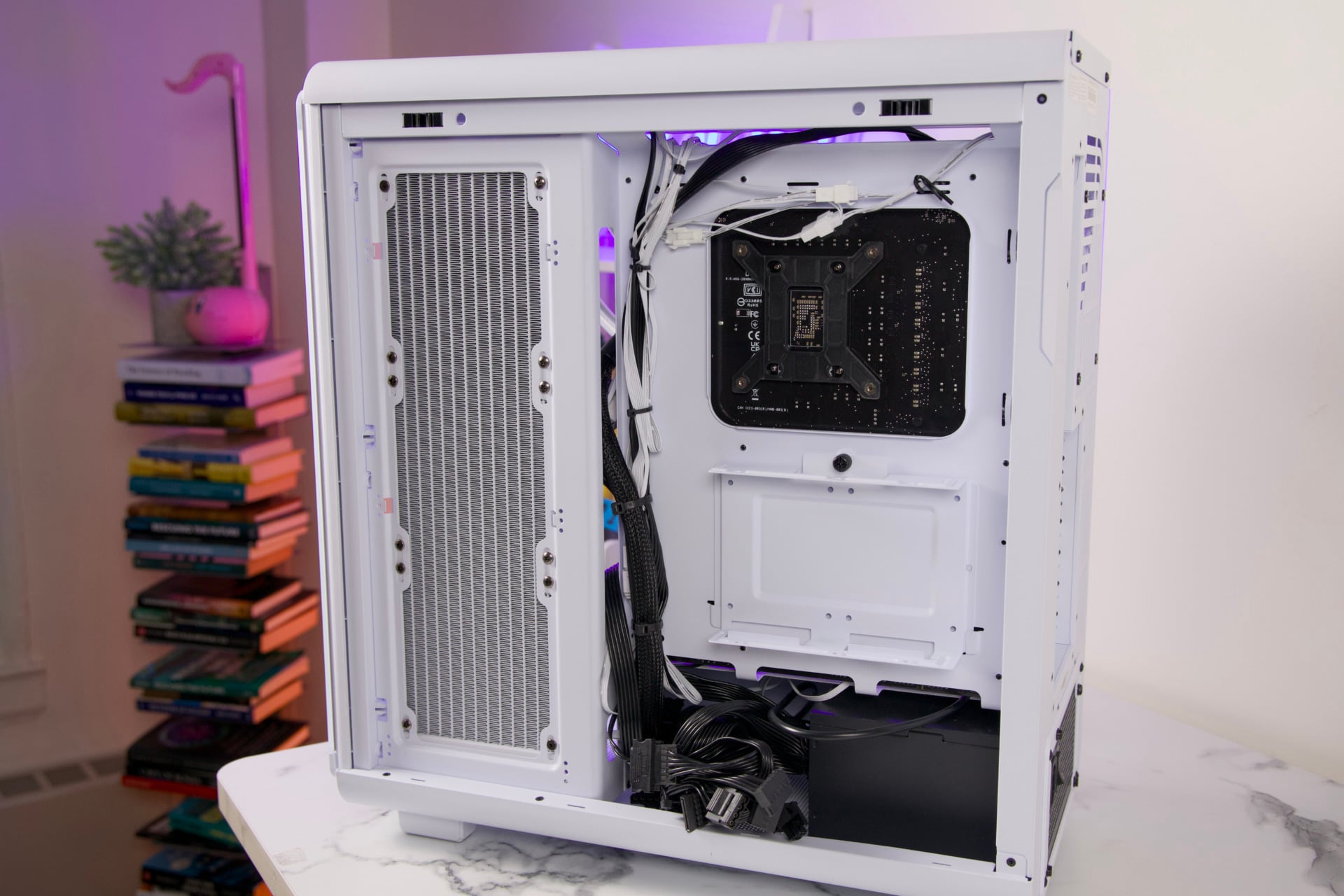
The fan noise was only intermittent, and if you’re already used to your home HVAC, you won’t be too perturbed. What I found a little more egregious was the state of affairs inside the side panel. Every power cable from the front of the case is passed tied in the same bundle that flows down to the 750W power supply before turning into an abhorrent rat’s nest at the bottom. The PSU is also completely non-modular, so if you actually want to do anything with your PC down the road, it may require replacing the entire power supply and rewiring everything.
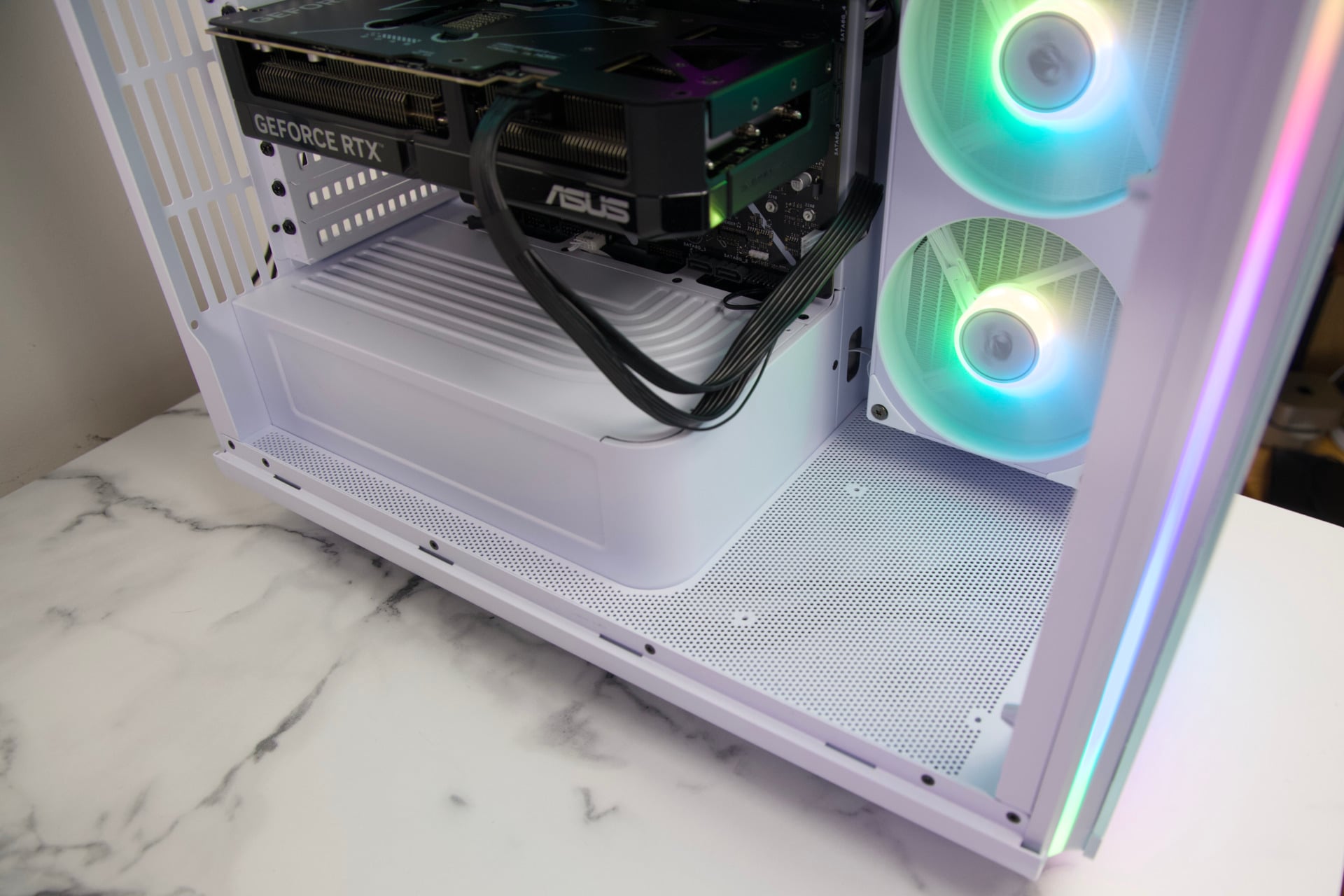
I mentioned before how the choice of motherboard also clashes with the white aesthetic of the overall case. I’m one who normally appreciates the look of bare electronics, but this PC took one step too far over the line for me. At the very least, the motherboard is packing three PCIe 4.0 x16 slots alongside the main PCIe 5.0 x16 slot with the slotted GPU. The Wi-Fi 7 compatibility is just icing on the cake.
4K capable with the right settings
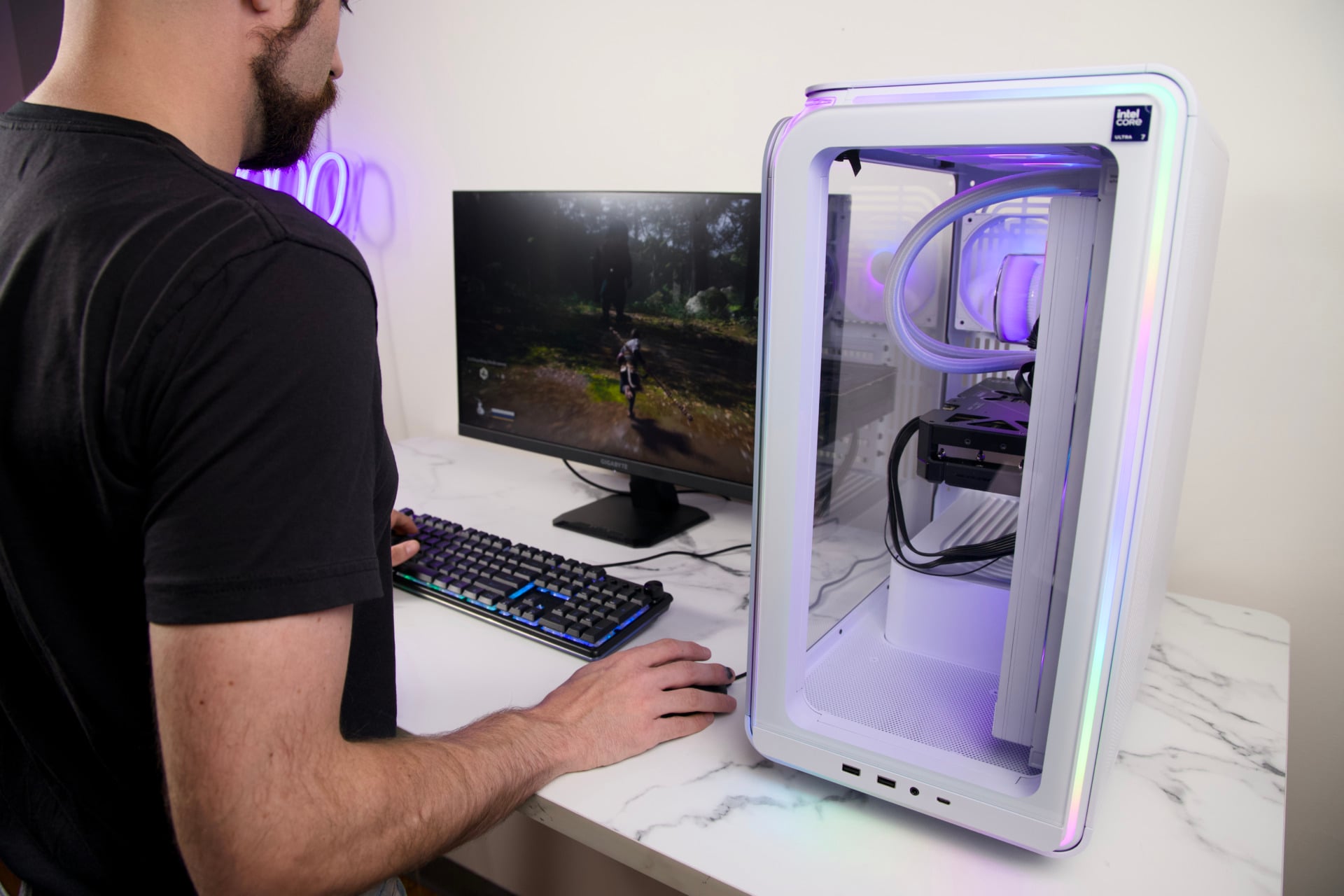
Intel’s Core Ultra 7 270K Plus chip was always billed as a gaming-capable CPU, but Team Blue probably won’t have any 3D v-cache competitors until next year at the earliest. The chip is instead a better overall CPU for productivity tasks, managing to score 40% above an AMD Ryzen 7 9850X3D in Cinebench 2026 rendering benchmarks. That’s not nothing, especially for a chip that normally costs around $350 by itself compared to the 9850X3D’s regular $460 going rate.
For all that benchmarking promise, the Intel chip still lags slightly in some gaming performance even behind a Ryzen 7 7800X3D. The R02 version of this same desktop PC with that AMD CPU goes for $2,550—marginally less than the Intel version—and may provide slightly better game performance in most GPU-dependent titles. There are edge cases where Intel’s chip can be superior, specifically for games that rely more on CPU horsepower like Warhammer III: Total War.
That being said, you’re not exactly buying a toaster here. Across all the benchmarks I ran, I could push for 4K-capable settings and play with a great 60 fps experience, never feeling like I’d lost something for a more expensive desktop tower packing an RTX 5070 Ti or RTX 5080. Does that involve DLSS upscaling? Of course. Did you honestly expect anything different?
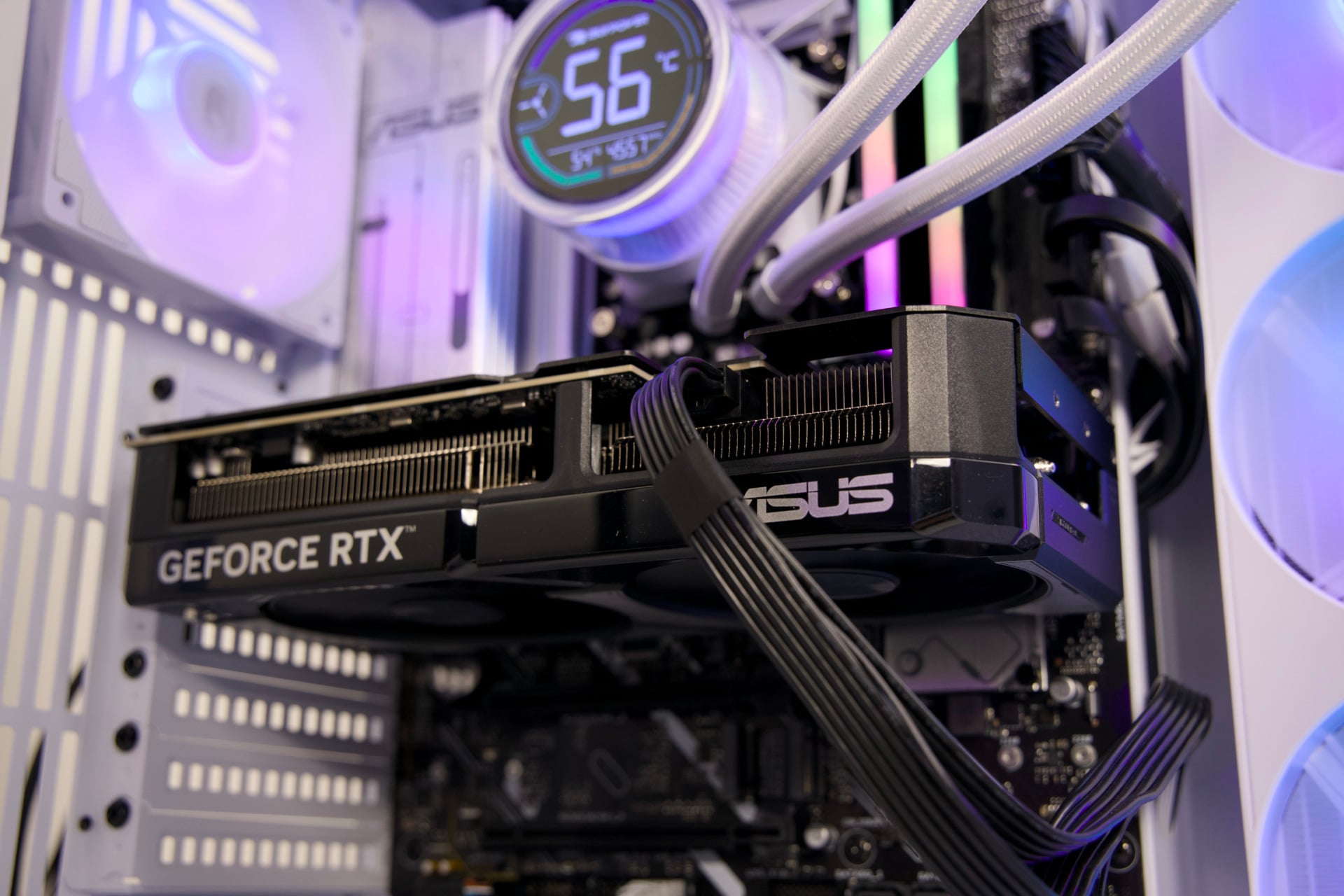
Across my usual benchmark titles, this configuration of the Element Pulse X tends to sit at a playable frame rate so long as you don’t push ray tracing settings at 4K. In a game like Black Myth Wukong, I managed to hit just over 30 fps at high settings without enabling upscaling. I can get closer to 50 fps in Cyberpunk 2077 running the Ultra graphics preset. The previously mentioned Warhammer III does much better, getting 60 fps on Ultra settings and 4K base, though it lags more toward 48 fps in the CPU-intensive Mirrors of Madness benchmark.
Some recent games can be a pain in the wallet to run at the best settings at 4K. Take Gears of War: E-Day, an Unreal Engine 5 title that stresses most PCs at only High graphics settings. This one isn’t doing much better, managing to hit 35 fps at those settings without relying on DLSS. Swap it to Ultra settings for even better-looking lighting, and the Element Pulse X with these minimum specs will indeed struggle. You need to accept some of the upscaling to make some of the latest games look their best.
If, however, you’re a 1440p gamer, the iBuyPower Element Pulse X is a seamless experience.
Sometimes, convenience is worth the hassle
The iBuyPower Element Pulse X isn’t the most ultra-convenient PC you can buy. It comes in a large box that requires you to extricate the tower and install the graphics card yourself. It’s not a huge deal, but it’s worthy of note since there are other pre-config builders who will keep the card in the case for you (though that may also involve annoying packing foam).
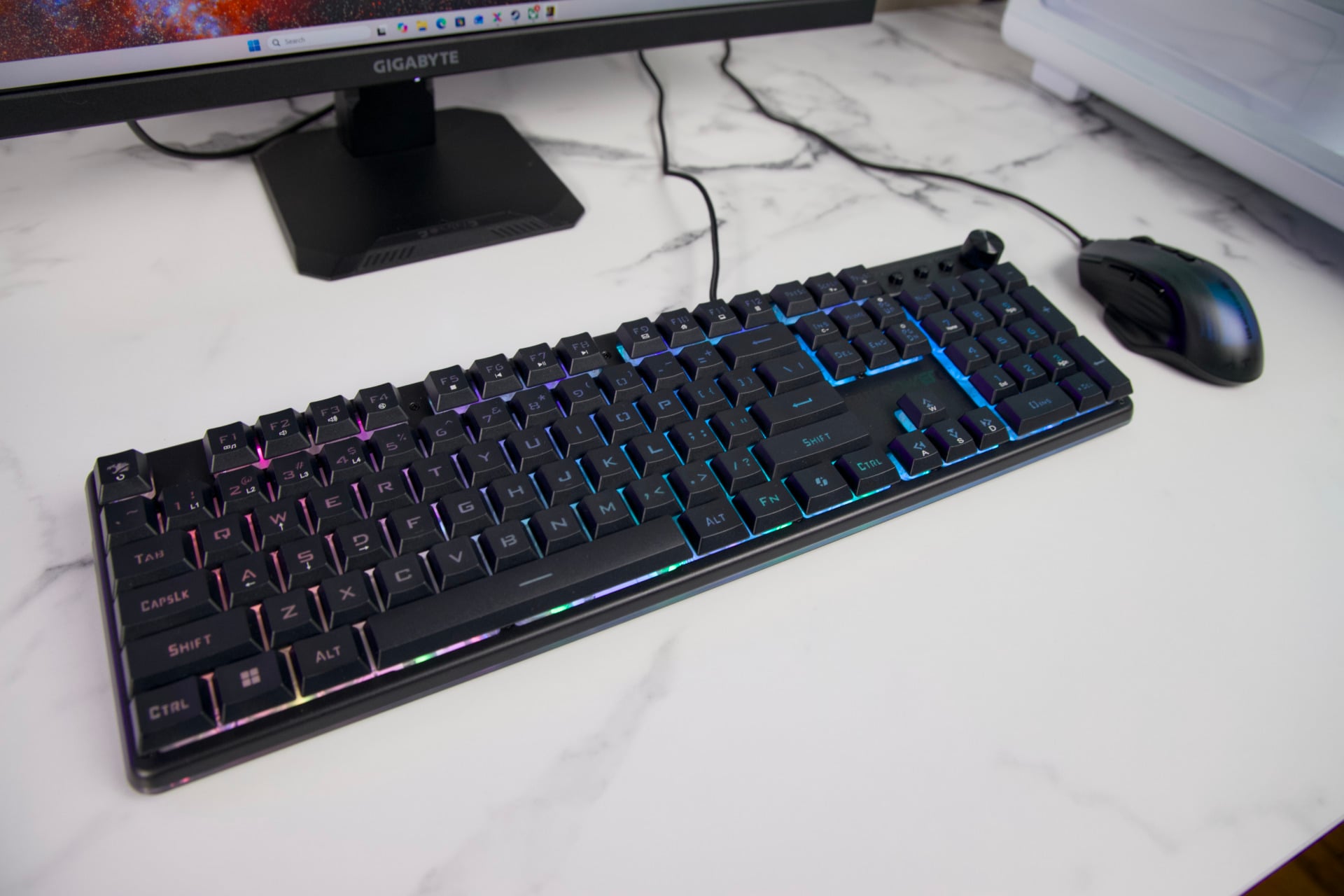
The company’s PCs also come with a starter mouse and keyboard, two plastic peripherals. They’re honestly not that bad as far as entry-level PC controls go. The right-handed mouse feels ergonomic and has more programmable buttons than your typical beginner mouse. The keyboard isn’t a mechanical joy to type on, but it gets the job done. The keyboard also comes with three programmable buttons and a metallic volume knob. I know that a younger me would have used these peripherals until they wore out completely before replacing them. At $2,700, you may feel like your PC experience deserves something more premium.
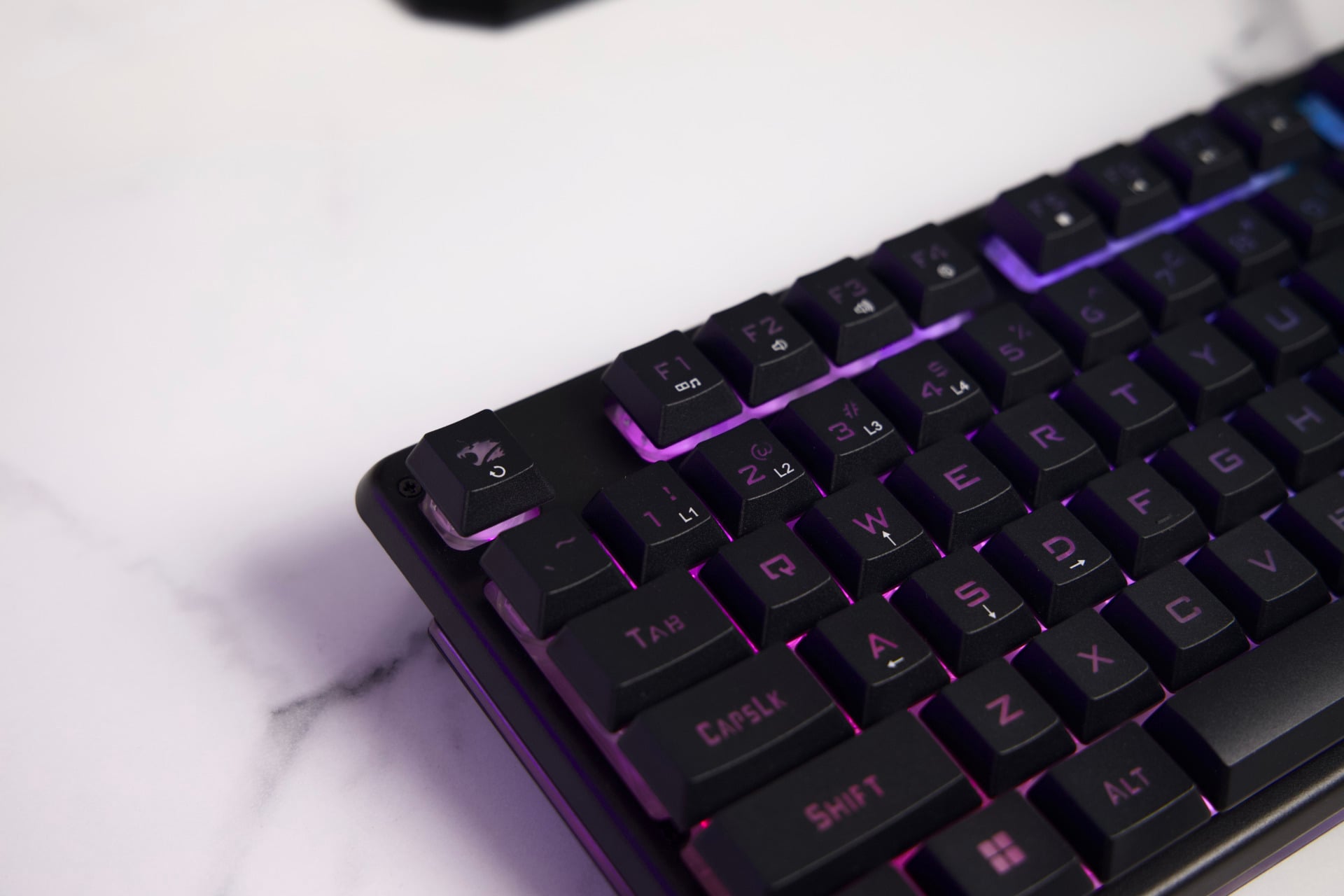
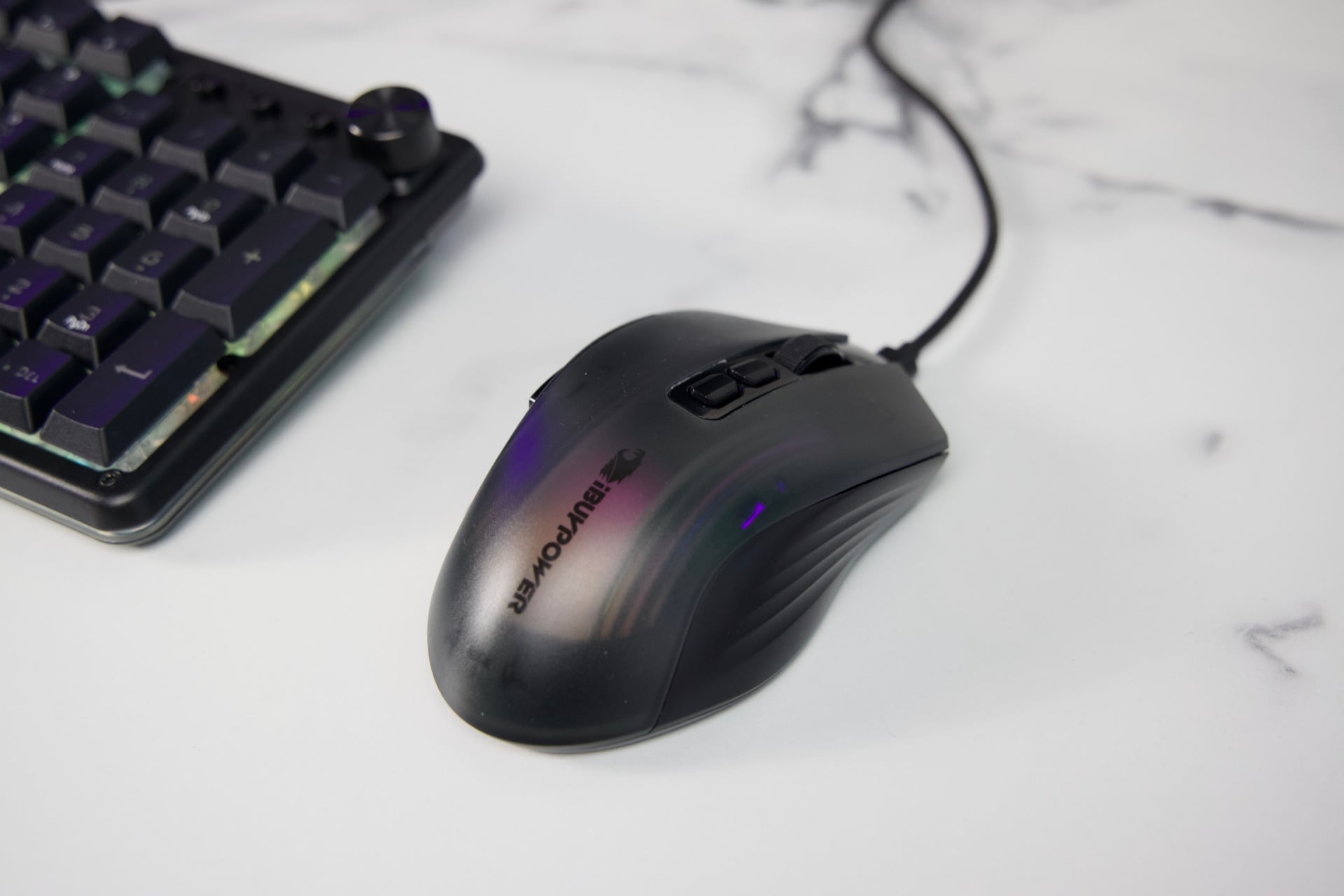
I make a point of looking for the components of pre-built to check if I could make a cheaper desktop tower. With many of the same or similar parts on PCPartsPicker, my total came to just under $2,500, and that’s without a Windows license. For the first time in a while, I feel like I personally could have done a better job with cable management than whoever built this case—in which case I could theoretically save a small amount of money and come up with something a little less slapdash.
Then again, this PC does the job admirably, with solid airflow and a pretty case. The fact that a 12GB RTX 5070 costs more than $800 is already enough to make me quit thinking of building PCs altogether. Convenience is one thing, but considering the hassle of buying your components separately, the Element Pulse X has enough to make it worth your time.