Acer, I see right through you; you meant this $800 3D PC for the college stoner.
Watching an army of 3D crustaceans attack from the sub-$800 Aspire 5728DG’s 3D screen is truly awesome. But ultimately, it only makes me crave Disney World’s full-out MuppetVision 3D. And the larger screen isn’t all I yearned for.
Don’t get me wrong, watching some clips and playing games in 3D on the 15.6-inch screen is pretty damn cool, but the experience is limited in screen size, viewing angle, and content. Oh, and did I mention that it actually hampers the experience for viewing non-3D images? A well-performing budget notebook the Aspire AS5738DG is, but as a 3D theater and gaming console it leaves a bit more to be desired.
Price
$780 (As configured with a 2.00 GHz Intel Core 2 Duo Processor P7350, ATI Mobility Radeon HD 4570 graphics, 4GB of RAM, Windows 7 Premium, 320GB hard drive)
Three Dimensional Computing, Kinda
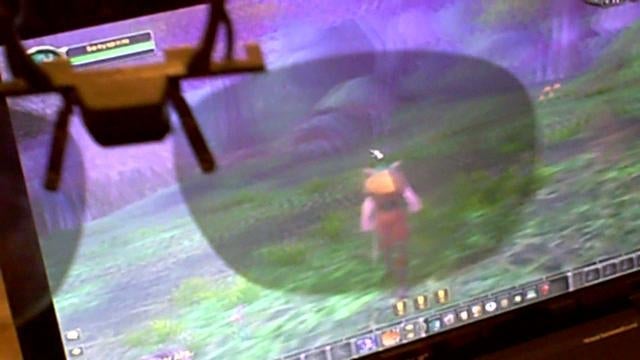
Acer’s 3D notebook doesn’t use Nvidia’s more expensive 3D Vision GPU and technology, but instead uses TriDef’s, a mixture of a 3D film coating on the display, polarizing glasses and software. The notebook comes with a pair of polarized 3D glasses (thankfully the lenses aren’t a tacky blue and red) and embarrassing clip-ons for those out there that already wear spectacles.
https://gizmodo.com/maingear-prelude-2-3d-vision-gaming-pc-in-a-box-5156549
Windows 7 has lots of new features, but 3D image support isn’t one of them. It would be actually be cool to see Aero in 3D, right? OK, I digress. The 3D experience is isolated to the preloaded TriDef Experience software which contains a number of pictures and video clips.
I put on the glasses and fired up some of the clips (like any 3D content, the videos are all fuzzy without the glasses on). There is one video of the crabs taking over the world which is just downright disturbing, but the 3D tour of an alien dessert is freaking trippy. I was totally enamored with the videos for at least 45 minutes, finding myself reaching out to touch things and inspecting the depth of certain images. The quality isn’t high definition, but the standard def 3D video still looks fairly crisp and vivid.
After a bit, however, the novelty wears off. Firstly, you have to position the screen at the exact correct angle to get the full three-dimensional effect. If the screen is slightly off a precise 120-degree angle, then the 3D images are jarred. That also presents a problem when trying to watch a 3D video or image with a friend or laying back in bed. Secondly, while obvious, is that the 15.6-inch screen is small. I get that it can’t compare to the 103-inch 3D Panasonic HDTV I saw a few weeks back, but the smaller the screen, the more inherently limited the 3D illusion. And since you have to sit fairly close to the screen at all times, my eyes started feeling strained after an hour or so.
https://gizmodo.com/panasonic-hd-3d-home-theater-trucks-coming-to-a-highway-5375671
Where’s my 3D Content At?!
Still, maybe the biggest flaw with Acer’s 3D implementation is an utter lack of content. Some popular 3D games are supported (the TriDef Ignition software enables 2D to 3D conversion of certain games and applications supporting DirectX 9 and above), but it is trial and error and requires a bit of setup on the user’s part. Tridef’s website lists the games that are supported, and after they are installed you have to open them with the TriDef software. After all was said and done, though, I did really love exploring Lord of the Rings Online and World of Warcraft in 3D. Freaking awesome is what it is. I actually said that aloud a few times as my little three-dimensional gnome jumped around the immersive forest.
I felt the same way about Google Earth (after finding out that it would work by searching TriDef’s forums). Flying over the Grand Canyon was definitely cool, but there is only so much time I can spend pretending to be a world traveler.
What the Aspire needs is more 3D content and a list of supported content, so you don’t need to do so much digging to find out what works. I mean really, do any of these 3D movies which are viewable on the notebook appeal to you?
For Non-3D Computing Time
The 3D experience is a mixed bag, however, as it impacts the non-3D computing experience. The 1366 x 768 resolution 15.6-inch display is glossy and bright, but there are small horizontal lines that are constantly discernible to the naked eye. They are distracting, but you kinda get used to it. Like a Band-Aid on finger, you don’t like having it there but it’s something you come to accept.
Other than the lines, the laptop is your basic mainstream system. Though it is a bit heavy at 6.2 pounds for a 15.6-inch notebook (my Sony Vaio FZ weighs 5.8 pounds and it’s 3 years old), I found the keyboard to be quite comfortable and the multitouch trackpad with its dedicated scroll strip to be well-sized. All the ports you have ever dreamed of surround it, including 4 USBs and an HDMI out.
The Acer Aspire AS5738DG ‘s 2.00 GHz Intel Core 2 Duo Processor (along with 4GB of RAM) crunches out pretty solid performance for a budget system. In 64-bit Windows 7 Home Premium, running Firefox with over 10 tabs open, iTunes and TweetDeck, the system showed no performance hit.
When adding in playback of Jarhead on DVD, the system held up without pauses thanks to the discrete ATI Mobility Radeon HD 4570 graphics card. However, the system more than struggled to play back World Of Warcraft at a 1280 x 768 resolution; at 800 x 600 it was just fine with an average of 60 fps.
Battery Life
The Aspire AS5738DG comes with a 6-cell battery which ran for a disappointing two and a half hours during my everyday usage (running Firefox, Pidgin, TweetDeck and streaming music on Slacker.com). Like I have said, the system isn’t the most portable at 6.2 pounds, but I would have liked to have been able to sit on the couch with it for longer without having to have it attached to the wall.
Verdict
For under $800, the Acer Aspire AS5738DG is a solid budget system even when you don’t take into account that it is one of the only notebooks on the market with 3D viewing capabilities. Sure, I have some complaints about the 3D experience: I wish it was easier to get content and I’m not thrilled that the screen has horizontal lines on it all the time. But once you do find the games and content you want to see in 3D it is sweet.
If you can live with the annoying lines on the screen and a bit of work to get the 3D working the way you want, the Aspire AS5738DG is a good buy. And for those that are just not interested in 3D at all, you can always pick up the Aspire AS6738 sans 3D capabilities for over $100 less.
Sweet 3D capabilities
Attractive design with comfortable keyboard
Loud Dolby speakers
Heavy for a 15.4 inch laptop
Screen has distracting horizontal lines from 3D coating
Mediocre battery life