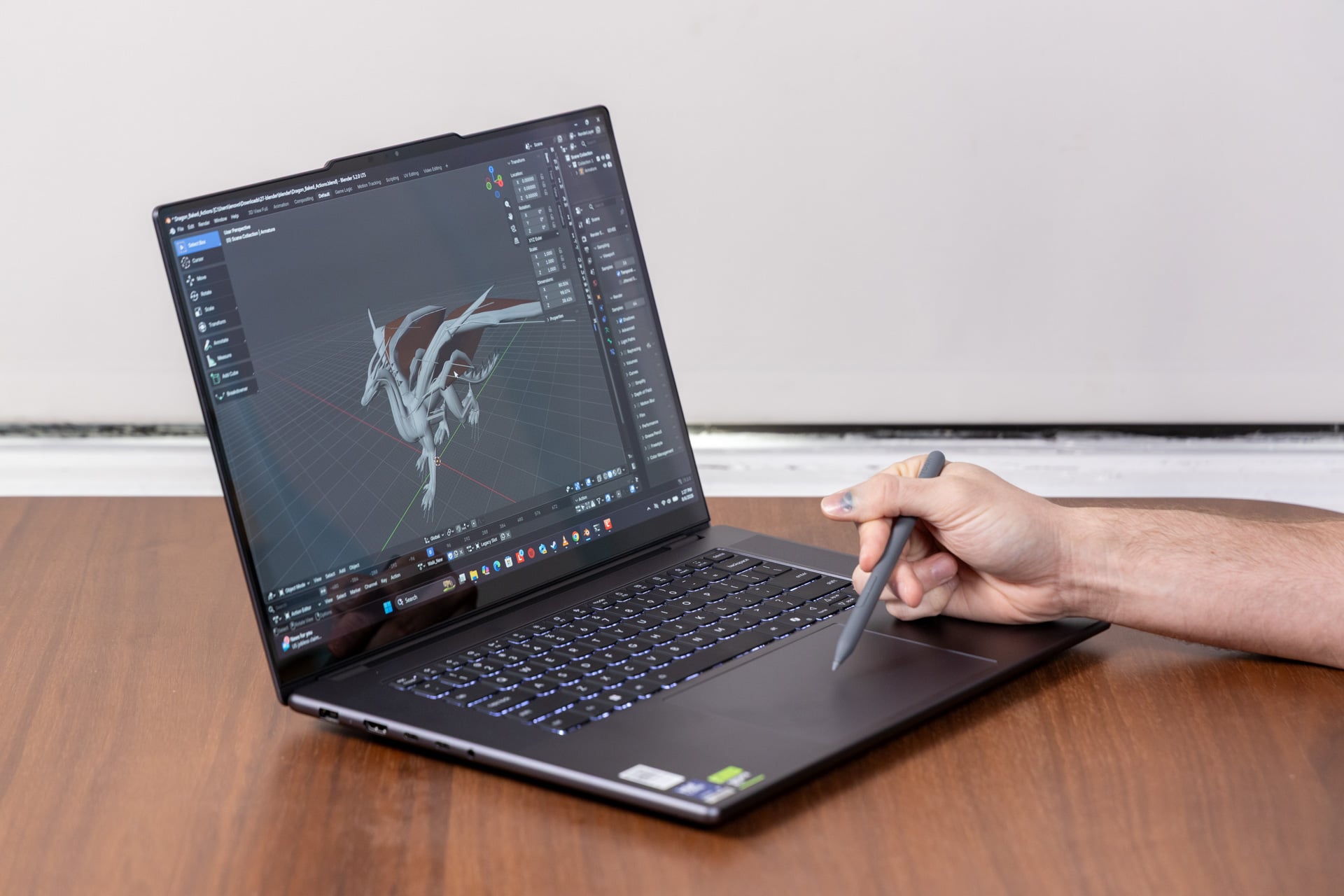
Why should a creator’s laptop be boring? Lenovo is normally a company that’s willing to—if not break the mold—then stretch it with colorful and occasionally outlandish laptop designs. With the Lenovo Pro 9i 16 G11 Aura Edition, it feels as if some energy-vampire corporate type sucked the joy from what could have been a specialized and fun laptop and instead gave us a gray approximation of what such a creature imagines “professional” creatives crave.
Lenovo wanted to sit with the big dogs of “Pro” laptops, and it did so in a very Dell way (specifically, when that company dropped and then resurrected its longtime XPS branding). The Lenovo Pro 9i, aka the Legion Pro 916IPH11, ditches any hint of its “Yoga” language for no good reason (the name is still applied on this same laptop sold outside the U.S.). Lenovo wants to position this machine as a jack-of-all-trades laptop, and it certainly hits that mark—if the eponymous “Jack” in this case wasn’t all that fun at parties or didn’t have the social/physical battery to last a whole day of work.
Lenovo Pro 9i 16 G11 Aura Edition
It has a seriously impressive screen and sound stage, brought down by pointless stylus features and an ugly look.
Pros
- Super bright tandem OLED screen
- Seriously strong audio
- Solid port selection
- Relatively light
- Quality CPU performance
Cons
- Stylus features are tacked on
- Only one ugly color choice
- Meh battery life
- Hard to justify the price
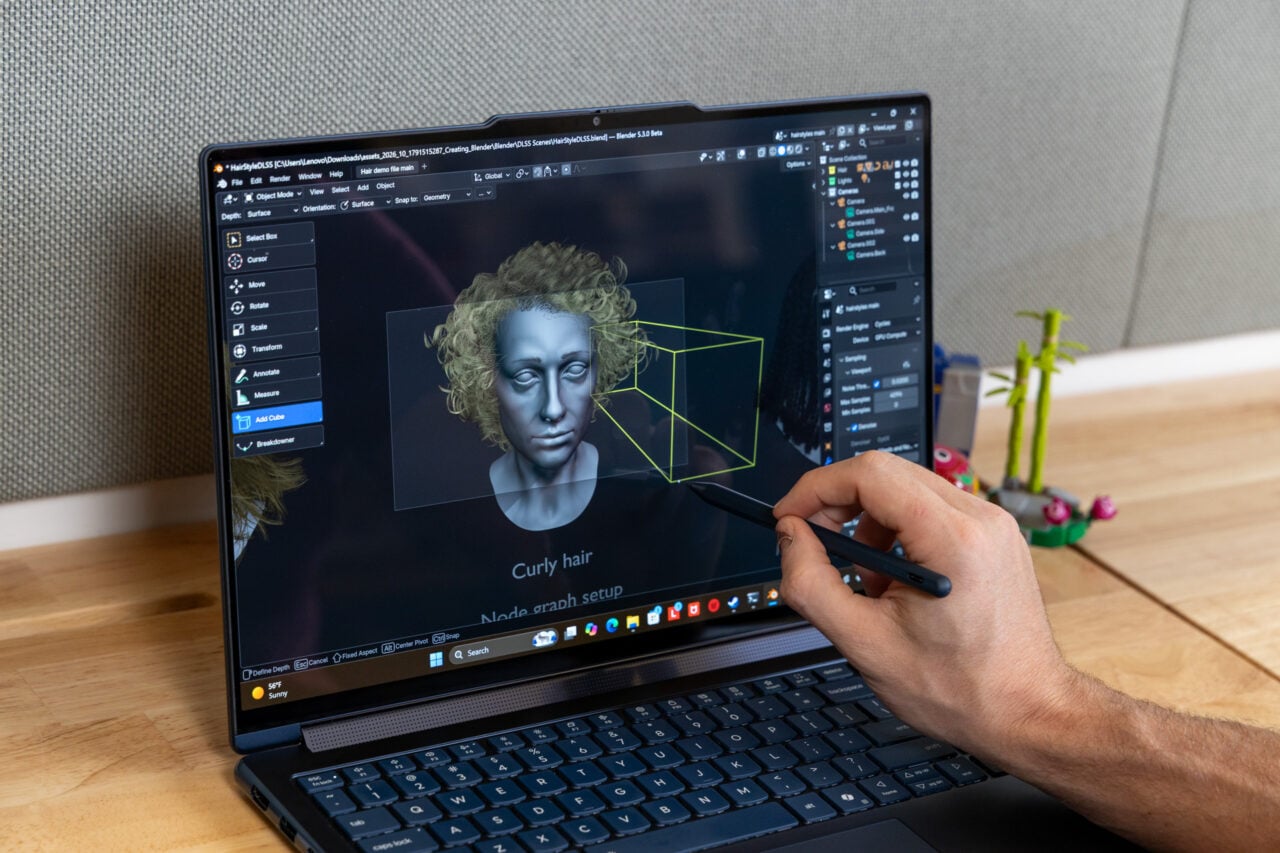
But don’t let Lenovo pretend this is anything but an ideal creator’s laptop. The Lenovo Pro 9i includes a glossy 16-inch display that hits a high-water mark for visual quality with its seriously bright tandem OLED screen. In a cursory nod to other “fun” devices, the Lenovo Pro 9i even steals Acer’s whole brand of letting you use a stylus on the trackpad rather than on the touchscreen. If anything, it’s unique enough to make you consider having a mobile drawing pad.
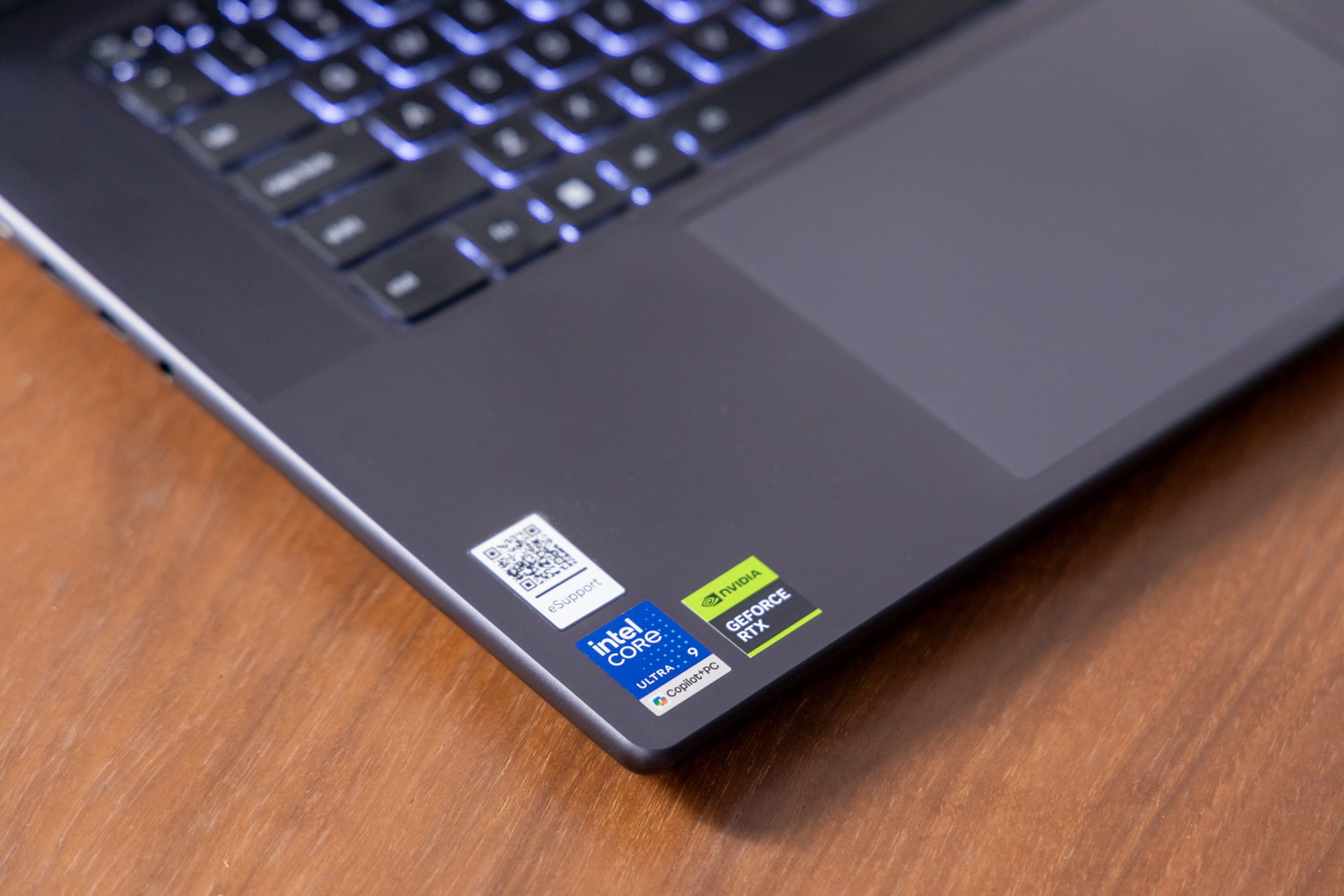
Beyond that, this laptop feels great but isn’t exemplary for its $2,400 starting price, though that version of the laptop only comes with an RTX 5050 GPU and no tandem OLED display. The review unit I tested would cost just under $3,070. That’s a hard pill to swallow when performance isn’t going to be at its peak with these specs. It sports strong Intel Core Ultra 9 386H CPU performance and the power necessary for an Nvidia GeForce RTX 5060 laptop GPU. It all comes together to form a kind of workman’s creative laptop, a device that does the job but doesn’t spark joy.
A boring body with hips that lie
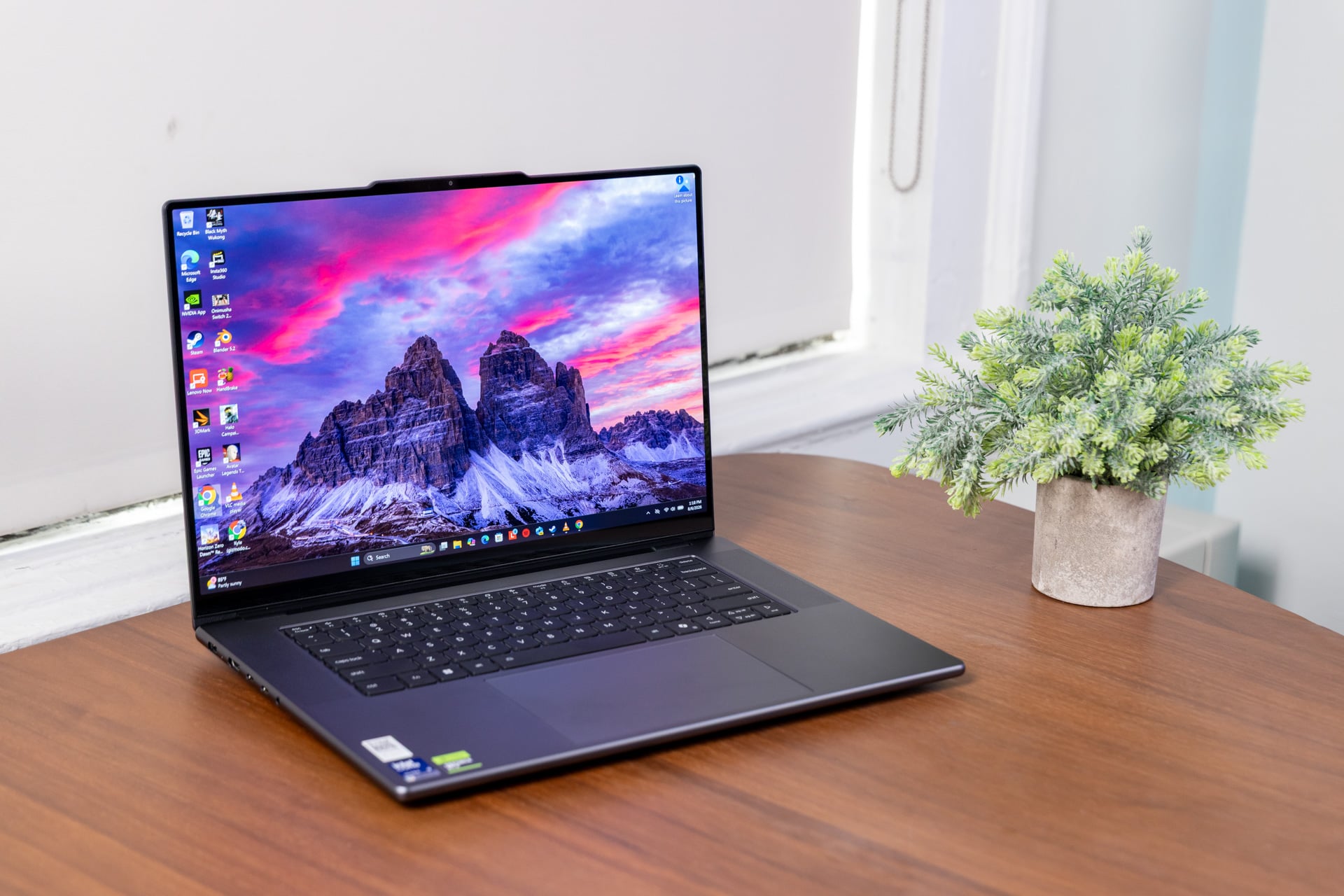
Even though Lenovo’s “Pro” laptop features the same sloping edges of Lenovo’s Yoga line, it’s not the most aesthetically pleasing laptop you may slip into your bag. The Lenovo Pro 9i’s not thick at 0.68 inches when closed up, but the rounded sides give the impression it’s larger than it actually is.
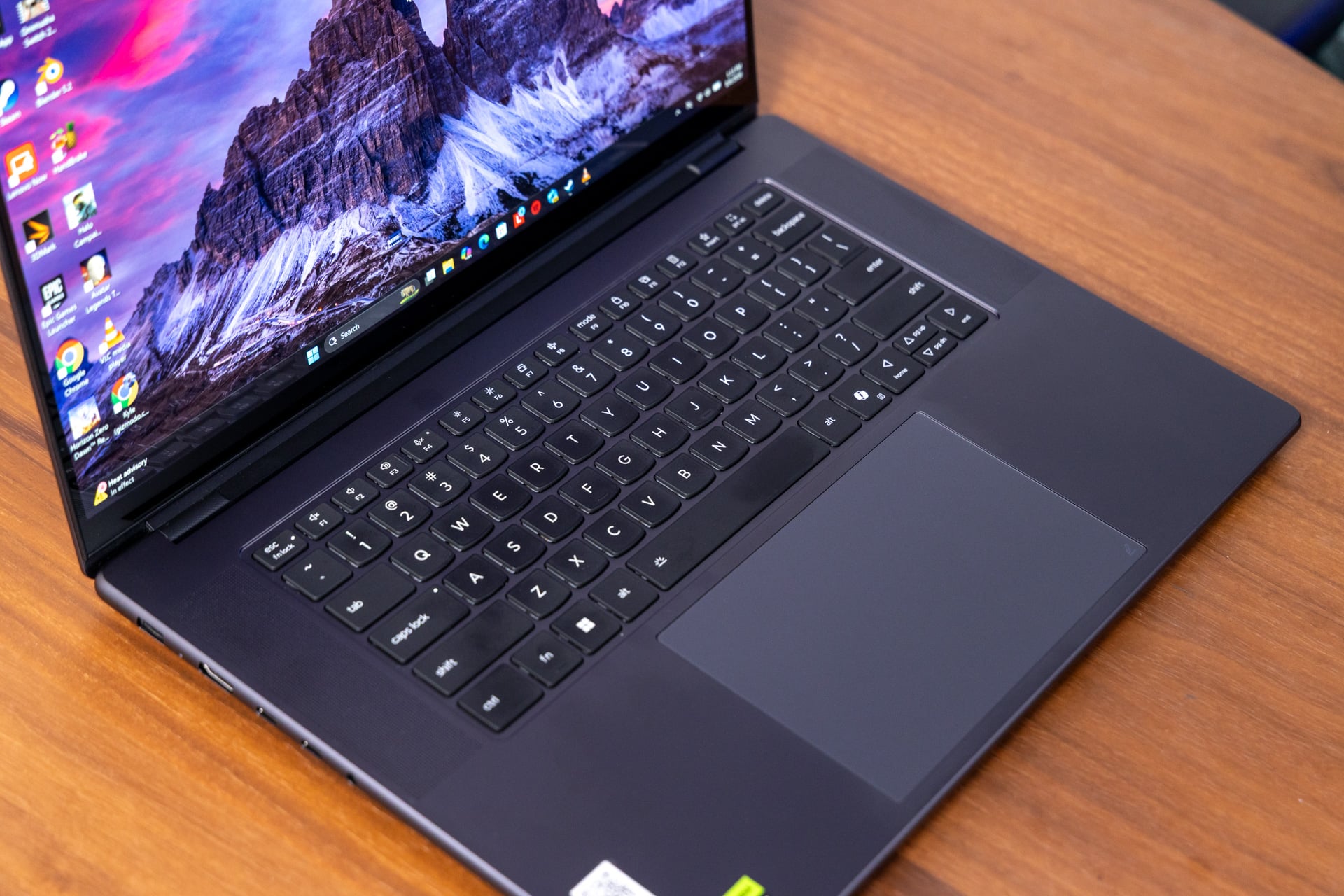
The Lenovo Pro 9i clocks in at just under 4.2 pounds, which is lighter on average than 16-inch laptops like the Razer Blade 16 or the 16-inch M5 Pro / M5 Max MacBook Pro at 4.7 pounds. This would be enough to have me celebrating the overall design, but there’s some inexplicable quality of the “thunder gray” coloring, like a dirty length of slate, that makes it ugly. I want to apply stickers to the lid until the device looks like a NASCAR racer, just to cover up the dreary colorway.
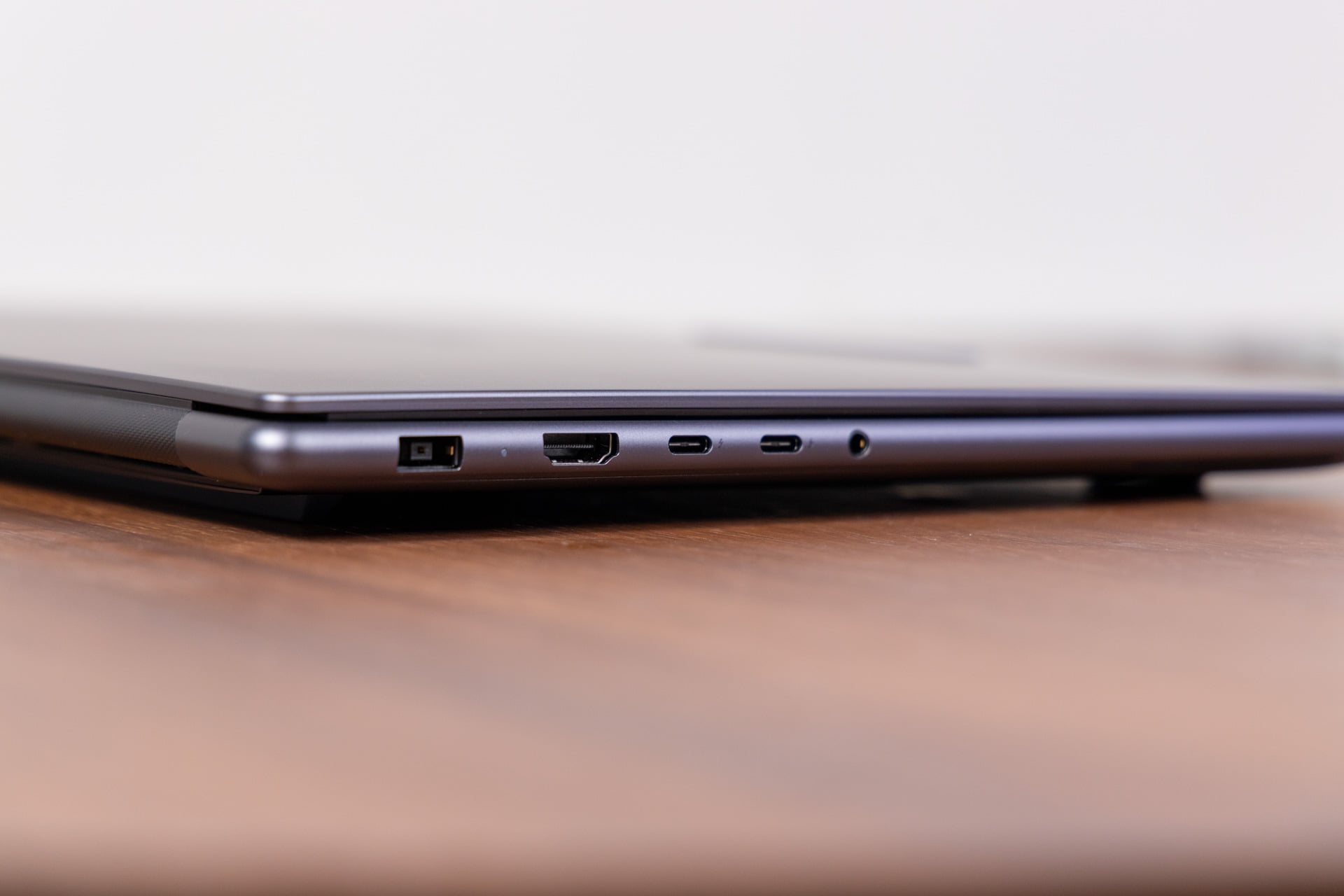
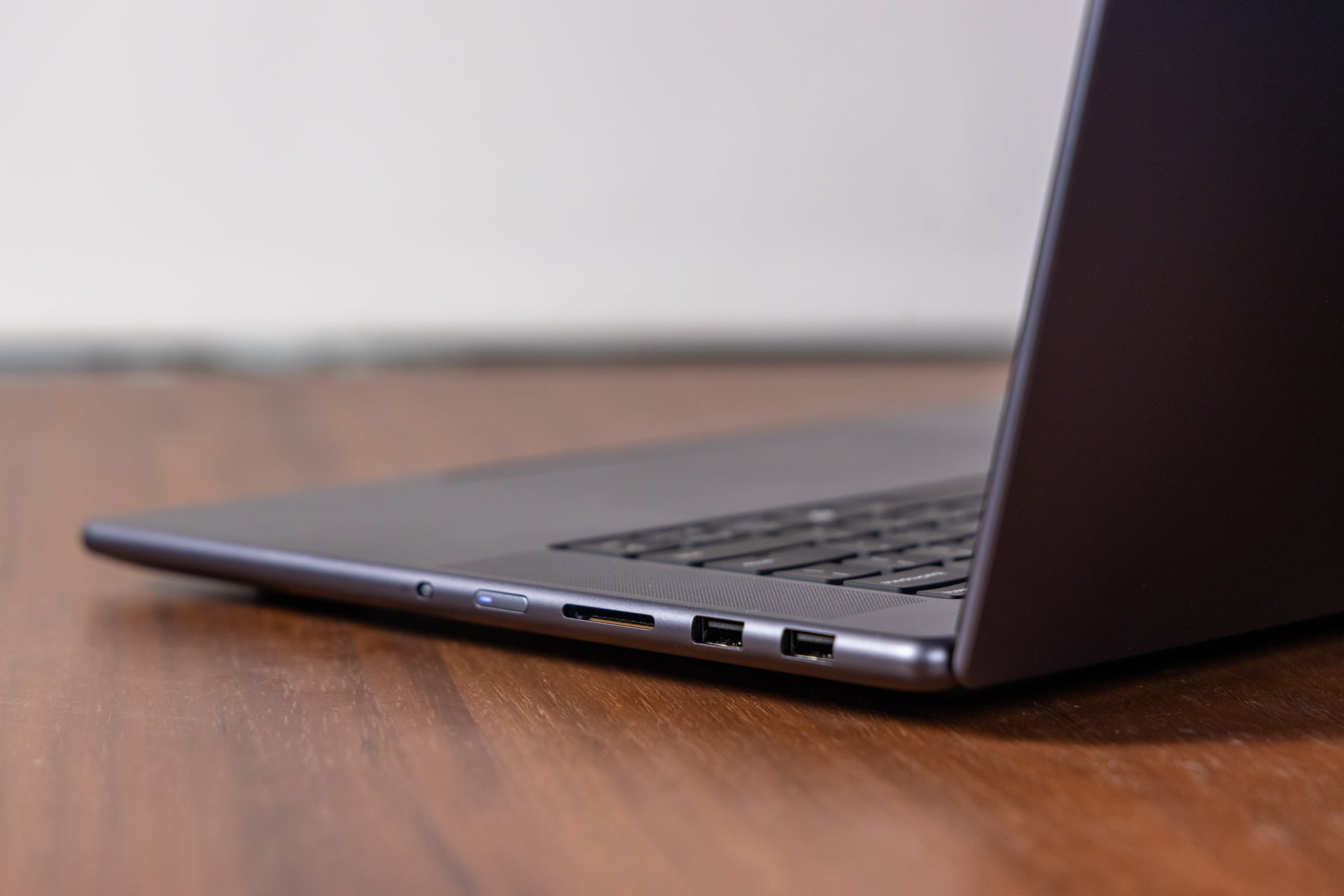
The keyboard and area around the trackpad are also easily smudged by your fingerprints, which doesn’t help it look clean. What you will get for your aesthetic troubles is a bounty of ports. To the right of the keyboard you’ll have access to two USB-A ports alongside an SD card slot. The power button doesn’t accept fingerprint unlock, though there is a switch for a digital webcam shutter. On the flip side, the Lenovo Pro 9i has two Thunderbolt 4 USB-C ports (there’s no access to Thunderbolt 5 due to the Intel Core Ultra Series 3 chip), an HDMI, and a headphone jack. This is where you’ll also find the extra-large proprietary charging port.
While each Thunderbolt 4 port can accept between 65W and 100W of charging, you’ll need the big, honking 245W power brick to power the Legion Pro 9i’s max TDP of 130W. The other benefit of the brick is the promise of fast charging for the 92.5Wh battery. I managed to go from 20% to 100% in a little less than an hour, all while running some intensive benchmarks.
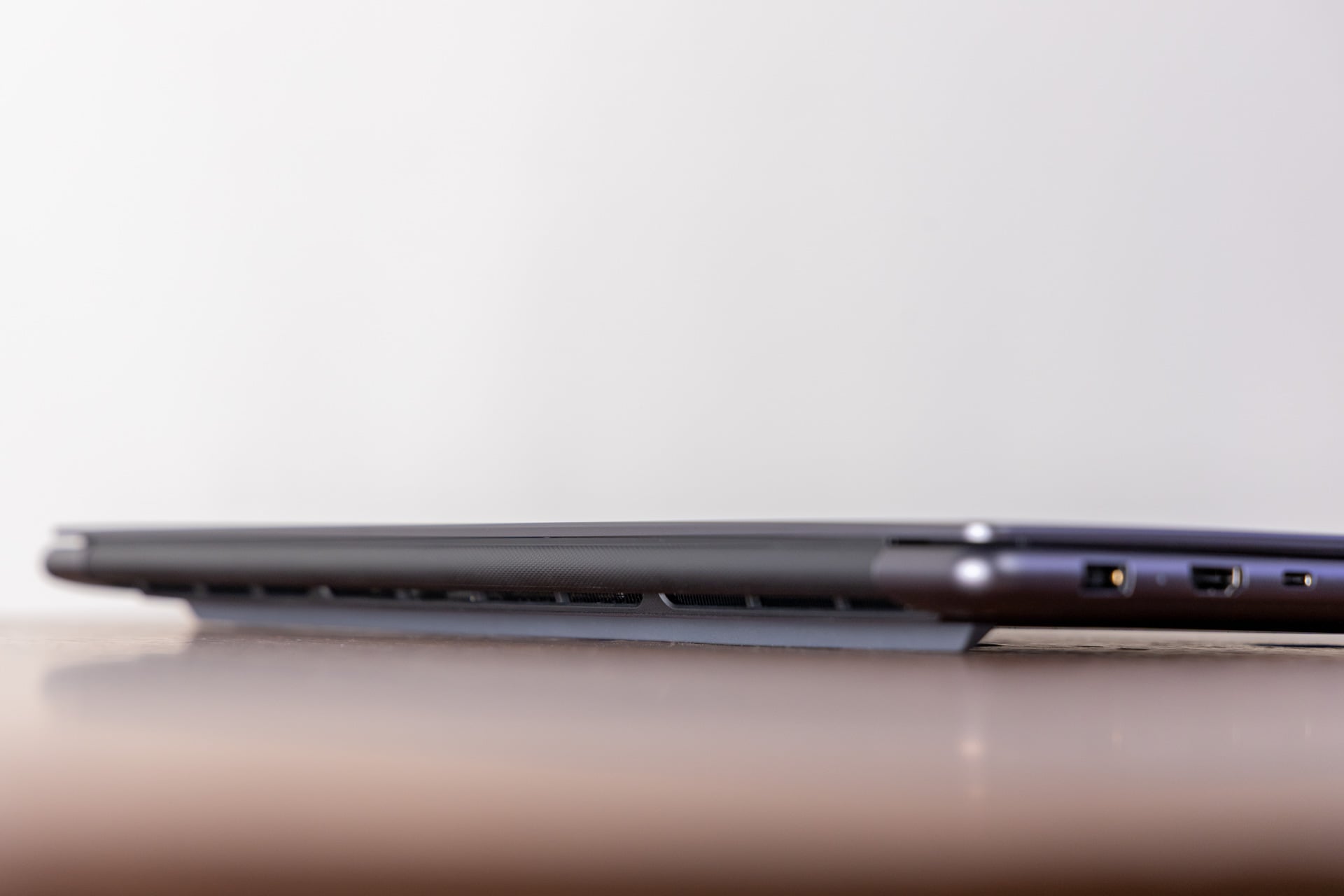
Intel’s Panther Lake chip was designed for lightweight laptops, where normally Thunderbolt 4 is good enough for hitting its peak charging rate. That isn’t the case here. You won’t manage to push the laptop to its peak performance and not eventually run out of battery without the big brick in your bag.
A different kind of creator laptop

Acer laptops, like the company’s Triton 14 AI from 2025 and its more recent Swift 16 AI, both feature a trackpad that can accept stylus inputs. Lenovo took that idea and ran with it for the Pro 9i. The box comes with a Yoga Pen Gen 2, and upon unboxing the laptop, you’ll find the stylus inside a simple paper package located underneath the power brick packaging, a location so innocuous I imagine somebody may throw it out with the box by accident.
While Lenovo’s 16-inch display is indeed a touchscreen, you can’t use the stylus with it. The pen only works on the trackpad, where it acts more like a drawing pad than a typical tablet. The Yoga Pen Gen 2 has hover detection a few millimeters above the trackpad, which allows users to get an approximate place for their cursor before pressing down. It’s also a relatively large trackpad at about 3.7 x 4.1 inches. That’s enough space for scribbling or other fiddly tasks that could use a more-accurate pointer than your finger. I just don’t know how useful the pen is for both creators and non-creative types.
There’s nowhere to stick the pen on the laptop, even though this pen includes magnets that will adhere to random parts of the shell. Ideally, you keep the stylus in a different laptop sleeve and hope you never forget it after you take it out at the local Starbucks.
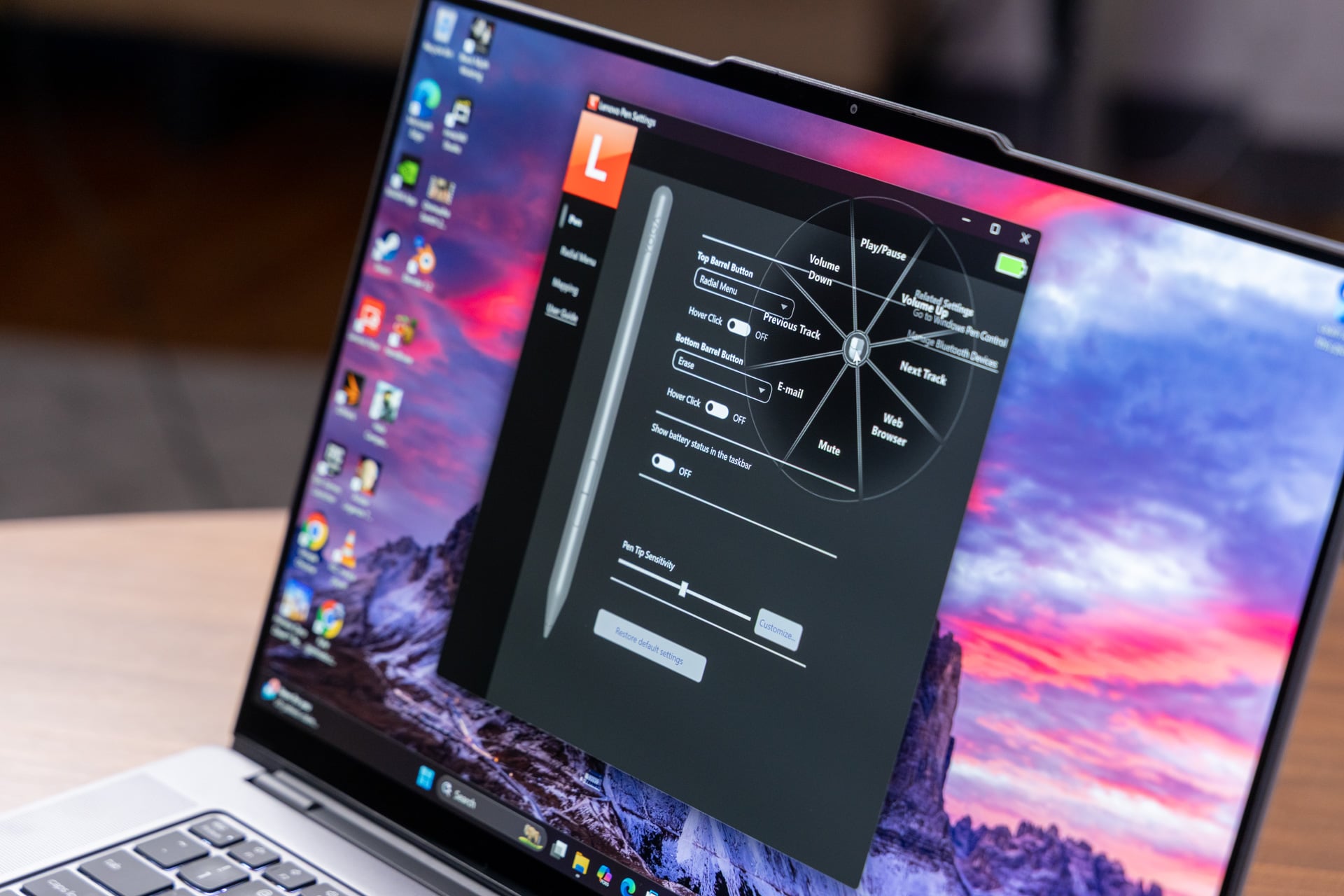
The pen automatically connects to the laptop, has pressure sensitivity, and features two extra customizable buttons you’re supposedly able to modify in the Lenovo Pen Settings app. However, some of these functions don’t seem built for use on a trackpad. The pen app enables a customizable radial menu when you hold a button and click on the trackpad. However, it’s nearly impossible to accurately select the radial option you’re trying to use with either the pen or trackpad. It’s effectively broken, and the app can seem largely pointless. The usability with the stylus on the laptop could have used a lot more thought.
Lenovo’s “Force Pad” is also haptic-based, which recreates the click sensation without any need for a mechanical depression. It’s not a bad trackpad, but compared to our best examples like the Framework Laptop 13 Pro or a MacBook trackpad, the haptic feedback feels a little weak under my finger. At least the surface feels smooth without falling into the opposite extreme of a glassy ice rink.
The keyboard features the same “U”-shaped key design as other Lenovo Yoga laptops, with a subtle dish that helps guide each finger to the right key. Typing on this laptop wasn’t to my liking at first, but the bounce of each key and the overall responsiveness of the typing experience quickly grew on me. Even if I don’t have a use for the pen, the overall day-to-day usability is what I expect from Lenovo’s Yoga laptops, which is “good enough.”
See Pro 9i Aura Edition at Lenovo
How bright are we talking?
Lenovo’s visual and audio suite is the real reason you buy this laptop. The six-speaker sound stage stuffed into the Lenovo Pro 9i includes four dual-side woofers and two tweeters. With those massive speaker grills, I could lounge in front of the laptop and feel comforted by the balanced audio quality, whether watching YouTube videos or Netflix. Yes, that’s also very handy when doing a task like editing audio or video. Sure, anybody who’s doing anything professionally will end up using a quality pair of monitors or, more likely, a professional-grade headset. You’ll still want quality speakers for blasting your tunes as loud as they will go (in the Lenovo Pro 9i’s case, pretty damn loud).
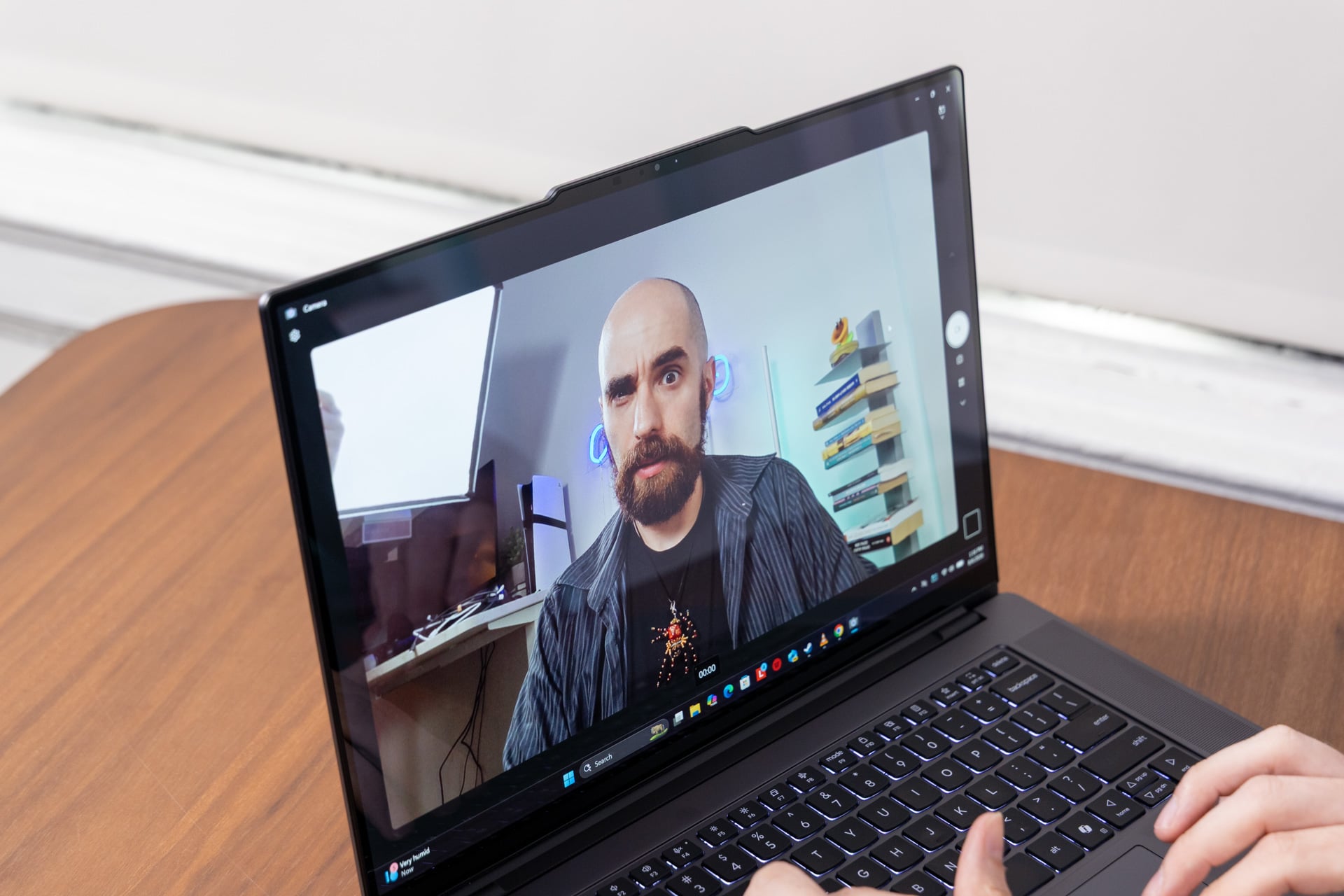
As much as I think the laptop looks ugly, the 16-inch tandem OLED screen is so damn bright and pretty it helps distract me from its depressing gray color. The display has near-uniform bezels along the sides and top, with an extended section dedicated to the 5-megapixel webcam. That maximizes the space for the 16-inch, 3,200 x 1,200 display. It’s OLED, so you already know this screen supports the excellent contrast and rich colors typical of this display type. What’s even better is the standard 1,000 nits of typical SDR brightness and the claimed 1,600 nits in HDR.
So, yes, it’s bright, but it’s also relatively fast at a 120Hz refresh rate. The screen also supports VRR (variable refresh rate) to help prevent screen tearing. Still, this isn’t a gaming laptop, and there’s no support for Nvidia G-Sync if you want the best low-latency gaming screen experience.
The display is certainly bright enough for most settings, from sitting in pitch-black environs to squatting near a window. Tandem OLED displays effectively use two layers of organic light-emitting diodes on top of each other, boosting the effective luminance. The only issue with trying to work near sunlight is how reflective this glossy screen can get. Lenovo typically pushes glossy OLEDs on its creator and gaming laptops, which helps boost the colors of its displays. It will result in possible reflections, especially when looking at dark backgrounds or images near a light source.
As for the webcam quality, it’s… meh. It’s not great for low light, and the image will appear grainy with deep shadows everywhere you don’t want it. The look isn’t great, but let’s be honest, most people really don’t care about their video quality for dreary Zoom meetings.
Middle-of-the-road battery and above-average performance
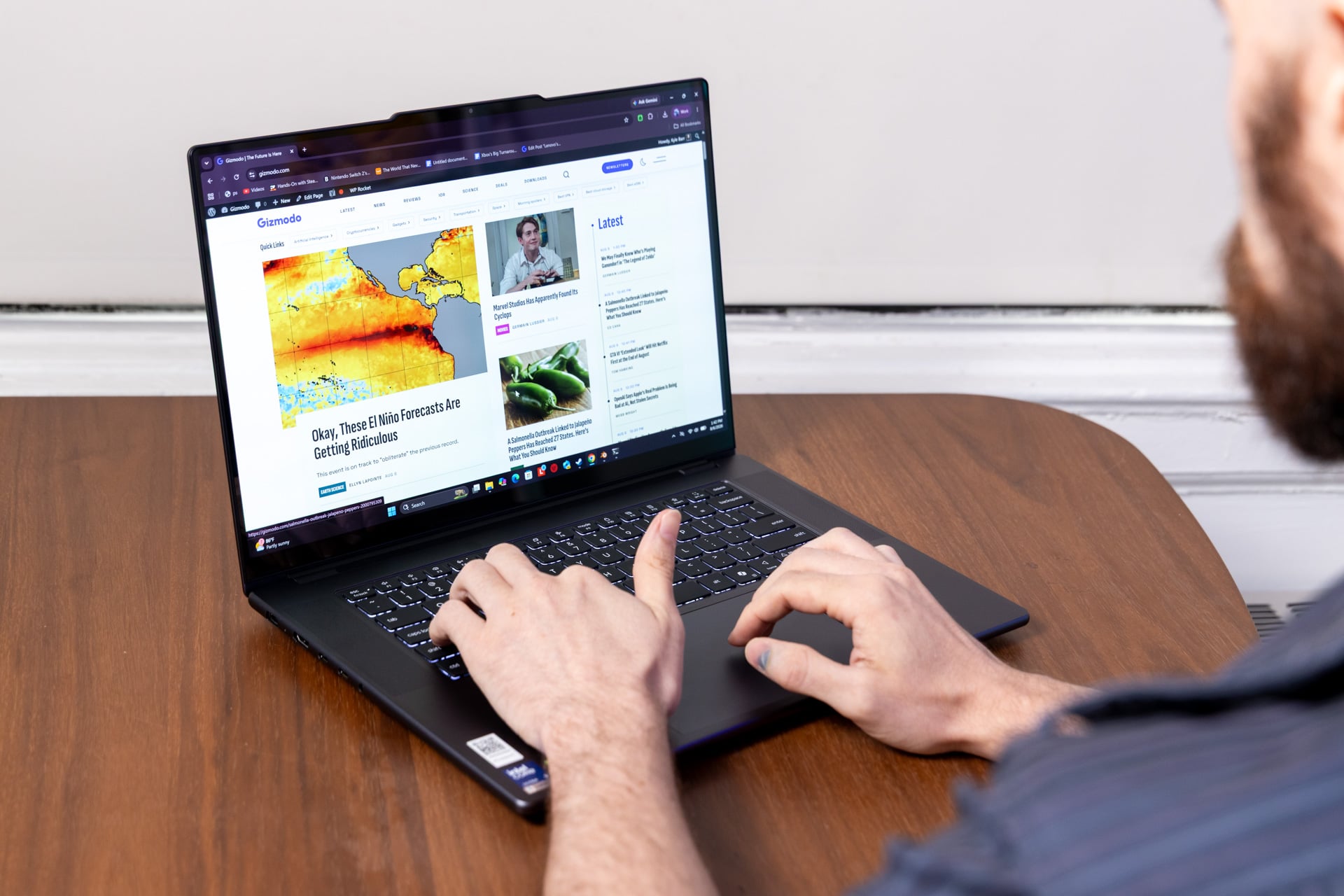
The forever tug of war between laptop longevity and performance has yet to be settled. Thing is, we are getting close. Intel’s Panther Lake chips support some strong gains in x86 CPU performance while claiming a longer battery life. However, the Lenovo Pro 9i isn’t matching the supposed gains of other lightweight laptops with the same chip. You can blame the energy-demanding tandem OLED screen and the laptop’s overall power envelope needed to keep that GPU chugging.
On balanced power settings, I managed to net around 4 hours of battery life, and that was only having the laptop at medium brightness settings and using the Chrome browser. That’s constant use with the screen given little time to rest. I could eke out a few more hours with the device on power efficiency mode. Either way, this is not an “all-day” device. However, it is far better than what you would get with a dedicated gaming laptop, like the Alienware 16 Area-51, which would barely get 3 hours of battery life in the same scenario.
There are reasons to want this laptop, even if its battery life limits its usability in every circumstance. The 16-core Intel Core Ultra 9 386H is a capable CPU in its own right, but what you really want to know is if it’s safe to stick to a laptop with one of Intel’s integrated graphics processing units or opt for this Lenovo device with the discrete Nvidia GeForce RTX 5060 laptop GPU.
The top-end Core Ultra 9 chip inside Lenovo’s Pro 9i laptop performed practically equivalently to an HP Omnibook Ultra 14-inch laptop and Asus ROG Zephyrus Duo in Geekbench 6 CPU tests, all with the same chip. Lenovo’s $2,400 laptop scored practically equivalent to a $4,900 Razer Blade 16 in Cinebench 2026 tests, which measure the CPU’s ability to render a scene. In our Blender test, where we time how long it takes the PC to render a scene of a BMW on the CPU, the Lenovo laptop managed the task in 1 minute and 48 seconds, nearly 10 seconds faster than the Blade 16.
The peak 130W TDP (thermal design power) of Lenovo’s machine isn’t hampering the CPU at all compared to Razer’s 175W peak power, especially for most daily tasks. If all you needed was CPU performance, Qualcomm’s Snapdragon X2 Elite chips in a laptop like the Asus Zenbook A16 managed that Blender task nearly 30 seconds faster than the Lenovo Pro 9i 16 G11. Then again, you won’t have to deal with any lack of driver compatibility or need to resort to Microsoft’s Prism emulator.
Did you only need an RTX 5060?
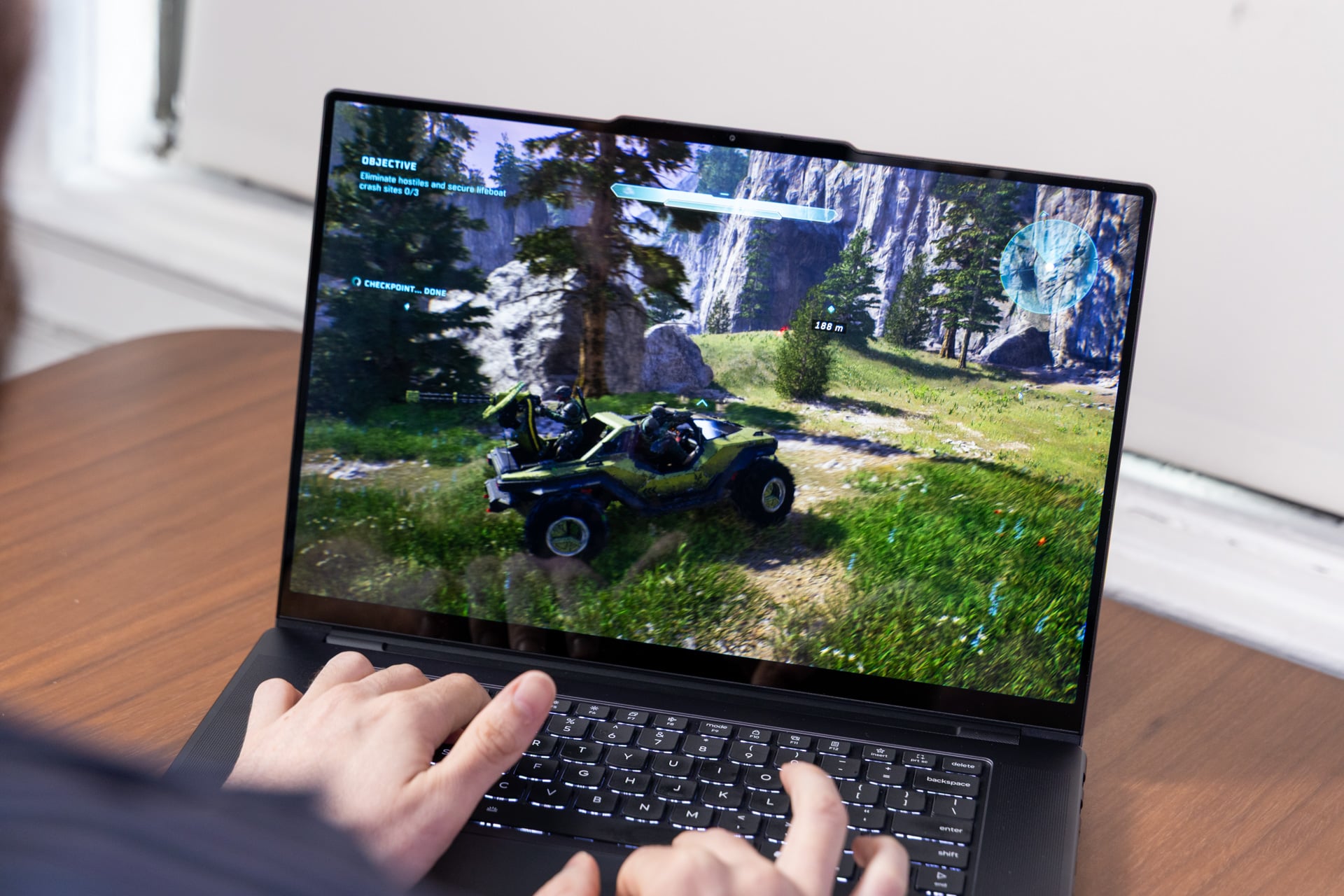
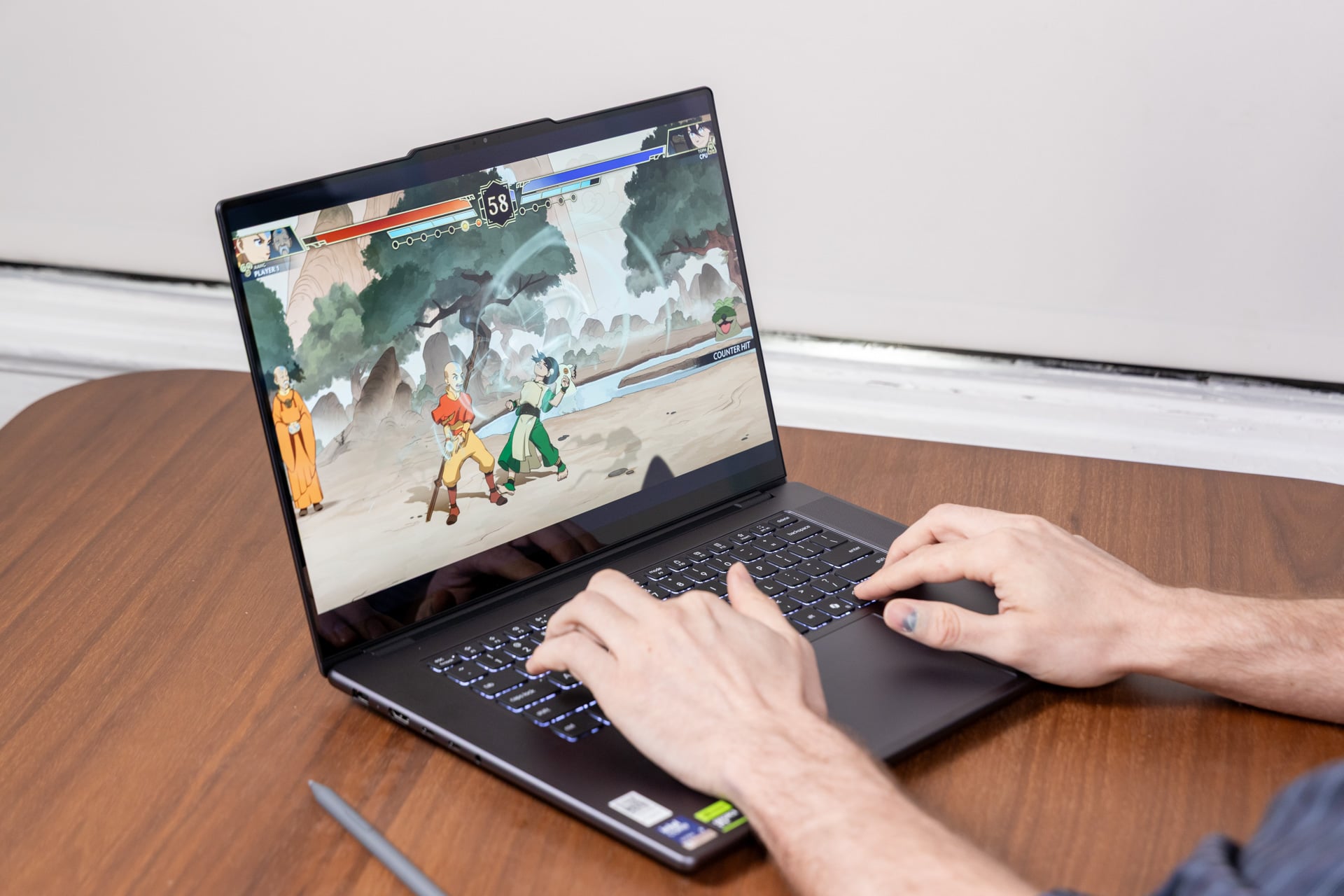
The Lenovo Pro 9i 16 G11 Aura Edition gets a lot more juice out of its RTX 5060 GPU than you may initially expect. It’s not exactly a gaming laptop, but the Lenovo Pro 91 can still hold its own for real-time graphics tasks, so long as you keep your expectations reasonable.
The RTX 5060 laptop graphics are easily able to beat either Intel’s or AMD’s best integrated GPU. If you compare it to the Intel Core X9 388H in an HP Omnibook Ultra 14, the Lenovo gets 43% better scores in 3DMark’s “Speed Way” high-end gaming graphics benchmarks. It gets 19% better scores than an Asus ProArt PX13 GoPro Edition with the top-end AMD Ryzen AI Max+ 395 chip.
But here’s the question: did you only need the RTX 5060? I ask because there are options for about half the price of the Lenovo Pro 9i, like the Alienware 15 gaming laptop. No, you won’t get the extremely pretty 16-inch screen or anywhere close to the same CPU performance, but there are slightly cheaper options out there, though they’re few and far between. The integrated GPU performance of other lightweight laptops isn’t too far behind in terms of GPU performance; you can dismiss them entirely, especially if it means spending less.
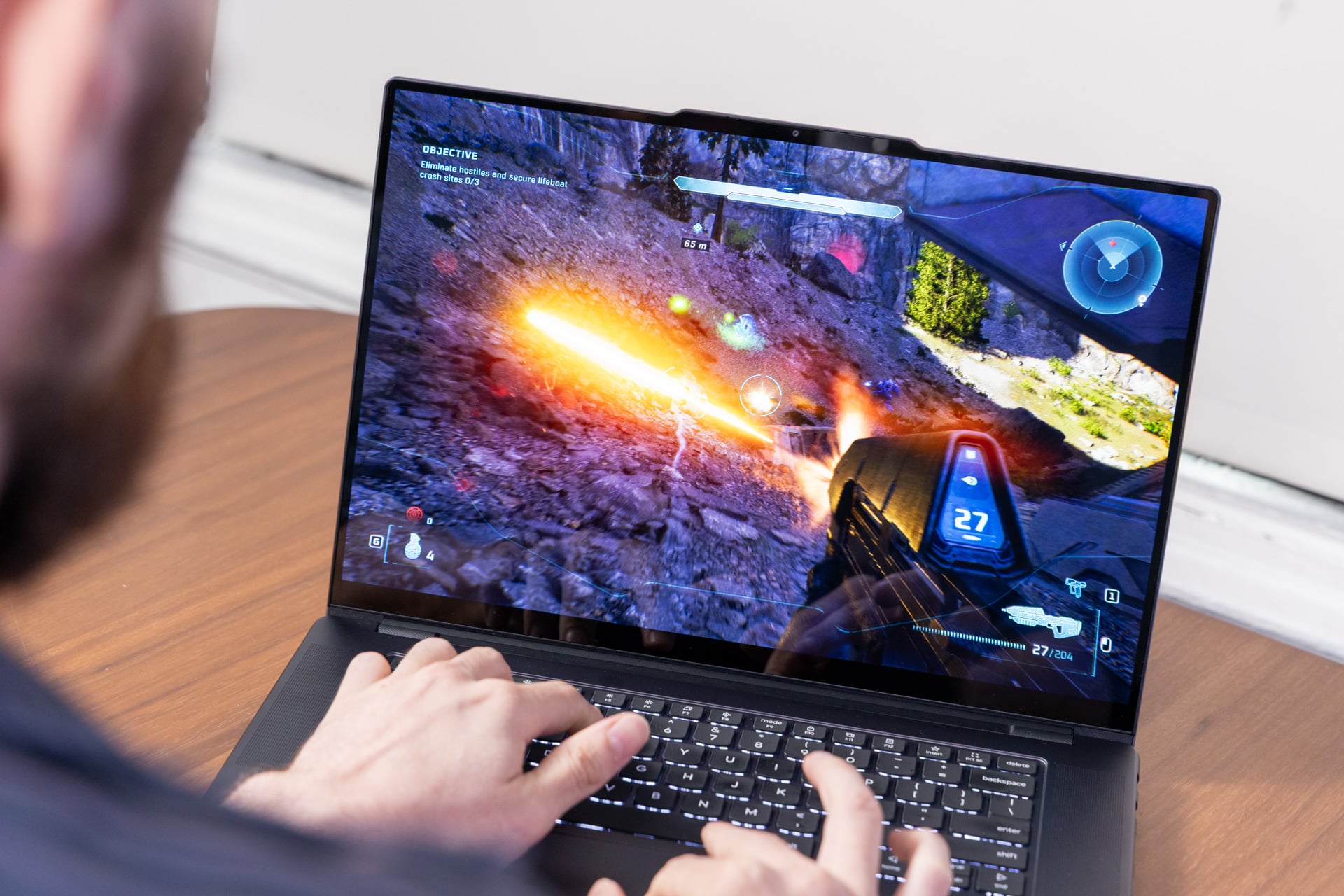
If you hoped to use the Lenovo Pro 9i as a backup gaming laptop for your dorm room, it will not disappoint. In my tests in Cyberpunk 2077 at the maximum 3,200 x 1,200 pixel resolution, I could meet around 40 fps running the game with ray tracing low graphics settings and the help of DLSS. It was a similar story among games like Horizon Zero Dawn: Remastered and Black Myth Wukong. If you sacrifice some visual quality for the sake of performance, you can play some relatively demanding games.
With such a pretty screen, you may imagine this could be your low-key gaming machine. And maybe low-key is what you want. This laptop is just not going to be very quiet. When you push the laptop to its limits, the fans can kick up quite a bit of noise. They’re not quite jet engines as in some gaming laptops, but they can prove distracting to your deskmates or fellow students trying to study in a library.
What are you actually paying for?
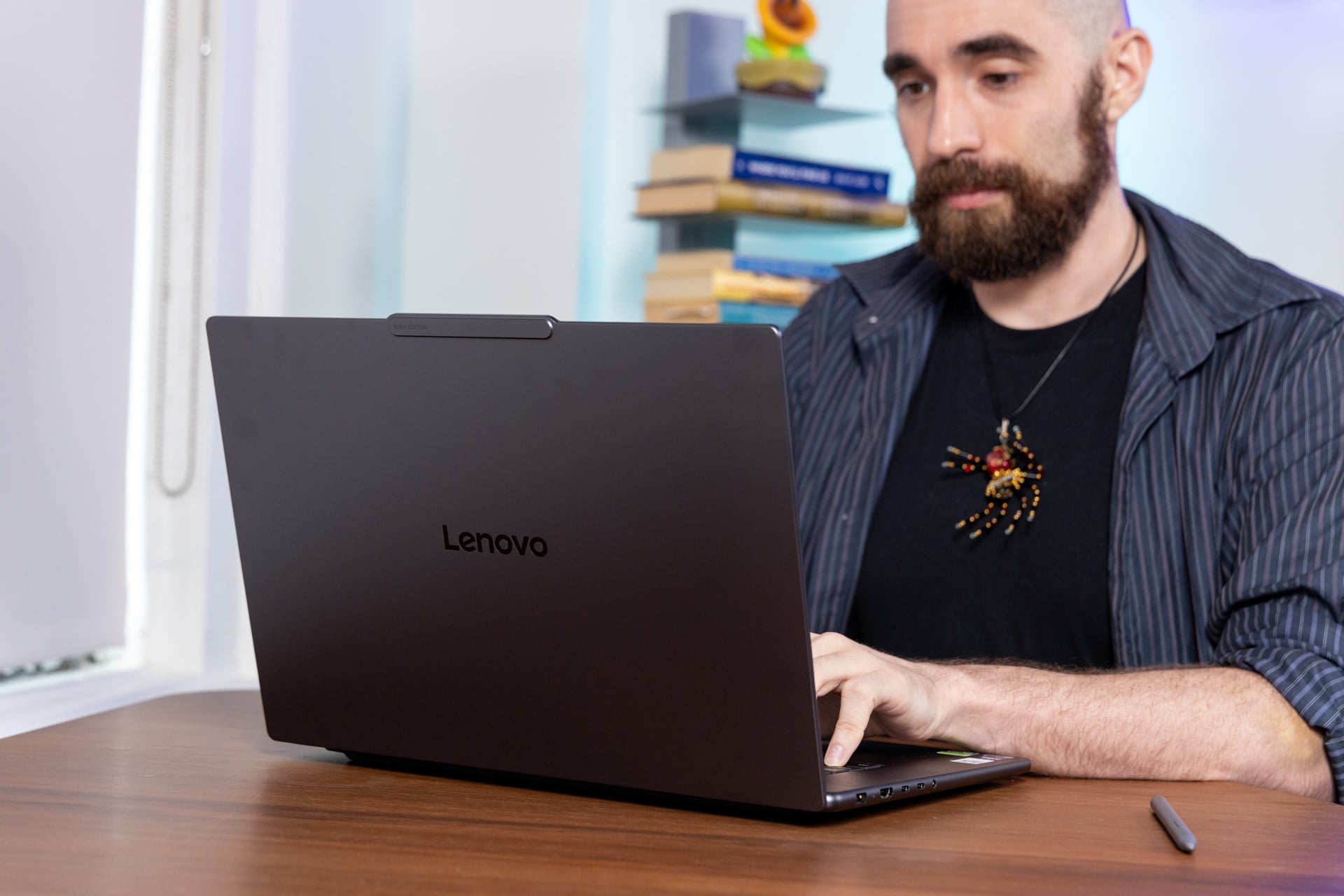
As a media machine, the Lenovo Pro 9i 16 G11 Aura Edition excels. You can watch all the movies you want on it and play a bunch of games (while relying on DLSS upscaling) and revel in the visual fidelity granted by tandem OLED. At the same time, this is a great laptop for rendering or video editing. I personally used it for editing several reels of 360-degree footage for upcoming reviews (stay tuned).
If the Lenovo Pro 9i were several hundred dollars less, I would have a much easier time recommending it. It does everything I ask it to do with the specs on offer, but its $2,400 price point (as of publishing, and because of RAM it could always get worse) doesn’t exactly sound like you’re getting your money’s worth. And I won’t lie, a large part of that reticence is just how boring this laptop is. The stylus features feel like an afterthought, the kind that will only be useful for as long as you don’t lose the Yoga Pen.
If this laptop had the “Yoga” design hallmarks or even a fun colorway, it may be a different story. The “Pro” crowd may want a laptop with all these capabilities, but why can’t our everyday, creative-centric devices be as much fun to look at and hold as they are to use?