
There is no such thing as “the MacBook Pro for Linux.” The Framework Laptop 13 Pro is much more than that oxymoron of a sentiment may imply. The modular, repairable, and now fully Linux-native Framework Laptop 13 Pro is the best laptop-lover’s laptop I’ve ever used. That doesn’t mean it’s an especially easy clamshell to slot into your life as you would the same old MacBook every year.
The sense of joy that spreads through my limbs holding this device is what makes the Framework Laptop 13 Pro’s timing so onerous. In the weeks leading up to the “pro”-level Framework’s launch, the company said it had to spike prices due to the ongoing memory crunch. My pre-built review unit that came packed with an Intel Core Ultra X7 358H CPU, 32GB of RAM, and 1TB of SSD storage starts at $2,900. That gag-worthy price is not the worst it can get. I opted to review the version that comes with Linux—specifically the Ubuntu 24.04 LTS distro. A Windows 11 Pro license demands an extra $200.
You also may need to consider spending a little more dough on expansion cards for all the I/O you may need. You can cough up a few more bucks for the colorful keyboard and bezels (I recommend going for the gray and orange colorways).
Framework Laptop 13 Pro
It's a great, though expensive laptop that not only feels and runs great, it emphasizes actually owning your PC, body and soul.
Pros
- Great keyboard and trackpad
- Bright display
- As modular as ever
- Performance for most daily tasks
- Linux can come pre-installed
Cons
- Sound quality isn't peak
- Touchscreen isn't necessary
- Ubuntu OS isn't perfectly optimized
- Costs way too much
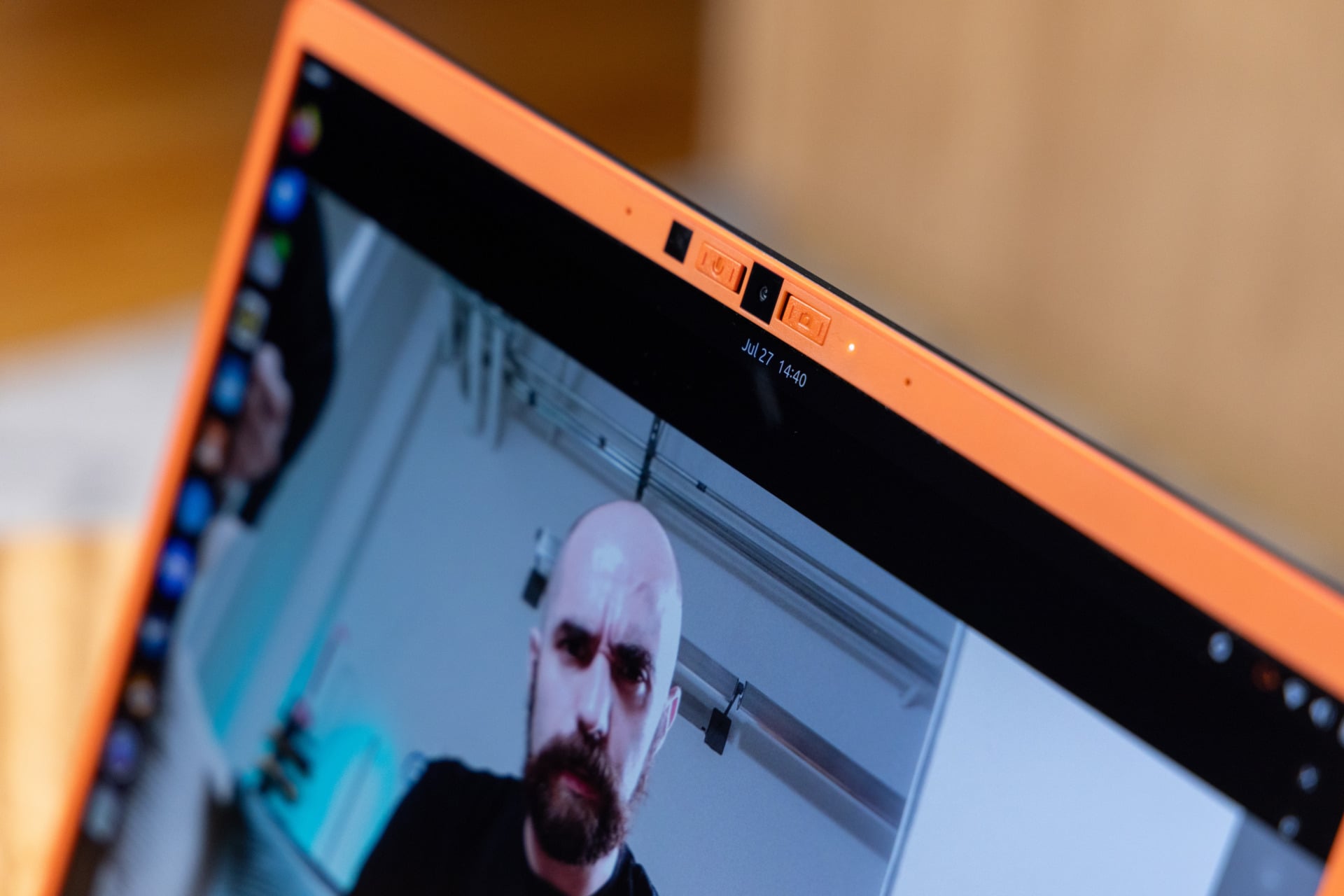
- Webcam stinks
More than ever, Framework is trying to push Linux as a fully working, optimized Windows alternative. I cannot make this more clear: this is not an easy switch. As much as Framework can claim it guarantees support for Ubuntu, I encountered way too many problems that don’t just annoy; they disrupt in tooth-grinding, annoying fashion.
Still, as a daily driver, the Framework Laptop 13 Pro is as feature-perfect as Framework has ever produced. As a laptop made to get people interested in actually owning their computers, you just need to remember struggles are a necessary part of any journey.
G-g-g-g-going “pro”
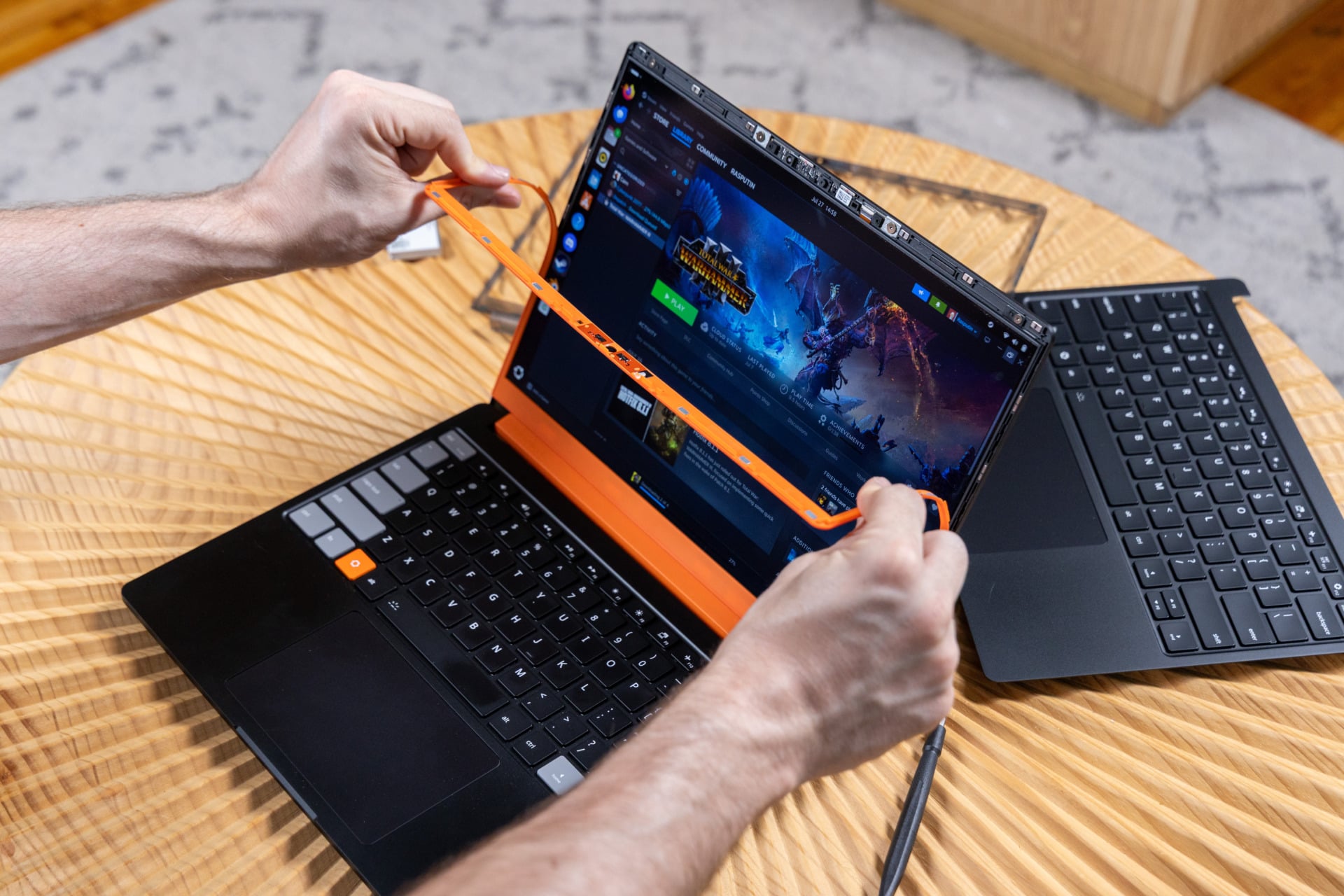
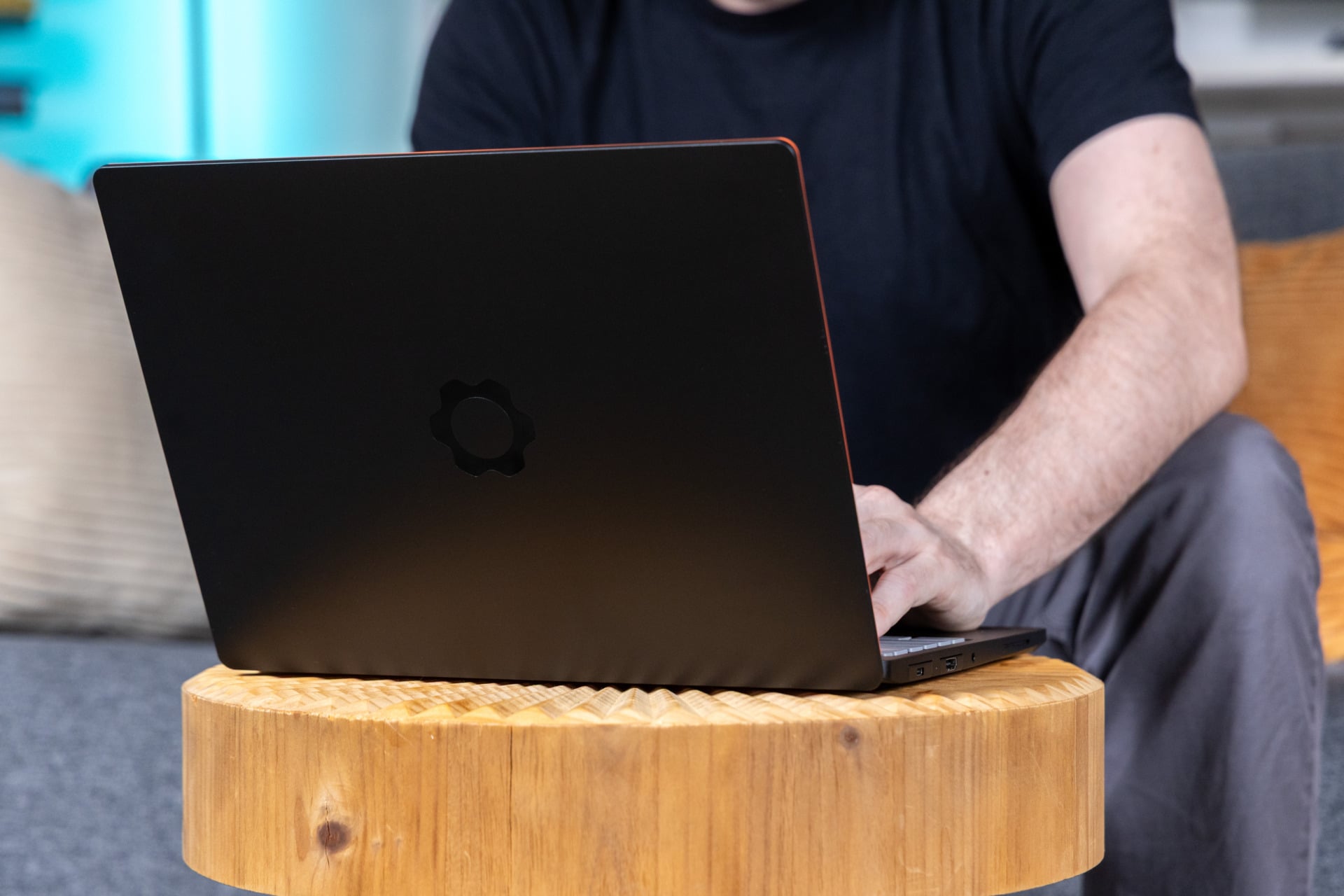
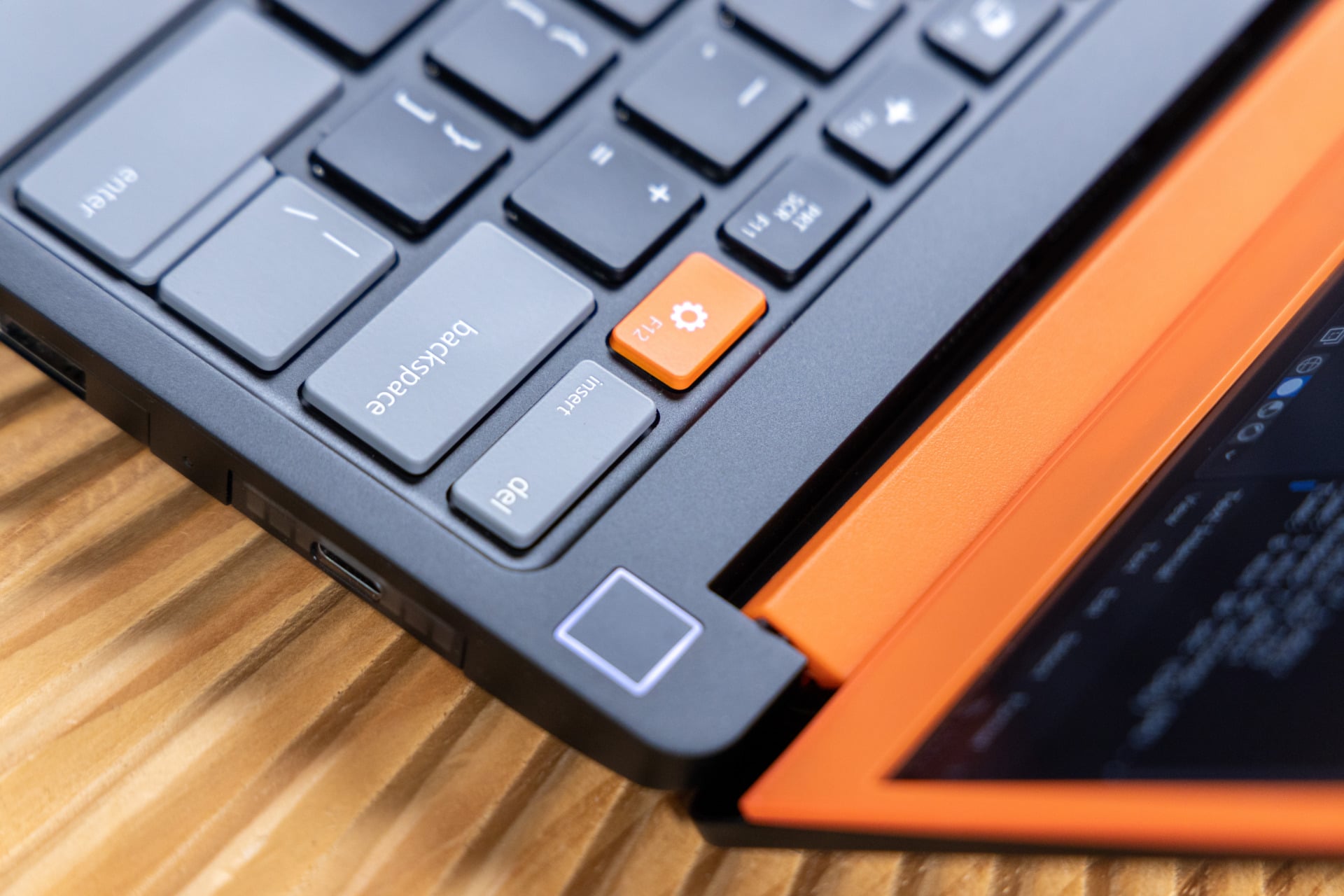
The transition from the older Framework Laptop 13 to the new “pro” model is more than an aesthetic change. The black, base configuration is sleeker and feels more refined than the older silver editions. My review unit came with both a default black “Input Cover” panel containing both the trackpad and keyboard, as well as translucent smoky black plastic bezels. Of what’s on offer, the pumpkin-toned bezels combined with the gray and orange keyboard look so damn good. Maybe I’m jonesing for Halloween.
If looks are all that mattered, then the Framework Laptop 13 Pro aces the test. However, this laptop is neither the thinnest nor lightest model out there. With four expansion cards installed, it clocks in at nearly 3.2 pounds. It has a full CNC aluminum chassis, though that’s not what’s really adding to the weight. A new Dell XPS 13 featuring a CNC aluminum shell weighs 2.2 pounds. Closed up, the Framework Laptop 13 Pro is a little more than 0.6 inches thick. It will slot into your backpack easily, but you’ll still feel it in your spine.
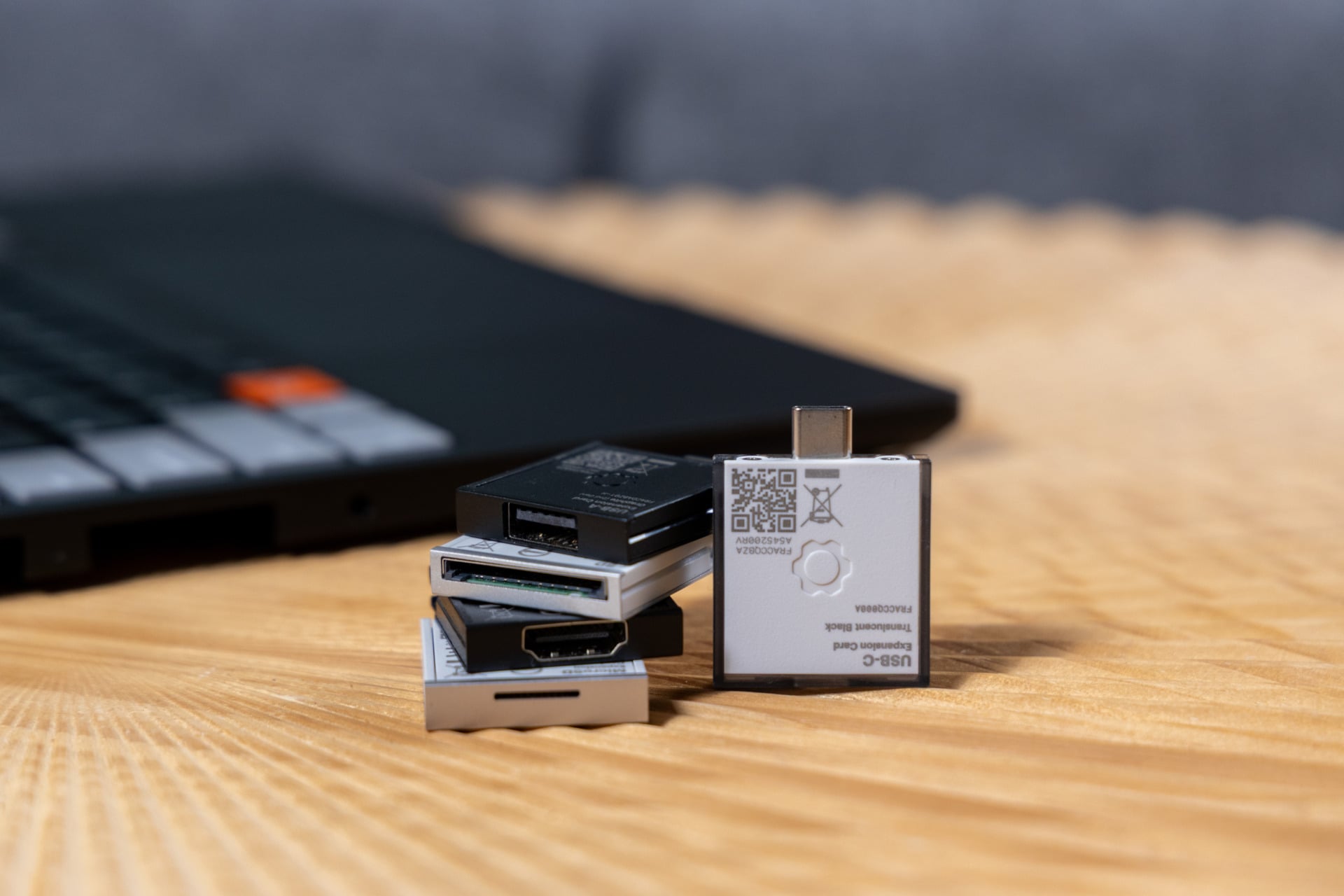
The obtuse size is the necessary trade-off for modularity. You need room for all those expansion cards, and even if you could make those expandable I/O ports thinner, then you would also make them incompatible with previous Framework computers, including the Framework Desktop. It’s more important that Framework doesn’t skimp out on the general feel for the laptop, and it’s here where the company gets another top grade.
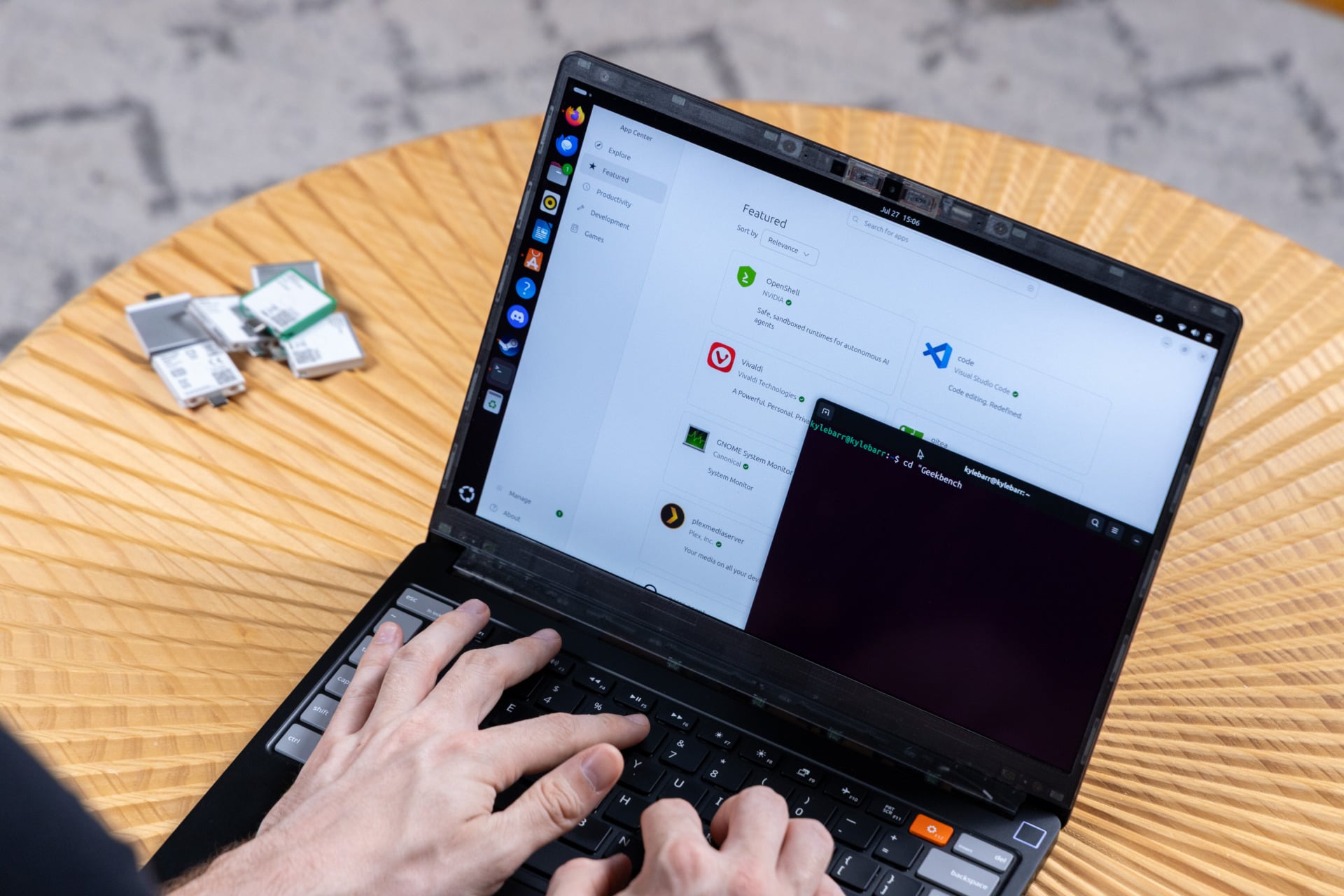
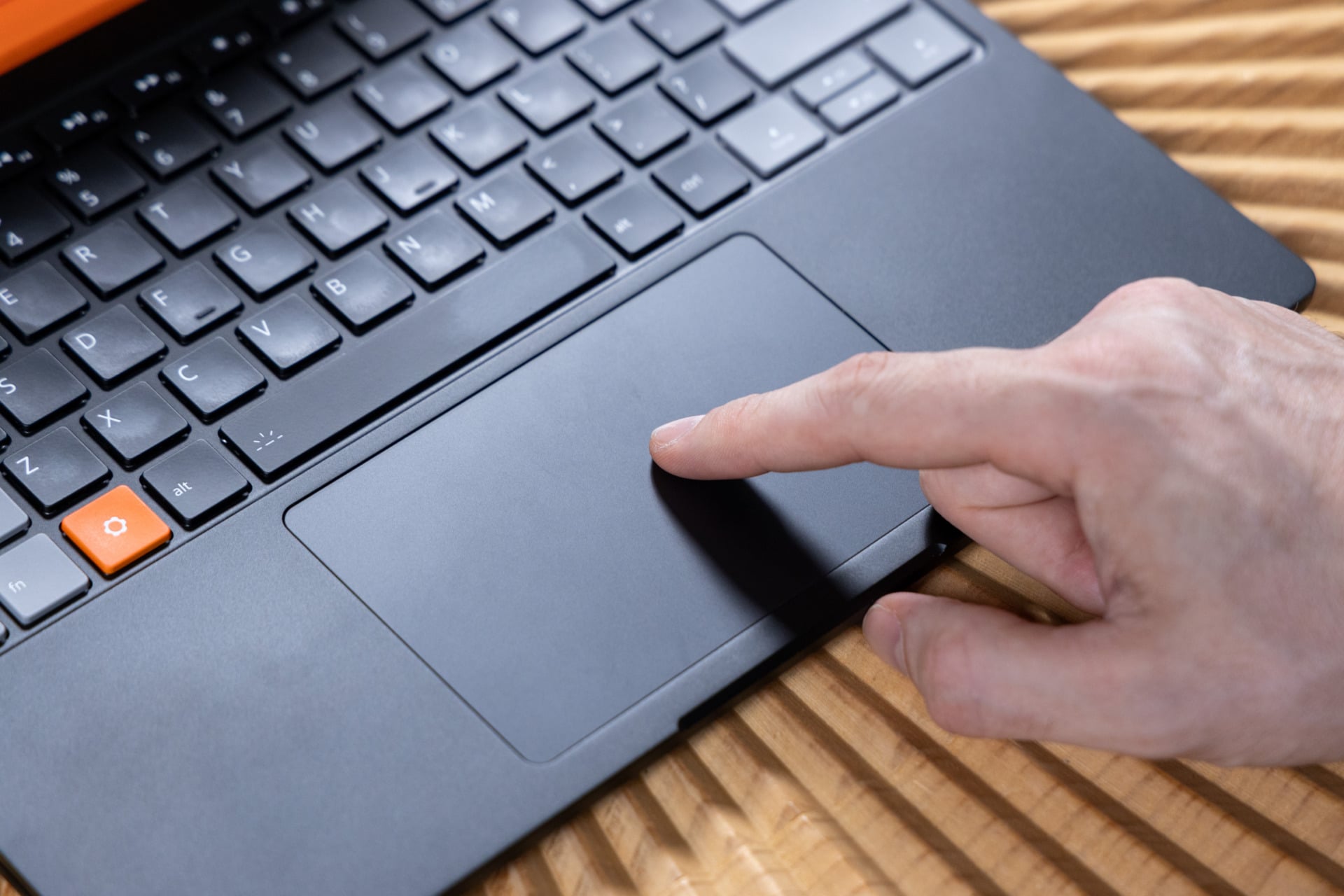
The new, fully backlit keyboard has a 1.5mm key travel, but more than that, the key presses have a pleasant bouncy feel. The regular Framework Laptop 13’s default keys felt thinner and less clacky. Even better, Framework has revised the trackpad with haptic controls. It’s specifically using a premium Piezo Haptic Trackpad, which uses capacitive touch for inputs and a driver underneath to offer force feedback.
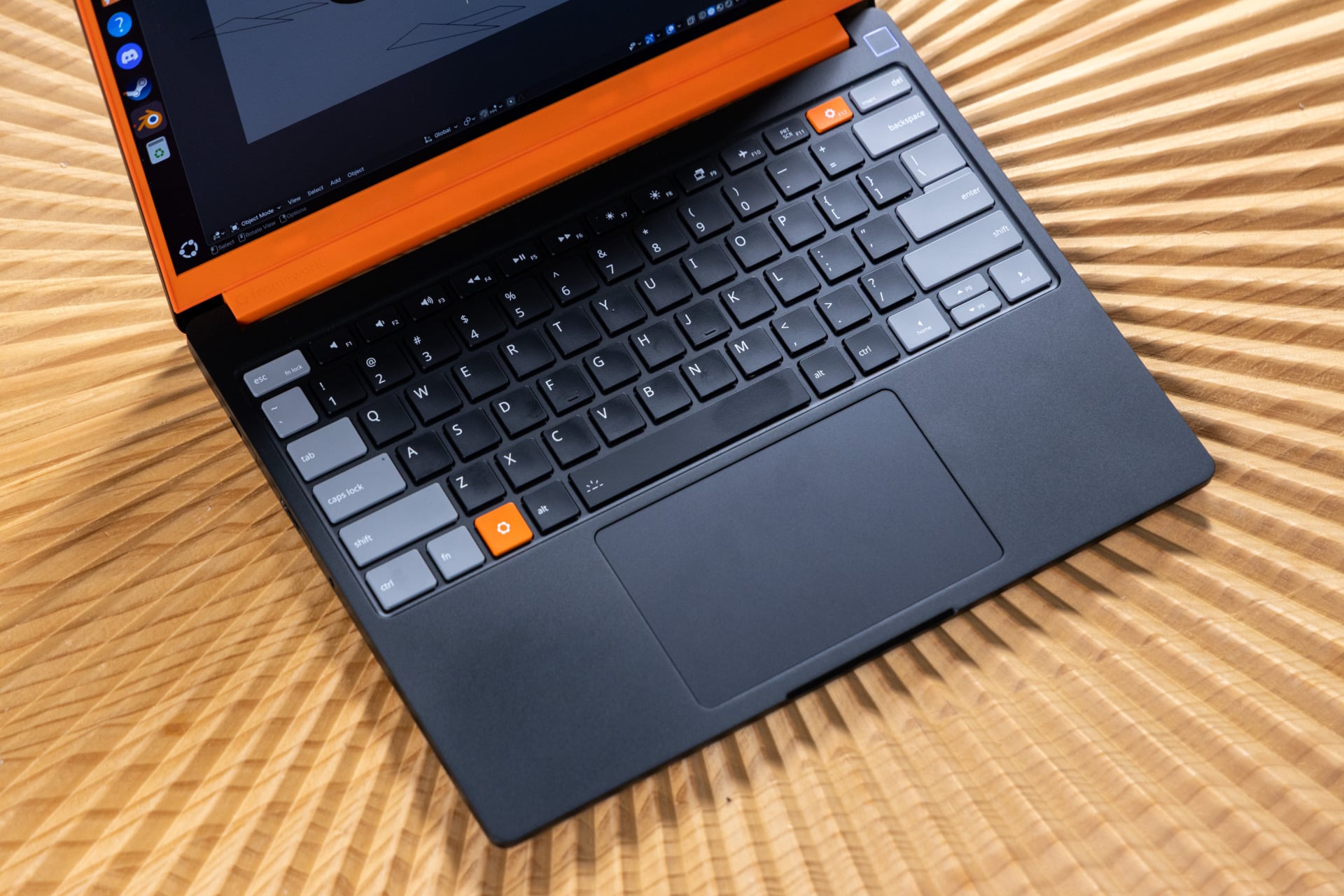
Framework paid such keen attention to the trackpad and keyboard, making sure that every inch of the surface had the same responsive click. The effort is always worth it. Even high-end laptop makers like Razer skimp out on quality trackpads. If you plan to use the Framework Laptop 13 Pro as a daily driver, you won’t feel like you had to lose something in your quest for repairability.
Customization is king
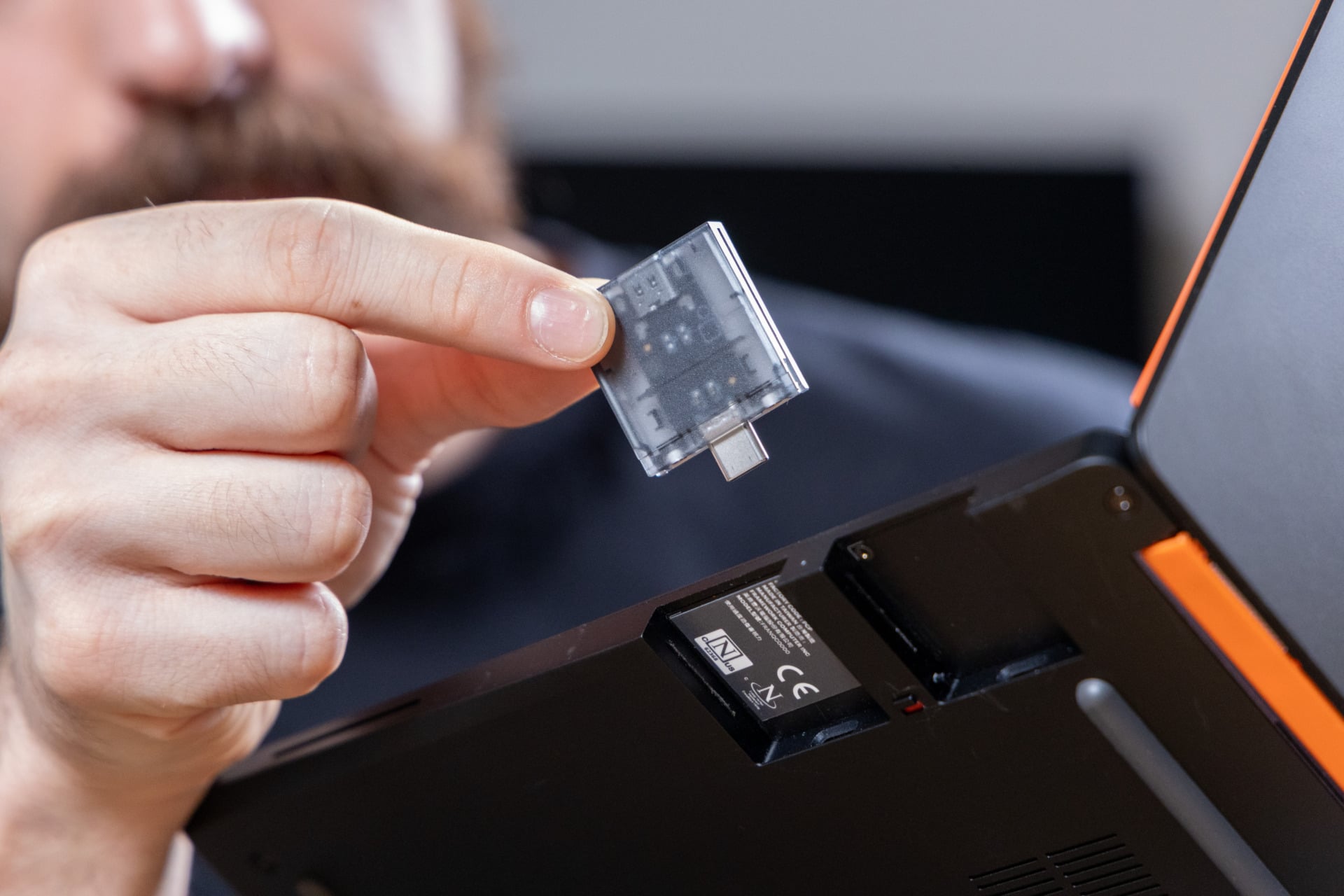
Normally, this is where I would talk about I/O. Here’s the thing: Framework laptops use expansion cards that connect via USB-C. You can swap out any four ports you need on the fly. On the Framework Laptop 13 Pro, there’s a new switch to unlock each expansion card, à la the Framework Laptop 16. It makes swapping ports just a little easier. Because of its new Intel chip, this laptop now supports Thunderbolt 4 as well for faster data speeds and higher-wattage charging.
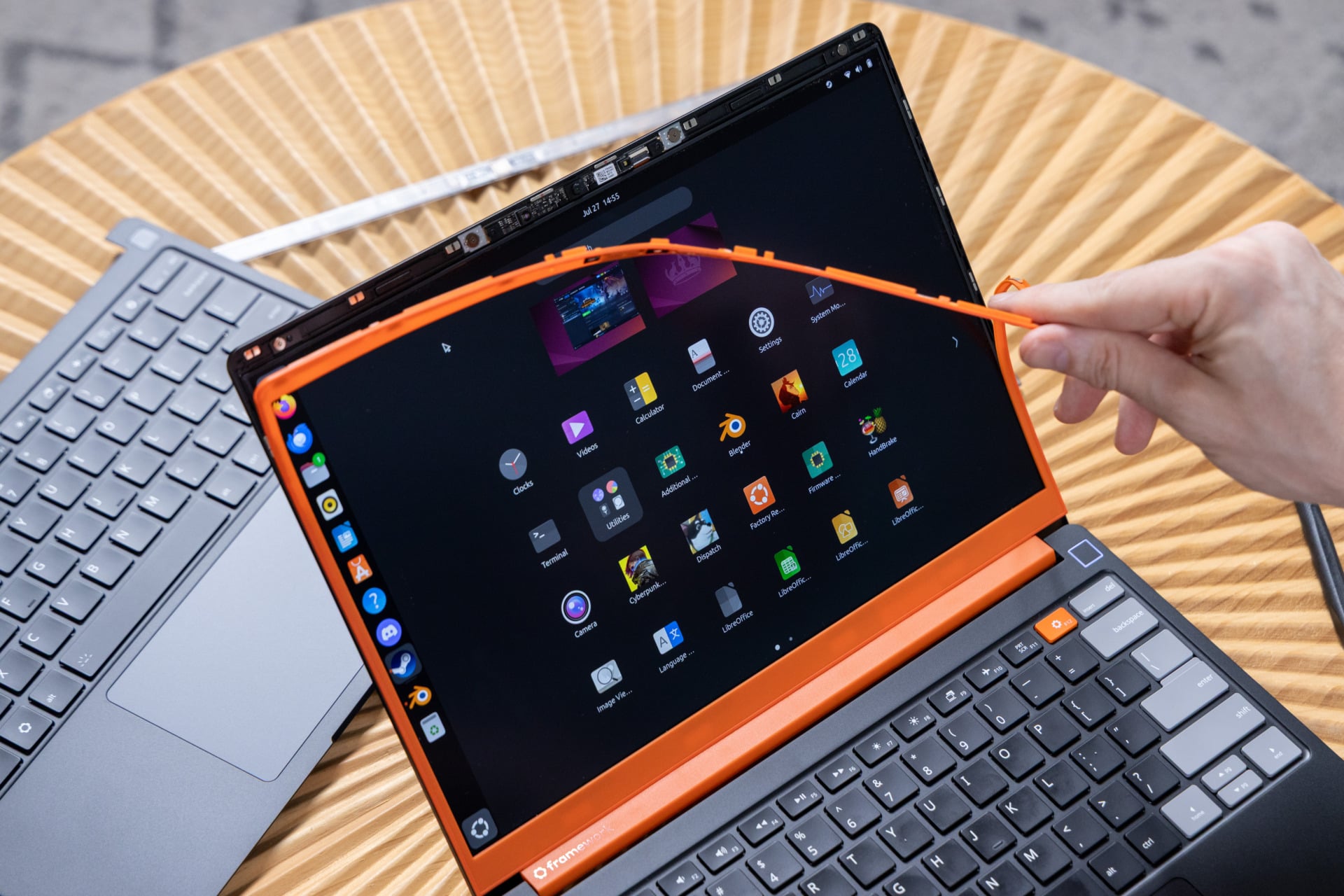
Swapping out your screen bezels is just as easy as the laptop’s ports thanks to a unique set of magnets surrounding the display. It doesn’t come off during regular use, though you need to be careful during installation to ensure the bezel is flush with the laptop lid.
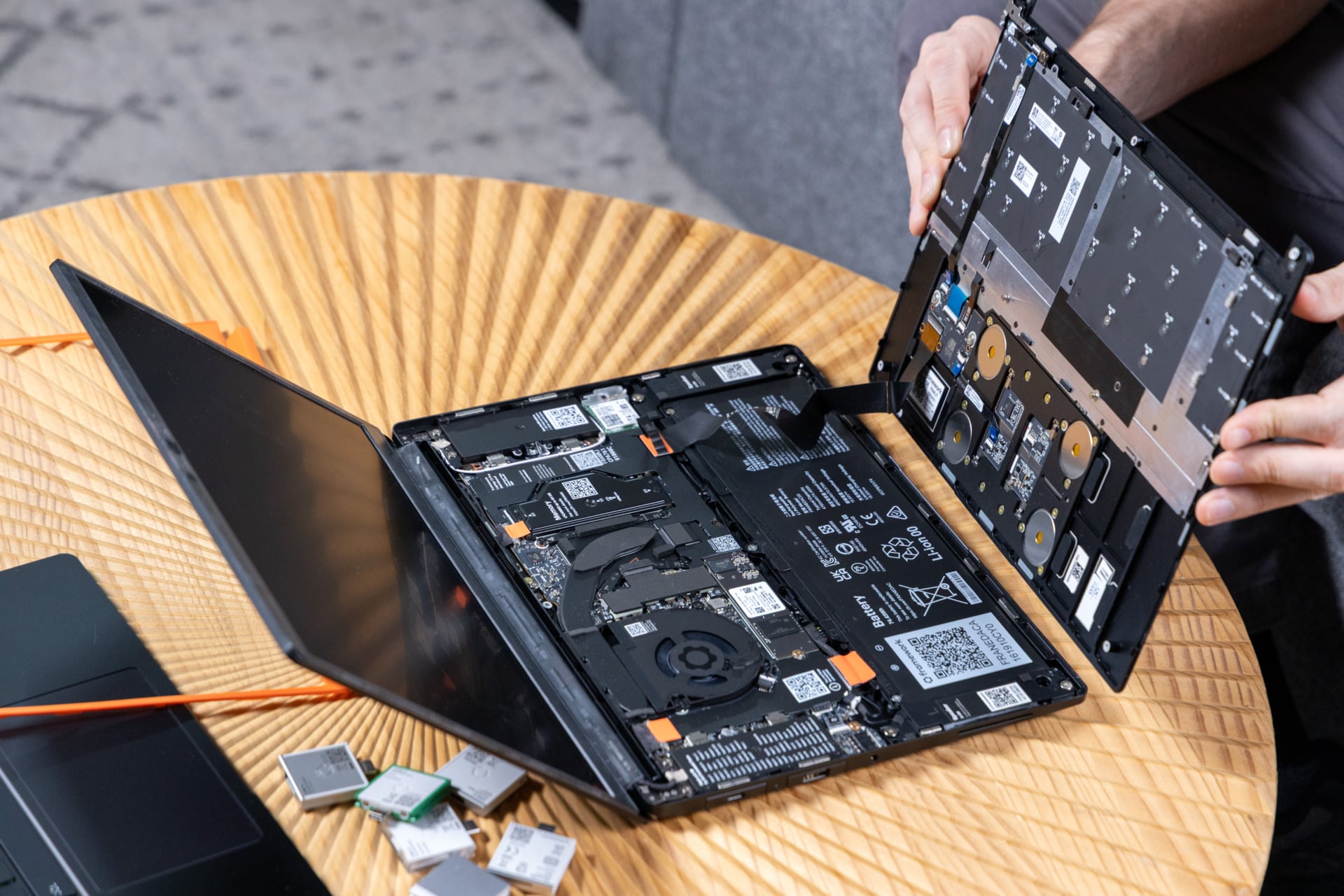
The real benefit of this modularity is what’s happening inside. Accessing the Framework Laptop 13 Pro’s internals requires dislodging five T5 Torx screws using an included screwdriver. Pry that panel up, and you’re greeted with all your PC components—from the CPU to the RAM to the speakers—each individually labeled with an accompanying QR code that takes you to a webpage detailing how you can replace it, should the need arise.
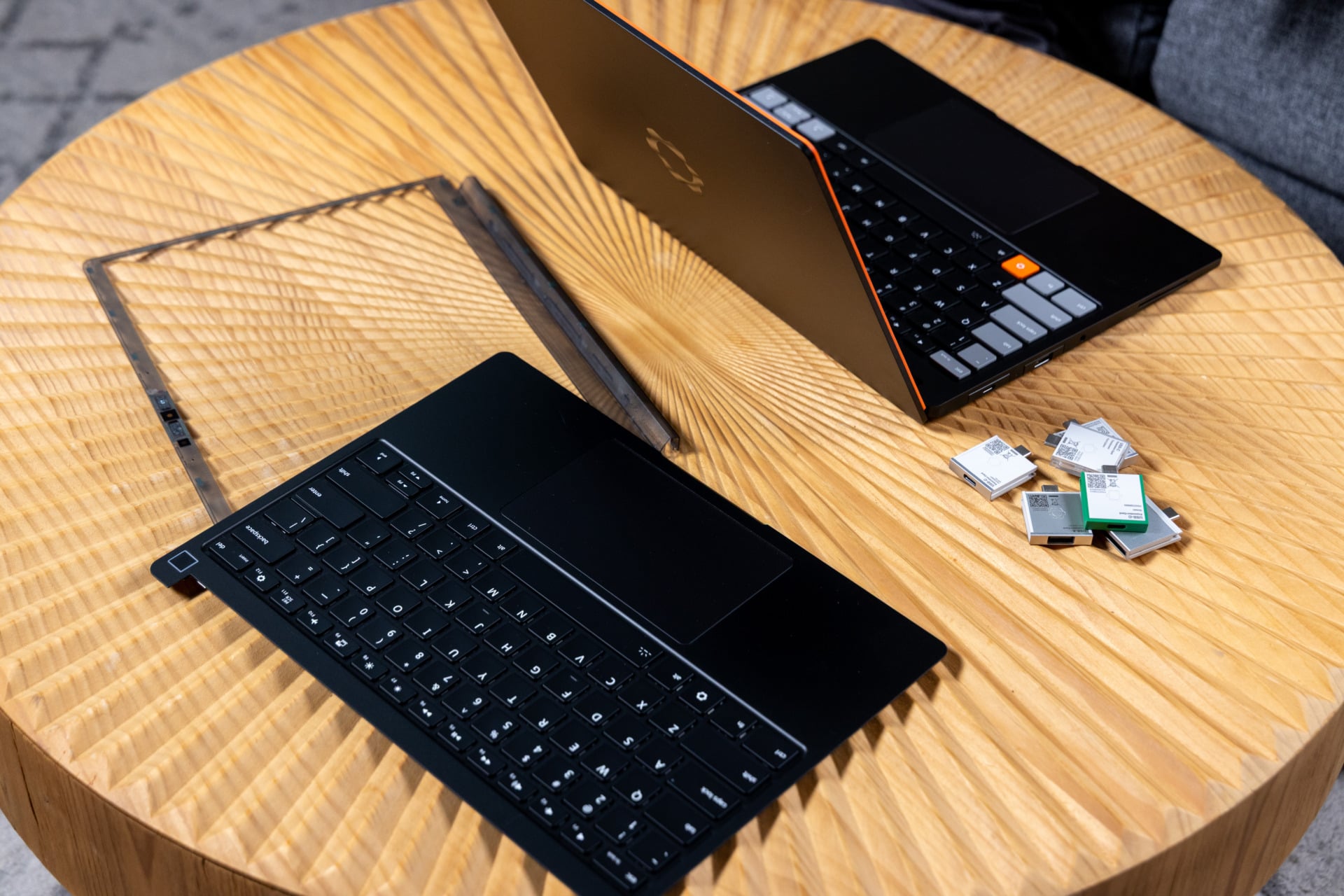
The component layout has served Framework well over the past few years. It means you can technically upgrade older 13-inch models with some “pro” components. However, the Framework Laptop 13 Pro has a physically larger battery than the previous Framework Laptop 13 with a higher wattage—74.45Wh compared to 61Wh. That longer battery size won’t slot into an older Framework laptop. The new battery is only usable with both the new “Pro” input cover and “Pro” bottom cover.
The bigger battery, combined with the Intel Core Ultra Series 3 chip, means this laptop also has a lifespan that will actually last you through most of the workday. I ran my review unit on “balanced” power settings and managed around a little more than 5 hours during daily usage. That’s constant work, without giving the screen the option to shut off. In “power savings” mode, you can expect a few more hours from it.
There’s a touchscreen, if you care about that
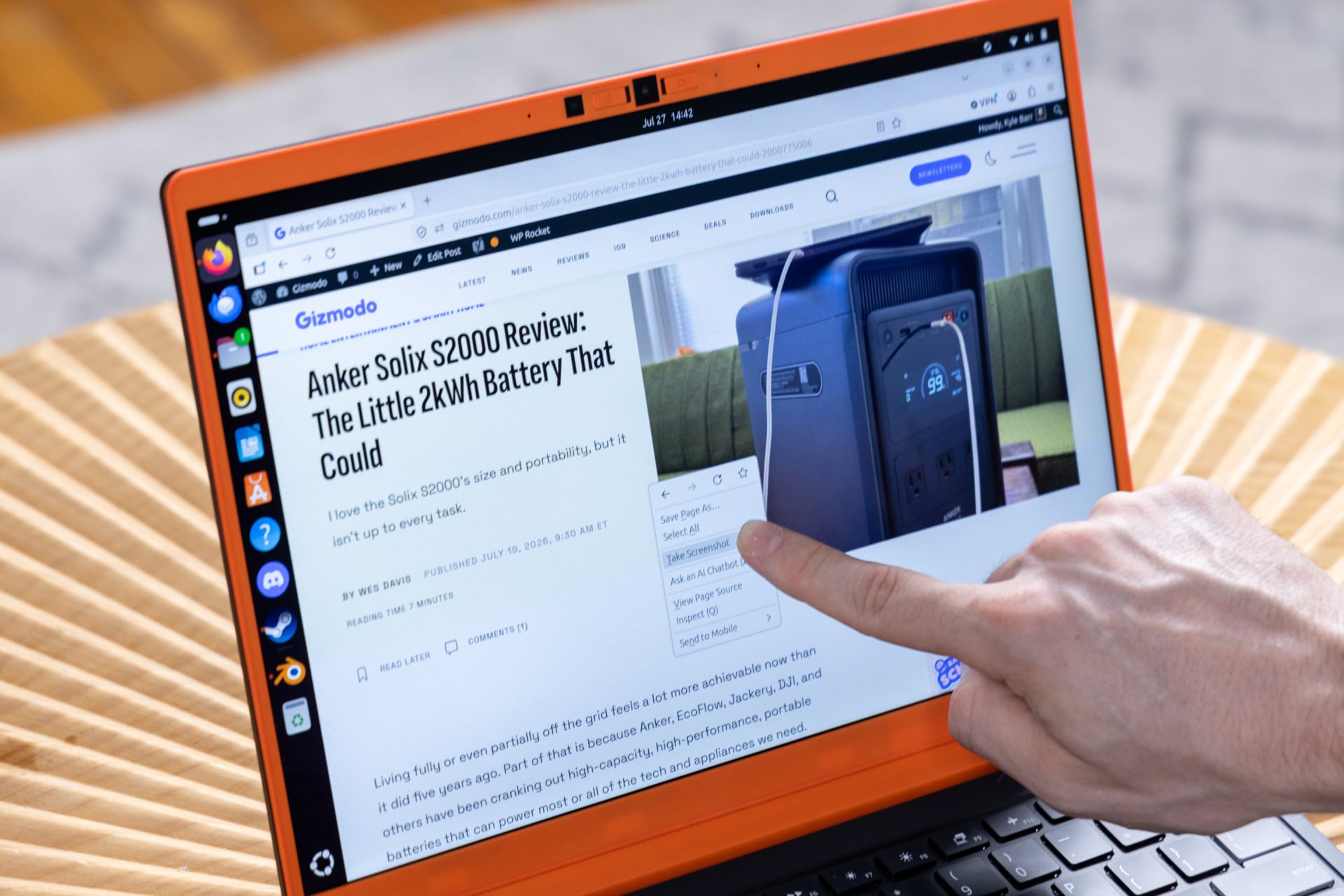
I’m not one to go gaga over touchscreens on laptops. That’s because I’m not keen to smudge up my screen to make scrolling any faster. It’s especially conspicuous on a matte, anti-glare display such as the IPS LCD screen on the Framework Laptop 13 Pro. You’re not likely using this thing as a creative-first laptop or anything like a 2-in-1 with an OLED display.
Touch controls are there if you want them, but more importantly, the new screen is brighter and higher resolution than many similar-scaled devices. Framework claims the Laptop 13 Pro’s display can hit 700 nits of peak luminance. I was more than comfortable in most scenarios with brightness settings at just 50%. In direct sunlight, the screen was fully legible.
The other benefit of this new display is how it can reach 120Hz and still go as low as 30Hz with variable refresh rate (VRR). That’s not just important for seeing every frame when gaming. Dropping down to 30Hz in static content helps the laptop save on battery. The laptop also hits a max 2,880 x 1,920 resolution, practically equivalent to what you get on a premium (and similarly exorbitantly priced) laptop like the Dell XPS 14.
It’s not all gravy if you planned to use this as your dedicated bedside Netflix machine. The Framework Laptop 13 Pro’s dual, 2W stereo speakers fire out of slits on each side. They’re loud enough for your desk mates to crowd around during a Zoom call, but not exactly the best audio system I’ve heard in a recent laptop. The Dell XPS 13 costs a third as much as this Framework, but it has fuller, less tinny sound with more bass. You’re not leaving your headphones behind with the Framework Laptop 13 Pro.
Replaceable LPCAMM2 and Panther Lake in one
One of the big additions to the “pro” Framework’s internals is the introduction of LPCAMM2 LPDDR5X memory. Framework’s memory module runs up to a relatively speedy 7,467MT/s, which is faster data rates than what you get on more-typical DDR5 RAM components. With 32GB of memory in this configuration, the Framework Laptop 13 Pro proved a speed freak for daily operations.
The Intel Core Ultra X7 358H CPU is a beast compared to either the 2024 Framework Laptop 13 or 2025 Framework Laptop 16. In Geekbench 6 tests, which measure a CPU’s overall capabilities, the Framework Laptop 13 Pro did nearly 14% better compared to the AMD Ryzen AI 7 350 chip in last year’s Framework Laptop 16.
Past Frameworks have not matched the stated performance of less-repairable laptops, and that remains true with the Framework Laptop 13 Pro. The aforementioned Dell XPS 14 managed to score 14% better in Geekbench 6 multi-core tests, which is evidence that it may be better than the Framework at heavier tasks like video editing.
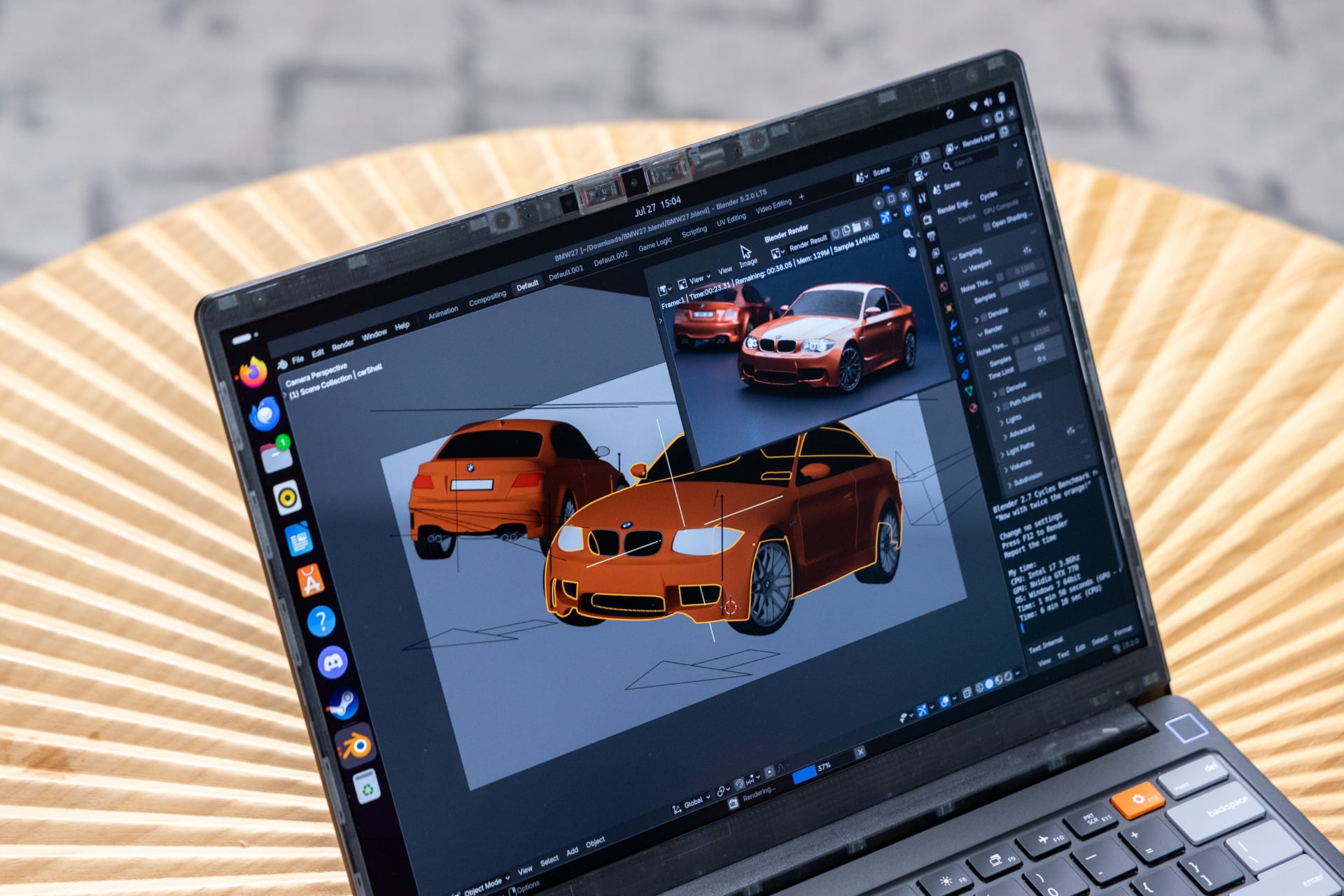
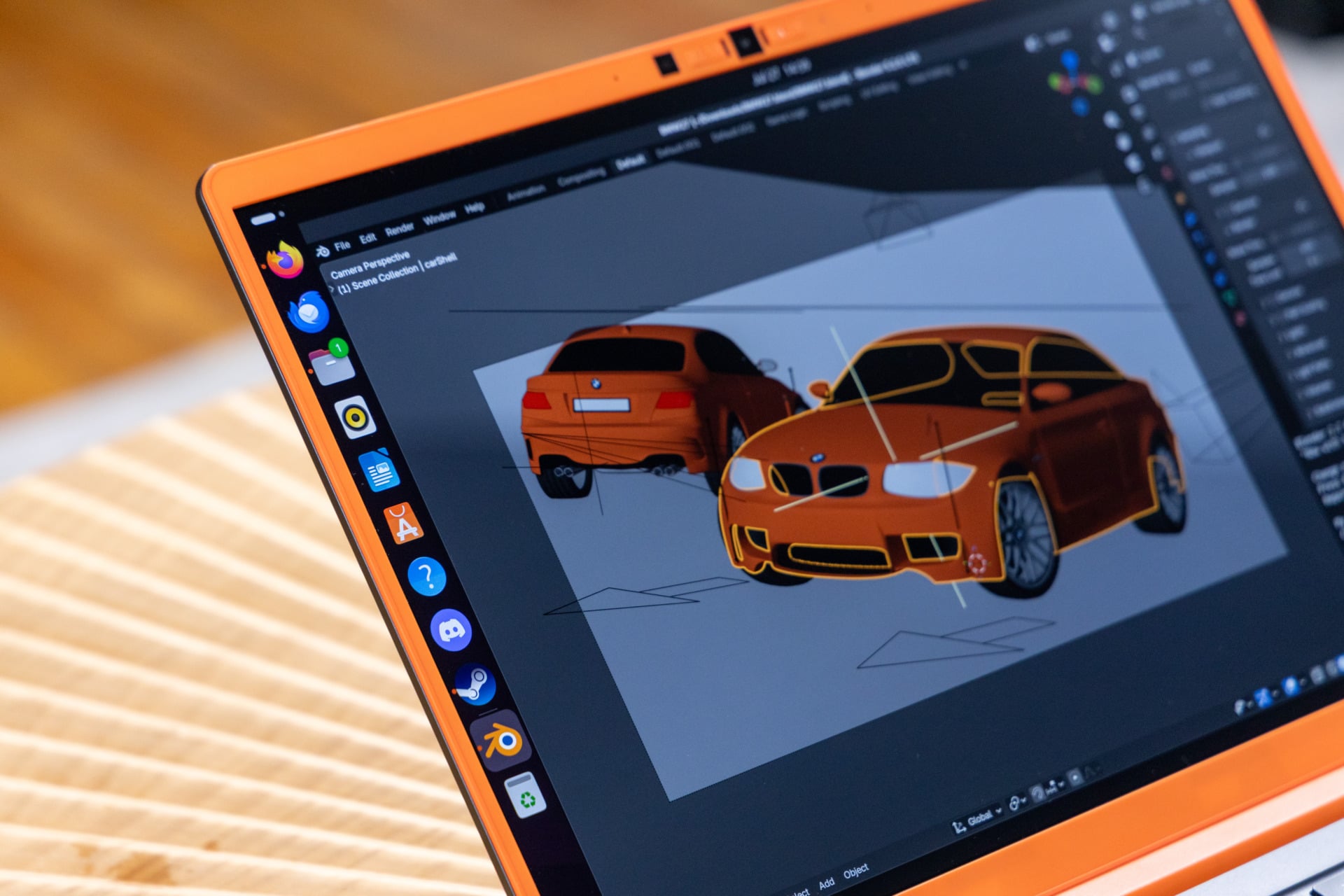
Still, those numbers don’t tell you that much compared to real-life scenarios. The Framework Laptop 13 Pro was close to 30 seconds faster than the Dell XPS 14 in our Blender benchmark, where I had each PC render a scene of a BMW using the CPU. The Framework Laptop 13 Pro was also two minutes faster in our benchmark where I transcoded a 4K movie to 1080p using the open-source software HandBrake. This difference may be due to having more, faster memory while running on Linux instead of the more RAM-dependent Windows. For comparison, the Acer Swift 16 AI with the same Intel Core Ultra X7 358H CPU finished the task in a little over two minutes, 15 seconds faster than the 13-inch Framework Laptop 13 Pro.
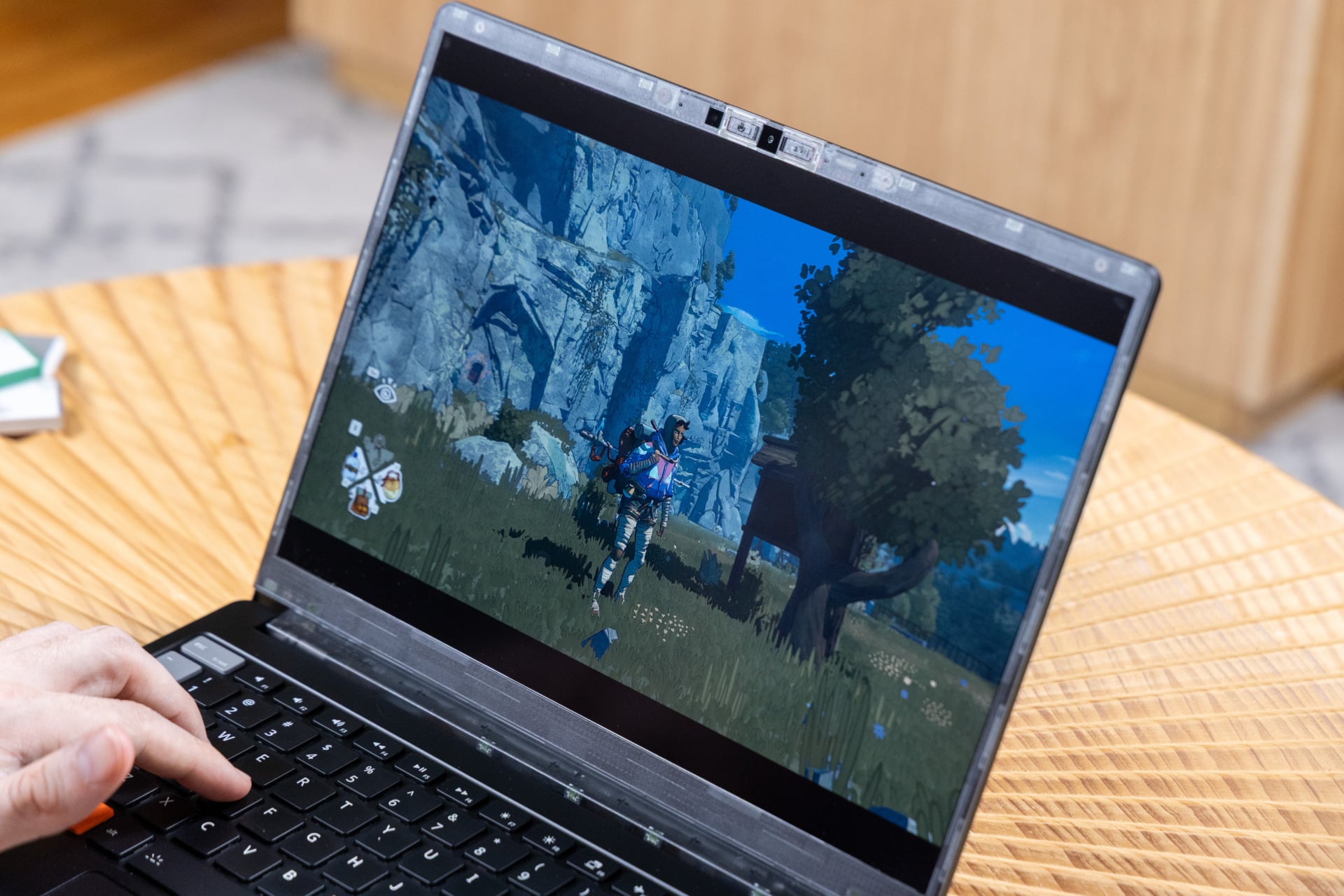
The other thing to consider is just how well this machine is for real-time graphics. I ran the laptop through several intensive games, like Cyberpunk 2077. Running Linux/Ubuntu, I had to play through Steam’s Proton layer, which translates the software in a Windows-emulated environment. Despite that, I was still hitting the same frame rates at a similar resolution with graphics settings set to “high” compared to other 14-inch Panther Lake laptops—around 12 fps at the maximum resolution.
Intel’s X7 chip proved a strong contender for gaming at around 1080p resolution, with the Laptop 13 Pro even managing just under 30 fps in Cyberpunk 2077 using XeSS 2 upscaling set to “performance” mode. Still, it’s not great for every game you want to play. I couldn’t get more than 22 fps in Total War: Warhammer III benchmarks at “Ultra” graphics settings, whether at 2,880 x 1,920 or 1080p resolutions. This is a machine for light gaming on the go, where it even excels thanks to Valve and the Linux community’s work on Linux gaming.
I should also mention there is a version of the Framework Laptop 13 Pro that comes with a more powerful Intel Core X9 388H CPU, like what’s found in an HP Omnibook Ultra or Asus Zenbook Duo. However, that model was only available for preorder and is now sold out. It may have better gaming performance in the same-sized chassis, but I wasn’t able to test it for myself.
The near-$3,000 price of my review unit configuration does not seem worth this level of performance. However, this is Framework, baby. If you have any old laptop memory lying around, or you have an older Framework Laptop model with SSD and RAM intact, you can instead opt for the DIY version of the Laptop 13 Pro, which includes the screen, the Intel Core Ultra X7 mainboard, and revised keyboard and trackpad for $1,700.
Please, Ubuntu, make it stop
The benefits of Linux are evident for anybody who has spent the last five years sloughing through the mess of Windows 11. Linux starts up quick without any annoying splash screens demanding you “finish setting up your PC” or pop-up ads to spend money on a OneDrive subscription. Linux isn’t a performance hog that demands a huge chunk of RAM just running background tasks.
There is nothing stopping you from installing any variety of Linux distribution on any other Framework PC, nor most other laptops or Chromebooks. What Framework is telling customers is that they don’t have to go through the process of downloading an ISO file, creating a bootable drive, and installing it on the PC. All of that may sound appealing. It’s just less of an “it just works” device as Framework would have you believe.
Any Linux distro will demand a learning curve the first time you set it up. You’ll find that some minor features you’re used to on Windows, such as mouse click auto-scrolling or automatic power modes depending on if you’re plugged in or on battery power, aren’t available through device settings. Then, you have to get used to the idea that some of your mainstay Windows apps aren’t directly compatible with Linux. Some apps you’re used to running through an .exe will instead ask you to get comfortable with Terminal commands.
I was on the edge of relinquishing my Windows lifestyle in favor of a more open operating system until I took the Framework Laptop 13 Pro home and found all of its fans firing at high blast. The laptop was burning hot to the touch. It turns out my the laptop wasn’t properly entering standby mode. The issue is likely due to a system-wide problem where Ubuntu doesn’t correctly suspend when closing the laptop lid.
That’s not to say Windows machines haven’t experienced this same issue when entering sleep mode. It’s just a pain in the neck to fix. There are any number of Reddit threads and wikis detailing different ways to defeat this issue, but such trial and error with Terminal commands may be out of the vast majority of PC buyers’ depth.
On other occasions, I’ve experienced other annoying glitches. A browser popup showing me a photo in Getty Images flashed in and out like it imagined it was dancing to rave music. Other times, the laptop would continuously, inexplicably disconnect from Gizmodo’s office Wi-Fi for no discernable reason. Strange, since it had been working fine every other day that week.
Is the switch to Ubuntu still worth it? That depends on how much you enjoy puzzle solving. Inevitably, you’ll end up understanding more about how your PC works than ever before. Even something as minimal as figuring out how to run a program through Terminal will make you feel like some jacked-in cowboy straight outta Neuromancer.
A PC lover’s kind of laptop
There’s another benefit to the Framework Laptop 13 Pro you probably didn’t expect: a quiet workplace. It’s not whisper-silent when performing at its peak, though the fans did a good job of muffling the noise. I was never obscenely distracted by the fan noise (unless I was taking it out of my bag, wishing I were wearing oven mitts). It shows just how much Framework has learned from its past. This is the best version of this design so far. It’s a shame it costs as much as it does.
I know what many people think when they hear my complaints about Linux. Some, the crustiest of the PC landscape, will scoff and whisper, “Git gud, scrub.” Others will clutch their pearls and ask, “Should I just get Windows? Should I just get something cheaper?”
There’s nothing wrong with looking for affordability. Most people don’t have the time or attention span to comprehend the workings of their devices. But what if I told you it was worth it? Knowing what’s going on inside your PC and being able to control it is itself a sense of ownership.
Framework has done so much on the hardware side to make taking the plunge into PCs as easy as possible. The company just needs to figure out the software so users aren’t forced to troll wikis to ensure their open-source OS doesn’t obliterate their PC’s battery health. By comparison, Windows 11 is a bloated, though easier-to-comprehend operating system. Either OS will serve you well on your adventure with Framework, so long as you accept the journey is the point, not the destination.