6. Install Dynamic, Changing Wallpapers
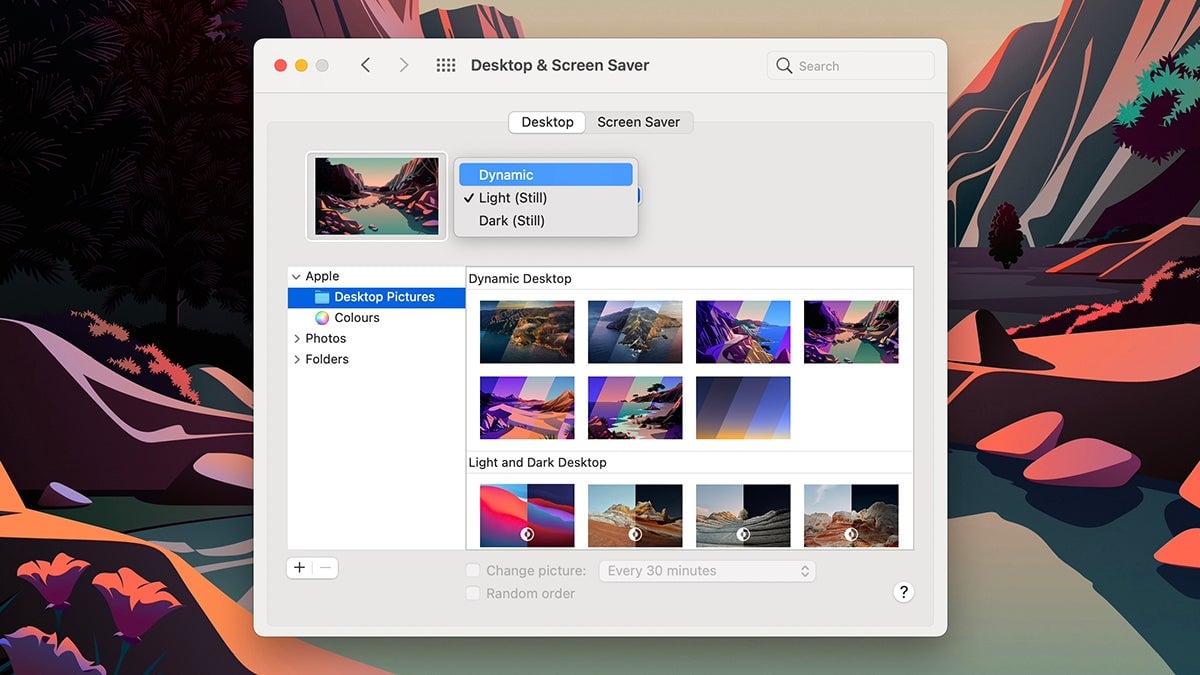
Still using static wallpapers? Both Windows and macOS support dynamic, animated ones if you prefer. On macOS open up System Preferences, then pick Desktop & Screen Saver, Desktop, and Desktop Pictures under Apple (you can find some more here and here).
Adding moving wallpapers on Windows isn’t as easy as it used to be—you now need a third-party app for the job. Desktop Live Wallpapers will do it for you (free with optional paid extras), as will DeskScapes ($5, but with a free trial available to test it).