7. Set Up Do Not Disturb
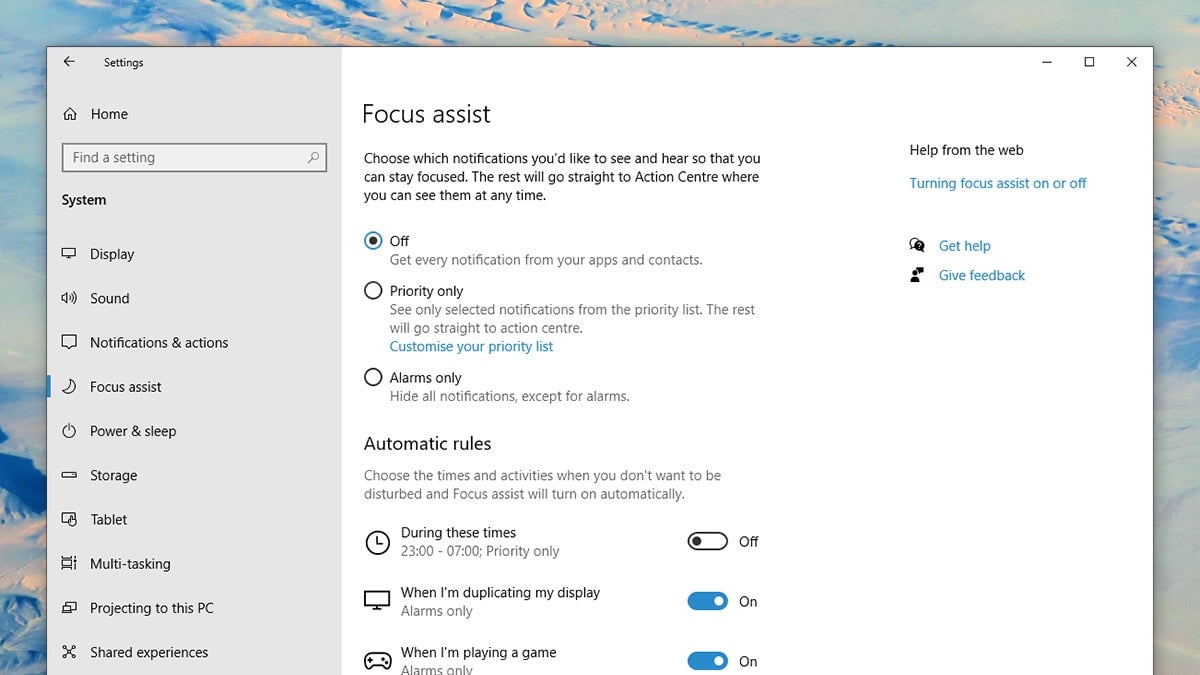
Do Not Disturb is available on laptops as well as phones. From Settings on Windows, pick System and Focus assist to configure how notifications and notification rules work—the mode itself can be launched from the Action Center (click the icon on the far right of the taskbar).
On macOS, from System Preferences choose Notifications and Do Not Disturb to set a schedule. Alternatively, hold Option and click the notification icon on the right of the menu bar to temporarily turn it on until you turn it off again or the clock turns midnight.