Overall Rating: 4.2/5 ⭐
- Protection: 4.2/5 ⭐
- Performance: 3.9/5 ⭐
- Features: 4.6/5 ⭐
- Support: 4.0/5 ⭐
- Value: 4.3/5 ⭐
From $26.99 for the first year. Pricing verified October 2026.
Avira Review: Ratings, Pros and Cons
I ran Avira Prime on my test bench for three weeks, and the free tier before that. Most Avira reviews searches come from people stuck between free and paid. This Avira antivirus review answers that first. If you arrived from another Avira AV review or an Avira antivirus software review chasing figures, they’re below.
The short version: it catches almost everything. It gives away more for nothing than any rival. In exchange, you accept a slow scan and a thin VPN.
👍 Where Avira Wins
- 99.96% detection on my sample set. Highest I’ve recorded.
- 65.9 MB idle RAM. Lightest footprint I’ve measured.
- Cleanest installer. Zero pre-ticked boxes.
- Free tier includes a VPN, password manager, and updater.
- Software Updater Pro patched every outdated app.
- Prime covers 5 devices for $59.99 the first year.
👎 Where It Falls Short
- 18 minutes 14 seconds for a full scan. Slowest I’ve timed.
- 12 false positives. Only Malwarebytes did worse.
- AV-TEST certified it but withheld Top Product status.
- Phantom VPN has 36 countries and almost no settings.
- Safe Shopping processes browsing data to tailor ads.
Buy it if you want the most generous free antivirus available, or a bundle at one price. Look elsewhere if you scan often, or need a VPN you can configure. Our best antivirus roundup covers the alternatives.
What Is Avira, and Who Owns It Now?
Avira security software predates most of its competitors. It now belongs to a company that owns three of its rivals.
From Antivir to Avira
Plenty of people search for Antivir antivirus. They’re looking for the same product. The engine has been in development since 1986, at a German company called H+BEDV Datentechnik. It was sold under the AntiVir name from 1988. The company reorganized as Avira in 2006 and renamed the product to match.
So Antivir antivirus free downloads and Avira Free Security are the same lineage, two decades apart. There’s no separate Avira Antivir product to find today.
Who Owns Avira
Avira Operations GmbH is German, based in Tettnang. It also has offices in the US, China, Romania, and Japan. Ownership changed twice in quick succession. Founder Tjark Auerbach sold his stake to Bahrain’s Investcorp Group in April 2020 for a reported $180M. NortonLifeLock announced a $360M purchase that December, closing in January 2021. NortonLifeLock then merged with Avast to form Gen Digital.
Here’s why that matters. Norton, Avast, AVG, and Avira now share one parent. If you’re comparing those four as independent options, you aren’t. Avira’s own privacy policy states data is “used and generated internally at Gen”.
What Avira Does Today
Avira computer security is a suite, not a single scanner. Buy Avira anti virus today, and you get far more than a scanner. You get the engine, a firewall, browser tools, Phantom VPN, a password manager, a software updater, PC optimization, and dark web monitoring. The mix depends on your tier. On Avira meaning: it isn’t an acronym. It simply replaced AntiVir in 2006. The scanner still has a developer nickname, “Luke Filewalker“, visible in older builds.
Is Avira Safe and Trustworthy?
Yes. The “Avira is a virus” claim is a misreading of how free antivirus used to behave. That came from bundled offers at install, pushy notifications, and extension prompts. The whole category earned it. The current build does almost none of it. The installer showed zero checkboxes. I counted one upgrade prompt in the first week. Is Avira safe on privacy? The policy is unusually detailed.
Avira publishes retention per field. Password manager credentials are held while active or for six months. Notes last 36 months. Device metadata lasts 26 months. IP addresses aren’t stored. You can use the products anonymously, and deletion is self-service at my.avira.com. The pressure point is the browser tools. Avira Safe Shopping and Browser Safety process your browsing activity and search terms.
The policy lists “tailoring ads to your interests” among the purposes, alongside site safety. Price comparison is opt-in, and the coupon panel discloses that Avira earns commission. Even so, this is the widest collection in the suite. The fix is: skip the browser extension. Is Avira trustworthy on security? The last publicly documented vulnerability in an Avira product dates to 2013.
Avira Free Security: What the Free Version Actually Includes
Avira free antivirus software is generous. The naming confuses people, so let’s clear it up. Avira Free Security and Avira Free Antivirus are the same product. Avira keeps both names because people search for both. Searches for antivirus free Avira land on a real free download. Here’s what it includes:
- Real-time protection, the same engine the paid tier
- Web protection and browser safety
- Avira Firewall
- Phantom VPN, 500 MB monthly, 1 GB with an account
- Software Updater, which finds outdated apps but won’t patch them
- Password Manager, limited
- System cleanup tools
- No account needed, no cap on installs
Free excludes automatic patching, unlimited VPN data, startup optimization, and a full cleaner. One oddity worth flagging. Avira’s own upgrade screen puts a dash against Free for password management and software updates. Both exist in the free tier. Prime adds automatic updating and a fuller manager, but the screen presents limitations as absences. Stay free if you want solid detection on one or two machines.
The trigger to pay is automatic patching. Get it from avira.com only. Searches for an Avira antivirus free download surface mirrors, and repackaged installers are a known malware route. Our best free antivirus guide compares it against five rivals.
Avira Plans and Pricing
| Devices | Adds | Year one | Renewal | |
| Free Security | Uncapped installs | Antivirus, firewall, 500 MB VPN | $0 | $0 |
| Antivirus Pro | 1 | Advanced firewall, web protection | $26.99 | $64.99 |
| Internet Security | 1 | Software Updater, Password Manager | $34.99 | $70.99 |
| Prime | 5 | Unlimited VPN, System Speedup, all tools | $59.99 | $109.99 |
Avira Antivirus Pro
Avira Antivirus Pro costs $26.99 for one PC. It adds the advanced firewall and enhanced web protection. This is the hardest tier to justify. Free already gives you the same detection engine, and free installs on unlimited machines. Internet Security costs $8 more and brings tools you’ll notice. Skip this one.
Avira Internet Security
Avira Internet Security still exists. It costs $34.99 for one device. It adds the two tools that make the suite worth owning: Software Updater and Password Manager in full. Software Updater alone turns the product from something that reports problems into something that fixes them.
Avira Prime
Avira Prime is the tier with a real argument. It costs $59.99 for the first year across 5 devices. Prime unlocks everything: unlimited Phantom VPN across all 36 locations, System Speedup Pro, automatic patching, the full password manager, and Identity Assistant dark web monitoring. I performed this review using Avira Prime.
What It Costs After Year One
Every tier renews at a higher price. The increases are steepest at the bottom:
- Antivirus Pro: $26.99 to $64.99, up 141%
- Internet Security: $34.99 to $70.99, up 103%
- Prime: $59.99 to $109.99, up 83%
Prime works out to $22.00 per device at renewal. Antivirus Pro costs $64.99 for one. The cheapest tier is the worst value long term. All plans have a 30-day money-back guarantee. Cancelling auto-renewal takes two clicks: sign in, Subscriptions, Cancel Subscription Renewal, confirm.
Refunds are harder. They run through a support ticket, and the form requires your Cleverbridge reference number and a callback phone number. Bitdefender and Avast both handle refunds in the dashboard.
Setting Avira Up
Installation is the best I’ve encountered, and it isn’t close. The welcome screen is a single Agree and Install button. No bundled browser or default-browser offer. No pre-ticked telemetry, either. It cites GDPR Articles 13 and 14 and links the privacy policy there. For comparison on the same machine: Avast pre-ticked one box; AVG and Bitdefender two each; Norton two, including a browser change.
Avira estimated four to five minutes. It finished in 2 minutes 3 seconds, with no restart. It then offered a first scan with a “Remind me later” link, and made no upgrade pitch. Upsell count for week one: one. It appeared after a scan, suggesting the VPN. That’s the lightest monetization I’ve measured.
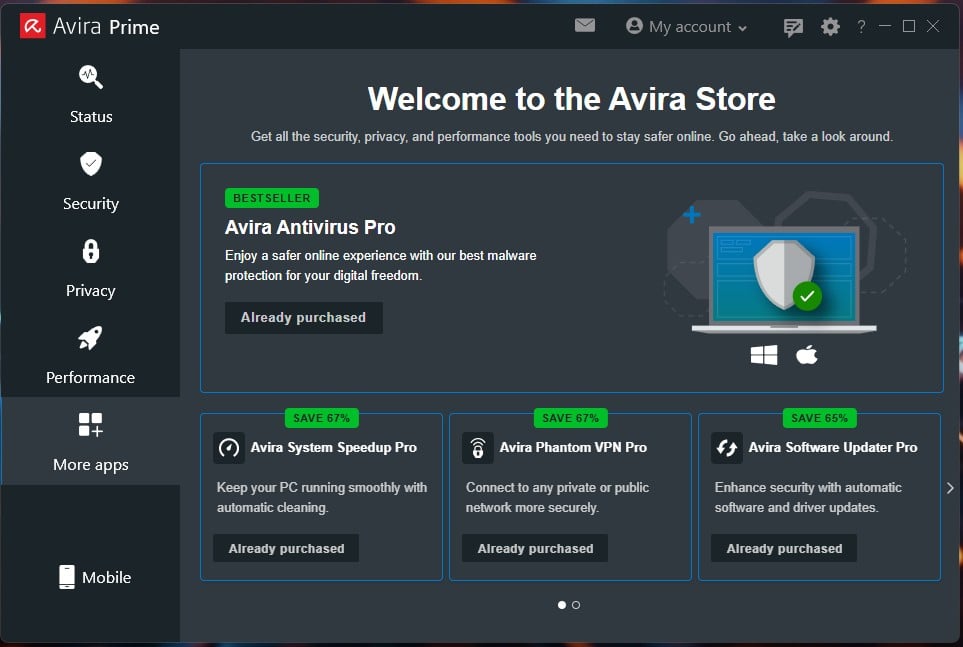
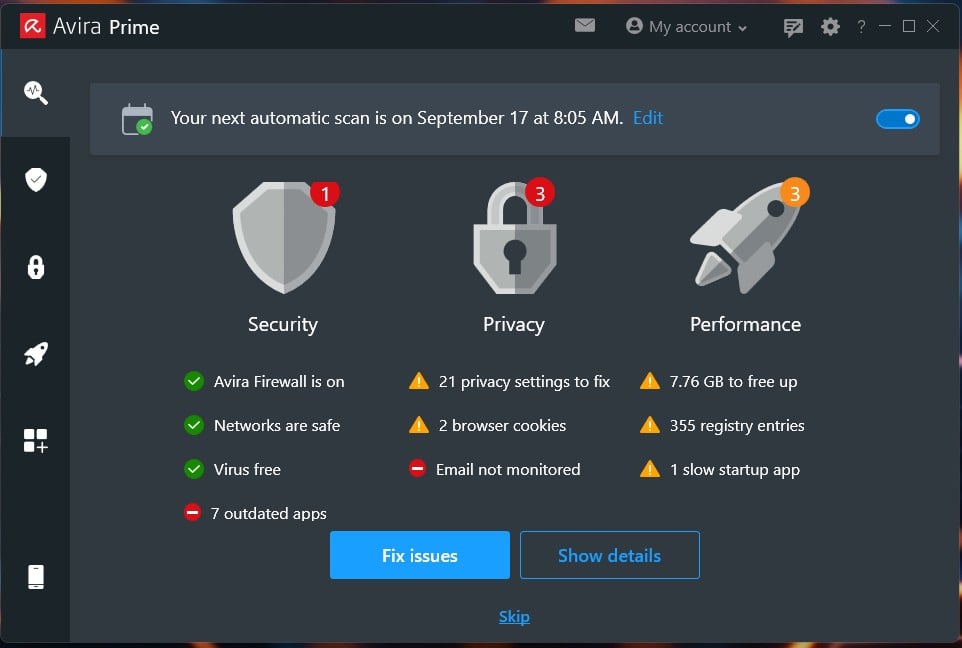
The dashboard splits into Status, Security, Privacy, Performance, More apps, and Mobile. Smart Scan works through five stages: privacy, performance, viruses, outdated apps, and network threats. My first run found one security issue and seven outdated apps. It flagged three privacy issues and three performance ones, including 7.76 GB to free. Fix Issues handles them in one pass.
The firewall deserves a note, because Avira’s is first-party, not a Windows front end. App Rules was monitoring 17 apps and lets you block each one’s internet access. Intruder Protection handles inbound attempts. Avast, by contrast, leaves its firewall in permissive Trusted mode on unidentified networks. Avira arrives switched on.
Avira Protection Test Results
Is Avira a good antivirus? On raw catch rate, better than anything else I’ve tested. Everything below came from the current Avira antivirus software build, and the software Avira gives away free uses the same engine as Prime. On consistency, there’s a distinction I’d like to explain. But first, independent lab scores.
Independent Lab Scores
AV-TEST, June 2026, scored Avira 6/4.5/6 for protection, performance, and usability on Windows 11. That’s Certified, not the Top Product award; Avast, AVG, Bitdefender, Norton, ESET, Kaspersky, and McAfee all took that round. The 4.5 was the only sub-6 performance mark in the group. AV-Comparatives left Avira out of its March 2026 Malware Protection Test. Its most recent anti-phishing certification dates to 2023.
There, Avira Prime blocked 88% of 255 phishing URLs with zero false alarms, clearing the 85% threshold. That result is three years old. Treat it as historical. SE Labs publishes consumer results infrequently and has no recent Avira entry. Avira’s lab record is good without topping the table, and its recent participation is thin.
How Avira Handled My Samples
Against my malware set, Avira antivirus protection caught 99.96%. That’s the strongest Avira virus software result I’ve logged. That’s the highest of seven products on the same bench. Bitdefender managed 99.8%, Avast 99.78%, AVG 99.77%. The cost is false alarms. Avira flagged 12 clean files.
Only Malwarebytes did worse at 14. Norton produced 3. This is a high-catch, high-false-positive engine. Phishing was the weak result. Avira Virus Protection blocked 88% of the URLs I tried, with one false positive on an email from my ISP. That matches the 2023 lab figure, the closest bench-to-lab agreement I’ve recorded. It’s also the last of the four suites I’ve measured. Norton hit 95%, Avast 93%, Bitdefender 89%.
Scan Types and the Rescue CD
The Avira virus scanner offers three options. Full scan covers the system. Quick scan covers vulnerable areas. Manage scans lets you schedule your own. There’s no boot-time Avira virus guard. Timings on my rig:
- Smart Scan: 30 seconds, peaking at 100 MB RAM
- Full Avira virus scan: 18 minutes 14 seconds, peaking at 16.6% CPU
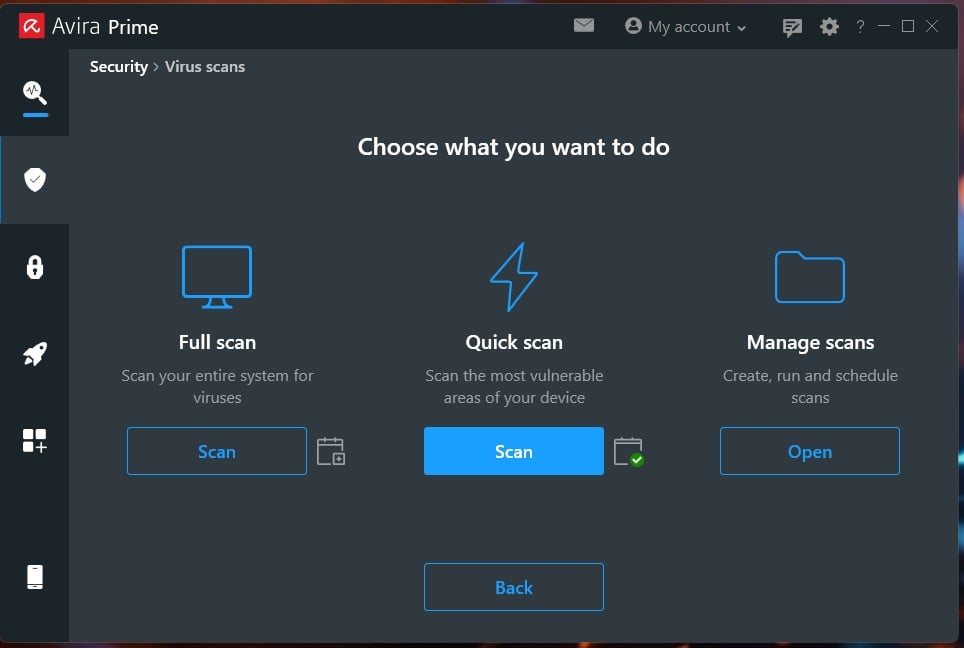
Searches for an Avira antivirus rescue CD are looking for something that’s gone. The bootable rescue system isn’t in the app, and I couldn’t find it as a separate download. Norton retired its equivalent in April 2026, so this looks like a category-wide retreat. What remains is tucked into System Speedup Pro under Tools.
Back up and restore files, the registry, or the master boot record; revert Speedup changes; manage restore points; and recover deleted files. It doesn’t cover a machine too infected to boot. For that, see our malware removal guide.
System Impact
Avira isn’t a heavy antivirus. It’s a slow one. Those are different problems. At idle, it used 65.9 MB of RAM and 0.1% CPU, the lightest I’ve measured. Defender used 158 MB, Avast 160 to 170 MB, AVG 161 MB, Bitdefender 190 MB. Boot went from 18 seconds clean to 25 seconds. That’s third of six, behind Defender and AVG.
The full scan is the issue. At 18:14, it was the slowest I tested, over a minute behind McAfee. It peaks at only 16.6% CPU, so it isn’t fighting you for the PC. It takes a while. AV-TEST scored performance 4.5/6, which disagrees with my bench. Labs time everyday operations. I measured idle draw and scan load. Test machine: Ryzen 7 5800X, 32 GB DDR4-2666, Windows 11 Pro, two M.2 SSDs.
Everything Bundled With Avira
Avira Phantom VPN
Avira VPN is the tool people ask about most. It’s quick but bare. Speed surprised me. Against a 190.36 Mbps network, Avira Phantom VPN averaged a 15.3% download loss. UK: 181.25 Mbps at 41 ms. US: 169.91 Mbps at 144 ms. Japan: 132.36 Mbps at 302 ms. For scale on the same connection, NordVPN loses 7.8%, and Avast SecureLine loses 22.5%. Avira beat Avast comfortably.
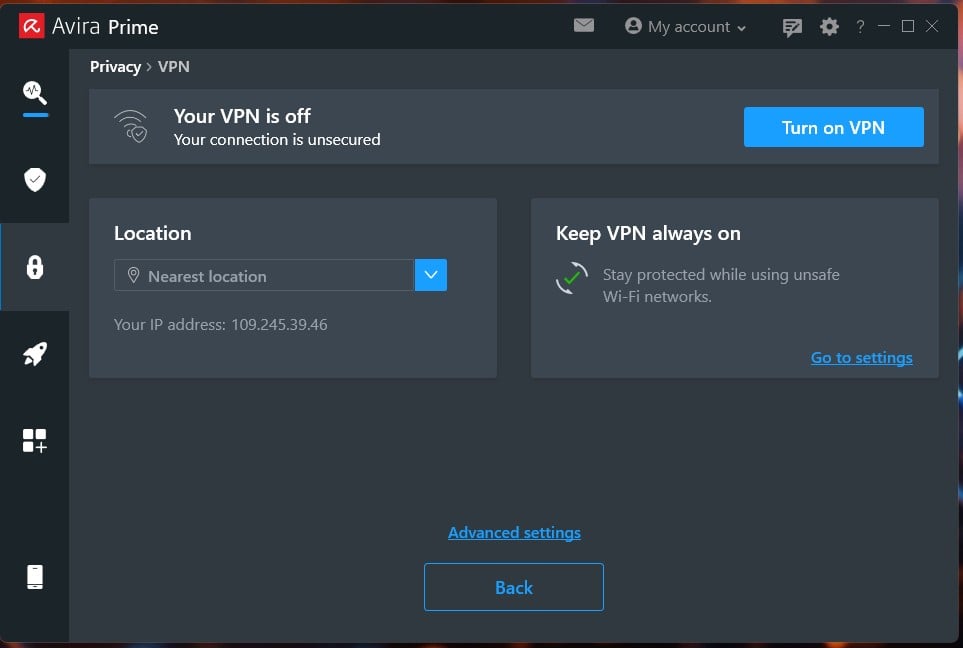
Japan is the weak spot at 30.5% loss and 302 ms. Fine for streaming, poor for anything real-time. Streaming worked. Netflix US, Netflix UK, and BBC iPlayer all opened. Torrenting was fast. The feature list is where it falls apart. 36 countries, no obfuscation, no multi-hop, no protocol selection. You get a kill switch, malicious site blocking, auto-connect on Wi-Fi, and a location picker.
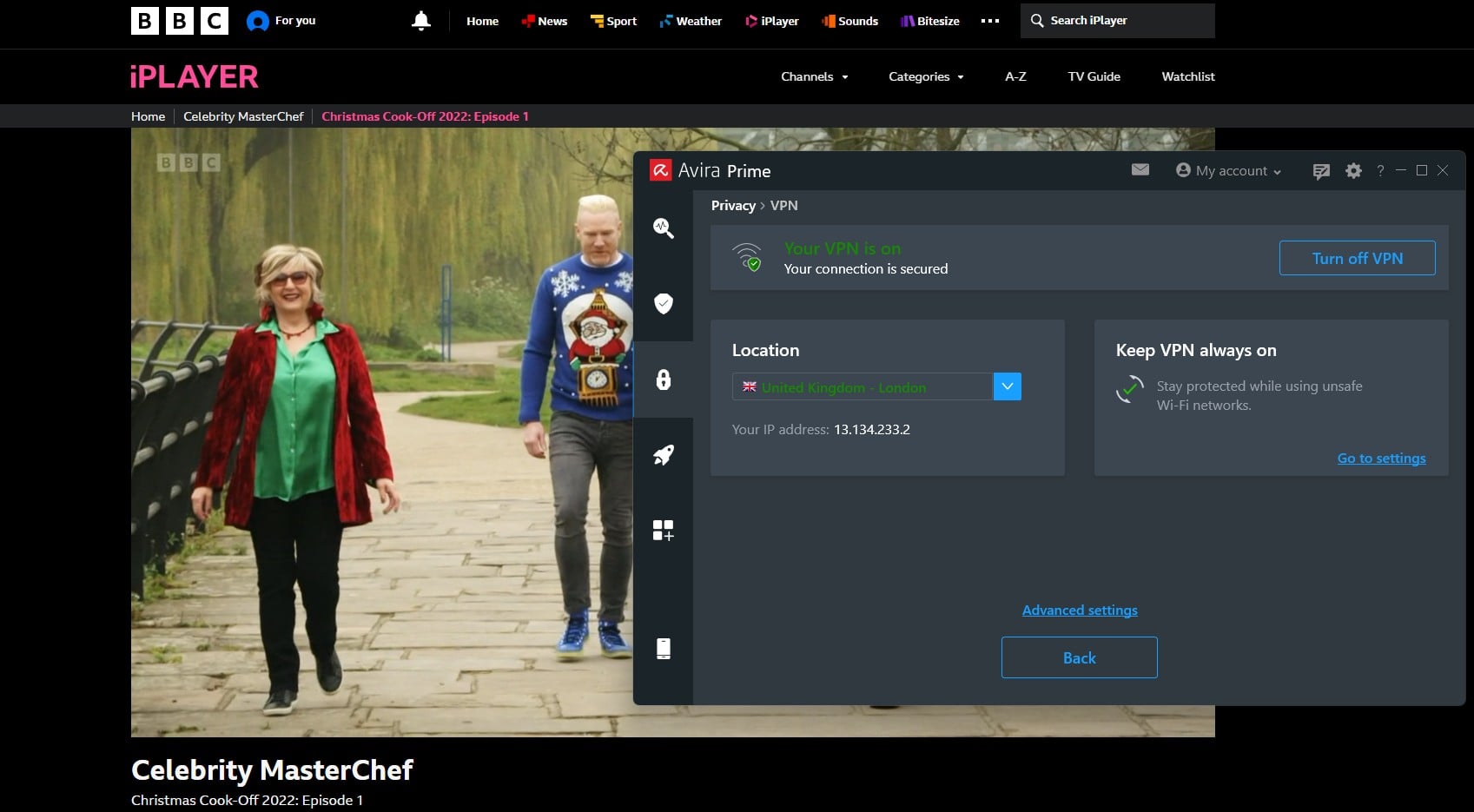
That’s everything. The kill switch works properly when enabled. It arrives turned off, while diagnostic data is enabled. You can turn it off.
✅ Verdict: fine as a bundled extra for streaming and public Wi-Fi. Not so much as a standalone VPN replacement (NordVPN is way better, for example).
Avira Software Updater
This is the quiet star, and the Avira Software Updater Pro review nobody writes. Smart Scan flagged seven outdated apps. Software Updater Pro patched every one automatically, then asked for a restart. Everything worked. The free version finds the same apps but doesn’t patch them.
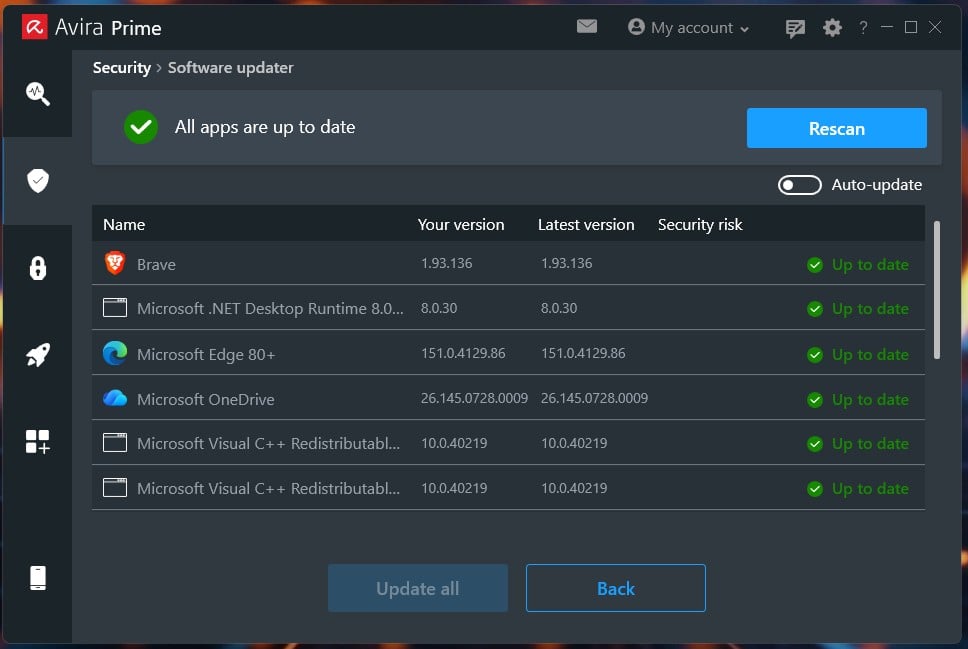
✅ Verdict: the main reason to pick Internet Security over Antivirus Pro.
Avira Browser Safety and Safe Shopping
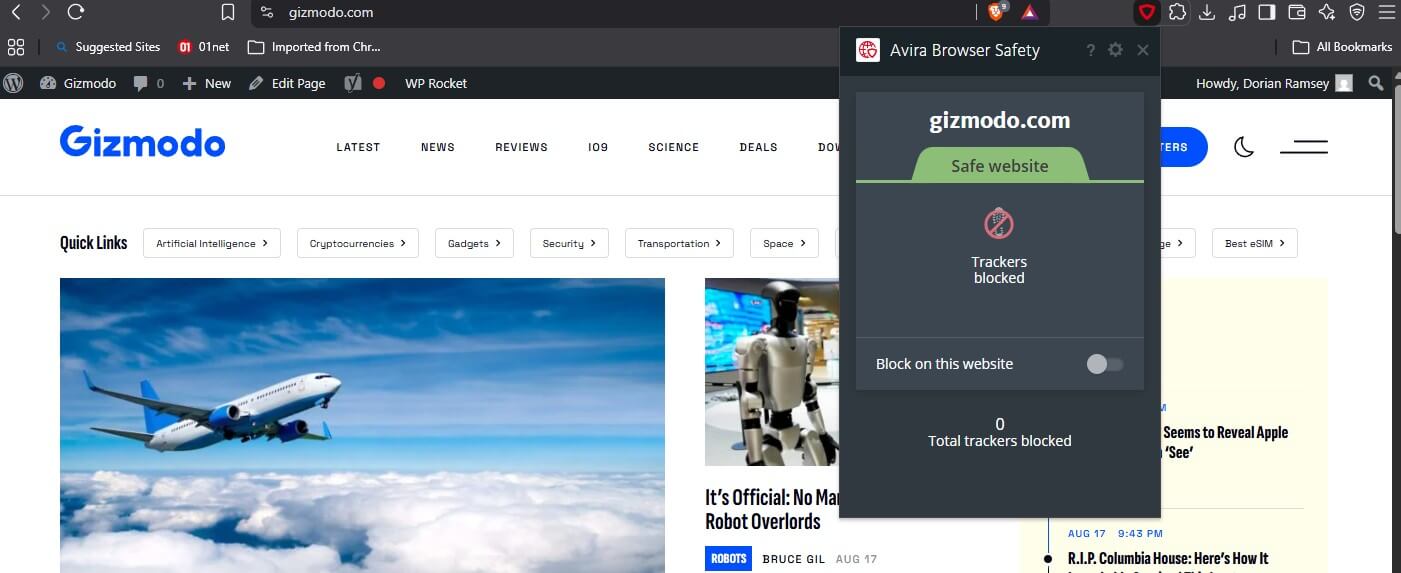
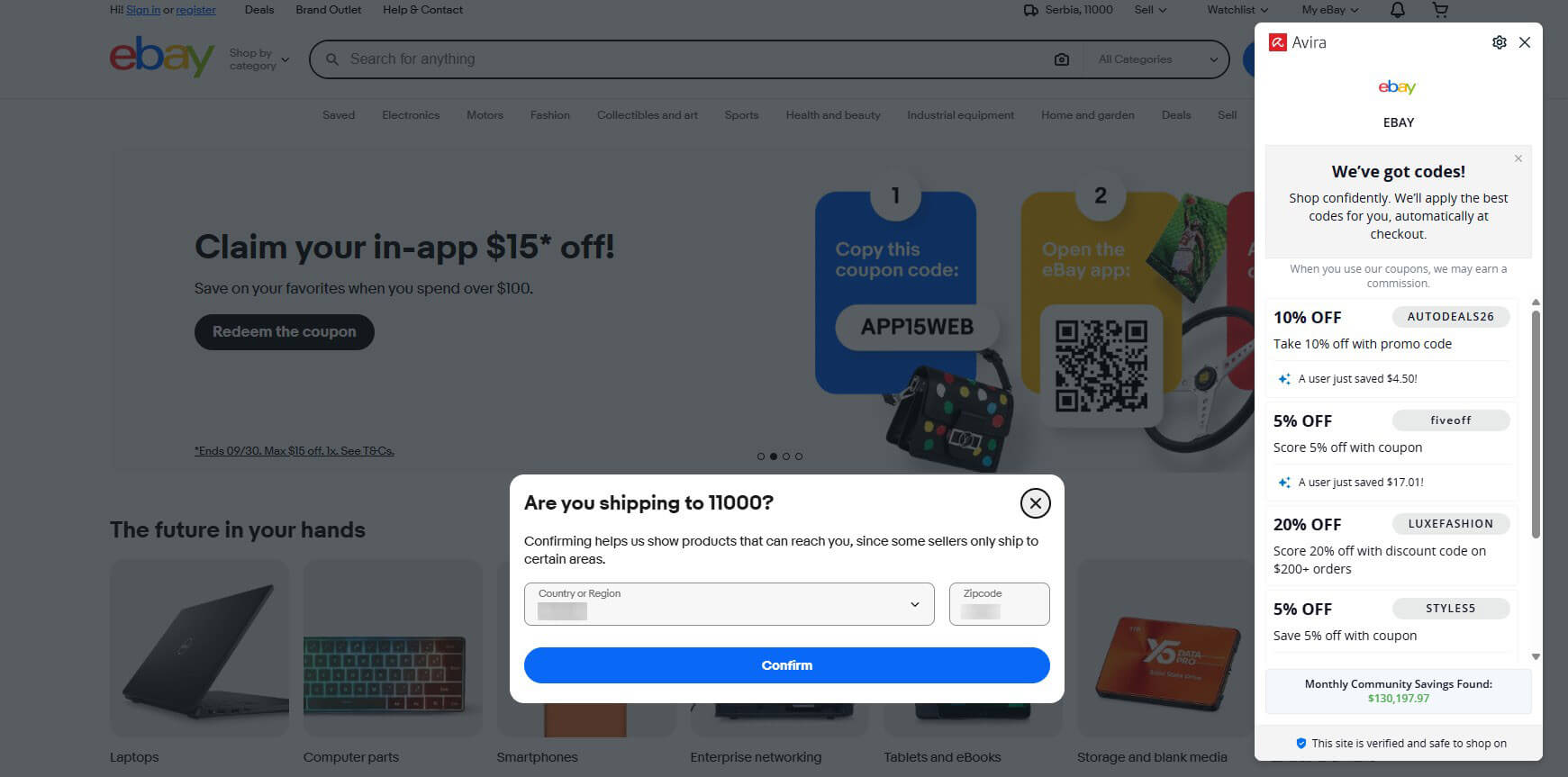
Avira Browser Safety rates sites and counts trackers from a toolbar panel. Worth knowing: per-site tracker blocking is off by default. It reports until you switch it on. Safe Shopping is the coupon layer, and I expected to dislike it. I didn’t. On eBay it surfaced four working discount codes in a side panel.
This is the same category of tool that damaged Avast’s reputation, and Avast has since discontinued its version. Two things separate Avira’s. The panel discloses the commission on screen. And price comparison is opt-in. The catch is the data collection covered earlier in the review.
✅ Verdict: useful and honestly labelled. Skip it if the tracking bothers you.
Avira Password Manager
Avira Password Manager Pro works in the browser, not as a desktop app, though it has an app for Android and iOS. It handles passwords, secure notes, and a Wallet for card details, covering number, expiry, CVC, PIN, and bank.
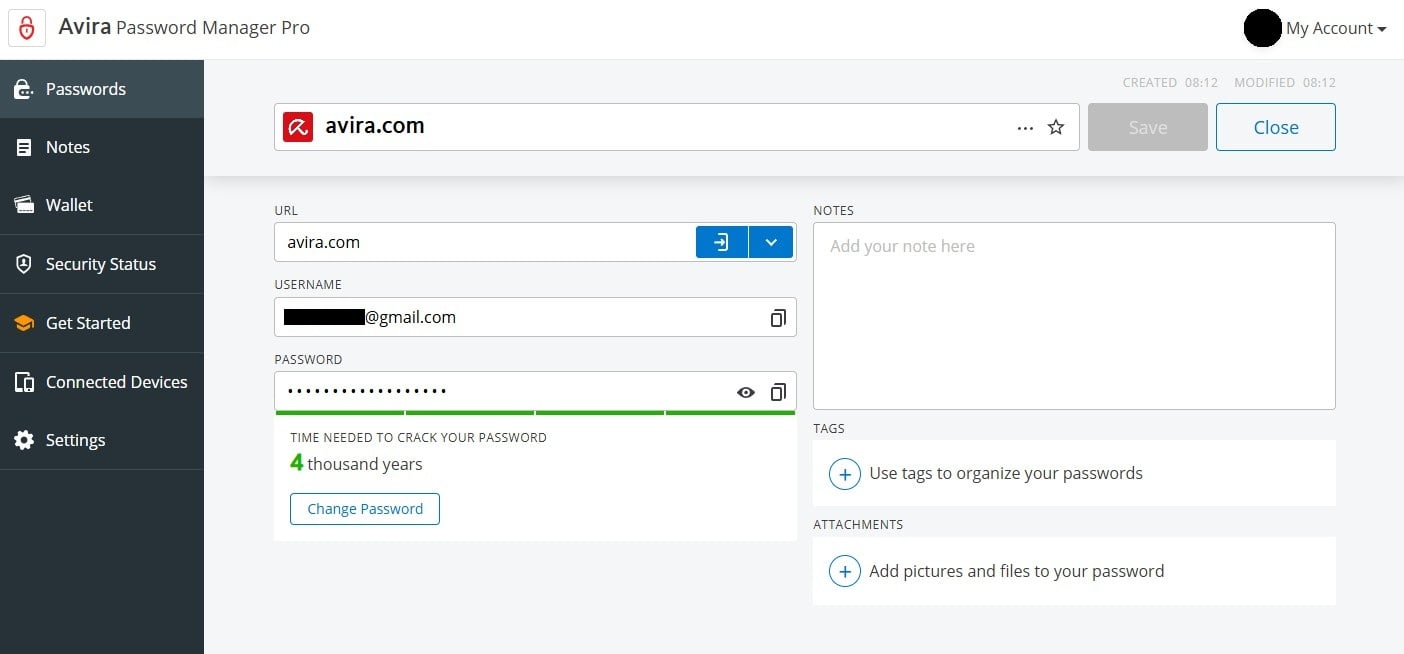
Entries take tags and attachments. Each password shows an estimated time to crack. Avira can’t read your vault because the master password stays with you.
✅ Verdict: competent, and fine bundled. A dedicated manager does more.
Avira System Speedup
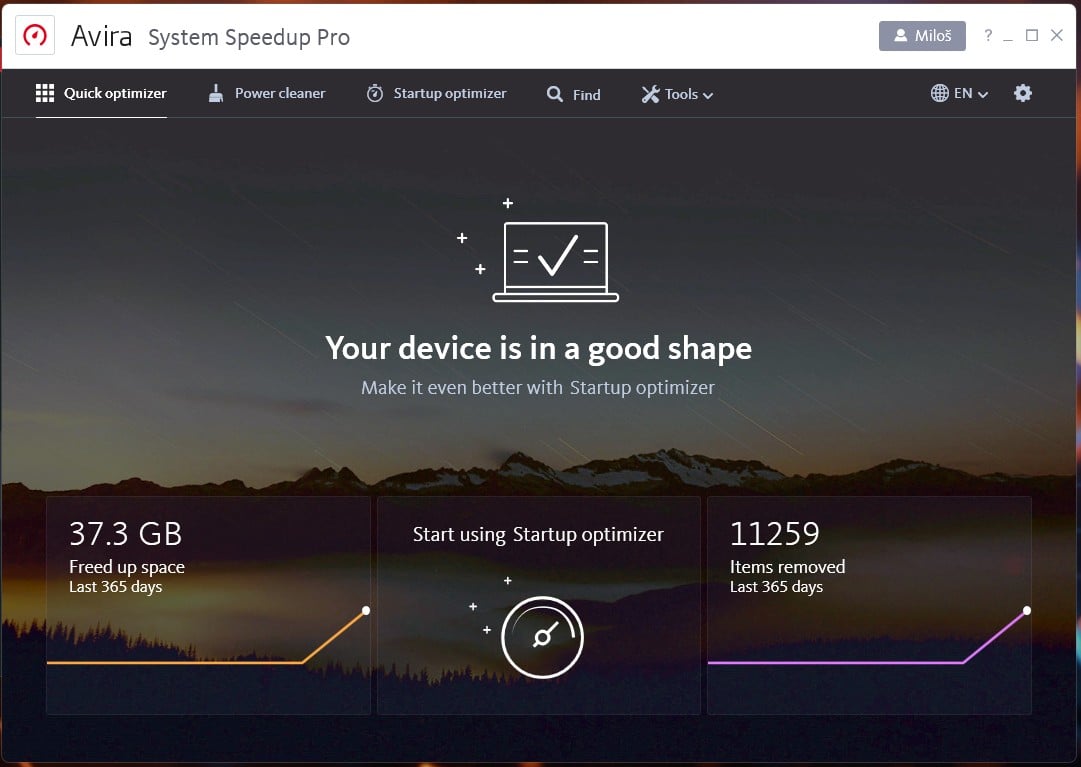
The optimization tools are Avira’s real specialty, and they delivered. System Speedup Pro offered to clear 17,744 items totalling 37.3 GB: 30.7 GB of app junk, 6.1 GB of logs, 461 MB of cache and 61 registry entries. It removed all, freeing the full 37.3 GB.
✅ Verdict: the single best reason to choose Avira over a leaner antivirus.
Avira Identity Assistant
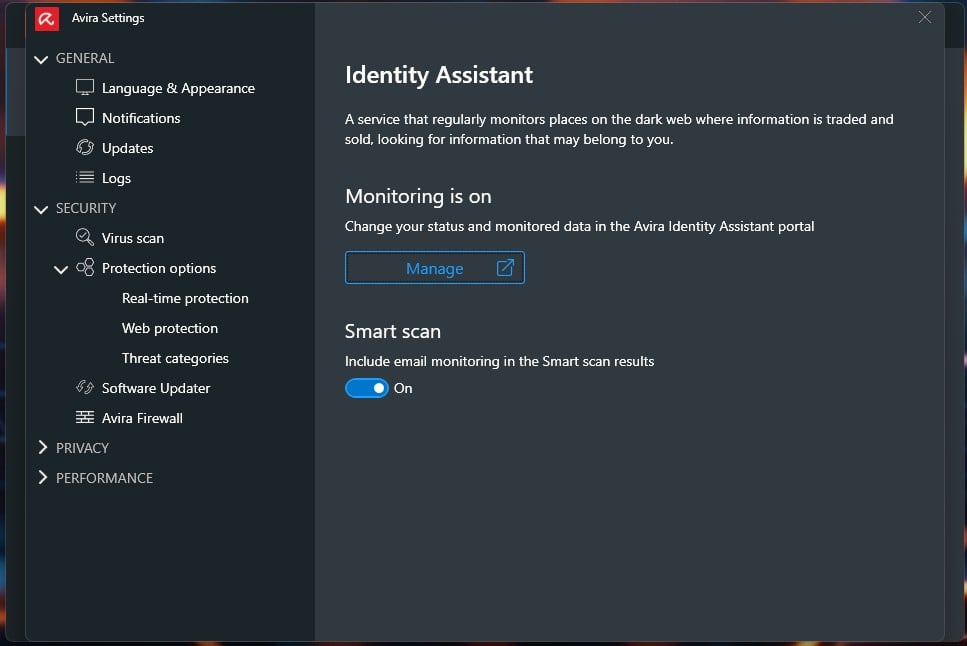
Identity Assistant scans dark web marketplaces for your details, from a web portal instead of the app. It found five exposures on my email address. Each card names the site, the date, and what leaked. One was traced to a 2019 breach. The advice is: change the password and change it anywhere you reused it.
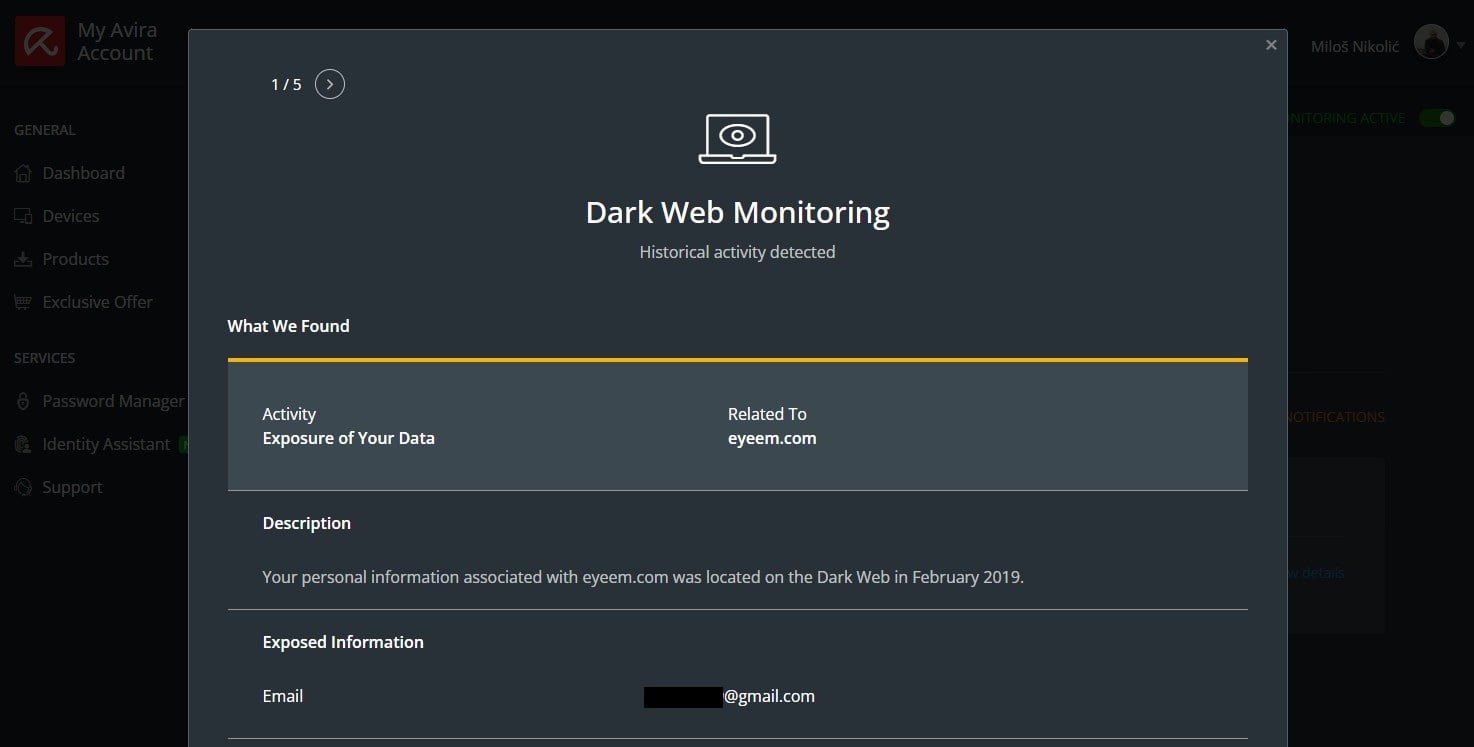
Read the privacy notice before enrolling fully. The details you can submit include bank account and driver’s license numbers, handled by third parties.
✅ Verdict: useful for the initial audit, less so after.
Avira on Windows, Mac, Android and iPhone
Coverage is uneven, and Avira’s best tools travel least.
Windows gets everything: Windows 7 SP1 through 11, the firewall, System Speedup, and the full suite. Almost all testing happened here.
macOS is covered from 10.15 Catalina up. Avira Mac builds include the antivirus, VPN, and password manager, but the optimization suite is Windows-bound. I tested on Windows only, so treat this as specs, not a verdict. Our best Mac antivirus guide covers tested options in 2026.
Android gets a separate free app. Avira Antivirus Security for Android adds app scanning, web protection, and anti-theft. Avira antivirus mobile security also covers Android tablets through the same app, since there’s no separate Avira tablet edition. See our Android antivirus guide for tested picks.
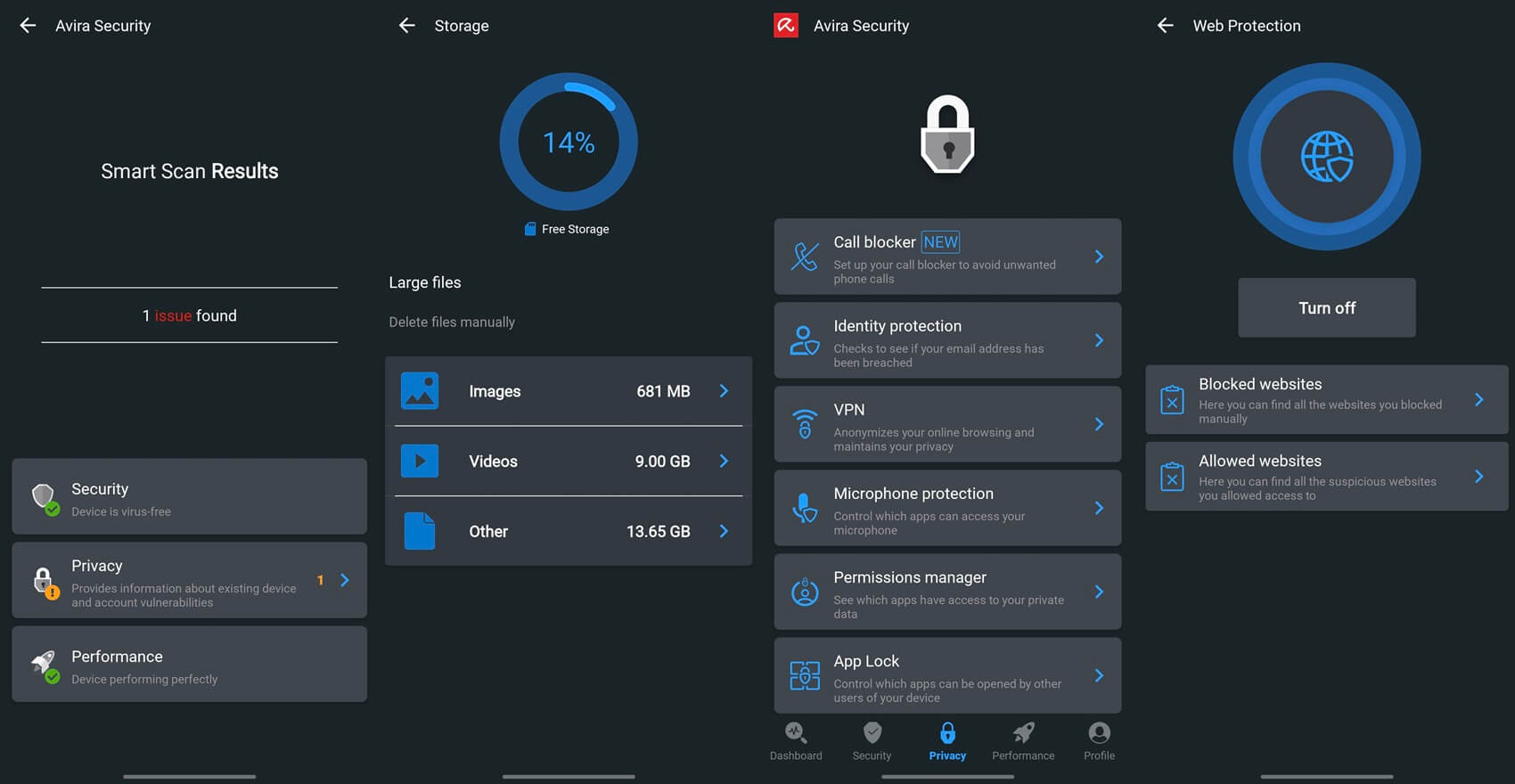
iPhone and iPad get the least. Apple blocks third-party file scanning, so Avira mobile security on iOS provides web protection, a VPN, and identity monitoring instead. That’s the ceiling for every iOS antivirus.
Linux isn’t supported. Avira discontinued its Unix and Linux antivirus in 2013.
Avira on Chromebook
Searches for Avira antivirus for Chromebook deserve a straight answer: you probably don’t need it. ChromeOS sandboxes every tab and app, verifies itself on each boot, and repairs automatically if that check fails. You can install Avira free antivirus for Chromebook as the Android app on any Chromebook with the Play Store. You get web protection and the VPN, not malware scanning.
Avira Customer Support
I opened a live chat, gave my email, and waited 2 minutes 46 seconds for an agent. The agent was pleasant and answered correctly. Replies inside the conversation came slower, up to three minutes, and the agent apologized when a wait ran long. The limitation: live chat isn’t 24/7. It was unavailable several times when I tried.
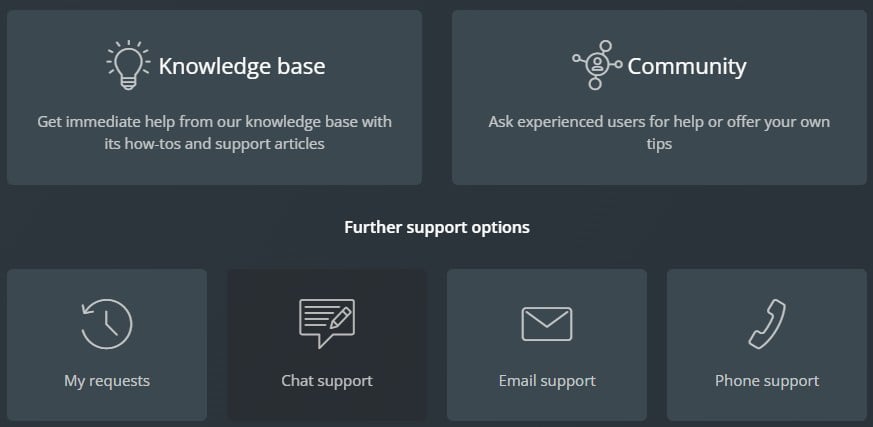
Avira also offers email, phone, a knowledge base, a community forum, and a My Requests view for tickets. Everything routes through your account, the easiest setup I’ve used, and where I have practically zero complaints.
Avira Compared With the Alternatives
🆚 Avira vs Bitdefender
The closest comparison. Avira caught more, 99.96% against 99.8%, but produced 12 false positives to Bitdefender’s 5. Bitdefender’s full scan finished in 14:03 against 18:14, and it holds Top Product where Avira holds Certified.
Pick Bitdefender for consistency and faster scans. Pick Avira for optimization and a better free tier. Our Bitdefender review has the full numbers.
🆚 Avira vs Norton
Same parent, different products. Norton blocked 95% of phishing URLs to Avira’s 88%, holds a longer lab record and bundles identity protection. It costs more, but in my book, it’s also the better overall choice of the two.
Pick Norton for suite depth and phishing. Pick Avira for a cleaner install and lower cost per device. See our Norton review.
🆚 Avira vs Avast and AVG
All three belong to Gen Digital. Avast and AVG share an engine, posting identical lab figures. Avira stands apart, with higher catch rates and more false positives. Avira’s installer bundles nothing. Avira showed one upsell in a week, whereas Avast’s Driver Updater prompt wouldn’t dismiss without a purchase.
Pick Avira if the nagging wore you down. Pick Avast for broader features and a better VPN. Our Avast review covers both sides.
🆚 Avira vs Microsoft Defender
The real alternative to Avira Free. Defender is built into Windows, costs zero, scored 6/5.5/6 at AV-TEST, and had the fastest full scan I measured at 12:24. Avira adds the optimization suite, a VPN allowance, and browser safety ratings.
Stay on Defender if you only want malware protection. Add Avira Free if you want the updater, a good VPN service, and cleanup tools.
Who Avira Suits
✅ Avira suits you if:
- You want a generous free antivirus, not a trial
- You value app patching and cleanup as much as scanning
- You run older hardware and need a light footprint
- You’re tired of security software that nags
- You want five devices at $22 each per year
❌ Look elsewhere if:
- You need a VPN for anything beyond streaming
- You want the strongest phishing protection
- False positives would disrupt your work
- You need support at 3 am
- You’re Mac-first, since the best tools are Windows-only
On tiers: most readers should stay on the free version. It uses the same engine, installs on unlimited machines, and includes the tools in limited form. If you’re paying, skip Antivirus Pro and Internet Security and go to Prime.
FAQ About Avira Antivirus
🆗 Is Avira a Good Antivirus?
Yes. It caught 99.96% of samples in testing, the highest figure recorded across seven products on that bench, and AV-TEST awarded a full 6/6 for protection in June 2026. The catch is 12 false positives, the second-worst in that group.
🛡️ Is Avira Safe to Install?
Yes. The installer presents no checkboxes, bundles no browser, and doesn't ask to change any default settings. That makes it one of the cleanest antivirus installs.
📝 Is Avira Trustworthy?
Yes, with one qualification. The engine dates to 1986, the company is German and now part of Gen Digital, and it publishes retention periods per field. The qualification is that its browser extensions process browsing activity and search terms, with ad tailoring listed among the purposes.
🦠 Is Avira Actually a Virus?
No. It's legitimate software from a company four decades old. The claim circulates because antivirus vendors historically bundled extras and pushed notifications. Current versions do neither.
🎁 Is Avira Free, and What Does It Include?
Yes, permanently, with no account required. It includes real-time protection using the same engine as paid tiers, web protection, a firewall, 500 MB of monthly VPN data, a software updater that finds but doesn't install updates, a limited password manager, and several of its cleanup tools.
📖 What Does Avira Mean?
The name isn't an acronym and has no separate meaning. It replaced AntiVir, used from 1988, when H+BEDV Datentechnik restructured as Avira in 2006.
💼 Who Owns Avira Now?
Gen Digital. NortonLifeLock bought Avira for roughly $360M in a deal announced in December 2020 and closed in January 2021, then merged with Avast. Norton, Avast, AVG, and Avira are all one company.
📈 Is Avira Prime Worth It?
Against free, yes, if automatic patching and the full cleanup suite matter. Prime covers five devices for $59.99 in year one and $109.99 after, which is $22 per device. Against the mid tiers, it's better, since Antivirus Pro renews at $64.99 for one device.
🌍 Is Avira's VPN Any Good?
It's fast and limited. Testing showed a 15.3% average download loss, better than Avast SecureLine's 22.5% on the same line, and Netflix and BBC iPlayer worked. The downsides are 36 countries, no obfuscation, no multi-hop, no protocol selection.
🛠️ Does Avira Slow Down Your Computer?
Barely, in normal use. Idle consumption measured 65.9 MB of RAM and 0.1% CPU, the lightest of any antivirus tested. Boot time rose by 7 seconds. Scans are the exception, with a full pass taking 18 minutes 14 seconds.
⚔️ Avira or McAfee?
Avira, for most people. It detected more in testing, 99.96% against 99.71%, scanned with a fraction of the load, and produced fewer false positives. McAfee's advantage is device count on unlimited plans and stronger US identity coverage.
🔍 Does Avira Have a Money-Back Guarantee?
Yes, 30 days on paid subscriptions. Cancelling auto-renewal is self-service via Subscriptions in your account. Claiming a refund is separate and requires a support ticket with the Cleverbridge reference number and a contact phone number.