
Every business needs a website to reach a wider audience, show its products or services and build credibility. Many small businesses delay launching because they think hosting is complicated or expensive but shared hosting removes that barrier: several websites share the resources of one server, which keeps the price low and the setup simple, so it is a good starting point for a new site in 2026.
Shared hosting plans come with an easy setup and everything you need to make a website without a large budget. The catch is that hosts differ a lot in speed, security and renewal prices, and a wrong pick can slow your site or raise your bill after the first term. We compared five well-known hosts on price, renewal cost, speed and support, so that you can choose without reading every plan page yourself.
The Best Shared Hosting Services of 2026: Quick Summary
If you are short on time, here are our five picks among the best shared hosting providers in 2026:
- Hostinger: the best shared hosting overall
- SiteGround: the best for customer support
- InMotion Hosting: the best shared hosting for security
- Hosting.com (formerly A2 Hosting): the best shared hosting for speed
- DreamHost: the best for hosting multiple sites
5 Best Shared Hosting Services: Tested and Reviewed
Choosing the right host decides how your site performs and how safe it is. Below are five shared hosting providers that we have reviewed and tested, and we link each full review for the details. We weigh speed, security, support, renewal price and ease of use, and we rank each host for the job it does best.
1. Hostinger: Overall Best Shared Hosting of 2026

Pros
- 30-day money-back guarantee
- Free domain for the first year on terms of 12 months or longer
- LiteSpeed servers with built-in caching
- Free website migration
- Live chat support 24/7
Cons
- No phone support
- Renewals cost 3.3 to 4.3 times the launch price
- Weekly backups only on the Premium plan
Hostinger is the best shared hosting of 2026 for most people, because it pairs a low entry price with fast servers and a beginner-friendly dashboard. More than 5 million customers use it, and WordPress.org lists it among its recommended hosts. The hPanel dashboard puts your sites, domains, email and backups in one place, and setting up a first website takes a few minutes.
Hostinger Features
Every shared plan includes a free domain for the first year on terms of 12 months or longer, free SSL, free migration from another host, a one-click WordPress installer and automatic WordPress updates. Premium hosts 3 websites on 20 GB of SSD storage. Unlimited allows unlimited sites under fair use, with 50 GB of NVMe storage, a CDN, staging and daily backups, and Cloud Startup adds 100 GB of NVMe storage, a dedicated IP and 4 GB of RAM.
Hostinger has also added AI to the platform. Its AI Builder, which merged the classic Website Builder and Horizons in August 2026, generates a site from a prompt, and our guide to the best AI website builders explains how it compares. Agent Hostinger handles guided tasks such as blog drafts and SEO audits from the top of hPanel.
Try Hostinger’s AI Builder for Free
Speed and Performance
In our Hostinger review, we built a test website on the Unlimited plan and measured it with GTmetrix and Google PageSpeed Insights. A fresh WordPress install with the Twenty Twenty-Four theme showed a time to first byte of 576 ms and a full load of 1.4 seconds. After we turned on LiteSpeed Cache and the CDN, the time to first byte fell to 291 ms, the page fully loaded in 733 ms, and GTmetrix gave an A with a score of 100%, while PageSpeed Insights gave 99.
Hostinger’s LiteSpeed web server and caching explain most of that gain, and the CDN, which improved our speed score by up to 40%, is available on Unlimited and above. You can also choose a data center on several continents, which helps when most of your visitors live in one region. Our tests cover one site, so your results will depend on your theme, plugins and content.
Backup and Security
Hostinger has a web application firewall, a malware scanner for WordPress, DDoS protection, two-factor authentication for your account and free SSL certificates with no limit on the number. Backups run weekly on Premium and daily from Unlimited, and you can restore files from hPanel. It is wise to keep your own copy of important content too.
Plans and Pricing
Hostinger has three shared hosting plans, and all of them have a 30-day money-back guarantee. On a 48-month term billed upfront, Premium costs $2.99/mo, Unlimited costs $3.99/mo and Cloud Startup costs $7.99/mo. Code GIZMODO takes another 10% off, which brings the plans to $2.69, $3.59 and $7.19 per month.
Renewals are $10.99, $16.99 and $25.99 per month, so the launch price is only the start of the story. The 48-month term locks in the low price for four years, but it means a large payment on day one, and shorter terms cost more per month.
Get Hostinger With Code GIZMODO
Who Should Choose Hostinger?
Hostinger suits first-time site owners and small businesses that want the lowest price and the simplest dashboard. It is also a strong pick if you want AI tools, such as the AI Builder, in the same account as your hosting. Choose another host if you need phone support, or if you do not want to pay for a 48-month term upfront to get the lowest price.
Customer Support
Hostinger support runs through live chat 24/7, where Agent Hostinger answers first and a human agent can take over when needed. There is no phone line. Hostinger has more than 72,000 reviews on Trustpilot with a 4.7 out of 5 rating, and its knowledge base covers most setup questions for beginners.
2. SiteGround: Best for Customer Support
Pros
- Google Cloud infrastructure
- Free CDN and built-in caching
- Daily backups with 30 days of history
- Support by chat, phone and tickets, 24/7
- AI agent for WordPress included
Cons
- Renewals cost about 6 times the launch price
- Only 10 GB of storage on the StartUp plan
- Migrations by the team are paid
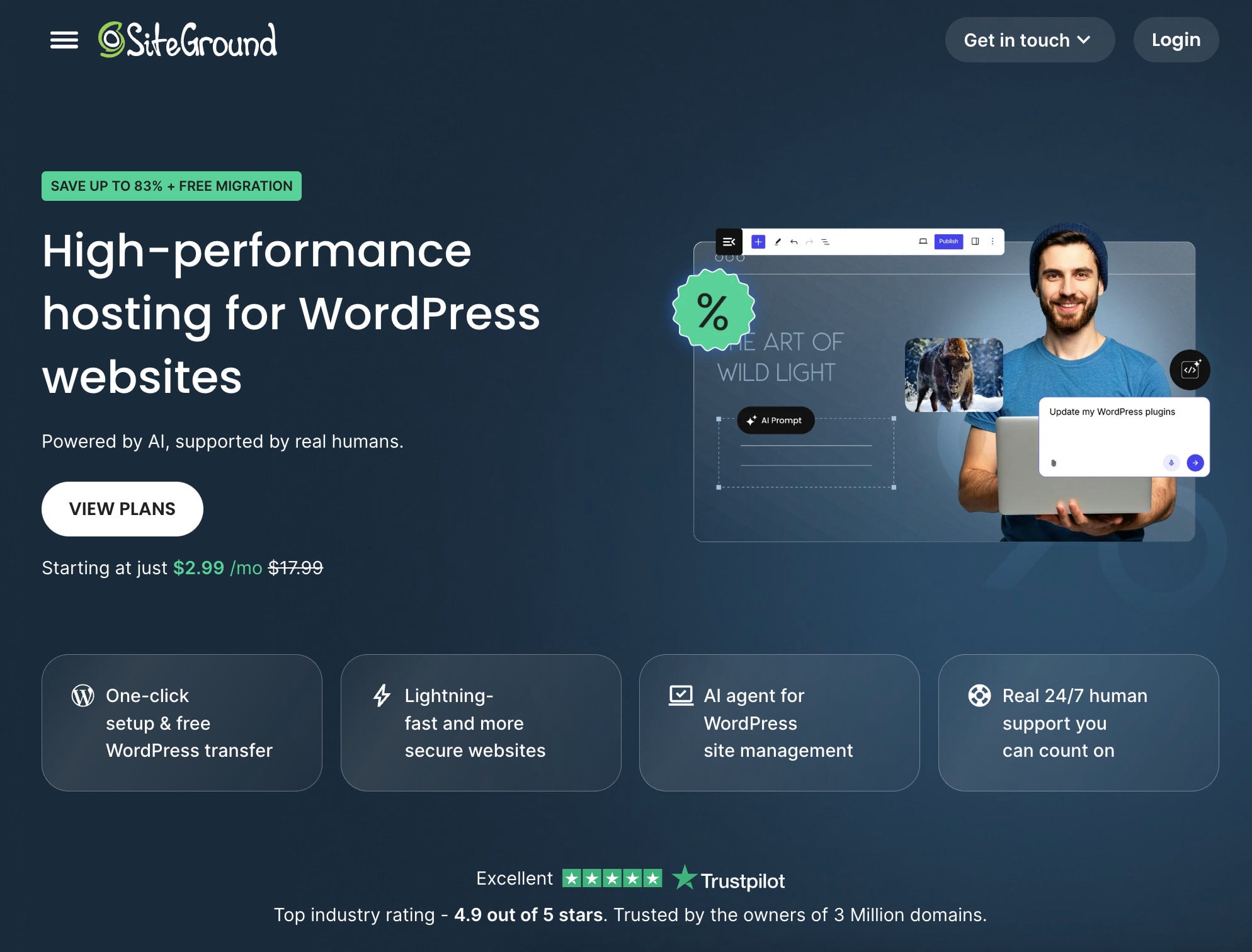
SiteGround is not our top pick, but it is the strongest choice for support, with more than two decades of experience in managed WordPress and e-commerce hosting. Its shared plans run on Google Cloud infrastructure, and the company reports a 98% customer satisfaction rate. Our SiteGround review goes into more detail.
Compare SiteGround’s Shared Plans
Features of SiteGround
SiteGround installs WordPress in one click and gives you a client area with site tools for each website. Its SG Optimizer plugin handles caching and image optimization, and the free CDN comes with every plan. Staging and Ultrafast PHP, which SiteGround says makes PHP up to 30% faster, come with GrowBig and GoGeek.
SiteGround has also added AI. An AI agent for WordPress is included and manages content, updates and images through a chat, and AI Studio Essential gives you access to several AI models with a monthly token allowance. SiteGround also sells Coderick, a separate AI builder for apps and websites with its own plans.
Speed and Performance
SiteGround runs its sites on Google Cloud and adds a one-click CDN that serves pages from locations around the world. In our SiteGround review, the host showed a 99.95% uptime over 7 days, a time to first byte of 40 ms and a fully built site that loaded in 683 ms. A server close to your audience helps you get results like these.
Those numbers make SiteGround the fastest of the five hosts in our tests on response time, although a single test site cannot predict every result. Your plugins and theme still decide much of the load time.
Backup and Security
SiteGround monitors servers every half second and uses a custom web application firewall and an AI anti-bot system against brute-force attacks. Daily backups are stored in a second data center, and you keep 30 days of history. A free SSL certificate and the SG Security plugin come with every plan.
Plans and Pricing
SiteGround has three shared plans with a 30-day money-back guarantee. On a 12-month term paid upfront, StartUp costs $2.99/mo for one website and 10 GB of storage, GrowBig costs $4.99/mo for unlimited websites and 20 GB, and GoGeek costs $7.99/mo for unlimited websites and 40 GB. Renewals are $17.99, $29.99 and $44.99 per month, about six times the launch price, a steeper jump than Hostinger or DreamHost.
That renewal gap makes SiteGround a better fit for people who value support and performance and who will budget for the higher price in year two. Email accounts and SSL are included, and migration with the free WordPress plugin costs nothing, while migrations by the team are a paid service.
Who Should Choose SiteGround?
SiteGround suits WordPress site owners and small stores that value fast support, daily backups and strong performance, and that can afford the higher renewal price. It is less suited to people on a tight budget who plan to keep the same plan for years, because the renewal costs about six times the launch price.
Customer Support
SiteGround’s support team is available 24/7 through live chat, phone and help desk tickets, and a knowledge base with guides covers common questions. An AI assistant answers quick queries first, as it does at Hostinger. SiteGround has a 4.9 out of 5 rating on Trustpilot from more than 26,000 reviews, which is higher than the 4.7 of Hostinger and the 4.6 of DreamHost.
3. InMotion Hosting: Best Shared Hosting for Security
Pros
- 90-day money-back guarantee on terms of 6 months or longer
- Phone and chat support 24/7 from a US-based team
- cPanel included
- Free domain and SSL
- Malware protection and a web application firewall
Cons
- Backup Manager is a paid add-on
- Prices vary by term and plan
- Data centers only in the US and Europe
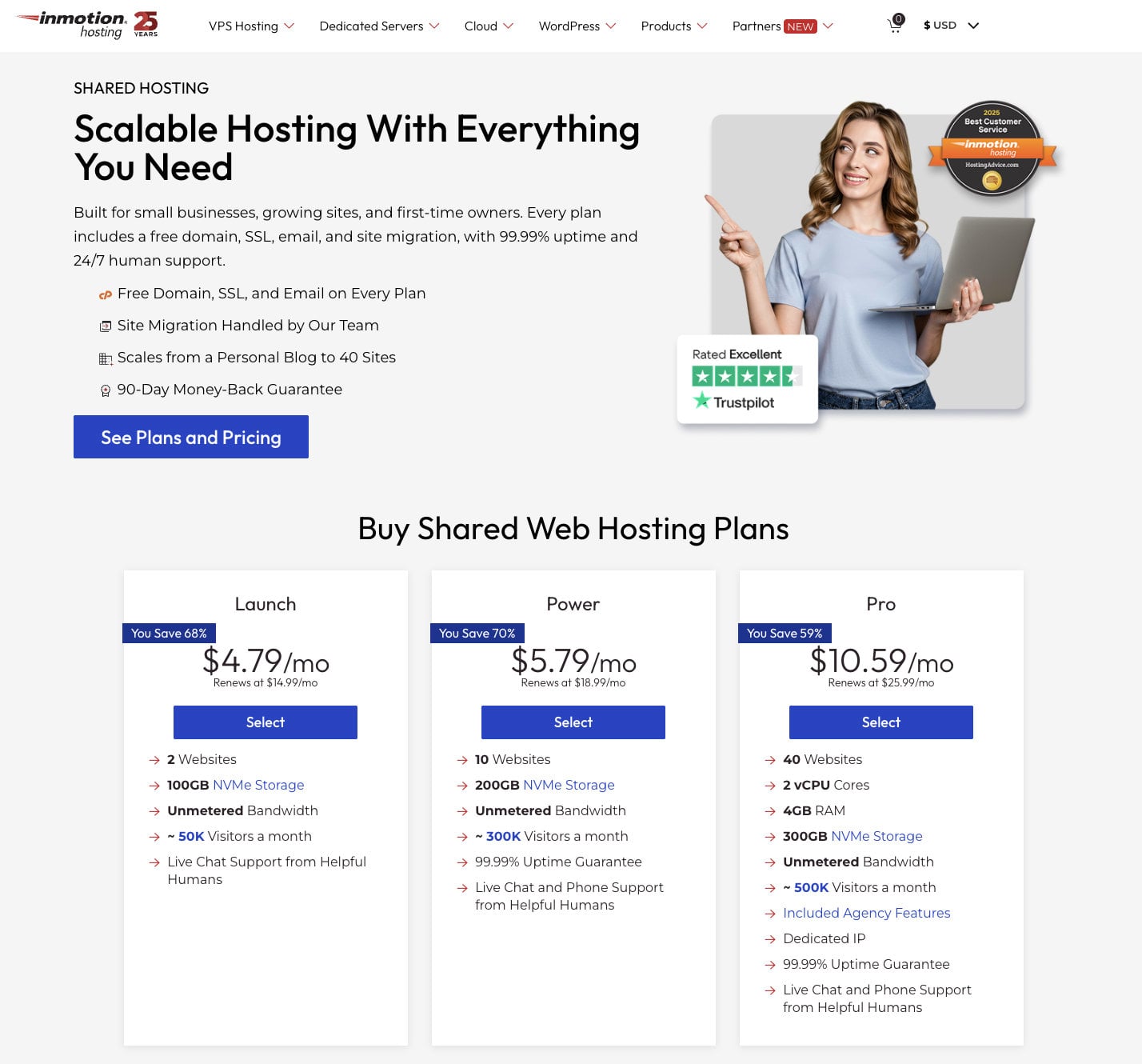
InMotion Hosting is another popular shared hosting service, known for affordable and easy-to-use plans for small businesses. It runs UltraStack, its own server stack, on NVMe SSD storage and advertises a 99.99% uptime guarantee. Its longer guarantee, cPanel and security tools make it our pick for security-minded beginners. See our InMotion review for a full walkthrough.
Features of InMotion Hosting
InMotion includes a free domain and SSL on its shared plans, which helps new site owners who want to register a name or transfer an existing one at no extra cost. The plans have unlimited bandwidth, so heavy traffic does not add charges, and the four plans (Core, Launch, Power and Pro) add storage, sites and performance as you move up.
InMotion also includes marketing tools such as email marketing integration and SEO guidance, and it gives you cPanel, which is familiar to many site owners. The company won the 2025 Best Customer Service award from HostingAdvice.com.
Backup and Security
InMotion’s security covers SSL certificates, malware and hack protection through Monarx, a web application firewall and DDoS prevention. Backup Manager is an automated tool that lets you schedule backups, choose files, databases or mailboxes and restore them with one click. It is not free and appears as an add-on during checkout, so budget for it if you want simple recovery.
Speed and Performance
In our InMotion review, the host recorded 99.96% uptime over one week, close to its 99.99% promise, and a time to first byte of 191 ms. That beat Hostinger’s 291 ms in our tests, although SiteGround’s 40 ms stayed ahead. One week of monitoring is a short window, so treat uptime figures as a snapshot, not a guarantee.
Plans and Pricing
InMotion has four shared plans. The Core plan is the entry point, with 100 GB of SSD storage, a free domain, SSL and email, and the prices change with the billing term you choose. The 90-day money-back guarantee applies to terms of six months or longer, which is the longest refund window of the five hosts.
We recommend that new site owners start with Core and move to a higher plan if they need more storage and faster performance. The higher plans add unlimited NVMe storage, so they suit larger sites.
Who Should Choose InMotion Hosting?
InMotion suits people who want to talk to a person, who value a long refund window and who like cPanel. It fits small businesses that may need advice during setup. If you want the lowest possible price, check the plan page for your chosen term first, since prices change with the length of the term.
Customer Support
InMotion support runs around the clock by phone, live chat and email, and its US-based team is known for clear, friendly answers. A large knowledge base with guides helps you solve common problems alone. Phone support makes InMotion the easiest host in this guide to reach if you prefer talking to a person.
4. Hosting.com: Best Shared Hosting for Speed
Pros
- LiteSpeed web servers with caching
- Plugin Optimized and Imunify360 included
- Daily malware scans
- Support 24/7/365 by chat, email, tickets and phone
- 30-day money-back guarantee
Cons
- The lowest prices need a long term
- Plan names changed after the 2025 rebrand
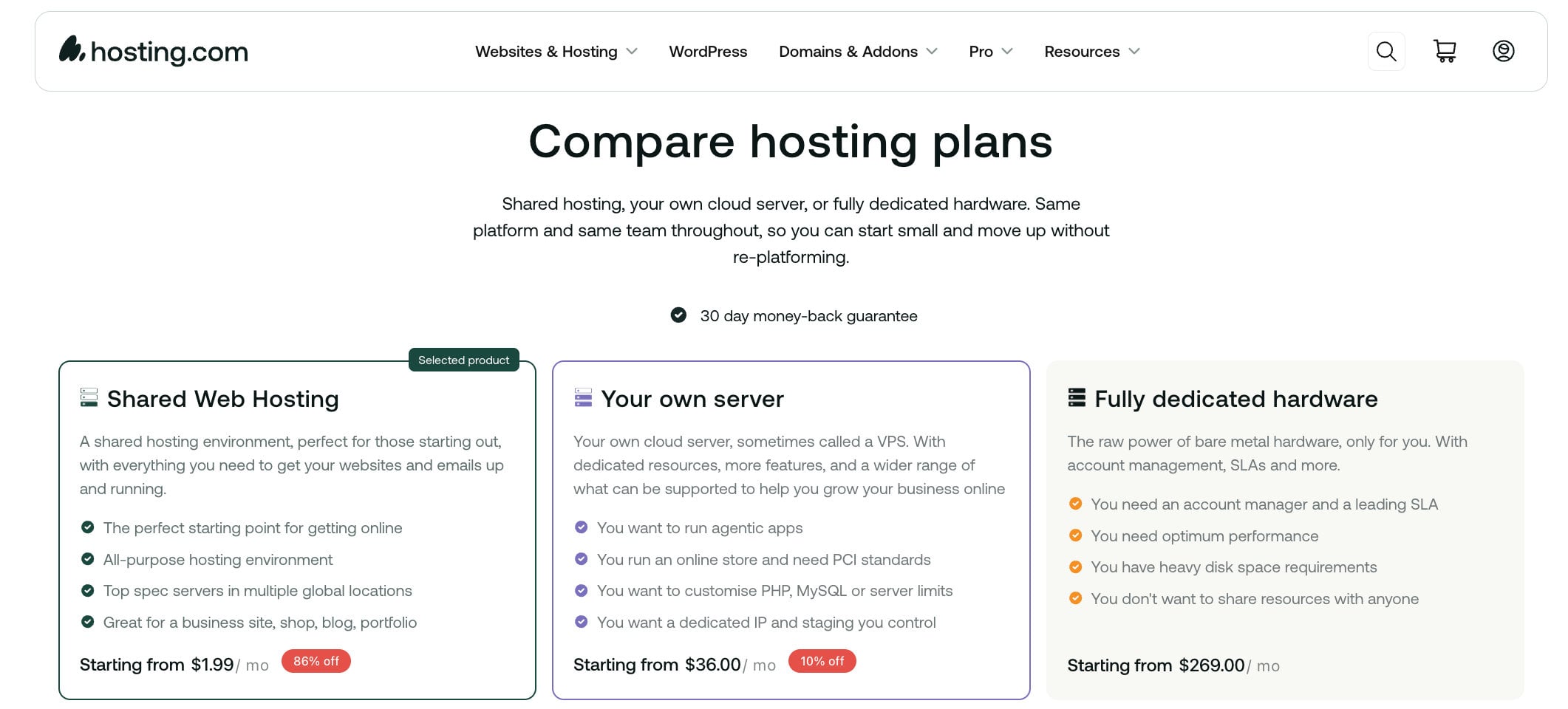
Hosting.com is the company that used to be A2 Hosting. World Host Group bought A2 Hosting in January 2025, and the brand became Hosting.com in spring 2025. The shared plans were renamed Starter, Pro and Max, and the host keeps its focus on speed and dependable uptime, with a 99.9% uptime promise. Our Hosting.com review covers the history and the plans.
See Hosting.com’s Shared Plans
Features of Hosting.com
Plugin Optimized is Hosting.com’s tool for configuring popular software such as WordPress, and Turbo Hub helps you manage performance settings from one place. The plans also include Imunify360 for security and a daily malware scan. You get a staging tool to test changes before they go live, and the Pro and Max plans host more websites with more storage.
Speed and Performance
Hosting.com runs LiteSpeed web servers, which handle traffic and resource-heavy sites better than Apache or Nginx, and NVMe storage on higher plans reads and writes data faster than older drives. In our Hosting.com review, we recorded a time to first byte of 244 ms, a first and largest contentful paint of 481 ms, an average response time of 645 ms and 100% uptime over 3 days. Three days is a very short window, so we treat the uptime figure with caution.
Backup and Security
Each shared plan includes a security suite with Imunify360, a web hosting firewall, brute-force defense, virus scanning and DDoS protection. Every plan also comes with a free SSL certificate. Check the backup terms on the plan page for the plan you choose, since backup frequency can differ by plan.
Pricing
Shared plans start at about $1.99/mo on a long term, and managed WordPress plans start at $11.99/mo. All plans have a 30-day money-back guarantee. The best prices depend on the term, so compare the launch and renewal price before you choose a plan length.
Who Should Choose Hosting.com?
Hosting.com suits people who want a fast LiteSpeed host with security tools included and phone support as a backup. It is a fair pick if you are comfortable with a brand that changed its name in 2025. Compare the launch price for your chosen term, because the lowest prices need a long term.
Customer Support
Hosting.com offers support 24/7/365 by live chat, email, tickets and phone, and a knowledge base covers common questions. The team is friendly and knowledgeable, and phone support makes it easier to reach than Hostinger. Compare its hours and channels with your own needs before you commit to a long term.
5. DreamHost: Best for Hosting Multiple Sites
Pros
- 25 websites on the Launch plan
- Free domain with WHOIS privacy
- NVMe storage and free SSL
- Free migration
- 30-day money-back guarantee
Cons
- No phone support
- Free email lasts only 3 months on shared hosting
- Renewals cost 3.8 times the first-year price
DreamHost is not the top shared host of 2026, but it has everything you need to launch one or several websites. Founded in 1997, it has almost three decades of experience, and its Launch plan allows 25 websites, which is far more than most entry plans. Our DreamHost review covers the company in full.
Features of DreamHost
DreamHost renamed its shared plans Launch, Growth and Scale in late 2025, replacing the old Shared Starter and Unlimited plans. Each plan includes a free domain with WHOIS privacy, NVMe storage, SSL and free migration. A custom control panel lets you install popular applications and content management systems, and WordPress installs in one click.
DreamHost removed the old 97-day guarantee and now gives 30 days. It also lost its place on the WordPress.org recommended list in December 2024, so check the WordPress features you need before you buy. Free email lasts only three months on shared plans, so plan for a paid email service afterward.
Speed and Performance
DreamHost uses optimized servers and caching, which stores instances of your pages in server memory so that they load faster on later requests. In our DreamHost review, the host recorded a time to first byte of 199 ms, a largest contentful paint of 444 ms, a page load time of 482 ms and an A grade on GTmetrix. The plans also allow unmetered traffic, which means you will not pay overage charges when traffic grows.
Backup and Security
DreamHost includes free SSL certificates through Let’s Encrypt, free WHOIS privacy and a strict anti-spam policy to protect your personal information. The privacy protection keeps your name and address out of public domain records, which reduces unwanted messages and some attack attempts.
Pricing
Web Hosting Launch costs $2.89/mo for the first year and renews at $10.99, or $1.99/mo on a four-year term and renews at $7.99. Growth costs $3.99/mo and renews at $12.99. Launch allows 25 websites, and Growth adds more performance for busier sites.
The first-year price is lower than the $2.99 launch prices of Hostinger and SiteGround, but the renewal is 3.8 times higher, so plan your budget for year two. DreamHost also sells DreamPress, a managed WordPress plan, for $14.99/mo on annual billing.
Who Should Choose DreamHost?
DreamHost suits people who plan to host several small websites, such as a portfolio, a blog and a client site, under one account, and who want free WHOIS privacy with their domain. It is less suited to people who need phone support, or a free email account for more than three months.
Customer Support
DreamHost provides support by chat and email from in-house web professionals, and there is no phone line. The team aims to solve each issue in one contact, and a large knowledge base covers most setup steps. DreamHost has a 4.6 out of 5 rating on Trustpilot from more than 8,000 reviews.
Shared Hosting Prices Compared
The table below shows the entry plan of each host, the launch price, the renewal price and the money-back window. Prices are the ones shown on each plan page, and launch prices require paying for the stated term upfront.
| Host | Entry plan | Launch price | Renews at | Money-back guarantee | Support |
|---|---|---|---|---|---|
| Hostinger | Premium | $2.99/mo on 48 months | $10.99/mo | 30 days | Live chat 24/7 |
| SiteGround | StartUp | $2.99/mo on 12 months | $17.99/mo | 30 days | Chat, phone and tickets 24/7 |
| InMotion Hosting | Core | Varies by term | Varies by term | 90 days on terms of 6 months or longer | Phone and chat 24/7 |
| Hosting.com | Starter | About $1.99/mo on a long term | Varies by term | 30 days | Chat, email, tickets and phone 24/7 |
| DreamHost | Launch | $2.89/mo for the first year | $10.99/mo | 30 days | Chat and email |
SiteGround has the highest renewal multiple among the hosts with published prices here, while Hostinger and DreamHost renew at lower prices than SiteGround. If you want the lowest cost over three years, add the launch term and the renewal price together for each host before you choose. If you are shopping for cheap shared hosting, our cheap web hosting guide compares more low-cost options.
What Four Years of Shared Hosting Costs
The launch price shows only part of the cost. The table below adds up four years for the entry plan at three hosts with published prices, using the listed monthly price and the renewal price, before taxes and before any discount code.
| Entry plan and billing | Four-year cost |
|---|---|
| Hostinger Premium, one 48-month term | About $143.52 (about $129 with code GIZMODO) |
| DreamHost Launch, one 48-month term | About $95.52 |
| DreamHost Launch, first year then renewals | About $430.32 |
| SiteGround StartUp, first year then renewals | About $683.52 |
The gap shows why the billing term matters as much as the plan. A long term locks in a low price for years, while paying year by year lets the renewal price apply from the second year. InMotion and Hosting.com are not in the table because their prices change with the term.
How to Choose a Shared Hosting Plan
The best shared hosting for your website balances performance, support, security, scalability and price for your specific needs. Start with a provider that meets your current requirements and offers room to grow with your site.
Look for the features your website needs: 24/7 support, e-commerce tools if you plan to sell online, a server location close to your audience and managed features if you are not technically confident. If you do not know how to code, choose a host with a website builder. If you plan to use WordPress, look at WordPress hosting solutions and our guide to building a website with WordPress. Read customer reviews before you decide, since they show how a host treats its customers after the sale.
Before you pay, run through a short checklist. Read the renewal price, check the refund window and how it works, and see which support channels you can use. Confirm that the plan includes the number of sites you need, and look at where the servers are located. A host that passes these five checks rarely surprises you later.
Best Shared Hosting Services: Final Recommendation
The best shared hosting companies combine low prices with dependable performance, and you do not have to accept weak hosting because you are on a budget. Our favorite providers are Hostinger, SiteGround, InMotion Hosting, Hosting.com and DreamHost, and each one suits a slightly different buyer.
Hostinger is our top pick for most people, because its low price, fast servers and easy dashboard help beginners launch quickly, and code GIZMODO takes another 10% off. By profile, choose Hostinger for the lowest total cost and a simple dashboard, and SiteGround for the best support and performance record. InMotion fits people who want phone support and a 90-day refund window, Hosting.com offers LiteSpeed speed with phone support, and DreamHost gives you up to 25 sites on one plan. SiteGround is the choice if support and performance matter most and you can budget for the renewal, and InMotion suits people who want phone support and a long refund window.
Claim Your Hostinger Plan and Discount
FAQs
To cover the questions readers ask most often, we answer six of them below.
Is Shared Hosting Good?
Yes, for small sites. Shared hosting balances cost and ease for small businesses, bloggers and personal projects, and it needs little maintenance. It is a good first step for people who are starting an online presence or who want a simple, affordable plan.
Is Shared Hosting Enough for WordPress?
Yes, for most small WordPress sites. All five hosts in this guide install WordPress in one click, and Hostinger and SiteGround add caching and other tools for WordPress. A busy or complex site may outgrow shared hosting and need managed WordPress or a VPS.
What Is Better Than Shared Hosting?
VPS hosting and dedicated hosting give you more power and control. A VPS gives you dedicated resources inside a shared machine, which improves performance and control, while dedicated hosting gives your website a whole server, with maximum performance and security at a higher cost.
How Much Does Shared Hosting Cost After the First Year?
Renewal prices are usually three to six times higher than the launch price. In this guide, Hostinger Premium renews at $10.99 a month, DreamHost Launch at $10.99 and SiteGround StartUp at $17.99, so read the renewal price on the plan page before you pick a term. Paying for a longer term at signup protects you from the jump for longer. Hostinger’s 48-month term, for example, keeps the launch price for four years, while a year-by-year plan renews at the higher rate after twelve months.
Who Should Use Shared Hosting?
Shared hosting suits small to medium websites such as portfolios, personal blogs and small company sites, and it works well for sites with modest traffic swings. It is also friendly to people who are new to website management. A personal blog, a portfolio, a local business site or a small online store with modest traffic usually runs well on a shared plan, and you can move up later if traffic grows.
Can I Upgrade From Shared Hosting Later?
Yes. Most hosts let you move to a higher shared plan, a managed WordPress plan, a VPS or a dedicated server as your site grows. Check the upgrade path and the migration help before you choose, because moving between providers takes more effort than upgrading within one.