Every business needs a professional website, and the same goes for a personal site, but building one from scratch usually takes design or coding skills. The best AI website builder removes that barrier by turning a few prompts or answers into a finished layout, with text and images, in minutes. That speed explains why AI website builders have become a practical choice for small business owners and entrepreneurs.
We compared five AI website builders on their AI tools, pricing, free plans and ease of use, and we matched each one to the type of site it suits best in 2026. Wix, Hostinger and SITE123 also have a full Gizmodo review, which we link in each section.
Top 5 AI Website Builders in 2026: Quick Look
Best AI Website Builders for 2026: Detailed Review
Below we go through the AI website builders one by one, starting with the strongest all-rounder. Each section covers what the AI does, what it costs and where it falls short, so you can pick the builder that fits your brand and your budget.
1. Wix: Best AI Website Builder Overall

Pros
- The widest set of AI tools in this guide
- A free plan with no time limit
- Wix Harmony and Aria for prompt-based site creation
- Wix App Market and 24/7 customer care
Cons
- The AI-generated design looked dated in our test
- No template switch after you choose one
- Only 2 GB of storage on the cheapest paid plan
- Third-party apps give better analytics
If you are looking for the best AI website builder, Wix is the top choice. It has the most complete set of AI tools in this guide, and you can start on a free plan with no time limit. Wix has also added Wix Harmony, an AI environment where you generate a complete site from a single prompt, refine it in conversation with an AI agent called Aria, and take over manually at any point.
Start Building With Wix for Free
Our Wix review tested the AI chat onboarding: After signing up for the free plan, we chose to chat with the AI bot, and answering its questions took only a few minutes. Wix used our answers to write a site profile and a site brief, and we adjusted the content by clicking the parts we wanted to change. You can also regenerate the site or ask for a slightly different version.
The design the AI produced for our test store felt dated, so we recommend choosing a template for the final site. Wix says its library has more than 2,000 templates, and a template gives you a more modern look than an AI draft. Either way, you finish in the Wix editor, where you can move sections, change fonts and add apps.
Features
Wix places AI tools throughout the editor, and a star icon marks them. The AI section generator lets you describe a block, such as an About section, and adds a ready-to-use version to the page. The AI text creator writes copy from your keywords, including social captions and product descriptions, and the image tools include an enhancer and a background remover.
For search, the AI meta tag tool generates titles and descriptions from your content, and our search engine optimization guide explains how to refine them. Wix also has AI helpers for email campaigns, Google Ads copy, video trailers and analytics insights. According to Wix, its MCP server connects Claude, ChatGPT and Cursor, so you can also manage a site through natural language prompts.
Pricing
Wix has a free plan that lasts forever, so it is also the best free AI website builder in this guide. The plan has 500 MB of storage, 1 GB of bandwidth, Wix branding and an address that ends in wixsite.com. You need a paid plan to connect your own domain and publish a site that looks like a real business. Wix has no free trial on paid plans, but every plan has a 14-day money-back guarantee, and our page on the Wix 14-day guarantee explains how it works.
Light costs $17/mo on annual billing ($24 when billed monthly): It removes Wix ads and includes 2 GB of storage, two collaborators and a free domain for the first year. Core costs $29/mo ($36 monthly) and adds payments, basic e-commerce and 50 GB of storage, while Business costs $39/mo ($46 monthly) with 100 GB and standard e-commerce. Business Elite costs $159/mo, and for most small sites Light or Core is enough.
Choose a Wix Plan With a 14-Day Guarantee
2. Hostinger: Best Cheap AI Website Builder
Pros
- Plans from $6.99/mo, or $6.29/mo with code GIZMODO
- Agentic and manual modes in one editor
- Free trial with no credit card
- Domain, hosting and email included with a launch
Cons
- No permanent free plan
- AI credits limit how much you can generate each month
- The AI added claims that were not in our prompt
- A newer product than established builders
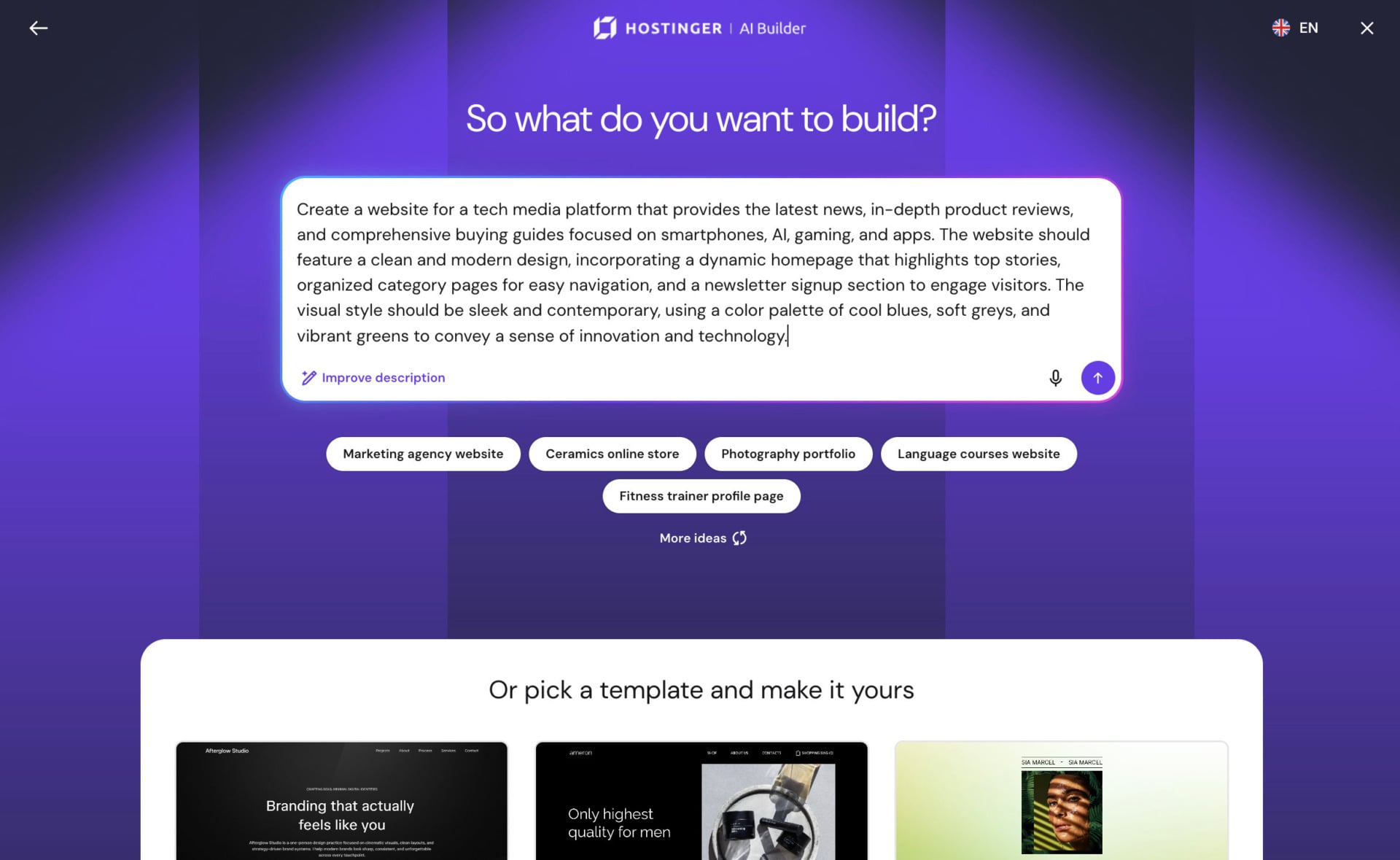
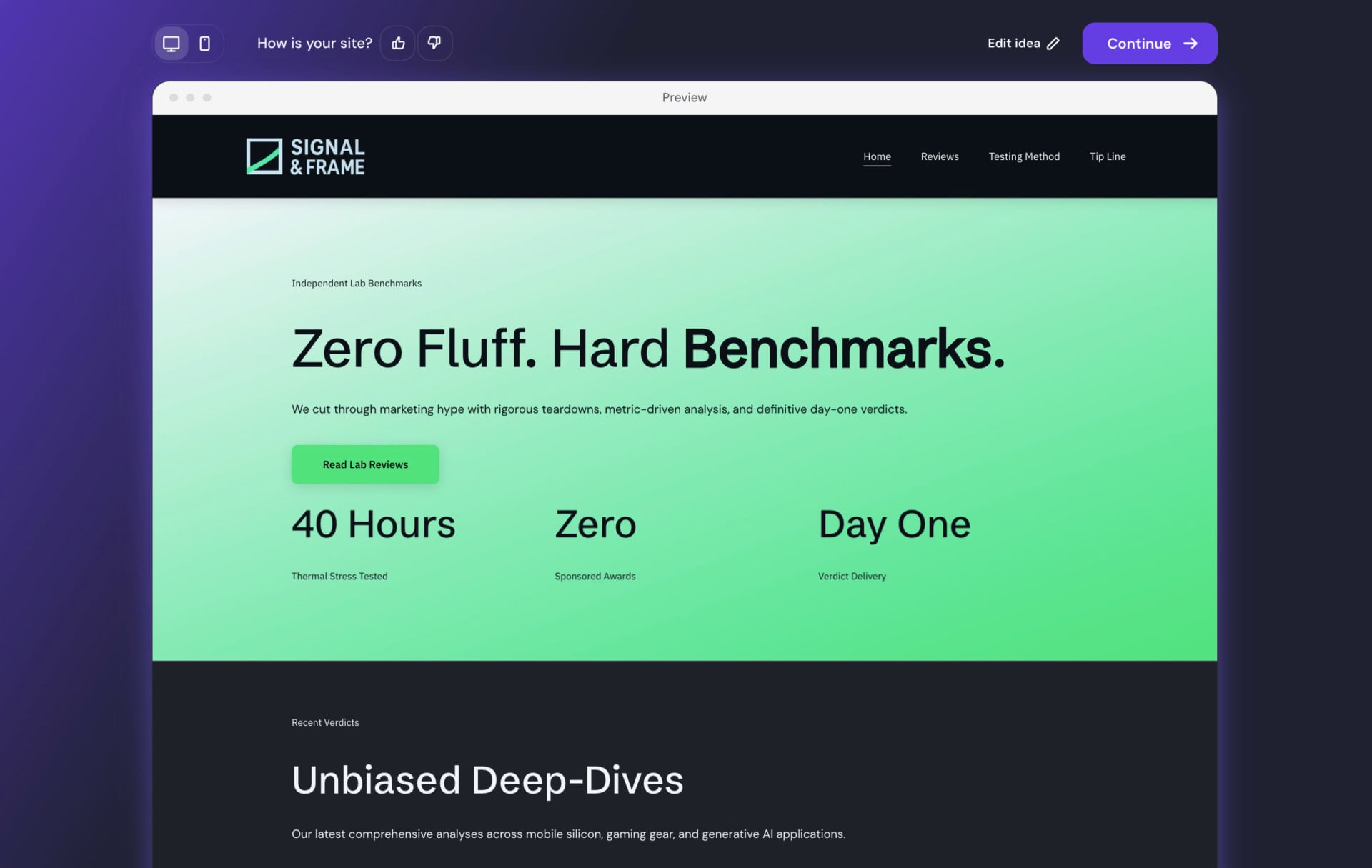
Hostinger is another strong choice, and it is the cheapest route to an AI-generated site in this guide. Since August 2026, its AI Builder combines the classic Website Builder and Horizons into one tool with two modes. The agentic mode builds a site or app from a text, image or voice prompt, and the manual mode gives you a drag-and-drop editor with 300 templates, and you can switch between them at any time.
Try Hostinger’s AI Builder for Free
Features
AI Builder generates the code, the design and the content, and launching a site on a paid plan includes a custom domain, hosting and email. It has a built-in backend for data, sign-in and user accounts, and it connects to Stripe for payments and Supabase for databases and authentication. Hostinger also says that new sites use server-side rendering, which creates title and description tags, a robots.txt file and a sitemap automatically.
A Website Cloner rebuilds a site from a pasted URL, and the builder supports more than 80 languages. Because the AI can build apps as well as pages, Hostinger now competes with tools such as Lovable, Bolt and Replit, and a site that started as a simple idea can grow into a small web application.
Pricing
AI Builder runs on monthly AI credits, and the launch prices shown on the plan page are lower than the later list prices. Explorer costs $6.99/mo with 30 credits and one project. Starter costs $13.99/mo with 70 credits, 25 projects and a free domain for the first year, and Hostinger tags it as the most popular plan. Hobbyist costs $39.99/mo with 200 credits, and Hustler costs $79.99/mo with 400 credits.
Code GIZMODO takes 10% off, which brings Explorer to $6.29 and Starter to $12.59 per month. Unused credits roll over to the next month as gift credits that stay valid for one month. Hostinger has no permanent free plan, but the free trial needs no credit card, and the 30-day money-back guarantee applies while you have used fewer than 30 AI credits.
Get Hostinger’s AI Builder With Code GIZMODO
3. Framer: Best AI Website Builder for Designers
Pros
- A design-first editor with full layout control
- A free plan for learning and testing
- AI text rewriting and AI translation
- Responsive design without extra work
Cons
- An AI draft needs a lot of work to become a good site
- The free plan is for non-commercial use
- Each translated language costs extra
- Each site needs its own paid plan
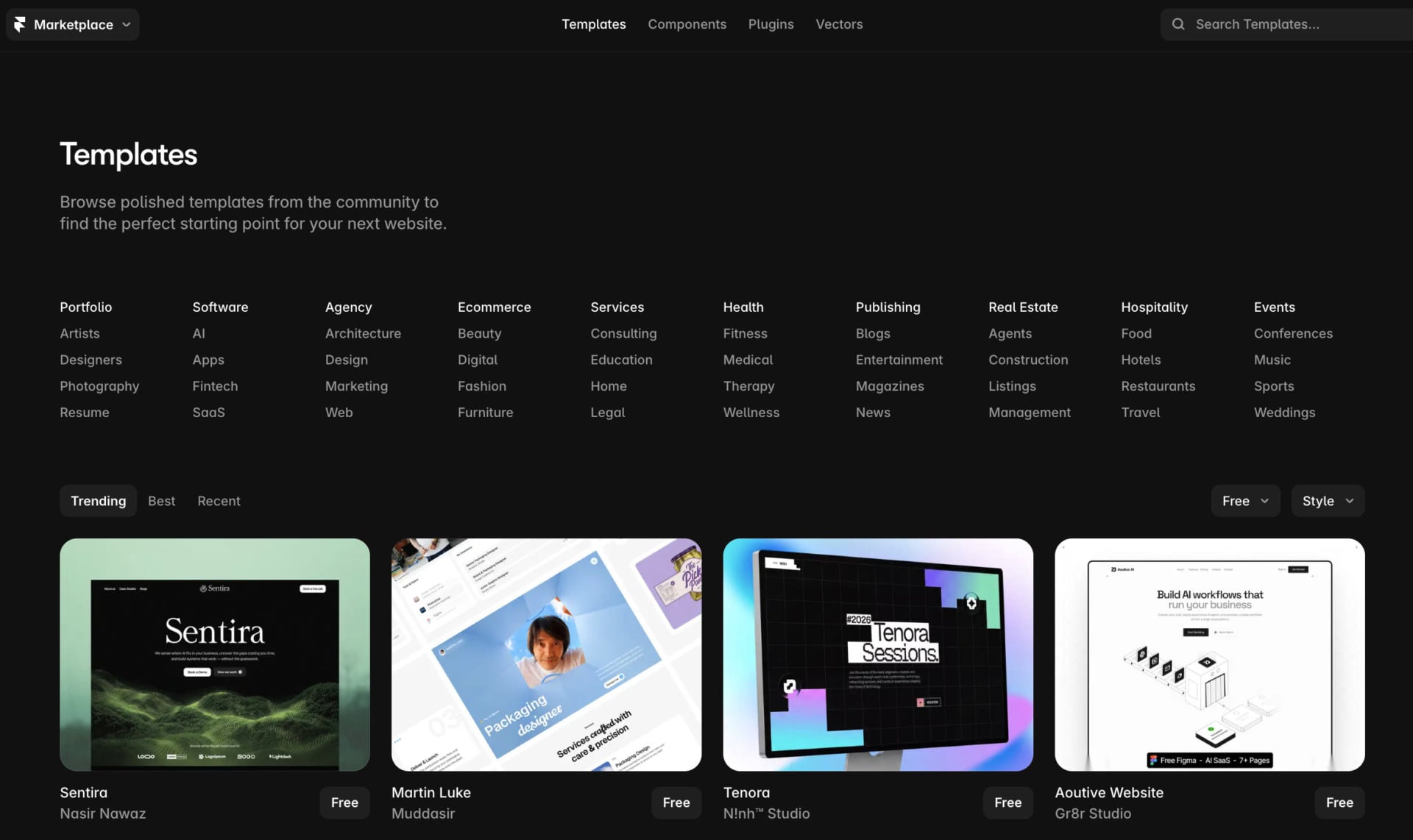
Framer is not the best AI website builder in 2026, but it ranks third because its AI tools suit designers who want control over the layout. It uses a canvas editor closer to Figma and Webflow than to a template builder, and you publish what you design to a hosted site. The AI helps with layouts and copy, and it gives you a starting point that you refine by hand.
Features
We looked at Framer’s AI tools, and the most useful one is Text Rewrite, which rewrites content so that it sounds more professional with one click. Framer also has AI translation for other languages, and a style tool keeps the tone of each translated page consistent with your brand. In June 2026, Framer added AI credits to its plans, so the amount of AI work you can do each month depends on your plan.
Framer’s AI can generate a layout from a text prompt, but expect to spend time on spacing, images and copy before the page looks polished. That suits people who already design, since they will use the AI as a shortcut. It suits beginners less, because the editor assumes you know design terms.
Pricing
Framer has a free plan on a Framer subdomain with a Framer banner, and it is meant for non-commercial use. Basic costs $10/mo per site on annual billing ($15 when billed monthly), and it replaces the Framer subdomain with your own domain. Pro costs $30/mo per site on annual billing ($45 monthly) and adds staging, redirects and roles and permissions.
Extra editor seats cost $20/mo, and each translated language costs $20/mo as an add-on. Framer’s help pages say Basic includes 1,000 AI credits a month and Pro includes 3,000. At $30/mo, Pro costs more than Wix Core, so compare Wix and Webflow as well, since both are more capable for larger sites.
4. SITE123: Best for Ease of Use
Pros
- A question-based setup that needs no design skills
- AI text and layout suggestions
- Multilingual sites with AI translation
- Mobile-responsive templates
Cons
- Limited customization options
- Ads and only 250 MB of storage on the free plan
- No unlimited storage
- Paid prices depend on the plan length you pick
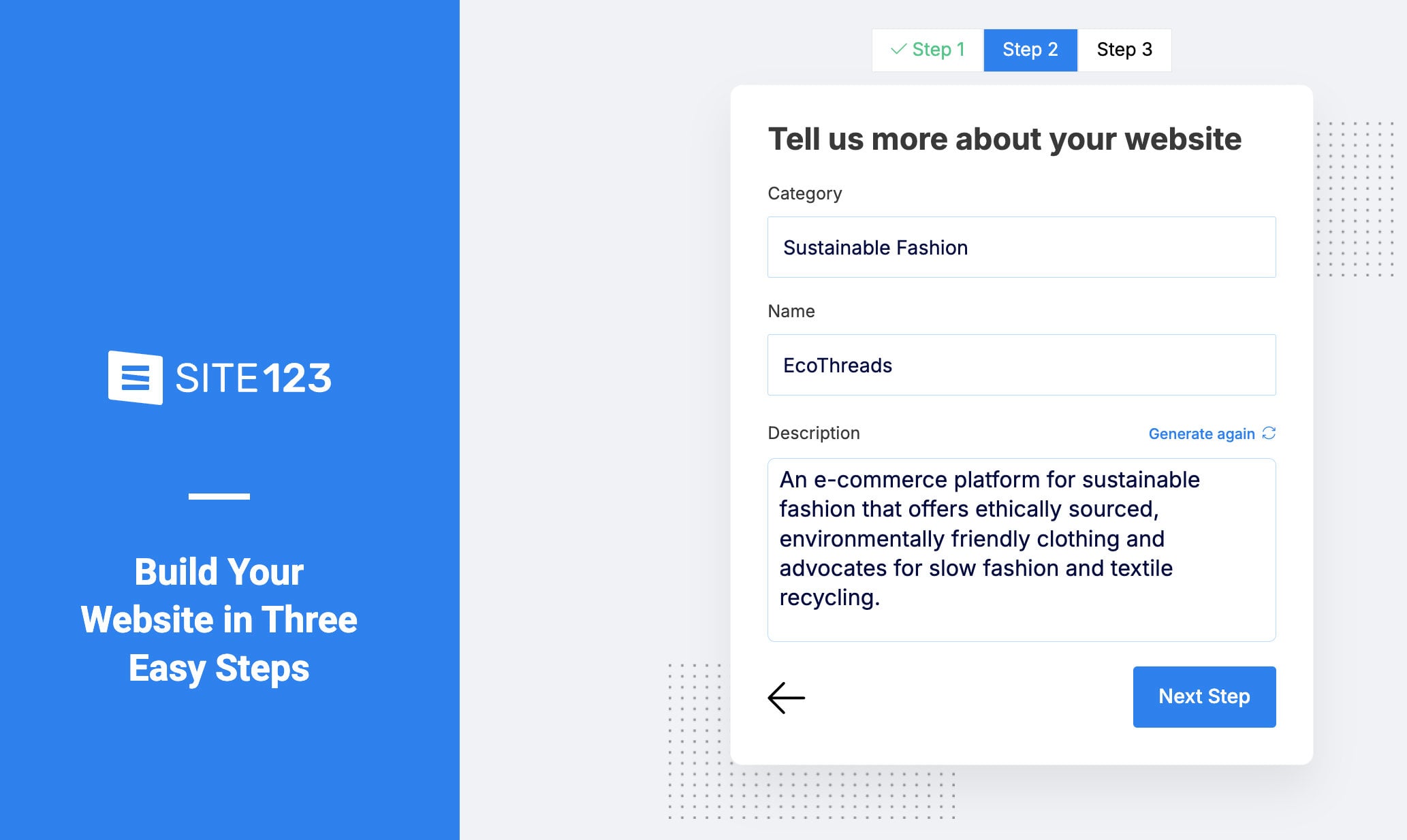
SITE123 is a very decent AI website builder, and very easy to use. The builder asks about your site goals and preferences, and from your answers it generates a customized layout with relevant features and design elements. Our SITE123 review covers the plans and the editor in more detail.
Features
SITE123 writes text for sections such as the homepage, the About page and your services, and it suggests images that fit your industry. The AI adjusts layouts, color schemes and fonts to match your brand, so the site looks consistent without manual work. Its website builder saves time on a first draft, and you can edit every block afterward.
SEO tools suggest meta tags and keywords, and our guide on how to rank higher on Google explains how to use them. SITE123 also supports multilingual sites, and its AI helps translate your content, which is a real advantage if you want to reach visitors in several languages. It is friendly to people without technical skills.
Pricing
SITE123 has a free plan that costs $0 and includes 250 MB of storage and bandwidth, a SITE123 subdomain and ads. The paid plans are Basic, Advanced, Professional and Gold, and you can pay for 3, 12, 24 or 36 months. According to SITE123’s pricing page, connecting your own domain costs from about $10.80/mo on an annual plan paid upfront, and paid plans include a free domain for the first year.
SITE123 has a 14-day money-back guarantee and free 24/7 live support. If you plan to sell online, compare the e-commerce limits of each plan before you choose a term, and our guide to starting an online store shows what to compare.
5. Jimdo: Best AI Website Builder for Beginners
Pros
- A free plan is available
- A short questionnaire builds a starter site
- Social media integrations
- Free logo creator
Cons
- Dolphin does not allow custom code
- Fewer AI tools than Wix
- Limited SEO and customization options
- No app store
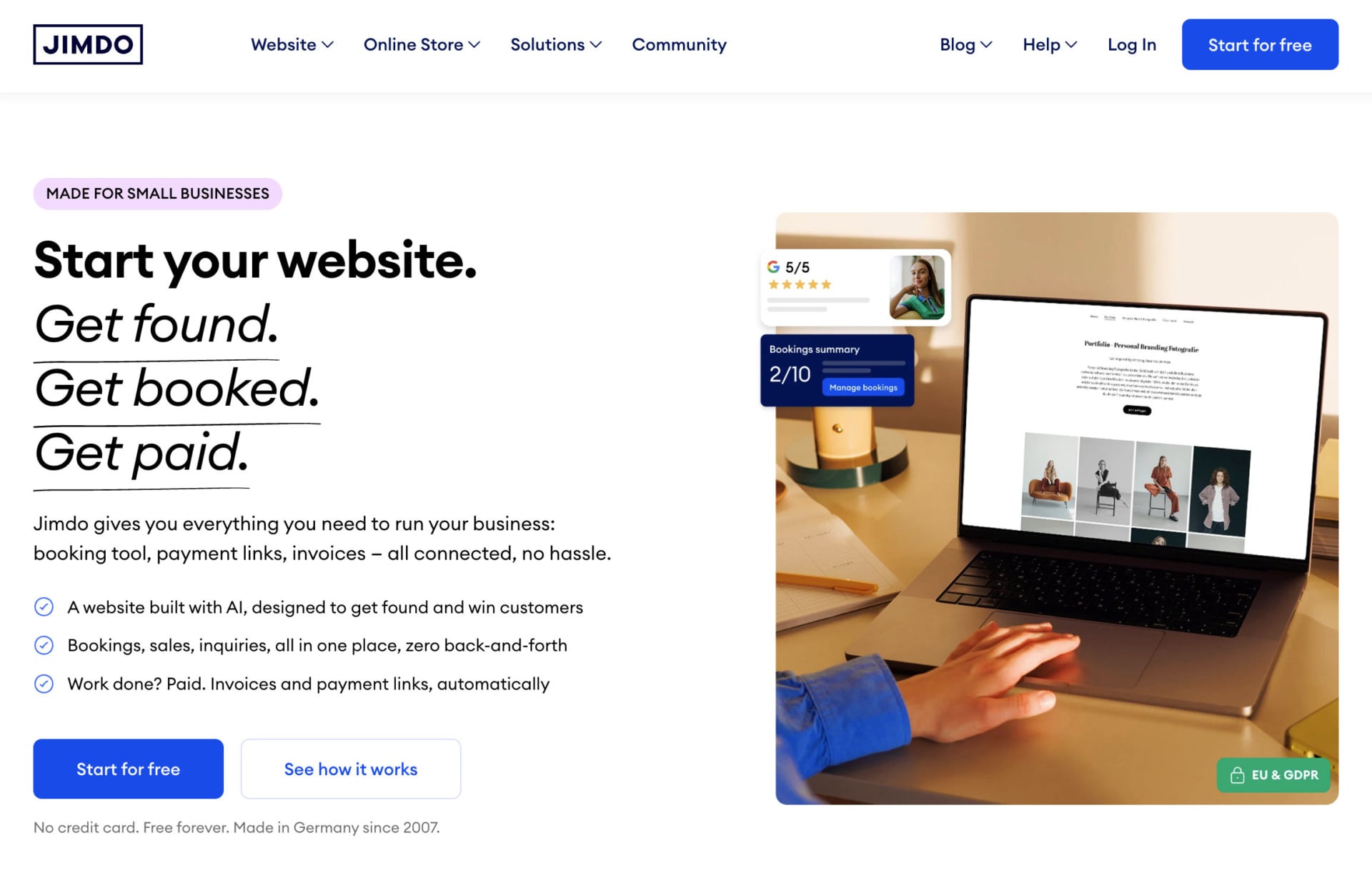
Jimdo is also a good AI website builder, and it is a good option for beginners. Its AI editor, Jimdo Dolphin, asks a short set of questions about your business and goals, then builds a starter site with sections and suggested copy in a few minutes. You can design a full site with it even without any experience.
Try Jimdo’s AI Builder for Free
Features
We looked at Jimdo’s two editors. Dolphin is the AI builder, and Creator is the manual editor that accepts custom HTML and CSS, so the two serve different users. The plans for each editor are separate, and Dolphin does not allow custom code, so decide which one you want before you start a project.
Jimdo includes SEO basics, mobile-responsive layouts and social media integrations, and its free logo creator helps you design a logo for your business. It has fewer built-in AI tools than Wix, and its marketing and blogging tools are basic compared with Wix and Hostinger. Still, Jimdo is an affordable way to get a simple website online without a large budget.
Pricing
Jimdo has a free plan that limits you to 5 pages. Start costs about $11/mo on annual billing and includes a free domain for the first year, and the domain renews at about $20 a year afterward. Grow costs about $17/mo with up to 50 pages, and Unlimited costs more and adds unlimited pages and storage plus a professional design review.
Jimdo is cheaper than Wix at the entry level, but it has fewer AI tools, so you get what you pay for. If you need better SEO or unlimited storage, consider the Grow or Unlimited plan.
AI Website Builders Compared
The table below puts the five builders side by side on the points most readers ask about first. Prices are the ones shown on each builder’s plan page, and they change, so check the current figure before you pay.
| Builder | Best for | Free option | Paid plans from | How the AI works |
|---|---|---|---|---|
| Wix | Most users | Free plan with no time limit | $17/mo on annual billing | Prompt-based site creation with Wix Harmony, plus AI tools in the editor |
| Hostinger AI Builder | Low cost and app ideas | Free trial with no credit card | $6.99/mo | Builds a site or app from a text, image or voice prompt |
| Framer | Designers | Free plan for non-commercial use | $10/mo per site on annual billing | AI layouts, text rewriting and translation on a design canvas |
| SITE123 | Ease of use | Free plan with 250 MB of storage | About $10.80/mo with a custom domain | Questions generate a layout, text and images |
| Jimdo | Beginners | Free plan with 5 pages | About $11/mo on annual billing | Dolphin builds a starter site from a short questionnaire |
What Makes the Best AI Website Builder?
A few traits separate a good AI website builder from a demo: The service should have an interface that lets you build a site without technical knowledge, and its AI should write text, pick images and suggest layouts based on what you tell it. You should also be able to edit everything the AI produces, because the first draft rarely matches your brand. The main benefit is time, since the AI automates much of the design and writing and gives you a first draft in minutes instead of days.
Customization options matter as well, and so do built-in SEO tools that help your site show up in search. Extras such as multilingual support and integrated marketing tools are worth having too, especially if you sell to customers in several countries. Look at what happens after the first draft too: a free plan or a money-back guarantee lets you test a builder before you commit, and renewal prices tell you what the site will cost next year.
Wix meets all of these points better than the other builders in this guide. Its AI tools, templates and editor work for beginners and for more advanced users, which is why it is our top pick. If price matters more than breadth, Hostinger’s AI Builder is the cheapest route in this guide, and code GIZMODO takes another 10% off.
Start With Hostinger’s 30-Day Guarantee
FAQ
What Is an AI Website Builder?
An AI website builder, sometimes called an AI website generator, uses artificial intelligence to create a site for you. You answer questions or write a prompt, and the tool generates the layout, text and images, which you then edit in a visual editor.
What Is the Best Free AI Website Builder?
Wix is the best free AI website builder for most people, because its free plan has no time limit and includes AI onboarding. Framer also has a free plan, but it is meant for non-commercial projects. SITE123 and Jimdo have free plans too, with tight limits on storage and pages, and Hostinger has a free trial but no free plan.
Which AI Website Builder Is Best for Beginners?
Wix is the best choice for most beginners, since its AI chat asks simple questions and its editor is easy to learn. Jimdo and SITE123 are also good for beginners, because both generate a starter site from a short set of questions and need little setup.
Can I Edit the AI-Generated Content?
Yes, you can edit all of it. Every builder in this guide lets you change the text, images and layout after the AI creates the first draft, and you should read the generated text carefully, since the AI can add claims that you did not ask for.
Will My Website Be Unique if I Use an AI Builder?
Your site can be unique, but only if you customize the AI draft. Two people who give a builder similar answers can get similar layouts, so change the design, the copy and the images to reflect your brand. You can also build an online store with the same approach.
Is an AI Website Builder Good Enough for a Business?
Yes, for most small business sites. The AI gets you a professional draft quickly, and the paid plans add a custom domain, more storage and e-commerce tools. Larger stores and complex sites may need more advanced platforms, but a small business can launch with any of the five builders in this guide.