
Building an online store is easier than ever in 2026. All you need is the best ecommerce website builder. Once you’ve selected one, the next step is to design your website, add products, and launch your store. The top ecommerce website builders of 2026 offer everything you need for success.
From website editors and countless templates to SEO, marketing, and ecommerce features like promo codes, delivery options, and low fees. Nowadays, anyone can start selling goods without a PhD in sales or marketing. But there’s one crucial link in the chain: a reliable ecommerce website builder.
We have the dish already cooked. The ingredients: five most reliable ecommerce platforms tested by our experts. We listed them below for convenience, but rest assured, we analyzed them in the following guide.
Five Best Ecommerce Website Builders Ranked
- Wix – The top ecommerce website builder overall in 2026
- Shopify – Great for large online stores
- Squarespace – An inexpensive ecommerce website builder
- Hostinger – A second-to-none website performance and security
- GoDaddy Website Builder – The top option for small and local businesses
Best Ecommerce Website Builders Reviewed
With our favorite picks ranked, it’s time to explore their features, pros, cons, and prices. This is the ultimate ecommerce website builder list for 2026.
1. Wix (Starts at $29/mo)
Pros
- Over 2,000 free templates
- Many SEO tools
- Free email marketing
- Versatile shipping options
- Feature-rich Business plan
Cons
- Not great for large businesses
- Can’t change the template once the site is live
Wix is deemed the most significant website builder—rightfully so. With affordable plans, 2,000+ free templates, SEO tools, a marketing toolkit, and more, this ecommerce website builder holds its throne firmly. Best of all, you don’t have to be an expert to use this crafty tool, thanks to a drag-and-drop interface.
Wix allows you to start an online store in mere hours. However, compared to Shopify, which we’ll also analyze, it’s more suitable for smaller and mid-sized businesses, that’s where most of you will find your place.
Our Favorite Wix’s Features

This is primarily a website builder, so you have many versatile templates. Categorization is here, allowing you to find a template that matches your field of work, i.e., construction, wedding photography, dog grooming, and more. Pretty much all Wix templates are optimized for online stores.
Additionally, the provider’s ecommerce tools, such as abandoned cart recovery, discount codes, subscriptions, and weight-and-location-based shipping, are included in the package. As pointed out in our review of the Wix website builder, we love its attention to SEO with Google Search Console and Semrush integrations.
Furthermore, this #1 ecommerce website builder allows for seamless email marketing, where you can send 5,000 free email promotions monthly. The number of sold items is limited to 50,000, which is a lot, even for mid-sized stores. By default, Wix has 0% transaction fees, although third-party vendors can take their share.
Usually, that’s about 2.9% + $0.3. This fee model is what makes Wix great for smaller stores. To start selling with Wix, you have to pick at least the Core plan at $29/mo. However, we strongly recommend the Business plan at $39/mo, packed with extensive ecommerce features and allowance for up to 10 collaborators.
Claim our Wix promo code here to save additionally and get the best ecommerce website builder for an unbelievably low price.
What Are Wix’s Downsides?
There aren’t many. However, we’ll mention its inability to change the template once the site is live. It’s set in stone, and you must start from scratch if the template you’ve chosen didn’t meet your expectations. From an ecommerce standpoint, Wix scores plenty of points.
Though it’s worth mentioning the 50,000-item limit, which makes it less suited for larger businesses. But let’s not lie to ourselves—50,000 items are still plentiful.
2. Shopify (Starts at $29/mo)
Pros
- Robust sales features
- You can sell unlimited items
- Intuitive website editor
- 100+ currencies
- Huge app store
Cons
- It only makes sense for large businesses
- Uninspiring website editor
Shopify has built its firm reputation on being the biggest, most advanced ecommerce website builder in 2026. This was never truer given Shopify’s immaculate attention to detail, constant improvements, and an overwhelming number of ecommerce features. Shopify isn’t the cheapest option.
However, we guarantee this is the right investment if you seek an absolute beast of an ecommerce website builder. Like Wix, it’s pretty simple to start with, and your IQ doesn’t have to match Mensa’s maestros; an average Joe can use it. Here’s what Shopify offers as one of the top choices in 2026.
Start Selling Online With Shopify
Our Favorite Shopify’s Features

Starting with its website-building features, Shopify is tremendously good. It’s not as versatile as Wix, but you get a solid number of templates, some of which are free; most are premium. Shopify’s website builder is section-based and is more about function than form. However, that enables simplicity to shine.
Shopify consequently lets you publish your online store in an instant. Like its rival Wix, Shopify includes inventory management, POS, drop shipping, and multi-channel selling. However, it also allows for unlimited items. This amazing ecommerce website builder is a top choice for large businesses.
Let’s also mention Shopify Payments, which supports over 100 currencies and dozens of payment methods. Its fees are also fair and decrease as you pay more. In particular, the lowest fees are in the Advanced plan, just 0.6% for third-party vendors. However, even the Basic plan at $29/mo has 2% third-party fees.
Shopify relies heavily on its rich App Store, where you’ll find apps for website building, SEO, marketing, and more. Most can be used for free to noticeably improve your sales performance. Shopify’s free email marketing tool allows for 10,000 free email sends, while each plan supports language translation.
This lets you adapt your storefront to various worldwide markets and drive more sales. We encourage you to read our Shopify review for more information.
What Are Shopify’s Downsides?
Shopify’s downside is the price, which can rack up with all the third-party apps.
Since Shopify doesn’t have the most built-in features, you’ll inevitably have to buy a few. Its fee model is also more adapted to large businesses because if you don’t sell too much, you will pretty much start losing money and make the business unsustainable. Shopify’s lack of design freedom can be painful for some.
You’ll notice how”barren it can feel compared to Shopify or Squarespace. But if you want the best ecommerce website builder primarily built for heavy sales, splurge your money on Shopify.
3. Squarespace (Starts at $23/mo)
Pros
- Free domain for 12 months
- AI website builder
- 0% transaction fees in Commerce plans
- Multi-channel selling
- 14-day free trial (no credit card)
Cons
- Poor inventory management features
- Higher fees (3%) in cheaper plans
Wix and Squarespace share some characteristics, but primarily, they’re focused on website design. This doesn’t exclude them from our ranking of the top ecommerce website builders for 2026, as both offer generous ecommerce tools to start selling immediately. We love Squarespace’s decent performance.
Add to that powerful AI tools and immaculate mobile optimization, and you’ll see why it’s so great for sales. Moreover, Squarespace includes a free domain for a year, making your initial investment fairly minimal. Let’s see what Squarespace has to offer and why it’s one of our favorites in 2026.
Start Selling Online With Squarespace
Our Favorite Squarespace’s Features

Squarespace excels with its AI-powered website builder, enabling you to create an online store in minutes. It also offers hundreds of customizable templates designed to make your store visually stunning. Compared to Wix, Squarespace is even simpler, offering a more straightforward user experience.
It’s perfect for beginners looking to go down the ecommerce rabbit hole. Speaking of that, Squarespace lets you sell unlimited products in all ecommerce plans. This is accompanied by 0% transaction fees in Commerce plans (starting at $28/mo).
Squarespace supports multi-channel selling to drive sales on Instagram and Facebook. You can also sell physical and digital goods. Like Wix and Shopify, it’s one of the biggest POS providers for selling and receiving money in person. Its marketing-built reputation is crucial in the best ecommerce website builder.
Squarespace has plenty of SEO tools to skyrocket your Google ranking. Users also get a free Mailchimp integration for email marketing to amplify their reach. When it comes to shipping, Squarespace’s newest addition is carrier-calculated shipping rates, providing more accurate shipping costs for your customers.
Oh, and you can test Squarespace for free for 14 days without a credit card.
What Are Squarespace’s Downsides?
Squarespace’s downside is its inefficiency for larger online stores. Lacking comprehensive inventory management and more in-depth sales analytics, Shopify and Wix both overtake Squarespace in the ecommerce microcosm. One of the most noticeable downsides is the lack of customer wishlists.
You’ll find them in Shopify among its other imposing ecommerce tools. Also, be aware of Squarespace’s 3% online store transaction fees in Personal and Business plans. To drop them to 0%, you must pay either $28/mo for the Commerce Basic or $52/mo for the Commerce Advanced plan.
4. Hostinger (Starts at $3.99/mo)
Pros
- The fastest hosting on the list
- Unbreakable website security
- 0% transaction fees
- Many AI tools for businesses
- Incredibly affordable ($3.99/mo)
Cons
- Limited products (1,000)
- Not very scalable
Hostinger’s quality has improved dramatically in the past few years. In 2026, it’s one of the best ecommerce website builders despite its website hosting background. For those who didn’t know, Hostinger, as the name implies, is the world’s best web hosting, but it also has an intuitive AI website builder.
The powerful builder offers 170+ free templates, a drag-and-drop editor, a free domain for a year, some of the fastest speeds, and more. We’d mention more features, but we ran out of oxygen for a minute there.
Start Selling Online With Hostinger
Our Favorite Hostinger’s Features
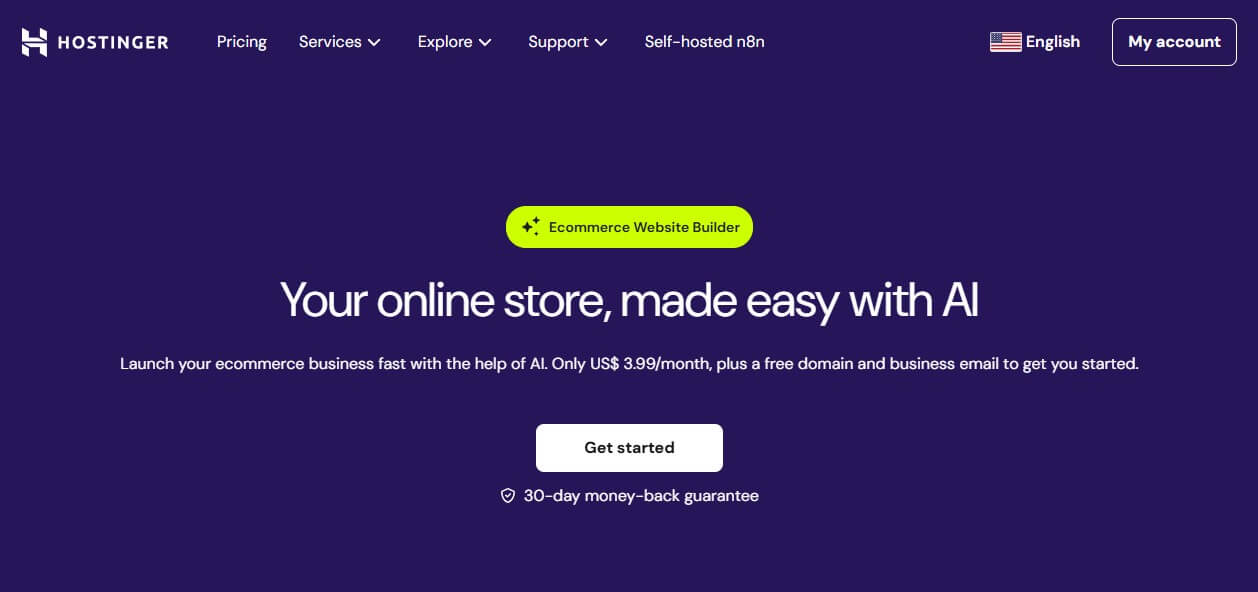
Our favorite Hostinger features can’t fit this ecommerce website builder ranking, so examine our full Hostinger review for more information. Hostinger bundles the fastest web hosting with an AI website builder in its Business plan at $3.99 a month. The plan lets you host 50 websites, has daily website backups, and unlimited free SSL.
Users can also install WordPress, equip it with WooCommerce, and enjoy some of the best ecommerce tools the world has ever seen. Our tests revealed that it offers excellent hosting for WooCommerce. Even without it, Hostinger comes with 0% transaction fees, over 100 payment methods, and advanced ecommerce tools.
Some are inventory management, promo codes, AI-created product descriptions and images, customer consultations, and third-party integrations. In particular, there’s the Live Chat integration, which allows you to promptly answer your customers’ questions and fix their problems.
Hostinger’s AI tools can help tremendously. For instance, AI SEO tools can help the website rank better. Using an AI writer, you can market your products on the Blog section of your website for superior results. Hostinger also has rock-solid security with malware scanning, DDoS protection, and a Web Application Firewall.
Keeping your online store safe and sound is imperative, and Hostinger agrees.
What Are Hostinger’s Downsides?
Things won’t bode well for you if you plan sell more than 1,000 products. That’s the upper limit. To overcome it, set up a site with WordPress and install WooCommerce. Hostinger lacks the advanced ecommerce features of Shopify, and it’s not built for selling and managing thousands of products.
Hostinger also lacks dropshipping, POS, advanced inventory management, and other sorts of features we’ve seen in Wix, Shopify, and Squarespace. This is understandable because it is primarily a website hosting service. It’s a great success to be on this list while not essentially being an ecommerce website builder.
Hostinger’s versatility is one of the key reasons for its worldwide popularity.
5. GoDaddy Website Builder (Starts at $23.51/mo)
Pros
- Great for local business promotion
- Impressive SEO features
- Free email marketing campaigns
Cons
- Quite expensive
- No way to remove transaction fees
- Outdated website templates
GoDaddy Website Builder isn’t our go-to option as long as Wix, Shopify, Squarespace, and Hostinger exist. However, we’d be fools not to mention it as one of the best-rated ecommerce website builders primarily designed for small and local businesses. GoDaddy Website Builder has a few plans to consider.
But the most expensive one, Commerce, is your gateway to selling online. At $23.51/mo, it could be more feature-rich, but it has a few amazing things going on for it, most of which are explained below.
Our Favorite GoDaddy’s Features

GoDaddy’s website-building editor is one of the simplest we tested. While not having Wix’s level of freedom, it’s nice enough to design an online store and get the ball rolling. We appreciate that the plan includes content and design tools with a great SEO toolkit. It also includes a marketing suite.
It lets you extend your reach to social media platforms. Speaking of marketing, you can send email marketing campaigns to 100,000 users per month. Of course, product listings are there for selling online. As one of the top ecommerce website builders, GoDaddy allows you to add discounts, promotions, and various shipping options.
All plans include free domain-related email, which helps establish your brand and create a more professional image. After comparing Wix to GoDaddy Website Builder, we found the former to be better for pretty much everything. However, GoDaddy’s included hosting is a bit faster in some scenarios.
This reduces bounce rates and makes the online store smoother. Despite its stinginess, GoDaddy Website Builder has a POS system suitable for physical businesses and many marketing features for promoting your store locally. Unfortunately, it’s let down by a few problems, which we hope to see fixed soon.
What Are GoDaddy’s Downsides?
First, the fees. GoDaddy has a 2.7% + $0.30 transaction fee, impossible to drop to zero. Another issue is the lack of advanced selling features, not great if you like to keep everything under control. GoDaddy allows you to sell up to 5,000 items. While better than Hostinger, it can’t come close to Shopify and Squarespace.
GoDaddy’s templates are far from the best-looking, and with only 100, they won’t fit everyone’s needs. We expected more from GoDaddy, given the price. If you value speed, email marketing, a simple-to-use site builder, and built-in SEO tools, GoDaddy’s ecommerce website builder might scratch those itches.
Tips for Choosing an Ecommerce Website Builder
Just because you see the five best website builders for ecommerce doesn’t mean all are good for you. Don’t rush. Examine each in detail and think before choosing one. We’ll help you by reviewing the criteria we used.
- Business size. If you run a small or mid-sized business, eliminate Shopify from the equation and use Wix or Squarespace. If you plan on expanding and scaling your business, ensure the selected option supports as many store items and has scalable plans.
- What are you selling? Are you selling physical products (shirts, showerheads, car parts, …) or digital goods (app licenses, subscriptions, games, …)? Make sure the selected ecommerce platform fully supports these goals.
- Where are you selling? Will you drive your sales only within the online store boundaries or on other channels? In the latter case, look for an option that supports multi-channel selling, POS, marketing tools, and advanced inventory management.
- Technical knowledge. If you know how to build a website in a variety of ways, a more complex tool like Wix will help fuel your imagination. Are you a newbie? Stick to section-based builders like Shopify, Squarespace, and others.
- SEO knowledge. Micro-managing your SEO goes a long way in ensuring your search visibility and driving more sales. If your SEO knowledge sucks, consider an SEO-suitable website builder such as Wix, with its easy-to-follow SEO Checklist.
- Dedicated budget. You must know how much you want to spend on an ecommerce website builder. Cheaper website builders can be great, but spending more often grants more ecommerce tools, as is the case with Shopify. Calculate the approximate cost before you spend your hard-earned money.
How Much Will an Online Store Cost Me?
The starting price of an online store is typically the one tied to the plan you choose.
We talked more about the cost to build a website recently, but of course, the type of website you’re building plays a huge role. While a simple blog can cost very little and even be free, online stores typically cost a bit more. Sometimes, they can also be free but riddled with the website builder logos and very limited.
The lowest price to build an online store is $3.99/mo for Hostinger Business. However, we advise using Wix, which costs at least $29/mo. With its many built-in ecommerce tools, you won’t have to spend a dollar more. Hostinger lacks some of those, so the initial cost may go up if you buy these tools separately.
Let’s not forget transaction fees, which can be 0% and go up to nearly 3%, depending on the chosen ecommerce website builder. Fees can noticeably lower your income, and that’s why it’s crucial to aim for the lowest ones, especially for smaller stores. The cost of an online store is heavily related to the website builder.
That said, it can be $3.99/mo or well over $50/mo + other potential costs.
Summary
With all the top-end ecommerce website builders in 2026 outlined, it’s time to decide. If you’re looking to start selling online in short succession, Wix and Squarespace are by far the simplest options with ample ecommerce tools on offer. For ambitious people with large businesses, Shopify is a no-brainer.
We left Hostinger and GoDaddy Website Builder for those with different demands. While the former is exclusively for very small stores, the latter is fantastic for enhancing your local market presence. Now go ahead. It’s your turn. Pick the best one for you and start counting your profit in no time.