A strange installer, a phishing email that looks convincing, or a browser tab that suddenly redirects somewhere unexpected. That’s the kind of moment Bitdefender was built for. Over the past decade, the company has become a familiar name in security rankings, partly because its tools manage to do something many competitors struggle with: protect devices without slowing them down. With several plans currently available at discounted prices, Bitdefender’s lineup is drawing attention again, especially among households looking for solid protection that stays quietly in the background — see how it stacks up in our antivirus comparison.
A reputation built on quiet performance
Bitdefender has been around long enough to see several generations of security threats come and go. What has helped the product stay relevant is a fairly simple philosophy. Strong detection matters, but so does performance. Security tools run constantly. If they slow down a computer, people notice quickly.
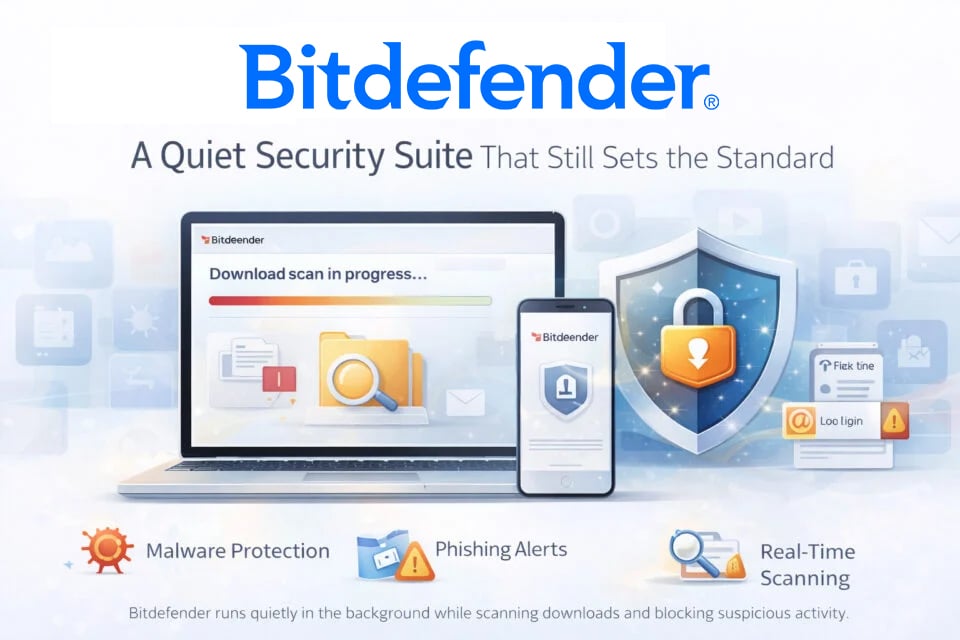
That’s where Bitdefender tends to stand out. Once installed, it fades into the background. Browsers open normally, files download at the usual speed, and nothing feels particularly heavy. Many long-time users mention exactly that point in reviews. The software simply runs quietly and intervenes only when something suspicious shows up.
The way it reacts to questionable downloads illustrates that approach well. A typical situation might involve installing a small program from a site that isn’t particularly familiar. Instead of waiting for a scheduled scan, Bitdefender checks the file immediately. If the installer behaves strangely or tries to modify system settings, a warning appears before the process continues.
Those alerts tend to stay clear and easy to understand. Rather than presenting a long technical report, the message usually explains the problem in straightforward language and lets the user decide what to do next.
What the protection focuses on
Bitdefender’s core security engine looks for several types of threats at once. Some rely on known virus signatures, while others depend on behavior analysis. That combination helps catch suspicious activity even when a threat hasn’t been seen before.
Key areas covered by the platform include:
- detection of malware and ransomware
- phishing protection blocking fake login pages
- real-time scanning of downloaded files
- alerts connected to data breaches involving personal accounts
- privacy tools integrated into higher-tier plans
Those layers work together quietly in the background, which explains why many users say they forget the software is even installed.
Plans designed for different setups
Bitdefender offers several subscription tiers, each aimed at a slightly different audience. Some people want basic protection for a single computer. Others need coverage across phones, tablets, and multiple laptops.
Antivirus Plus: the essentials
Antivirus Plus represents the entry point. The plan typically covers three devices and focuses on core protection features.
Among the tools included:
- real-time malware monitoring
- phishing detection designed to block fake websites
- a built-in VPN allowance with limited daily traffic (typically around 200 MB per day)
- breach alerts when personal information appears online
For individuals with a small number of devices, that level of coverage often feels sufficient.
Total Security: broader device coverage
Total Security expands the package to five devices and adds several privacy-oriented tools.
This version introduces:
- cryptomining protection designed to stop hidden mining scripts
- password management features
- support for Windows, macOS, Android, and iOS devices
- additional system monitoring tools
Many households gravitate toward this tier simply because it covers several devices under one account.
Premium Security: privacy tools included
The Premium Security plan focuses more heavily on privacy.
Additional features typically include:
- unlimited VPN traffic
- tracker and ad-blocking tools
- expanded scam detection
- password manager integration
- breach monitoring for personal data
It’s essentially a full bundle combining security and privacy tools in the same dashboard.
Why many users stick with Bitdefender
Reading through customer feedback reveals a pattern. People rarely mention a single standout feature. Instead, they talk about how stable the software feels over long periods of use.
Several comments repeat the same ideas:
- the system stays responsive while the software runs
- alerts appear only when something actually looks suspicious
- installation across several devices takes only a few minutes
Setting up the platform usually involves sending an installation link to each device. After that, everything can be managed through one central dashboard. Scans, alerts, and account settings appear in the same place.
Another detail that comes up frequently is how little attention the software demands once everything is configured. The program doesn’t constantly ask for input. It simply monitors activity and intervenes when necessary.
A security tool designed to stay out of the way
Security software rarely succeeds by being flashy. What people usually want is something dependable. Something that doesn’t interrupt daily work, yet still reacts quickly when something suspicious appears.
That balance explains why Bitdefender keeps appearing in security rankings and comparison guides. The software combines strong threat detection with quiet performance. Devices continue running normally while protection stays active in the background.
For many households, that’s exactly the kind of security tool they want on their devices: present when needed, invisible the rest of the time.
> Compare Antivirus offers