ExpressVPN announced the update on October 12. It’s a modest release on paper, but Mac owners now get a native app, and Firefox users are no longer left out. The more useful question for most readers is a simpler one: what does ExpressKeys actually do, what is it missing, and which plan do you need to pay for to get it.
What Changed on Mac and Firefox
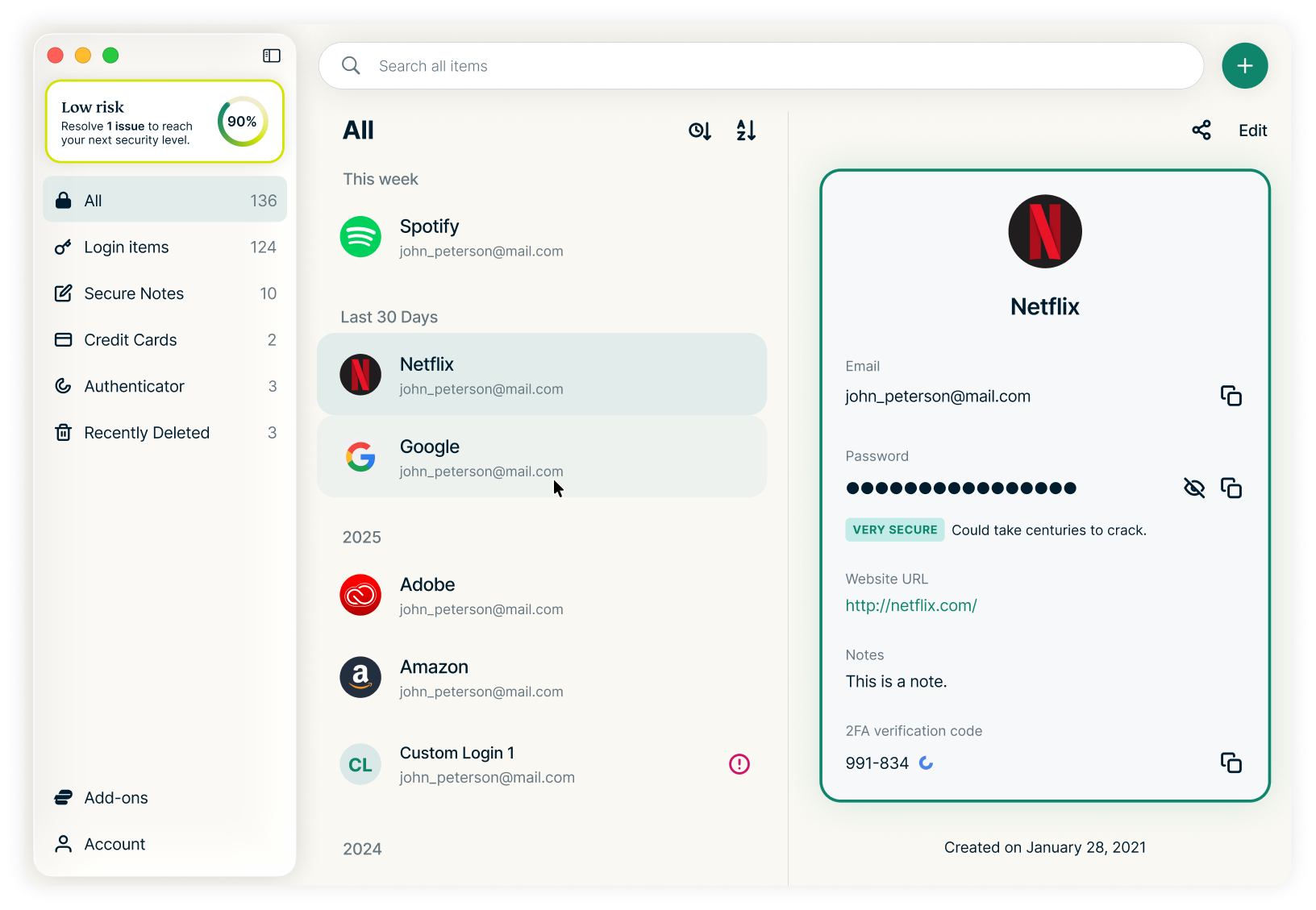
The new macOS app gives direct access to everything stored in the vault: saved logins, secure notes, file attachments, and payment card details. It works alongside the browser extension rather than replacing it. You open the app to look something up, and the extension handles autofill while you browse.
The app requires macOS 14 Sonoma or later and is only available through the Mac App Store. That leaves out older Macs that can’t update past macOS 13, even though they can still run the ExpressVPN app itself.
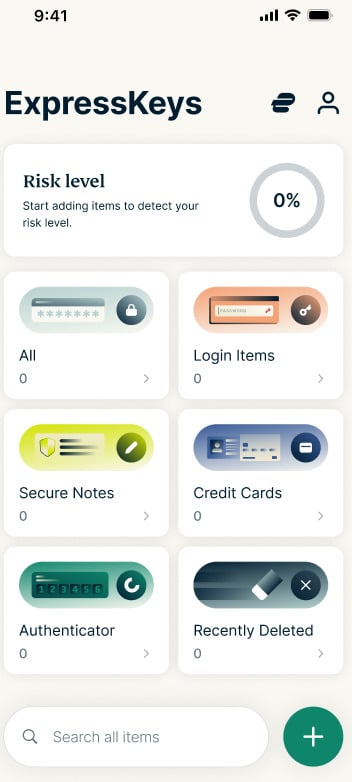
On the browser side, Firefox now joins Chrome, Edge, and Brave. The extension also got a redesign that matches the mobile apps, plus two features that were previously phone-only: Password Health, which flags weak or compromised passwords, and a Recently Deleted folder for recovering items you removed by mistake. Existing users keep the same vault, so nothing needs to be imported again.
What ExpressKeys Actually Does
ExpressKeys stores and generates unlimited passwords, autofills them on matching sites, and includes a built-in two-factor authenticator, so your one-time codes can live in the same place as your logins. It also handles passkeys.
The vault uses zero-knowledge encryption. It’s locked by a vault password that is separate from your ExpressVPN account password, and the company says it cannot read what you store. An independent security firm, Cure53, audited the apps with full source code access and reported no high or critical severity issues, with all findings fixed and verified.
Two practical extras stand out. You can share a login, card, or note through a link that expires, requires email verification, or works for a single view, and you can revoke it at any time. And you can import directly from Apple Passwords or Google Chrome using the Credential Exchange standard, which avoids the risky step of exporting your passwords to a plain-text file.
Where ExpressKeys Still Falls Short
Safari is the obvious gap. Many Mac and iPhone users browse in Safari by default, and they still can’t autofill from ExpressKeys there. Windows and Linux users also have no native app and have to go through a supported browser extension.
In our own testing, ExpressKeys also lacked family sharing and a proper account recovery process. Forget your vault password and there’s no simple way back in. For one person, that’s acceptable. For a household that shares streaming and banking logins, a dedicated password manager remains the better choice.
Where ExpressVPN Fits, and Where It Doesn’t
It’s worth separating the two products clearly, because the bundle can blur them. The VPN encrypts your connection on untrusted Wi-Fi, hides your IP address from the sites you visit, keeps your internet provider from logging your browsing, and helps you reach streaming libraries while traveling. ExpressKeys does none of that. It protects your credentials, not your connection.
The VPN tunnel on its own can’t stop you from typing your password into a convincing fake login page, and it can’t undo a breach at a company that already holds your data. A password manager helps on both fronts, since autofill won’t trigger on a look-alike domain and unique passwords limit the damage when one site leaks. The two tools cover different risks, which is the real case for buying them together.
ExpressVPN Advanced at $5.99 per Month
ExpressKeys is not included in the Basic plan. You need Advanced or Express Pro, or a standalone ExpressKeys subscription bought through the mobile or Mac apps.
The ExpressVPN Advanced plan currently costs $5.99 per month, billed $89.85 for the first 15 months (12 months plus 3 free), a 64% discount. It renews at $119.95 per year after that. Advanced covers 12 devices and adds ExpressKeys, tracker blocking, ExpressMailGuard email aliases, and Identity Defender alerts. Basic costs $4.99 per month for the same term but has no password manager, so it only makes sense if you already use one you like.
Every plan comes with a 30-day money-back guarantee for new subscribers, which gives you time to move your passwords into ExpressKeys and see whether it fits your routine. If it doesn’t, you can request a refund through ExpressVPN support within that window.