Windows 8 and Windows RT
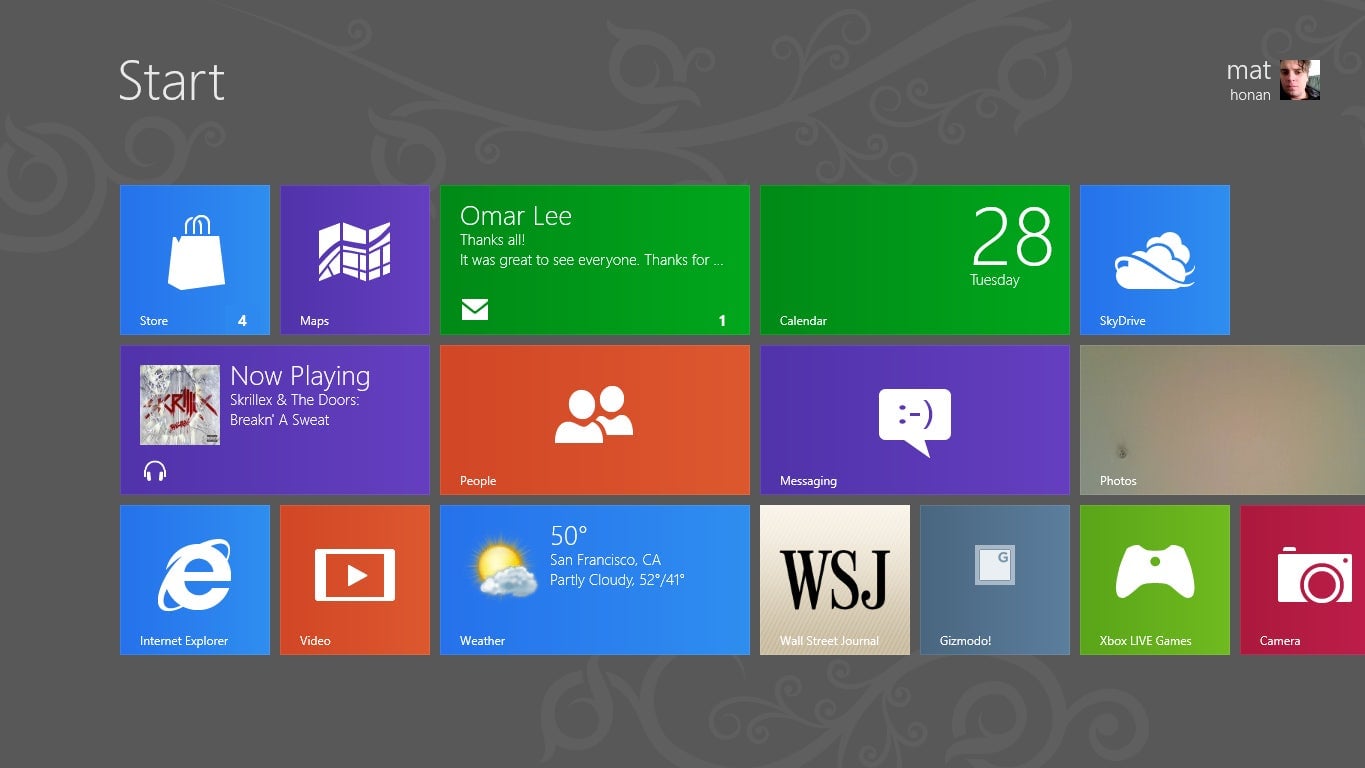
With the PC market facing pressure from smartphones and tablets, Microsoft took a massive risk by releasing an OS that didn’t look, feel, or operate like any Windows version before it. This was at a time when the popular and largely beloved Windows 7 was only three years old.
When distilled down, Windows 8 was an operating system built for touch—an environment that bridged desktop with mobile so it could be used on a tablet as readily as a massive gaming rig. Unfortunately, people just didn’t respond to all of the changes. The colorful Tile-based interface stripped from the Zune and Xbox was confusing and unfamiliar, the missing Start button left people scratching their heads, and the Windows Store was empty save for some sketchy apps.
If there was one problem Microsoft needed to solve above anything else, it was the disconnect between the touchscreen interface and the traditional desktop mode. These felt like distinct operating systems, one optimized for tablets and touchscreen laptops and the other for non-touch devices. If you didn’t have a touchscreen, the tile interface was a hassle to navigate; likewise, those without a mouse and keyboard couldn’t take advantage of the desktop interface. Microsoft solved that issue with Windows 8.1, giving users the ability to boot directly to the desktop. But the damage was already done, and Windows 8 would be quickly replaced by the warm, familiar arms of Windows 10.
Windows RT, a spinoff of Windows 8, was another confusing failure. Designed as a lightweight version of Windows 8 for tablets running on ARM, Windows RT was severely limited due to its reliance on a struggling app store. Eventually, third-party tablet makers skipped Windows RT altogether and opted to put the full Windows 8 on their devices.





