Streaming From PS5 Will Help You Ignore the PlayStation Portal, Though it Requires Additional Apps
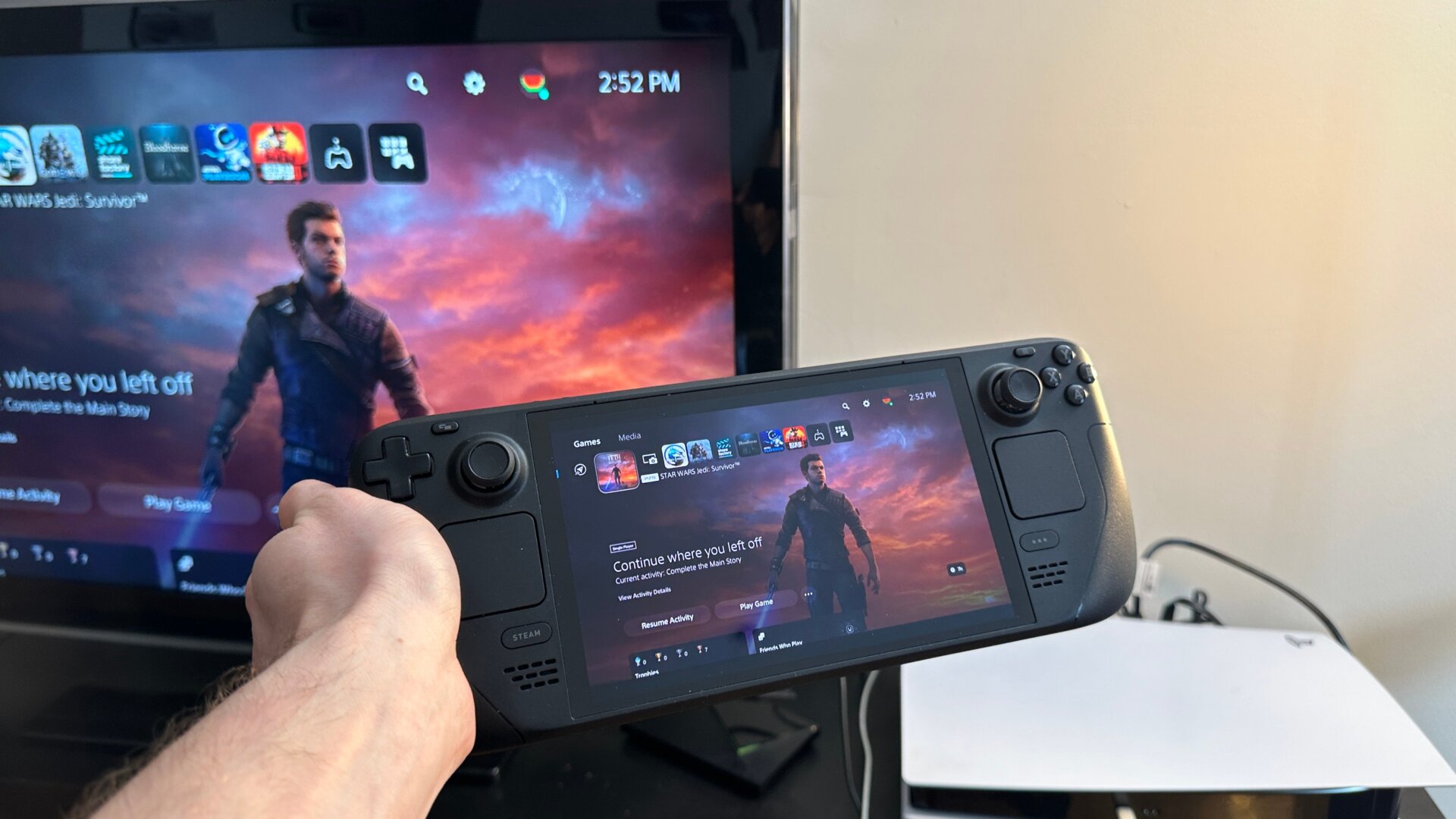
If you’re a PS5 player, you really, really don’t need a PlayStation Portal if you already have a Steam Deck or really any other handheld console. The PlayStation 5 and Xbox Series X can indeed stream to your Steam Deck, though you’ll need a bit of extra software. Again, this can get pretty involved, so strap in.
First, go into Desktop Mode and use the Discover bar to search for Chiaki, or more specifically, Chiaki4Deck, an open-source software to connect to PlayStation 4 and PlayStation 5 remote play. You might read online about other guides telling you to put in lines to the “Kommand” console, but with Chiaki4Deck you can also use this link while on the browser of your Deck, which should help you access your PSN account through Chiaki by following the instructions. This will run the script for you, and you will be prompted to enter the login credentials necessary to access the PS5 remote play.
You’ll also want to make sure your PS5 has all its Remote Link settings enabled. Go to Settings, System, then Remote Play. Ensure all but the remote start with Spotify options are turned on, and you should be ready. You’ll need your PS5 on while you start this process, as you’ll need a special pin from the system to link your Deck to your PlayStation. After this is set, running Chiaki may take a few tries to get it working correctly.
Once this is all settled, the Steam Deck should work as a streaming device as long as you’re connected to the same network. You can set up Chiaki to launch from Game Mode by going into Steam on Browser Mode, then hitting Games, Add non-Steam Game, and selecting Chiaki.