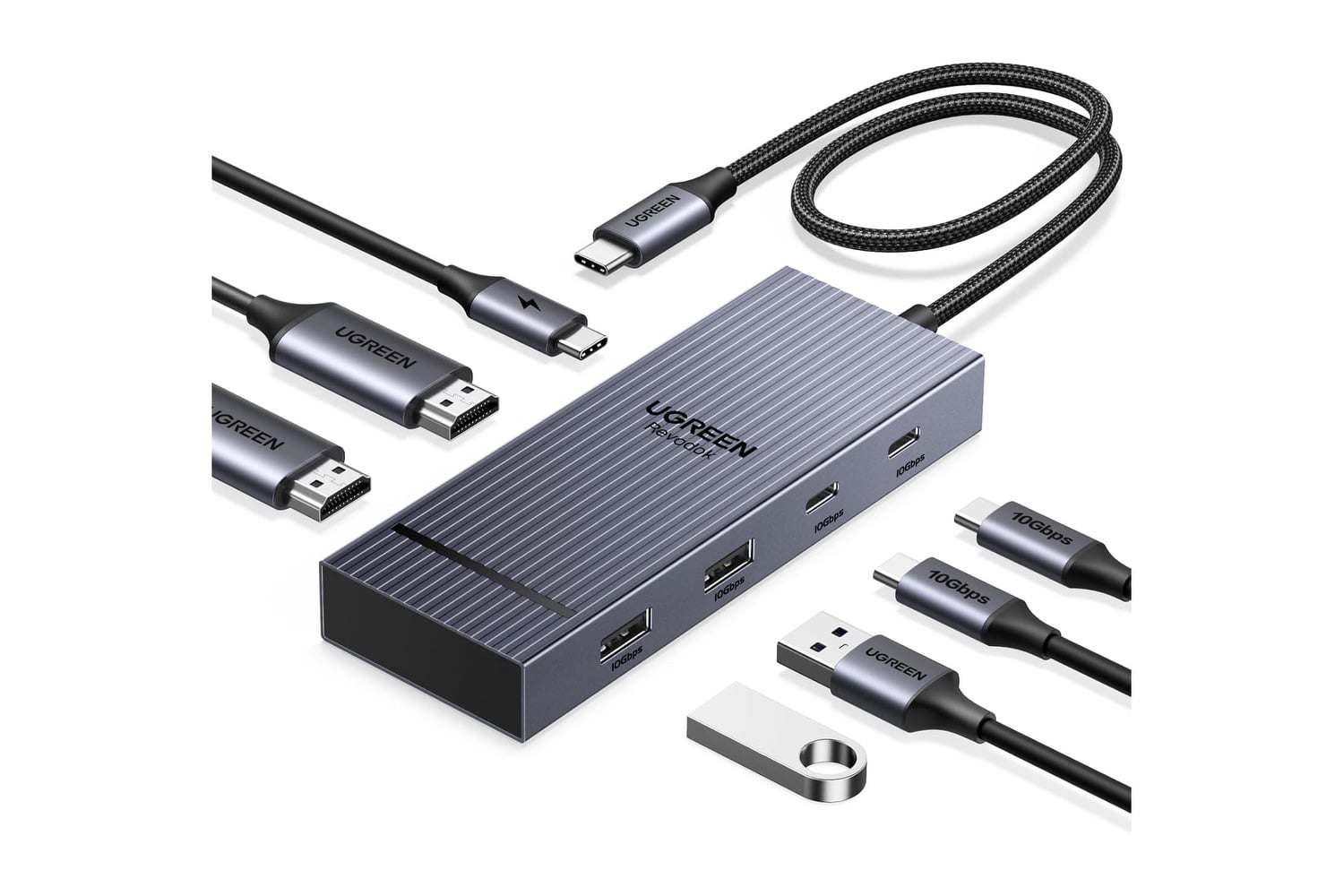
UGREEN’s USB-C 7-in-1 Dual Monitor Docking Station, also known as the Revodok Pro, delivers a complete desktop experience using a single USB-C port on your laptop. The docking station features two HDMI connectors that support 4K (3840 x 2160) at 60Hz. Four additional 10Gbps USB-A and USB-C data ports let you connect peripherals such as keyboards, mice, webcams, external hard drives, or flash drives, and a 100W Power Delivery port lets you charge your laptop with your existing wall adapter.
A seven-port USB-C dock with dual 4K HDMI and 100W charging
The Revodok Pro was created specifically for anyone with a laptop who requires a single-cable solution. The docking station includes two 4K/60Hz-capable HDMI connectors, two 10Gbps USB-A ports, two 10Gbps USB-C data ports, and a 100W PD connector, and it’s fully plug-and-play with most USB-C-enabled laptops.
Two HDMI connectors let you connect two external monitors or displays at up to 4K (3840 x 2160) at 60Hz. This gives you more screen real estate for applications such as spreadsheets, research, video editing, and multitasking. The 60Hz refresh rate also keeps scrolling and video playback smooth.
Four data connectors, two USB-A and two USB-C ports, let you connect accessories such as a keyboard, mouse, webcam, external hard drive, or flash drive. Because each port offers high bandwidth, transferring large media files to and from external storage is significantly faster than with lower-bandwidth options.
The docking station’s 100W Power Delivery connector lets you use your existing wall adapter and deliver up to 85W directly to your laptop. The remaining power from the wall adapter then powers the connected accessories. Using this method eliminates the need for separate cables and wall adapters for each accessory. To take advantage of this feature, you need a charger rated at 65W or higher, and chargers are sold separately.
In general, the Revodok Pro works with a wide variety of USB-C-enabled laptops, such as the Dell XPS, HP, Lenovo ThinkPad, ASUS ZenBook, and many Chromebook models. As long as your laptop has a USB-C connector capable of transmitting video signals, you can use the docking station. You don’t need to install any drivers to start using the docking station.
UGREEN uses aluminum alloy in the dock’s construction to improve thermal dissipation, and it protects your devices with several built-in safety features. The integrated cable is about 0.3 meters long, which is enough to reach a typical laptop mounted on a stand.
Using a single docking station instead of a collection of adapters simplifies connecting all necessary equipment and eliminates the mess of multiple cables. When you leave your work location, you can disconnect with one cable instead of unplugging and reconnecting every device individually. The UGREEN USB-C 7-in-1 Dual Monitor Docking Station provides an efficient, cost-effective way to set up a dual-monitor workstation around your laptop.