Skip to content
Tech News

Make New Gmail Look More Like the Old Gmail in Two Seconds

By

Reading time 1 minute

Do you hate the way Gmail looks now? You can make it more familiar with very, very, very little effort.
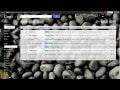
Open Gmail. Click the cog icon on the upper right corner. Select “Compact.” Pow, all of your threads are smushed together, closely resembling the old style. Exhale. [Geekosystem]

Explore more on these topics

Share this story

Sign up for our newsletters

Subscribe and interact with our community, get up to date with our customised Newsletters and much more.