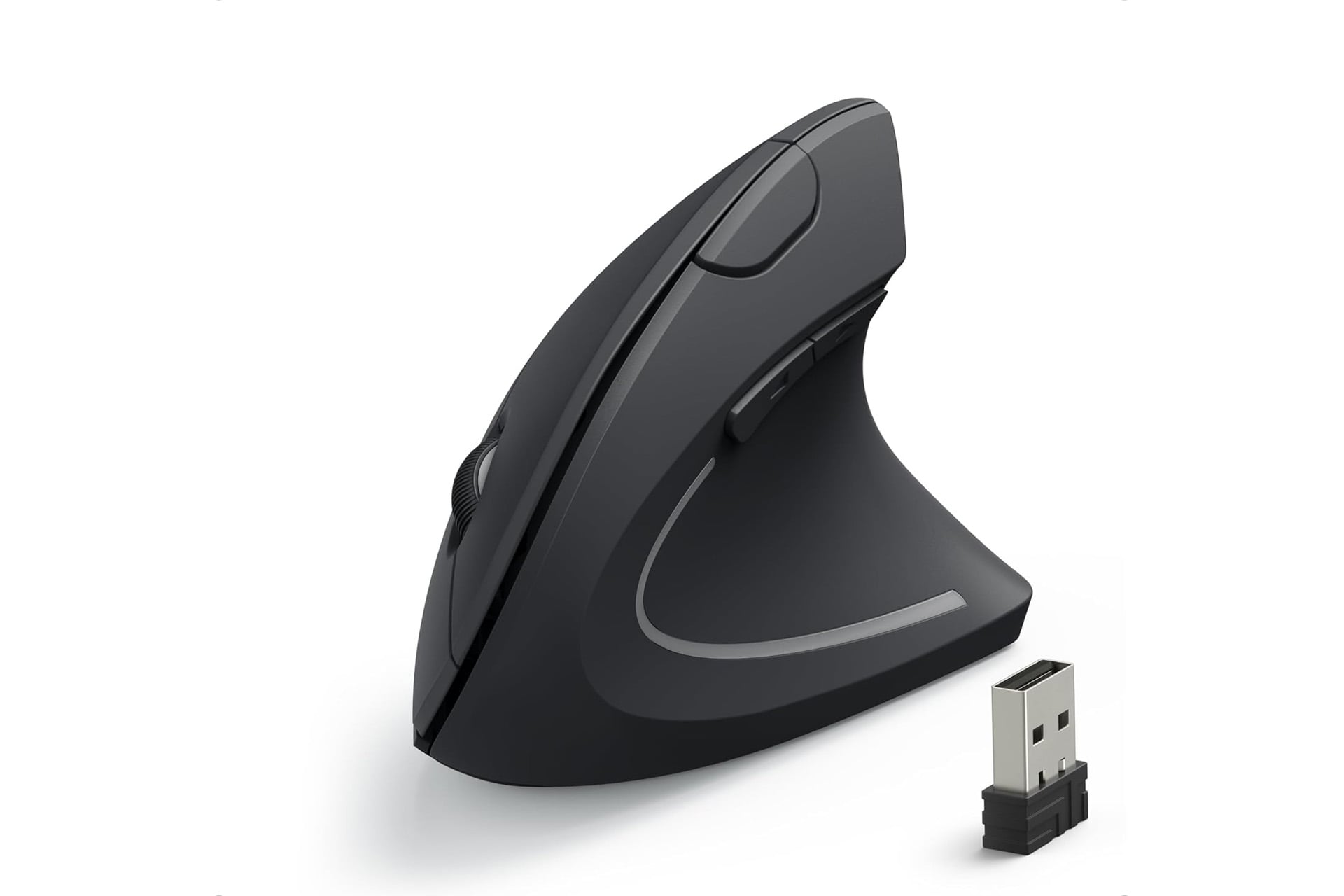
When it comes to building out a PC, folks know they need solid CPUs, GPUs, plenty of storage, etc. All the internals get lots of attention when budgeting and building your rig, but some of the accessories can end up being a bit of an afterthought. You go through the trouble of building a PC custom to your needs, you should give that much consideration across the board. The mouse, for instance is the part of your PC you’ll be directly interacting with the most (perhaps either tied or just falling short of the keyboard). You deserve better than that cheap, dinky, bargain bin mouse you’re using now.
Anker has a mouse designed with ergonomics in mind and right now you can get it for a solid 33% off. It’s usually sold for $30, so the discount ends up shaving it down by $10 for a limited time. If you log into Amazon now, you’ll be able to grab it for yourself for just $20.
Healthy, Neutral Hand Position
This mouse isn’t like other mice. You can tell that just by looking at it. The Anker ergonomic mouse has been engineered to be held in a more neutral “handshake” position. This keeps your wrist and arm postured in a way that feels more natural, helping to reduce strain during extended use. That means you can keep at whatever it is you are doing at the computer for even longer.
The Anker mouse connects to you PC over 2.4 GHz wireless using an included USB receiver. It does not have support for Bluetooth. That would be nice, but you are just getting a $20 mouse after all. the receiver can be securely stored in a compartment on the underside of the mouse, making it a great option for when travelling so it does not end up going missing on you. It runs on two AAA batteries and is able to switch to power saver mode on its own if it hasn’t detected any input after eight minutes.
You can adjust the sensitivity of the Anker mouse on the fly while you’re using it to ensure smooth and precise tracking regardless of the type of work your doing and the surface you are using the mouse on. You can set it to either 800, 1200, or 1600 DPI.
The mouse also comes equipped with some extra buttons. Beyond the usual left click, right click, and scroll wheel, you have two more buttons right above the thumbs rest position. These can be used as a next and previous action, making browsing the web more convenient.