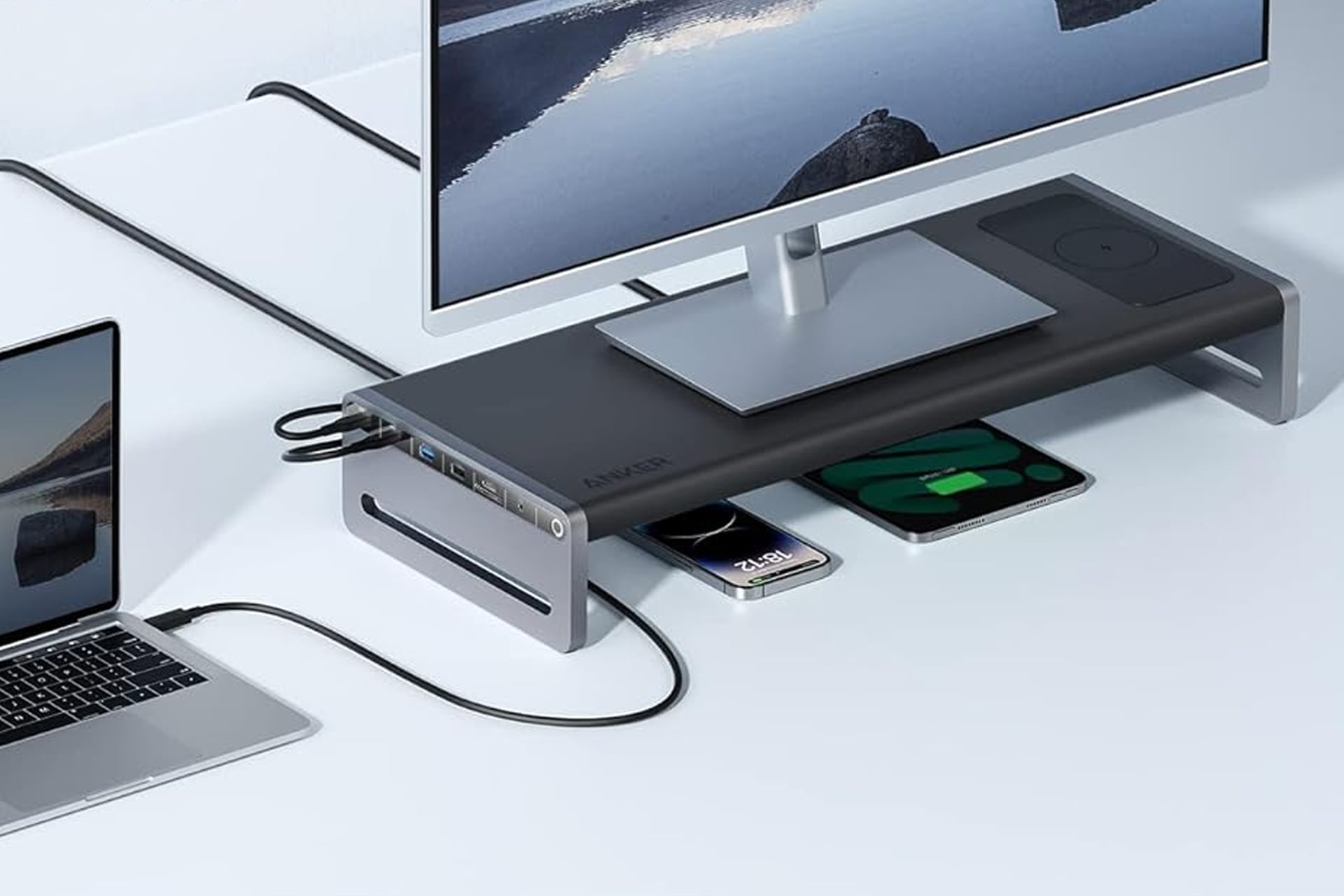
I don’t know about you, but the more cluttered my desk gets the more anxious it makes me. It’s too easy to let things start to build up and the next thing you know, you sitting in front of a web of USB cables running every which way, covering the whole surface. Avoid this by making some thoughtful upgrade to your desktop. For one, take a look at this docking station from Anker. This doubles as a monitor stand and adds 12 functions to your desktop, all in one device. Normally, you’d find the Anker 675 USB-C Docking Station selling for $250, but right now, you can get it for just $170. That’s a 32% discount, saving you $80 for a limited time.
This docking station from Anker can serve as a little shelf that can hold up your monitor while leaving room underneath to store your keyboard. When you don’t need it, just tuck it under so you have a nice wide space for handwritten notetaking, sketching out ideas, or even eating lunch. Plus, raising your monitor even just a few inches can help to promote better posture. If you lift it more eye level, you can prevent yourself from naturally falling into a hunched over position.
Charge All of Your Devices at Once
If this was just a stand, it wouldn’t be all that special. Along the side of this docking station, you’ll find a 100Wmax USB-C upstream port to connect your laptop to, three USB-A ports, two USB-C ports, an SD card slot, a MicroSD card slot, an HDMI port, an audio jack, and an ethernet port. The HDMI is able to transmit video in 4K at 60Hz and each of the two USB-C and three USB-A ports (five total) are capable of data transfer speeds of up to 10Gbps.
The topside even has a wireless charging pad which you can set your phone or compatible earbuds case down on, giving it a boost while you’re occupied with other thing. This supports speeds of 10W Max or 7.5W for iPhone use.
This Anker docking station is made from a tough aircraft-grade aluminum alloy that’s made to be durable. The legs are each fitted with an anti-slip silicone strip to help keep it in place, even if it gets bumped into now and again.
The underside of the docking station has a hidden compartment for cable management. You can tuck away all the extra length of cable to ensure your desk stays clutter-free and your mind stays stress-free.