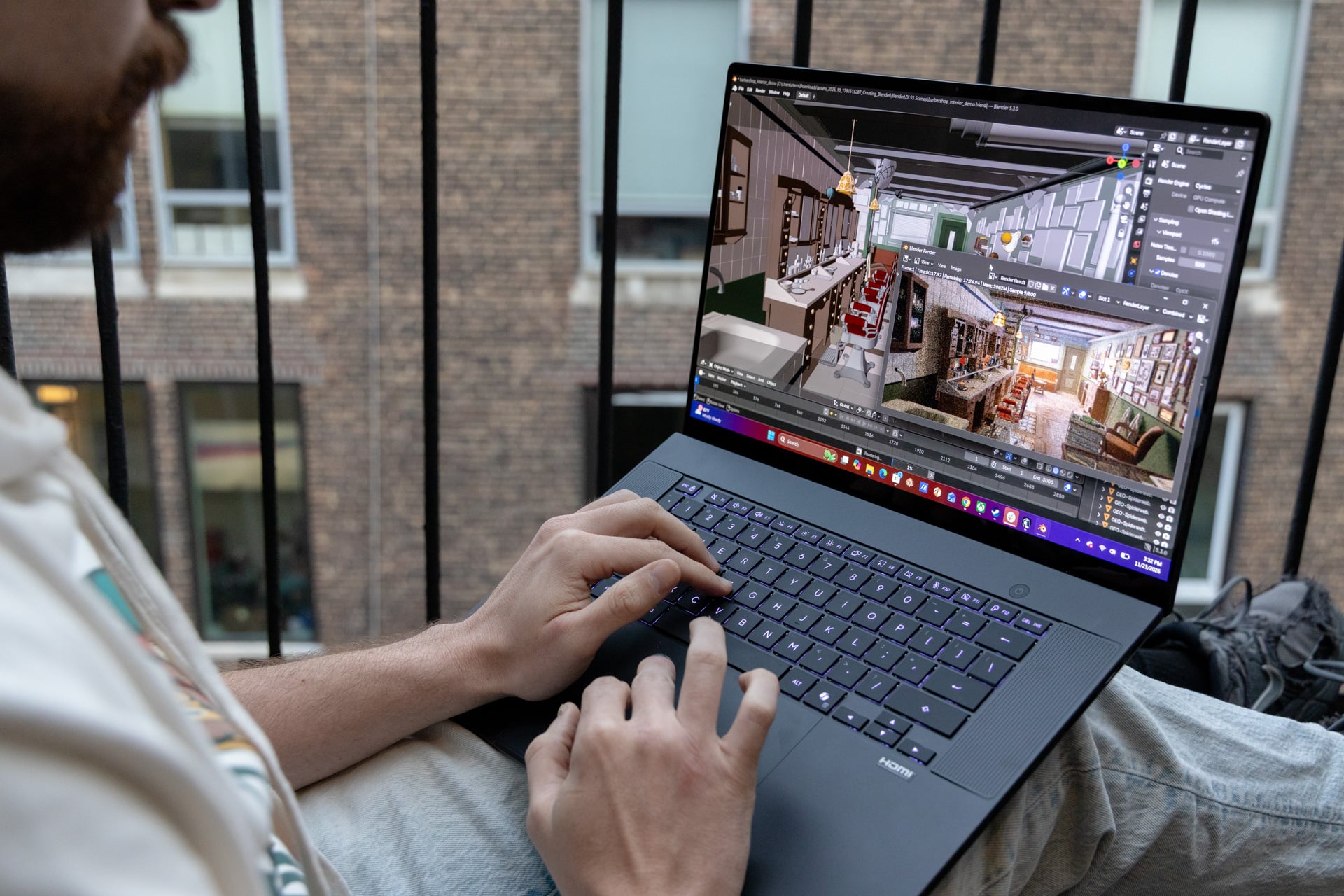
Thin is in. You can see it in the lines and curves of all the best laptops of 2026, culminating in sleeker designs that have us wondering how skinny laptops can truly get. The trends of today make it so easy to become smitten with the Asus ProArt P16, one of the new Nvidia RTX Spark PCs that have grabbed most of the oxygen from the PC space in the last few months.
Asus’ ProArt design is sleek, bright, and beautiful, and it may perform slightly above any of the other RTX Spark laptops I’ve tested so far. It’s honestly hard to find a fault with this lightweight machine.
Then I’m forced to tell you the price. You can find a lower-end version of the ProArt P16 with a lower-resolution screen and a minimal 512GB SSD for $2,800. This laptop, with the specs you actually want, starts at $4,500. That’s for a version with a 20-core CPU and 6,144-core GPU—the higher-end N1X chip built for this variety of laptop. It also packs in 64GB of unified memory. There’s no option for less. If you want the max 128GB of memory and 2TB of storage, expect to pay $7,000.
Asus ProArt P16 (RTX Spark)
It's a big, expensive laptop packing a beautiful screen and some solid performance compared to other PCs. It's just not beating a MacBook Pro with PROLED XDR.
Pros
- Bright tandem OLED display
- Good typing experience
- Better than average N1X performance
- Keeps cool under stress
Cons
- Trackpad annoyances
- Tricky power mode options
- Overreliance on pre-installed software
- Performance isn't best at its price
Premium is as premium does. The ProArt line is built for creative professionals first, and the P16 is one of my favorite creative laptops I’ve used all year. The problem is that somehow Apple comes out looking even better for this same subset of potential laptop buyers. The MacBook Pro with PROLED XDR Display has the best OLED display available on a laptop. Thanks in large part to RAMaggeddon, Asus’ prices aren’t much better than Apple’s, especially if you’re trying to maximize the laptop’s GPU capabilities. A maxed-out M5 Max MacBook Pro with PROLED comes out to $7,400, and it’s a better-performing machine.
If you’re all in on PCs, you have stacks of cash sitting in a bucket you can’t wait to spend, and you can stomach some of the weirdness of ARM architecture on PC, the ProArt P16 may be your favored workstation that you can haul to your office and back without worrying it will conk out in a few hours.
A screen that means business (and art)

Sure, the main selling point of the ProArt P16 and all RTX Spark laptops is the N1X chip, but what’s also clear is just how much of a premium Asus put on the 16-inch display. This is a bright tandem OLED display boasts 100% DCI-P3 color accuracy. Asus calls this Lumina Pro OLED, but whatever the moniker, it’s a display I can actually call premium since it supports a full 120Hz refresh rate and variable refresh rate (VRR) for all that fast-paced content you may want to edit on your laptop. Also, yes, this thing is capable of gaming.
The ProArt P16 is also bright—so bright that I wasn’t jonesing for the Microsoft Surface Laptop Ultra’s peak 2,000 nits on its mini LED display. The Lumina Pro screen can peak at 1,600 nits in HDR, though it won’t look bad at all with a maximum of 500 nits during typical SDR use. That is plenty for most of your daily activities. I’ve used the laptop in dim settings (easy enough now that it gets dark in New York at 5 p.m.) without issue. There’s enough variable brightness that I could spend time next to my apartment windows without much risk of glare or reflections.
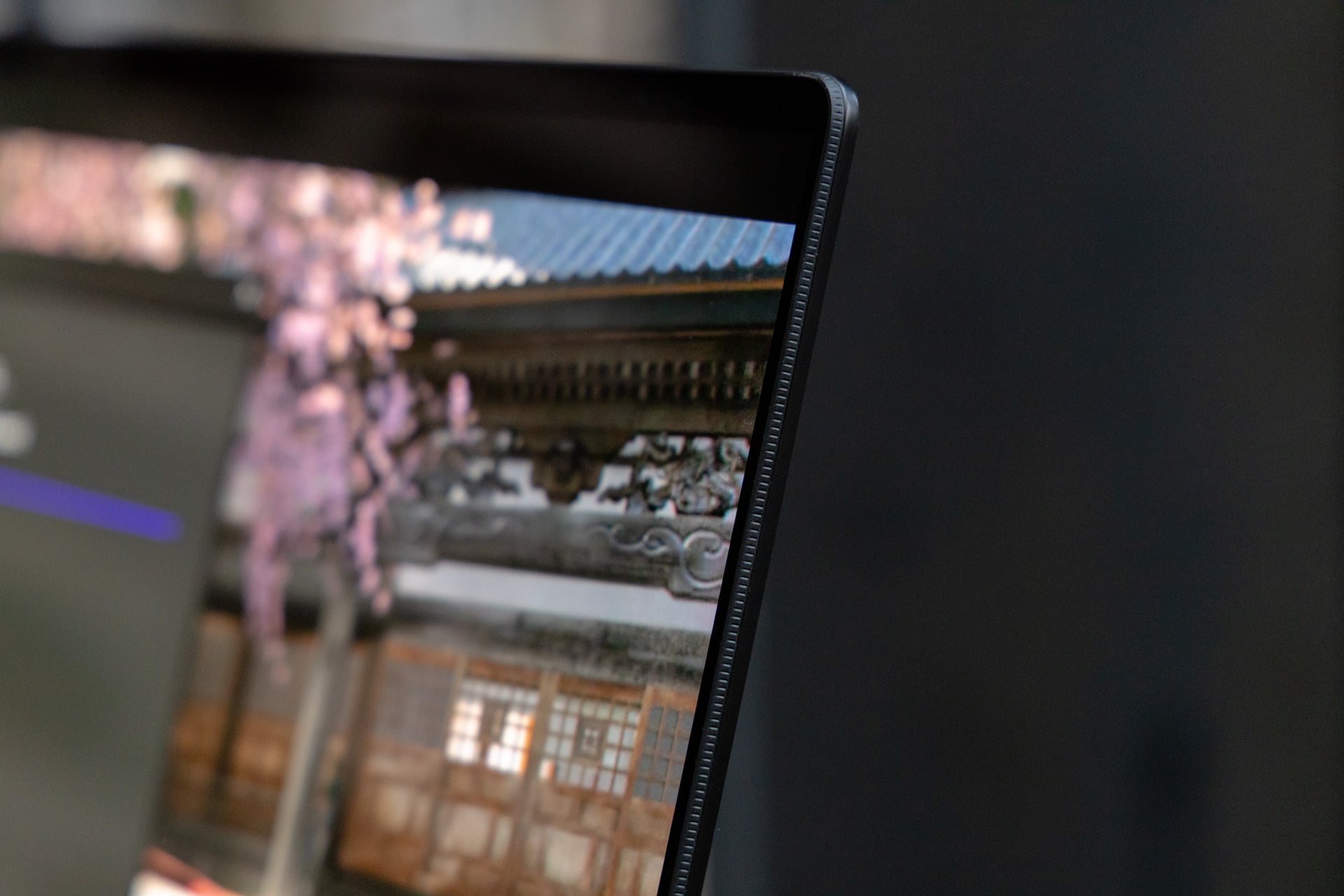
It’s all gravy, right? Yes, for PCs. But Apple managed to show everyone up with its PROLED XDR display. That too is a tandem OLED design, but it’s even bolder with a 10,000,000:1 contrast ratio and some amazingly deep colors. The ProArt P16 is still sitting at the same 1,000,000:1 ratio. That is not at all bad. But like what I saw with the Lenovo Yoga 9n 2-in-1 RTX Spark PC, Apple’s screen is better for those trickier moments when you really want to see your pictures in their best light. The contrast on Asus’ OLED just isn’t as deep as Apple’s.
In the meantime, Asus can claim a max 4K resolution (3,840 x 2,400 pixels). That’s slightly better than Apple’s 16-inch display at 3,472 x 2,266. This is a better option for when you’re editing content and you need to ensure your 4K video looks correct at 4K. The ProArt P16 is also a touchscreen, though unlike the Lenovo 2-in-1, it does not have a hinge that you can fold backwards. It doesn’t even drop 90 degrees, which limits where and when you’ll want to muddy your display with your disgusting fingertips.
As for listening to the ProArt P16, it’s… fine. Asus’ six-speaker system with four tweeters and two woofers doesn’t have a sound stage that stands out. The audio comes out of the two speaker grilles with clarity and a balanced sound. It just lacks punch. If I’m listening to the GTA VI soundtrack on Apple Music, the sound comes out slightly more shallow than I would prefer. It’s not bad by any stretch, but it lacks a bass presence, while the highs seem to sound more grainy on tracks like “Starting from Zero” by Justice. If you’re a professional creator, you’ll still need to have a pair of high-end headphones sitting nearby.
One hell of a sturdy laptop
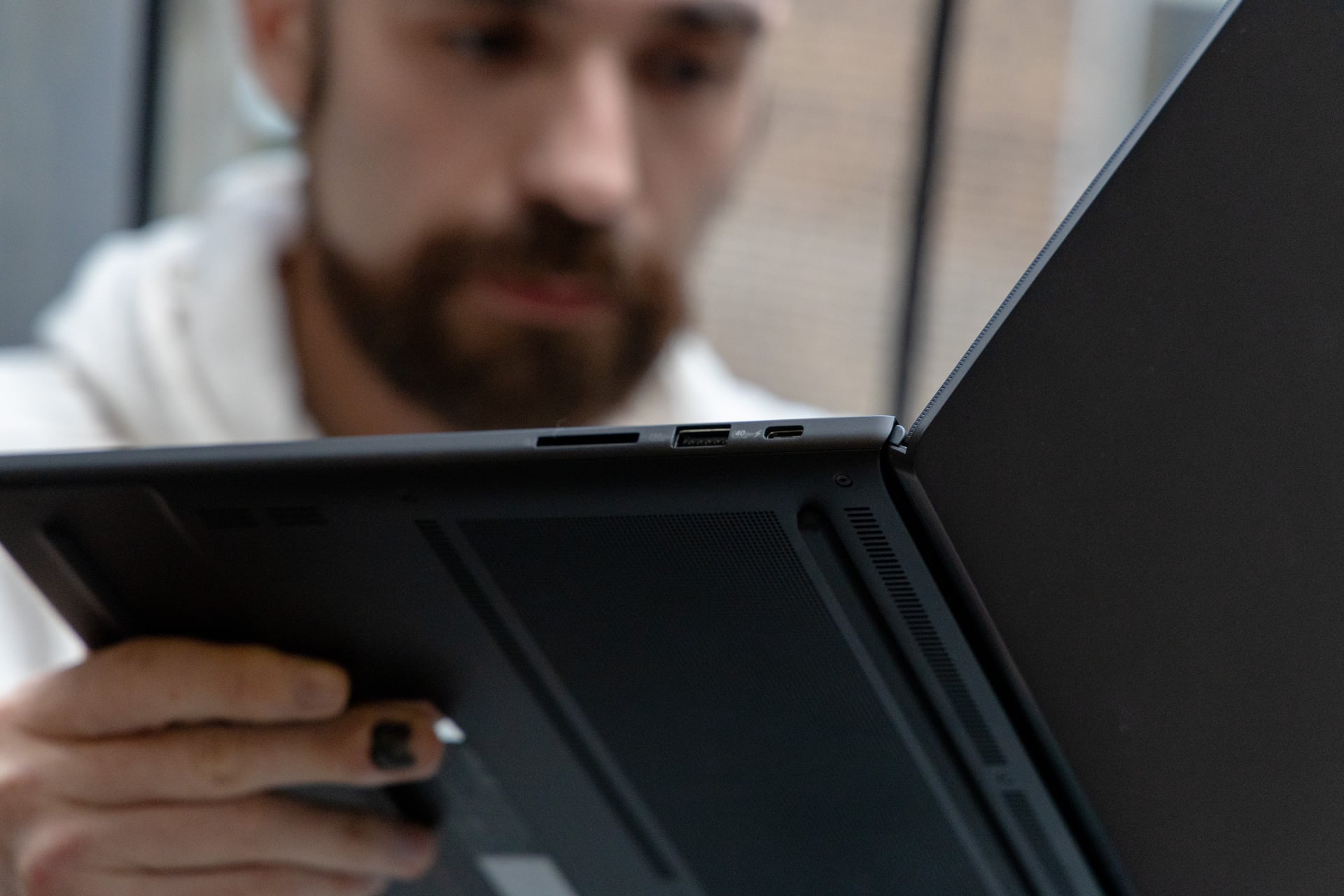
My first impression of the ProArt P16 was that much more significant after treating myself to the Surface Laptop Ultra and the latest MacBook Pro models. This thing is thin at around 13mm. For comparison, an M6 MacBook Pro is just over 15mm thick. That makes a difference when you’re traveling, since the ProArt weighs just under four pounds. Another similarly scaled laptop like the Razer Blade 16 clocks in at 4.7 pounds.
Despite its size and weight, this laptop feels damn premium with its aluminum unibody design. There is essentially no flex on the keyboard, something I couldn’t say about a laptop like the MSI Stealth 16 AI+. Asus’ design chops extend to the palm rest and keyboard, which never felt steamy even when I pushed the laptop as far as it could go performance-wise.
I don’t mind the keyboard even with its bare 1.7mm of key travel. It has the same keyboard design adopted from other Asus laptops, like the ROG Zephyrus. What I have a harder time accepting is the trackpad. It’s a full haptic pad that takes up nearly two-thirds of the space of the palm rest. The laptop is supposed to use pressure sensors and motors to give you the impression of a click, though Asus’ design feels a little too subtle for my taste.
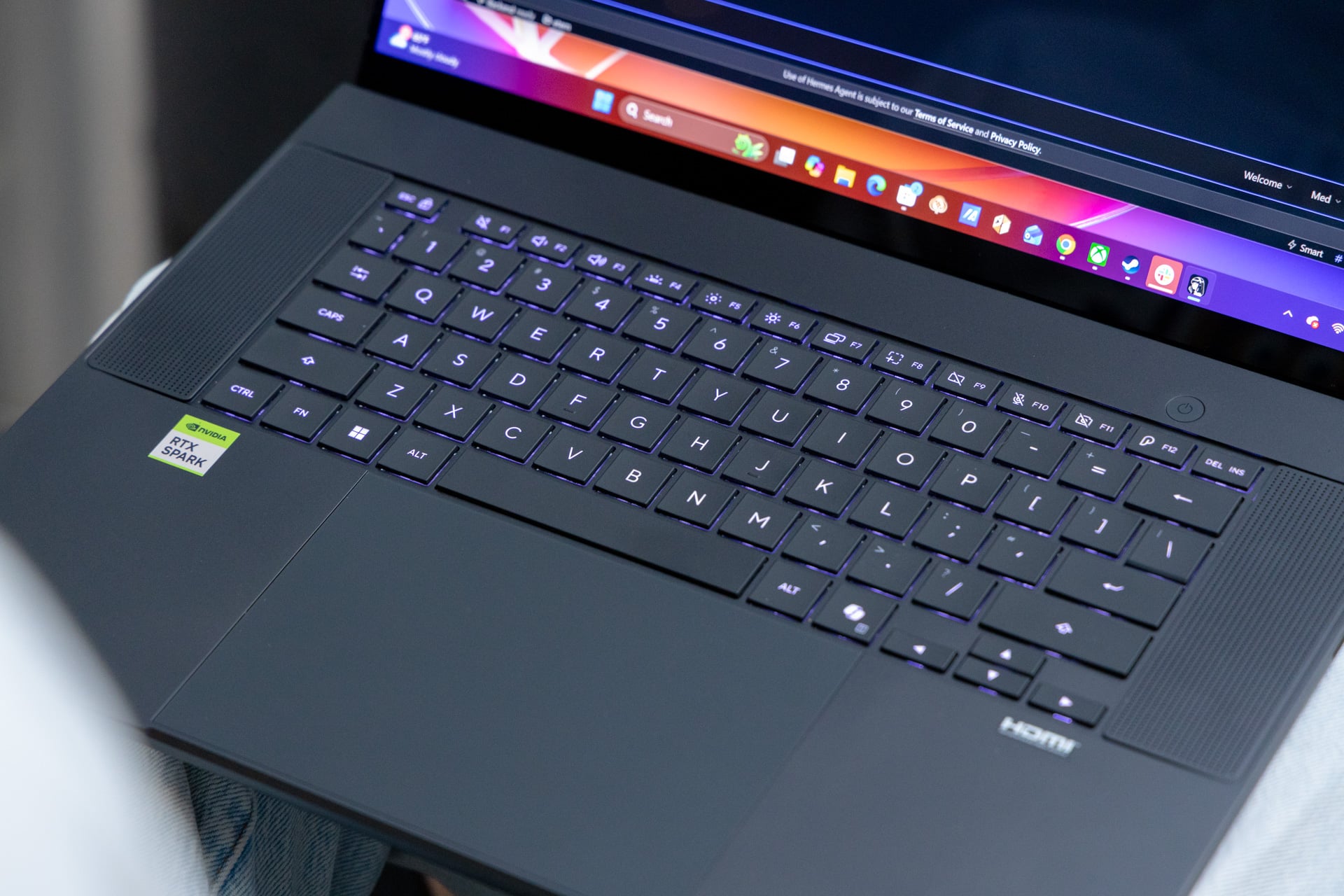
Worse, is the palm rejection. If you’re going to put such a massive trackpad on a laptop, you better not force me to produce some unwanted clicks while I’m typing with my wrists resting on the laptop. I experienced a ton of misclicks that made the experience of writing this review more annoying than it had to be. It wasn’t nearly as bad an experience as I had with the MSI Stealth 16 AI+, but it left me wanting another laptop with something smaller.
As for ports, the ProArt P16 holds few surprises. It has three USB 4 Type-C ports, which allow for up to 40Gbps data transfer speeds (sorry, you won’t find any Thunderbolt 5 with their higher data and power throughput on any RTX Spark designs). There is a single USB-A port alongside the necessary SD card reader. You’ll also find the HDMI and headphone jack on the left side.
Bigger batteries aren’t everything

After I spent days on the Asus ProArt P16, I finally caught on to how users are supposed to claim that supposed “all-day battery” Nvidia and Asus have been promoting since launch. “All-day” may be stretching the term to a certain degree. This laptop has a relatively large 99.9Wh battery. That’s bigger than the 92Wh in the Surface Laptop Ultra, but it doesn’t necessarily mean you’ll get all that much more longevity.
For the sake of unlocking this laptop’s performance or quieter modes, you’ll want to dig into the pre-installed MyAsus app and choose one of the power modes there rather than relying on Windows 11 preset performance modes. I found that choosing to force MyAsus to use Windows’ “best power efficiency” defaulted the laptop to “Standard” power on MyAsus. If you enable “Whisper mode,” you can actually claim a better battery life, enough to last me through the majority of a full day’s work. My days start at 8 a.m. and end at 5 p.m., and on days I need to file a review, I rarely close my laptop lid for more than a few spare minutes.

You can also use the MyAsus app to modify the amount of memory dedicated to the GPU or to the other components. You can do the same in the Nvidia app, but it seems MyAsus is more consistent. With 128GB of unified memory provided in the laptop sent to me for review, you don’t actually have to mess around with your memory allocation settings, not unless you’re specifically trying to force this laptop into Nvidia’s dream of being your at-home AI agent conductor.
ProArt laptops typically come stuffed with extraneous software that some, though not all, users will find useful. There are apps like the StoryCube picture and video organizer and MuseTree, Asus’ image generation app. If you’re an artist who has any ounce of pride in your work, that line likely made you shudder. Asus made sure that AI agentic apps such as Hermes Agent are compatible with MuseTree if you plan to create AI-enabled workflows to automate some parts of your creative process.
An RTX Spark PC with these specs can indeed run a 125B parameter model like Qwen3.8 Flash Next. There are a number of reasons you may actually consider employing local agents in your workflow, especially if they may automate the laborious or tedious parts of your work, like file management.
The more you use all this extra AI processing, the more your laptop will eat away at your battery life. However, if you decide to push the ProArt P16, you’ll see you can get some impressive performance results. They just may not be peak for the laptop’s price.
Pushing pixels, just not at their peak

The whole point of an RTX Spark PC is to have an efficient and capable ARM-based CPU paired with a mammoth Blackwell GPU crafted by Nvidia. We’ve already seen the extent of that with the latest RTX Spark release. However, based on my tests, the ProArt P16 came out with some of the more impressive benchmarks of the entire slate, though usually by a hair’s breadth.
In my Geekbench 7 and Cinebench 2026 tests, all of which measure a CPU’s capabilities, the ProArt P16 just slightly ahead of the Surface Laptop Ultra. It was also hitting around 10% better scores than the Lenovo Yoga 9n 2-in-1. That’s partially thanks to the 80W max TDP (thermal design power) metric you can strike when running the laptop in manual mode (again, configurable using the MyAsus app). Nvidia has also made an effort in recent weeks to patch many of the issues that stymied its new ARM-based chip, and that effort shows. I haven’t had too many problems getting this laptop to hit its peak.
The 20-core CPU is performant enough to fight back against Intel-based creative laptops, like the Lenovo Pro 9i 16 G11 Aura Edition, scoring 29% in Cinebench CPU rendering tests. That translates to around 24 seconds faster rendering time in our Blender benchmark, where we measured how long it takes the PC to render a scene of a BMW. At the same time, not all is perfect in the land of ARM. In our Handbrake test, where we time how long the PC takes to transcode a 4K video to 1080p, the Asus RTX Spark took 3 minutes and 50 seconds, 37 seconds slower than the Yoga Pro 9i. Strangely, it was also slower than the Surface Laptop Ultra.
All that being said, the N1X’s CPU is still behind the times compared an M5 Pro chip in a PROLED XDR MacBook Pro, which was more than 30% faster on Geekbench 7 under multi-core settings. Apple silicon is still leagues faster than Nvidia’s chips in terms of single-core capabilities, so a MacBook will always load webpages or complete single, straightforward tasks at a superior clip.
Don’t even get me started on the M5 Max chip. A MacBook Pro that costs just $400 more than this ProArt P16 with similar memory specs managed the Handbrake test in just over 52 seconds. And then, if GPU is supposed to be RTX Spark’s saving grace, the M5 Max still leaves it eating dust. In a test where I rendered a complicated scene of a barbershop in Blender, the ProArt P16 took 2 minutes and 43 seconds. The MacBook Pro with M5 Max chip took a little more than a minute.
What do you do when you’re not feeling ‘Pro’?

Even if Apple still leads, the main reason you want an RTX Spark is for the GPU. More than that, you want it to employ some of Nvidia’s exclusive software and technology, like the DLSS 4.5 ray reconstruction real-time denoiser available in Blender. It’s a powerful GPU for a single chip, but it’s still not beating a dedicated GPU in less-expensive laptops like the RTX 5070 Ti in the MSI Stealth 16 AI+ or the Lenovo Legion 5i.
This single chip design comes surprisingly close. In high-end real-time graphics benchmarks like 3DMark’s “Steel Way,” the ProArt P16 was only 16% behind the RTX 5070 in the Legion 5i. In other tests, the performance difference is almost negligible. If you compare this 16-inch ProArt to another high-end PC like the Asus ProArt PX13 with its AMD Ryzen AI Max+ 395 chip, the N1X can hit a 40% better score in 3DMark’s “Steel Nomad” graphics tests.

The GPU helps the ProArt 16 perform as a low-key gaming machine. Running games at around 1600p resolution is the sweet spot for this size of laptop. Without relying on upscaling, the P16 hit around 43 fps in Cyberpunk 2077 on ray tracing low preset graphics settings. In Black Myth: Wukong, that was closer to 47 fps on high graphics settings. That’s not bad especially when you consider both games have to run in tandem with Microsoft’s Prism x86 to ARM emulator. There are still relatively few games that support a native ARM build. Hopefully, that will change in the future. And all the while, you should know that less expensive laptops running x86 chips with discrete GPUs will hit a better standard frame rate.
You can easily make this an all-rounder laptop for both work and pleasure, if that pleasure is gaming and you don’t mind making up the performance difference with DLSS upscaling. Will you be able to game at the screen’s top 4K resolution? Not unless you’re playing a much less demanding title. I’m happy that the option is there all the same.
More pro than art

It’s hard to argue that anybody spends $4,000 on a laptop, let alone $7,000. If the Asus ProArt P16 were a piece of music, it would be a concept album not made for the band’s typical fans. If it were an art piece, it would be stuffed inside a disgustingly rich man’s bunker in a hermetically sealed room, only existing as a means for hoarding wealth.
Though if it came to my favorite RTX Spark design I’ve seen thus far, the ProArt P16 is in a close tie with Surface Laptop Ultra. The former suits a creative workstation more than the latter. Still, the ProArt P16’s overall design quality is evident from its screen down to its chassis. It’s the type of creative laptop that can actually get you excited to do the tasks you’re assigned.
Maybe, one day, more of us will be able to afford this much power in such a thin design.