Overall Rating: 4.3/5 ⭐
- Protection: 4.3 ⭐
- Performance: 3.9 ⭐
- Features: 4.4 ⭐
- Support: 4.8 ⭐
- Value: 4.2 ⭐
From $44.99 for the first year. Pricing verified October 2026.
Malwarebytes Review: Ratings, Pros and Cons
Malwarebytes reviews used to describe a second-opinion scanner you kept beside a proper antivirus. That stopped a while ago. The Windows app includes a VPN, an identity module, an AI scam assistant, a file shredder, and a firewall control panel, and it earned an AV-TEST TOP PRODUCT award in March-April 2026. The tier split hasn’t moved, and it still catches people out. The free download and the paid subscription are different products doing different jobs.
👍 Where Malwarebytes Wins
- AV-TEST TOP PRODUCT, March-April 2026. 17.5 of 18 points.
- Removed all infections in my remediation test.
- No false detections at AV-TEST across 1,5M legitimate samples.
- Renewal costs the same as year one.
- Installed in 38 seconds. Fast and efficient setup.
- Live chat support is fast and helpful
👎 Where It Falls Short
- No real-time protection on the free tier after day 14.
- 14 false alarms on my bench, 23 at AV-Comparatives.
- My full custom scan took 28:43 and peaked at 645 MB.
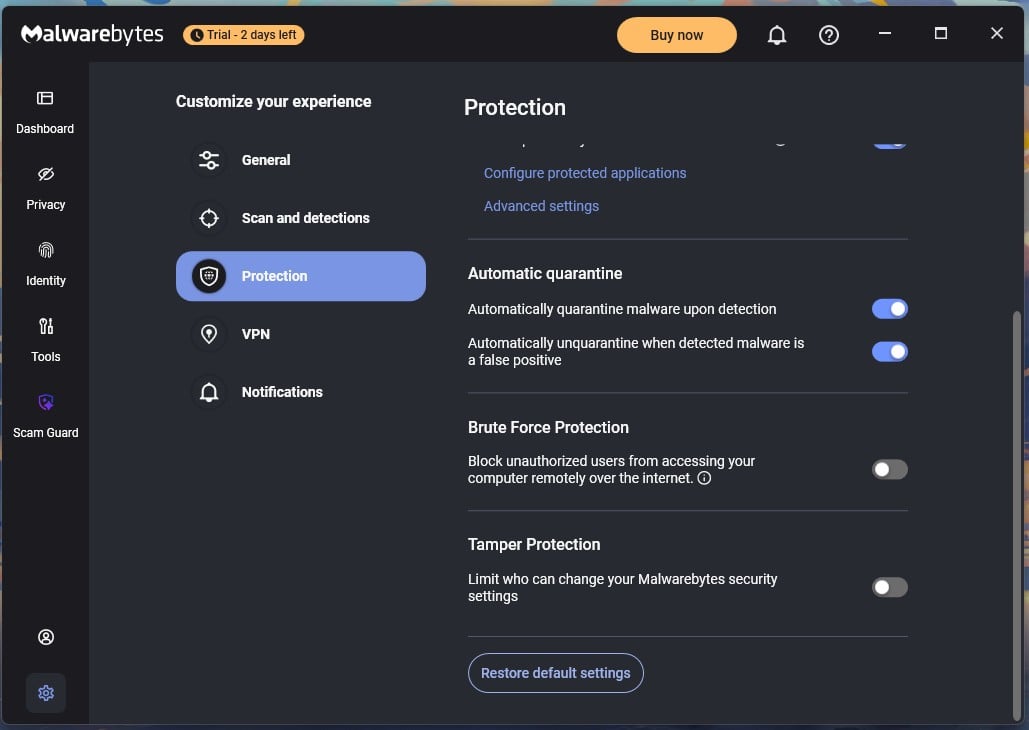
- Rootkit scanning, Tamper, and Brute Force Protection are off by default.
Buy it if you want a clean, fast antivirus with a flat renewal price and a scan that clears infections other products need two passes to reach. Look elsewhere if you need a standalone firewall, parental controls, or cover for more than three devices without jumping to a family plan.
Is Malwarebytes Safe and Legitimate?
Malwarebytes safety searches hide three issues. Some people are asking about the company. Some have just downloaded a file and want to know whether it’s the genuine article. Others are staring at a pop-up claiming their PC is infected and want to know if Malwarebytes sent it. The phrasing is Malwarebytes a safe app covers all three. The answers differ, so I’ve taken them separately.
Is the Company Legitimate?
Yes, and this is the easy answer. Marcin Kleczynski founded Malwarebytes in 2008 and is still its CEO. The company is private and headquartered in Santa Clara, California. It has raised $180 million in total, recently a $100 million minority investment from Vector Capital in September 2022.
It spun its business portfolio out under the ThreatDown name in November 2023 and bought the Swedish VPN provider AzireVPN in November 2024. People searching for a Malwarebytes corporation review are usually checking this. The short version is that Malwarebytes is legit by every ordinary measure.
It’s very old, well-funded, and independent, with a published privacy policy and a street address on it. The search is Malwarebytes legitimate comes up, and the company record answers it. The spaced spelling behaves the same way, so is malware bytes safe, and its variants reach this same answer.
Fake Malwarebytes Downloads and How to Spot Them
The brand gets impersonated constantly because it’s what people reach for when they think something is wrong. Malwarebytes Labs documented a fake site pushing an infostealer in May 2024. Fake project pages served malware in September 2025, and a DLL sideloading campaign used lookalike download archives in January 2026. Take the official download from malwarebytes.com or an app store, and never from a sponsored search result.
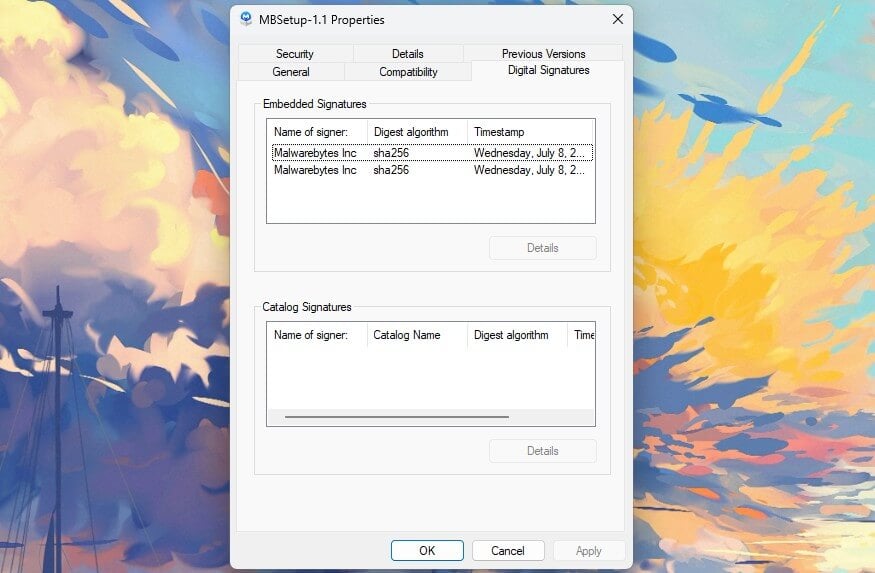
Then check the publisher signature: right-click the installer, open Properties, and click Digital Signatures. The genuine Windows installer is signed by Malwarebytes Inc. using SHA-256. Mine showed two embedded signatures from that signer. A file that shows no signature, or a signer with a different name, is dangerous.
Malwarebytes Says I’m Infected: Real Alert or Scareware?
A genuine alert comes from the installed app. It appears as a Windows notification or inside the app; it logs the detection in Detection History, and it moves the file to Quarantine. It doesn’t ask for payment to clean something, and it doesn’t give a phone number to call. A browser pop-up is a web page.
It can look convincing, borrow the logo, and play a siren. But it stays in your browser, and it always wants a call, a card, a download. That experience is where most “is Malwarebytes a scam” searches come from, and the software isn’t the problem. Close the tab and don’t click anything.
If it won’t close, end the browser process from Task Manager, reopen without restoring tabs, then run a scan from the app itself.
Privacy Policy and Data Collection
The policy was updated on June 16, 2026, and states that Malwarebytes doesn’t sell customer data. The software collects license and machine identifiers, system configuration, and details of the malware it detects. IP addresses arrive with those requests, become a rough continent-and-city location, then get discarded. The VPN section is specific about what it leaves alone.
No browsing details, DNS requests, bandwidth figures, device IP, or app telemetry. Browser Guard is the one component touching browsing data, collecting blocked page URLs, excluded domains, and general statistics, anonymized and aggregated with no full histories kept. Each has an opt-out in the settings. The policy says periods vary by data type and publishes no figures.
The incident record has one entry: in December 2020 the actor behind the SolarWinds campaign reached a limited set of internal emails through a dormant Microsoft 365 app. Nothing since, which is more than five clean years and a fair reason to call Malwarebytes trustworthy.
Is Malwarebytes an Antivirus, or Just a Malware Cleaner?
Both, depending on which version you have. Almost everything people get wrong about this product traces back to that one difference. Searches for what are Malwarebytes, in the plural land in the same place. So what is Malwarebytes software doing? The free download is an on-demand scanner. It finds and removes what has already reached the disk, and that’s the end.
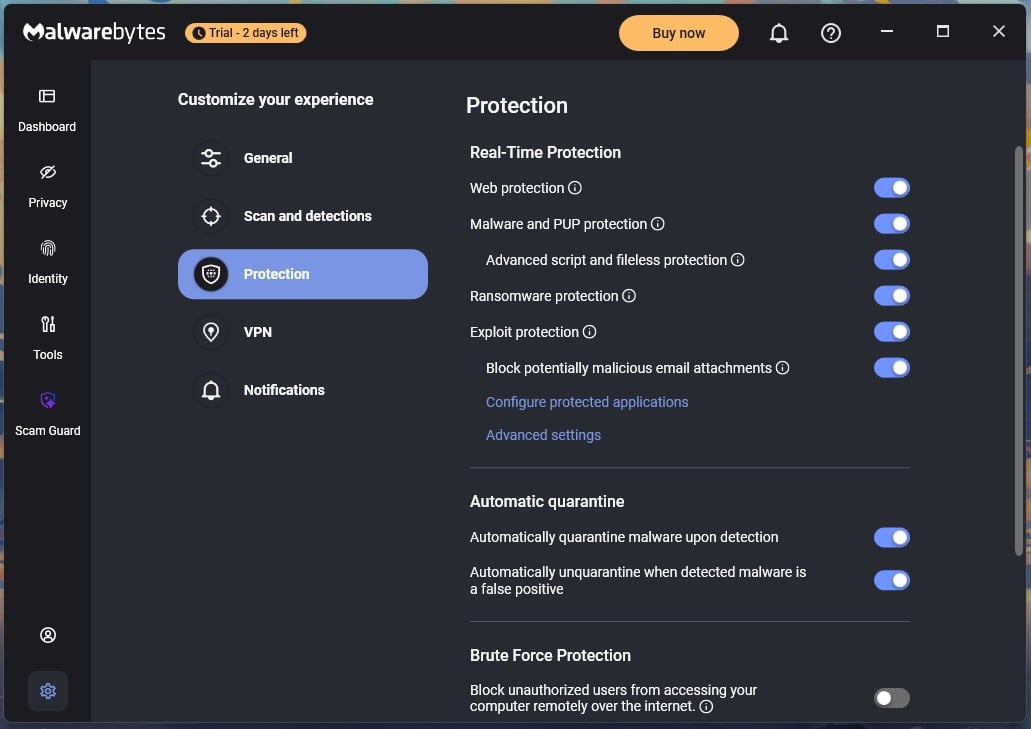
The paid app adds six protection layers that stay on:
- Web protection
- Malware and PUP protection
- Advanced script and fileless protection
- Ransomware protection
- Exploit protection
- Blocking of malicious email attachments
All six arrived switched on. Yes, Malwarebytes is an antivirus, in the version you pay for. Searches asking is Malwarebytes antivirus good are almost always asking about that paid app. Does Malwarebytes detect viruses? Yes, and detection is where the free version stops. Does Malwarebytes protect against viruses?
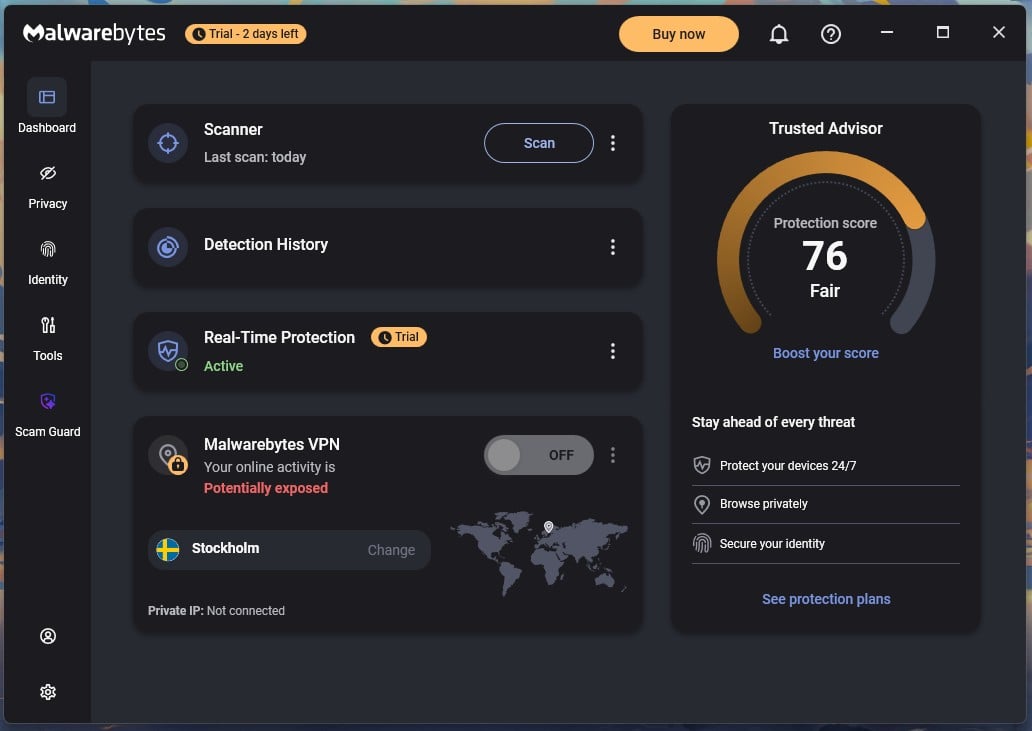
Only the paid one does. The consequence is blunt: if the free version is the only security software on a PC, that PC is unprotected between scans.
Why the Cleanup Reputation Stuck
Malwarebytes built its name as the thing you opened after your antivirus failed. A generation of users still files it under cleanup tools. Plenty of people type the name as malware bytes, and the spaced version reaches the same product. Classic antivirus engines chase malware. Malwarebytes also chases potentially unwanted programs and modifications: toolbars, bundled search hijackers, and registry changes.
Both settings are on by default in the app. A Malwarebytes scan finds items on a computer another product just declared clean, which is a large part of why people keep it around for second opinions.
Using It Beside Another Antivirus
Malwarebytes coexists with a resident antivirus, and few products genuinely do. I installed it on a machine with Bitdefender present, then again with Avast present, and it caused no conflicts either time. The other product handles blocking while Malwarebytes handles the occasional second look.
Malwarebytes Free vs Premium: What the Free Version Actually Does
Malwarebytes publishes a feature table, and the free tier is narrow:
Free Version
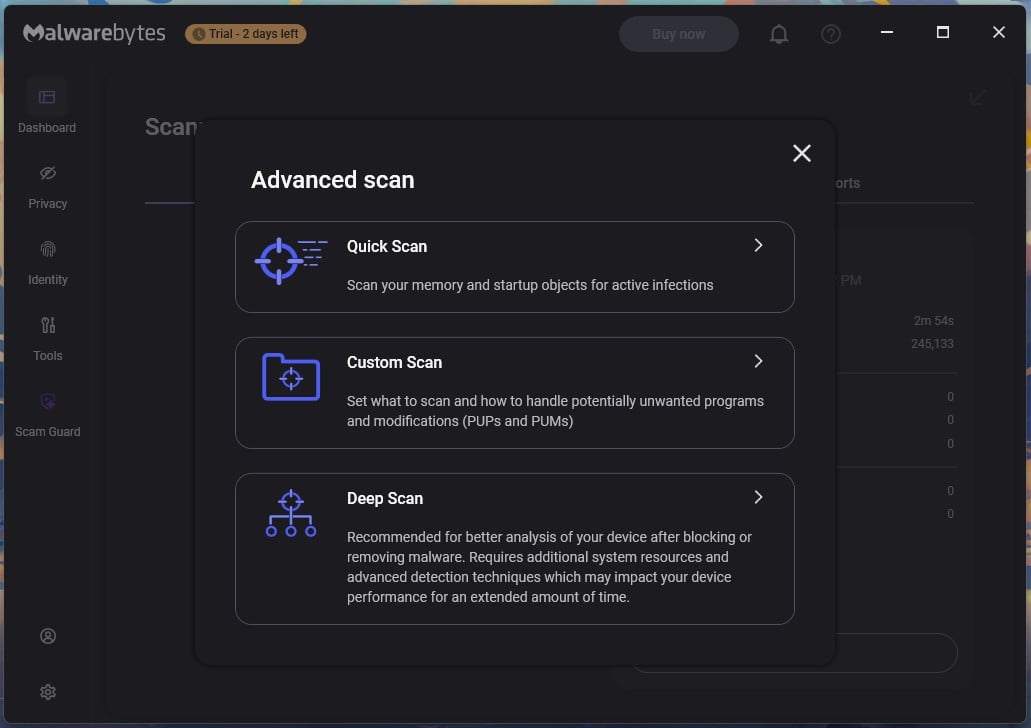
- Quick Scan. Checks memory and startup objects.
- Custom Scan. Checks whatever folders or drives you point it at.
- Browser Guard. Free extension for Chrome, Firefox, Edge, and Safari.
- One monthly automated check. Windows only, and it needs enabling.
- Quarantine and manual removal.
What paying adds:
- Threat Scan. The default full sweep.
- Deep Scan. Windows only.
- Real-time protection. The resident shield, on Windows and Mac.
- Scheduled scanning. On any timetable you set.
- Web, exploit, and ransomware protection.
- Privacy VPN, identity monitoring and Scam Guard. Depending on tier.
What Happens on Day 15
Installing the app grants a 14-day trial, so the first 2 weeks look like the paid product. The dashboard badges Real-Time Protection with the word Trial. When the trial ends, the app says so and asks you to upgrade.
Is Malwarebytes Free Good on Its Own?
For cleanup, it’s excellent, and my removal results came from scans available to everyone. The detection figure describes the paid engine. The missing resident layer settles the Malwarebytes free review question. Browser Guard softens that. As a browser extension, it blocks malicious sites, scams, ads, and trackers before a page loads, so a free user has live cover while browsing.
It can’t see anything outside the browser: USB drives, attachments opened in a desktop client, or anything on the disk. There’s also a trick the app doesn’t advertise. Point a Custom Scan at every drive, and you get a full-volume sweep without paying for Threat Scan. That’s how I measured the 28-minute figure down.
Pair the free version with Microsoft Defender, which is built into Windows and supplies the resident layer it lacks. Our rundown of what the no-cost tools cover compares the options, and the step-by-step guide to clearing an infection handles a machine that has one. It costs nothing and covers both halves.
Malwarebytes Protection Test Results
This comes from a paid plan on my Windows 11 Pro bench, a Ryzen 7 5800X with 32 GB of RAM and two M.2 SSDs, with an 18-second boot baseline.
Independent Lab Results and What They Leave Out
AV-TEST evaluated Malwarebytes Premium 5.5 across March and April 2026 and awarded it TOP PRODUCT with 17.5 of 18 points:
- Protection 5.5/6. Zero-day blocking of 98.9% and 97.7% against a 99.4% industry average, and 99.9% twice on the reference set against 100%.
- Performance 6.0/6.
- Usability 6.0/6. Zero false detections across 1,502,232 legitimate samples, where the average was three.
AV-Comparatives reads the false positives differently. Its March 2026 Malware Protection Test recorded 92.4% offline detection, 98.3% online, a 99.59% protection rate, and 23 false alarms. The February to March Real-World test blocked 100% of 200 live cases with 20 false positives.
Coverage is thin. Malwarebytes skips AV-TEST’s advanced threat rounds and both current macOS rounds. So how good is Malwarebytes on paper? Good, and thinly documented. Judged on labs alone, is Malwarebytes a good antivirus program? Yes, with an asterisk on how rarely it gets tested.
Removal Performance on Already-Infected Machines
This is the claim the brand was built on, so I tested it. I infected a virtual machine with six samples spread across different persistence methods and executed them with no security software present. Then I installed Malwarebytes onto the already-compromised image. A single Threat Scan caught all six.
Everything was removed; the registry keys and processes were gone when I checked, and nothing returned after a restart. Does Malwarebytes work as a cleaner? Yes, completely, and it needed only its default scan to do it.
Real-Time Protection and Web Filtering in Testing
Detection across my sample set came to 99.57%, with offline detection at 91.3%. That offline figure tracks the lab closely, suggesting the same cloud dependence AV-Comparatives measured. Phishing pages were blocked at 89%. False alarms are the sore spot. I logged 14. Norton and Bitdefender managed 3 and 5 in my tests.
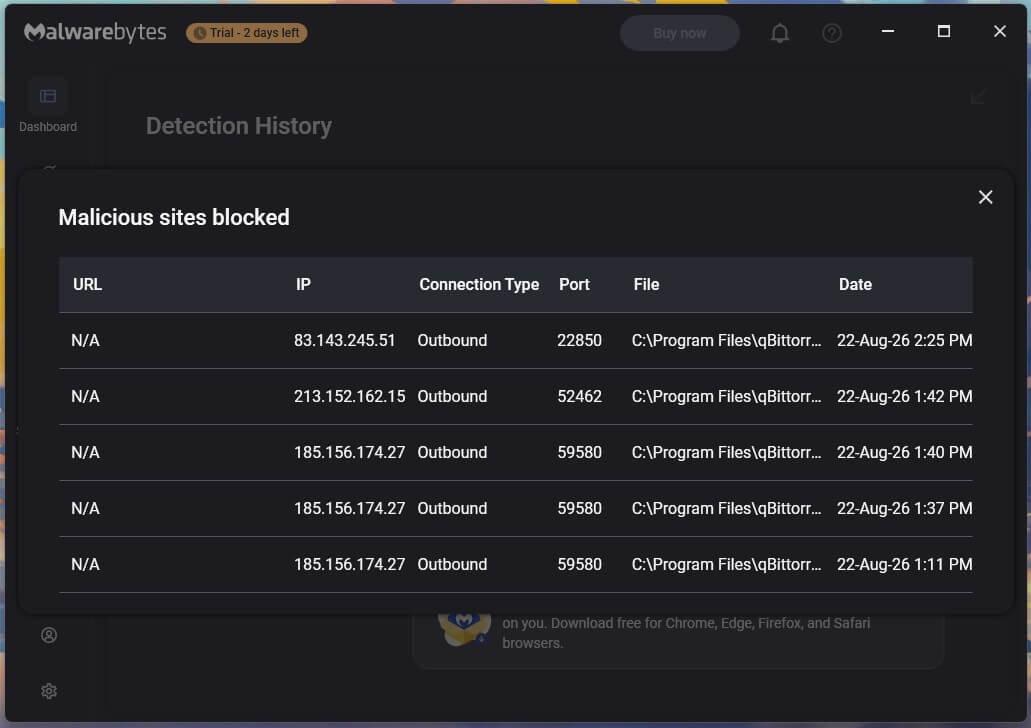
That figure falls closer to AV-Comparatives’ 23 than to AV-TEST’s zero, and a buyer should expect the occasional legitimate file to get flagged.
Scan Speed and System Impact
Measured on the same Windows 11 bench:
- Install: 38 seconds
- Boot: 26 seconds, against 18 clean
- Idle: 147.3 MB memory, no measurable CPU
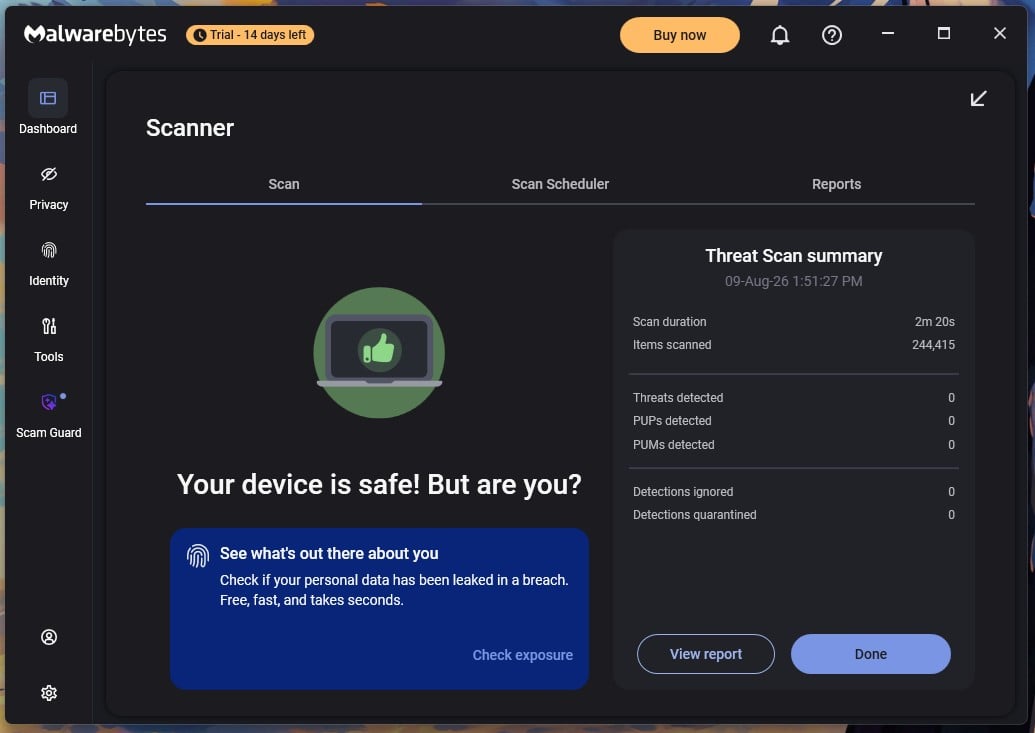
- Threat Scan: 2 minutes 20 seconds across 244,415 items
- Custom scan, both drives: 28 minutes 43 seconds across 550,988 items
- Scan peaks: 18.2% CPU, 645 MB memory
645 MB is roughly triple what the lighter suites use, and a default setting explains it. Under Scan and detections, “Prioritize scans (faster scans)” is selected. Switching to “Prioritize system” trades speed for a quieter machine.
Is Malwarebytes Still as Good as It Used to Be?
The product grew between 2024 and now.
- Personal Data Remover, September 2024
- AzireVPN bought November 2024, audited no-logs VPN by April 2026
- Trusted Advisor rebuilt, July 2025
- Scam Guard on mobile June 2025, desktop February 2026
- New macOS scan engine, December 2025
- Lineup reorganized into Standard, Plus, and Total
- AV-TEST TOP PRODUCT in March-April 2026, ending a long absence from that lab’s Windows rounds
Three protections are off. Rootkit scanning is disabled, so a default scan skips rootkits until you enable it under Scan and detections. Tamper Protection is off, which lets malware alter Malwarebytes’ own settings. Brute Force Protection is off too. None of it is hidden, but a paid suite should have its defenses on out of the box. Is Malwarebytes still good? Better than it was, once you spend five minutes in settings.
Malwarebytes Plans and Pricing: Standard, Plus and Total
| Plan | Devices | Key additions | Year one | Renewal |
|---|---|---|---|---|
| Standard | 1 | Real-time protection, Browser Guard | $44.99 | $44.99 |
| Standard | 3 | Same, across three devices | $59.99 | $59.99 |
| Plus | 3 | Malwarebytes VPN | $79.98 | $79.98 |
| Total | 1 adult + 3 devices | Identity protection, $1M insurance | $89.99 | $89.99 |
| Standard Family | 10 | Device security only | $119.99 | $119.99 |
| Plus Family | 10 | VPN | $149.99 | $149.99 |
| Total Family | 2 adults, 10 kids, 10 devices | Identity protection, $1M insurance | $124.99 | $124.99 |
Malwarebytes charges the same in year two as in year one, where second-year increases of 100% to 200% are normal in this category. Individual plans also come in a 5-device version, and Family plans in a 20-device version, so the ladder has no forced jump over the size you need.
Total Family at $124.99 undercuts Plus Family at $149.99, so the tier with identity protection and $1M insurance costs $25 less than the tier without it. Every plan has a 60-day money-back guarantee. Subscriptions auto-renew and can be cancelled, with cover continuing to the end of the paid term.
Malwarebytes for Business
A Malwarebytes for Business review points at a different product. The business portfolio moved under the ThreatDown name in November 2023 and sells separately, built around one agent and console covering endpoint protection, detection and response, DNS filtering and patch management.
Malwarebytes on Windows, Mac, Android and iPhone
Windows
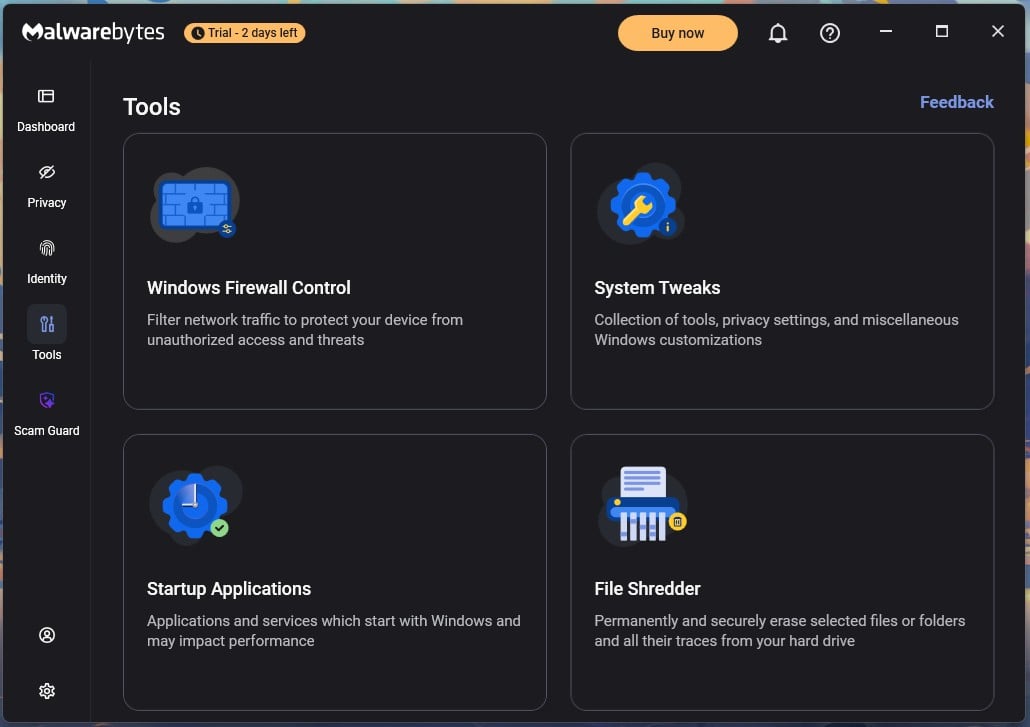
The fullest build. It’s the only platform with Deep Scan. The Tools panel holds Windows Firewall Control, System Tweaks, Startup Applications, and File Shredder, and a separate Privacy Controls page manages Windows privacy settings, remote desktop monitoring, and webcam access.
Mac
Malwarebytes on Mac is a strong fit because of what infects Macs. Adware, browser hijackers, and unwanted programs make up the bulk of it, and this engine removes that category best. Malwarebytes rebuilt the macOS scan engine in December 2025 and added a Mac firewall, layered over the operating system’s own, that simplifies incoming connection management. Full figures for every Mac product on that machine are in our macOS security testing.
On an M1 MacBook Air:
- 99.4% detection with 8 false alarms
- 92% of potentially unwanted programs blocked
- 89% of phishing pages blocked
- Quick scan: 53 seconds; full custom scan: 10:44
- Boot slowed by 4 seconds
Searches for a Malwarebytes for Mac review usually want the adware answer, and it comes with a caveat. That 92% is the lowest PUP figure in the Mac group, and adware is the threat a Mac is most likely to encounter.
Android
The Android app splits along the same free-and-paid line. Both scan apps and downloads and include Text Protection, which alerts on SMS phishing links. Real-time protection, Safe Browsing, and call protection are paid. Ransomware remediation is a guided walkthrough that identifies the suspect app and talks you through safe mode.
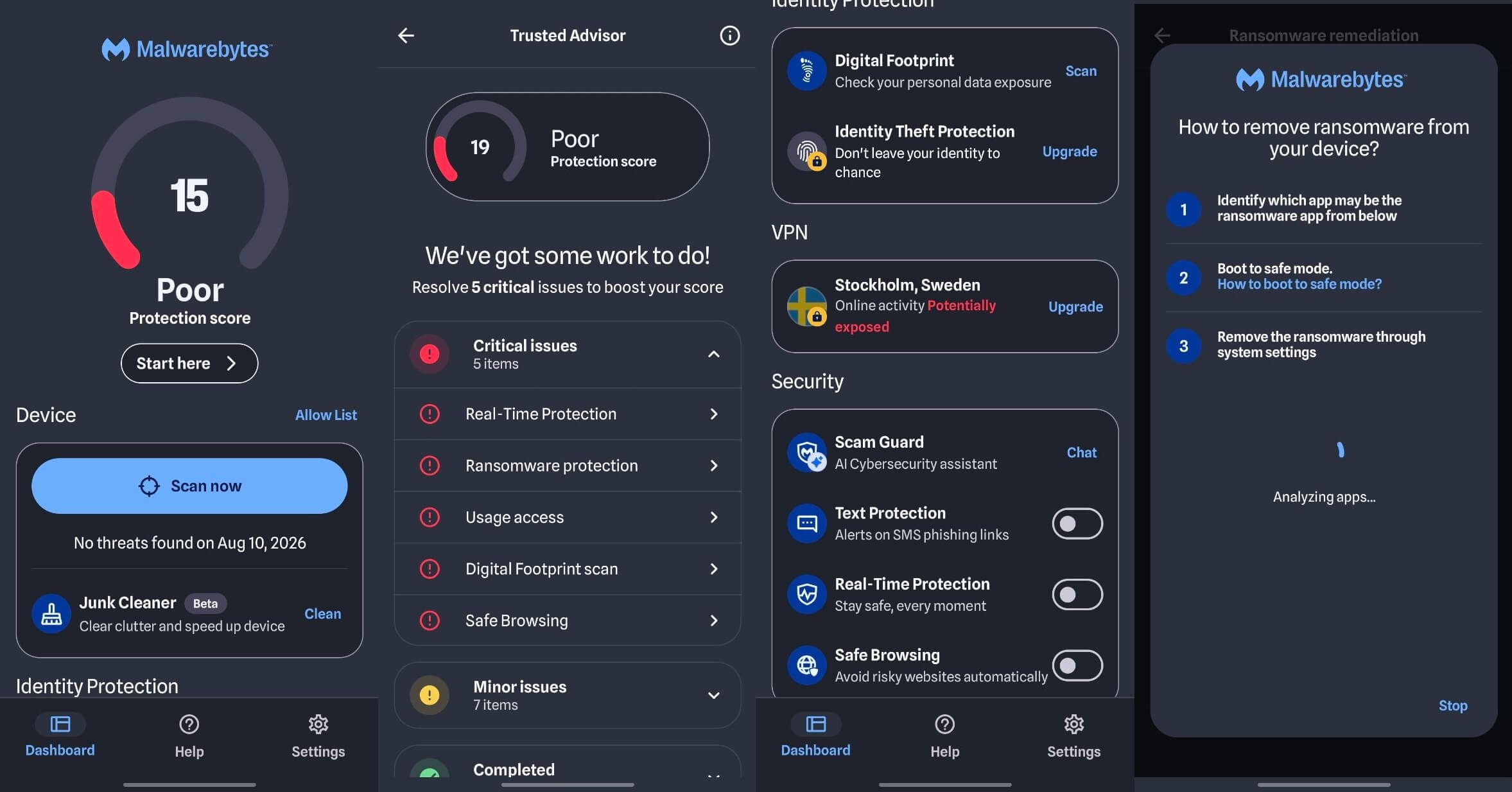
The Malwarebytes review Android buyers need turns on sideloading. Google Play Protect covers the store well, and threats arriving as APKs from outside it make the case for a second scanner. Our handset testing across five Android apps measures how well each one handles that.
iPhone
Apple’s sandboxing rules out file scanning, so the iOS app works around that limit. It filters scam texts, blocks phishing links and ads in Safari, and flags exposed data. Useful, but nobody should install it expecting a virus scanner.
Malwarebytes Customer Support Put to the Test
The help center splits by product, so picking VPN or Browser Guard returns documentation written for that component. It answered several of my questions before I contacted anyone. On chat, an AI assistant replied first and was actually helpful. I still wanted a person, and an agent joined in about a minute.
Then, I asked how to find a specific feature and got the steps back quickly and correctly, with no hedging or hand-offs. I requested a refund in the same conversation, and the agent handled it there and then, with no separate form or transaction reference. Cancelling auto-renewal is easy through your account.
Malwarebytes Compared With the Main Alternatives
🆚 Malwarebytes vs AVG
AVG’s free tier includes real-time protection, which Malwarebytes Free doesn’t, and that decides the free comparison. On my bench, AVG detected 99.77% with 4 false alarms against Malwarebytes’ 99.57% with 14, and completed a full scan in 15:13 against 28:43.
AVG also pushes upgrade prompts through a scan modal and a rewards banner. Malwarebytes installed in 38 seconds. On the free tiers, take AVG. On the paid tiers, Malwarebytes wins on cleanup and on the flat renewal price.
🆚 Malwarebytes vs Norton
Norton is the bigger suite by some distance: cloud backup, a full firewall, a password manager, dark web monitoring, and parental controls from Deluxe up. It also detected 99.8% with only 3 false alarms on my bench and blocked 95% of phishing pages, both better than Malwarebytes.
Norton charges $49.99 in year one and $124.99 in year two. Pick Norton for the feature list, Malwarebytes for a cleaner app and a lower price. The tier-by-tier Norton breakdown shows what each subscription level adds.
🆚 Malwarebytes vs Bitdefender
Bitdefender detected 99.8% with 5 false alarms, completed a full scan in 14:03 and peaked at 183 MB, against Malwarebytes’ 28:43 and 645 MB. Bitdefender’s lab record is also more consistent across rounds.
Malwarebytes takes the removal argument and the renewal price, since Bitdefender Total Security goes from $59.99 to $109.99 while covering five devices to Malwarebytes’ three. We put Bitdefender through the same bench in a separate test.
Malwarebytes vs Microsoft Defender
Defender is resident and free, and it’s the layer Malwarebytes Free doesn’t have. Running both is legitimate: Defender watches continuously, Malwarebytes handles scans and second opinions. Defender detected 88% offline in my testing and swept the drive in 12:24, so it’s capable, though not exceptional.
⚖️ Other Options to Consider
- Norton 360 for a full suite. Firewall, cloud backup, and identity tools in one subscription.
- Bitdefender for an older machine. It used 183 MB during scans against 645 MB and swept the drive in half the time.
- Microsoft Defender with Malwarebytes Free for cleanup at zero cost.
Everything else I measured is ranked in the main antivirus comparison.
Who Malwarebytes Suits, and Who Should Buy Something Else
✅ Buy If:
- You have an infection right now. It removed all six infections from a compromised image, and the default scan did it.
- You already have an antivirus. It coexists cleanly, so it works as a second opinion beside whatever guards the machine.
- You use a Mac and adware is the worry. That’s the threat category this engine targets directly.
- You want a plain app over a feature list. The flat second-year price helps here too.
❌ Skip It If:
- You shop on first-year price alone. Norton AntiVirus Plus opens at $29.99 and Bitdefender Antivirus Plus at $24.99.
- You want one subscription for everything. No standalone firewall, no parental controls, no cloud backup, no password manager.
- You need a long testing record. The lab coverage is recent and strong, but thin.
What if you want a VPN and identity monitoring in the same plan? Plus and Total cover that, and Total at $89.99 with $1M of identity insurance undercuts most standalone identity services. Judge it against those, not against antivirus pricing. Is Malwarebytes worth it?
At $44.99 for one device or $59.99 for three, holding at that price indefinitely, yes, for most of the profiles above. For a household on Windows PCs with Defender active, the free tier plus Defender is the right recommendation.
Verdict: Where Malwarebytes Stands in 2026
This review of Malwarebytes has to answer the free-versus-paid question first. Malwarebytes earns 4.3/5. The cleanup reputation holds up, and a single default scan removed every infection I threw at it. AV-TEST’s TOP PRODUCT award and a flat renewal price make the paid tiers easier to recommend than they were.
My bench and AV-Comparatives flagged more legitimate files than the labs recorded, and 3 of the protections arrive switched off. Searches for reviews of Malwarebytes and reviews on Malwarebytes circle a single question, so take this away. The free version is a cleanup scanner. Malwarebytes Premium is the antivirus.
Start with Standard at $44.99 if you have one machine, or three devices at $59.99. Pair the free version with Microsoft Defender to spend nothing.
Common Questions About Malwarebytes
🌐 Is Malwarebytes Safe to Install?
Yes, from malwarebytes.com or an official app store. Check the file's Properties first: the real installer shows Malwarebytes Inc. as the signer.
📝 Is Malwarebytes Legit?
Yes. Founded in 2008, based in Santa Clara, California, and still privately held after $180M in funding, with a separate enterprise line under the ThreatDown brand.
🔎 Is Malwarebytes Good?
Yes, with one persistent flaw. AV-TEST rated it TOP PRODUCT at 17.5 of 18 points. False positives are the exception, and they show up in independent rounds as well as in-house testing.
🔰 Is Malwarebytes a Good Antivirus?
Yes when paid, no when free. Six protection layers are active in the paid app. The free download keeps none once the trial expires.
🛡️ Is Malwarebytes an Antivirus or a Malware Remover?
It's an antivirus in the paid tier and a malware remover in the free tier version; this is the biggest difference between the two options.
🛠️ Does Malwarebytes Work?
Yes. Six infections planted on an unprotected virtual machine were all detected and removed by one default scan, with nothing back after a restart.
🆓 Is Malwarebytes Free Good Enough on Its Own?
No, because nothing watches the machine between scans. Microsoft Defender fills that role at no cost, and the two work together without conflict.
💎 Is Malwarebytes Still Good?
Yes, and it covers far more ground than the old cleanup tool did. Switch on rootkit scanning, Tamper Protection, and Brute Force Protection after installing, since all three are disabled by default.
🔀 Can You Run Malwarebytes Alongside Another Antivirus?
Yes. Use the free tier for it, since that leaves the other antivirus handling real-time protection on its own. Two paid engines on one machine can clash.
💳 Is Malwarebytes Worth Paying For?
Yes, and it improves the longer you keep it. Three years of a $59.99 plan costs $179.97, because the price never moves at renewal.
🍎 Is Malwarebytes Good for Mac?
Yes. Adware and browser hijackers dominate Mac infections, and that's the category this engine targets. Detection reached 99.4% on an M1 Air.
🕵️♀️ Does Malwarebytes Detect Viruses?
Yes, and detecting isn't the same as stopping. A free scan finds viruses, trojans, spyware, and rootkits after arrival. Blocking them first requires the paid tier.