
Living in someone’s head rent-free sounds appealing, and that is roughly how the phrase best free web hosting comes across. Hosting is normally a paid service, because your site uses the provider’s servers, storage and bandwidth every single day. Still, a handful of companies give away real hosting in 2026, and a few of them are better than you might expect.
You will not get the same treatment as paying customers, of course. Free plans usually come with tight limits on storage, performance, support and customization, and the result is often a site that cannot handle thousands of monthly visitors. Even so, not every free web hosting service is bad, although many of them are underwhelming.
In this guide we rank the five best free web hosting options in 2026 and explain what you actually get when you decide not to pay: Wix is the only one with a permanent free plan and a built-in website builder, and Hostinger shows what changes once you spend a few dollars with a refund window as a safety net. We compared each provider’s current plan pages, and we point out where a free plan stops being enough.
Best Free Web Hosting Providers Ranked
- Hostinger: the best almost-free hosting, with a 30-day refund window
- Wix: the top free plan, with a built-in website builder
- Google Sites: simple, free website hosting from Google
- Freehosting.com: a free option with 10 GB of storage and no ads on your site
- InfinityFree: free Linux-based hosting with PHP, MySQL and a WordPress installer
Best Free Web Hosting in 2026: Top 5 Options Analyzed
Now that the five providers are listed, you can pick one and start building your site right away. We still recommend reading the detailed reviews below, because the limits of each free plan differ more than the summary suggests, and those limits decide which one fits your project.
1. Hostinger
Pros
- 30-day money-back guarantee on every plan
- No ads and no provider branding on your site
- Live chat support around the clock
- Plans from $2.99/mo, or $2.69/mo with code GIZMODO
Cons
- Not a free plan, since you pay upfront and request a refund
- Renewals cost 3.3 to 4.3 times the introductory price
- No phone support
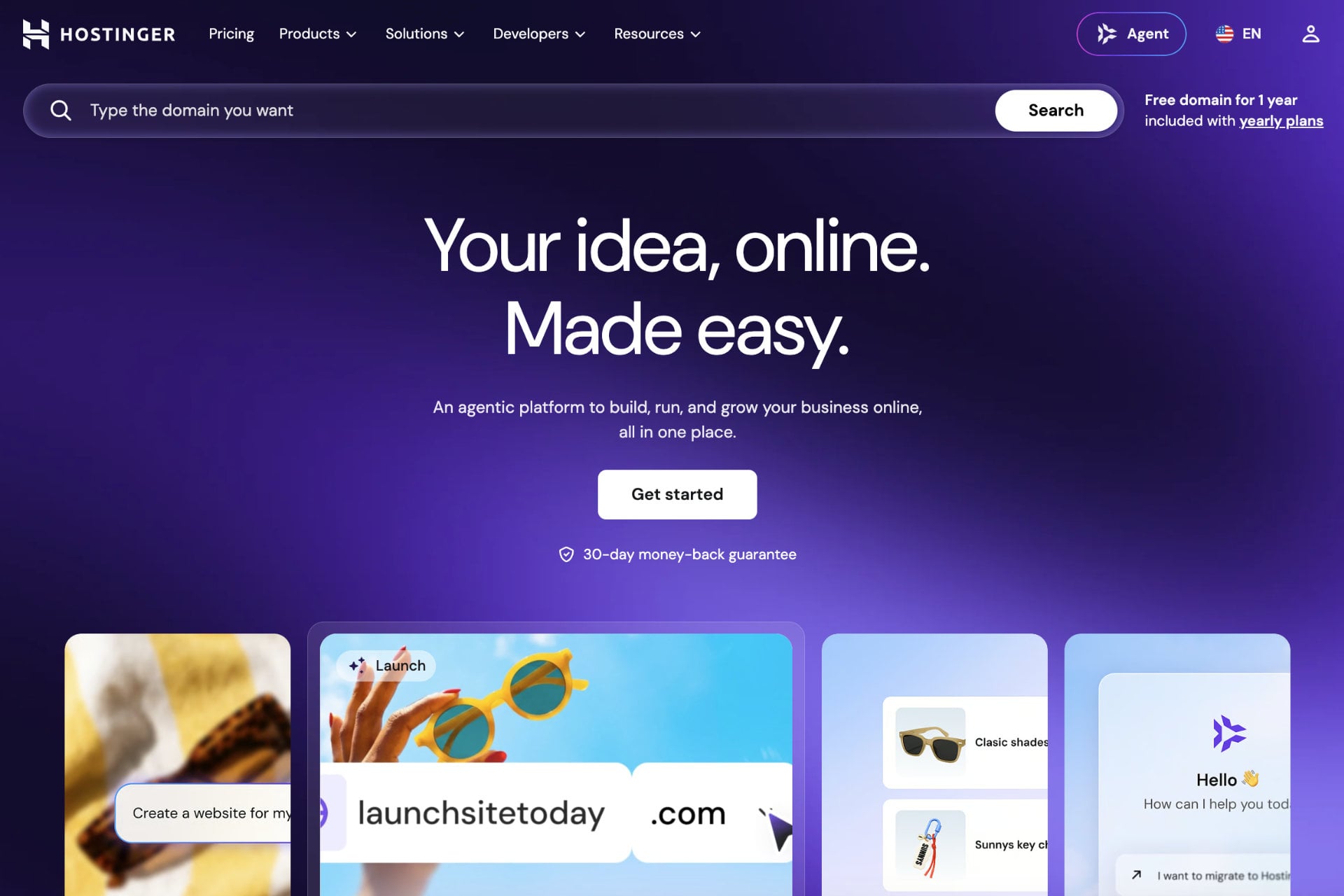
Is Hostinger really free web hosting? No, and our Hostinger review explains the reasons in detail. What the provider does have is a 30-day money-back guarantee, which lets you use every feature of the plan you choose for a month and then request a refund. A premium host like this sits well above the best free web hosting services, because you stop running into limits on uptime and support, and WordPress.org lists Hostinger among its recommended hosts. Plans start at only $2.99/mo, so it is close to free, although that price is billed upfront for a long term.
Plans and Pricing
Hostinger’s shared plans cost $2.99/mo for Premium, $3.99/mo for Unlimited and $7.99/mo for Cloud Startup on the 48-month term, all billed upfront. Code GIZMODO takes another 10% off, which brings those prices down to $2.69, $3.59 and $7.19 per month. Renewals are higher at $10.99, $16.99 and $25.99 per month, so plan for the increase before you commit.
Start Hostinger With a 30-Day Refund
What Does Hostinger Include?
Every plan includes a free domain for the first year on terms of 12 months or longer, free SSL, free email and a one-click WordPress installer. Premium hosts 3 websites on 20 GB of SSD storage with weekly backups. Unlimited raises that to unlimited sites, 50 GB of NVMe storage, daily backups, a CDN and staging, while Cloud Startup adds 100 GB of NVMe storage, a dedicated IP and up to 100 sites. Free hosts usually cap you at a single site, so the difference shows up quickly once you start to grow.
Building a WordPress website on Hostinger is quick, since you can install it in one click and add plugins such as WooCommerce. The provider promises 99.9% uptime, runs data centers in North America, South America, Europe and Asia, and shows no ads or Hostinger logos on your site. Security tools include a web application firewall and a malware scanner for WordPress, and live chat support is available 24/7.
Hostinger has also added AI tools. Its AI Builder, which merged Horizons and the classic Website Builder in August 2026, generates a site from a prompt, with plans from $6.99/mo. Agent Hostinger, which combined Kodee and the AI agents the same month, handles guided tasks such as blog drafts and SEO audits from the top of hPanel.
Get Hostinger With Code GIZMODO
| Feature | Hostinger | Free hosts in this guide |
|---|---|---|
| Cost | From $2.99/mo billed upfront, with a 30-day refund | $0 |
| Ads on your site | No | Wix shows its branding on the free plan, and the other three show no ads on your site |
| Storage | 20 GB SSD to 100 GB NVMe, depending on the plan | 500 MB (Wix) to 10 GB (Freehosting.com) |
| Custom domain | Yes, with a free domain for the first year on terms of 12 months or longer | Yes on Google Sites, Freehosting.com and InfinityFree, and not on the Wix free plan |
| E-commerce | Yes, with WooCommerce | Not on the free plans |
| Hosted websites | 3, unlimited or up to 100, depending on the plan | Usually 1, with Wix allowing up to 999 free sites |
| Customer support | Live chat 24/7 | Help center, tickets or forums, with no 24/7 chat |
How to Use Hostinger for Free?
Hostinger works as free hosting for up to 30 days. Use the buttons or links in this article, choose a plan and register for Hostinger, then build and publish your site the same day. To get your money back, contact the 24/7 support team within 30 days and request a refund.
After the refund your website goes offline, because there is no free plan, and you can restore it by subscribing again later. The lowest monthly prices require a long term paid upfront, so the charge on day one is far larger than the monthly figure, and that is worth knowing before you check out. The AI Builder plans follow a stricter rule, since their refund only applies while you have used fewer than 30 AI credits.
2. Wix

Pros
- Free plan with no time limit
- Hosting and free SSL included
- Over 2,000 templates and an AI website builder
- Upgrading keeps your content and design
Cons
- Wix branding, and sometimes ads, on the free plan
- No custom domain until you pay
- 500 MB of storage and 1 GB of bandwidth
- No e-commerce or Google Analytics on the free plan
Is Wix free? Yes, and that sets it apart from most website builders. Wix is a website builder, and reputable builders like Wix include hosting in every plan, so you never pay for it separately. That is why Wix earns a place among the best free web hosting options. On the free plan you can make and host your website with no payment and no time limit, and Wix says its hosting runs at 99.99% uptime.
Is Wix Free? What the Free Plan Includes
A free Wix site has up to 500 MB of storage and up to 1 GB of bandwidth, plus free SSL, built-in SEO tools and over 2,000 templates that you can customize. One account can hold up to 999 free sites, and the limits fit a small blog, a portfolio or a project you want to validate before spending money.
Wix has added AI tools too. Wix Harmony can generate a complete site from a single prompt, and you refine it in conversation with Aria, Wix’s AI agent, before taking over with the drag-and-drop editor.
Wix Free Plan Limits
The free plan shows Wix branding, and sometimes ads, on your pages, and your site lives at an address ending in .wixsite.com. A custom domain is off the table until you pay. The storage and bandwidth are fine for a small site, although heavy images and video use them up quickly. You also cannot connect Google Analytics or sell products, because payments and e-commerce need a paid plan, and Wix becomes an e-commerce website builder only once you upgrade.
Wix Free Plan vs. Light
Wix has no free trial on paid plans, but it does give a 14-day money-back guarantee: you pay upfront and can request a full refund within 14 days. The Light plan costs $17/mo on annual billing and $24/mo when billed monthly. It removes Wix ads, lets you connect a custom domain that is free for the first year, and raises storage to 2 GB with unlimited bandwidth. Core, at $29/mo billed annually, adds payments, basic e-commerce, 50 GB of storage and up to five collaborators. If you plan to sell online, our guide to starting an online store walks through the steps.
| Feature | Wix Free Plan | Wix Light |
|---|---|---|
| Price | $0, with no time limit | $17/mo billed annually, or $24/mo billed monthly |
| Storage | 500 MB | 2 GB |
| Bandwidth | 1 GB | Unlimited |
| Address | wixsite.com subdomain | Custom domain, free for the first year |
| Wix branding and ads | Yes | Removed |
| Google Analytics | Not available | Available |
| E-commerce | Not available | Not included, since it starts with the Core plan |
| Refund | Not applicable | 14-day money-back guarantee |
How to Start With Wix for Free
Use the buttons in this article or visit this link, then choose how you want to register: email, Google or Facebook. Enter your details and click Sign Up. From there you can pick a template or try the AI builder, and you own the most capable free website builder with hosting included.
You can stay on the free plan indefinitely or upgrade when you need a custom domain, and the upgrade keeps your content and design intact. If you are also comparing paid hosts, our Hostinger or Wix comparison shows how the two stack up on price and features.
3. Google Sites
Pros
- Completely free with a Google account
- Connects to a domain you already own
- No ads on your pages
- Editor with Google Drive and Calendar integrations
Cons
- Basic design and features
- Not built for business sites or heavy traffic
- No DDoS protection or advanced firewalls
- Limited support without a paid Google Workspace plan
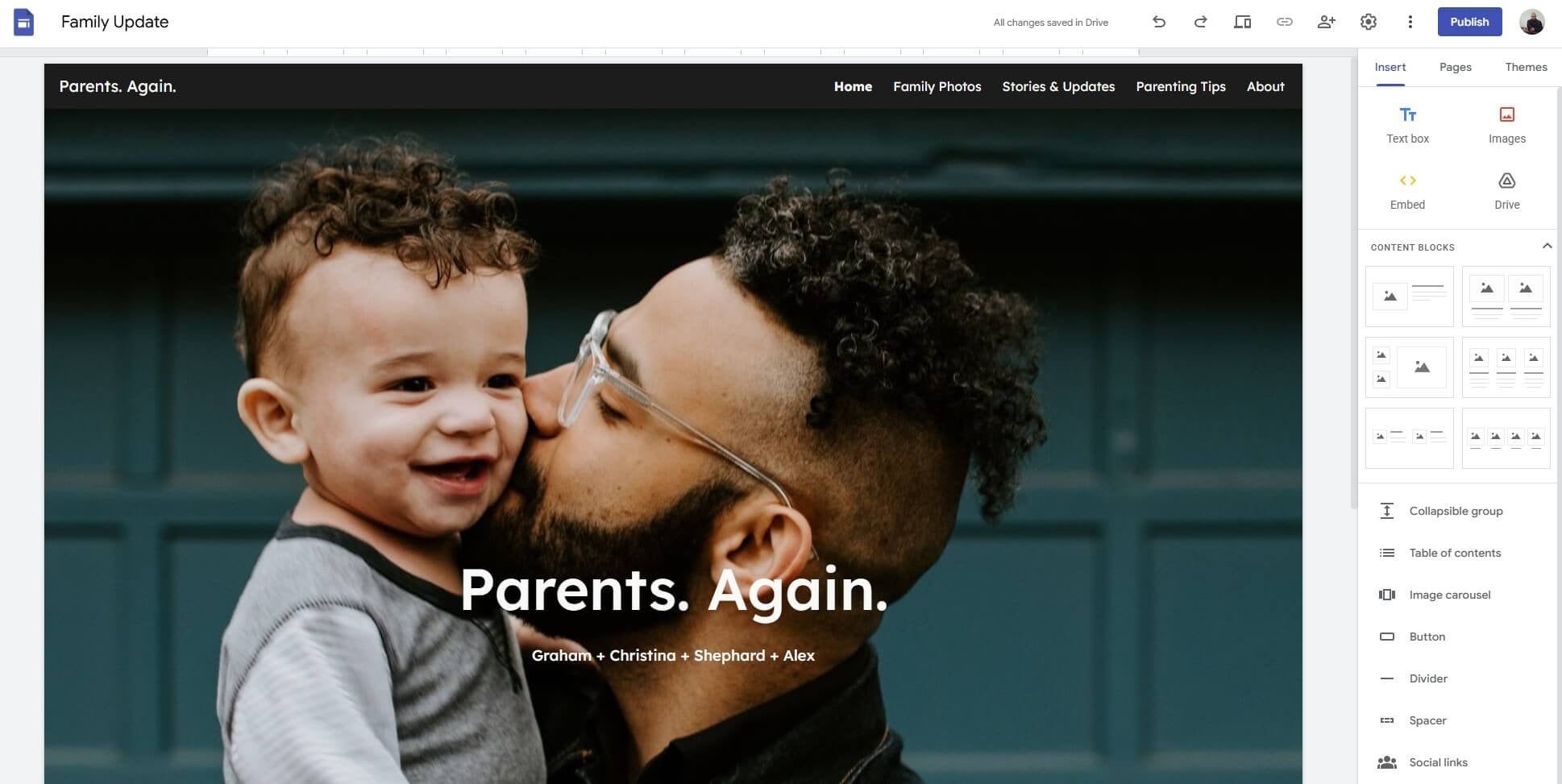
If Hostinger and Wix do not sound all that exciting, perhaps Google Sites will. This is a completely free web hosting option, with no premium tier for the site itself and no free trial to worry about. All you need is a Google account: open Google Sites, choose a template and start building. Google Workspace has paid plans, but they do very little for hosting beyond adding storage and support.
Google Sites was not designed for business websites and will struggle with heavy traffic. In our view it suits small websites, blogs, portfolios and personal pages that you share with a few friends or family members.
What Does Google Sites Include?
Coming from Hostinger or Wix will make Google Sites feel basic, but its control panel and editor are easy to use, and you can build a working page quickly from Google’s templates. Sites includes free HTTPS, so basic security is covered, although you should not expect the DDoS protection and advanced firewalls found in premium providers like Bluehost and Hostinger.
Your site publishes at an address that starts with sites.google.com by default. You can also connect a domain you already own by pointing its DNS settings at your site, so a custom domain is possible, but Google does not register the domain for you. The trade-off is control: Google’s infrastructure is stable, yet Sites gives you little say over performance, and the editor mostly handles text and images, plus files from Google Drive. Google Sites is limited, but it is far from a bad choice of free web hosting provider in 2026.
| Feature | Google Sites |
|---|---|
| Cost | Free with a Google account |
| Default address | sites.google.com address |
| Custom domain | Yes, by connecting a domain you already own |
| Free SSL | Yes |
| Ads on your pages | No |
| Best for | Small sites, blogs, portfolios and personal pages |
4. Freehosting.com
Pros
- 10 GB of disk space
- No forced ads on your site
- Bandwidth with no fixed quota under fair use
- Works with a domain you already own
Cons
- One website only
- HTTPS and some features are paid add-ons
- Dated interface
- Support through tickets and a knowledge base
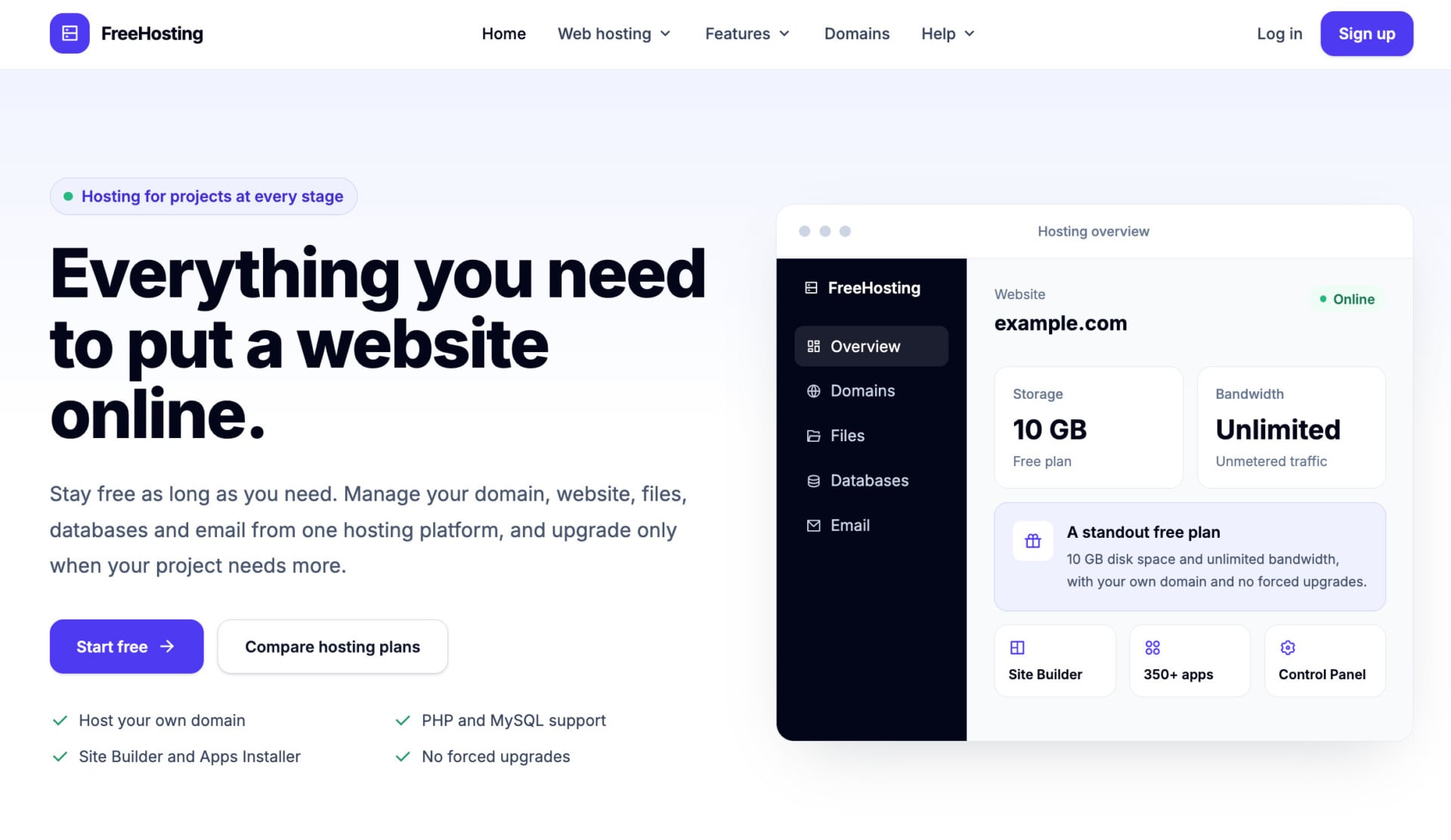
Freehosting.com has been around for years and builds its business on a permanently free plan. The website looks old-school, but signing up takes about a minute, and once your account is active you can build and publish right away. The free plan stays available for the lifetime of your domain, with no trial period, and Freehosting.com sells optional paid plans for people who outgrow it, though they are less compelling than Hostinger and Wix.
What Does Freehosting.com Include?
Freehosting.com is a Linux hosting provider, so PHP, MySQL and .htaccess rules are available for customization. The free plan gives you 10 GB of disk space and unmetered bandwidth under a fair use policy, with no ads on your site. It runs on Apache, which handles typical PHP sites without trouble.
You can host one domain that you already own, but the plan does not include a free domain registration, and Hostinger gives you one for a year. The limits are clear too: only one website, and HTTPS and outgoing email scripts are sold as add-ons on free accounts. Add-ons are one-time purchases, so a free project can stop being free once you need them.
Support goes through tickets and a knowledge base. Freehosting.com also publishes little detail about its server-level security, so keep sensitive data off it.
| Feature | Freehosting.com |
|---|---|
| Cost | Free, with optional paid add-ons |
| Storage | 10 GB |
| Bandwidth | Unmetered under fair use |
| Custom domain | Yes, one domain you already own |
| Free SSL | Sold as an add-on |
| Ads on your site | No |
| Number of sites | 1 |
5. InfinityFree
Pros
- No ads placed on your website
- Custom domain or a free subdomain from over 25 extensions
- PHP, MySQL and a WordPress installer
- Free SSL and no credit card required
Cons
- Caps on files and daily hits, with possible suspension
- No email hosting
- Backups are your responsibility
- Limited support and slow response times
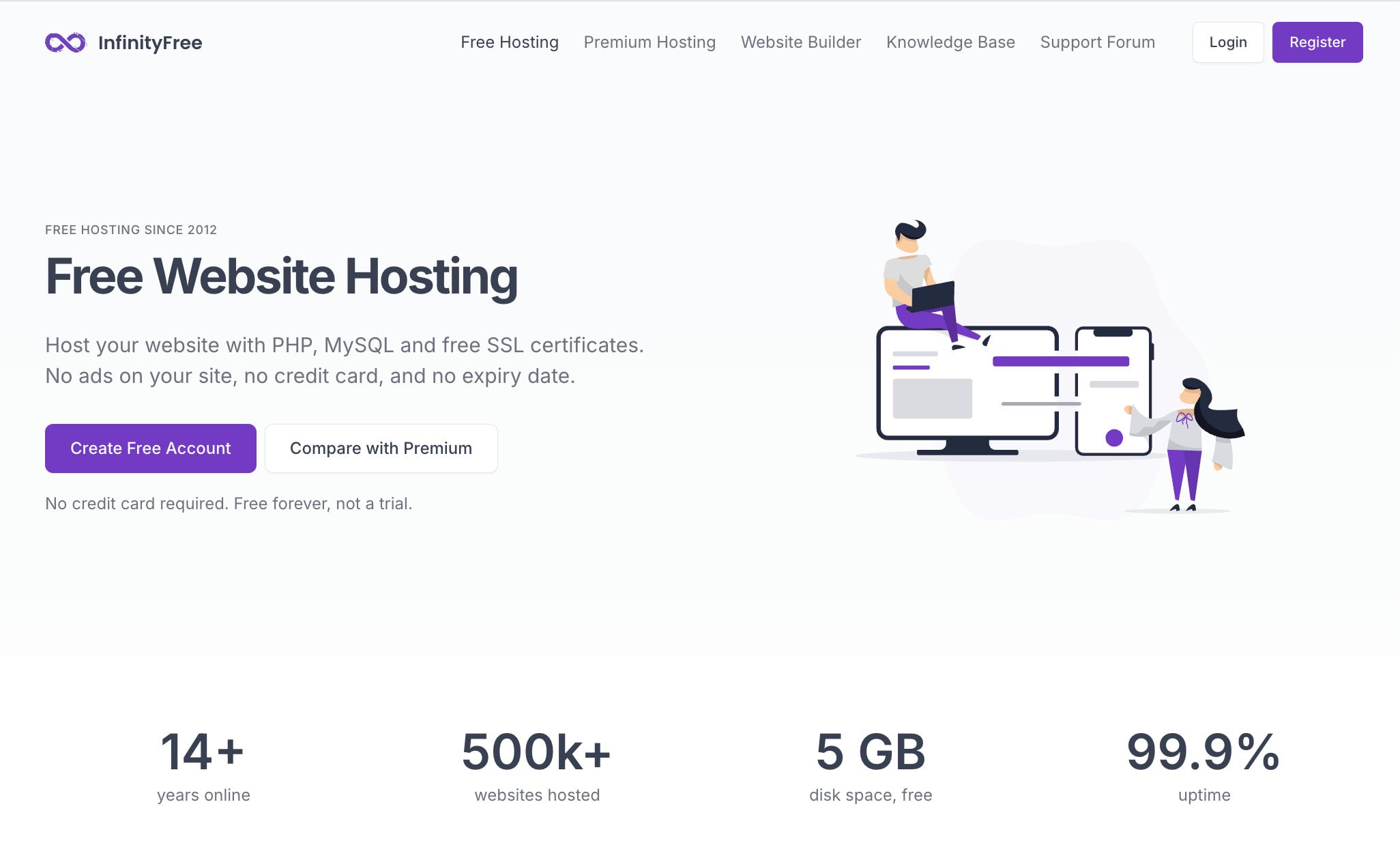
Our ranking of the free web hosting providers of 2026 ends with InfinityFree. InfinityFree is less popular than the other options here, yet its free plan covers a lot. According to its website, InfinityFree has offered free hosting for more than 14 years, and the paid tier is entirely optional. Sign-up is quick, and you can pick a free subdomain or bring your own domain.
What Does InfinityFree Include?
Once you register and verify your account, you can install WordPress through the installer and run a free WordPress site. The dashboard is easy to use and costs nothing unless you buy an upgrade. The free plan lists 5 GB of disk space, unlimited bandwidth and no ads on your site, and it does not ask for a credit card.
InfinityFree advertises 99.9% uptime, although response times can be slow. The account has caps on files and daily hits, so a busy site can be suspended when it crosses them, and storage is the practical limit if you want to host more than one or two sites. SSL is free, but certificates for the free subdomains can be limited, which makes a custom domain the more reliable option.
InfinityFree suits blogs and small projects better than shops, since e-commerce needs a platform such as Shopify. There is no email hosting, and backups are your responsibility, so export your files and database regularly. Support is limited compared with a paid host, which is fair for a service that costs nothing.
| Feature | InfinityFree |
|---|---|
| Cost | Free, with no credit card required |
| Storage | 5 GB |
| Bandwidth | Unlimited |
| Custom domain | Yes, or a free subdomain from over 25 extensions |
| Free SSL | Yes |
| Ads on your site | No |
| Email hosting | No |
Free vs. Paid Web Hosting: Main Differences
There is a good reason why some hosting is free and some is paid, and the reason shows up in the details. Even the best free web hosting plans, such as Google Sites and Wix, give you more than you might expect for $0, but when you set them next to Hostinger, the gaps become obvious.
Try Hostinger Instead of Free Hosting
Paid options have more resources and room to scale, yet we understand why people start with free plans. Most beginners have a tight budget, and testing an idea for nothing is a reasonable choice. The main differences between paid and free web hosting come down to a few areas:
- Paid plans respond faster, load pages more quickly and commit to an uptime target, while free hosts can throttle a busy site or suspend it when it crosses their limits.
- The free plans in this guide range from 500 MB to 10 GB of storage, whereas paid hosts start around 20 GB and go up to unlimited, and Hostinger’s Unlimited plan includes 50 GB of NVMe storage.
- Most free hosts allow one site, while paid plans allow 3, 100 or unlimited sites depending on the plan, with Wix’s 999 free sites as the exception.
- Paid hosts add DDoS protection, a web application firewall and malware scanning, and they give you support that can fix problems quickly.
- Free plans often carry provider branding or restrict your domain, while paid plans usually include a free domain for the first year and remove the ads.
Best Free Website Hosting: The Final Verdict
Our list of the best free website hosting options is now complete, and it has two clear leaders. Wix is the only provider here with a permanent free plan, a website builder and hosting in one place, so it is our pick for the best free web hosting if you want to pay nothing. Hostinger costs money upfront, yet its 30-day refund gives you the simplest way to test a real hosting plan, and code GIZMODO takes 10% off if you decide to keep it.
Claim Your Hostinger Plan and Refund Window
If you want to pay nothing and still use your own domain, Google Sites, Freehosting.com and InfinityFree all let you connect one you already own. We would give Google Sites a slight edge for simplicity, while Freehosting.com and InfinityFree will appeal to people who want PHP and MySQL.
Still unable to decide after reading our comparison of the best free web hosting providers? We recommend checking out the Wix vs Google Sites showdown.
Try a Wix Paid Plan With a 14-Day Refund
FAQ
To make sure the subject is fully covered, we answer a few frequently asked questions below.
Is Wix Free?
Yes. Wix has a free plan with no time limit, and hosting is included in every Wix site, whether it is free or paid. The free plan gives you up to 500 MB of storage and 1 GB of bandwidth, shows Wix branding and uses a wixsite.com address. Paid plans start at $17/mo on annual billing and add a custom domain that is free for the first year. Wix has no free trial on paid plans, but it does have a 14-day money-back guarantee.
Is Free Hosting Legit?
Yes, the providers in this guide are real companies, and most of them sell paid plans on top of the free one to cover their costs. InfinityFree, for example, says it earns enough from ads on its own website and control panel to pay for free hosting. Some free hosts collect a lot of personal information, and Google Sites comes with Google’s usual data collection.
For the best privacy and security you should look at paid options, such as SiteGround, which we reviewed separately. A free host should never hold sensitive customer data.
What’s the Best Free Hosting for Businesses?
There is no real free option for a business website. Business sites need stronger security, support for more traffic and e-commerce features, and none of the free plans in this guide have them. Wix’s free plan cannot take payments, and the other options have resource caps. A paid host with a refund window, such as Hostinger, is the safer starting point.
Can I Get a Custom Domain Name for Free?
On most free hosts you can use a custom domain, with one catch: you connect a domain you already own. Google Sites, Freehosting.com and InfinityFree all let you point your own domain at your site, while Wix requires a paid plan for that. What free hosts do not give you is a free domain registration.
Paid plans from Hostinger and Wix include a free domain for the first year, on terms of 12 months or longer at Hostinger and on annual billing at Wix. Learn how to get a free domain here and name your website the way you want. InfinityFree also gives you free subdomains from over 25 extensions.
Can I Run WordPress on Free Hosting?
Yes, on hosts that support PHP and MySQL. InfinityFree lets you install WordPress through its installer, and Freehosting.com supports PHP and MySQL, although the resource caps on both make heavy plugins a poor idea. Wix and Google Sites are builders and do not run WordPress. For a smoother experience, our WordPress hosting guide covers the paid options.
Is Hostinger Really Free for 30 Days?
Effectively yes, since you pay upfront and can get the money back within 30 days. You choose a plan, use it, and send the refund request before the window closes. The site goes offline after the refund, and the AI Builder plans qualify only while you have used fewer than 30 AI credits.