There are quite a few things that can make home theaters crappy, and one of them is the fact that the vast majority of people are working with just a soundbar. Don’t get me wrong, soundbars are great for hoisting your audio experience off the floor and making it serviceable, but they’re still only part of the home theater equation.
To make a true home theater setup, you want to add surround sound channels—typically two smaller speakers to the sides that bolster ambient sound, adding a sense of space—so that audio is coming from multiple angles, not just blasting at your face. And don’t forget low-end. To get real bass, you need a subwoofer, which is big enough to move lots of air.
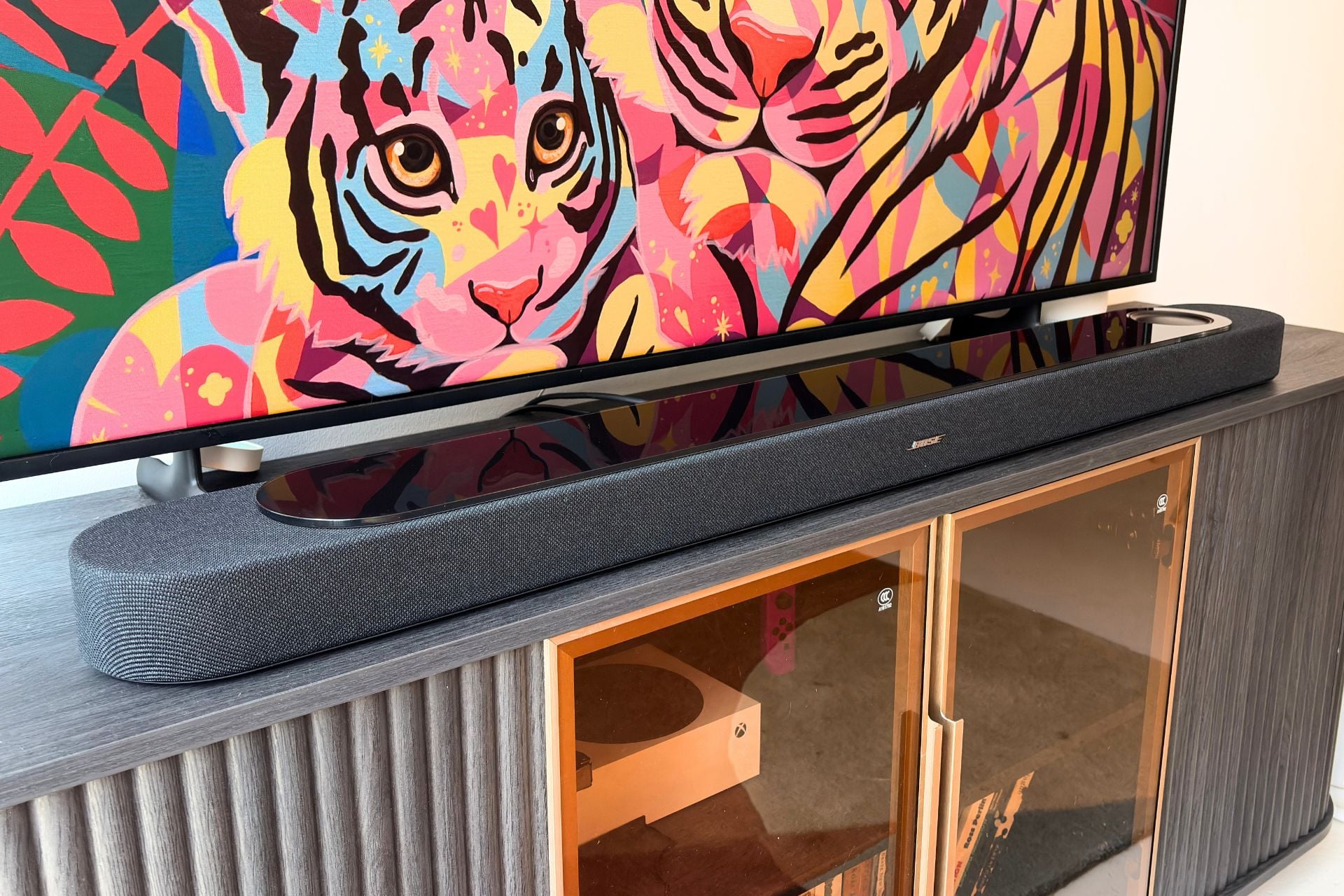
At the end of all that, you’re looking at a multi-speaker setup that can cost quite a bit of money, especially if you want something outside the budget range. But what if there was one audio gadget that could get you most of the way there? This Holy Grail home audio device is what the $1,100 Bose Lifestyle Ultra Soundbar is going for. While you can still augment the Lifestyle Ultra Soundbar with other speakers, Bose is attempting to cram enough in the Lifestyle Ultra Soundbar to satisfy those who don’t want all the extras.
Bose Lifestyle Ultra Soundbar
The Lifestyle Ultra Soundbar might not replace surround sound completely but it still sounds great and has a two features most will enjoy.
Pros
- Big, clear sound
- Surprising amount of bass
- AI features to enhance dialogue work
- Customized room acoustics are a lot easier to use
Cons
- Some bugs in the Bose app
- Music still sounds a bit flat
- Touch controls aren't perfect
- Still needs a subwoofer to get real bass
The Ultra of it all
The first thing Bose is trying to solve for in its Lifestyle Ultra Soundbar is surround sound. While some people want to add extra speakers to their home theater setup, not everyone does, due to cost or space. Whatever the reason is, Bose designed the Lifestyle Ultra Soundbar to compensate for people like that, using some clever audio tech in the process.
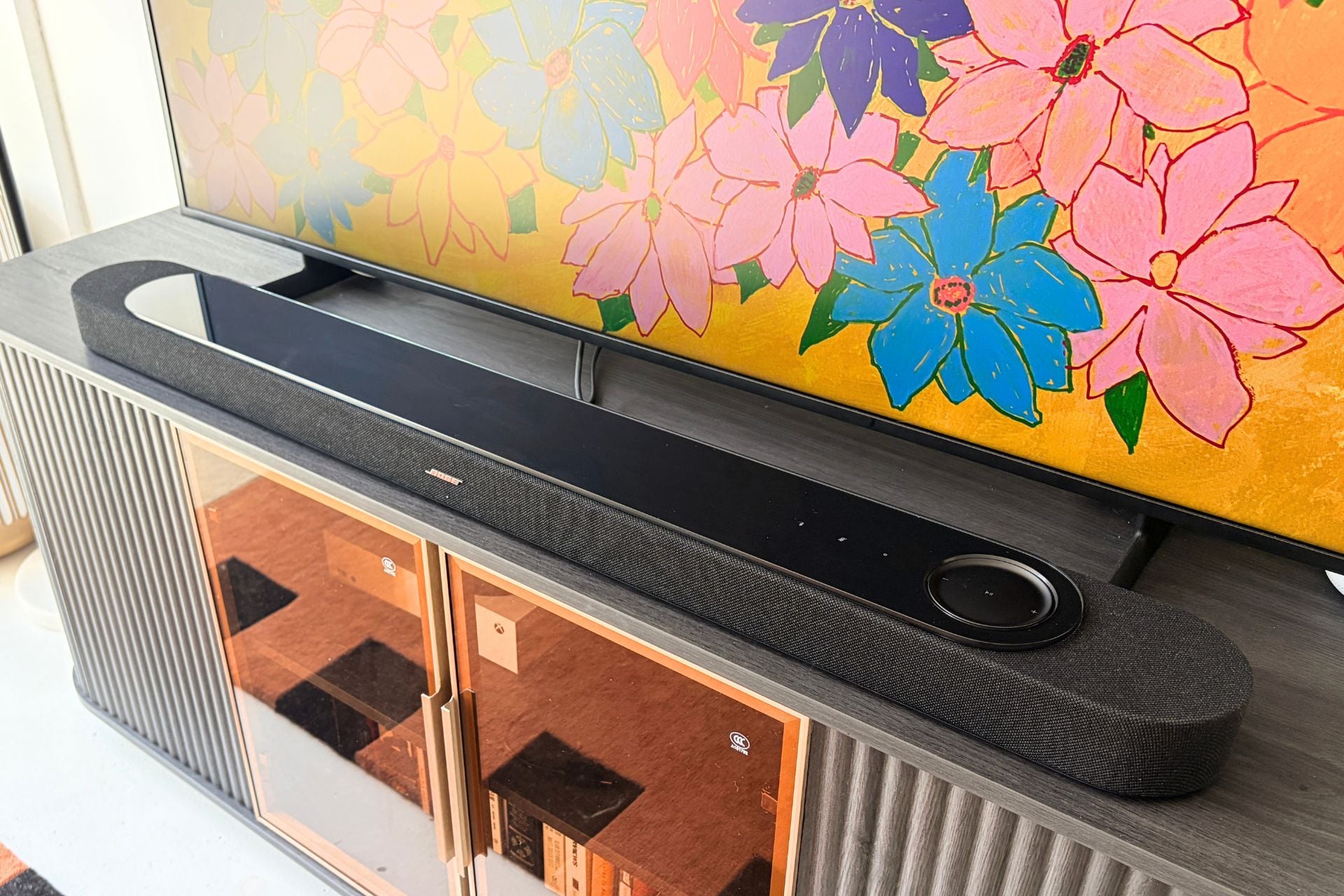
One of the most impressive pieces of tech is Bose’s “PhaseGuide” drivers, which can beam audio around a room or, as the company puts it, “project and reflect sound toward you from all directions.” In the Lifestyle Ultra Soundbar, these drivers focus specifically on the sides, attempting to create an almost surround-sound-like experience. In addition to the PhaseGuide, there are also up-firing drivers (similar to the Lifestyle Ultra Speaker), which fill out your room and give your home theater setup a sense of height.
Then, there’s the low end. Though Bose is selling a Lifestyle Ultra Subwoofer to pair with its new soundbar, it’s also included bass improvements in the Lifestyle Ultra Soundbar itself via its QuietPort tech that uses specially designed ducts and acoustic filters to tamp down on distortion.
The result of all this gear, in Bose’s estimation, is “a listening experience that shatters any perceived limits of a soundbar-only setup.” In my experience, that’s almost certainly marketing hyperbole, but the good news is, hyperbole aside, this soundbar still sounds pretty damn good.
Should you throw your subwoofer in the trash?
I tested the Lifestyle Ultra Soundbar in a range of settings, including movies, games, and even music playback, and was pleased with all of them, though some more than others. For movies and TV, which is what most people would be using this soundbar for, it earns the Ultra branding. Watching movies like F1: The Movie on Apple TV with Dolby Atmos on was pretty heart-pounding at just 50% volume. Racecars flying across the track were not only loud, but also clean and nuanced. Even with a lot going on (music, dialogue, and sound effects), action-packed scenes felt well represented, not muddled.
I also tested out the soundbar on the first episode of Apple TV’s new thriller, Widow’s Bay, and was impressed by what it could do all on its own. Sound effects like birds flying overhead had a sense of space, while low rumbles, like the kind you normally hear in horror, sci-fi, or action movies, were a lot more visceral than I was used to.
Dialogue across genres was also satisfying and clear, though I’ll expound on that later since there are some dialogue-specific features in this soundbar worth taking advantage of.
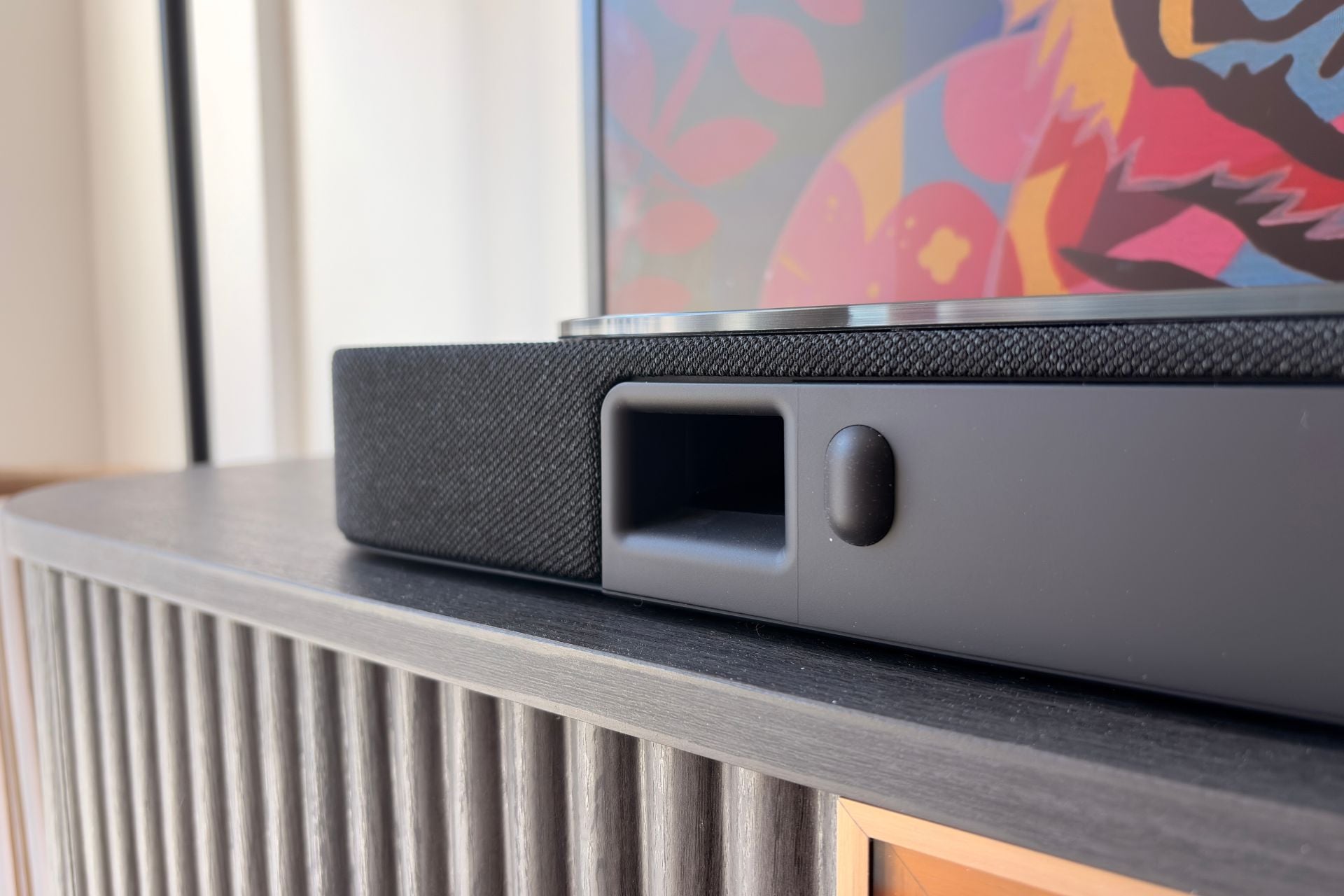
One thing I noticed immediately was the bass. For a solo soundbar, Bose’s offering puts out a lot of low end, and while there’s no replacement for a subwoofer, I think that the QuietPort tech does a good job of pulling that low-end weight without the extra help. To get real theater-like low end, you’ll still have to shell out for the $899 Lifestyle Ultra Subwoofer, which sends your Bose home theater system soaring to $2,000 combined. That’s not ideal for most people, but if you can sacrifice room-shaking sound, the Lifestyle Ultra Soundbar does hold its own.
Speaking of add-ons, you can also couple the soundbar with Lifestyle Ultra Speakers for rear sound. I was also sent a pair of those for review, so I decided to give that a whirl. They added more dimension to action-packed movies like F1: The Movie, but I can’t say it’d be worth spending $600 more for. Each Lifestyle Ultra Speaker is $299 a pop ($350 if you get it in the Driftwood Sand colorway). I still think putting the Lifestyle Ultra Speakers in front of you to listen to music is a much better use, but hey, if you have the money and you’re all-in on Bose’s new Lifestyle ecosystem, who am I to stop you?
If gaming is just as important to you as movies and TV, then there’s more good news. I played Fortnite and Clair Obscur: Expedition 33, and both were immersive and satisfying. While playing Fortnite, gunfire was crisp, footfalls were audible, and there was a great balance of environmental noise, in-game cues, and music. While playing Clair Obscur: Expedition 33, the Lifestyle Ultra Soundbar did a good job of hammering home the cinema of it all by delivering well-rounded music, dialogue, and translating cut scenes with ease.
Listening to music on any soundbar isn’t something I’d recommend (especially when Bose sells its Lifestyle Ultra Speaker), but the Lifestyle Ultra Soundbar is better than most. I listened to songs like Mk.gee’s “Dream police” and Bose’s soundbar output a decent amount of separation between frequencies and a solid bit of low end, though there was some shaky UX.
While the Bose Soundbar Ultra supports protocols like Google Cast, AirPlay, and Spotify Connect, neither AirPlay nor Spotify Connect worked when my Xbox Series S or TV was on—it just repeatedly paused. I’m not sure if there are settings that need to be adjusted to fix that issue or if it’s a bug with Bose, but it’s not something I experience with the cheap Vizio soundbar that I use normally.
Bose positions the Bose Lifestyle Ultra Soundbar as a somewhat standalone way of getting a home theater experience, and while I don’t think it’s actually a replacement for buying a subwoofer and surround sound speakers, it’s still a great-sounding soundbar that takes a noteworthy stab at giving you a complete home theater experience in one package.
Just to be clear
All-in-one surround sound isn’t the only thing that Bose’s Lifestyle Ultra Soundbar tries to achieve. It also has some features aimed at every home theater setup’s mortal enemy: dialogue. One feature that many people who use subtitles to watch things will be happy about is called SpeechClarity, which uses AI to identify dialogue and boost it. It really works. I tried SpeechClarity in several different movies, including F1: The Movie and Minority Report, and it makes dialogue notably louder.
What’s even better than the fact that SpeechClarity works is that it also has different levels. You can set it to low, medium, or high depending on how much of an assist you need, which was great for me since I felt the high setting was a bit much most of the time. Personally, I find the low to be the sweet spot for most things, but everyone’s hearing is different, and if you really struggle with dialogue, you can rock high on everything you watch. If you don’t need any assist, you can just turn it off in the Bose app.
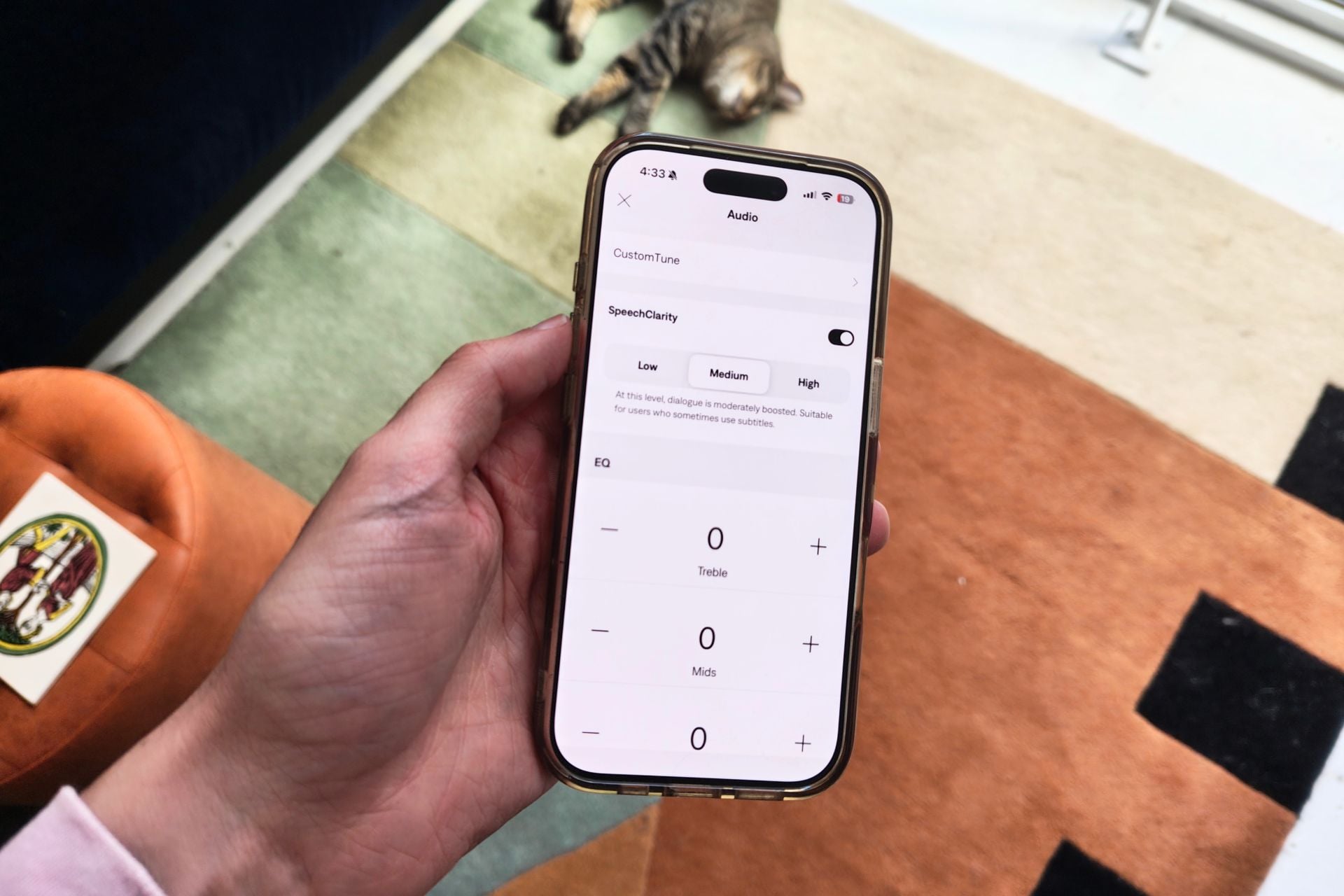
That’s not the only revamped feature inside the Lifestyle Ultra Soundbar. You can also take advantage of CustomTune, rebranded from Adaptiq technology, which can tailor sound to your specific room. Previously, with Adaptiq, you had to use a specially provided headset to get your room acoustics, but now all you have to do is use your phone.
I used CustomTune in my apartment, and the process was simple. You just take a few minutes sitting in various spots while your soundbar plays noises at different frequencies, using your phone’s mic to record the results. At the end, Bose stitches the room acoustics together and EQs the soundbar for you. I didn’t notice a huge difference in the before and after, but if you’re in a bigger space or have a more spread-out living room, I imagine it could be night and day. Either way, the process was painless, so it’s worth taking the time to give it a try.
With Bose’s redesigned app, you can take advantage of all the same stuff that you can do on the Bose Lifestyle Ultra Speaker, including EQ, changing your audio source, powering on and off, and configuring your home theater setup, which, if you have your Lifestyle Ultra Speakers set up already, takes about a minute to do. You can also take advantage of Alexa+ on the Lifestyle Ultra Soundbar, though access is rolling out in waves, and I was only able to use regular Alexa for now.
Given my less-than-perfect experience with next-gen voice assistants, I’m very fine with that. It helps that the microphone on the Lifestyle Ultra Soundbar picks up your voice well, and the soundbar is quick to respond to commands like “play,” “pause,” and “next song.”
One thing to note here is that I did have some glitches in the app while setting up CustomTune—the app crashed while trying to initiate the process. It was fixed by just re-opening the app and starting over, but given the similar hiccups I ran into while testing the Lifestyle Ultra Speaker, you might want to brace for some bugginess.
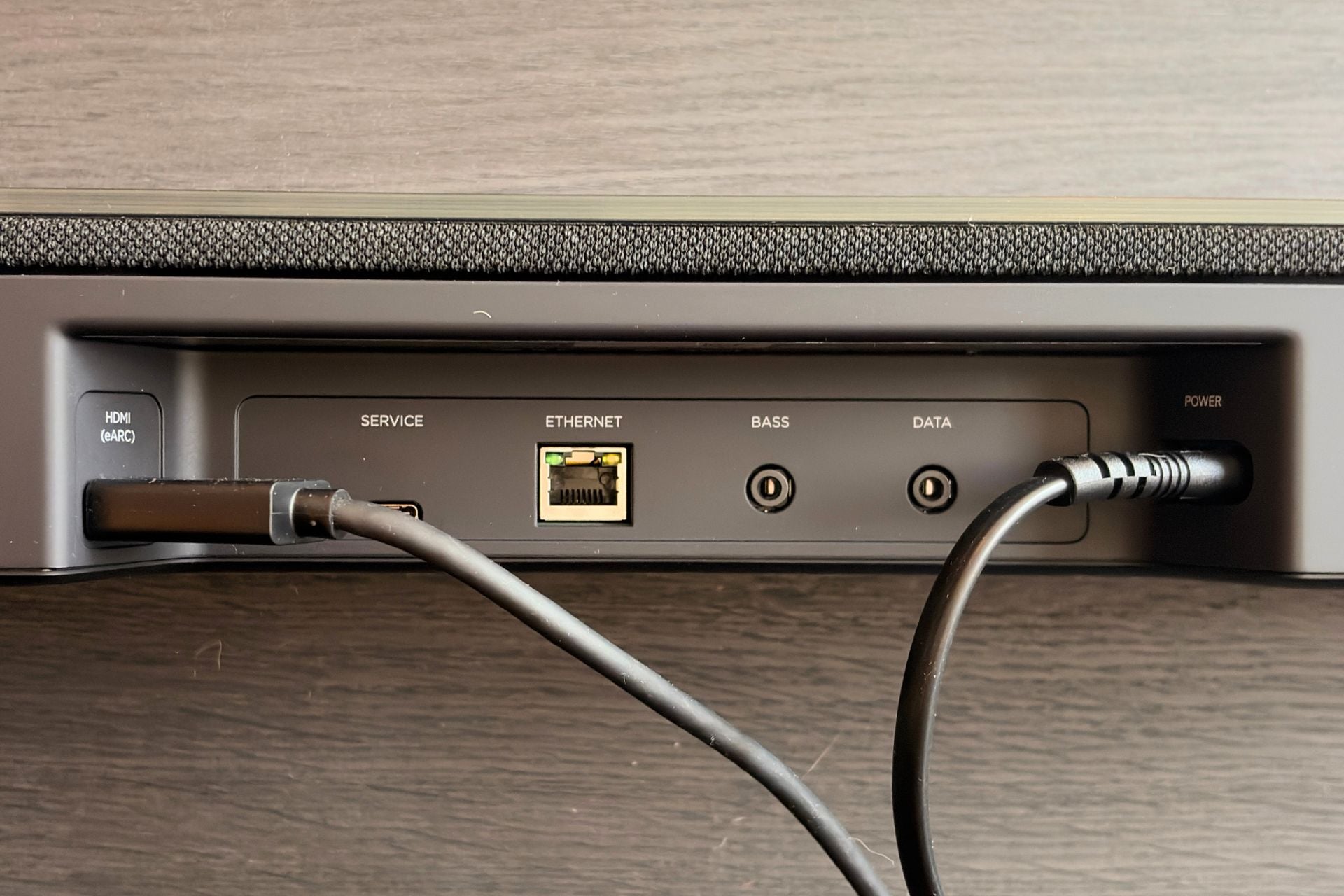
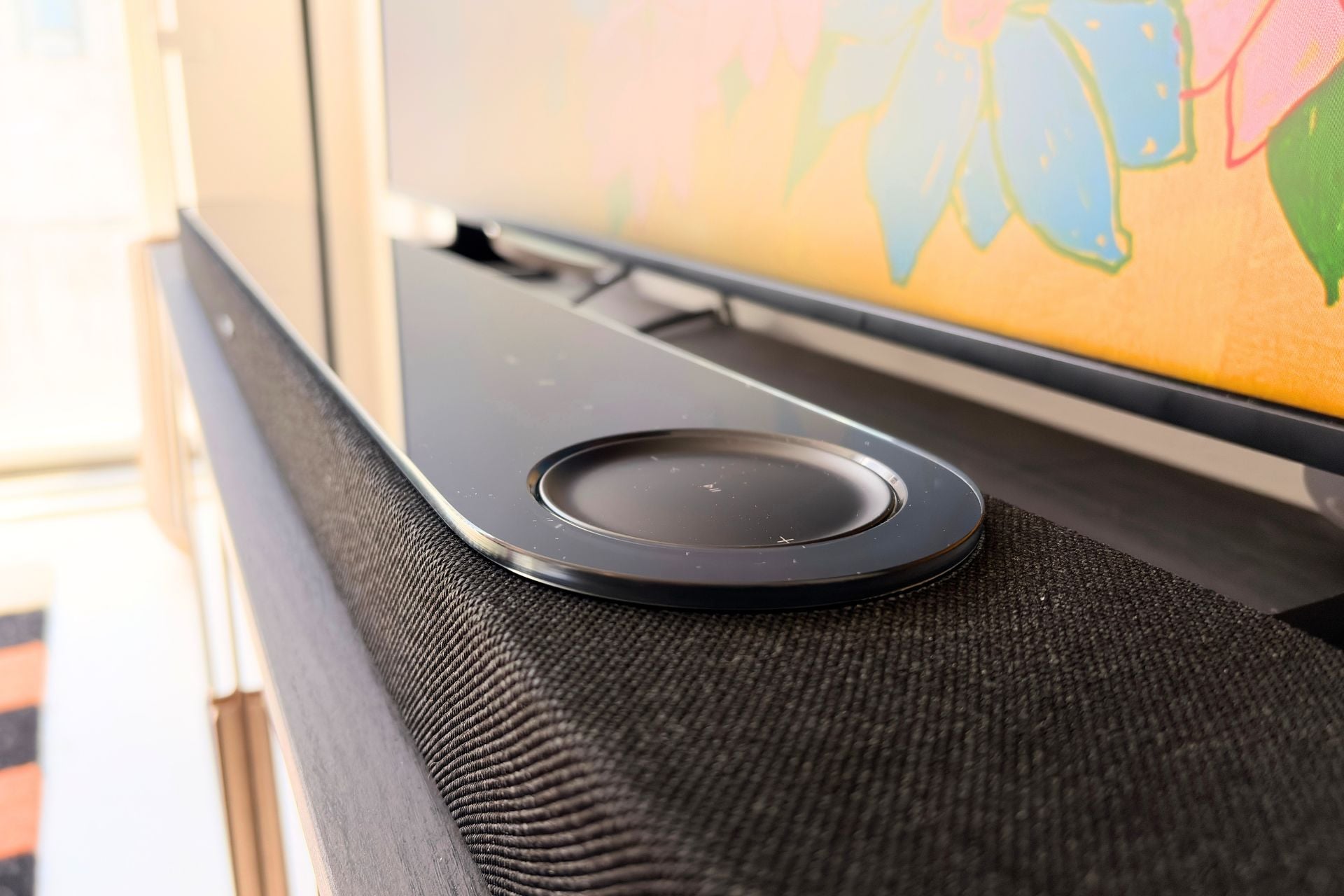
Hardware-wise, I do like the look of the Lifestyle Ultra Soundbar, but I don’t love the touch controls, especially the play/pause button, which has a little bit of lag. Just like on the Lifestyle Ultra Speaker, Bose could have refined these a little bit more. On the back of the soundbar, there are two angled ports for HDMI eARC and power (they’re angled in case you want to mount this soundbar on the wall), as well as a service USB-C (for maintenance) and a 3.5mm bass jack if you want to physically connect a subwoofer, though the Lifestyle Ultra Subwoofer does connect wirelessly.
Is it time to live a Bose lifestyle?
Bose is calling the Lifestyle Ultra its best-sounding soundbar ever, and while I haven’t tried all of its soundbars for myself, I get where that enthusiasm is coming from. The soundbar might not be a replacement for a whole home theater setup, but it’s a hell of a package, and offering something that feels like a soundbar, surround sound, and a woofer all in one is a lofty ambition.
For lots of people, the Lifestyle Ultra Soundbar will be a big upgrade to their home theater system, and solid features like SpeechClarity and CustomTune just seal the deal even further. If you’ve got the money to spare on the Bose premium, the Lifestyle Ultra Soundbar isn’t a bad place to start.