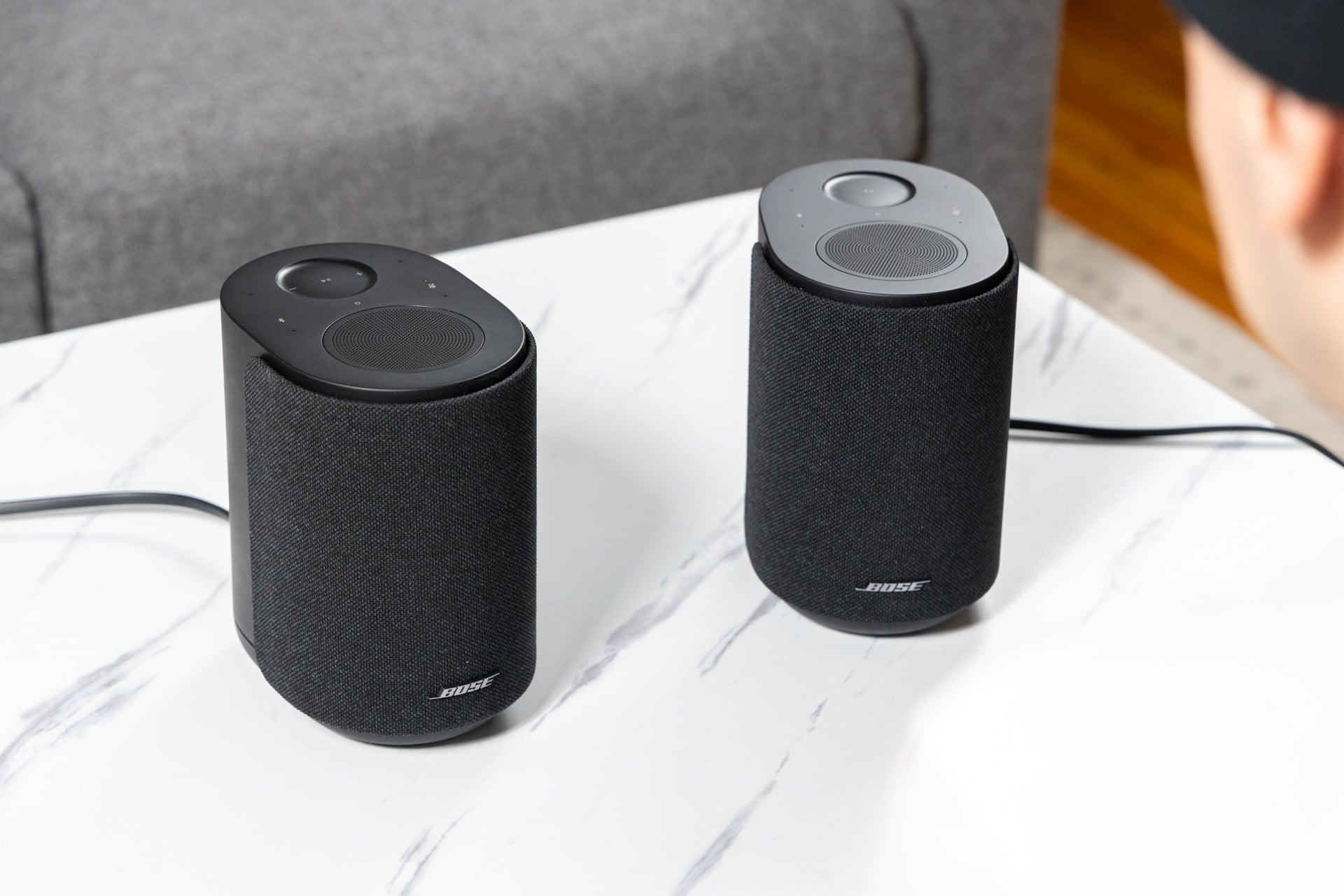

Wi-Fi speakers are having a moment right now. A little over a month ago, there was Sonos’ return to the hardware game with the Play and Era 100 SL speakers, both of which are proper and compelling installments to the Wi-Fi speaker field. Denon also got in on the mix with a new trio of sleek-looking Wi-Fi speakers that, on paper, give Sonos a run for its money.
And now—as if Sonos didn’t have enough reasons to worry—it’s Bose’s turn to take a shot at the Wi-Fi speaker crown with its $299 Lifestyle Ultra Speaker, and boy does it take a good one.
Bose Lifestyle Ultra Speaker
The Lifestyle Ultra Speaker is an excellent-sounding speaker that gives Sonos a run for its money.
Pros
- Impeccable sound
- Supports stereo pairing
- Plays nice with AirPlay, Google Cast, and Spotify Connect
Cons
- Some bugs in the Bose app
- Physical touch controls could use refinement
Making Sonos sweat
If Sonos is your direct comparison—and it probably will be, given the features and pricing of the Lifestyle Ultra Speaker—there’s a bit of the Sonos Play and the Era 100 SL in Bose’s offering. For one, the Lifestyle Ultra Speaker is wired (there’s no independent battery) like the Sonos Era 100, which means, unlike the Sono Play, you’ll most likely not be taking this thing with you to the park unless you have some kind of generator. That’s okay, though, given the fact that these are Wi-Fi speakers, meaning they work best when hooked up to your home network, not just streaming music via Bluetooth the old-fashioned way.
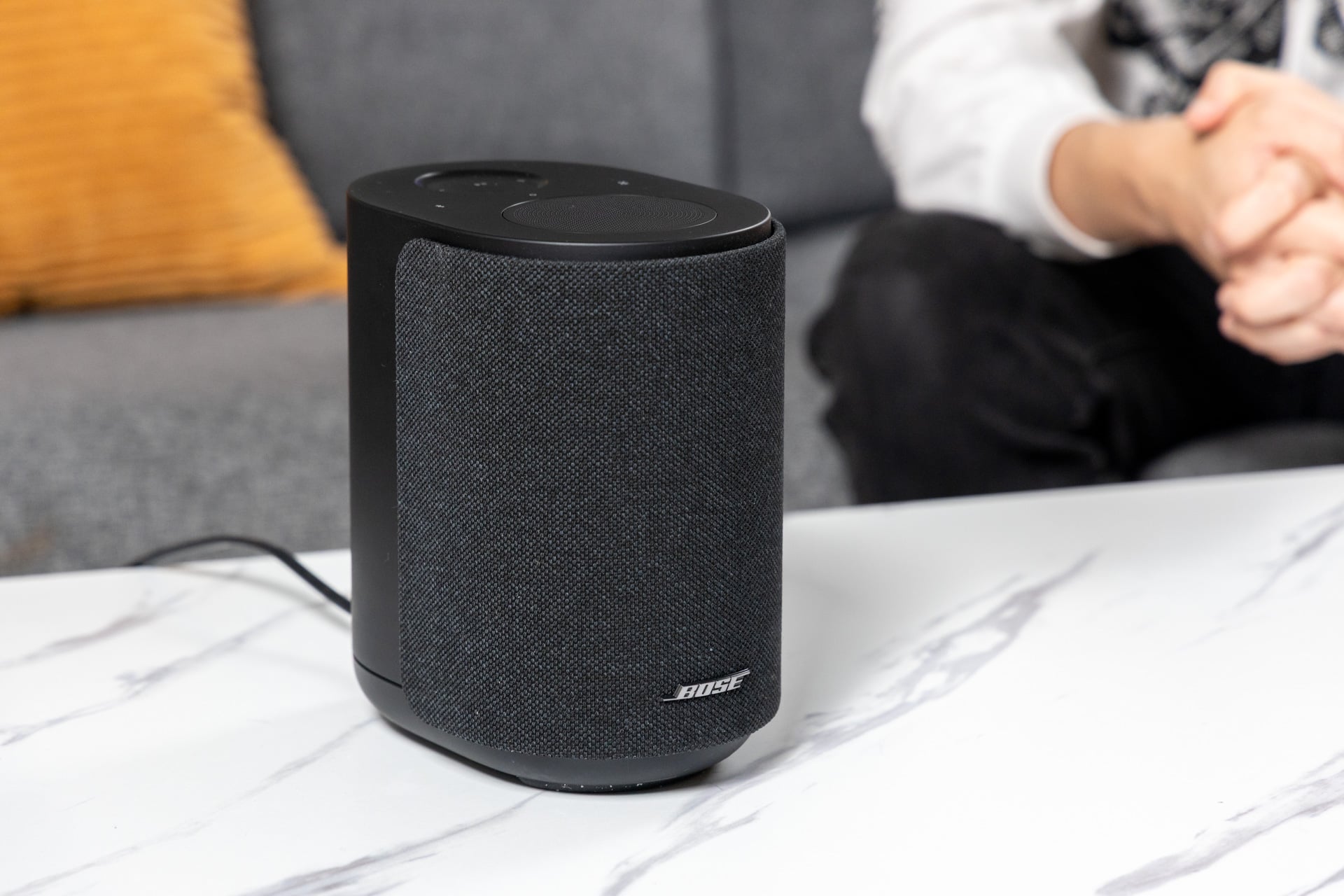
The wired nature also gives the Lifestyle Ultra Speaker plenty of power to supply an impressive array of drivers, including a forward-firing woofer and tweeter, as well as an up-firing, um… twiddler. That’s, unfortunately, a real term that Bose uses to describe the combination of a tweeter and a midrange driver. Despite the questionable naming, it’s this driver that really makes this speaker special. With up-firing sound, the Lifestyle Ultra Speaker gains a real sense of space and height, which makes it sound larger than it is.
That sense of space is something I experienced in my first demo as well as my testing at home. I can only describe Bose’s wired speakers as room-filling, both in terms of sound tuning and sheer volume. In my modestly sized apartment, I rarely felt the need to push the Lifestyle Ultra Speaker past half volume—at 75%, I was genuinely worried about noise complaints.
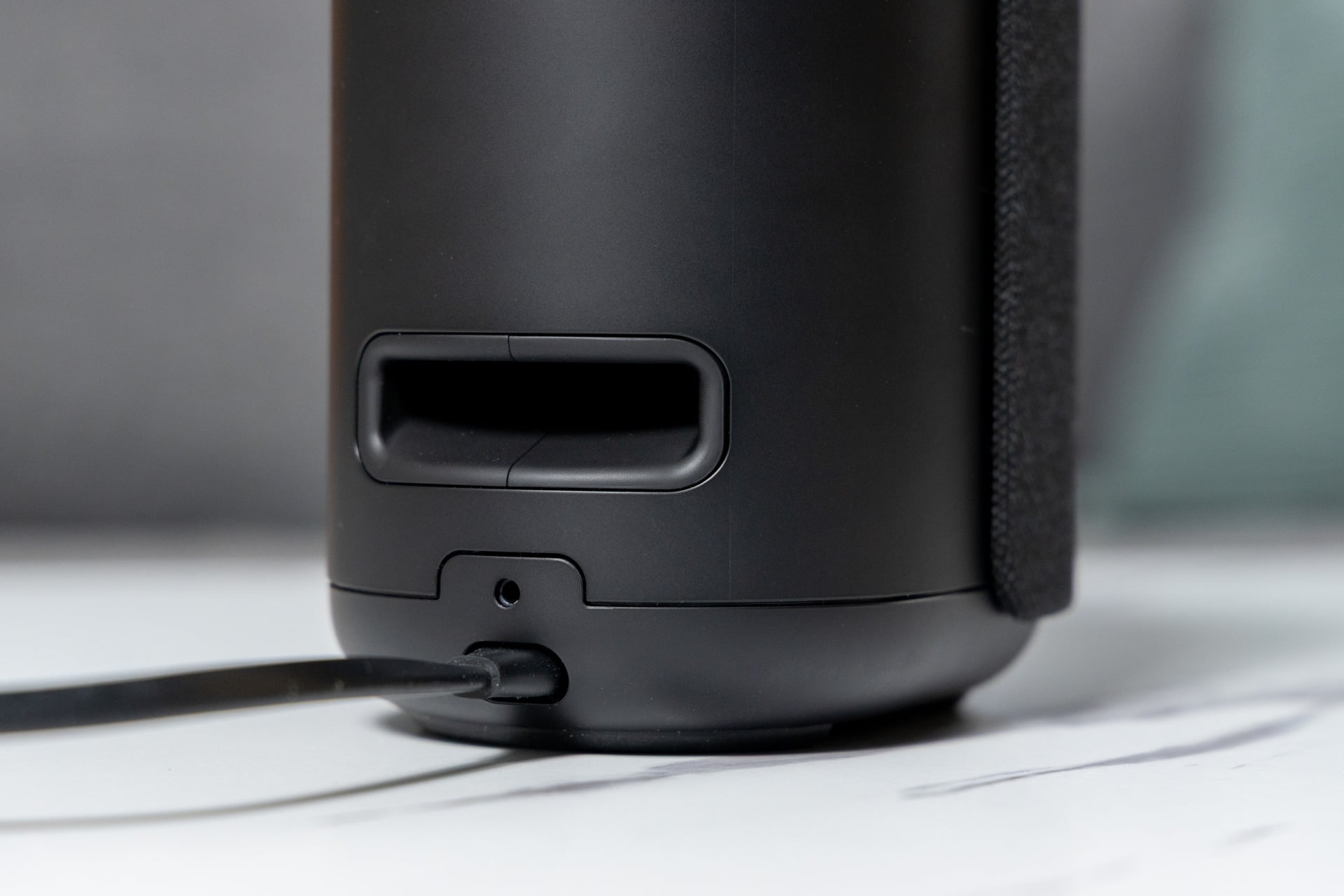
And regardless of volume, I was very happy with the audio quality. Listening to rock songs like “Any Major Dude Will Tell You” by Steely Dan, I loved the separation between tracks. Everything has room to breathe; vocals are clear and crisp, and keys are properly separated from guitars. The low end is spectacular and tastefully tuned, and is deep and powerful despite the small size of the Lifestyle Ultra Speaker. That well-executed low end is thanks to Bose’s “CleanBass” technology, which uses the speaker’s woofer and “QuietPort” acoustic opening as well as the company’s own processing to accentuate bass without distorting audio or sounding too artificial.
On electronic songs like Daft Punk’s “Da Funk,” the Lifestyle Ultra Speaker doesn’t flinch, delivering driving bass and crunchy arpeggiated synths with grit, texture, and clarity. In my testing, there wasn’t a genre that I felt Bose didn’t do justice to. As good as one Lifestyle Ultra Speaker sounds, adding another one sends the sound quality soaring. Like the Sonos Play or Sonos Era 100 SL, you can create stereo pairs for better separation between tracks. Bose sent two speakers for testing, and after pairing them together, it was hard to go back to just one.
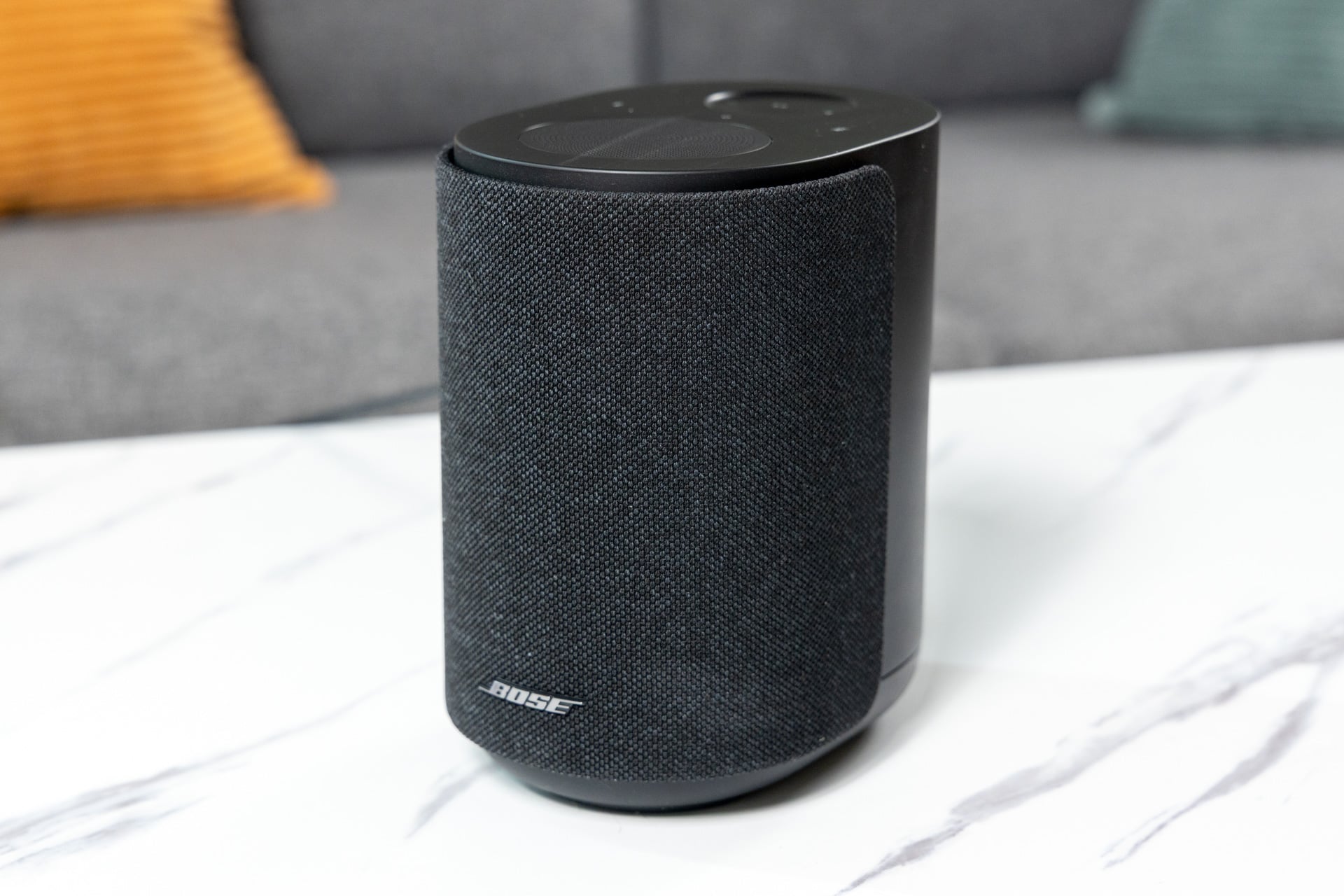
With the help of the up-firing drivers, two Lifestyle Ultra Speakers expanded the room-filling sound and doubled the soundstage, as you would expect. I listened to the aforementioned songs solo and with a stereo pair, and believe me when I say spending double the money is worth it. It gets even better if you’re a fan of spatial music.
While the Bose Lifestyle Ultra Speakers don’t natively support spatial sound with Dolby Atmos unless they’re paired with Bose’s Lifestyle Ultra Soundbar as rear height channels, they do have TrueSpatial, which is Bose tech that upmixes stereo content to add a sense of space.
I listened to tracks on Apple Music’s “Made for Spatial Audio” playlist, which contains songs mixed in Dolby Atmos, and though they default to stereo in the Bose Lifestyle Ultra Speakers, they sounded bigger thanks to the up-firing driver and Bose’s TrueSpatial tech. A stereo pair of Bose Lifestyle Ultra Speakers crushes spatial sound—enough so that going back to plain old stereo separation feels lacking.
From a sound perspective, the Lifestyle Ultra Speaker is impeccable, but as we all know, Wi-Fi speakers are just as much about software as they are hardware, and on that front, Bose’s landing is a little less pristine.
See New Bose Speaker at Amazon
A few bugs for Bose
Wi-Fi speakers are great in theory since they offer better audio quality, more range, and great multi-speaker support, but if there’s one area that they can fumble, it’s software—specifically the apps used to set the speakers up and control them. If you don’t believe me, just look at Sonos, which rubbed a lot of its customers the wrong way a couple of years ago when an app disaster ended up bricking people’s entire audio setups at home.
For that reason, some people might be hesitant about Bose’s push for a Wi-Fi-centric system in its Lifestyle line of speakers, and in my experience, some of that hesitation would be founded. In my testing, I encountered a few glitches here and there, and while none of them were enough to make me want to send my units back to the Bose factory, they were a little bit annoying.
Hiccups include:
- Stereo pairing didn’t work right away—only one speaker would play at a time. To fix this, I had to power cycle the speakers by unplugging them and plugging them back in after 30 seconds.
- Stereo pairing fell out of sync, causing one of the speakers to lag behind the other. This was also fixed by power cycling.
- Audio sometimes cuts out while using AirPlay to play spatial music in Apple Music. I did not have this glitch for Spotify.
- There was one app crash during setup.
- The play/pause button in the Bose app was unusable at times—tapping didn’t do anything.
This sounds like a lot when it’s listed out, but the bright side is that a lot of this bugginess was fixed either by power cycling the speakers or by closing out the app and re-opening it. Bose does have a lengthy update that you’ll need to download before using the Lifestyle Ultra Speaker out of the box, so I assume a lot of the major bugs are fixed by that, but you should know going in that it’s likely not going to be a perfect experience.
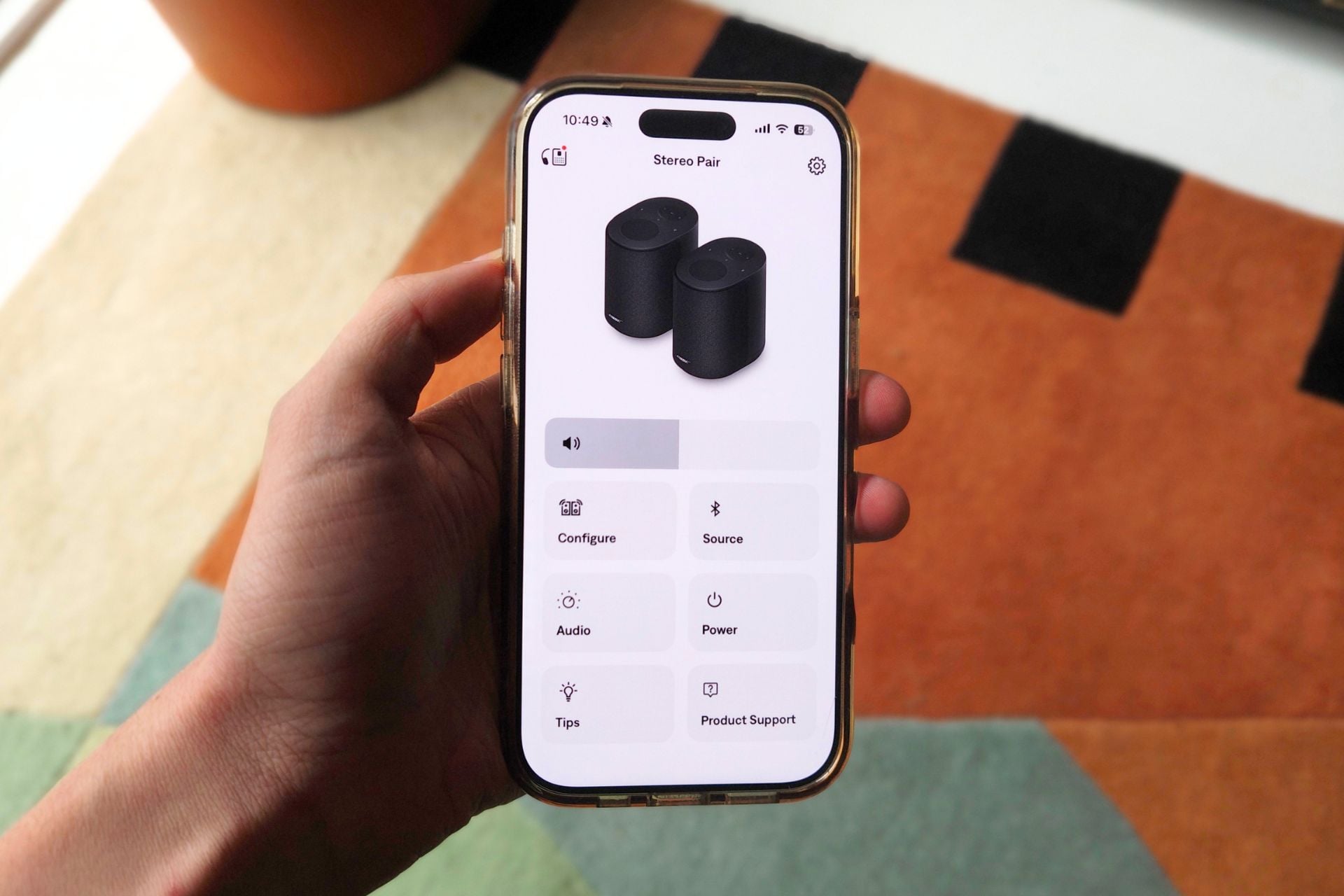
When Bose’s app is working as intended, setting up speakers and controlling them is seamless. The stereo pairing UI is intuitive—all you have to do is select the speaker in the Bose app and then go to “configure” and add a speaker. From there, you can select which speaker is on the left or right by playing a ping sound and then finalizing when you’re set. You can also use a pair of the Bose Lifestyle Ultra Speakers as rear audio for the Lifestyle Ultra Soundbar. If you want to configure them for a home theater, the Bose app will ask you upfront during the initial setup in the app, and you can just plow ahead. (Note: keep in mind that the Lifestyle lineup is not backwards compatible with other Bose soundbars, so don’t go expecting to mash these together with old devices.)
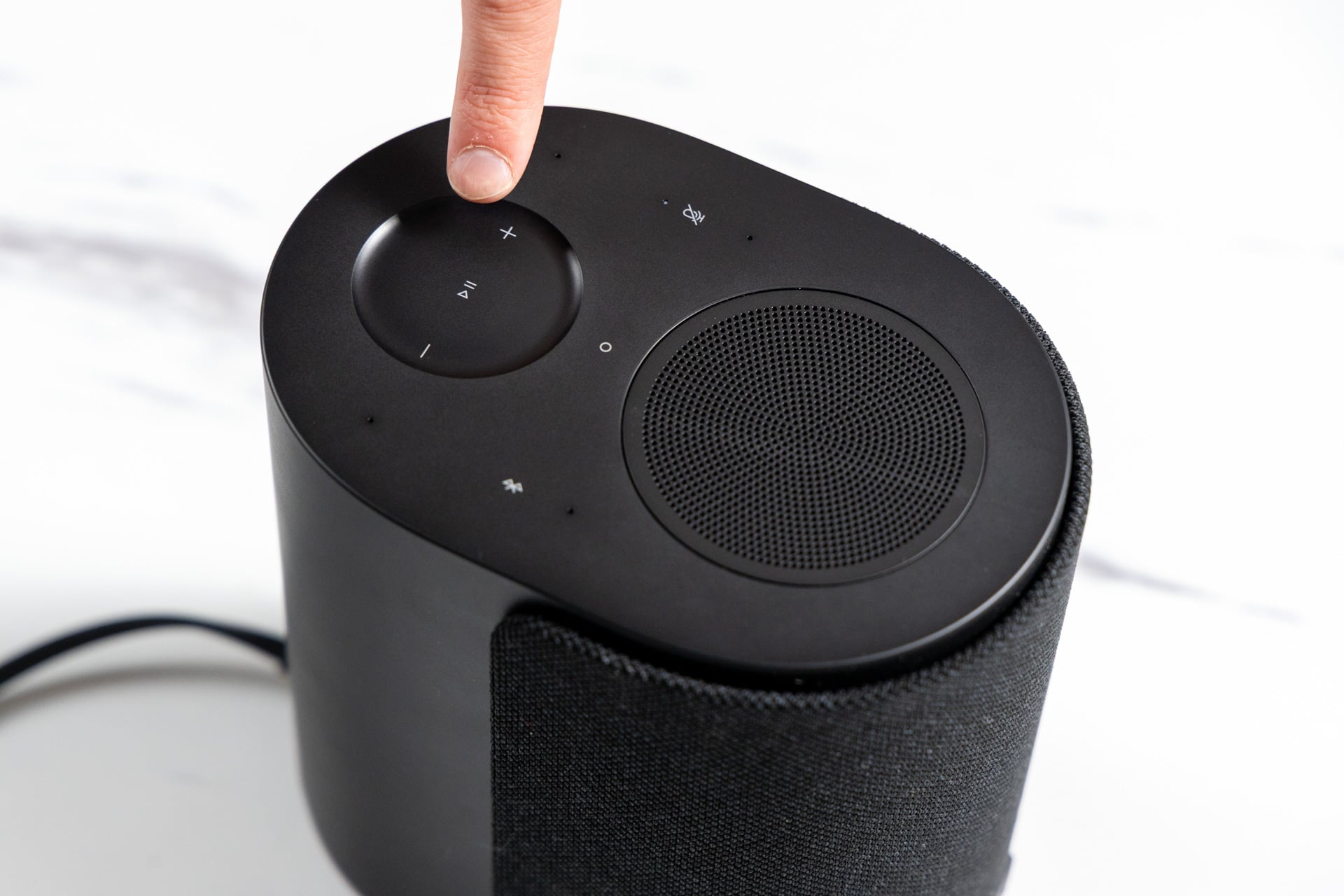
There are options for EQ in the Bose app if that’s your thing, which lets you adjust bass, treble, and even the height of sound from the up-firing driver. There’s also a source button for selecting inputs like Bluetooth or your phone, and a power button for turning the speakers off if need be. You can skip tracks and play/pause in the app as well, or if physical controls are more your thing, there are touch-sensitive inputs on the top of the speaker for play/pause, volume, Bluetooth, and turning the onboard microphone on and off. They work fine, though they’re not my favorite buttons in the world—they feel a little laggy at times, especially the play/pause button.
Ultimately, the Bose app isn’t very complex, and that’s a good thing. That simplicity also finds its way into how you play music through the speakers, which I’m a fan of. Unlike Sonos, which tends to try to nudge you into using its app for connecting services and launching music, Bose is a little more hands-off. To play music on the Lifestyle Ultra Speaker, you can use a range of methods, including AirPlay, Google Cast, Spotify Connect, and Bluetooth. Heck, there’s even an aux in if wires are your thing. Relying on those protocols means you don’t have to visit the Bose app as often as you might have to visit the Sonos app, and I think most people will prefer that. I certainly do.
Using protocols like Apple’s AirPlay also means that Bose’s speakers are fairly agnostic. I was able to couple the stereo pair of Lifestyle Ultra Speakers with a Sonos Era 100 SL and play all three at the same time while controlling all the devices through my iPhone 17. If you have existing Wi-Fi speakers that you want to link up with a new Bose one, I don’t think you’ll encounter many problems.
Also, if you like using a voice assistant, the Bose Lifestyle Ultra Speaker will support Alexa+, though that’s rolling out in waves according to Bose. I was only able to use the regular Alexa in my testing, which is fine by me. My experience with next-gen voice assistants is that they make everything just a little more annoying. Gemini for Home, for example, makes all of my voice commands take just a little bit longer, and if Alexa+ is the same (it probably will be), I’ll stick to the old Alexa. And no, you can’t use another voice assistant on these speakers, unfortunately.
Overall, I think the Bose app experience is fine. Can I guarantee that Bose won’t blow its app up by accident in the future, as Sonos did? Obviously not. Nor can I promise that it will ever make the Bose app perfectly seamless. That being said, the glitches I encountered weren’t enough to convince me that Bose is out of its depth or that investing in a Bose Wi-Fi system would be a bad idea. To me, it looks like some quirks you’d expect in a new ecosystem of products, though if you’re worried about hiccups, you can always wait to buy one and see how things progress.
Big bucks on Bose?
Obviously, Bose’s Lifestyle Ultra Speaker isn’t cheap, especially when you consider that the true potential is unlocked when you buy two of them. At $299 ($349 for the Driftwood Sand colorway), it’s also more expensive than competitors like the $220 Sonos Era 100 and the $180 Sonos Era 100 SL (this one doesn’t have voice assistant support). For an extra $80 to $120 more, you’re getting a great value, though.
The Bose Lifestyle Ultra Speaker brings big sound and is excellent for spatial audio, and if a Bose soundbar is on your list of things to buy, it’ll play nicely with that as well. An agnostic approach to software also takes the pressure off the price premium. For now, Bose seems to be intent on putting platforms first via AirPlay, Spotify Connect, and Google Cast, and I think that’s the right choice.
Yes, there are bound to be hiccups as Bose transitions its app to support its Lifestyle products, but I can’t say I’m scared off by Bose ironing out some kinks. If you’ve got the money and the zeal for hi-fi audio at home, Bose might be the pick for you over Sonos.
This article has been updated to clarify that spatial sound with Dolby Atmos is only supported when paired with Bose’s Lifestyle Ultra Soundbar.