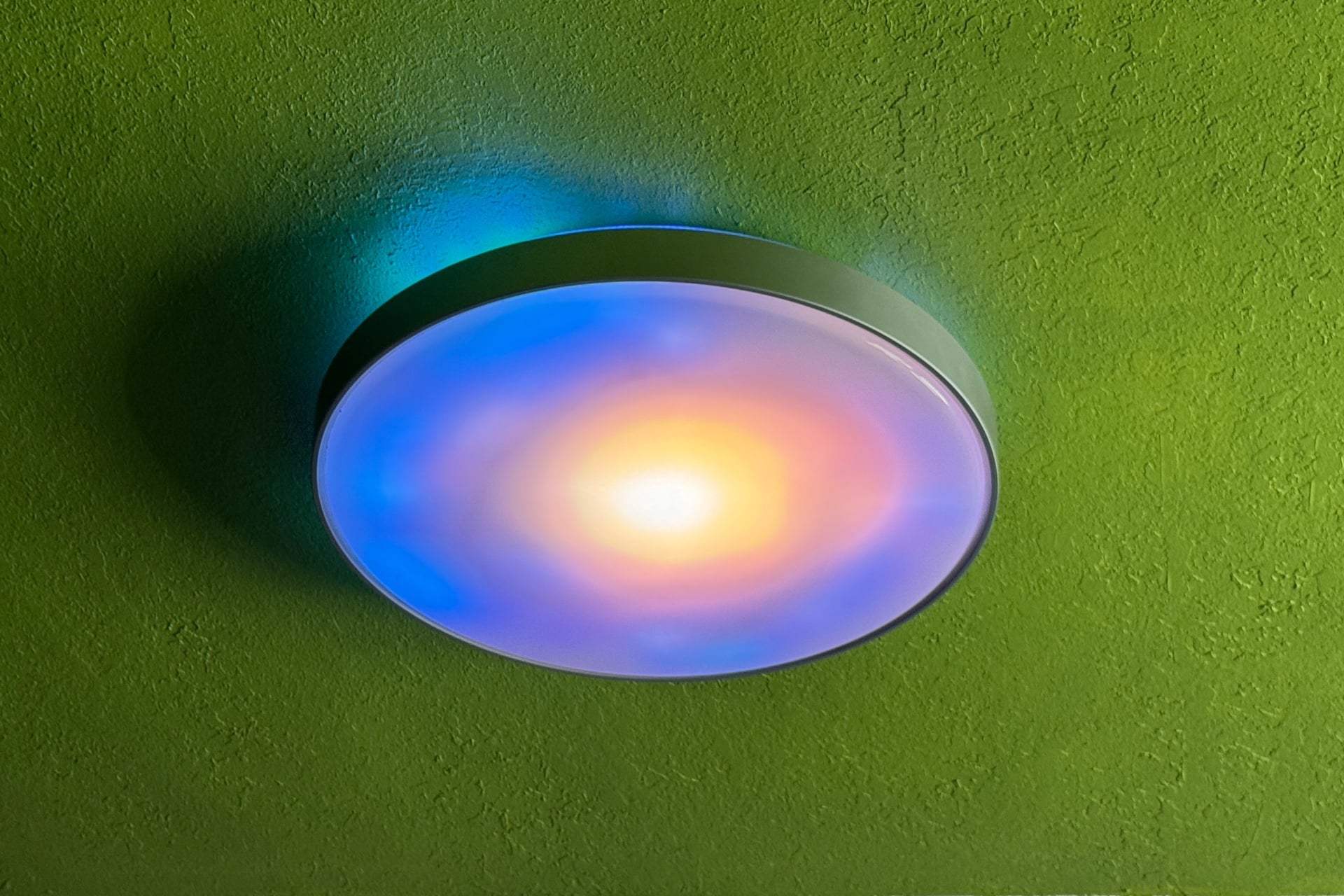
For the past few weeks, I’ve had a big ol’ circle light on my ceiling that shows me AI art. It’s the Govee Ceiling Light Ultra, a 21-inch-wide collection of LEDs behind a piece of frosted white plastic that has all of the usual Govee excess—vibrant colors, patterns, and animated effects—but can also show images and looping animations, some that an AI system creates on demand.
There’s no reason that I, a 42-year-old adult with joint pain, would want AI art on my ceiling. I have a family and pets to feed, bills to pay, and fences to mend. Still, like many Govee products, the Ceiling Light Ultra is a fun toy. And I do want more light in my bedroom, something the regular lightbulb fixture is bad at. The Ceiling Light Ultra, on the other hand, is very good at that.
I’m not sure that’s enough, though. Govee isn’t the only company making big, flashy circles of pulsating, morphing color. One of its main competitors, LIFX, sells a nearly identical ceiling light, called the SuperColor Smart Ceiling Light, that’s cheaper and better in many ways, except that it’s smaller at just 15 inches wide. And if I had to pick between the two right now, I’d go for the LIFX light.
Govee Ceiling Light Ultra
A bright, responsive smart ceiling light that doesn’t do its colorful effects well enough to justify the cost.
Pros
- Matter compatibility
- Very bright, natural-feeling white light
- Fun effects to play with
- Responsive
- Easy to install, but bring a friend
Cons
- Too expensive
- Blurry, choppy animated scenes
- Colors can appear washed out and dim
- Matter hasn’t caught up with effects-driven smart lights
Hit-or-miss AI-generated light effects
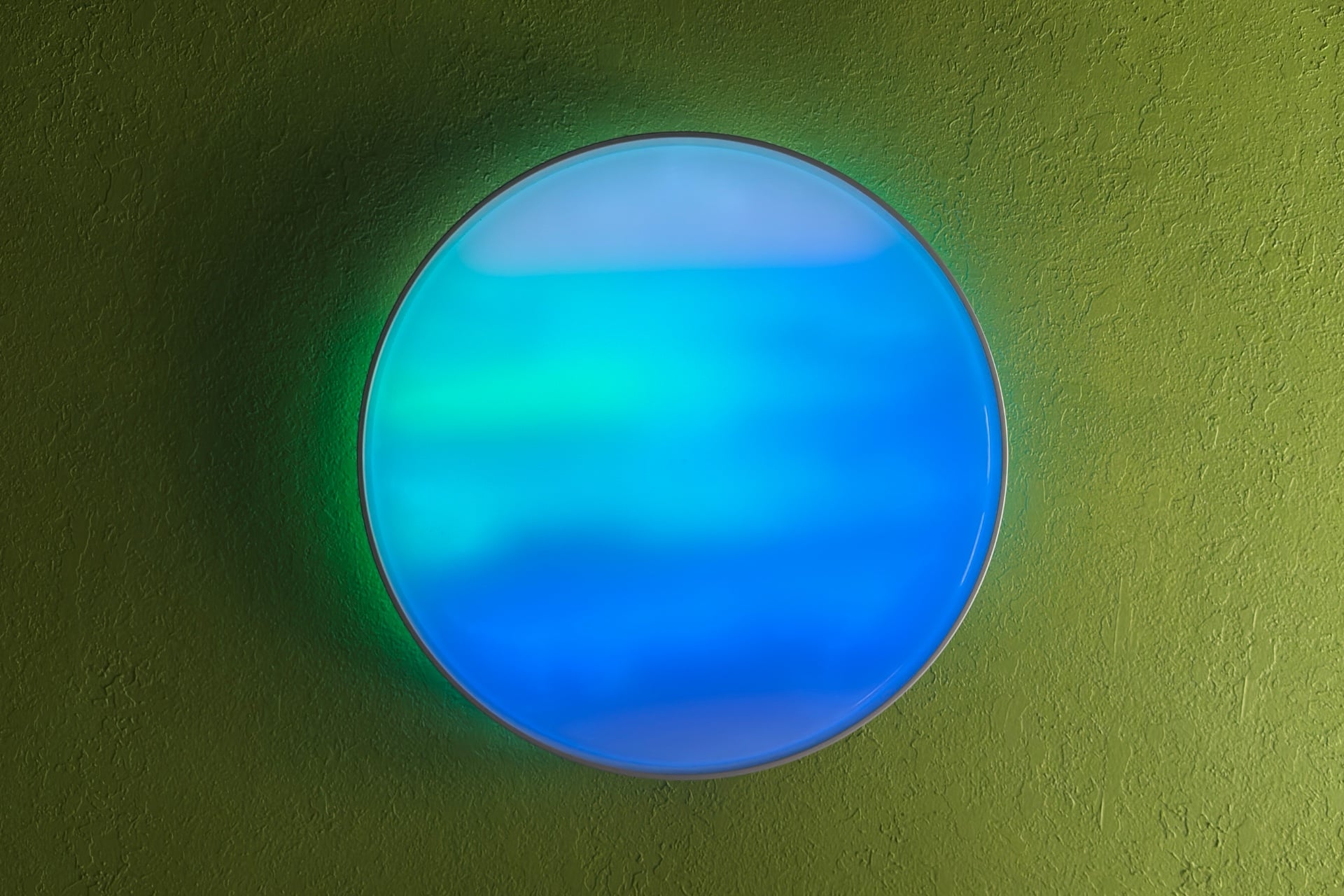
The Ceiling Light Ultra is much larger than I expected, even though I knew its measurements. At 21 inches, it’s about as wide as a BMX bike wheel. Inside the Ceiling Light Ultra’s plastic chassis—which consists of a ring of light on top, a silvery band around the outside, and a plastic plate on the bottom that the main lights shine through—are 616 LEDs, packed densely and capable of displaying fairly “pixel”-dense images that are heavily softened by the white plastic of the light’s cover.
To create effects, you’ll need to turn the light on and go to the Ceiling Light Ultra’s home screen in the Govee app. Here, you’ll find two rows of buttons with labels like “Color,” “Scene,” “AI,” “Music,” “Scene,” and “Finger Sketch.” They’re mostly self-explanatory. Color lets you pick one or more colors to display. Scene lets you choose a premade animated effect, with thematic categories like “Natural” or “Weather.” Music uses an onboard mic to listen to noise around the light and generate moving effects in response.
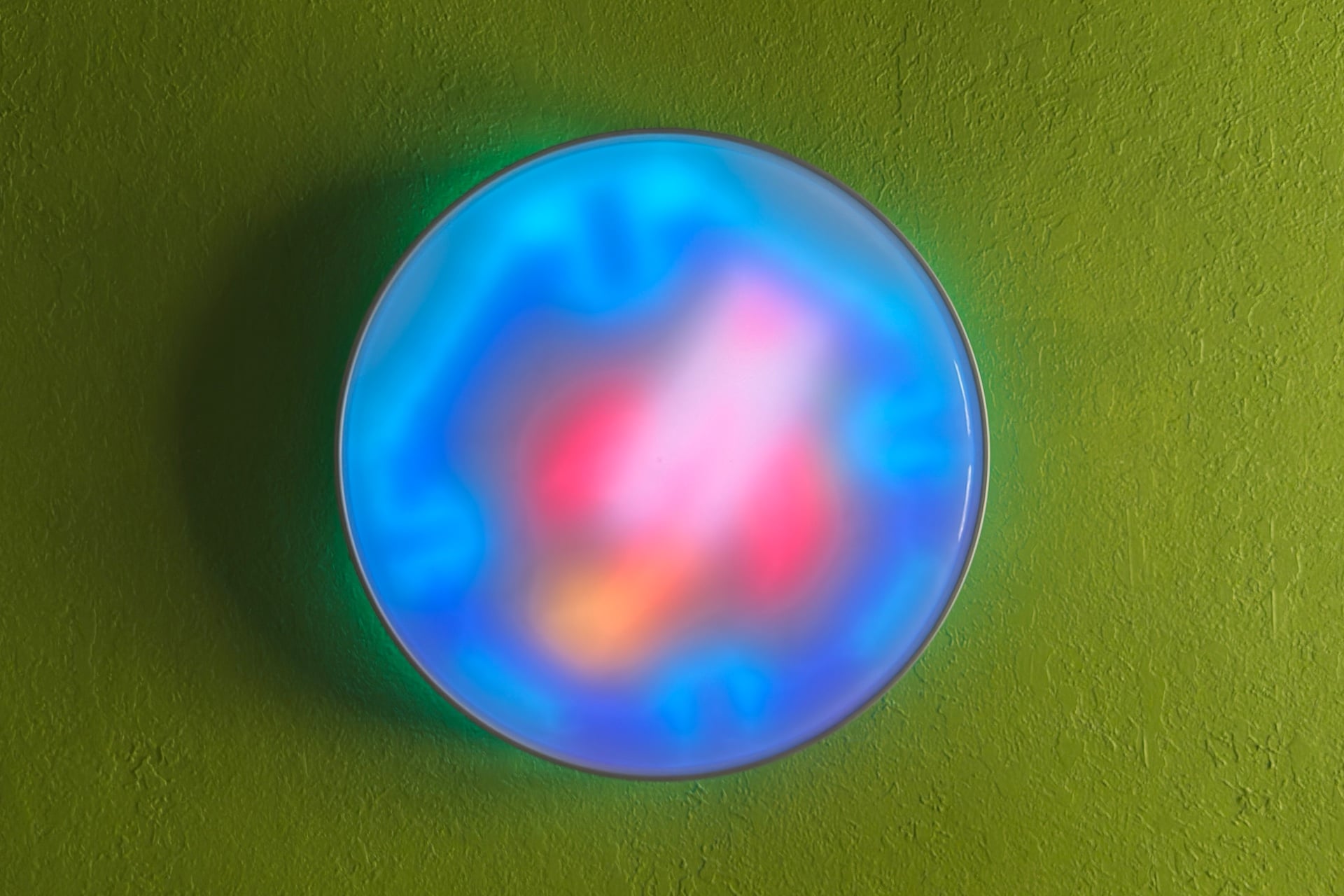
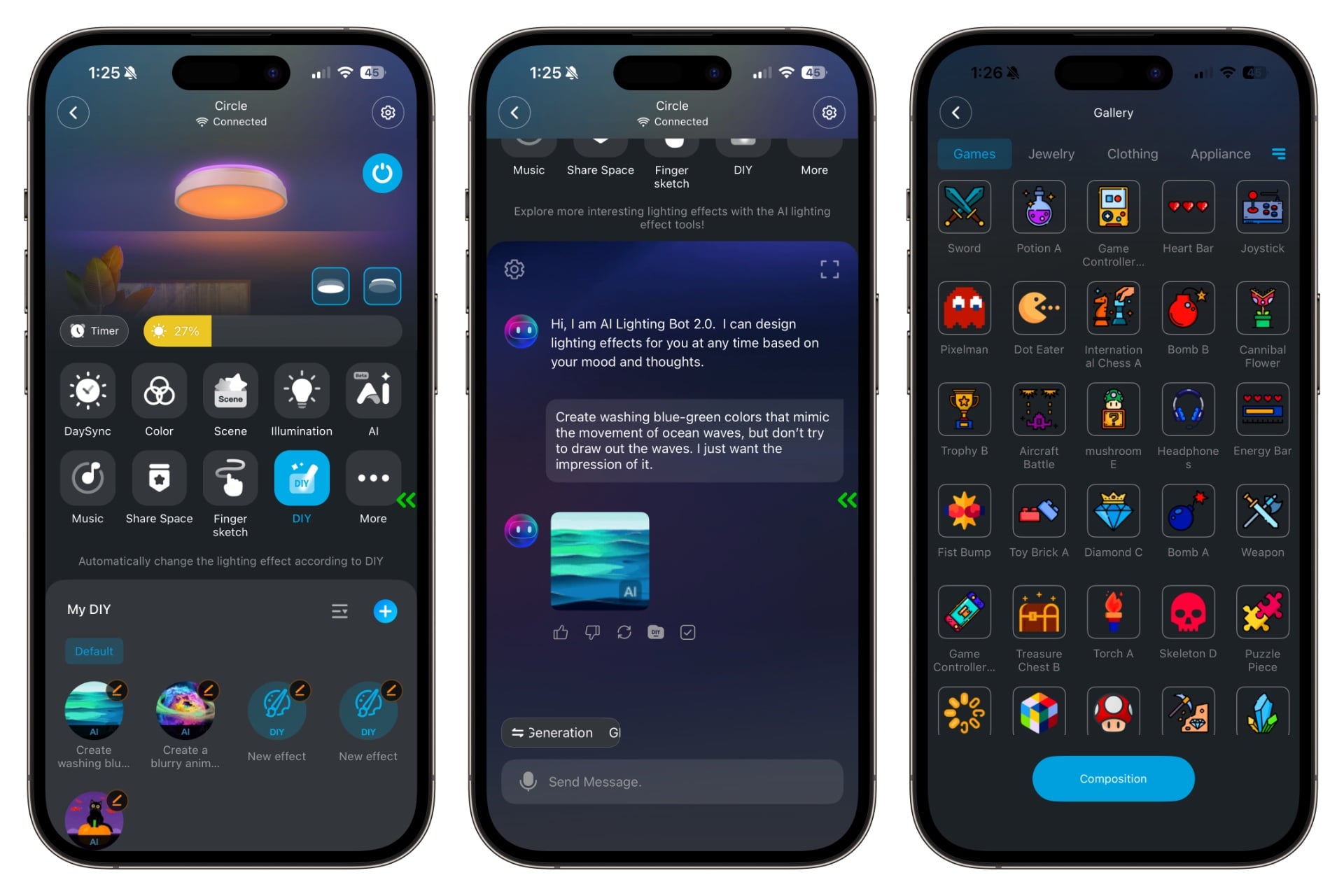
The light’s blurriness works really well for showing off smooth gradient effects. But it doesn’t do much to support Govee’s main proposition: letting AI create animations or images for you. To do this, you tap a button labeled “AI” on the light’s home screen, then scroll down and tap a text field where you’ll enter a request. You can use natural language for this—describe what you want, and Govee’s “AI Lighting Bot 2.0” will process your request for a bit (usually 30 seconds, sometimes up to 1.5 minutes) and give you an animated GIF. From here, you can save the image, tap a button to make it try again, give it a thumbs-up or thumbs-down, or apply it immediately. It’s pretty straightforward!
When I asked the Lighting Bot to create a Halloween scene, it returned a clear animation of a cat sitting on a pumpkin, sort of dancing and with bats fluttering overhead. Once applied to the light, though, it was blurry, like looking at the image through someone else’s prescription glasses. My partner correctly guessed there was a pumpkin in the image, but the other elements were unintelligible. It works better if you ask for more abstract images, like when I asked it to make blue-green colors that mimic the movement of ocean waves, but not to try to draw literal waves. What I got was something in the ballpark of the cartoony, simplistic ocean waves in The Legend of Zelda: Wind Waker, and it worked much better on the light itself.
See Govee Ceiling Light Ultra at Amazon
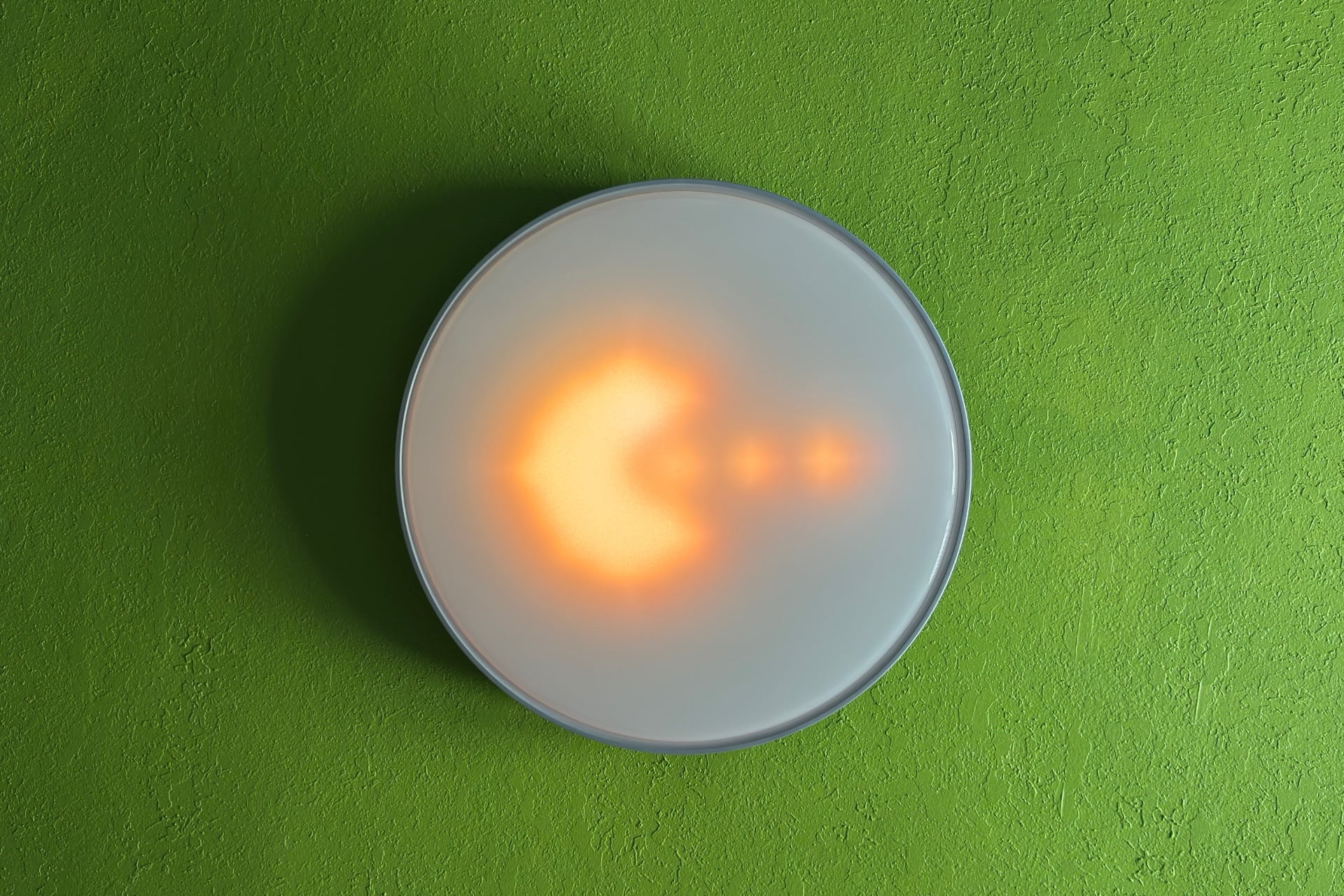
There are times when images work, as in the case of a vast collection of premade static images you can find by tapping “More” and then “Gallery.” For instance, the “Dot Eater” image clearly depicts Pac-Man eating three dots. (You can “animate” it, but that just flashes or drags the image on a loop that takes it off one edge before it reappears, sliding in from the opposite edge.)
A Govee representative told me when I reported on the Ceiling Light Ultra during CES 2026 that you can upload your own GIFs, but that isn’t quite right—the best you can do is tap “DIY” on the light’s home screen, then the “+” on the next page, go to a tab labeled “Advanced,” and add up to eight individual frames from a GIF and animate those. It’s still fun to do, but I was looking forward to stuffing this thing with obnoxious memes, and I just wasn’t going to do that one frame at a time.
You’ll find, in the Govee app, dozens of premade scenes meant to invoke one concept or another. But where these are just thematic, looping colors on string lights like the Govee Outdoor Lights Prism, here it often shows an image that’s animated in some way. These aren’t complex animations; you might see a galaxy spinning or a Christmas tree covered in twinkling lights.
I don’t like most of the scenes, partially because many of the animations don’t seamlessly loop—the spinning galaxy doesn’t complete a full revolution before popping back to the beginning of the sequence—and partially because most consist of just a few very choppy frames. The music effects, which mostly involve pulsing, simple geometric shapes or washes of color, look a lot better. Unfortunately, they don’t do anything in a quiet room. Also, don’t expect them to actually look like a synchronized-to-music light show—they’re a fun parlor trick, but the Ceiling Light Ultra doesn’t distinguish between actual music and background noise. It’s just responding to the peaks and troughs of any old sound waves its microphone picks up, like many other Govee products do.
Before I installed the Ceiling Light Ultra, I tested LIFX’s SuperColor Smart Ceiling Light. Compared to that, the Ceiling Light Ultra’s colors looked dim and washed out, and its animations are nowhere near as fluid or its gradients as smooth. Both lights got very bright across the white spectrum, though, with even lighting across most of the panel. And the Ceiling Light Ultra did an even better job of lighting up my room when used as a simple white ceiling light—that six extra inches of diameter go a long way.
I liked the Ceiling Light Ultra more than the SuperColor for lighting the room, but only a little—I wasn’t disappointed by the plain white light either one cast. That’s a problem for Govee, which charges about 2.5 times as much for its light as LIFX does for its version, while offering a comparatively disjointed experience that the additional size doesn’t make up for.
Get a buddy to help
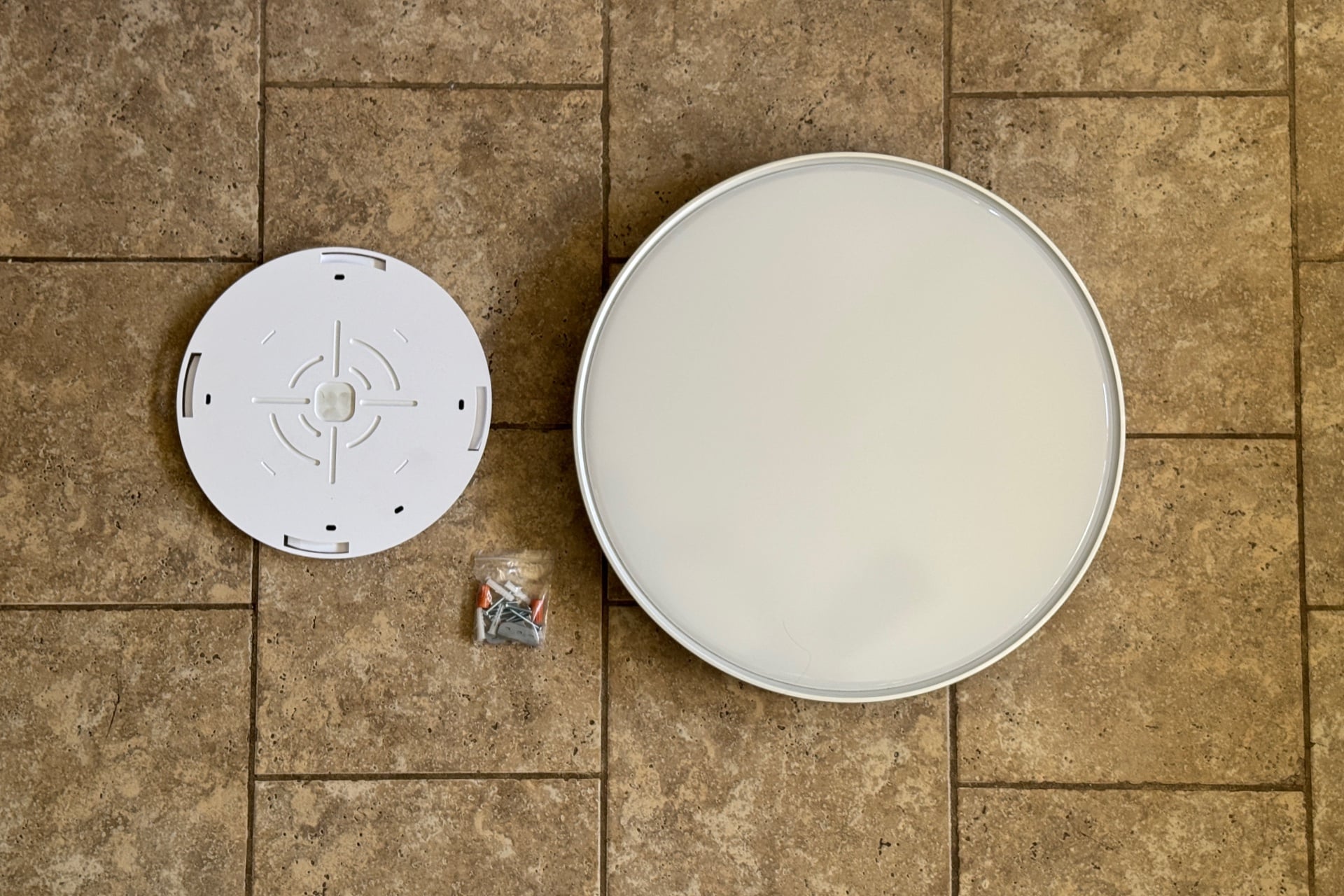
Installing the Ceiling Light Ultra is straightforward, though the company doesn’t recommend attaching its mounting plate to the electrical box in your ceiling, as you would with a standard ceiling light. Instead, you’re to drill a bunch of holes in your ceiling, jam plastic anchors in, and then screw the mount into those. There’s a guide printed on the mount to help you orient it, which I only casually followed, resulting in my Ceiling Light Ultra being rotated a little farther counterclockwise than I intended.
The light has a safety strap with a carabiner clip at the end, which you’ll be glad to know you can hook to a metal piece on the mounting plate, allowing the body to dangle while you wire things up. Govee includes push-in connectors to make this part easy, so you don’t have to mess with taping or wire nuts. Once you’re wired, you just line the Ceiling Light Ultra up with the tabs on the mounting plate and spin it clockwise until it catches the tabs and stops.
I finished mounting the Ceiling Light Ultra by myself in around 20 minutes, but if you can get help, do it. The light is big and awkward to handle while you’re trying to also clip on its carabiner. But it’s not particularly heavy; it’s as easy to install as the LIFX alternative I mentioned above, and it sits nice and flush against the ceiling.
Matter makes it solid for everyday use
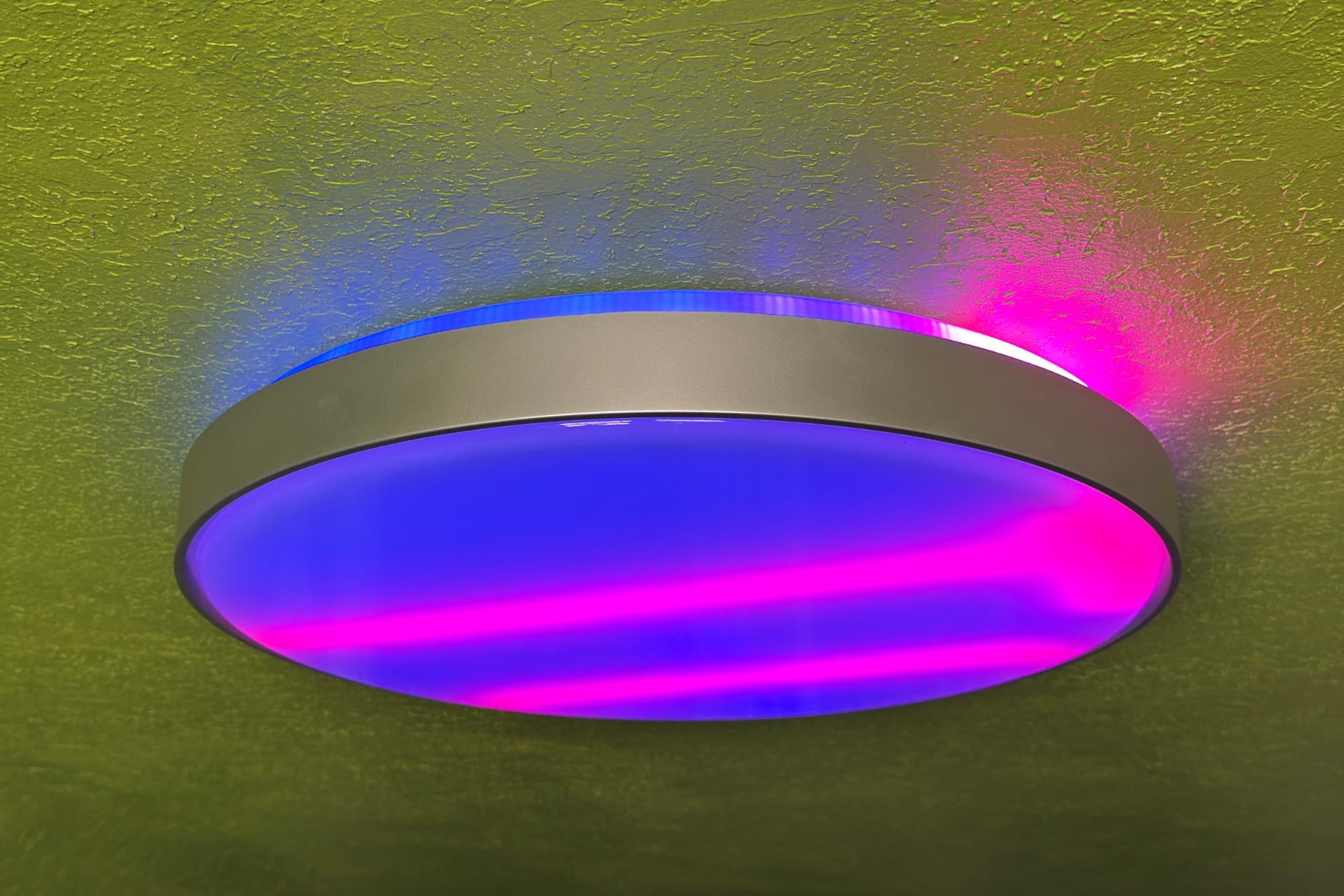
The Ceiling Light Ultra is Matter-compatible and can therefore be paired with any major smart home ecosystem. I tested it with Apple Home, quickly adding it by scanning the Matter QR code on the side of the light, and found it responsive, promptly switching on and off when I used a Philips Hue Dimmer Switch. When I changed the LEDs’ colors in the Apple Home app, the light transitioned smoothly rather than slamming into the new hues, as the LIFX SuperColor Ceiling Light or the Ikea Varmblixt lamp I recently reviewed do. It’s a small detail, but one I appreciate all the same.
At first, I had trouble keeping the Ceiling Light Ultra connected to Wi-Fi, so I was controlling it via Bluetooth instead. That wasn’t really a problem because its Bluetooth signal reached far; I didn’t notice any performance issues as a result. I might not have picked it up if I hadn’t specifically checked whether the light was on my Wi-Fi network. One reset later, and I was able to get it onto my Wi-Fi network.
Like any other effects-heavy light, you won’t be able to easily create light sequences in a non-Govee smart home app (I suppose you could try with automations, but that’s a pain in the ass), and you can’t control any of the Ceiling Light Ultra’s LEDs individually. That means when you want to change the light’s color through something like the Apple Home app, you won’t get gradients or effects, just one solid color. I’d love to see that change someday, but for now, it’s nice to be able to add it to preexisting automations, like the one I use to keep myself honest by turning off any lights I might have forgotten to turn off at the end of the night.
If you don’t need to go big, save your money
I like the Govee Ceiling Light Ultra’s brightness, size, and ease of installation. The colors and effects are, as usual, fun to play with, too. If I were still the type to throw parties, it would make a great overhead light, especially with its music effects, even if those really just react to any old sound. Think of them as being more like a disco ball than one of those impressive music-keyed Christmas light displays that make the rounds online from time to time.
The Ceiling Light Ultra also makes a great showing as a general-purpose light. Its white-light range comes across as fairly natural, and its supersized form factor helped it light what is otherwise a pretty challenging room to banish shadows from. You’re still better off with three or so well-placed, bright lamps, but it’s very good on its own.
I wish that Govee had done a better job with its animated scenes, though. The imagery it shows is too blurry and washed-out to be a big draw, at least for me, and its effects don’t really fit the materials it’s made of, nor are they as smooth as similar lights from LIFX. Worst of all, it’s very expensive, at $250. That’s really hard to justify when LIFX’s SuperColor Smart Ceiling Lights, which range from $95 to $150, exist. In fact, it starts to put the company more in competition with Philips Hue, which sells a $330 circular ceiling light, and I don’t think Govee is ready for that heat.