A Netherlands IP address is one of the easiest to get. Amsterdam is a major internet hub, and almost every VPN company keeps servers there, so the choice turns on details:
- Which Dutch city the IP address shows.
- How fast the server is.
- Whether other users share the same IP address.
For Dutch banking, NPO Start, or the Dutch Netflix catalog abroad, the country is what websites check. So which Dutch IP address should you use?
Set Up a Netherlands IP Address
- Sign up for NordVPN and download the app from NordVPN’s site or your app store.
- Search for “Netherlands” in the app and connect.
- Check the result on whatismyipaddress.com, which should list the Netherlands.
- Clear the Dutch site’s cookies, then reload the page.
How to Get a Netherlands IP Address
Connect a VPN to a server in the Netherlands, and Dutch websites read that server’s IP address as your location. Once the app is installed, it takes under a minute on any of the three VPNs we tested: search for the Netherlands in the location list and connect.
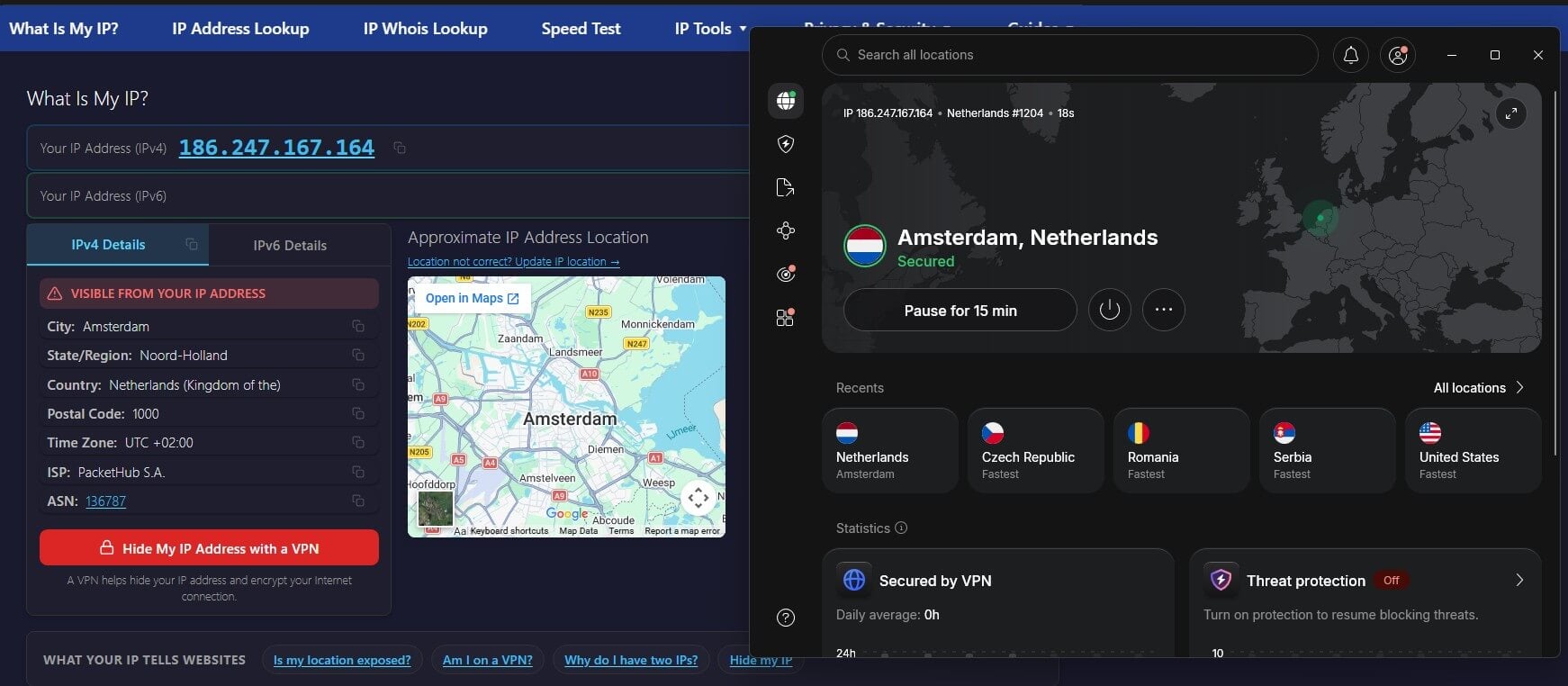
After that, load whatismyipaddress.com to confirm the country. Dutch sites can still remember your earlier location, so clear their cookies and reload if a page shows a foreign version or a region message.
On a phone, also disable location access for that app. GPS data can reveal your actual location even with a Dutch IP address.
Why Use a Netherlands IP Address?
Dutch sites see a visitor in the Netherlands when your IP address is Dutch, which helps in a few situations:
- Banking and government logins: Dutch banks and public services can add verification steps to logins from a foreign IP address.
- Dutch TV: NPO Start and KIJK limit their streams to Dutch IP addresses, and our guide to watching Dutch TV abroad covers each channel.
- Netflix Netherlands: the Dutch catalog, with Dutch originals and subtitles, appears only on a Dutch IP address.
- Local prices and search: Dutch shops, travel sites, and Google show Dutch results and prices.
At home in the Netherlands, the direction flips. A server abroad unblocks the American Netflix catalog, and a VPN adds privacy on Dutch networks, which is what our best VPNs for the Netherlands compare across five options.
Dutch Server Speed Results
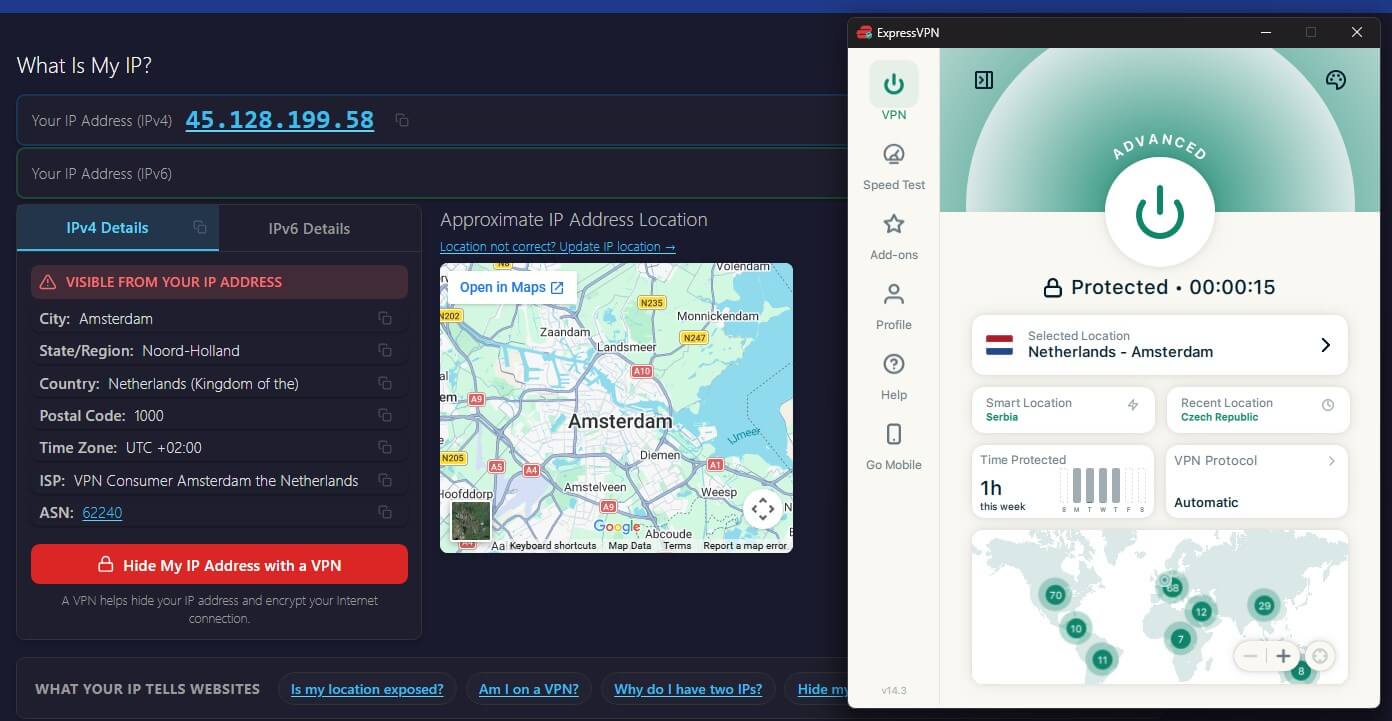
Each VPN connected to a Dutch server for our speed tests, and whatismyipaddress.com confirmed the location. Every lookup placed the IP address in the Netherlands, and none showed an IPv6 address.
| VPN | Dutch cities | Download | Upload | Ping |
|---|---|---|---|---|
| No VPN (baseline) | – | 190.36 Mbps | 19.37 Mbps | – |
| NordVPN | Amsterdam | 181.37 Mbps (4.7% loss) | 18.31 Mbps (5.5% loss) | 45 ms |
| Proton VPN | Amsterdam | 157.31 Mbps (17.4% loss) | 18.14 Mbps (6.3% loss) | 39 ms |
| ExpressVPN | Amsterdam, Rotterdam, The Hague | 178.43 Mbps (6.3% loss) | 16.32 Mbps (15.7% loss) | 39 ms |
Even Proton VPN’s 17.4% loss left more speed than a 4K stream requires. Lookups for ExpressVPN’s IP address named a VPN company as the ISP, though. Most Dutch sites ignore that, but one with strict VPN detection could recognize it.
Best VPNs for a Dutch IP Address
1. NordVPN: Best for Speed on Dutch Servers
Pros
- Fast Dutch servers
- Dedicated Dutch IP add-on
- Kill switch for individual apps
- Large Amsterdam server network
Cons
- Amsterdam is its only Dutch city
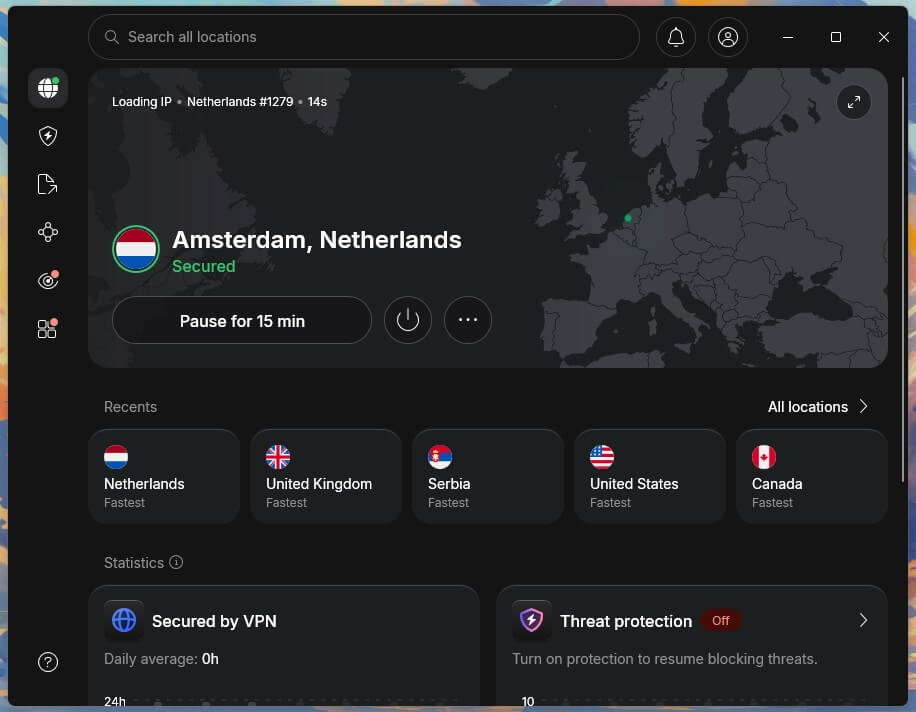
NordVPN had the fastest Dutch server we tested, with a 4.7% download speed loss, so streams, downloads, and video calls show no noticeable slowdown.
Its 225+ Dutch servers are in Amsterdam. That covers every site that checks only the country, which includes Dutch banks, NPO Start, and Netflix. Its app-level kill switch is the other feature that helps with a Dutch IP address.
Choose your banking app or browser, and NordVPN closes it if the VPN connection drops, so it never sends data on your usual IP address. That’s included from the Basic plan up, which costs under $3.50 a month when billed every two years.
2. Proton VPN: Largest Dutch Server Network
Pros
- 672 servers in Amsterdam
- Routes traffic through Switzerland first
- Saved connection profiles
- Open-source apps
Cons
- Speed drops on busy servers
- No dedicated IP on personal plans
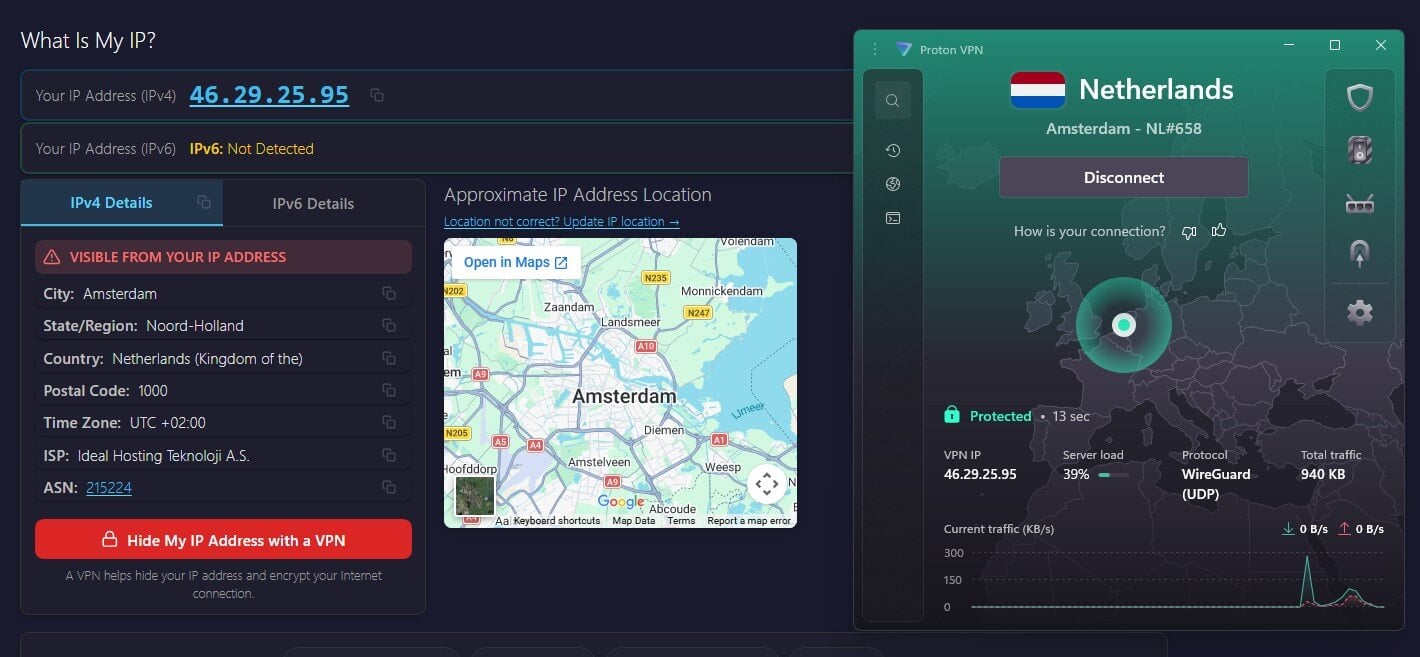
Proton VPN has 672 servers in Amsterdam, the largest Dutch server list of the three. Its Dutch server had the slowest download speed in our tests, but with so many servers in the city, a less busy one is a few seconds away in the location list.
It’s also the stronger option when privacy is the reason for the Dutch IP address. Secure Core, on the VPN Plus plan, sends your traffic through a server in Switzerland before it connects to Amsterdam, so the Dutch server never sees your home IP address.
Saved profiles then connect you to the Netherlands, with or without Secure Core, in one click. The VPN Plus plan is under $3 a month when you pay for two years up front.
3. ExpressVPN: Best for Rotterdam and The Hague
Pros
- Rotterdam and The Hague locations
- Lookups matched the chosen city
- Aircove router option
- Post-quantum encryption
Cons
- Lookups name a VPN company as ISP
- Lower upload on Dutch servers
ExpressVPN is the only one of the three with Dutch servers outside Amsterdam, in Rotterdam and The Hague, and IP lookups showed those cities. Its Amsterdam server had a 6.3% download speed loss and tied Proton VPN for the lowest ping. Setup is simple, as our ExpressVPN review found.
The app chooses the protocol on its own, so connecting to Rotterdam takes a single click. For a whole household, the Aircove router comes with ExpressVPN built in and puts a Dutch IP address on every device at home, including smart TVs without a VPN app. On a two-year Basic plan, ExpressVPN comes to roughly $3 a month.
Can You Get a Dutch IP Address Outside Amsterdam?
Yes, with ExpressVPN, which offers Rotterdam and The Hague alongside Amsterdam. NordVPN and Proton VPN place every Dutch IP address in Amsterdam. For most uses, the city makes no difference, since Dutch banks, NPO Start, and Netflix check the country alone.
The city does change local search results, maps, weather, and regional news. If you want Google and news sites to treat you as a Rotterdam or The Hague local, connect to that city on ExpressVPN and confirm it on an IP lookup page.
Do You Need a Dedicated Dutch IP Address?
Only if a site flags your logins. A regular VPN server shares its IP address with many users and assigns you a new one when you reconnect, and some Dutch banks and government logins respond with extra checks.
A dedicated IP address belongs to you alone and remains the same at every login. NordVPN offers one in Amsterdam as a paid add-on, so the bank sees one familiar Dutch IP address every time. For streaming, browsing, or NPO Start, a shared IP address is enough.
Can You Get a Netherlands IP Address for Free?
Yes. The Netherlands is on several free plans, so a Dutch IP address costs nothing if you accept a data limit:
- Windscribe: free Dutch servers with 10 GB of data a month after you confirm an email address.
- PrivadoVPN: a free Dutch server, also with 10 GB a month.
- Hide.me: free Dutch servers with unlimited data, but sign-up requires an email address and the free plan blocks streaming.
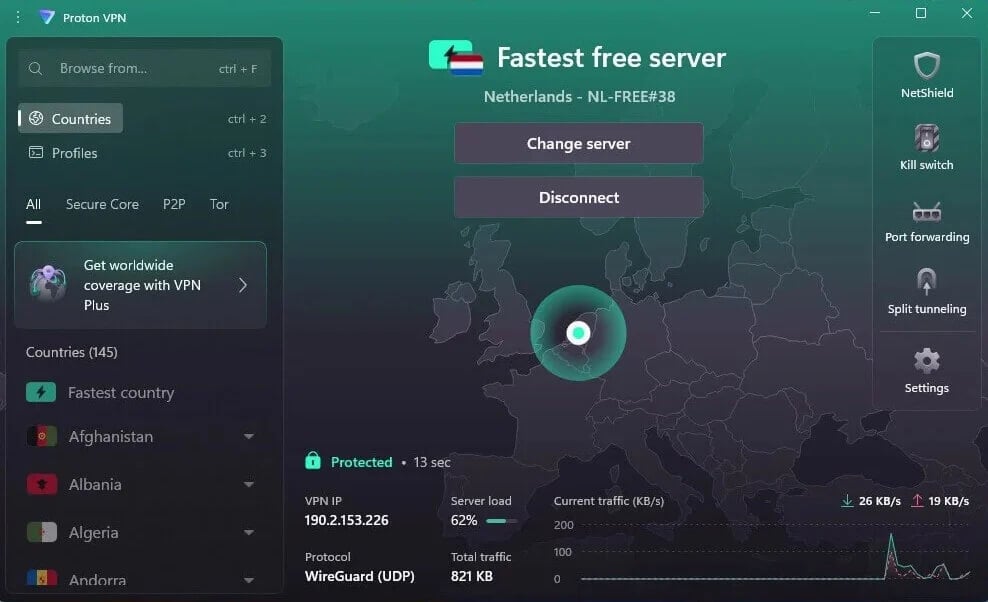
- Proton VPN: the Netherlands is one of its free countries, but the app chooses the server for you, so a Dutch IP address isn’t guaranteed.
For HD video, 10 GB covers around five hours, enough for a few Dutch broadcasts a month. A free Dutch proxy also changes your browser’s IP address, but without encryption, so keep it away from banking.
Summary
Getting a Netherlands IP address takes a minute or two with any of these VPNs: connect to the Netherlands, check the country on an IP lookup page, and clear the Dutch site’s cookies.
If you travel often, set the app to connect to the Netherlands as soon as it starts. Dutch sites then never see your foreign IP address first, and fewer logins come back with region messages.
Frequently Asked Questions
What is a Dutch IP address?
A Dutch IP address is an IP address registered to a network in the Netherlands. Websites use it to place a visitor in the country and show Dutch content, prices, and language.
Why does a Dutch website still show a foreign version with a VPN on?
Saved cookies, an account’s home region, or a phone’s location services can override the IP address. Clearing the site’s cookies and disabling location access usually brings up the Dutch version.
Can you get a Netherlands IP address on a smart TV?
Yes. Android TV and Fire TV devices support VPN apps directly, while Samsung and LG sets require a VPN set up on the router or a connection shared from a computer.
Does a Dutch IP address slow down your internet?
Slightly. Traffic passes through the VPN server first, so speed depends on the distance to the Netherlands and the server’s load. Nearby countries usually see little difference.