When folks ask the internet (well, mostly on Reddit) for robovac recommendations, you’ll see mentions of Eufy, Ecovacs, and Dreame here and there. But it’s Roborock that bubbles up the most. People seem to really like this company’s products.
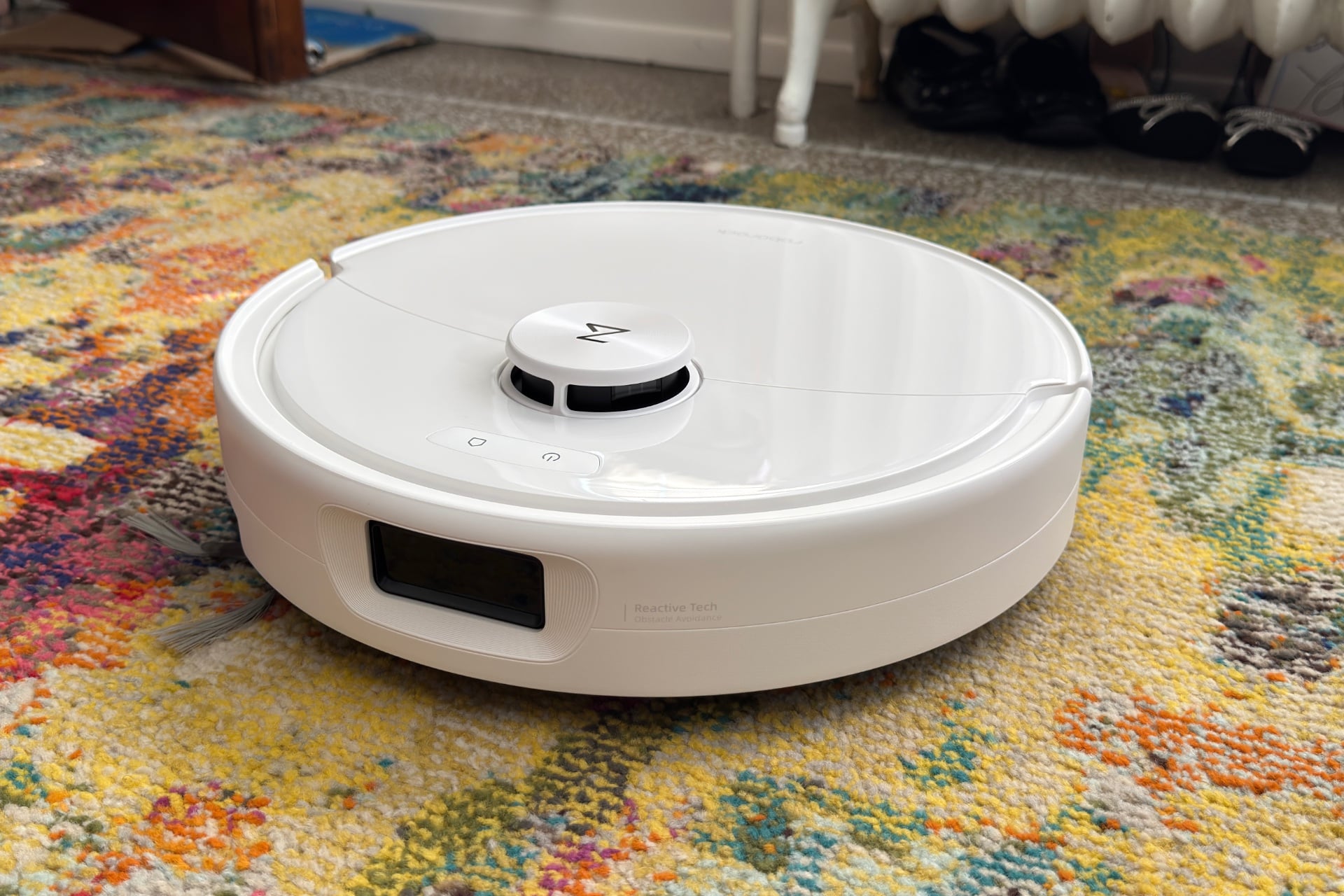
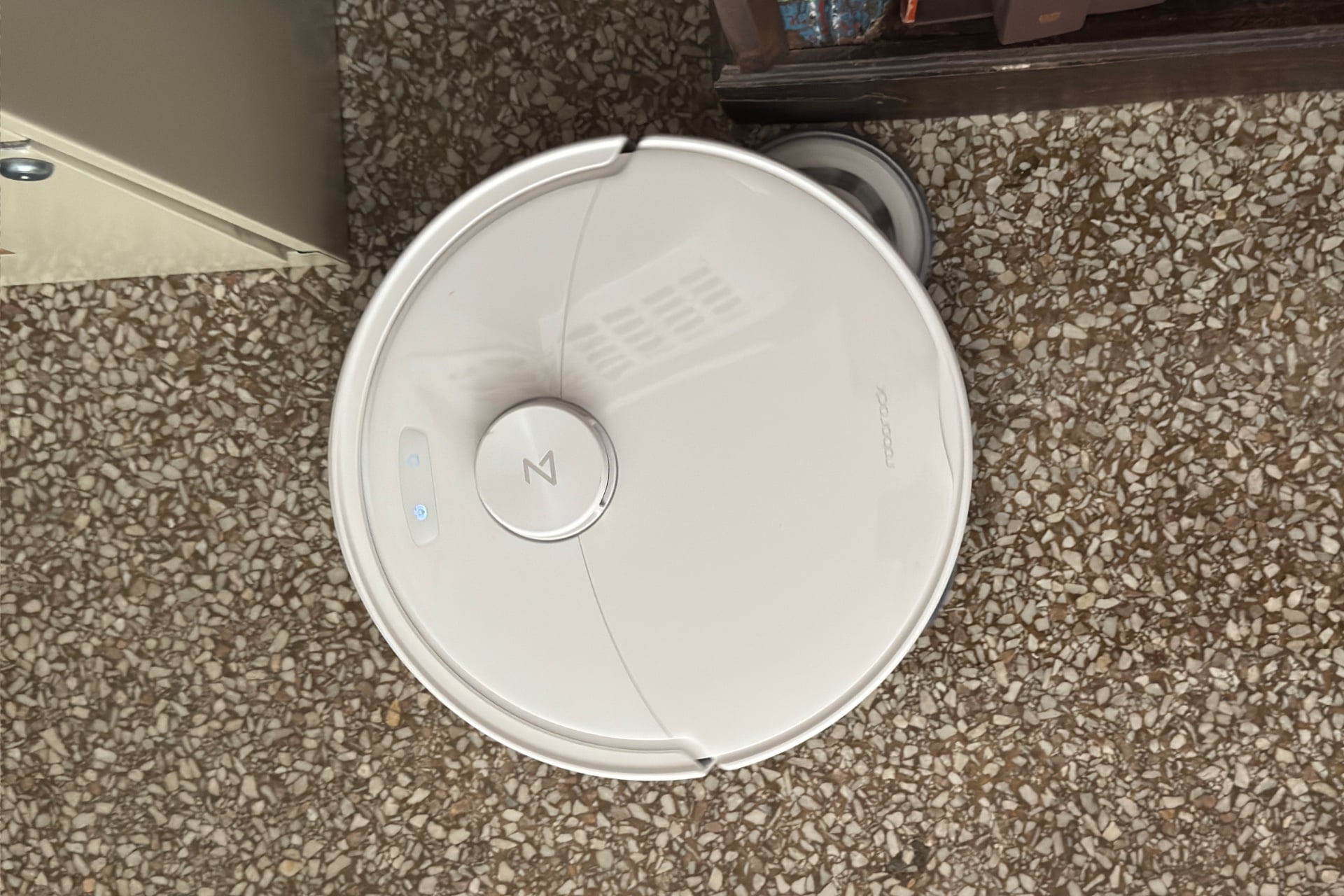
The newest midrange Roborock vac-bot is the $800 Qrevo 2 Pro, a vacuuming, mopping floor gremlin with an all-in-one dock that both cleans the robot’s mop pads and sucks the crud out of its dustbin. The device even has a mop pad that extends to reach edges or cracks under doors. I’ve been testing it for several days, and after some initial struggle with a small, critical, but easily fixed manufacturing defect, I’ve found it to be a much less frustrating, more effective machine than autonomous vacuums that cost more than twice as much.
Is it the floor-cleaning champ that will do everything you need it to without you having to lift a finger? Well, not quite; I still had to yank USB cables and socks from its maw and tweak its maps to keep it from mopping up part of a rug. Nevertheless, in this price range, the Qrevo 2 Pro is pretty dang close to as good as it gets.
Roborock Qrevo 2 Pro
A worthy midrange robot vacuum that can’t quite clean unsupervised.
Pros
- Quiet cleaning
- Good vacuum performance
- Relatively quiet self-emptying dock
Cons
- Will eat your cables
- Weak carpet detection
- So-so mopping
Good general performance, but carpets beware
Everything was going swimmingly as I set up the Qrevo 2 Pro. It didn’t have the excess of foam and thin plastic to remove that I’ve found on so many other robot vacuums, so mostly, all I had to do was get the robovac and its dock out of the box, plug in the dock, fill its clean water bucket, and slip the bot inside. Doing this and adding the device to the Roborock app took about 11 minutes.
The trouble started after the first mapping run, which took another 11 minutes. After mapping, the Qrevo 2 Pro couldn’t dock. It tried and tried but could never quite get onto the charging contacts. I was able to physically hold it in place to charge while I waited for a firmware update I hoped would address this, but as soon as that finished and I let go, the robot sagged, lost its connection, and started making unsatisfactory love to the dock’s cavity all over again. Even when it did manage to settle in and charge, the poor thing couldn’t pick up the mop pads on its own.
I spent some time struggling to figure out the cause. Had I forgotten to remove some plastic film or a piece of errant foam? After an hour and a half, I gave up, fired an email off to Roborock to ask for help, and moved on to other projects.
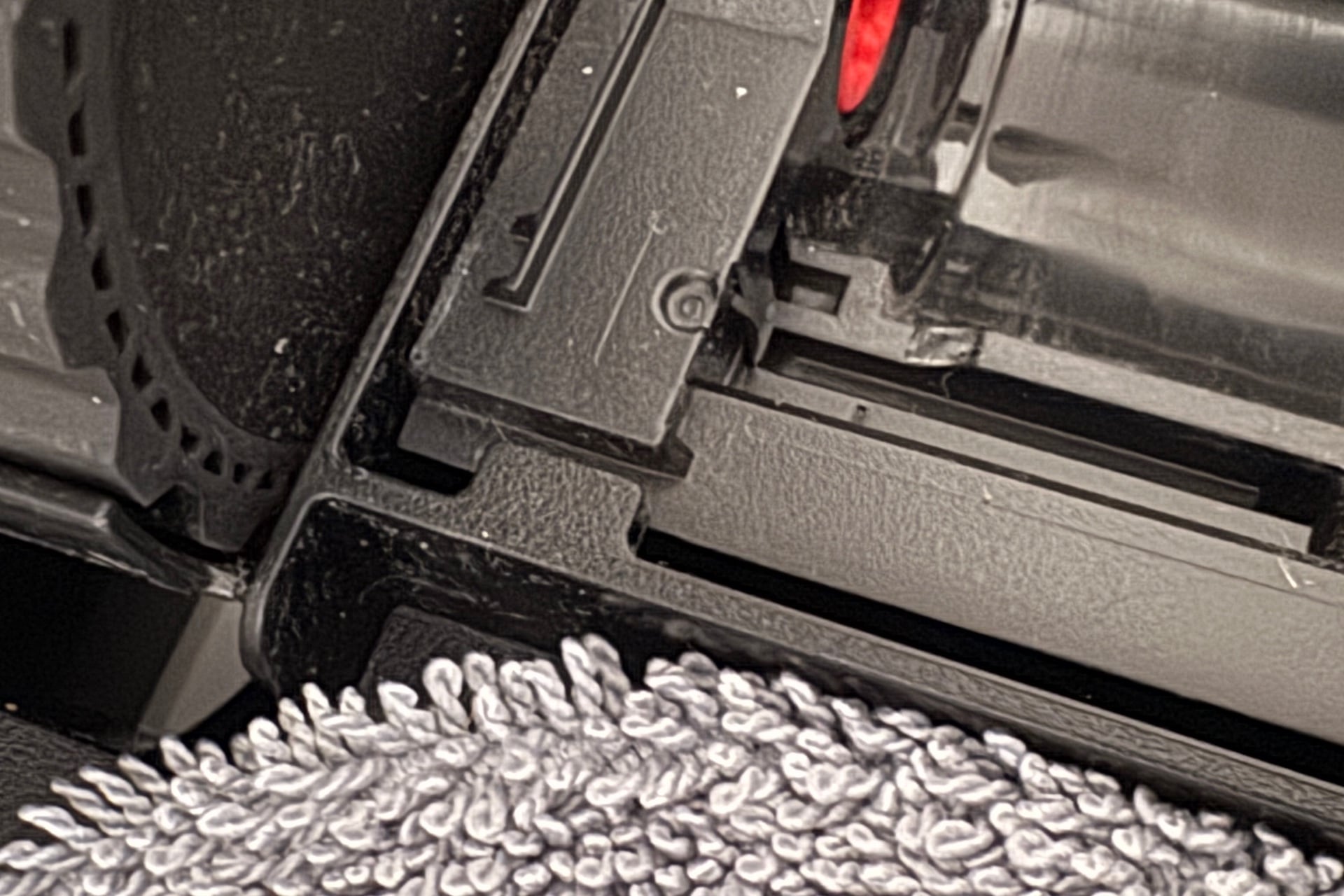
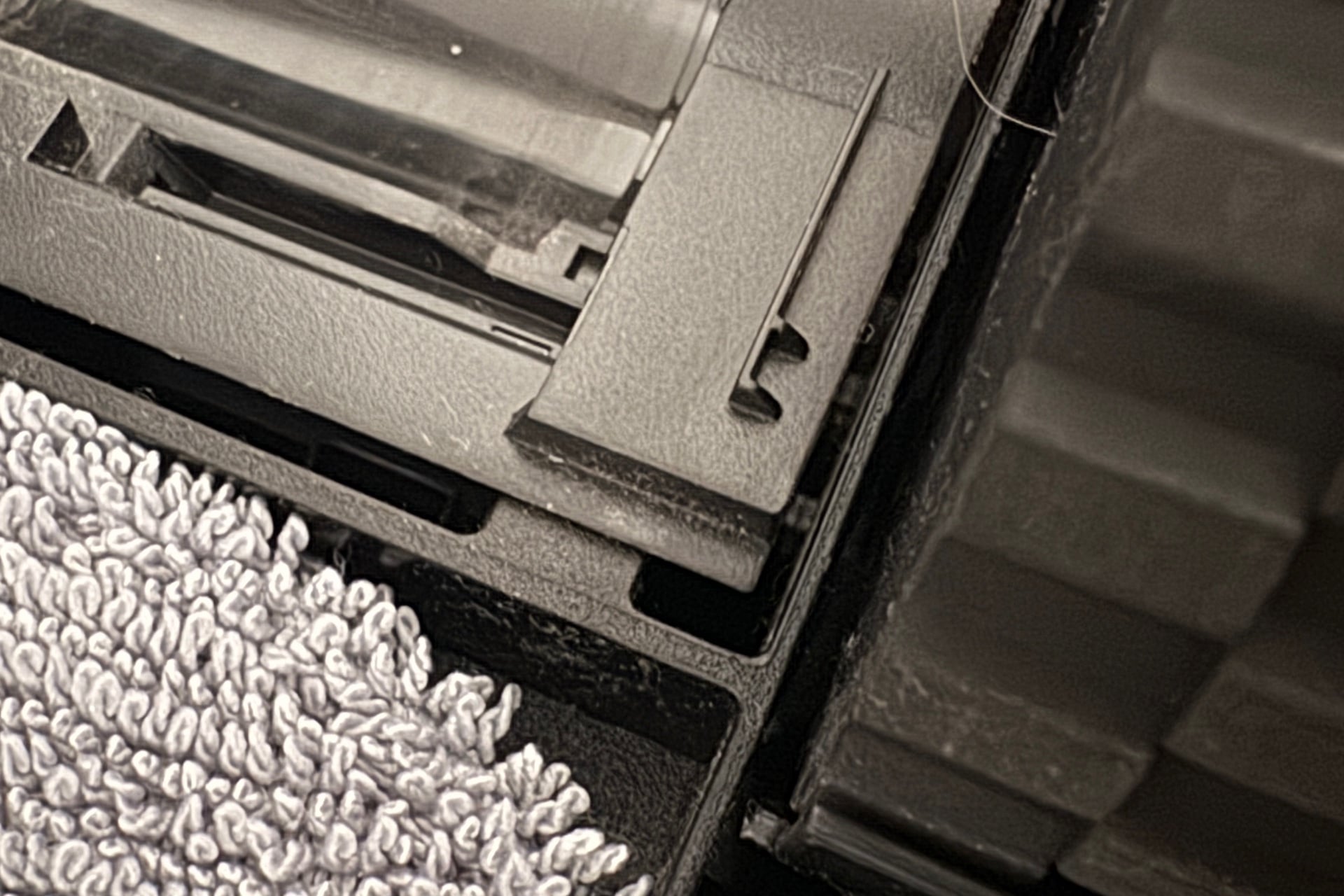
Before I heard back from Roborock—which attributed the situation to a manufacturing defect—I found that the plastic piece under the robot’s roller brushes hadn’t been seated properly. The fix involved levering the piece up with a screwdriver until its edge slipped beneath the tab that holds it down. After I did that, the robot docked and collected its mop pads without issue.
With this rectified, I found the Qrevo 2 Pro to be a capable floor cleaner that reliably collected small debris from hard surfaces and rugs, and it never developed clogs that hindered emptying. It’s pretty quiet all around. It’s easy to hold a conversation while the robot is vacuuming if you don’t put it on “MAX+,” its highest-power cleaning mode. And Roborock did a good job dampening the sound when the dock emptied the robot’s dustbin; you can still hear it for sure, but it doesn’t have that jet engine quality so many other robot vacuum docks do. (The Eufy Omni E28 and Dreame Aqua10 Ultra Roller can be startlingly loud, for example.)
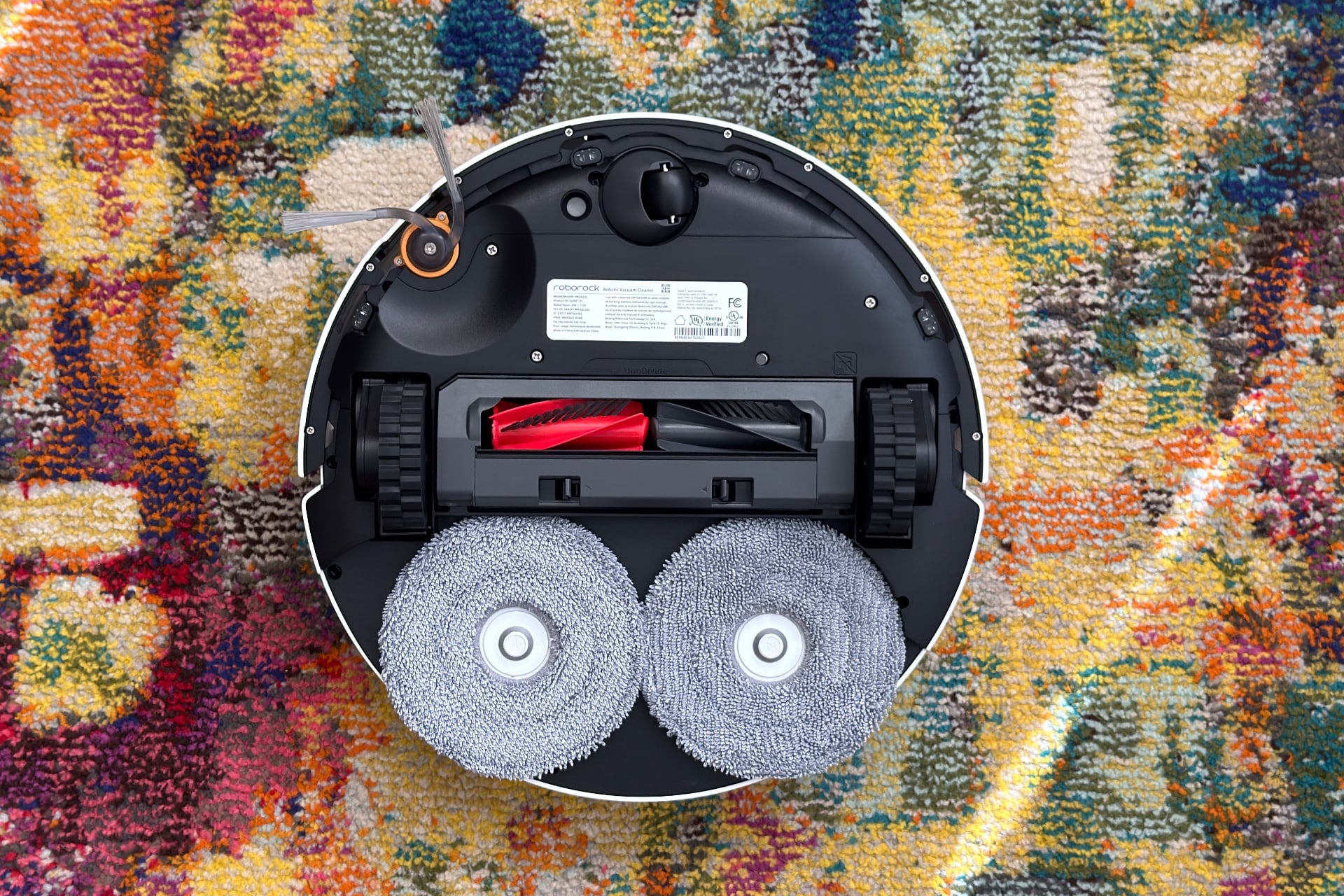
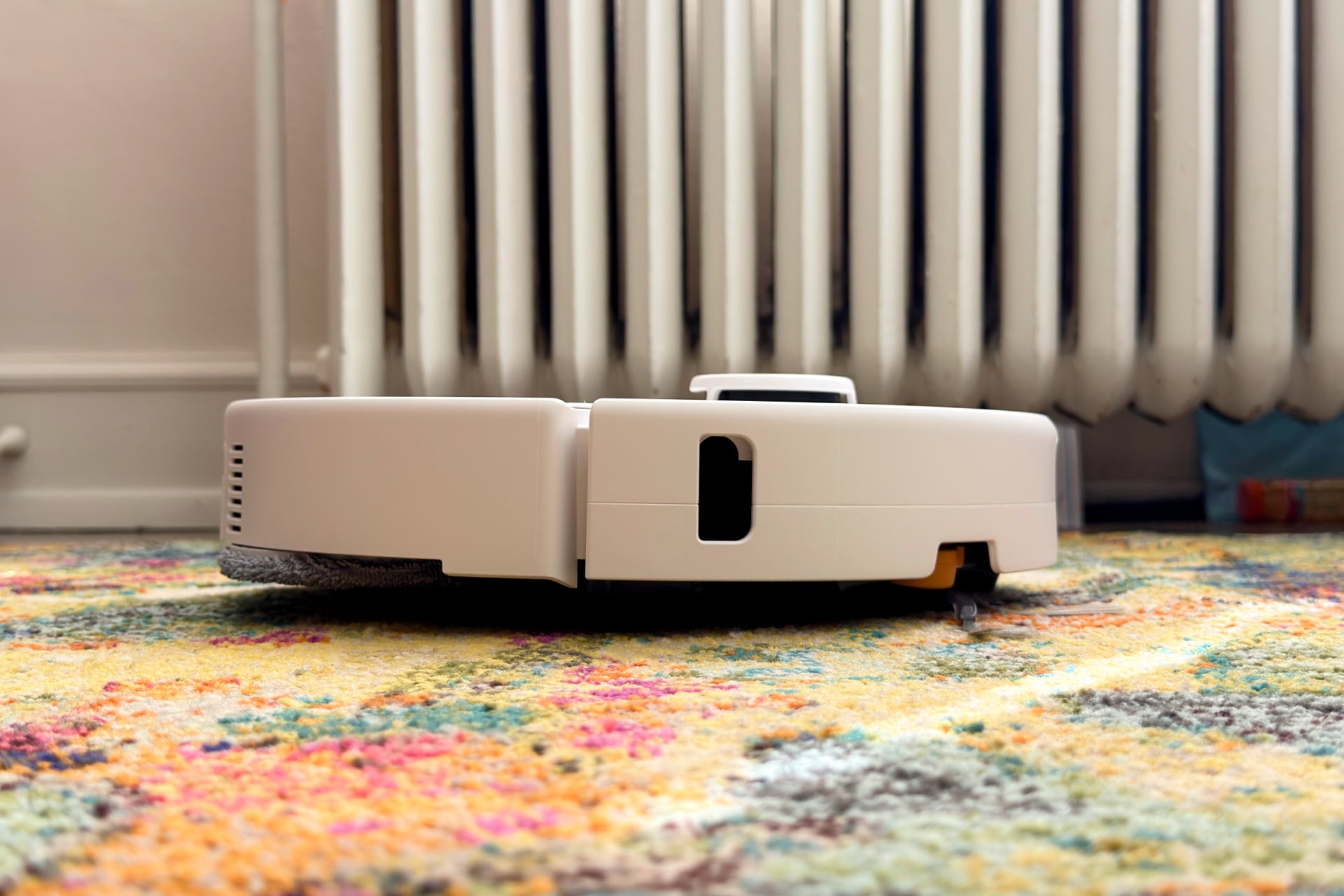
Mopping performance is decent; the device’s right-hand mop pad slides out to reach the edges of walls and the spaces under doors. It can automatically detect where rugs are, but it struggles with their borders, and once it started mopping the rug in my dining room before I stopped it. So, expect to have to outline your carpeted areas on your map in the Roborock app. It also needed two cleaning passes to deal with a patch of ketchup that I’d squirted on the ground; a hand towel would’ve been more efficient. That aside, the Qrevo 2 Pro is good enough for general-purpose mopping, such as lifting dust and dirt from the ground, and I didn’t notice any obvious streaking during testing, although my terrazzo flooring is pretty forgiving of such things.
Roborock’s new robovac has good battery life. It can vacuum and mop my entire 750-square-foot apartment in just under two hours with a little over 50% of its battery remaining at the end. That task took the very similar Narwal Freo Z10 Turbo I reviewed earlier this summer about the same amount of time, although that vac-bot lost around 10% more juice in the process.
Socks should also watch out
I’m not sold on the Qrevo 2 Pro’s object avoidance. Though it did a fine job of avoiding obvious things like shoes or boxes, it seems cables are practically invisible to it. I tossed sacrificial micro-USB cables on various floor types under different lighting conditions, and with the exception of one I didn’t try to flatten out, the Qrevo 2 Pro gobbled them all up and dragged them around until its roller brushes jammed. It also ate one of my kid’s socks. I’ve never met a robot vacuum that didn’t at least occasionally twirl a cable around its side brush or main brush, but the Qrevo 2 Pro is nearly guaranteed to do it with anything anywhere lying flat on the ground, including small socks, headbands, ribbons, and so on.
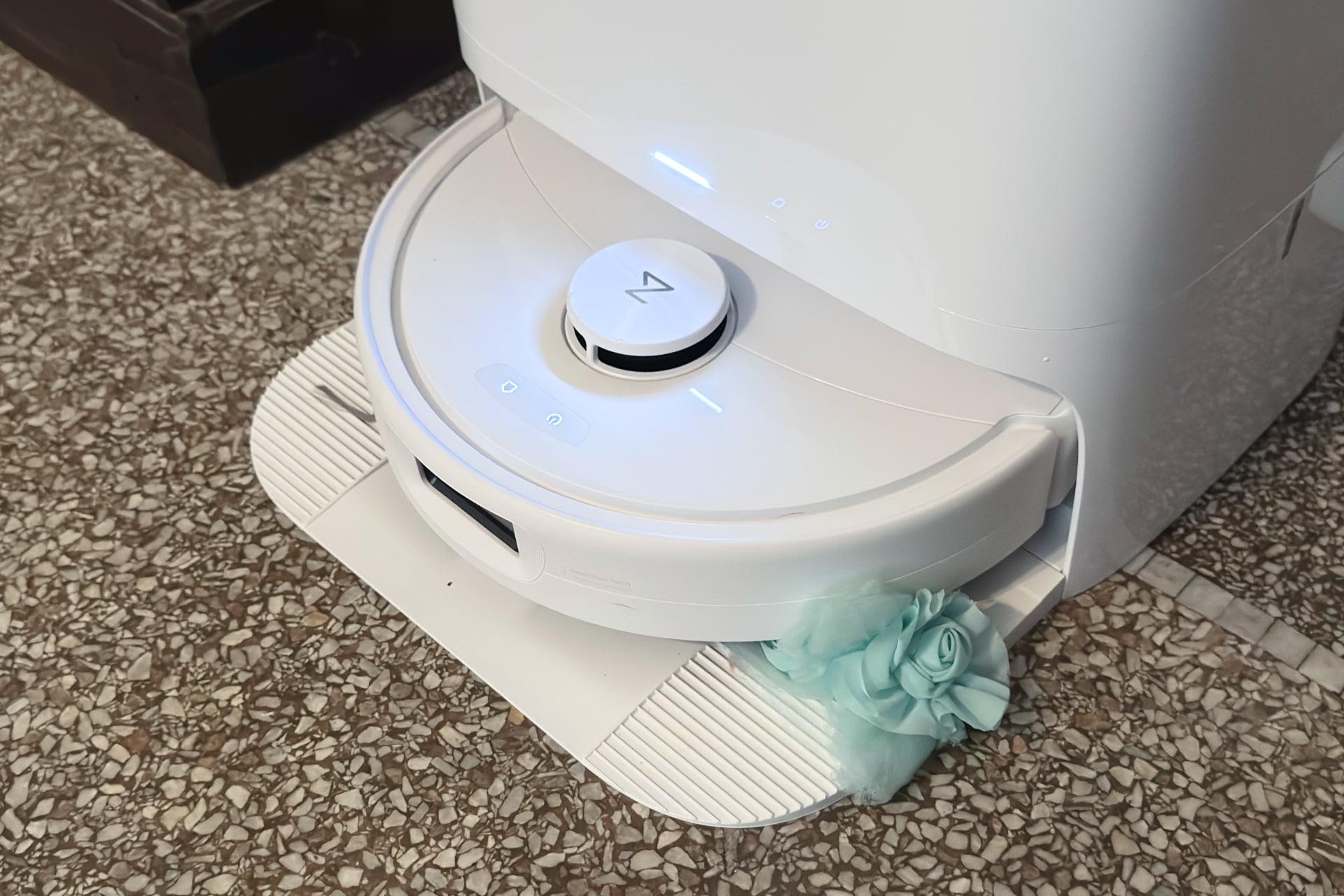
I asked Roborock whether that’s consistent with its expectations, and the company said it is—that it’s a compromise given its price range. The Qrevo 2 Pro lacks the cameras that help other, generally pricier robot vacuums discern smaller, flatter, or thinner objects from the environment, so no surprises there. Then again, I found I didn’t have to pull stuff out of the Narwal Freo Z10 Turbo’s maw nearly as often during my review, although that vacuum costs $100 more, has worse battery life, and is prone to clogging. Is it worth saving a hundo with the Qrevo 2 Pro if it’s almost guaranteed to snag on smaller items? Maybe for me, if I lived alone, were flush with disposable income, and didn’t prefer to spend my money on video games and nights out with friends.
Easy app control
The Roborock app is pretty standard fare. From the home screen, you can start cleaning your whole place, hit specific rooms or spots, or trigger a predefined routine with per-room preferences, such as vacuuming one room and mopping another. You can tweak settings like that before starting a one-shot run, too.
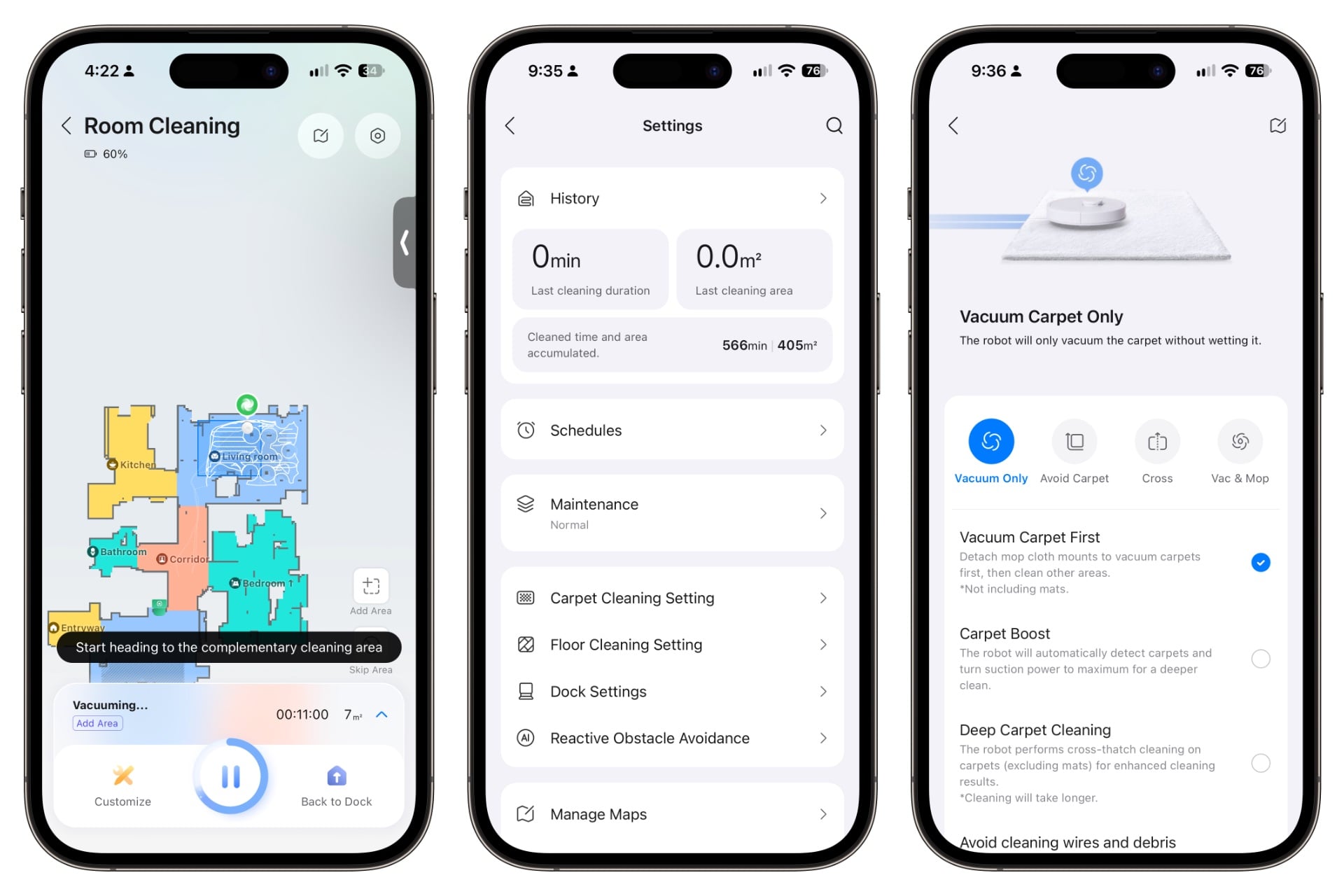
The Qrevo 2 Pro also doesn’t overwhelm you with app features, which I appreciate. You can set preferences for how often you’d like it to empty its dustbin, whether it should avoid carrying its mop pads across carpet, and so on, but you won’t find endless options for things like automatic cleaning around pet dishes or AI-based cleaning routines. Everything is nicely arranged and easy to find.
Like most robot vacuums, the Qrevo 2 Pro needs to be connected to your Wi-Fi network for you to control it. Roborock added Matter support to this robot, so you can connect it to your smart home platform of choice, such as Apple Home, Alexa, or Google Home. You won’t be able to do any new mapping or access the majority of the Qrevo 2 Pro’s features this way, but you can still use something like the Apple Home app to have it clean your whole home; target specific rooms; set it to vacuum, mop, or both; set cleaning intensity; and dock. I found it responsive via Apple Home, and controlling it that way worked whether it had an internet connection or not.
Mid-tier robot vacuums are still too pricey
The Roborock Qrevo 2 Pro does what the box says it does. Its vacuuming performance kept my rugs looking freshly cleaned and didn’t leave behind treats for my bare feet to find when cleaning my hard floors. It mops well enough for daily maintenance, but it won’t replace a regular mop or hand towel for heavier-duty spills, like those that might happen in your kitchen.
The only major issue I had with the Qrevo 2 Pro (one easily solved manufacturing issue notwithstanding) was its object detection. Things like USB cables and small socks are like tasty snacks to it, so if you can’t count on an always tidy floor, it could easily end up trapped under your couch or carrying things like headbands back to its dock. Roborock may see that as a higher-tier capability, but if I’m spending $800, I don’t want to babysit my robot.
That’s really the struggle of these multipurpose mopping and sweeping robot vacuums with self-cleaning docks. It creates this illusion of self-sufficiency that doesn’t pan out in real-world use. You might go in hoping for the lovely ballet of the cleaning bots from that one scene in The Fifth Element but find yourself constantly flipping them over to clear their gobs of debris or cleaning up after them when they drag a phone charging cable that was dangling off a table, pulling a nearby potted plant with it. It’s happened to me, and it could happen to you. If you’re okay with that compromise, though, the Roborock Qrevo 2 Pro is as good as robot vacuums in this price range get.