A text says your package is stuck at customs and demands a small fee. A free app you installed last week starts filling your screen with pop-ups. A VPN alone won’t catch either. Surfshark One adds antivirus, scam protection and data breach alerts to Surfshark’s VPN. Right now, it costs just 30 cents a month on top of the VPN-only price.
Surfshark One normally costs $511.65 for 27 months. At 85% off, you pay $75.33, or $2.79 a month, which saves you $436.32 and includes three extra months. The VPN-only Starter plan is $2.49 a month, so the full bundle costs $8.10 more across the whole term.
What the Extra 30 Cents Adds
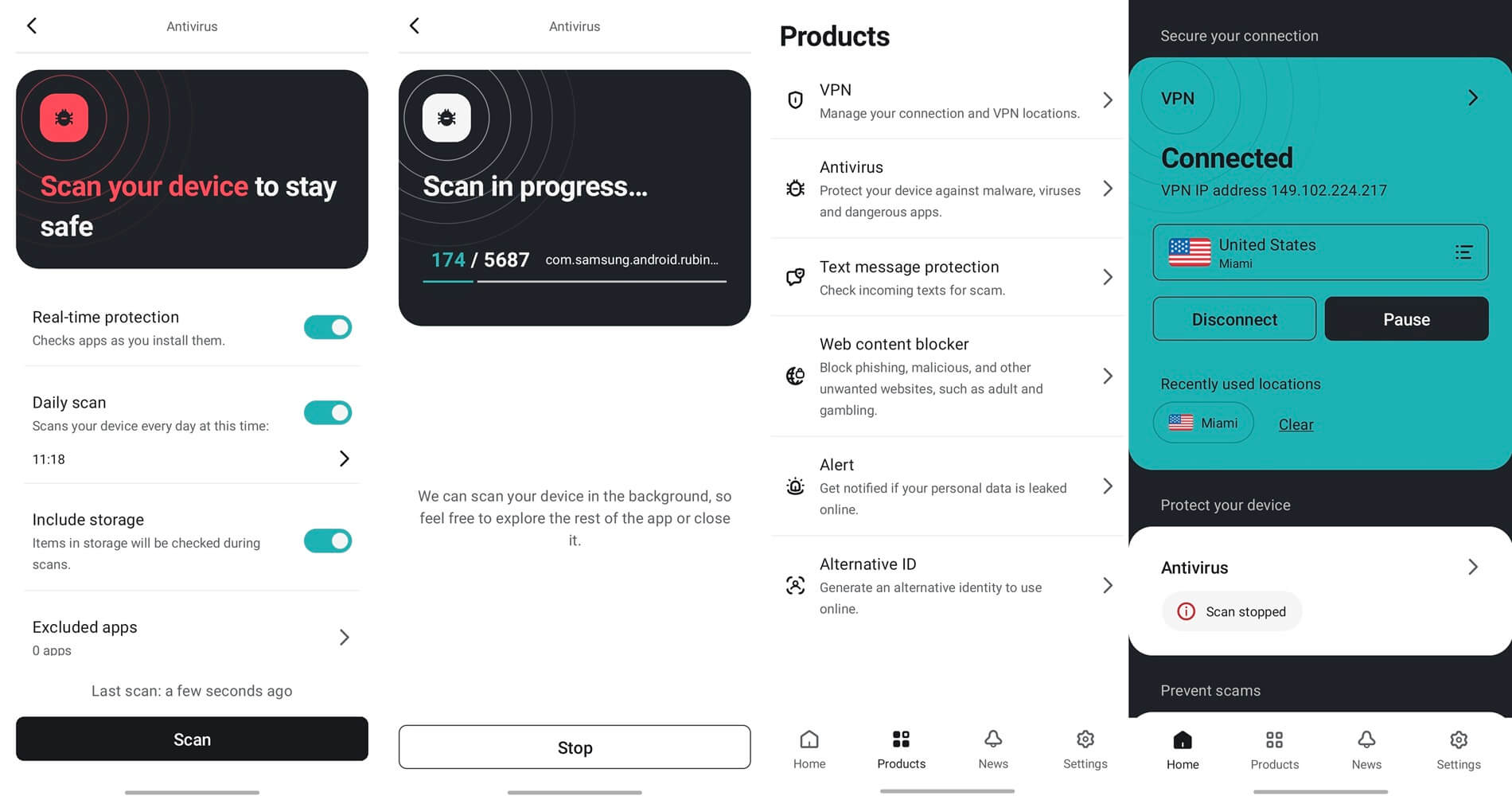
- Antivirus that checks files and downloads for malware as they arrive, on computers and Android phones.
- Scam protection that flags scam text messages. On iPhone they move to a spam folder, and on Android you see why a message was flagged.
- Alert, a warning when your email address or card details appear in a data breach, so you can change passwords before they’re misused.
The Starter plan includes none of the three. For context, the antivirus suites I’ve tested cost about $25 to $50 for their first year on their own, with no VPN. Surfshark One comes to about $33 a year for everything.
Five Tools for About 56 Cents Each
Surfshark One bundles five tools under one account: the VPN, Alternative ID, scam protection, antivirus and Alert. At $2.79 a month, that’s about 56 cents per tool. Starter and One share the same VPN. It has no device limit, blocks ads and trackers through CleanWeb, and has servers in 100 countries.
Alternative ID creates a separate name and email address for sign-ups, so shops and newsletters never see your own. If I were subscribing today, I’d pick One over Starter.
Setting Up Surfshark One
- Open the Surfshark deal page and choose Surfshark One, the middle plan marked “Most popular.” The 85% discount is applied automatically.
- Download Surfshark on your phones, computers and TVs, and log in to the same account on every one.
- Connect the VPN, then turn on Antivirus and Alert from their tabs in the same app. Alert then checks new breaches for your email address.
Already 85% Off, With No Reason to Wait
Black Friday is two months away, and there’s no guarantee Surfshark will go lower than 85% by then. The price you pay today stays fixed until the 27-month term ends, and Surfshark refunds new subscribers who cancel within 30 days. Shorter plans cost more per month and aren’t part of the sale.
For identity theft insurance and data removal from broker sites, the One+ plan costs $4.49 a month. Most households can skip those two. At 30 cents a month, I wouldn’t buy the VPN on its own.
Frequently Asked Questions
How many devices does Surfshark cover?
The VPN has no device limit on any plan. A family can connect phones, laptops, tablets and streaming sticks at the same time under a single Surfshark login.
Is Surfshark safe to use?
Yes. Surfshark uses RAM-only servers, operates under Dutch jurisdiction, and deletes the few connection details it keeps temporarily within 15 minutes of a session ending.
Can Surfshark One replace a separate antivirus?
For most home users, yes. Its antivirus scans files in real time and on a schedule on Windows, macOS and Android, and it comes with the same subscription as the VPN.