Roll up, roll up, folks! Here’s a whole new way to melt your GPU! That’s right, people: you’ve heard of ray-traced graphics, but have you heard of ray-traced sound?
In all seriousness, the idea of ray-tracing for sound makes perfect sense—after all, both sound and light are waves, they both bounce around environments, and they both get absorbed and reflected to varying degrees by different surfaces. YouTuber Vercidium, whose channel hosts fascinating videos about multiple different aspects of game development, has been playing around with the idea of raytraced audio for quite some time. He posted a video on the subject a year or so ago, and now he’s released the fruits of his experiments as a series of free plugins for Godot—you can choose between 2D and 3D game versions, and between versions implemented in C# and GDScript (Godot’s native scripting language.)
In the accompanying release video, he demonstrates how the implementation works.
If an object in the real world makes a sound or emits light, a spherical wavefront disperses outward from that object. Depending on the environment in which that object is housed, parts of the wavefront might be reflected, absorbed, refracted, or simply carry on unmolested toward the sunset. If any of the wave makes its way to our eyes and/or ears, our brain perceives it as light or sound.
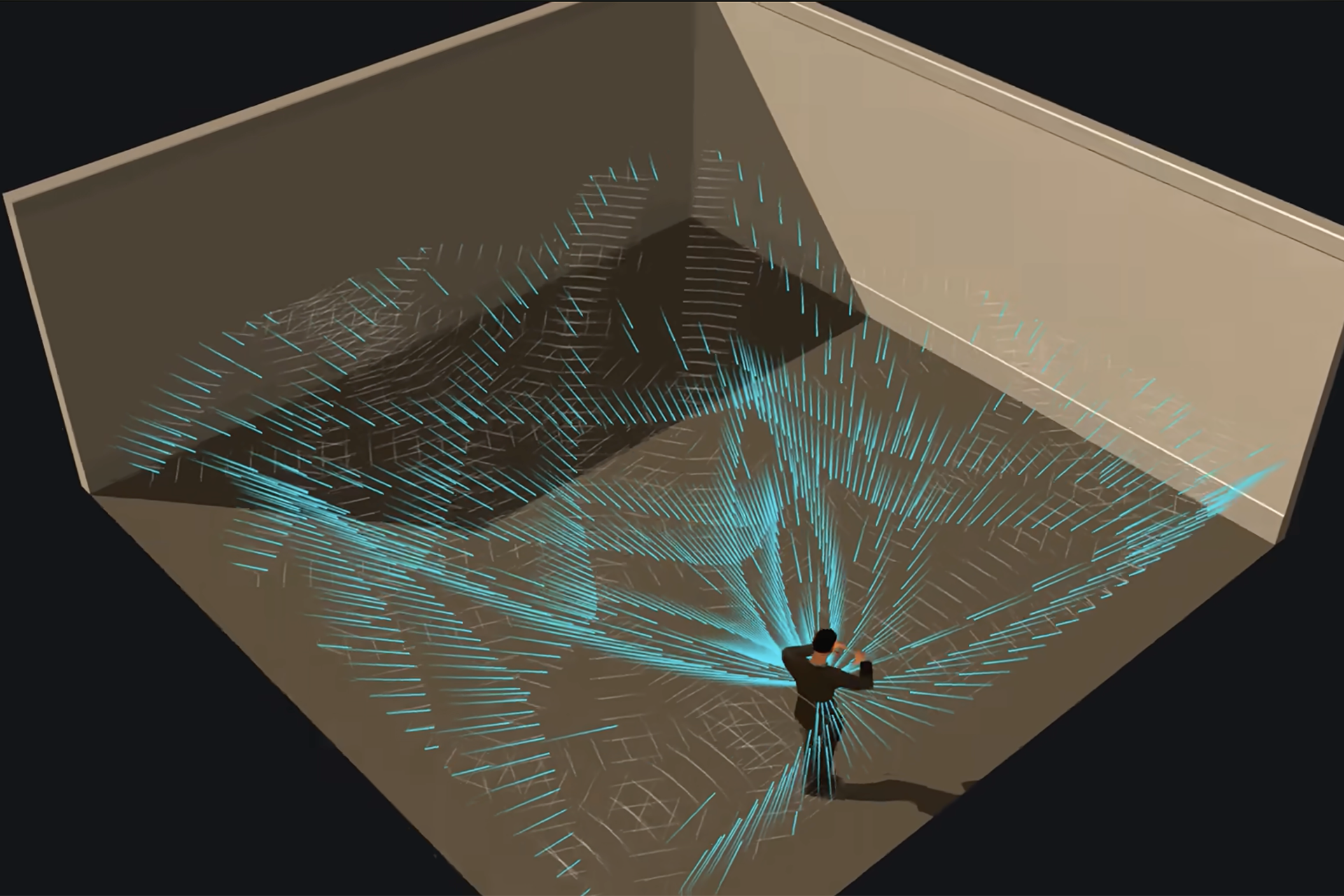
We can simulate this process with a computer. To do so, instead of a continuous wavefront, we simulate the wave as a number of lines that travel outward from the source. These lines are called rays. If a ray encounters a surface, then depending on the nature of that surface, it might be reflected, or partially reflected, or completely absorbed. The more rays we cast, the more accurate the simulation.
However, doing things this way is both demanding and fundamentally inefficient—particularly in the context of a game, where all we care about is whether a given ray makes its way to our player or not. So both raytraced graphics and raytraced audio inverting the process. Instead of tracing a ray’s path from source to player, we instead cast the rays outward from the player and trace their trajectory through the game world. In raytraced graphics, if a ray makes its way back to the “source” within a given number of bounces, then it contributes to what our player can see. In raytraced audio, if it makes its way back to the source, then it contributes to what our player can hear.
As with graphics, there are several contributing factors to the accuracy of a raytraced audio simulation. As well as the number of rays, there’s also the number of times a ray can bounce before it’s considered to have expired; the more bounces, the more accuracy, but also the more computationally demanding the simulation. There’s a limit to this, though—in the real world, sound doesn’t echo forever. Each time a real soundwave bounces off something, unless it bounces off a perfectly reflective surface—which don’t really exist in the real world, and honestly thank god for that—some of its energy is lost.
Vercidium simulates this with an absorption parameter, which can be adjusted per object or set according to one of the 24 default materials that come with the plugin: a soft surface like cloth will absorb more energy than a hard one like concrete, so the materials of a scene’s objects will alter its audible environment, which is pretty cool. There’s support for custom materials and ambient sounds, and anyone who’s used Godot’s lighting nodes shouldn’t have much trouble navigating how to set the system up.
And how does it sound? You can judge for yourself by watching the video, but to our ears, it sounds pretty impressive. There’s an inherent, immediate realism to being able to tell straight away from which direction a sound originated, and to being able to judge its distance by its volume and sonic characteristics. (The plugin also allows for visualization for hearing-impaired players, which is a welcome touch.) It’s strange that more games don’t use this sort of system; perhaps an off-the-shelf solution like this will go some way toward changing that.