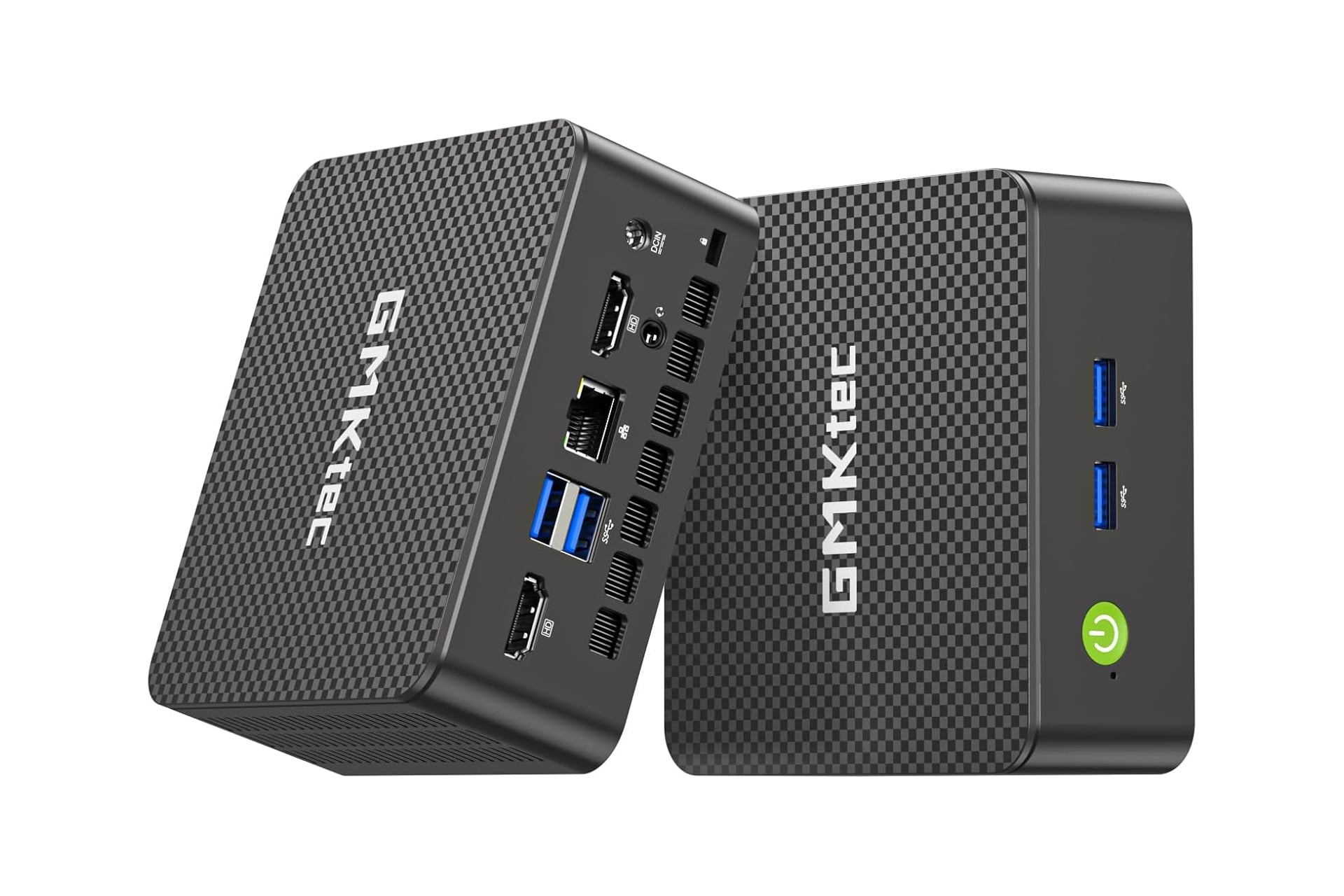
The dream is to have some high-value, high-performance PC gaming rig, but right now with the way hardware prices have been going, that’s a goal we need to push back a few years. Even though RAM and storage have been seeing some massive price increase, you can still find some pre-configured PCs that are seeing some major discounts—especially when you go mini. This one from GMKtec is by no means a replacement for AAA gaming, but it is a solid setup to handle all you’re daily work and casual-use needs. Right now, Amazon has it going for 28% off which brings the price from $460 to just $330 for a limited time.
Small Size, Lots of Power
Mini PCs differ from traditional desktop PCs in that they are for the most part constructed using high-end laptop parts. This is what allows them to be significantly smaller in size that your standard PC and much cheaper in price then a laptop, since manufacturers are forgoing screens and keyboards. The GMKtec G3 Pro mini PC in particular employs an Intel Core i3-10110U processor with an integrated GPU that can handle being boosted up to 4.1GHz. For storage and memory, it’s working with 16GB of RAM plus a 512GB SSD.
The case comes with a number of ports offering you multiple connectivity options. Around the edges, you’ll find a total of four USB-A ports. For display, it houses not one but two HDMI 2.0 ports which are able to transmit signals up to 4K resolution at 60Hz. That means you can set yourself up with dual monitors at your desk if you feel like it. The GMKtec mini PC also comes with a 3.5mm audio jack which is appreciated by everyone still using wired headphones, myself included.
For internet, the GMKtec G3 Pro mini PC has support for Wi-Fi 6 allowing for fast connection to your network. You can also connect on the Ethernet port which supports upload and download speeds of up to 2.5Gbps. You can then also pair any wireless accessories you need like a mouse, keyboard, or headphones over Bluetooth 5.2
The GMKtec G3 Pro mini PC has three different modes you can run it in which are controlled from the BIOS page. Depending on your particular needs, you can either just keep things going in normal mode or prioritize either noise levels of performance. Quiet mode will ensure the fans run lower, creating less noise. Performance mode gives everything a boost to run faster and more smoothly.