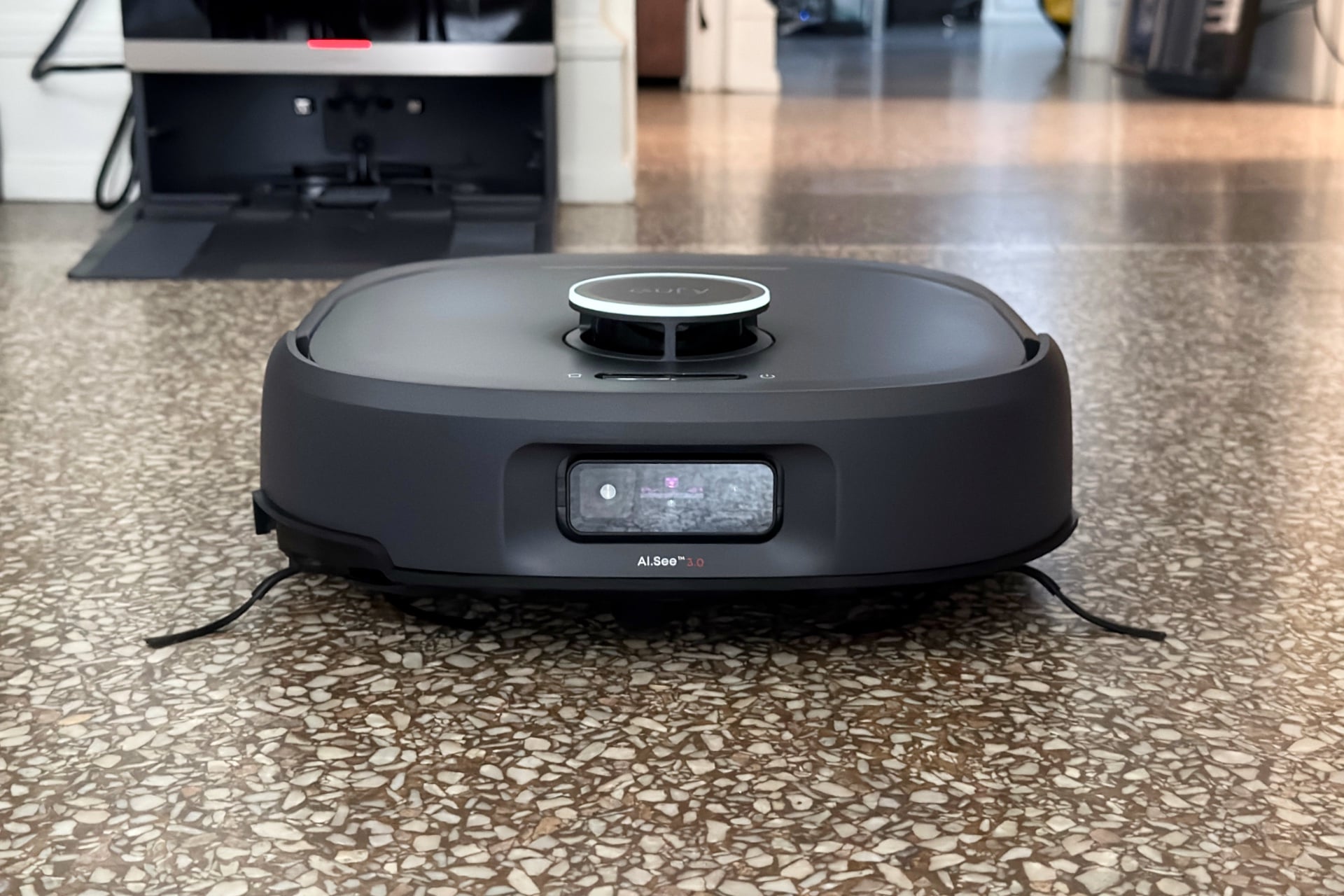

If you’ve read the reviews I’ve written over the past year, you might be under the impression that I hate robot vacuums. That’s not exactly true, but it’s not entirely wrong, either. I do hate a lot of them.
It drives me nuts that so many bots are so bad at so many basics. I don’t mean the midrange bots I’ve looked at lately, which aren’t pitched so hard as all-seeing, smart automatons. I’m talking about the high-dollar fancy lads, with features like extending mops and side brushes, huge docks that clean them out and scrub their soggy bits, and even stubby little roller legs for climbing.
I’ve watched one after another of those horrendously spendy robots suck (derogatory) at their jobs, spinning and lurching like bugged-out NPCs while trying to find the dock that’s right in front of them or dumping previously gathered debris around my house, all while sometimes costing way over $1,000. Who cares about advanced features if your robot vacuum, which is more expensive than a MacBook Air, is going to wreak havoc everywhere it goes?
Fortunately, in my testing, the $1,300 Eufy Robot Vacuum Omni E35 hasn’t had most of those issues. It does a great job at the basics, has a relatively compact dock, and actually seems aware, in its computer-y way, of everyday household floor clutter. The only other robot vacuum I’ve felt that way about is the Matic, which impressed me with its superb app and excellent navigation, but which some of the commentariat (including those who dwell here at Gizmodo) hate viscerally—in no small part due to its unusually boxy, tall form factor that makes it unable to clean the under-furniture areas that its hockey puck-shaped competition has no problem reaching.
After a year of expensive robovac-related trauma that’s left me wary and cynical, even I am forced to admit that the Omni E35 is a real contender for best robot vacuum. And for the Matic haters out there, it’s the first $1,000-plus mopping, sweeping floor bot I’ve tested that can get under a couch and doesn’t feel like a total waste of money.
Eufy Robot Vacuum Omni E35
An excellent robovac with a unique allergy and asthma-friendly certification.
Pros
- Excellent vacuum and mop performance
- Good battery life
- Certified Asthma & Allergy Friendly
- Great object avoidance
- Matter-compatible
Cons
- Internet required for first-party app control
- Same old boring robovac app experience
- Occasional navigation bugginess
- Matter setup is not straightforward
- Expensive
No appetite for socks or cables
The Omni E35 makes a good first impression. Its dock is compact, at 17.6 inches tall and 14.5 inches wide. The Dreame X60 Max Ultra Complete’s dock, for comparison, stands 19.6 inches tall and is 15.3 inches wide. That may not seem like much of a difference, but it keeps the E35’s base station from looking like a mini fridge, which I like. The whole thing came in a surprisingly compact box, packed such that getting the whole kit out and set up was quick and easy, with minimal leftover trash to deal with. Pluses all around.
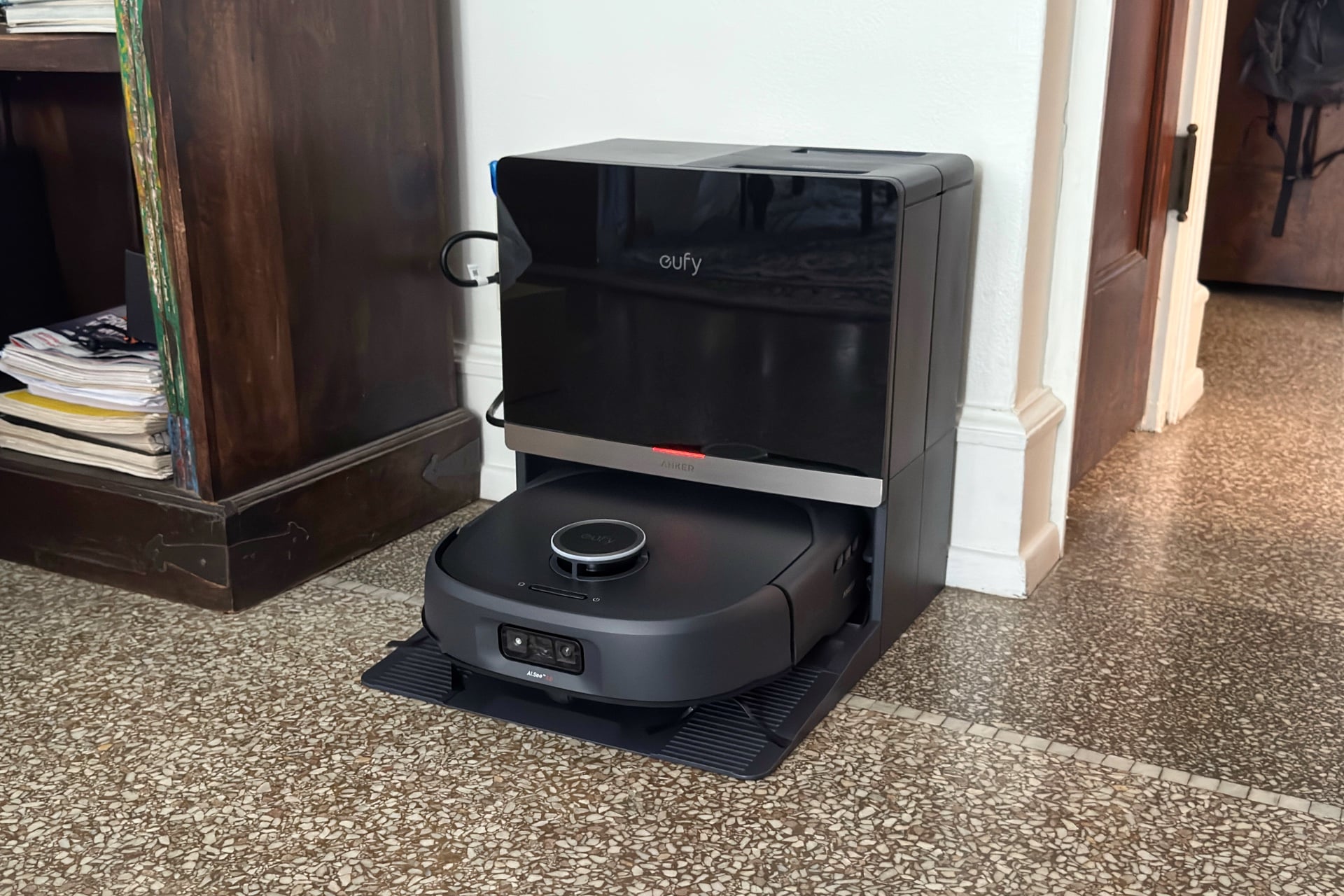
Software setup was mostly quick, too—after getting the Omni E35 into its dock and powering it on, you just scan for it with the Anker Eufy app, tap its icon when it appears on the screen, then follow a few prompts. I had to restart the dock and the robot afterward, when the app reported that the robot couldn’t start mapping because its battery was at 0%. I knew that couldn’t be right, so I unplugged the dock, plugged it back in, and turned the E35 off and on again using its power button; afterward, the app showed more than 90% battery and let me begin mapping my apartment. I had to leave during this process and came home to find the robot had been disabled by an errant sock—an inauspicious start that, after a week of testing, I now believe was a fluke.
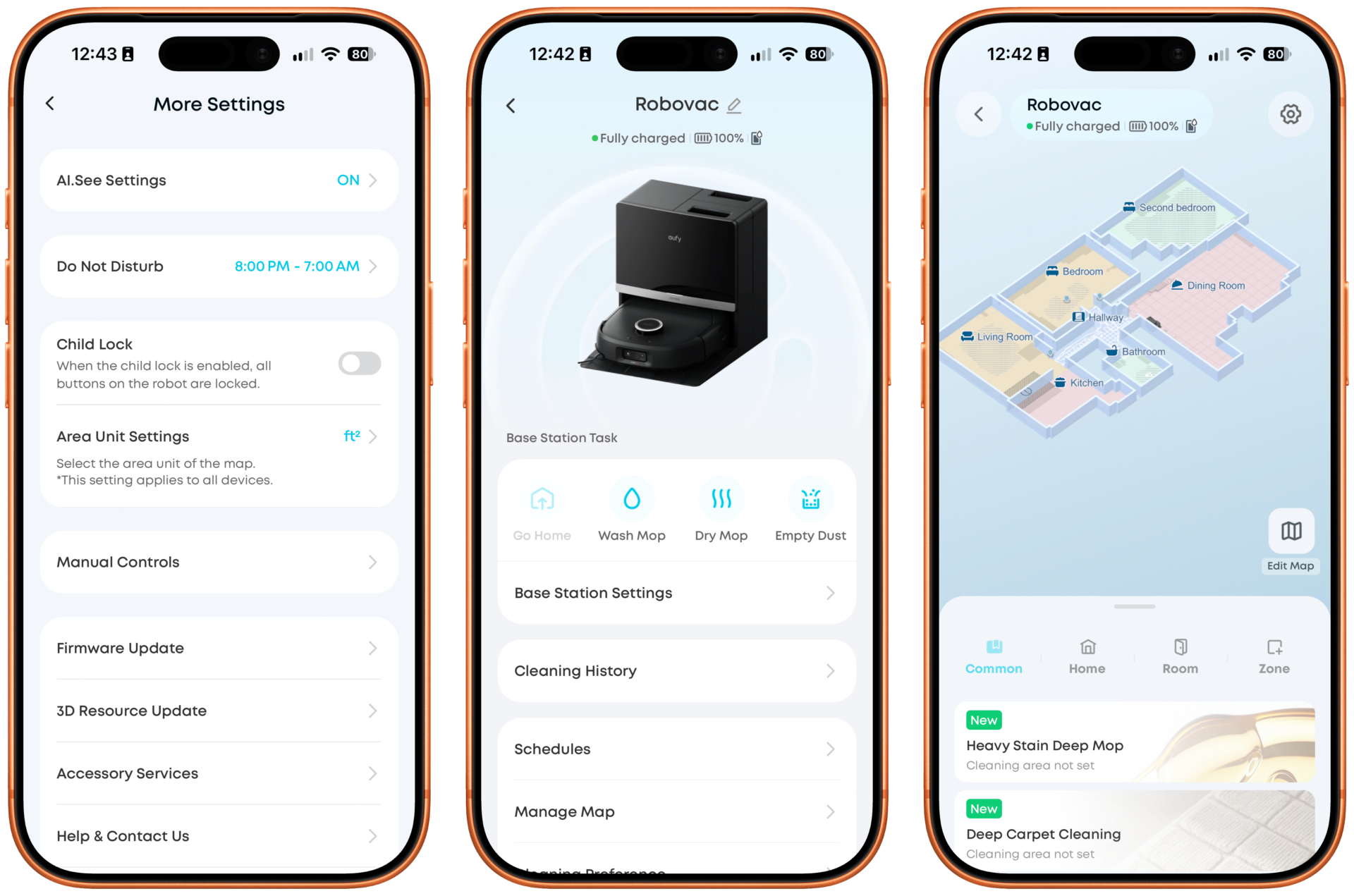
After setup, you’ll find no real surprises in the Anker Eufy app. Like almost all other robot vacuum apps, it uses simple, colored squares and rectangles to show its map of your home. (There is also a “3D” option, but it’s just the same map with polygonal rectangles representing the walls, which you can rotate and tilt by swiping around the screen.) You can create no-go zones and define carpeted areas you don’t want mopped by drawing rectangles on the map. You can also split or merge rooms, which you’ll probably want to do—the app divides them up for you, but I’m not sure I’ve ever had a robot vacuum get my house’s floorplan right on its own, and the E35, which combined part of my dining room with part of my kitchen, was no different.
One thing I would like to see Eufy and other robot vacuum makers figure out is how to replicate Matic’s maps, which use that robovac’s cameras to create what looks like a picture of your floors taken from above. I love this because it’s a lot easier to, say, send the robot to the exact place you want to spot clean when you can actually see the visual features of your flooring in the app. With the Omni E35 and others, I’m just kind of doing my best to approximate where things are—which mostly works but is a lot less satisfying.
Settings in the Anker Eufy app are pretty typical of a self-cleaning, self-emptying robot vacuum. You can set persistent, per-room cleaning preferences if, say, you’d rather the E35 vacuum but not mop or want it to use more or less suction power. It lets you decide how often you’d like it to empty or clean itself or whether to let the robot’s software handle that based on loose preferences like “Light Self-Cleaning” or “Deep Self-Cleaning”—that is, less or more often. I left it on the default “Standard Self-Cleaning” mode and never noticed the bot’s dustbin clogging, which can be an issue if you don’t let a robovac empty itself frequently enough.
One setting lets you turn off “AI.See Obstacle Avoidance,” Eufy’s self-explanatory mode that uses the bot’s front-facing cameras to keep it from eating your stuff. It’s probably best to leave this on, unless you want to lighten your day with a little incidental schadenfreude. When I deactivated it, the E35 immediately ramped off the tapered corner of a baseboard in my hallway, sucked up a cable, and got snagged on a sock, all within the span of about three minutes. Then I watched for 10 minutes as it struggled to free itself from the sock, smacking into a door over and over because it could only spin one wheel. I was surprised it never stopped and notified me via the app that it was stuck, but to its credit, it did eventually break loose and finish its task.
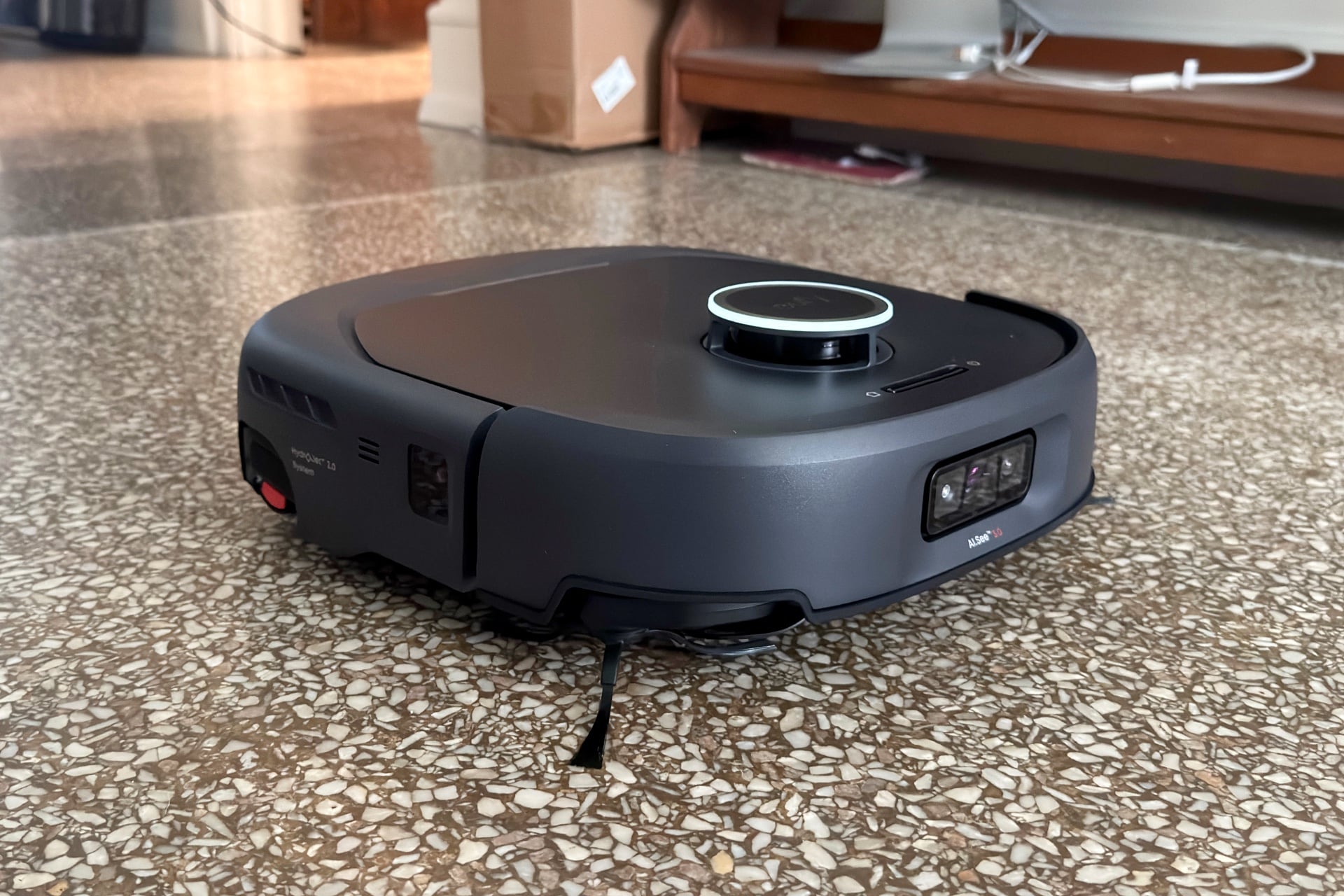
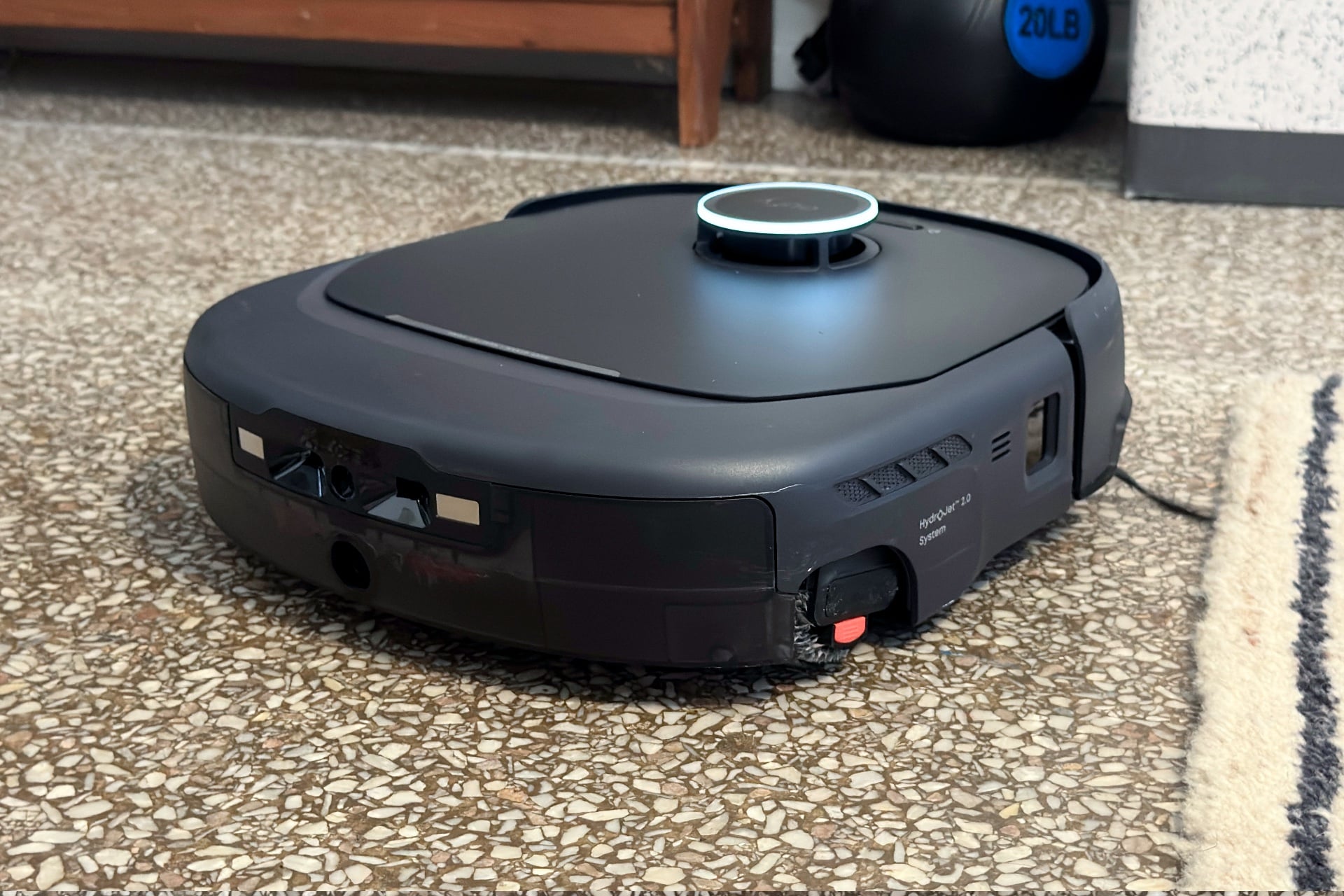
Other features run in the app’s background and only appear as the situation demands. For instance, after the E35’s first clean, a message popped up on the robot’s home screen indicating that the device had detected a “stuck-prone carpet.” Tapping that alert took me to a screen that offered to make the small, lightweight rugs in my bathroom off-limits. I declined, and the message reappeared the next day regarding the same rugs. The device hadn’t actually gotten stuck yet, but it had left one of the rugs askew, so this time I accepted the offer.
The first robovac certified for asthma and allergies
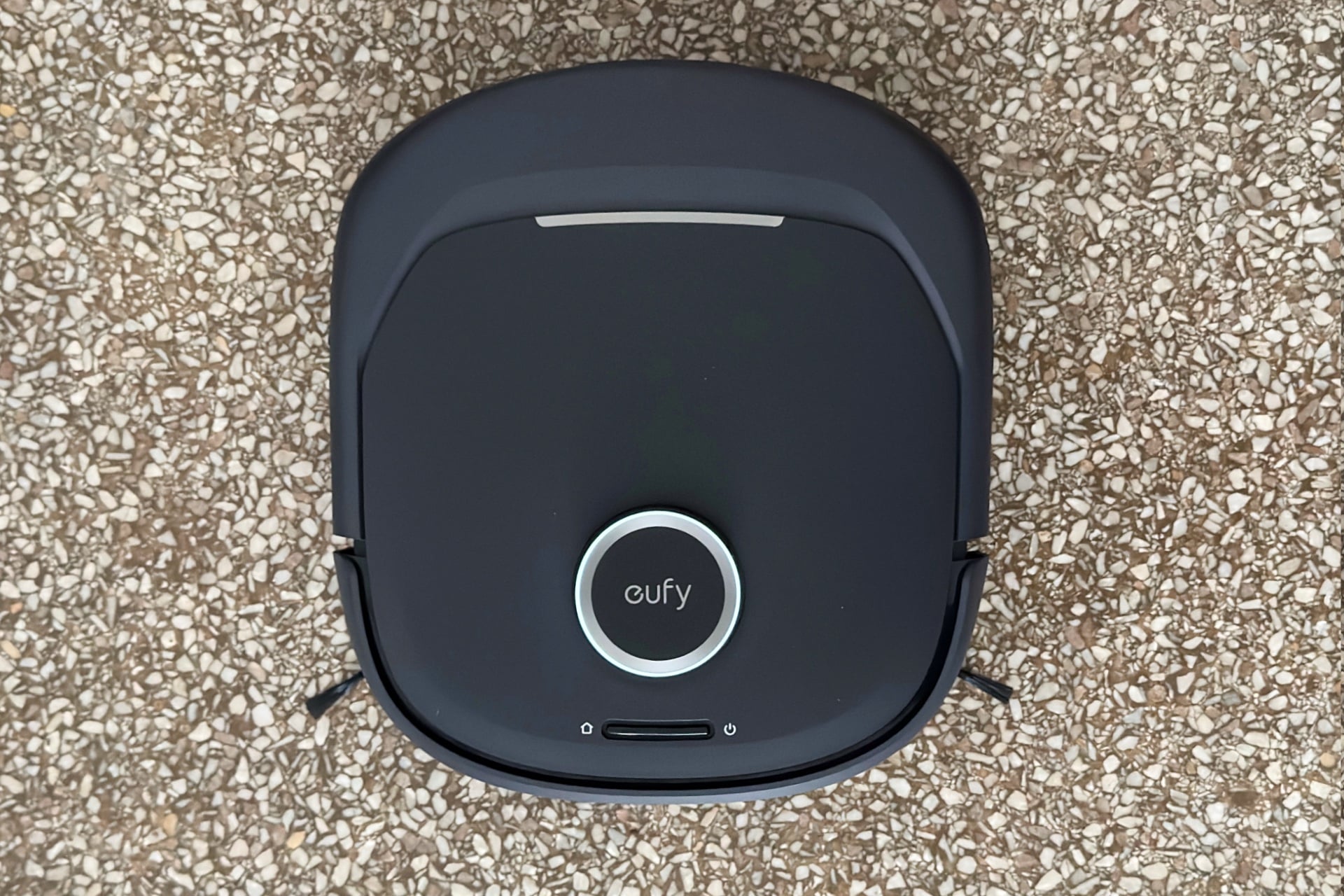
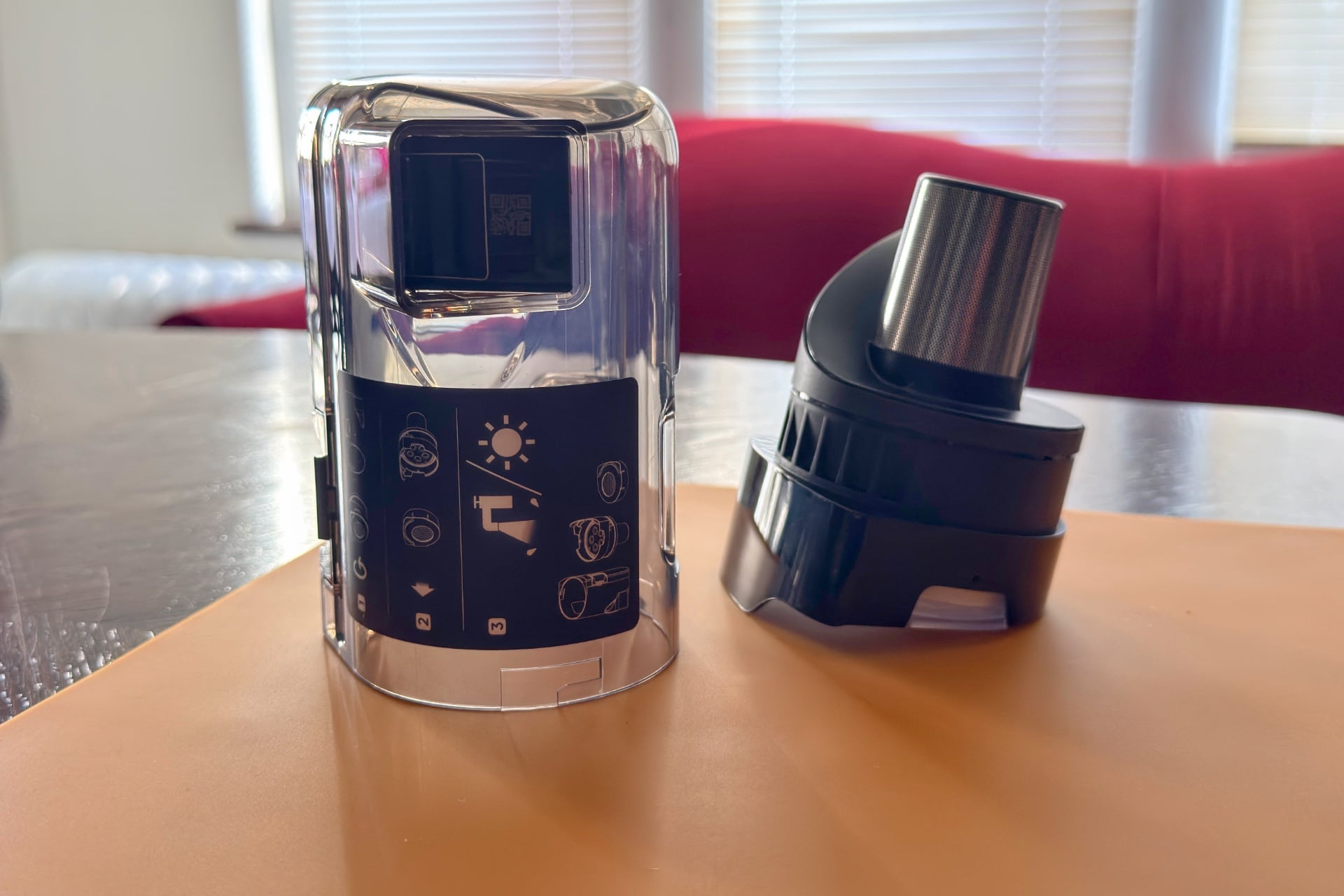
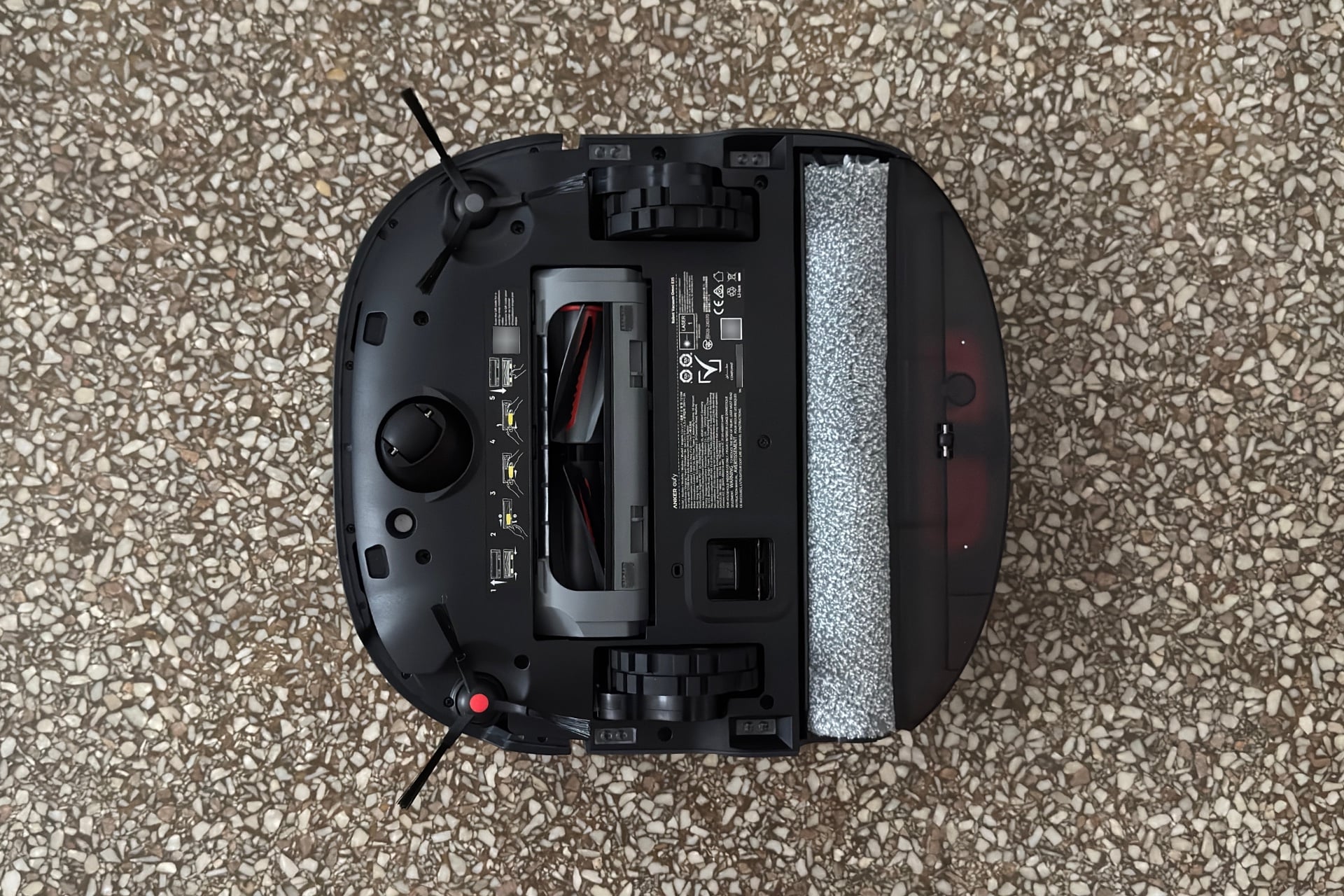
The Omni E35’s hardware has one pretty interesting standout feature. Instead of a simple plastic dustbin, it features an onboard cyclonic separator—the same kind that Dyson introduced to vacuums in the 1980s. You’ll find these in some docks, such as that of the Ecovacs Deebot X12 OmniCyclone, but rarely in robots themselves. This allows the E35 (as well as other bots with such built-in separators, including the Eufy Omni S2 and the Dyson 360 Vis Nav) to separate larger debris from fine particles, such as pet dander, pollen, and mold spores, which are then pushed through its HEPA filter, ideally preventing them from being redistributed into your home. Eufy says it can even remove 95% of dust mites from carpet.
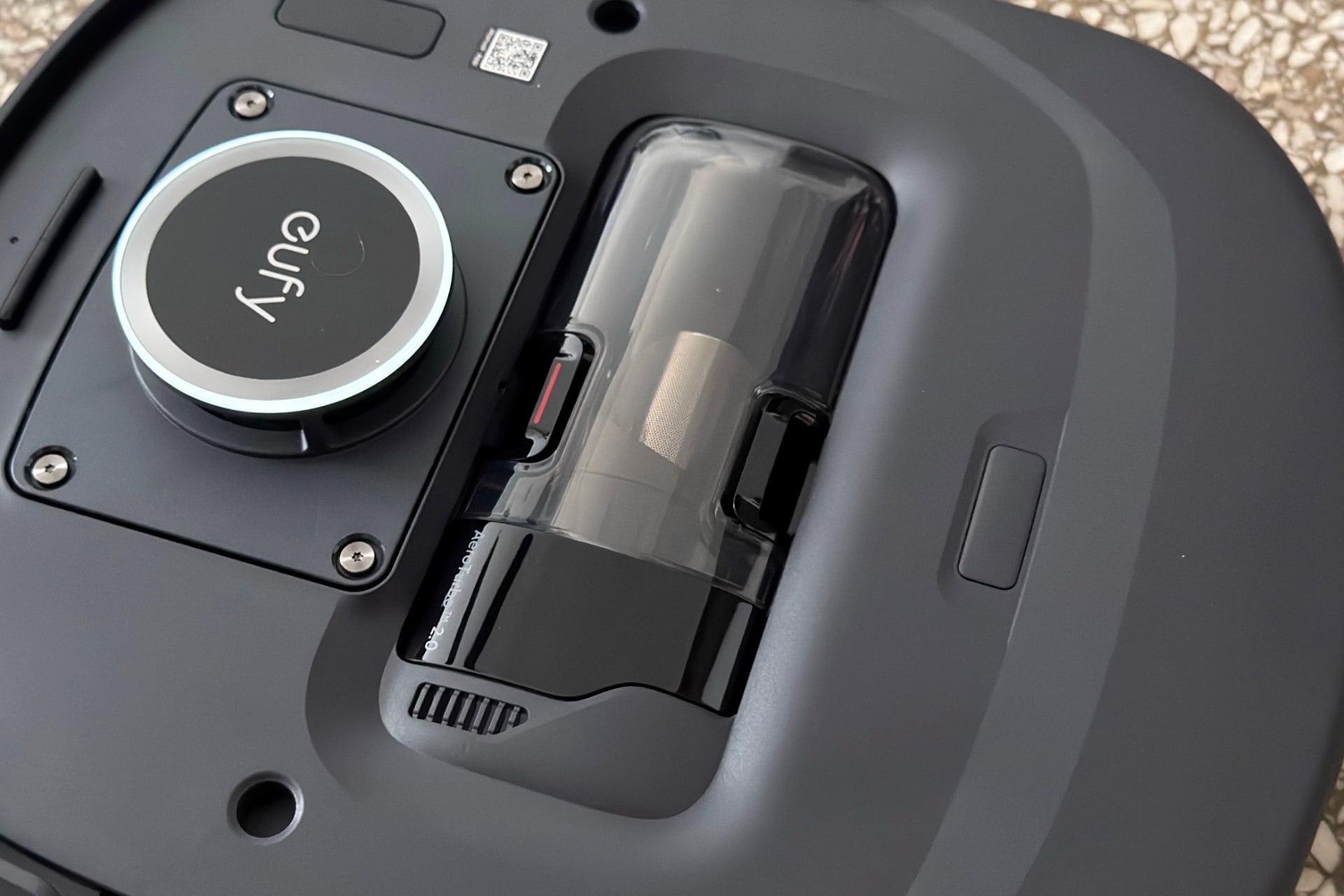
I have no way to test whether these claims about the Omni E35 hold up. But the Asthma & Allergy Foundation of America (AAFA), which recently certified the device as Asthma & Allergy Friendly, apparently does. At IFA 2026 in early September, an AAFA representative confirmed to me that the E35 is the only robot vacuum to have earned the certification since the group started testing them in 2022. He said the foundation checks for things like whether a robot vacuum is aerosolizing allergenic particles by flinging them into the air, for instance, through its exhaust. According to the Omni E35’s certification listing on the AAFA website, Eufy’s robot “reduces dust mite and cat allergens by up to 98% on carpets and 99.9% on hard floors.” It’s worth pointing out, though, that these results were under lab conditions; it wouldn’t be surprising to see that performance differ in real-world use, especially as the robot and its components age.
I may not be able to test how well the Omni E35 handles such minuscule particles, but I can certainly tell you that it left my carpet and hard floor free of debris wherever it went during my testing. My rugs have looked freshly vacuumed every day after running it, and my feet have found no treats when walking around my apartment, at least while my kid is at school. That’s generally true of other robot vacuums I’ve tested, like the Roborock Qrevo 2 Pro. But some clog-prone models, like the X12 OmniCyclone, might just drop debris they’ve tried to vacuum up when clogs form and they can no longer empty themselves at their docks.
The Omni E35 could also mop with the best of them; it left my floors with a streak-free shine, even when I sent it after a big glob of ketchup on my kitchen floor. Compare that to the Eufy Omni E28, which got most of the mess when I ran that test but left streaks of ketchup in the area and smeared some on a rug as it returned to its dock.
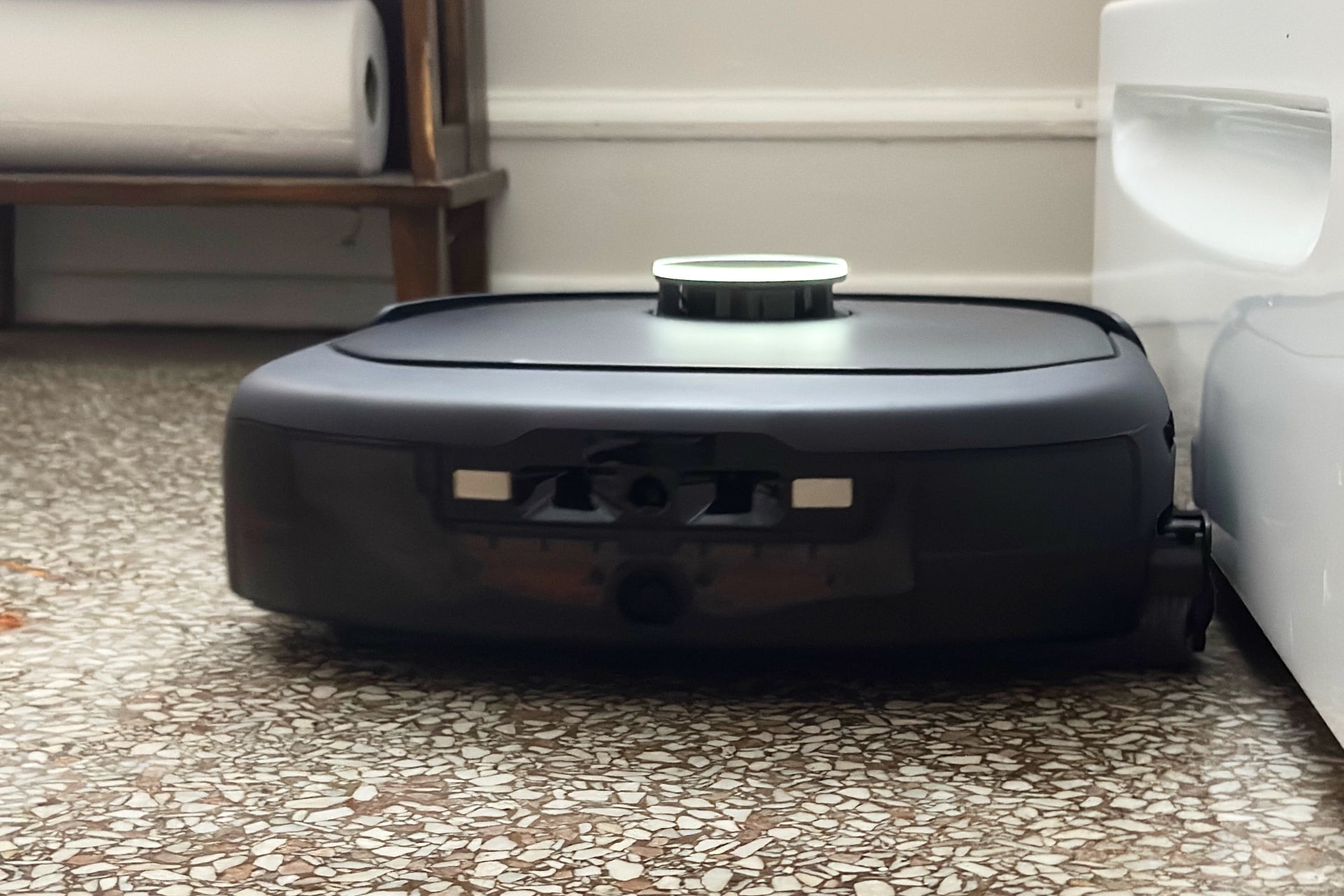
Eufy’s high-end robot vacuums are squareish, rather than hockey puck-shaped like most of their competition. As far as I can tell, that doesn’t affect performance in noticeable ways. The Omni E35 can still reach into corners and fit between the chair legs in my dining room. It’s a bit on the tall side, at 4.6 inches. It still gets under all of my furniture but smacks the circular frame of its LiDAR sensor on the bottom edge of my kitchen cabinets when it’s cleaning beneath them, which wouldn’t happen with bots like the X60 Max Ultra Complete or iRobot Roomba Max 775.
The Omni E35 works quickly, too. It could knock out a full vacuum and mop of my 750-square-foot apartment in around an hour, and it finished with 64% of its battery remaining. It both did that much faster than other robots I’ve tested in the same space and ended with more battery. The runner-up there is the Qrevo 2 Pro, which took two hours to do the same job and ended with 52% battery. Also, although I wouldn’t call the Omni E35 the quietest robot vacuum ever, it’s not obnoxiously loud, and its dock is surprisingly calm when emptying the E35’s dustbin, producing nothing close to the plane-takeoff noise of the E28.
Despite the first-day sock incident, I never had to worry about picking up before running the Omni E35. When obstacle avoidance was turned on, the device never once dragged a cable around, ate my kid’s headband, or disabled itself trying to ingest clothing. I even tried screwing with it by leaving cables and clothes in dark rooms or under furniture, and it just went around them. I still wouldn’t count on it not to suck up things like hair ties or Legos, but Eufy did an especially good job keeping the E35 from snagging on the things that, in my experience, most often trap robot vacuums.
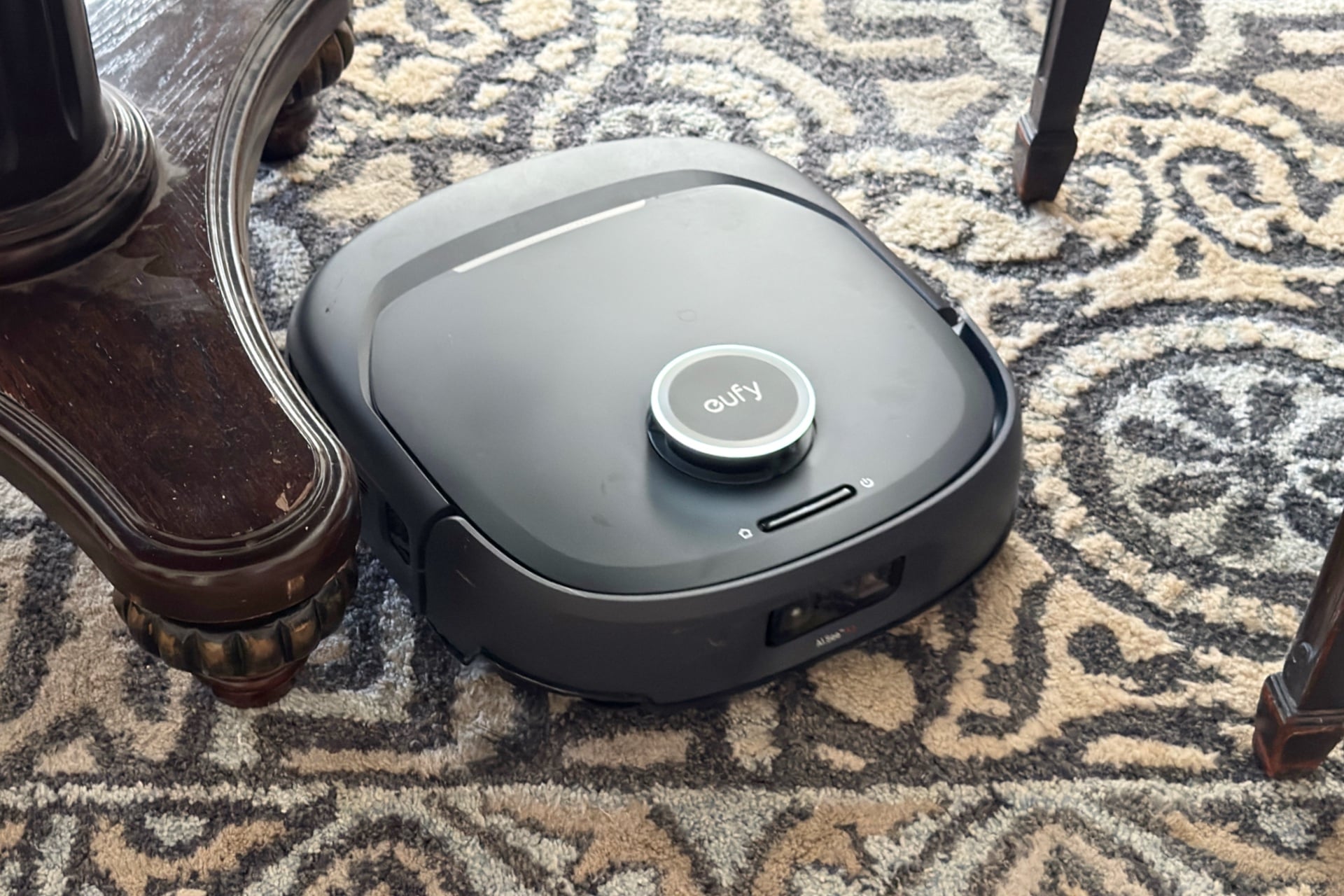
One thing that bothered me: I wish the Omni E35 was as good at avoiding walls as it is at evading obstacles. Although it tended to keep its distance from most furniture, it bumped my walls a lot, sometimes pretty forcefully. Inexplicably, on three different occasions while cleaning wall edges, it abruptly sped up and started doing donuts—or, for you upper midwestern readers, whipping sh*tties—in reverse until something, usually the wall it was near, stopped it. I asked Eufy if it’s aware of this odd behavior, reminiscent of freak-outs I’ve seen from other luxury-tier robot vacuums, which tend to use more complex navigation algorithms than the zigzagging paths that cheaper robots follow, and will update this piece if I hear back.
Another quibble I have is that you can’t control the Omni E35 via the Anker Eufy app without an internet connection. That’s normal—of the floor bots I’ve tested, only the Matic retains full first-party app control (minus its recently added voice commands) in the absence of Wi-Fi. But it’s also annoying because if your internet is out and you don’t have the E35 connected to a third-party smart home platform via Matter, you can only control it with two physical buttons: one initiates a whole-home clean, and the other sends it back to its dock.
If you do have the Omni E35 connected to your smart home via Matter, you’ll get some basic controls. In the Apple Home app, even with my router disconnected from the internet, I was able to send the E35 to clean specific rooms, pause, or return to its dock, it obediently did whatever I asked, and its obstacle avoidance worked as well as ever. I asked Eufy why its own app doesn’t support local control of this robot, and I’ll update this story if the company responds.
Mind you, though, connecting the Omni E35 to the Apple Home app via Matter was clunky as all hell. The process required me to back all the way out to the Anker Eufy app’s homescreen, then tap the three-dash menu button in the upper left, look for the “Third Party Services” option, and tap my way through six separate screens to find a Matter setup code. This is a way easier process with other robovacs, such as the Matic or the Qrevo 2 Pro, both of which have Matter integration options sitting at the top level of their settings.
The best robovac of its type I’ve tested
The market is full of low-to-the-ground robot vacuums, few of which are worth your money. That’s especially true of the expensive, luxury-tier ones with big self-cleaning docks. They just have too many issues with inaccurate navigation, clogging, streaky mops, and more. The Eufy Robot Vacuum Omni E35 itself is not cheap, sporting a $1,300 retail price. But it may well be the first option I’ve tested at this price point that I would actually consider recommending to a friend who wants a robot vacuum and mop that can get under couches and doesn’t need babysitting. I still prefer the Matic for its excellent app, smart navigation, and local-only control capabilities, but the E35 is a very strong runner-up.
There are things I would consider before buying Eufy’s new robot vacuum. One is the lack of local network control with its native app. Yes, it’s true that almost no robot vacuums can be accessed via their apps if the internet goes down. But Matic, whose robovac app control works regardless of internet connection, has shown it doesn’t have to be that way, and it’s time that other robot vacuum manufacturers got on board. Matter somewhat alleviates the situation by enabling basic local control via a third-party smart home app, but connecting the E35 to other ecosystems is clunky. There’s also the weird little freak-out I witnessed a few times, where the robot started doing donuts and smacking walls. All of that could potentially change after future software updates, but no guarantees.
If you’re okay with those caveats, the E35 could be for you. At its core, it’s an excellent all-around floor-cleaning bot that’s quiet, won’t rip stuff off of side tables because you left a cable dangling from them, and might just help clear your home of allergens—at least, those that have settled on the floor. I’m still not convinced it’s worth $1,300, but at least it does what it says on the tin.