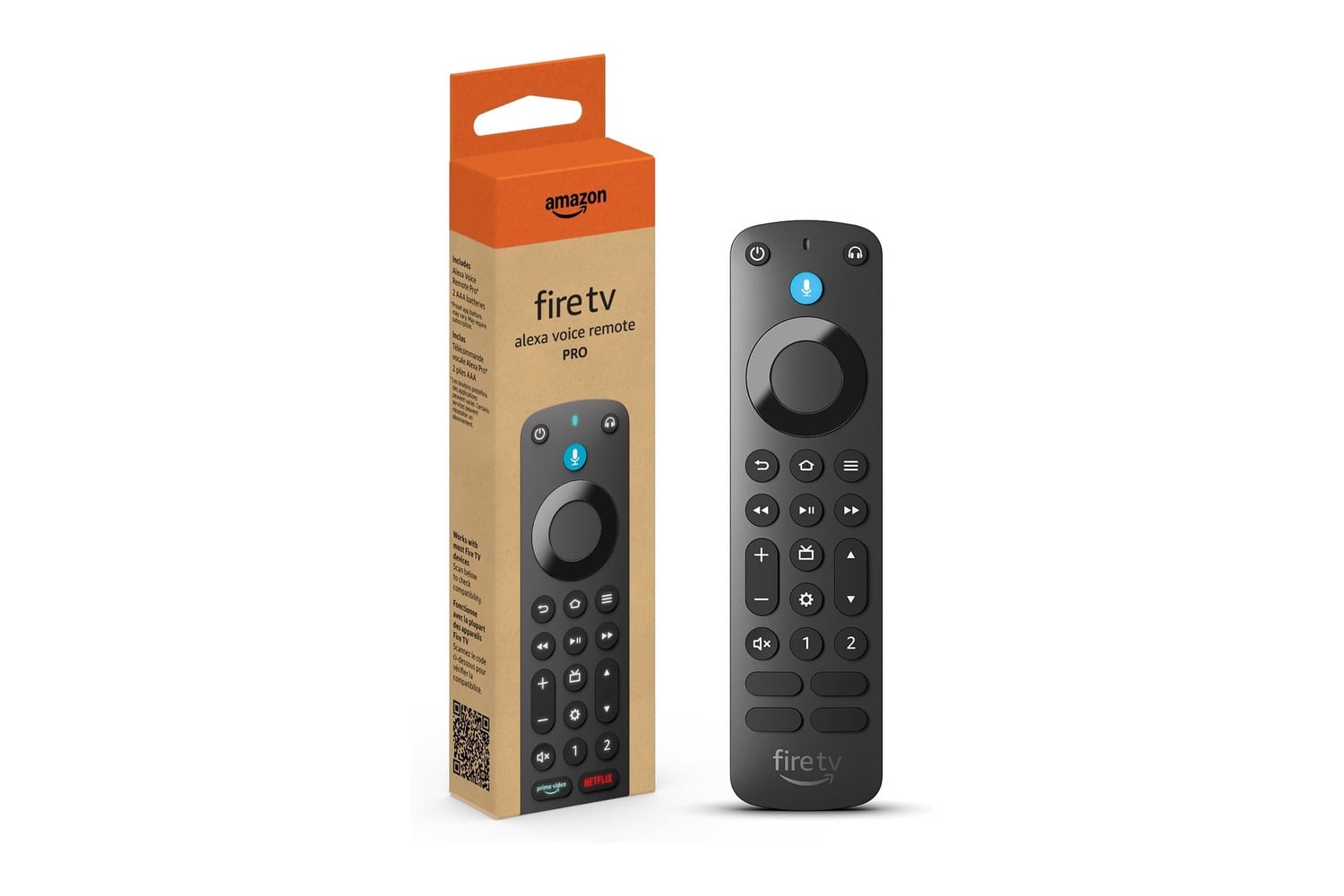
A lost remote can really put the kibosh on a movie night, but the Amazon Fire TV Alexa Voice Remote Pro includes a remote finder feature so that doesn’t happen. The remote finder works when you say “Alexa, find my remote” to an Echo device, the Alexa app, or the Fire TV app, and the remote starts ringing so you can find where it went. Backlit buttons light up in the dark so you can navigate menus while watching a film at midnight. Two custom buttons allow you to assign your most frequently used apps and channels as shortcuts, and TV controls enable you to turn the TV on and off, adjust the volume, and mute the sound, all from one remote.
A Fire TV remote with a finder feature, backlit buttons, and custom shortcuts
The Remote Pro replaces the original remote that comes with your Fire TV device and adds features like remote finder, motion-activated backlighting, two programmable buttons, a dedicated headphone button, and full TV controls. It pairs with compatible Fire TV devices within a couple of minutes.
With Remote Finder, the maximum range is about 30 feet. When you lose the remote, such as when it slips between couch cushions, just ask Alexa to locate it. Then, when you hear the ringing sound, you know exactly where to go. For Remote Finder to work, your Fire TV device needs to be turned on.
In low-light environments, the motion-activated backlighting illuminates the buttons when you pick up the remote. This lets you easily find the volume or pause buttons without flipping a lamp switch. In bright lighting conditions, the backlight stays off in order to conserve battery life.
You can customize two programmable buttons, labeled 1 and 2, and assign each a unique function. Examples include opening a preferred app, jumping to a specific TV channel, or triggering an Alexa command. To set up these functions, simply hold each button until the on-screen menu appears, and then select your desired shortcut.
Using the dedicated headphone button quickly takes you to the Bluetooth menu. This greatly reduces the time it takes to connect your wireless headphones when watching movies in the wee hours of the morning. Integrated TV controls allow you to control power, volume, and mute directly from the remote, and dedicated channel buttons also provide direct navigation through live television.
With Alexa integrated into the remote, you can press the microphone button and ask Alexa to search for a show, launch an app, get the current weather forecast, play music, or even control compatible smart home devices. Pre-programmed app buttons also provide one-touch access to many popular streaming services.
The Amazon Fire TV Alexa Voice Remote Pro feels high-quality in your hand and comes with two AAA batteries, so you can start immediately. It requires a compatible Fire TV device, and Amazon offers a compatibility guide to help you confirm yours before you buy.