If there’s one question that has loomed over past Meta Connect conferences, it’s “what the hell is happening with VR?” Well, we now have an answer. Glasses are happening to VR.
Introducing Meta VR Glasses, which are exactly what they sound like and exactly what leaks leading up to Meta Connect 2026 suggested they would be. While the reveal may be an anticlimax for anyone paying attention to leaks, trying them out is a different story—and, in my experience, a much, much more enjoyable one.
Not your grandpa’s VR
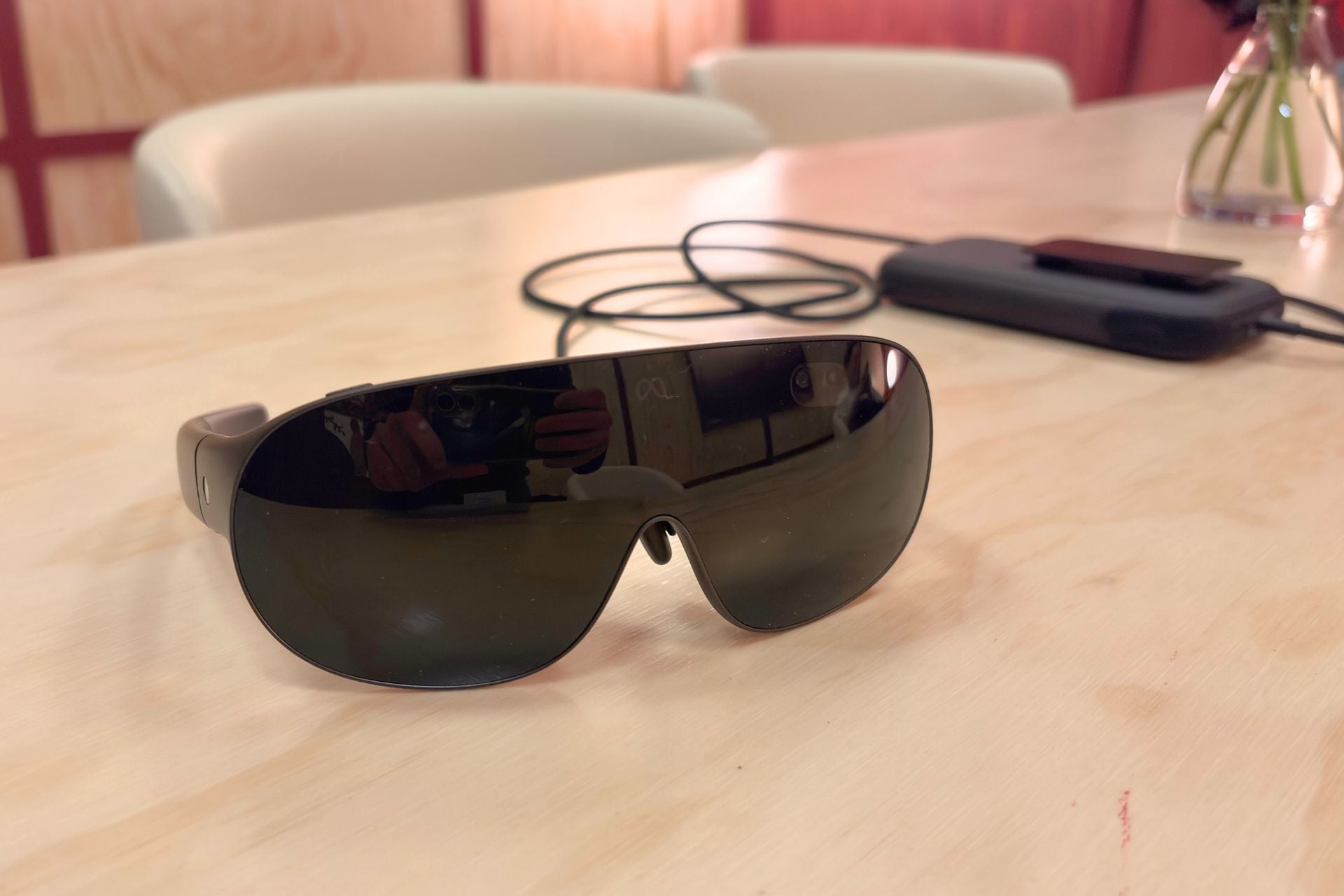
The $1,299 Meta VR Glasses (yes, that’s the name Meta went with) feel, in a lot of ways, like what the Quest has been working toward. They are, as the name suggests, not a headset. Instead, they resemble the form factor of other nascent products like Google and Xreal’s Aura glasses, right down to the compute puck that you have to tether to the glasses to get them to work. Just like a Quest, they offer lots of different experiences, like playing games, watching stuff, and everyone’s favorite… productivity.
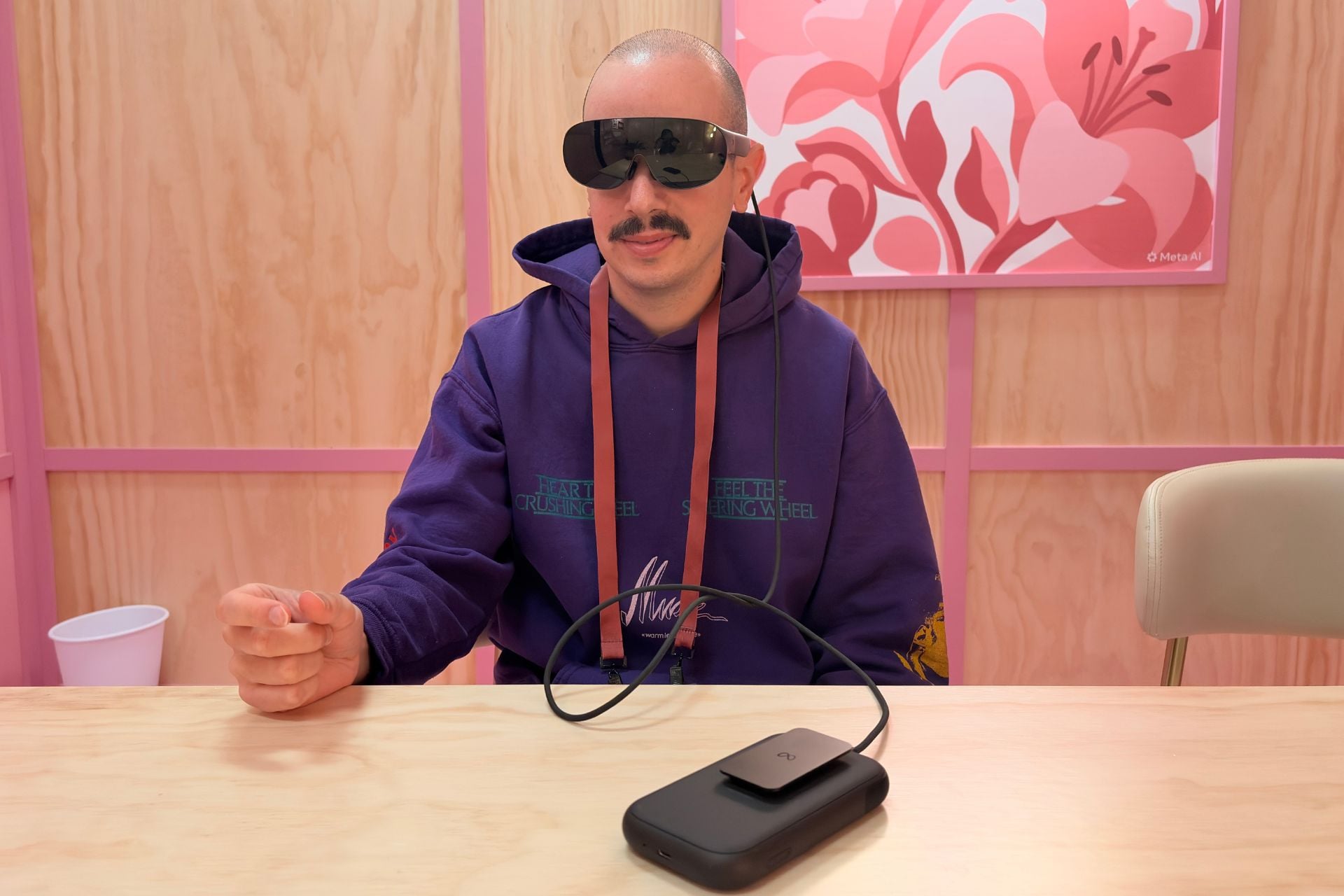
The reason “VR” is in the name is because that’s what they do, though mixed reality is more accurate. Unlike smart glasses or AR glasses, they offer an experience that’s fairly close to what you’d get by strapping on a whole headset like a Quest or Vision Pro. And when I say “fairly close,” I mean “fairly close.”
I got to try the Meta VR Glasses in a few different experiences and was surprised and encouraged by a few things. For one, these VR glasses are sharp. The screen looks great, and so do the colors. I haven’t used the Apple Vision Pro extensively, but based on my experiences with the $3,500 “spatial computer,” I think the screen quality is of a similar caliber, and the specs would bear that out—this is a 5K micro OLED display with 37 pixels per degree.
One experience that surprised me was watching an immersive concert in VR (Billie Eilish, in case you were curious), which didn’t have the obvious fuzziness and visual artifacts that you might get on a Quest 3 or 3S, but still had the ability to render immersive space like a headset. Same with a snippet of immersive sports that I watched (a clip of the New York Knicks). This really did feel like VR. I don’t think I’d be reaching for a pair of glasses as my main way of watching stuff, but if I were to, this would be the pair I’d want to reach for.
Likewise, playing Beat Saber (why is it always Beat Saber?) felt immersive and quick, even though I kind of suck at that game, as did playing Forza via Xbox Cloud Gaming, which ran surprisingly smoothly given the fact that it was streaming. Meta says you can even pair Quest controllers to the Meta VR Glasses, and play the entire Quest library, which is exciting for any avid VR gamers out there.
Though light blockage isn’t quite as robust as a headset like the Quest, I was still able to see everything clearly, though the room I was trying the glasses in was fairly dim, so I’d be interested in getting out into the real world and testing Meta VR Glasses in full sun.
Outside of gaming, there’s productivity (of course), which was a multi-window experience where I had three monitors in front of my eyes and was able to look back and forth between them. I can’t see myself ever electing to work like that, but I guess if I was on a plane or something, it could be useful, as long as your seatmate doesn’t mind you staring into their head, which, unbeknownst to them, has a big monitor on it.
Meta integrated its Surface Keyboard feature—the one you can use in the Quest—so you can turn a flat surface in front of you into a keyboard by putting your hands down in front of you and having the VR Glasses scan the surface. I liked Surface Keyboard when I tried it on the Quest, but I found the experience slightly laggy in the Meta VR Glasses this time around. Maybe it was just demo bugs, but it’s something to watch out for.
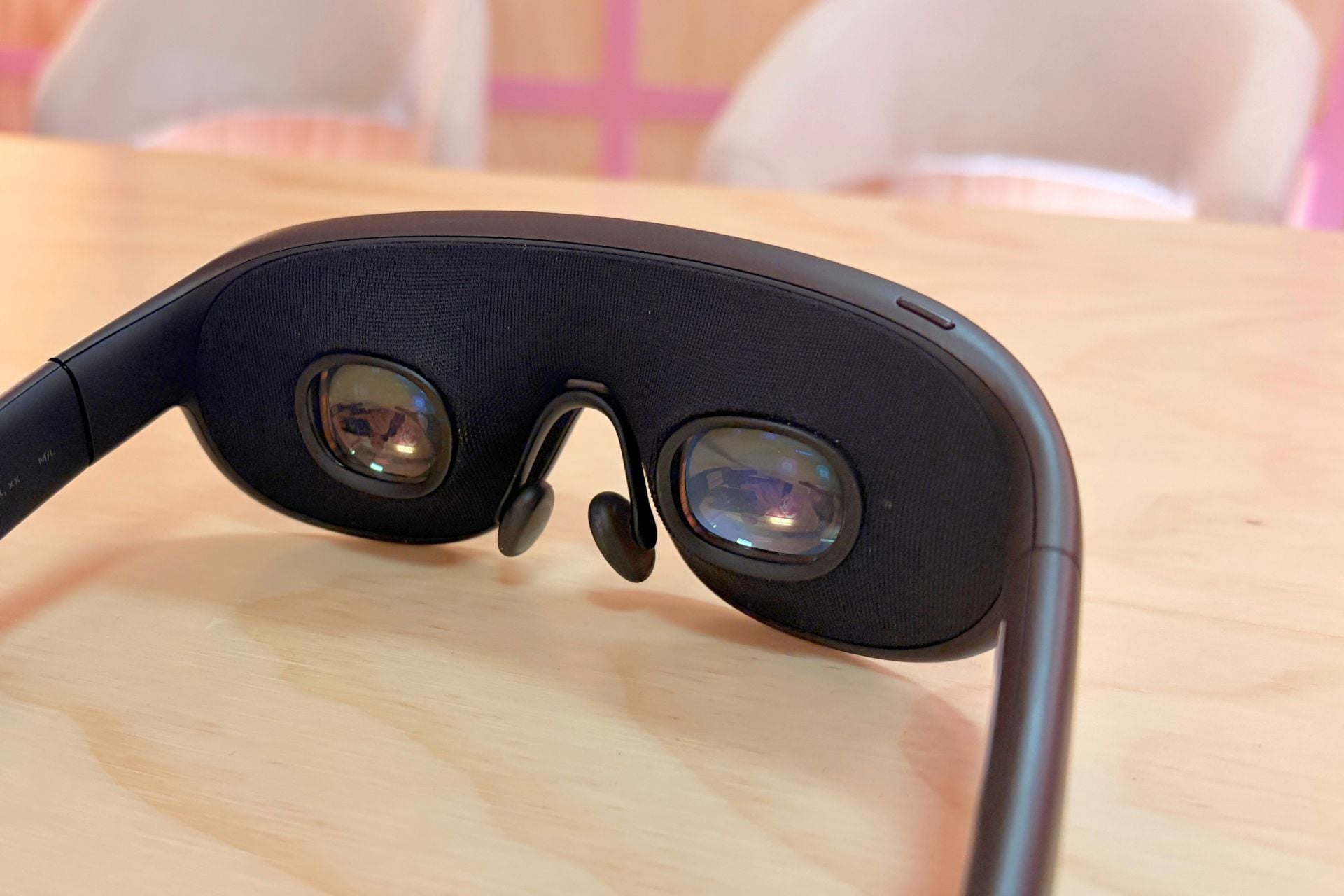
Controlling Meta VR glasses is very similar to the Vision Pro. To navigate menus, it’s a mix of eye tracking and hand tracking, so you can just look at stuff and pinch. To calibrate eye tracking, you take a brief test before using the glasses, which involves looking at dots and pinching them. Scrolling actually borrows a bit of UI from the Meta Ray-Ban Display—you make a fist and then slide your thumb over the top, though there’s no extra hardware like a Neural Band.
All of the gestures were very smooth for me, and the eye tracking wasn’t laggy or inaccurate. Having just used the Snap’s Specs AR glasses, it was a big, and welcome, difference, since that experience was jittery at best, though I guess those are the perks you get from tethering glasses to a compute puck. Which brings me to my next point.
A compelling proposition
I think XR has a lot to offer. I’ve long been a fan of the Quest because of its value proposition—it’s relatively affordable, and it gives you the full VR/XR experience. The problem with the Quest is that it’s… an XR headset. Putting headsets on your head just isn’t that fun. They’re heavy, they make marks on your forehead, and they get warm.
The Meta VR glasses don’t eliminate those problems entirely, but they reduce them to such a degree that they feel like a game changer. I didn’t get a ton of time to try the Meta VR glasses, but after a 20-minute demo, I didn’t register the same fatigue on my face and head as I would in a headset, but I still got the same features.
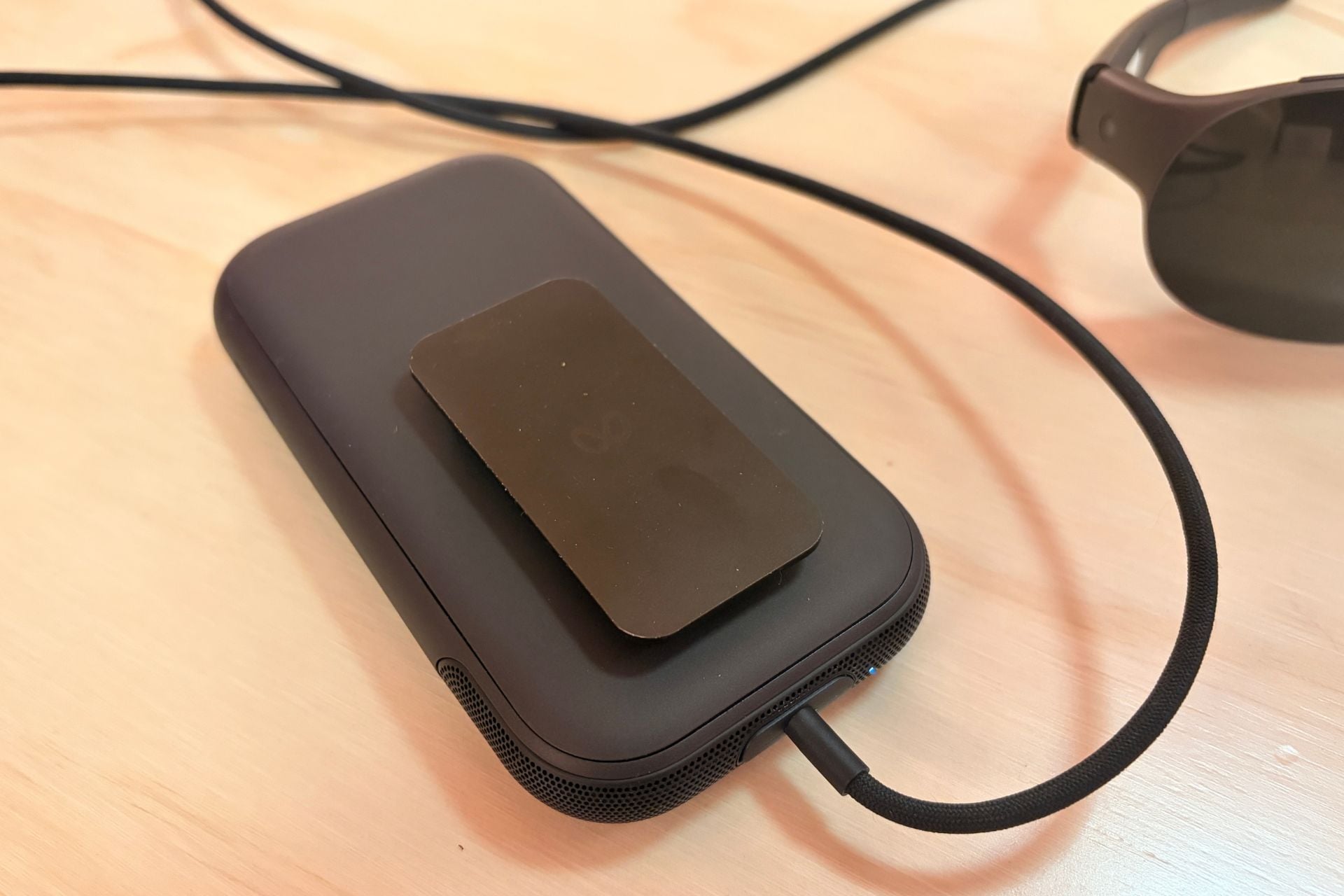
Sure, there’s a puck, but I can’t say that the existence of the puck bothered me too much. I’d need to spend more time with it to really get a sense of how annoying or not annoying it is, but right now I’m leaning toward it being pretty inoffensive. It’s about the size of a phone, though with a little heft, and there’s a clip so you can slide it onto your pants or belt and walk around. Meta says you’ll get three hours of battery life with “high-resolution media playback,” which isn’t a huge amount of battery life but is still on par with the Vision Pro and more than the Quest 3.
I guess not being totally wireless is a trade-off of the Meta VR Glasses, but given the fact that they’re so much smaller on your face, I’d say it’s a pretty good trade.
There’s still a lot I need to experience in the Meta VR Glasses to declare these the next evolution of VR, but the initial experience is promising. Meta says it plans to fully launch them in the spring of next year, so we’ll have to wait a bit to see exactly what Meta’s Aura competitor has to offer.
(Full disclosure: travel and lodging were paid by Meta, and Gizmodo did not guarantee any coverage as a condition of accepting the trip.)