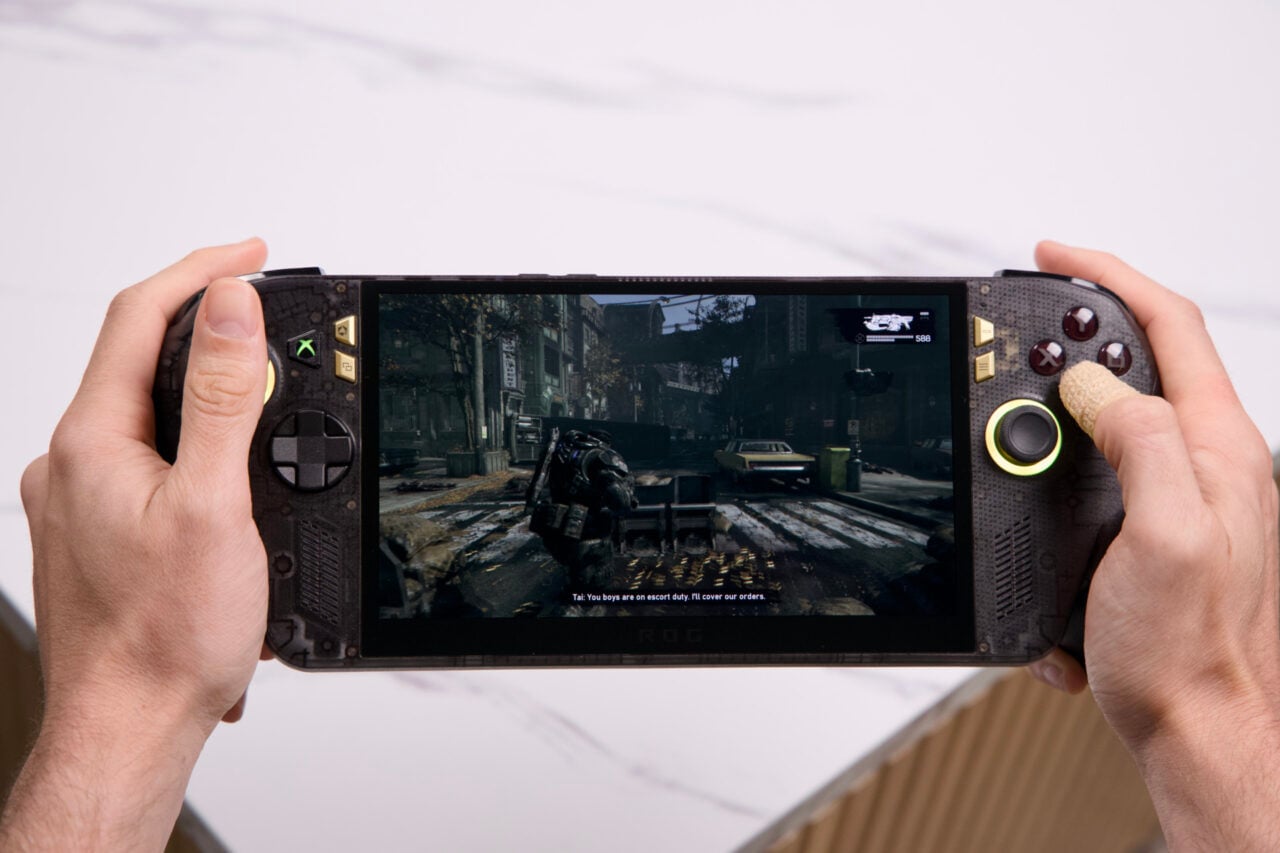

What do you actually want your gaming handheld to do for you? If you told me, “Play Nintendo games,” go buy a Switch 2. If next on your checklist is “Give me the best mix of performance and efficiency in something I can take on a plane,” then there’s only one answer now. It’s the MSI Claw 8 EX AI+, an $1,800 handheld PC. At that price, you can claim a not-too-shabby desktop gaming PC. Thanks to obscene memory prices, this is the world we live in now.
If you want a TL;DR version of this review: the MSI Claw 8 EX AI+ sets the new high-water mark for gaming handhelds going forward. Its Intel Arc G3 Extreme chip is a great fit for FHD gaming. Compared to the AMD Ryzen Z2 Extreme found inside handhelds like the Asus ROG Xbox Ally X and the Lenovo Legion Go 2, the Claw 8 EX AI+ can slip in 10, 20, or even more frames per second on the same graphics settings. A 30% to 40% increase in frame rate doesn’t seem like much, but it’s everything to a handheld that’s threading the needle between power and performance.
The catch is obvious. You have to spend $1,800. An Xbox Ally X costs $1,000 at the time of this review. A Legion Go 2 costs $2,000, but it comes with a larger OLED display. The Claw 8 EX AI+ price makes me want to pull out my non-existent hair, strand by strand. When PCs of every stripe cost this much, it makes me want to strip down to my skivvies and go dancing out onto the streets of New York to proclaim the end of days.
MSI Claw 8 EX AI+
You can't get better handheld performance and efficiency anywhere else. I just costs way too much.
Pros
- Great ergonomics
- Bright screen
- Performance is stellar
- Thunderbolt 4 ports
- Endurance mode offers better battery life
Cons
- God, that price
- Thin-feeling sticks
- Display prone to reflections
- Software still needs work
I can’t argue anybody should spend $800 more just for the sake of a 30% increase in frame rates. All I say is that the Claw 8 EX AI+ is now my favorite handheld. That point alone is what makes me so depressed about the PC industry at large. The Claw 8 EX AI+ should already be available to order (so you likely won’t secure it at the special preorder price of $1,700). MSI told Gizmodo the Claw 8 EX AI+ will be available to purchase at Micro Center soon.
Looks weird, feels great
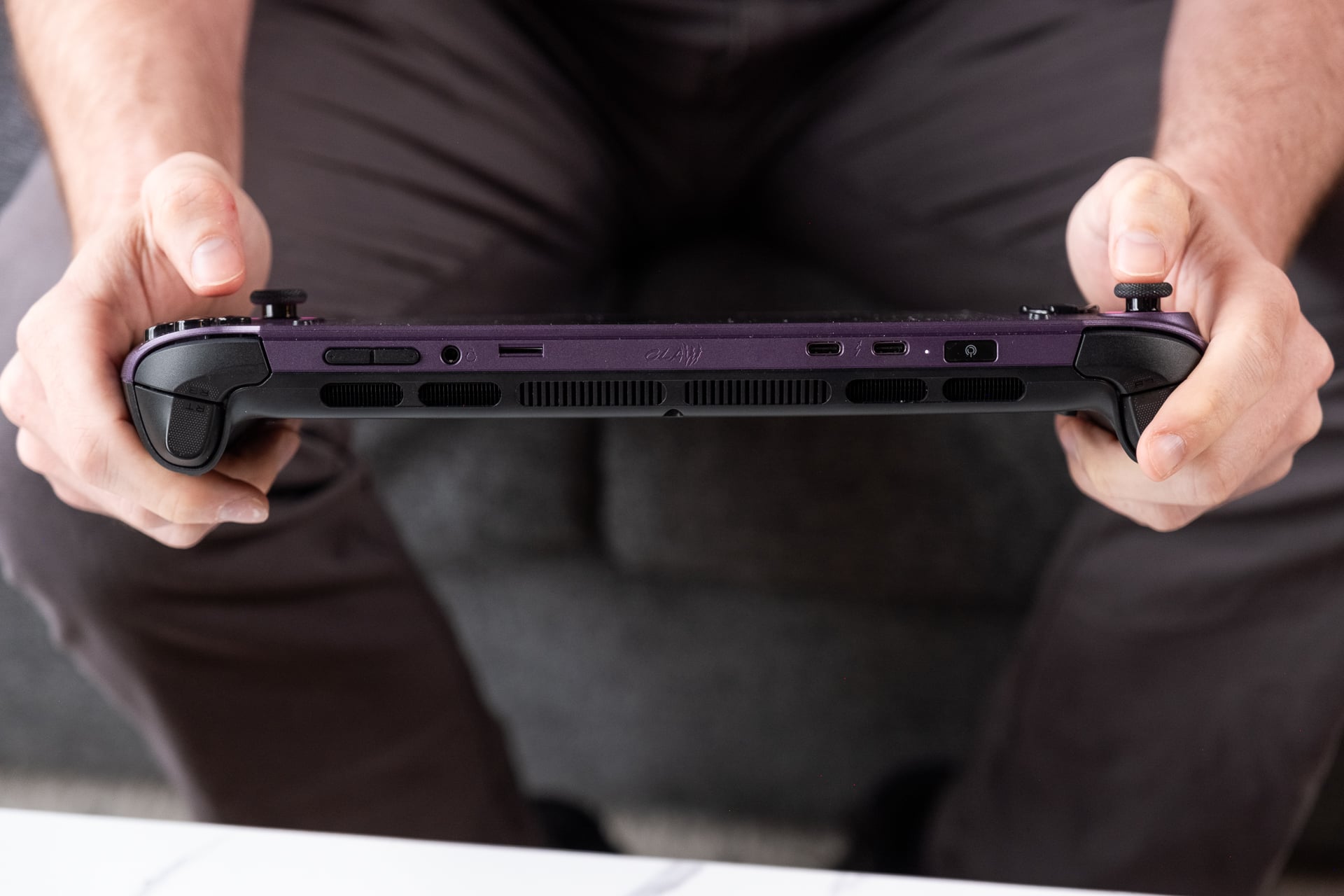
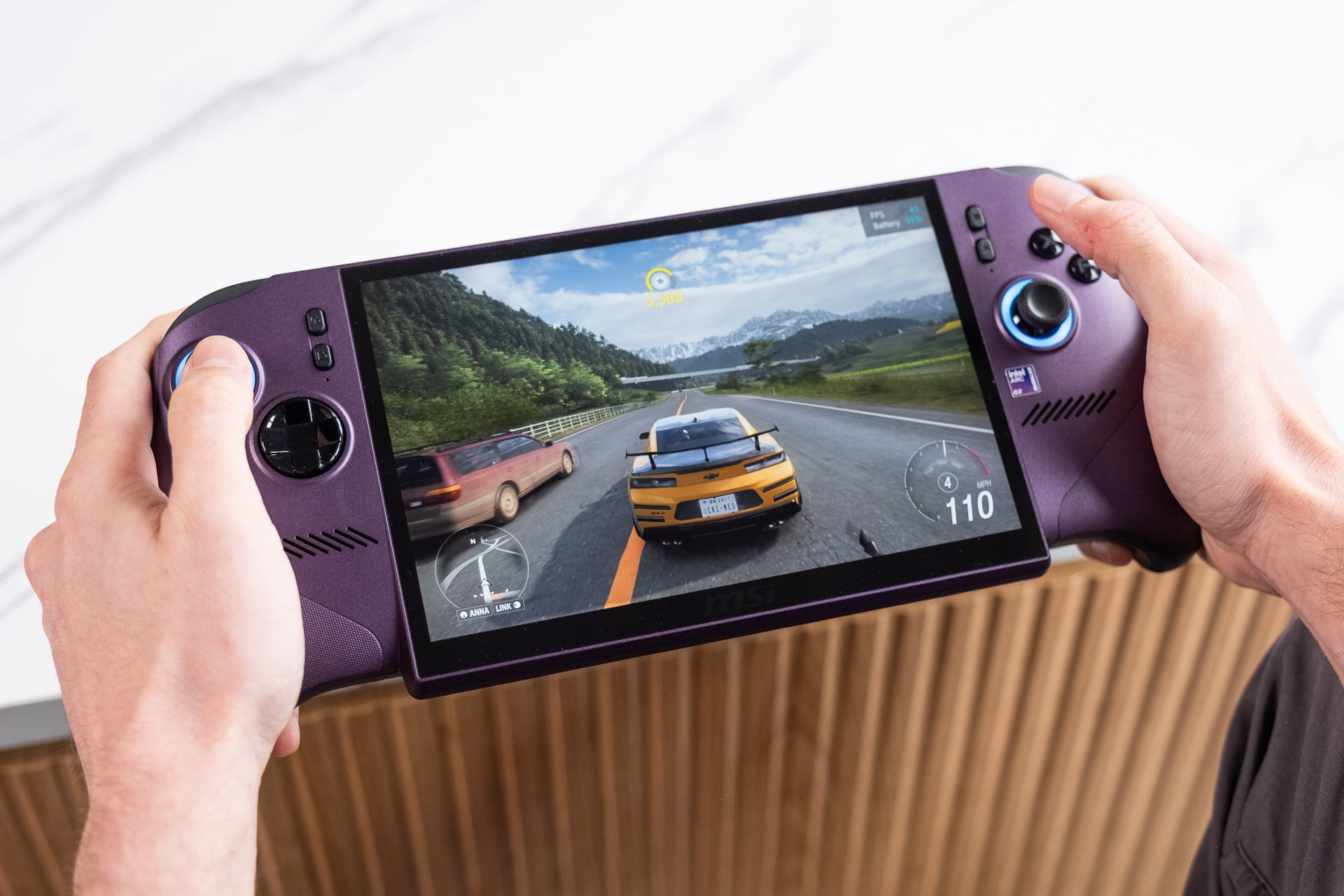
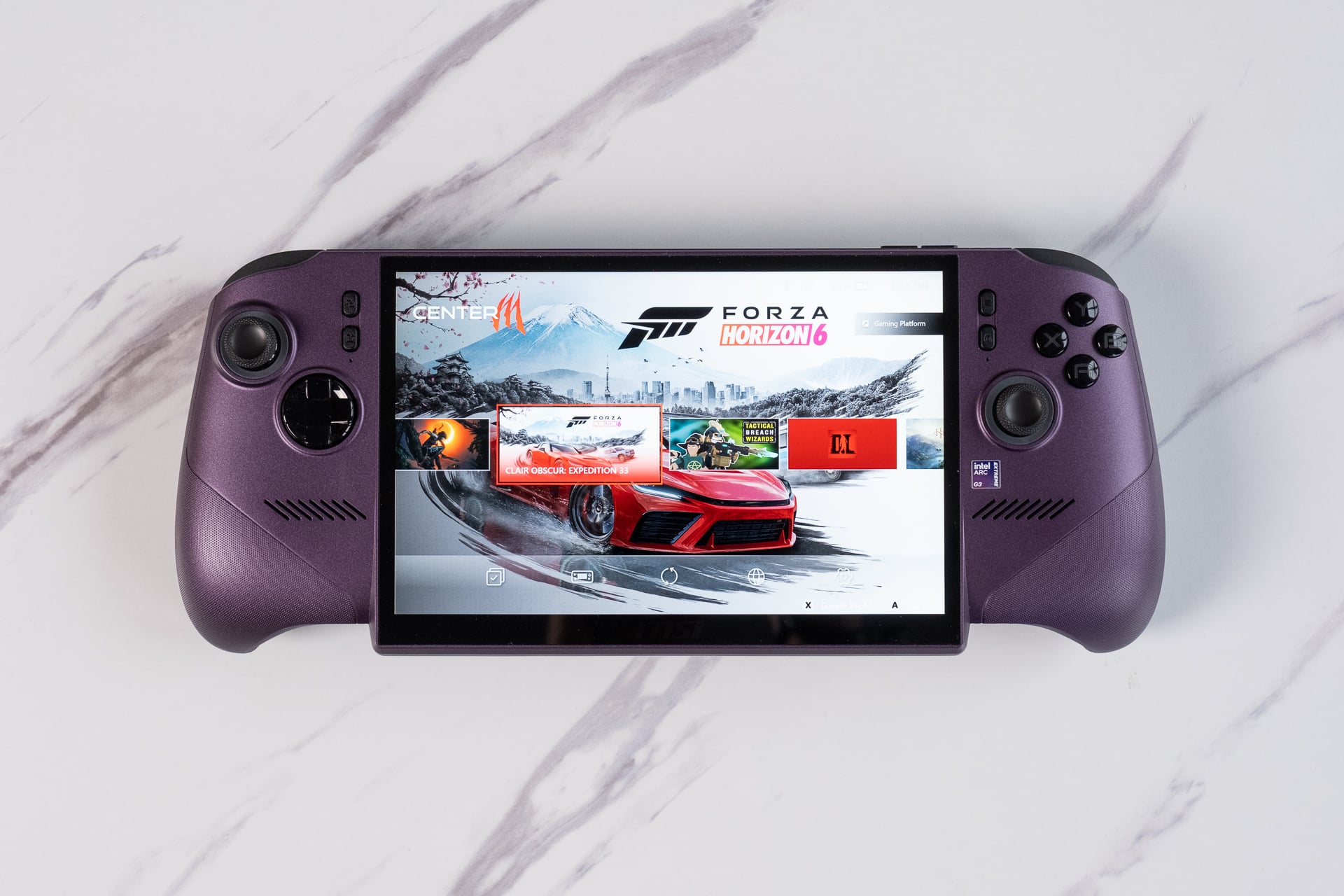
The first thing you may notice about the MSI Claw 8 EX AI+ (beyond the obnoxious name) is its odd silhouette with a screen bezel jutting below the main body. When you actually hold it in front of you with your mitts wrapped around each grip, the handheld starts to make much more sense. It just feels great in hand.
The Claw 8 EX AI+ is like any handheld PC that’s designed for play on your couch, bed, or the rumbling seat of your commuter train. Compared to older versions of MSI’s Claw handhelds, the Claw 8 EX AI+ splits the difference between size and portability with its 8-inch, 1200p screen. It weighs in at 785g, 10 grams lighter than its predecessor. It’s still more than 200 grams heavier than a Steam Deck, so you may need to prop your arms on your knees to be truly comfortable.
MSI’s screen isn’t bad, but the IPS LCD won’t see any of the wonderful contrast of OLED. It hits a maximum 120Hz refresh rate with support for variable refresh rate (VRR), so there is no risk of screen tearing issues. It gets plenty bright, enough to play outdoors. You just won’t want to play in direct sunlight, as the glossy display can become difficult to see with glare and reflections.
Sound-wise, the Claw 8 EX AI+ can hold its own. With two 2W speakers on either side of the screen, I found the audio had a balanced quality in titles spanning various genres. With such a limited speaker setup, this handheld wasn’t designed to pump the bass into my face, but let’s be frank, you’re probably using it with headphones if you’re playing in public.
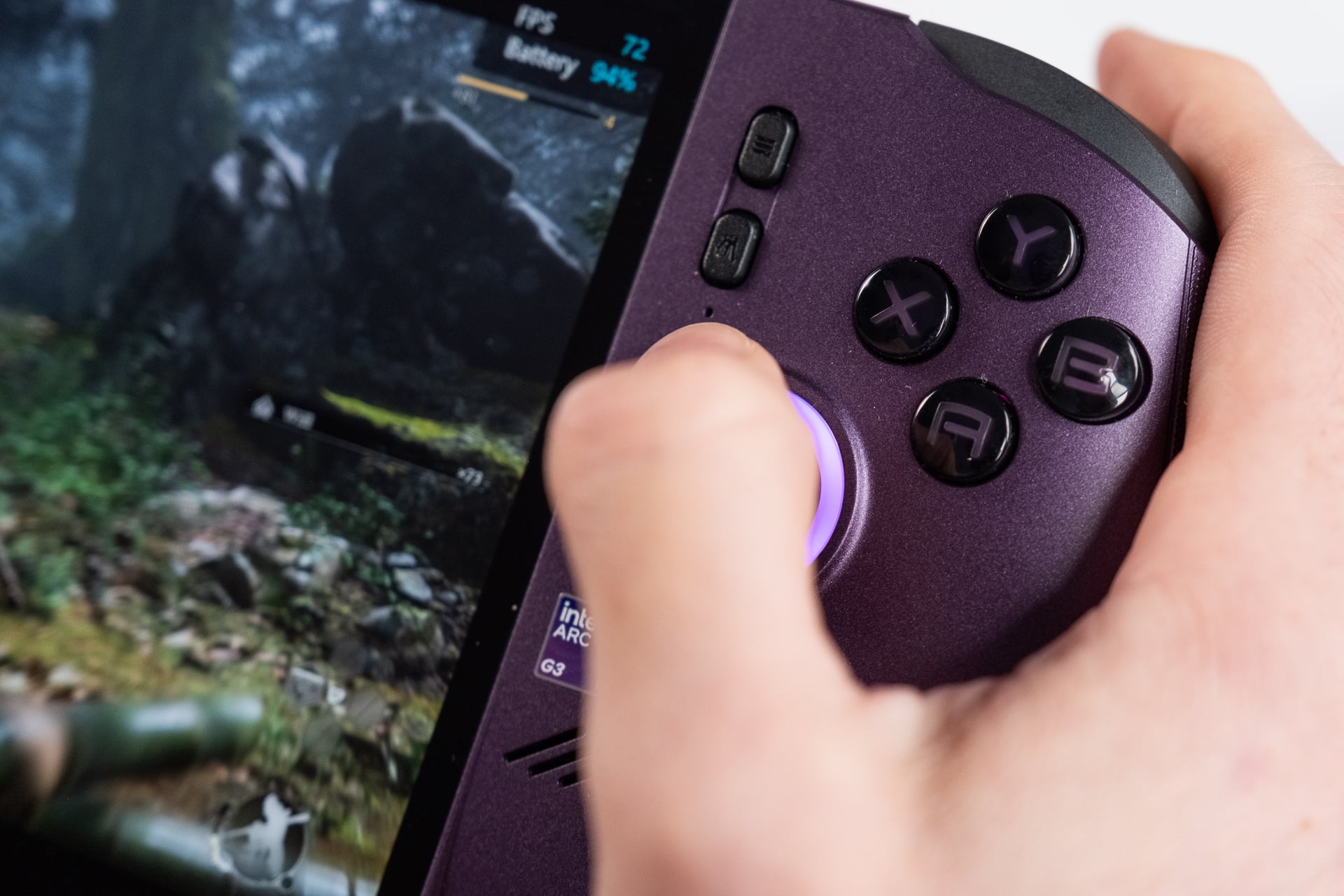
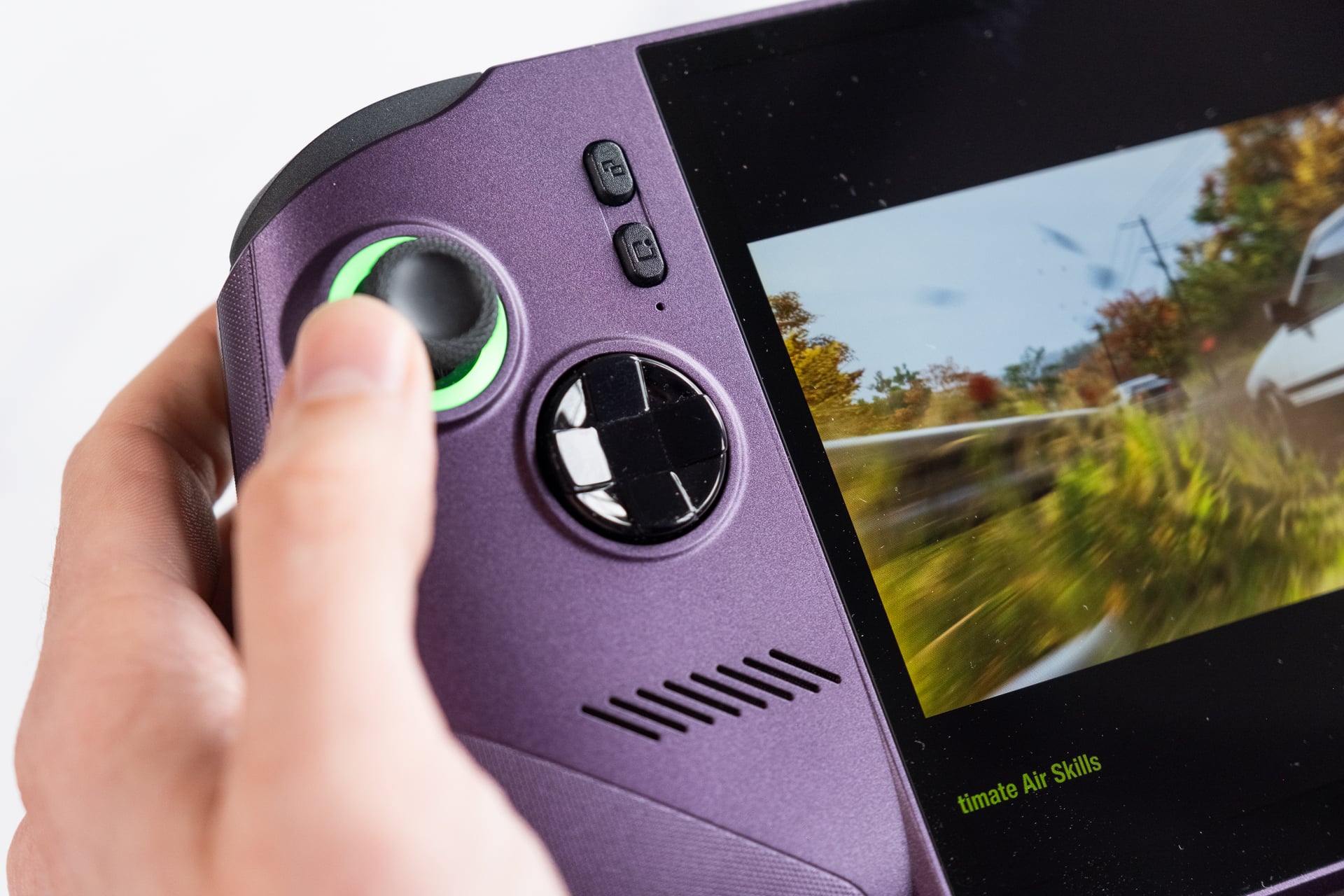
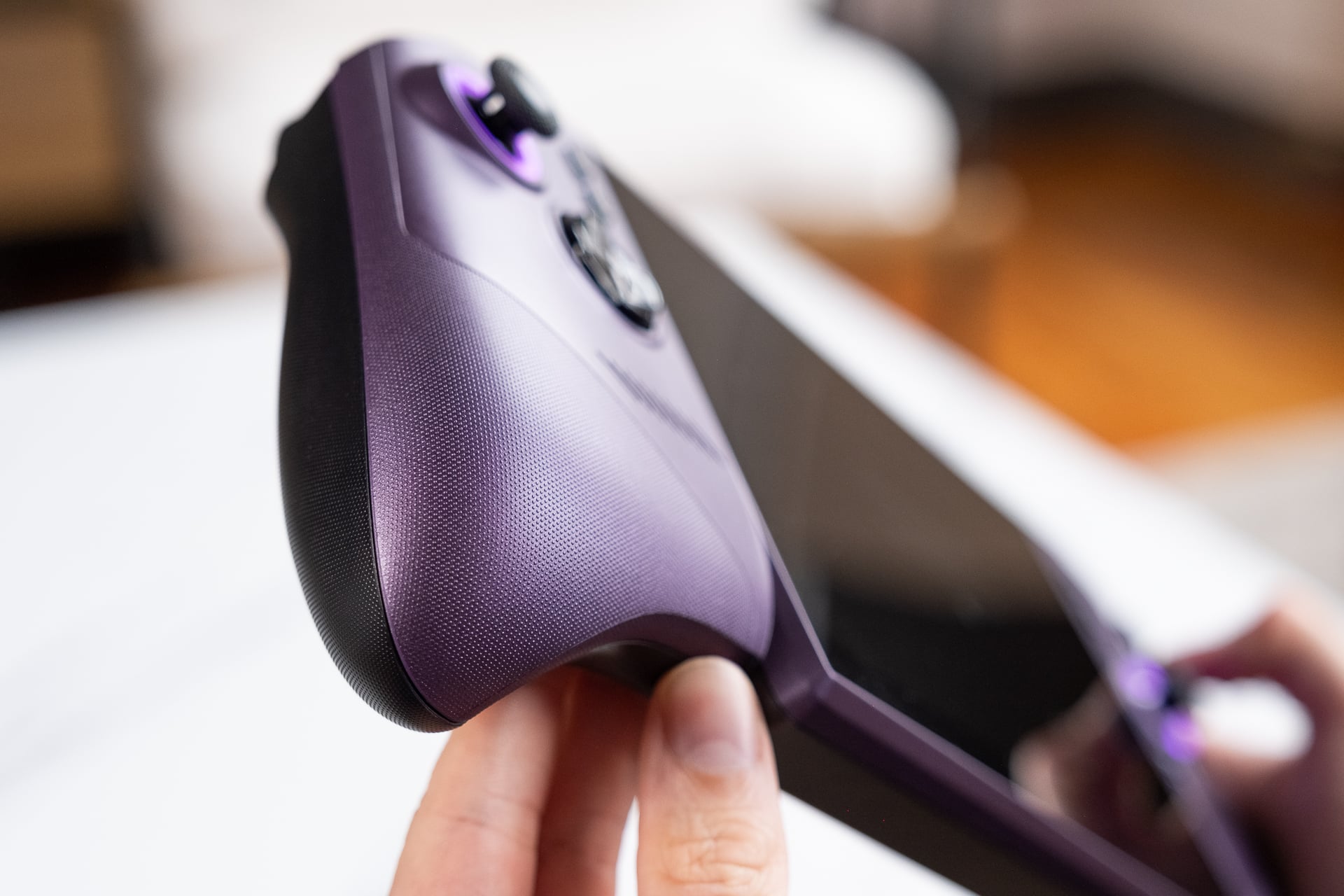
The Claw 8 EX AI+’s ergonomics are a cross between last year’s Lenovo Legion Go S and the Xbox Ally. The slanted grips naturally curved my hands to help my thumbs reach both the sticks and shoulder buttons. Those grips also have a fine texture on the plastic that kept my hands stable. After many hours of play, I felt practically no sense of hand cramping.
The rubber membrane A,B,X,Y face buttons have a clickiness to them that I prefer on my controllers. The sticks use Hall effect sensors, which makes them more resistant to stick drift that can result in unwanted inputs over time. However, those Hall effect sensors can sometimes make the sticks feel too light and thin, which seems to be the case with the Claw 8 EX AI+. While I personally don’t have problems with the dish-shaped D-pad, I know some may not appreciate the harsh corners on each directional, especially if you’re planning to use this handheld for fighting games.
The other controversial design decision is the shape of both trigger buttons. They slope up to a shelf where you rest the last inch of your index fingers. That can create a sharp-ish corner that may be unpleasant on smaller hands. I personally didn’t mind them, as I found my fingers could perch at just the right angle to offer fine controls for braking in a game like Forza Horizon 6. I worry some players may not enjoy the ergonomics as much as me with my larger-sized paws.
The handheld PC also has a few extra benefits you may not grok on first contact. The Claw 8 EX AI+ has two Thunderbolt 4 USB-C ports on top. That allows for some fairly large-bandwidth bidirectional data transfer up to 40Gbps and still receives up to 15W charging. That I/O also supports direct video out, meaning you can simply pair a compatible monitor with a single Thunderbolt-compatible cable to hook up to a separate display, even without a dock.
Besides the power button (that doubles as a fingerprint scanner) and volume buttons, there’s a microSD card reader. Just know this slot is restricted to Express-level cards. These cards, first popularized by the Switch 2, have faster loading times than non-Express microSD cards, but they cost more. The change from microSD to microSD Express standards also means you can’t simply transfer your old card to the Claw 8 EX AI+ like you would your game cartridges in days of yore.
What are you doing, Intel?
One tricky thing about Windows handhelds is how to make them usable. Xbox spent months since the Xbox Ally launch making its recently retitled Xbox Mode better on handheld devices. Nowadays, they’re much less buggy when booting up or when asleep and connected to power. But even with all those updates, you’ll still run into annoying bugs, like suddenly losing access to gamepad controls in menus.
If you’re looking for a console-like experience, Valve’s SteamOS is a cleaner interface. However, I have to admit the benefits of having all my Steam, GOG, and Epic Games stores right at my fingertips are a small luxury. Microsoft has made it relatively easy to install each of these apps right from the Xbox app. You still have the option to enter “Desktop Mode” if you need your traditional Windows 11 desktop.
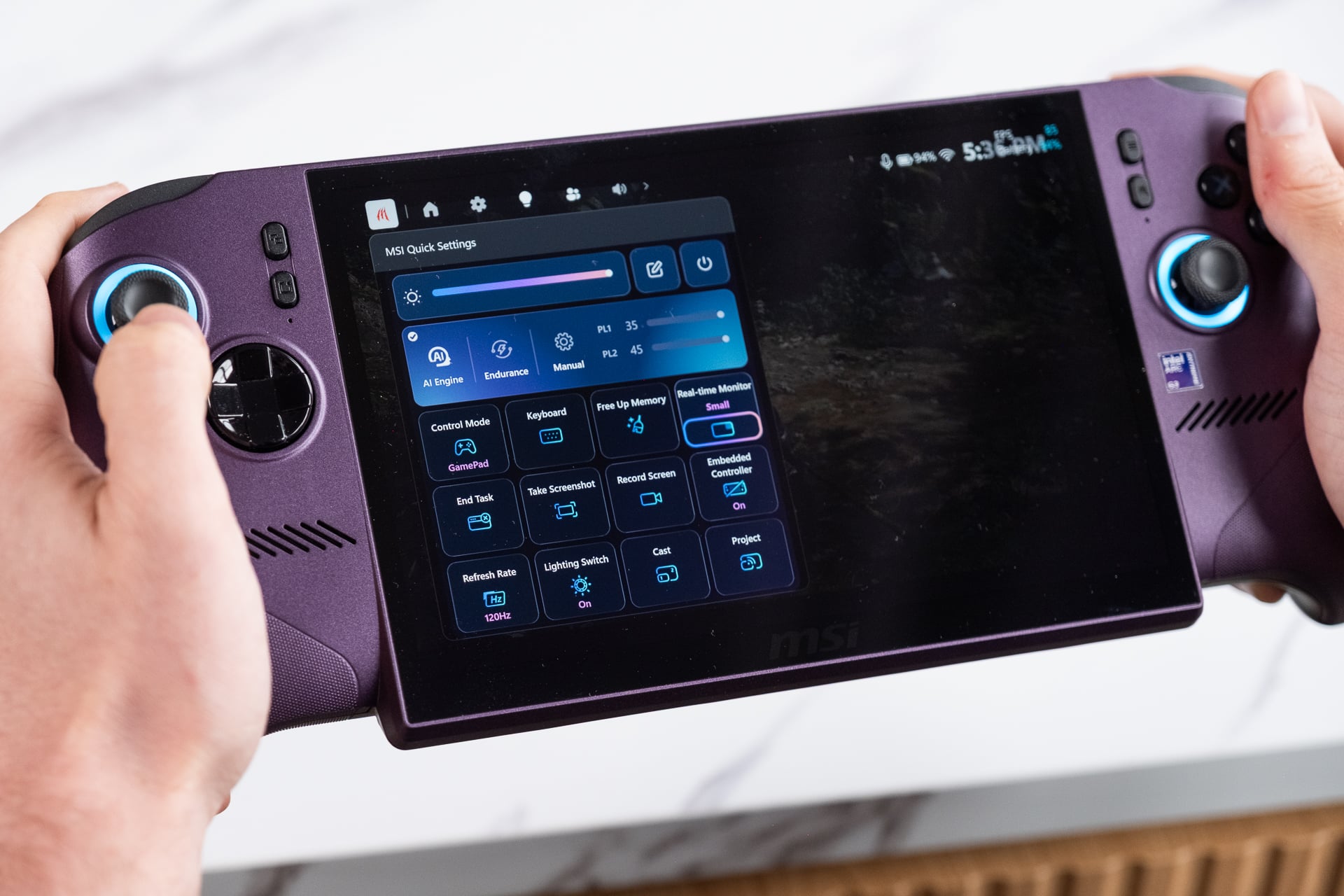
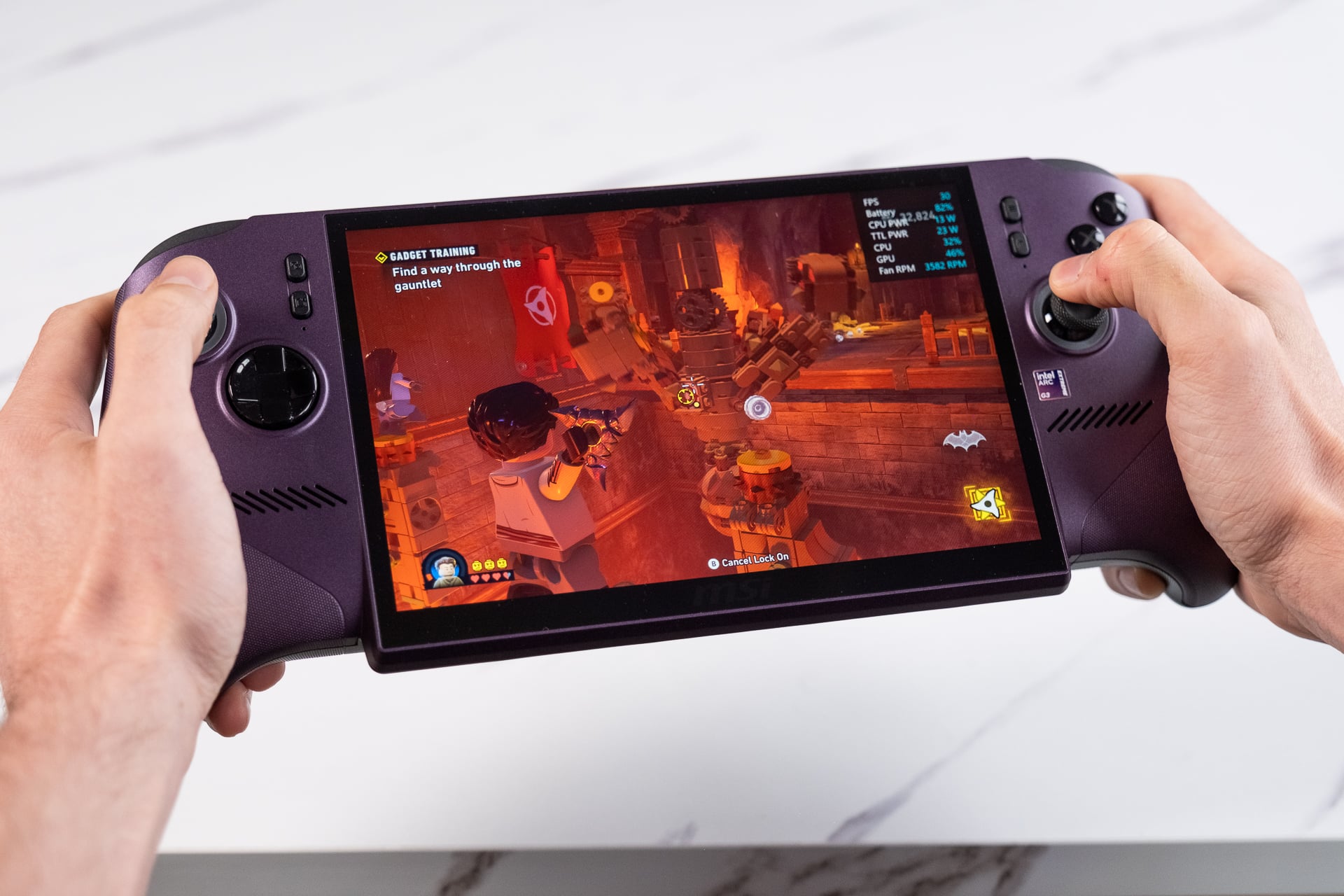
What’s less clear is how Intel actually plans its software implementations on its latest Arc G3 platform. This is Intel’s first handheld-exclusive chip, and the company still has to iron out how to access the chip’s hidden software features. MSI formatted the Claw 8 EX AI+ with a revised version of its Center M software. You’ll use the main app for firmware updates, though you can handle most of your system maintenance from the handheld’s Quick Settings menu just by hitting the options button to the left of the screen. There, you can change power settings, adjust system lighting, and enable a handy fps counter.
The MSI Claw 8 EX AI+ has two default power modes, an “AI Engine” and “Endurance” mode. Any regular user won’t understand what that means, though MSI confirmed to Gizmodo that AI Engine sets the default TDP (thermal design power) to 25W. This pushes total system power closer to 35W. Endurance mode bottoms out at 15W TDP. You can manually configure the system’s overall power output up to 45W, which will drain your battery much faster. I gamed using AI Engine mode when not plugged in, and based on my tests, it seemed to be the right power level for most AAA games.
That’s all relatively normal for handheld PCs. However, Intel has a few ways to enable longer battery life through its Graphics Software app. It comes pre-installed, but you’ll have no way to access it from any of MSI’s or the Xbox app’s main menus. Instead, you have to manually add it to your list of apps in the Xbox app or desktop. What’s worse, Intel Graphics Software doesn’t have gamepad controls, meaning you’ll have to use the touchscreen for configuring them.
The struggle is worth it. With XeSS-compatible games, you can enable multi-frame generation (I’ll get to that later on) or set a default “Endurance Gaming” setting that’s different from Endurance TDP. It essentially caps your game’s frame rate to 30 or 40 fps. This is especially handy in games that don’t actually need to be played at 60 fps, like in the top-down RPG Esoteric Ebb or in turn-based games such as Tactical Breach Wizards.
Even in titles like Lego Batman: Legacy of the Dark Knight, limiting the frame rate and TDP will save you more on battery life. I could get well over three hours in that Lego game running with these settings. It’s just a pain that Intel hides it from players and makes it so annoying to access. Hopefully that changes in future updates.
Let’s talk numbers
For its Arc G3 Extreme found inside the MSI Claw 8 EX AI+, Intel essentially hacked apart its Panther Lake chip, tore out several CPU cores, and stuffed its massive 12-core ARC B390 integrated GPU inside. The chip leans heavily on the GPU side, with only two P (performance) cores, eight E (efficiency) cores, and four more low-power E cores. When enabling “Endurance” mode, the handheld eschews those P cores altogether. This handheld also offers 32GB of RAM, which is certainly appreciated, though its likely one of the reasons this device costs as much as it does.
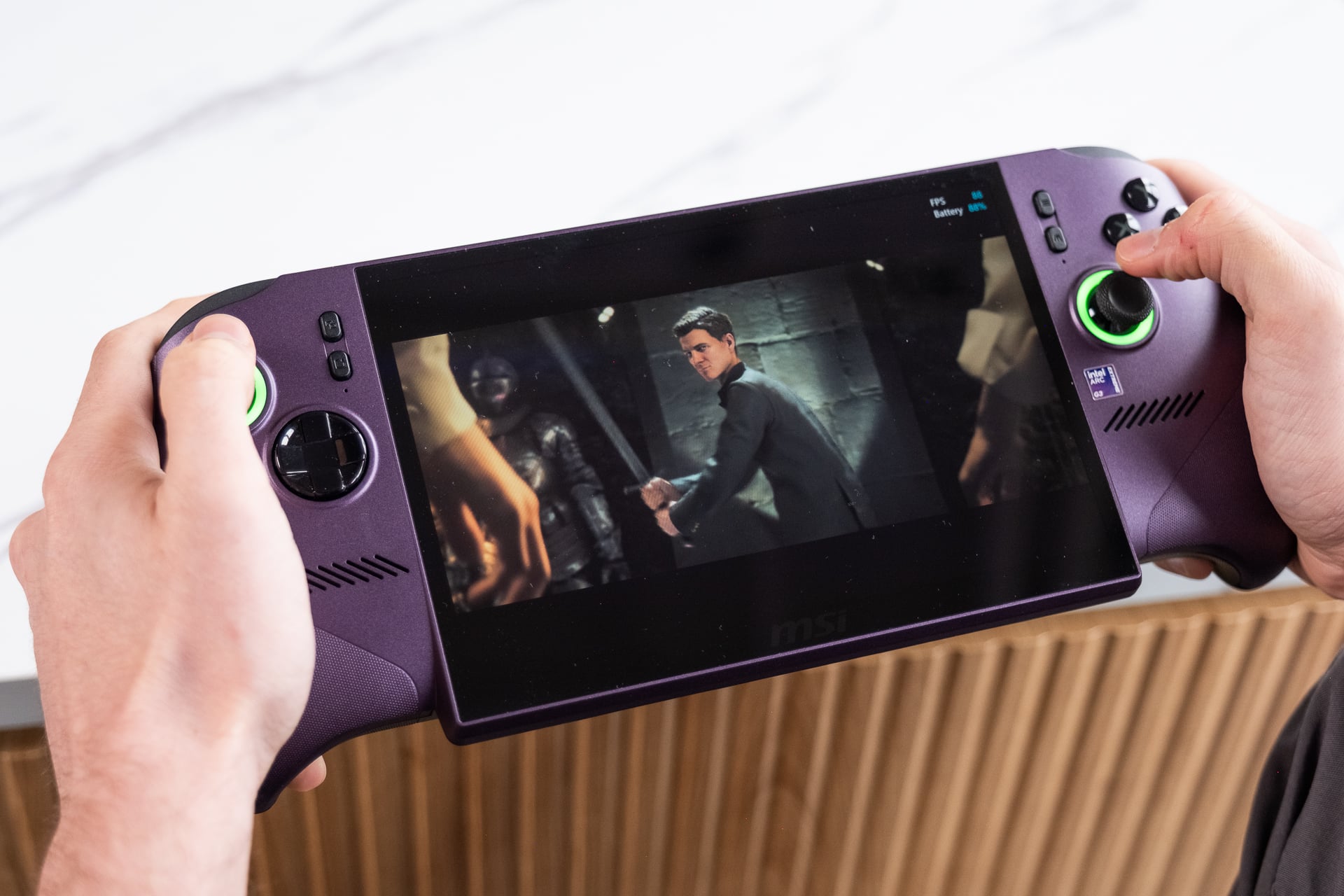
When running these handhelds at high TDP, the difference in performance can make the difference between finding a game playable or not. 007 First Light on the Asus ROG Xbox Ally X hovers between 30 and 40 fps when pushing the graphics settings to high and using FidelityFX Super Resolution (FSR) upscaling on “Balanced” settings. In more intense scenes, I saw it dip into the low 20s. The Claw 8 EX AI+ manages the high settings in 007 First Light at an average of 60 fps, though with occasional dips into the 50s or high 40s. In some scenes, like the intense airport firefight in the beginning third of the game, the handheld managed to break 80 fps in the same settings. Let’s just say I got up to many spy-related hijinks with the Claw 8 EX AI+ over the past week, and I loved every second of it.
In 3DMark real-time graphics benchmarks, the Claw 8 EX AI+ provides its raison d’être. It did nearly 40% better in the “Steel Nomad Light” tests compared to the Xbox Ally X and Lenovo Legion Go 2. Even in a CPU-heavy test like 3DMark’s “Time Spy,” the Claw 8 EX AI+ did an enormous 43% better than either the Lenovo or Asus handheld from 2025.
Benchmarks across multiple games show that the Claw 8 EX AI+ is simply better than Ryzen Z2 Extreme handhelds at higher wattages. It managed 62 fps in Forza Horizon 6 benchmarks, a 33% increase over an Xbox Ally X. I could push ray-traced lighting and shadows to medium, and with Intel’s XeSS upscaling, still maintain close to 60 fps. The game is already well optimized, and I practically feel luxurious playing such a beautiful game tucked under my sheets.
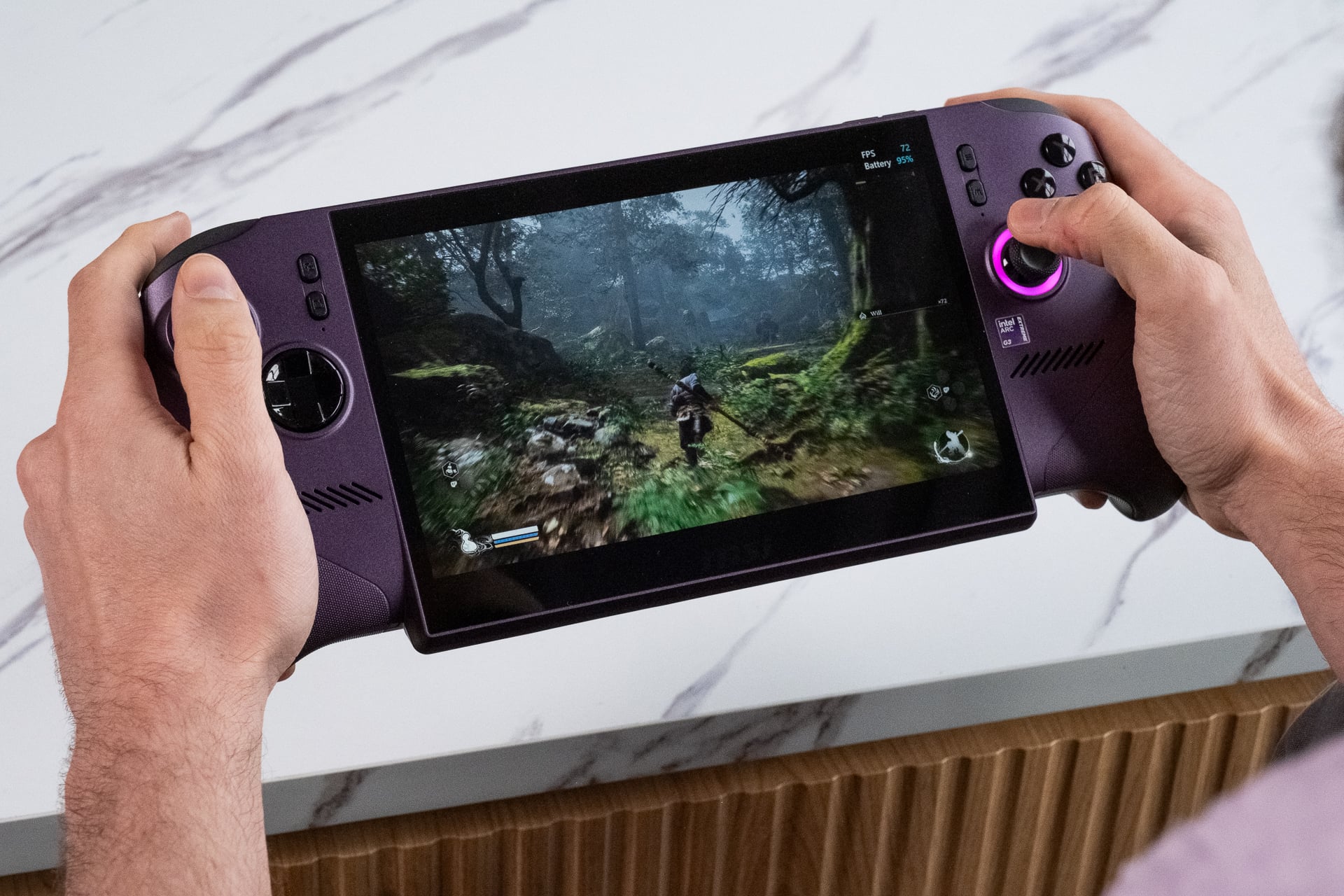
Some games, like Horizon: Zero Dawn Remastered or Black Myth Wukong, show the difference in performance between $1,800 and $1,000 handhelds is closer to 25%. While that’s still significant, the situation at lower wattages like 15W will put these handhelds on near par, with the ROG Xbox Ally X scoring better in some games. Depending on how you use your handheld PC, you may be better off opting for an Ally or sticking with your (pre-price hike) Steam Deck.
You can think about the performance delta between a Z2 Extreme and an Arc G3 Extreme in two ways. If you buy a Claw 8 EX AI+, you’ll have the headroom to play so many games with fairly high settings (and often rely on upscaling or even frame generation to ensure you don’t even have to constantly analyze your current frame rate). Or, you could imagine that, by spending $800 less, you could have strong enough performance, though that may require shifting graphic details down a peg or two.
In essence, the Claw 8 EX AI+ is a 40% increase in performance for a $55% higher price than the Xbox Ally X. That calculus could easily change in the coming months. Every major handheld maker has hiked costs, except for Asus and Xbox, but I can’t imagine they aren’t considering it. Asus is also planning to sell an X20 version of its ROG Xbox Ally with an OLED display and many other small upgrades that make it a better gaming device. Expect it to cost more, as well.
Battery life is still the sticking point
No gaming handheld will get you a full day of play without a plug nearby. The Claw 8 EX AI+ is no exception. On average, I found I could get around 2.5 hours of game time running the system on at 25W in MSI AI Engine mode. That was playing some pretty intense games, like Forza Horizon 6 or 007 First Light. You could push it toward 3 hours in “Endurance” mode and potentially get more from the “Endurance Gaming” setting in Intel Graphics Software.
That brings us to Intel’s other trick up its sleeve: multi-frame generation. XeSS frame generation is available in a bare few major games. If you want multi-frame generation, you have to force it through the Intel Graphics Software app. This is a kind of “frame interpolation” technology that inserts AI-generated frames between two rendered frames, artificially increasing frame rates.
So if I wanted to hit the Claw 8 EX AI+’s 120Hz refresh rate, I would need to enable 3x or 4x frame generation in a title like Dying Light: The Beast if I still wanted to push higher graphics settings. Forcing through frame generation will inevitably lead to odd graphical artifacts, like geometry shifting if you move the game’s camera too quickly. It also results in more of a feeling of latency due to the need to render two frames before you can stick a “fake” frame in between them.
If I were honest with myself, I couldn’t actually notice any graphical hiccups when forcing through multi-frame generation in a game like The Outer Worlds 2. I stared at the grass swaying in the wind, and while I could see hints at odd distortions, there’s only so much I can process on a relatively tiny 8-inch screen.
Frame generation makes more sense on lower-end systems than on more-expensive desktop-level GPUs. Intel has started calling frame generation “frame smoothing” rather than declaring it as a means to increase performance. I appreciate how Intel is treating frame interpolation as optional rather than a major selling point of a GPU. The problem is that there are few games that support Intel’s XeSS 3 models to enable frame generation at 1x, let alone 2x, 3x, or 4x.
That’s PCs for you. They make gaming complicated, but the ecosystem is built on the kind of freedom that you won’t find on any console. While handhelds too often feel like a compromise, the MSI Claw 8 EX AI+ eschews many of those pain points of other devices for an experience that feels like I’m not sacrificing much to take my gaming with me on the go.
Let’s not forget, the Claw 8 EX AI+ costs $1,800. There’s no way I can tell you to go out and buy a device that costs $1,300 more than a Switch 2. And that has burrowed me into this state of jubilation to hold this device, only followed by the sick depression knowing I can’t possibly afford it. If you can, good for you. It’s easily the best performance for efficiency handheld available now.