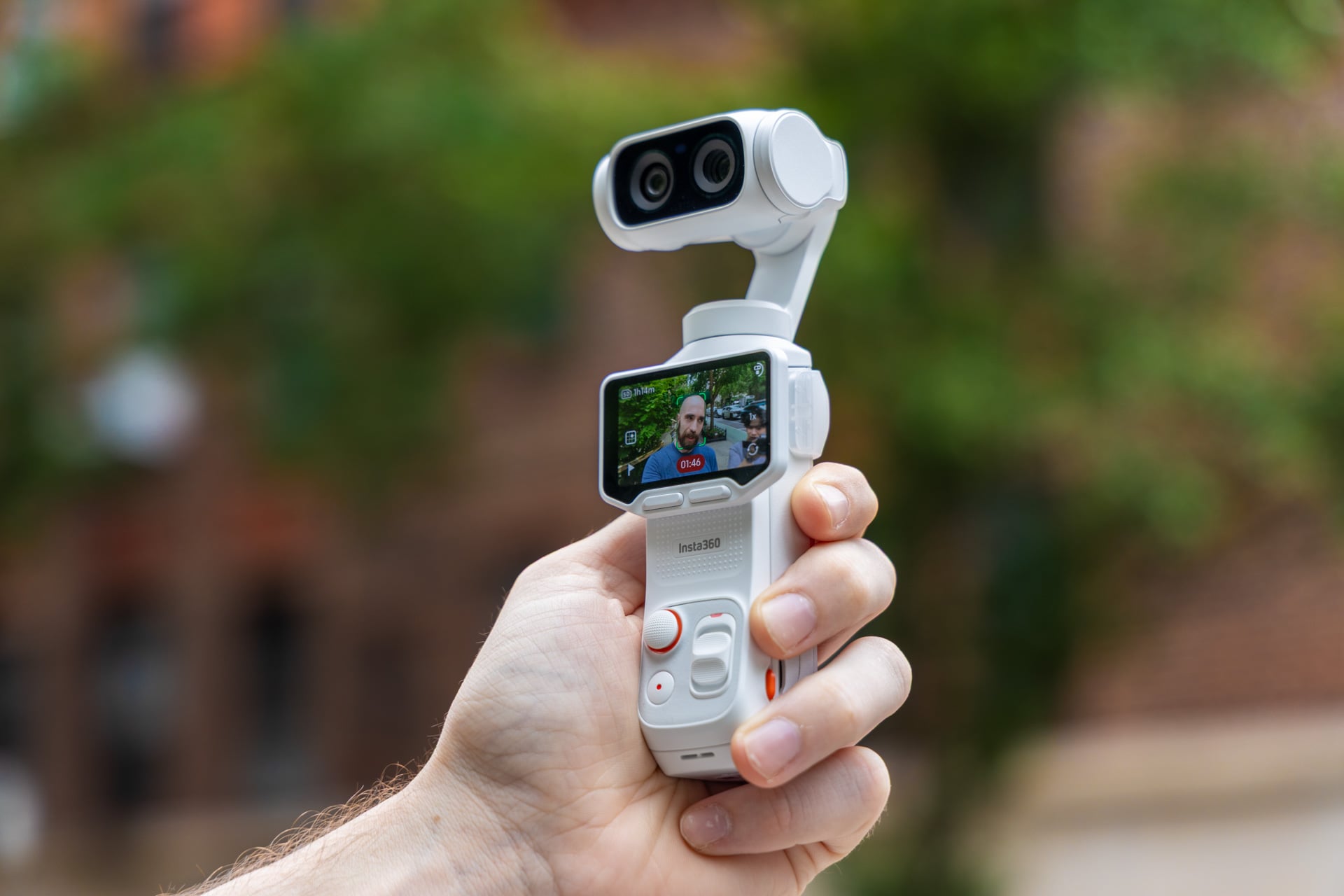
I honestly had to ask myself: Could my one camera be a vlogging cam? I still resent the very concept to a certain degree. I don’t find my life or my face interesting enough that it deserves to be tracked from every angle, capturing every moment of my bland visage’s reaction to my ordinary life, even if Insta360’s Luna Ultra makes it so dang easy—and I’ll admit it, fun—to do just that.
In my weeks of use, both in my job as a gadget reporter and in my off-time recording fights at my historical sword-fighting club, the Luna Ultra excelled. The gimbal-mounted, 8K-capable camera takes such quality video that I could treat it as an action camera, a travel camera, and an all-around lifestyle shooter. At a starting price of $770, it also costs a ton for the privilege of using it.
Insta360 Luna Ultra
It's a suprer-versatile gimbal camera you can use for more than just vlogging. You still may be better off with something cheaper.
Pros
- Excellent video quality
- Effective head tracking
- Two lenses allows for variety of shots
- Removable screen and control panel
- Long battery life
- Handy accessories
Cons
- Doesn't like non-head tracking
- Relatively limited slow-mo modes
- Pointless film reproduction modes
- Cluttered app
- Pricey
The larger problem is the lack of cheaper options, at least for the moment. The Luna Ultra is an obvious foil to DJI’s Osmo Pocket 4 and Pocket 4 Pro, so obvious that DJI sued its competitor in the U.S. over claims Insta360 violated multiple patents. Insta360 has denied those claims and countersued. So while the gimbal camera market is currently a mess, there’s actually very little choice for consumers. The U.S. government has frozen practically all DJI products from import stateside.
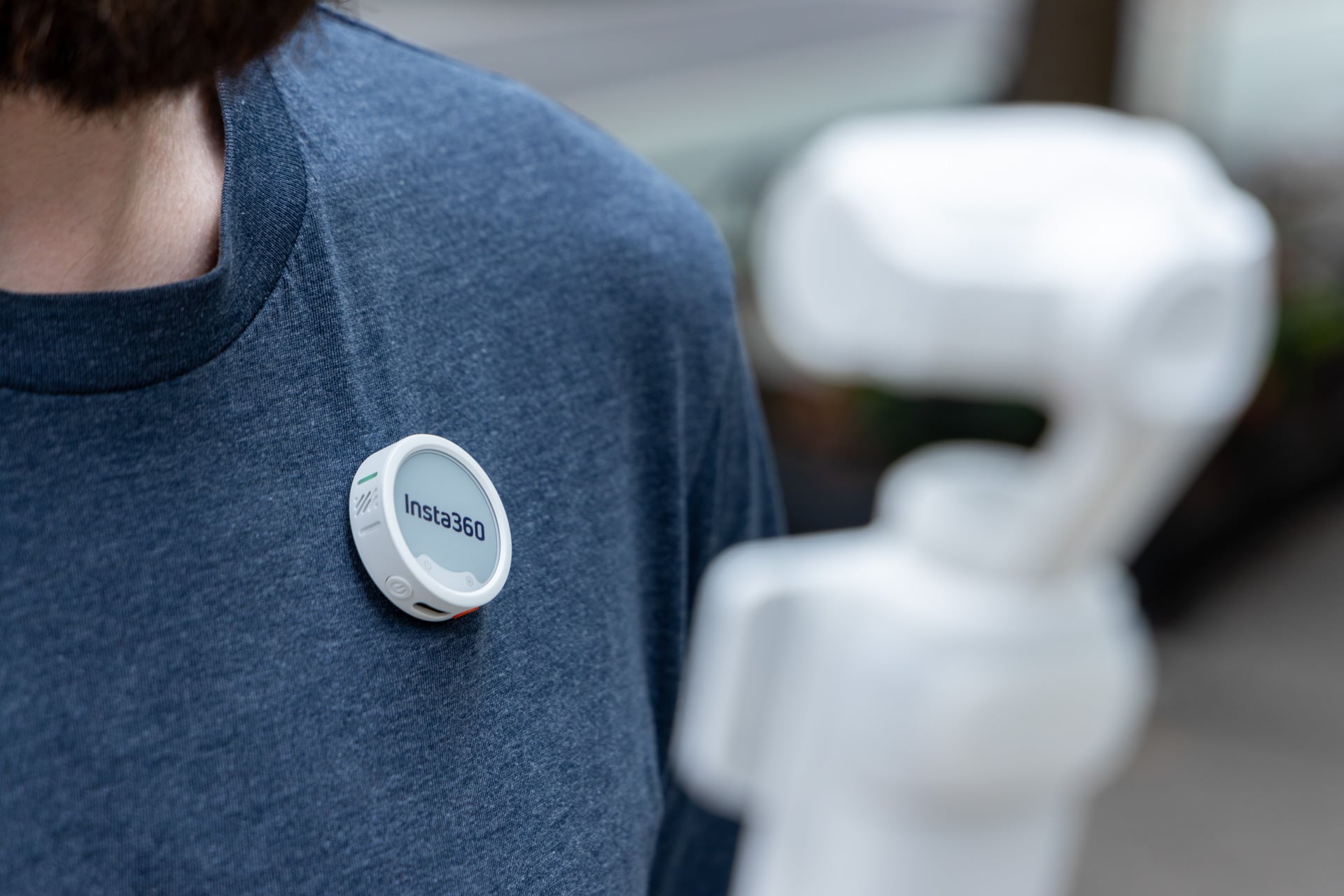
And that price may be its one, real downside. You may find there are some features on the Luna Ultra that are completely unnecessary, like film reproduction modes. So when the camera starts at $770 for the “standard bundle,” you may wish you had a cheaper option that didn’t come with the extra battery handle. You’ll have to consider its price for capabilities even more with the $970 “creator bundle” that includes a humongous disc-shaped mic, an extra, larger battery handle, and a wide-angle lens cover.
Idiot-proof gimbal shooting
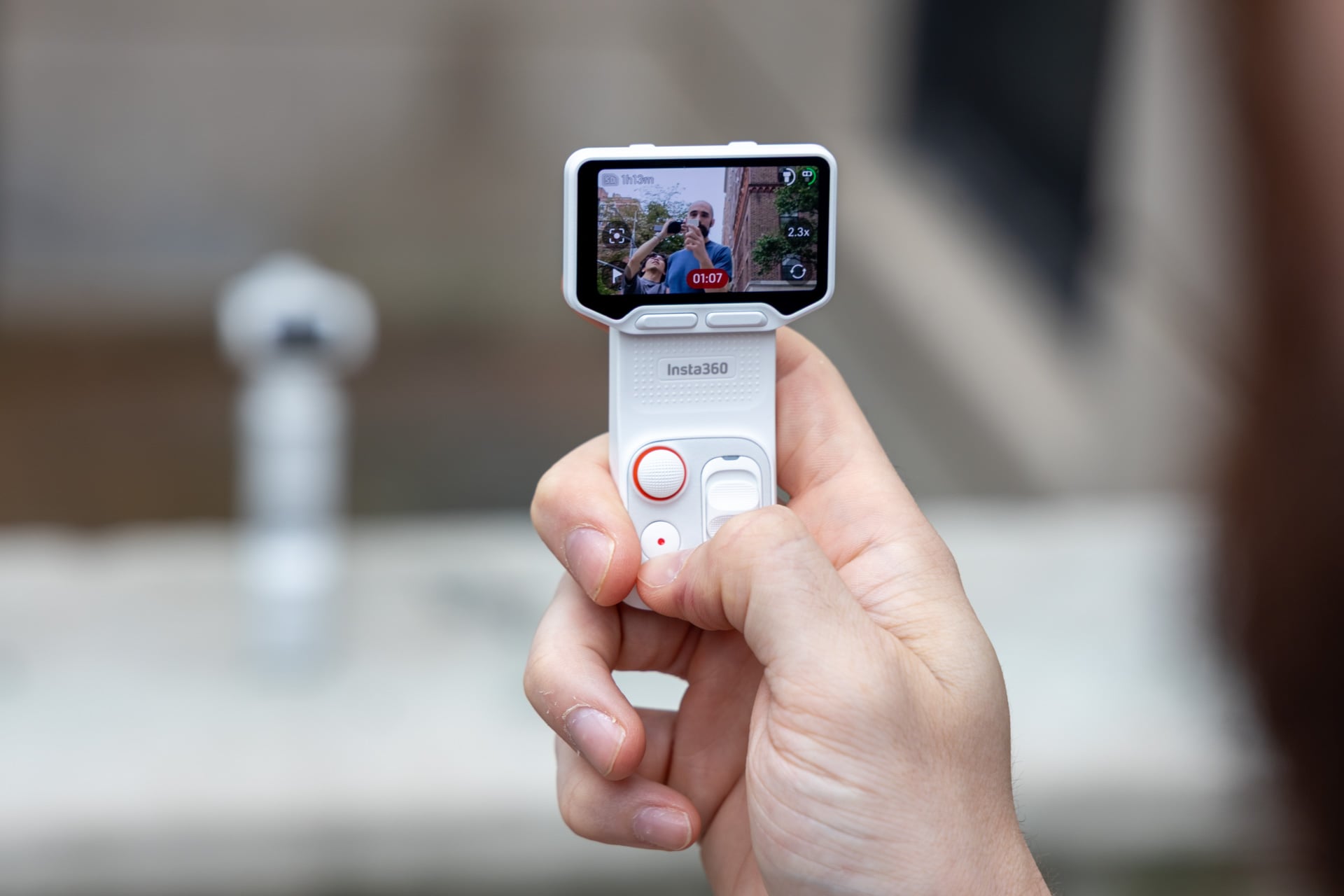
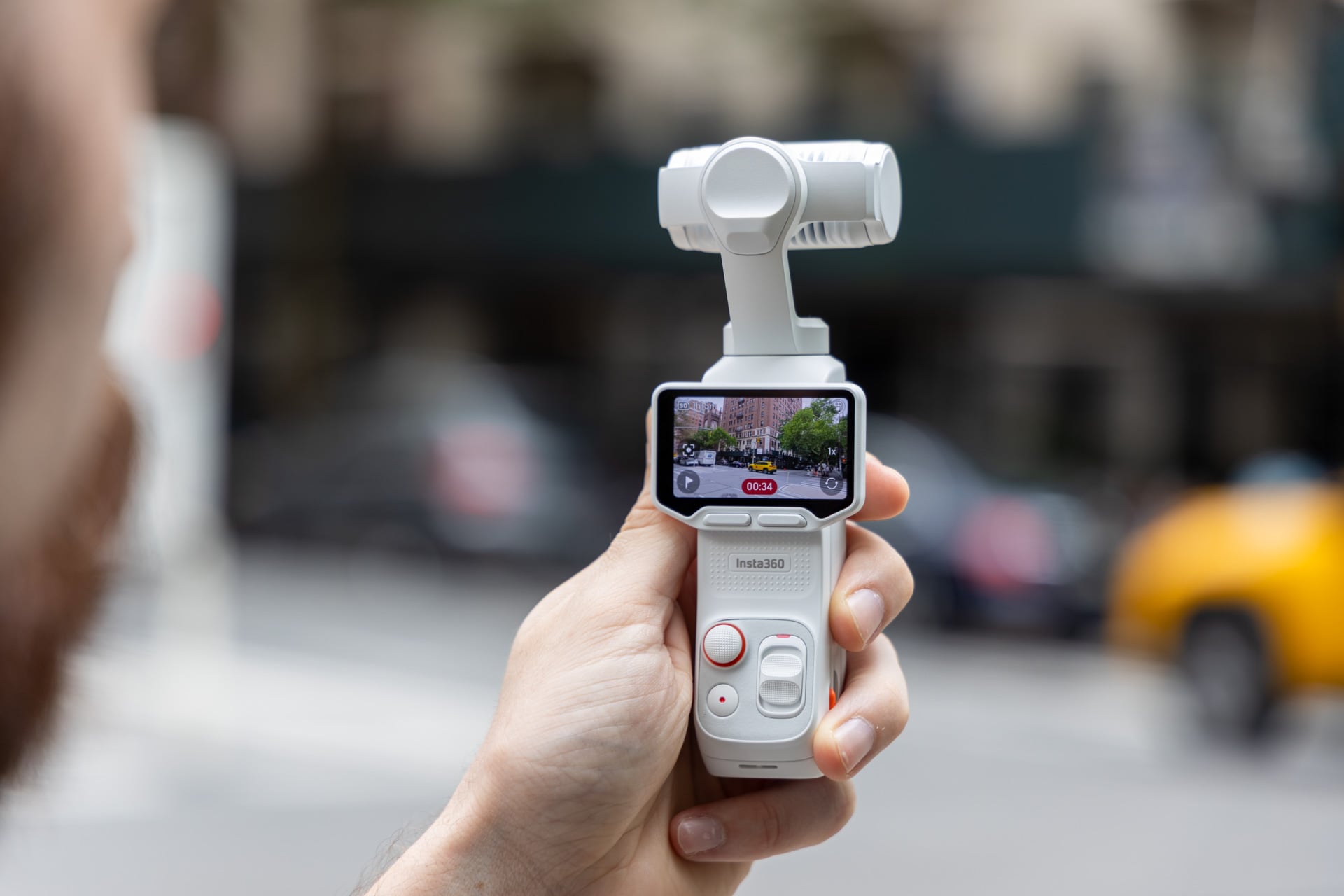
As soon as you take the Insta360 Luna Ultra out of its hard plastic case (it’s mostly there to keep you from dinging the screen or controls in your backpack), the only thing you need to turn it on is flick the OLED touchscreen horizontally. Spinning the screen vertical turns it off. Easy, right?
If you’re not used to GoPro-sized touchscreens, the number of controls on the miniscule two-inch display may seem like too much to stack in one place. The nice thing is the camera includes enough physical buttons to avoid that hassle. Alongside the record button is a zoom slider and camera control thumbstick. There are two extra buttons below the screen itself. One flips the camera to face towards or away from you. The other defaults to a selection for various film reproduction modes, which I’ll talk about later.
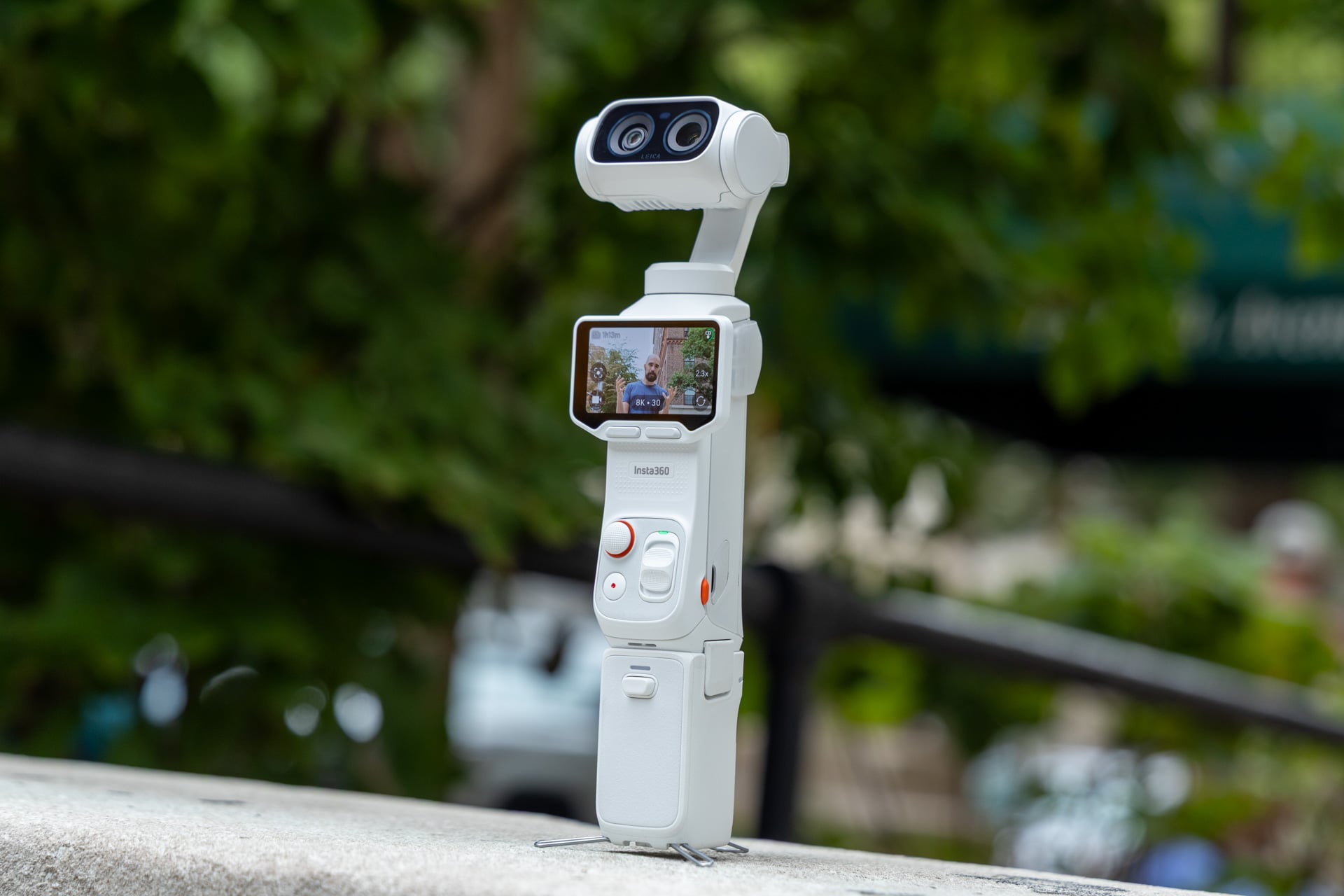
If you were looking for one feature that would set the Luna Ultra apart from the DJI Osmo Pocket 4 Pro, it’s the ability to rip the touchscreen and buttons off the camera body and still control all your camera’s functions. This one capability adds more versatility than you may realize. I can prop up the camera for a stand-up without having to run over and adjust device controls. I can even give the camera to somebody else—likely a person who doesn’t understand cameras—to hold while I work on getting the kind of shot I actually want.
There is some lag when manually controlling the camera with the screen detached from the body. The image quality when streamed from a distance also looks slightly worse on the tiny display. Neither problem is that big of a deal compared to the versatility you get from this feature.
Tracking for more than vlogging
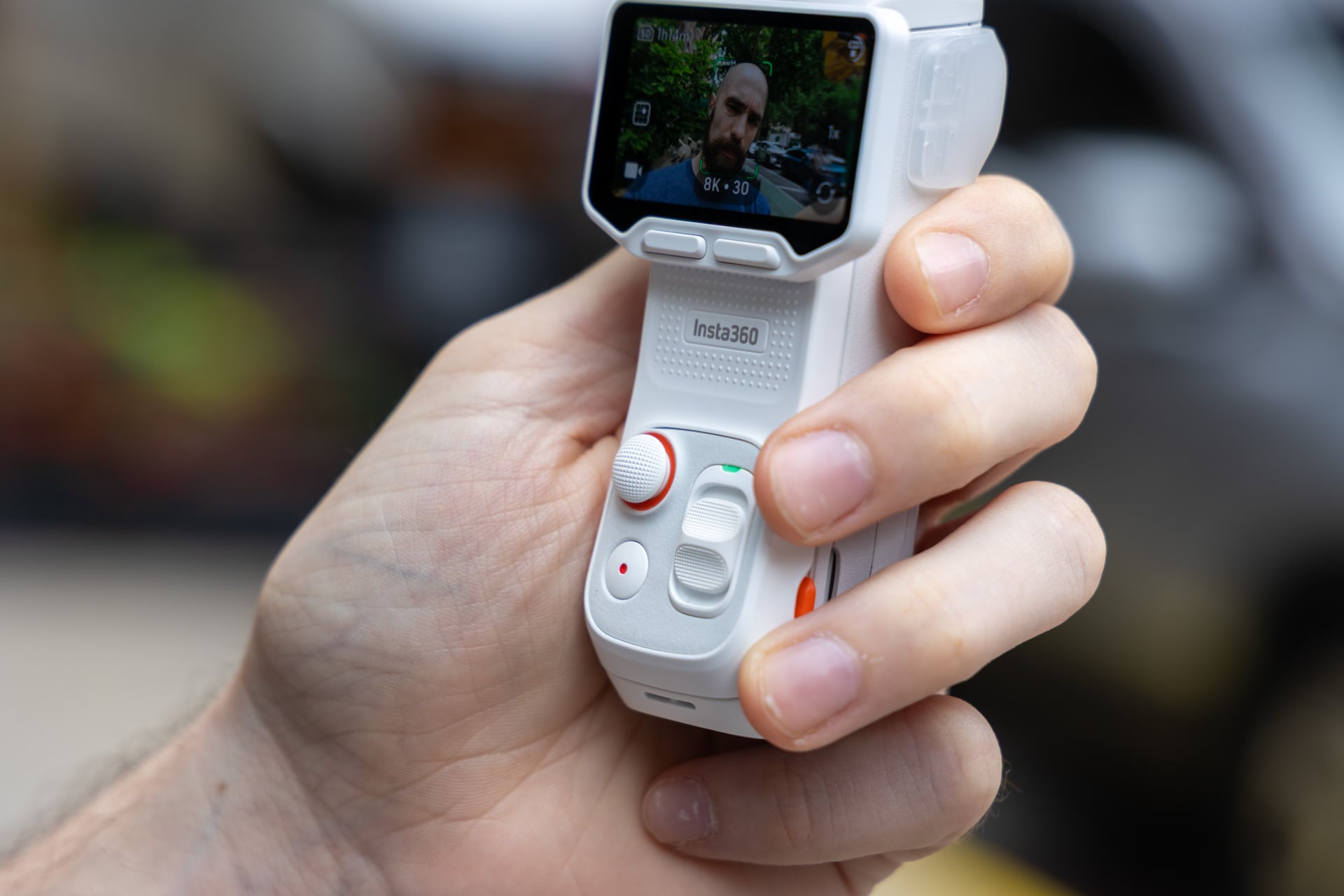
Insta360’s “DeepTrack” software is sniper-focused on capturing heads or head-shaped objects. The Luna Ultra refused to lock on to regular options if there’s a noggin somewhere in frame. This led to a few annoyances as I tried to take specific shots I thought may be cool, like tracking my friend’s sword in their hand rather than their head. On the other hand, the system will track heads even when they’re completely covered in a fencing helmet. It does it with such deftness I could focus on camera positioning rather than ensuring my subject was framed properly.
Like DJI’s pocket cameras, you can change the placement of the tracked subject to every corner of the frame. It means that I can keep my face within frame and still capture most of my environment. Again, in terms of me shooting video of fencing matches, this let me orient my subject to the top left or right of a frame, which is enough to keep both the fencer and the opponent in the shot.
Insta360’s 3-axis stabilization does a good enough job keeping videos steady when the camera is handheld. The gimbal mount works so smoothly it allows for a natural, nearly human element to each shot while still being quick enough to stay locked on to the subject as they lunge across the frame.
However, it’s not totally a set-it-and-forget-it kind of camera, thanks to its maximum degree of rotation. The gimbal can traverse from -57 degrees up to 240 degrees clockwise. That leaves a dead zone for tracking where you could lose the subject during a recording. You essentially need to keep the Luna Ultra generally facing your subject and avoid them facing 9 o’clock from the camera.
Worse, once the Luna Ultra hits its max rotation during recording, the camera will buzz violently, like your phone messages blowing up in your pocket. The vibration is loud enough you can hear it inside your recordings through the built-in microphone.
Great-looking footage with little fiddling
I can’t state this enough: the best thing about the Luna Ultra is how little you have to do to nail some detailed footage. Even under the dim fluorescent lights of a basement gym, the quality of the resulting video of my sword fights came out looking detailed, so much so I wasn’t keen on making too many adjustments in post.
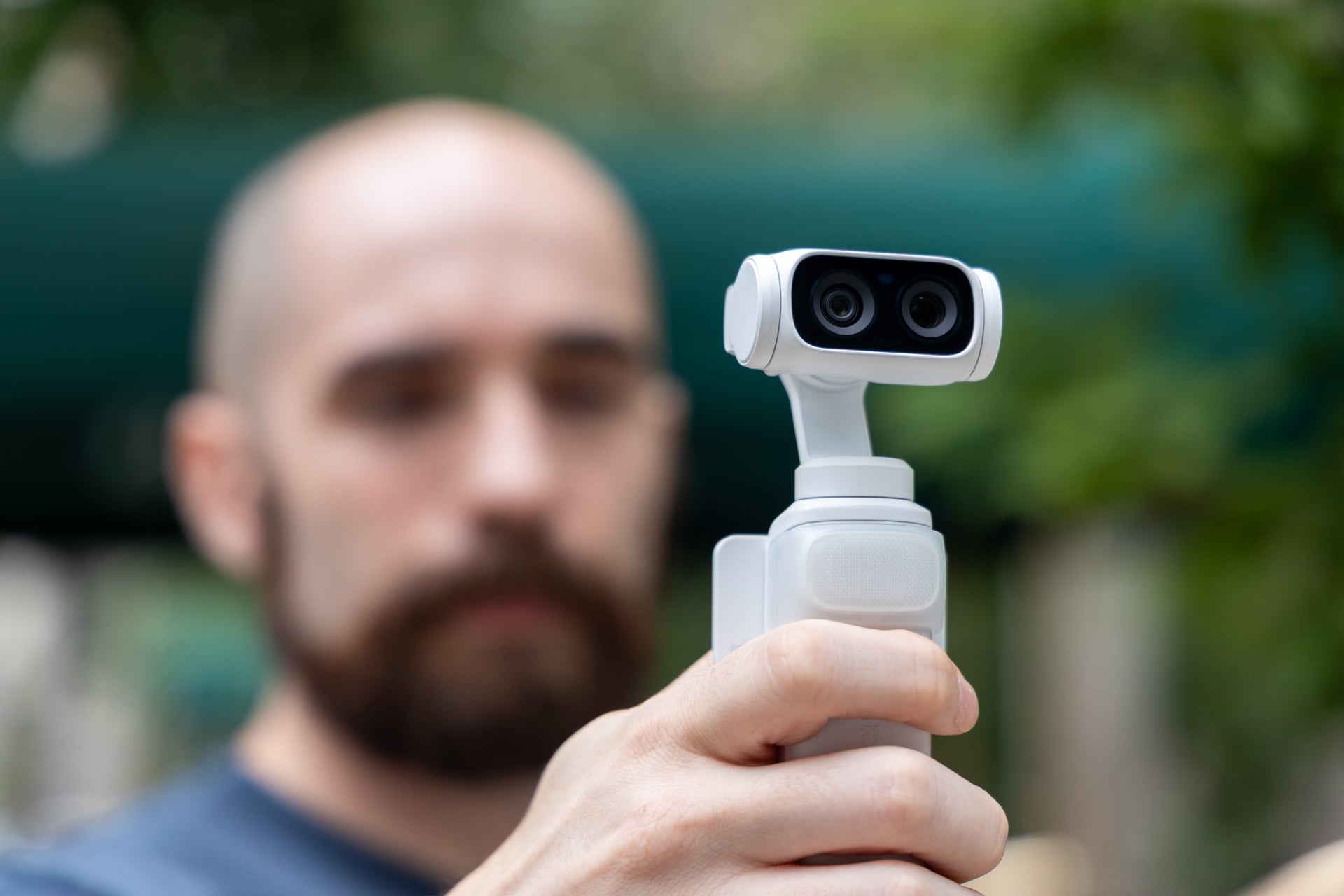
The Luna Ultra uses a 1-inch wide main sensor with an f/1.8 aperture. Next to that is a 1/1.3-inch telephoto lens with an f/2.0 aperture. These two sensors allow the camera to take quality video of both relatively close subjects and distant scenery on the fly. The different focal length on the telephoto lens can provide more depth of field, which could be exactly what you want, especially if you’re not taking shots of any silly humans in the frame.
It’s not all perfect, mind you. In my testing, I found that it took a small amount of time for the Luna Ultra to dial in the focus on close-up objects, especially if you’re moving around at a quick pace. I took some product video using the camera of Insta360’s own lineup of 360 cameras, and the resulting image could appear blurry at moments, depending on how fast I did dollied.
Different shooting modes allow for different zoom lengths. At 8K, you’re limited to 1x, 3x physical zoom, or 6x digital. At 4K, you can magnify all the way up to a 12x digital zoom. I’ve tried taking other close-up shots of other subjects, like my Warhammer 40K army set up on a table. At a distance of about a foot away, images and video look detailed. Any closer, and the camera loses clarity. For filming people with the typical two inches of headroom, this camera is better than many other options. For anything close to macro photography, you should look elsewhere.
This camera also supports automatic Dolby Vision HDR recording alongside a 10-bit I-Log capture. The colors in my video often seemed true-to-life, whether in bright or dim lighting conditions. All the video I showed in this review had minimal editing to give you an idea of what video looks like directly out of the camera. You can notice how the 120 fps slow-motion footage looks slightly worse than the regular footage in the same environment.
See Insta360 Luna Ultra at Amazon
Modes, modes, modes
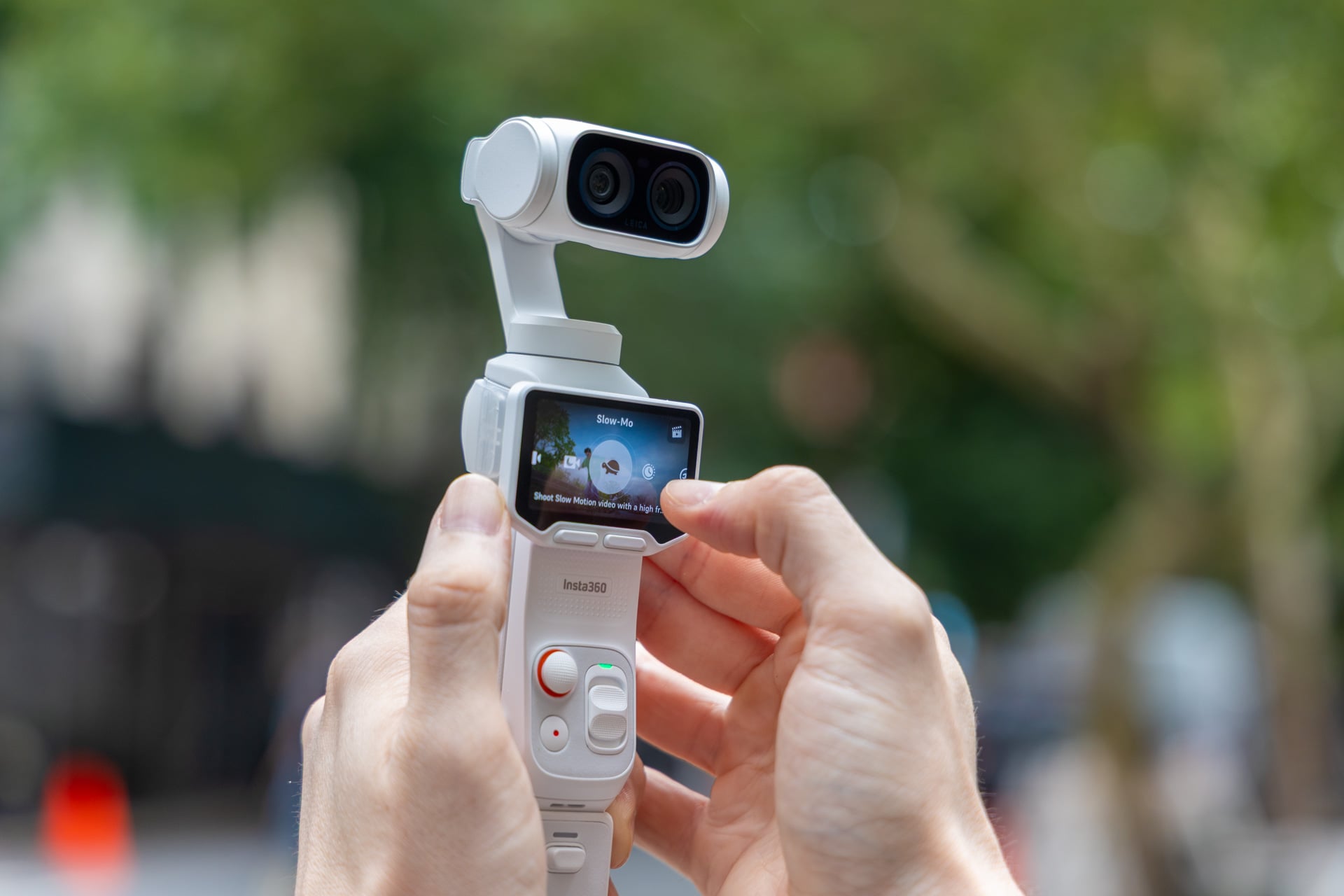
While a DJI Osmo Pocket 4 maxes out at 4K and 240 fps, the Insta360 Luna Ultra can hit up to 8K and 30 fps. What’s the point of 8K? It’s mainly for videographers who plan to crop down to more widely used resolutions in post. At 4K, the Luna Ultra maxes out at 120 fps. To get 240 fps for super slo-mo shots, you need to drop the resolution down to 1080p.
For everyday use, the base video specs will be good enough. Especially because you’ll rarely use most video modes beyond the standard video and Insta360’s “PureView” settings for low-light shooting. The Luna Ultra also has—let’s call them “interesting”—photography capabilities. The camera supports options for “Standard” 9-megapixel shots or 33-megapixel “UltraPhoto” pictures. The latter mode can take photos in square or 16:9 aspect ratios at a max 7,040 x 5,288 resolution.
Does this mean this gimbal camera will replace your phone sensors for taking photos of your next brunch meal? Potentially. The photos I took with Luna Ultra came out nice, but not nice enough to abandon my favorite pocket-sized mirrorless cameras.
The Luna Ultra also features continuous slow-mo video (again, maxing out at just 120 fps). There’s another time-lapse mode and an automatic panorama still-frame shooting mode. This will take a near 360-degree photo of your surroundings, and it does the job without needing to hold your phone steady while you shuffle to capture your vista.
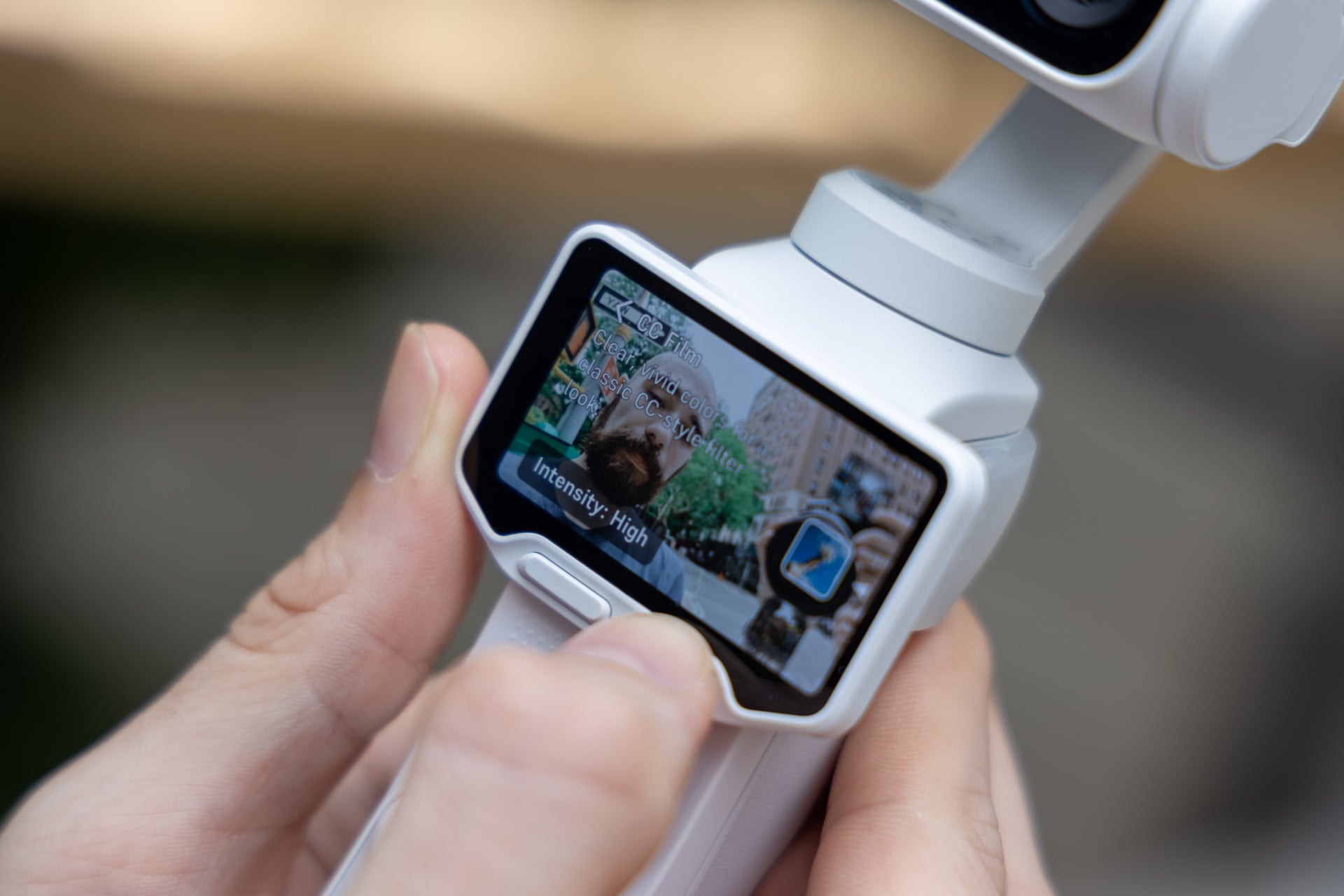
Insta360 also has a few extra “Shot Lab” video modes, like an automatic barrel roll and “slow-mo live” that make use of the gimbal camera. The former is exactly what it says on the tin, but the latter is only a mere “live” photo that won’t be very useful to professionals and laypeople alike.
Finally, we come to the Leica photo reproduction modes. This feature is akin to the filters you find on most modern Fujifilm cameras, but since Insta360 promotes that Leica helped create the Luna Ultra lens, you’ll find options for “Leica Natural” and “Leica Vivid.” I personally prefer the oversaturated look of “Cinematic” or “POS Film,” but what’s really missing is any variety of black and white reproduction for either photo or video. You also can’t use these modes except when filming in 4K resolutions or below, and then only up to 60 fps.
A long-lasting battery and a bigger price tag
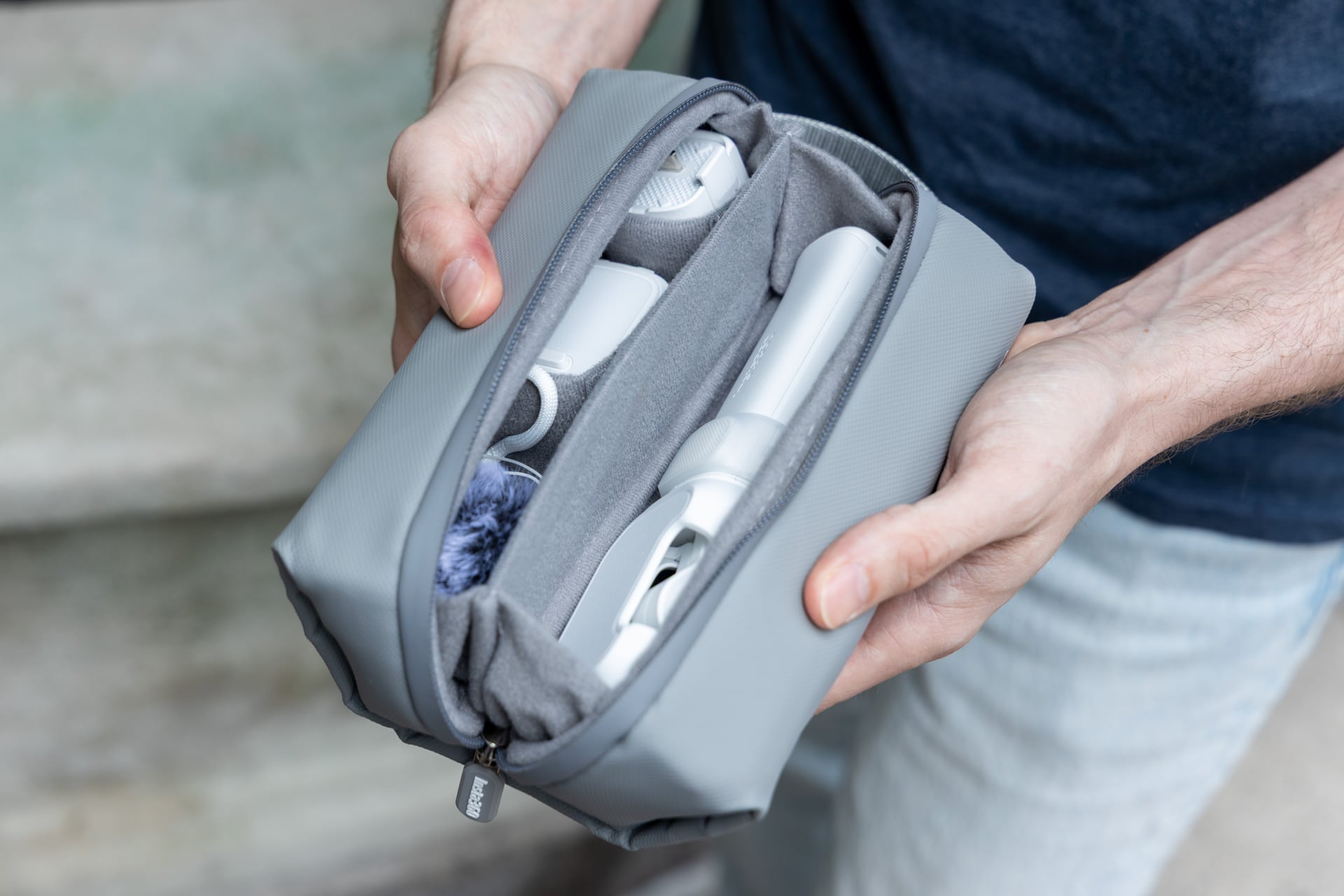
The Insta360 Luna Ultra could get toasty in my hand after more than an hour of continuous filming, but it wasn’t uncomfortable to the point I needed to put it down. For shorter stints, this camera will last you a long while, as well. The main gimbal body’s 1,550mAh battery capacity meant I could keep filming for upwards of three hours without having to plug in one of the extra battery stands.
The screen has its own separate 210mAh battery, so you can’t keep it off the device for too long without potentially losing your shot. Still, there was never a time I found myself lacking juice. The creator bundle Insta360 sent me for review includes two extra battery stands that double as quick and dirty tripods. There were few moments in my time with this camera that I needed to even think about charging it from an outlet.
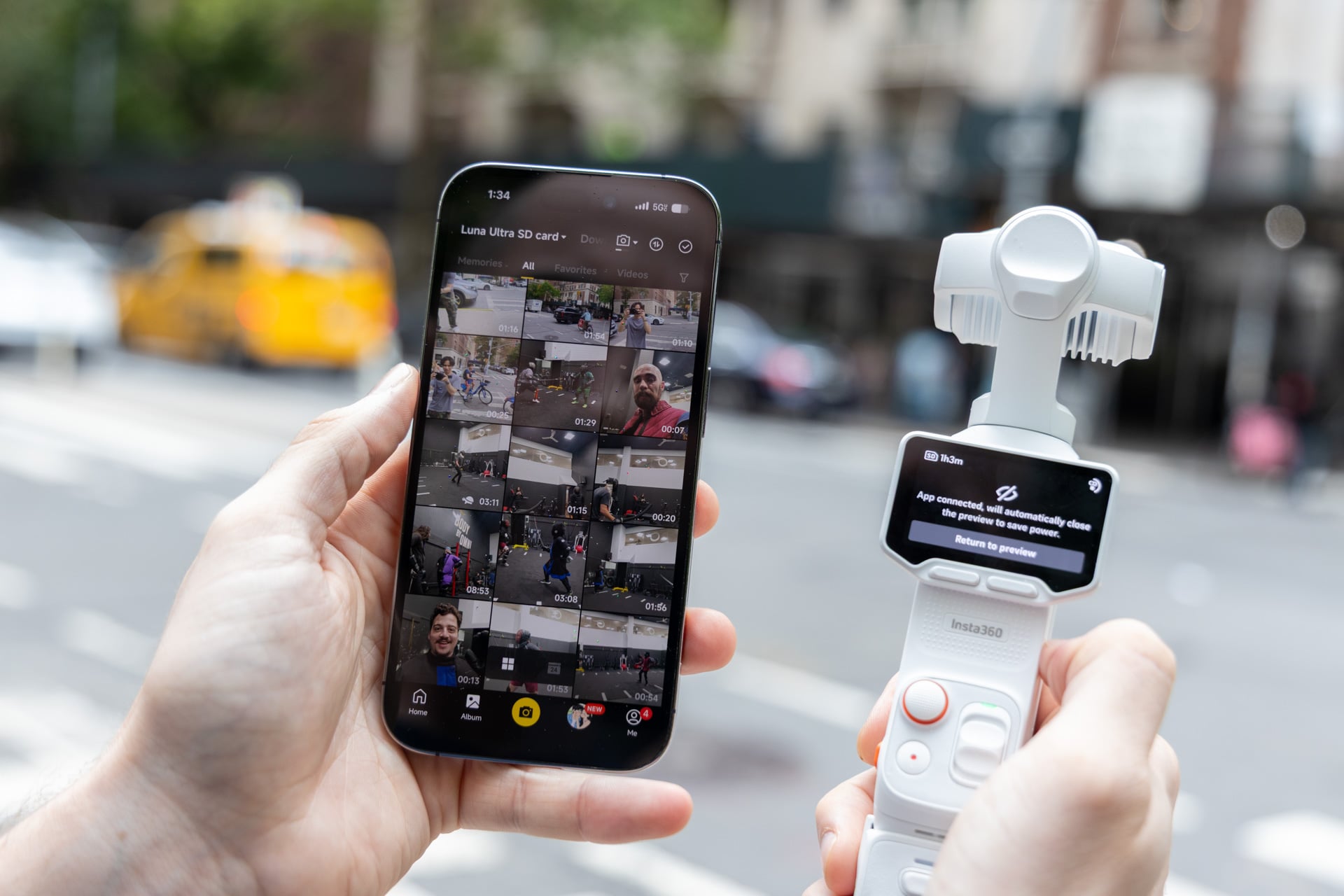
If only Insta360 put a little more thought into how this device interacts with the app. The Insta360 app is a clogged amalgamation of social content and device controls. Once you move past the “For You” tab and get to actual device controls, you can peruse your recorded videos and make some quick edits before uploading to your socials. This works well enough for quick and dirty videos, but you’ll still need real editing software not made by Insta360 to make your videos actually stand out.
The Luna Ultra is obviously geared toward content creators. DJI’s Osmo Pocket series built its brand on affordability and availability. Insta360’s gimbal camera with all the accoutrements is so dang pricey that I wouldn’t normally suggest anybody who’s not serious about content creation even consider it. You don’t need 8K if all you plan to do is upload your inane thoughts to Instagram or YouTube.
At the same time, the Luna Ultra is so versatile; I’ll inevitably miss features like the removable controls if I decide to opt for a camera I could actually afford. I’m drawn to “the best gimbal camera” with the same sense of foreboding I feel when I investigate my wallet and the lack of bills stacked inside. But if the choice is between an expensive GoPro, an expensive 360 camera, or an expensive DSLR, I would probably opt for the Luna Ultra.