The Steam Frame launch is so imminent that Valve accidentally shared a mountain of videos detailing how to unbox, set up, and use the gaming-focused VR headset. Valve’s design chops already have us excited enough to return to PC VR, even though we can all feel ourselves dreading the inevitable price reveal.
Valve published these videos to the ARM Steam client Wednesday morning, then quickly deleted them. Of course, the internet was quick on the draw and ripped the videos for your perusal. Of the eight videos available, some describe how users can replace the padding and light guard around the nose to better block out light, while others grant a few extra details we wouldn’t be able to tell by pictures alone.
STEAM FRAME UPDATE:
The ARM Steam Client had an update this morning that contained these videos. It was quickly pulled after that, but of course people managed to grab them. These are videos that detail the unboxing, sign-in, and setup of the Steam Frame. pic.twitter.com/AAFk5D69eJ
— Steam Hardware Updates (@HardwareSteam) August 19, 2026
One of the unboxing videos spells out how the Steam Frame uses the back headstrap as a battery compartment that you’ll need to charge using a USB-C cable. The Steam Frame only makes use of a small 21.6Wh battery, nearly half the size of the Steam Deck’s battery. This means you’ll have to plug it in often for native gaming or hope that the streaming battery life is much better. For comparison, the Meta Quest 3 relies on an 18.9Wh battery, while the Quest 3S uses a 16.74Wh battery. You can normally get between two and three hours of gameplay in either headset.
Speaking of streaming, Valve is supplying its headset with a wireless dongle you can plug into a suitable gaming PC to enable remote play. Valve says the headset relies on the adapter link, your home Wi-Fi, or both to get the best low-latency connection. The Steam Machine has this connector built in, so no extra dongle is required. Valve’s Great on Frame page shows a little more than 70 games that are compatible directly with the headset. You’ll need to rely on streaming for all other compatible titles.
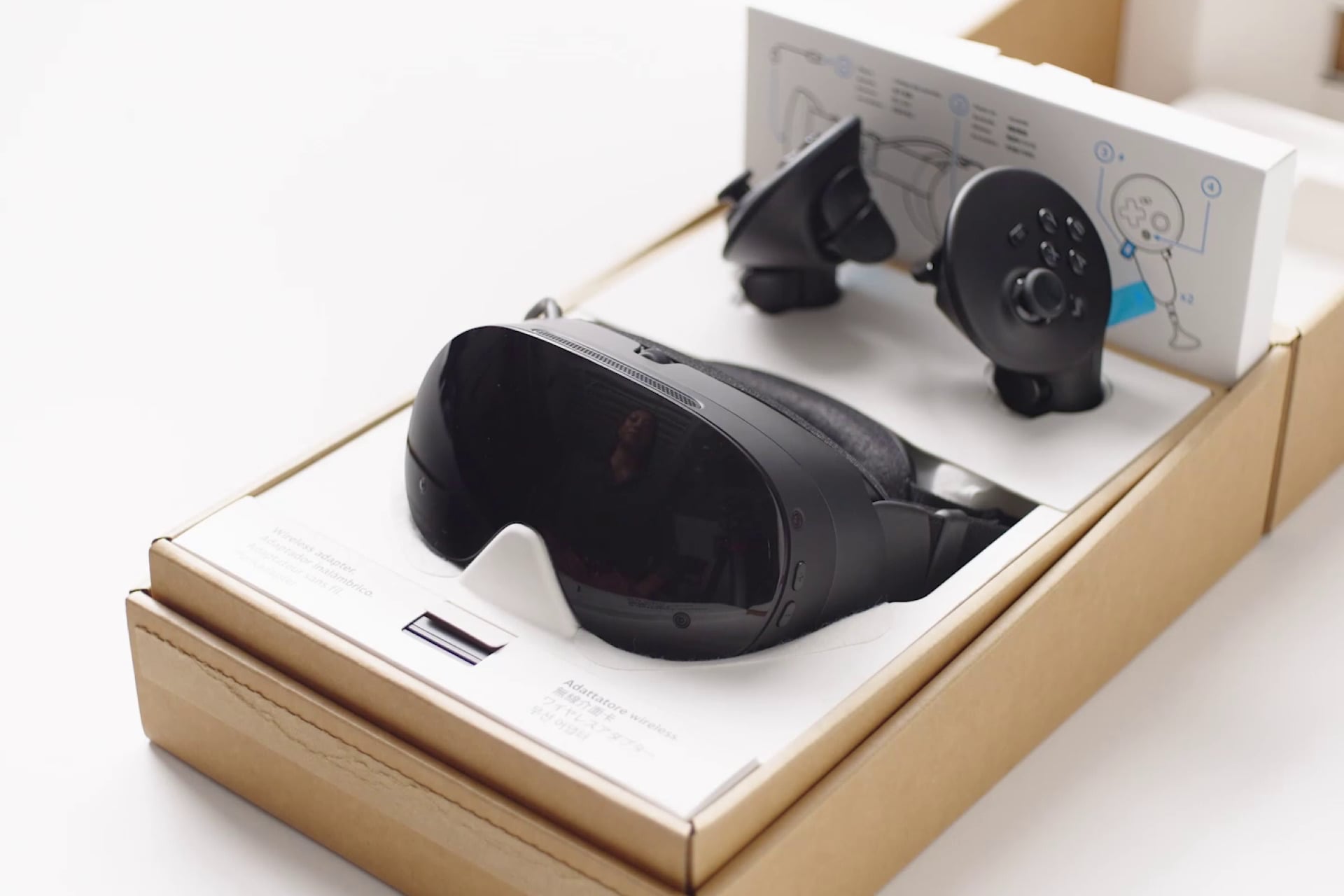
Valve may ship a separate Ergonomic Accessories Kit bundle that appears separate from the Frame. That kit includes VR controller hand straps and an additional strap to take some of the weight off the back of your head and nose.
Another video shows how the Steam Frame does not use an automatic mechanism to adjust IPD (interpupillary distance) for its internal displays. Instead, there’s a manual wheel on top of the headset you can use to help focus the picture for your eyes. Older headsets like the HTC Vive Focus featured automatic IPD adjustments. However, Valve’s headset features an IPD lock to keep your settings in place for future play sessions.
I like how they admit that this way to login is fucking weird https://t.co/xHDfqbFNgg pic.twitter.com/X4F3jZAlBS
— Brad Lynch (@SadlyItsBradley) August 19, 2026
Signing into your Steam account on your Steam Frame may not be as easy as you suspect. Sure, you can type out your username and password using the VR controllers to click on a virtual keyboard. You could also use your phone’s mobile app, go through the Steam Guard tab, and log in to the headset. The most ludicrous way to sign in is by generating a QR code on the headset, then zooming in using your phone’s camera to the Steam Frame lens to take a picture of it. “We’ll be honest, this is a weird way to sign in,” Valve admits.
Valve designed the Steam Frame around traditional VR gaming, and it shows. The device does not support color pass-through for any real AR (altered reality) content. And despite that, we can’t help but be worried that it may cost much more than a $550 Quest 3. The Steam Machine’s $1,050 launch price already set low expectations, but recent spikes in memory costs and Qualcomm chip prices aren’t helping matters. We’ll just have to wait and see.