
When you travel outside the US, you’ll notice that Peacock streaming no longer works. Many are looking for ways to watch Peacock TV outside the USA, but often without success. To make this possible, I use a Peacock VPN, which essentially changes my IP address to the USA and makes me appear as if I’m there. It’s how people unblock US TV channels abroad and watch them in the UK, Mexico, Australia, and other countries where they’re unavailable. Here’s how everything works.
How to Unblock and Watch Peacock Outside USA: Updated October 2026
- Get a VPN that gets Peacock unblocked easily and isn’t detected. We recommend NordVPN at 75% off and 3 free months.
- Set up the VPN on your device(s).
- Open the VPN and connect to a US server.
- Go to Peacock, sign in, and watch anything you want.
Watch Peacock Abroad With NordVPN
Peacock requires a US credit card for subscription, so this trick for Peacock streaming works primarily for US residents abroad. If you don’t have a US payment method, you must use a virtual credit card or a Peacock TV gift card.
Why Peacock Streaming Won’t Work Abroad
When you visit Peacock, the website immediately picks up your IP address. Once this is done, the next step is to check the origin of this IP address. If it belongs to the United States, great, you’re welcome. If not, you see this:
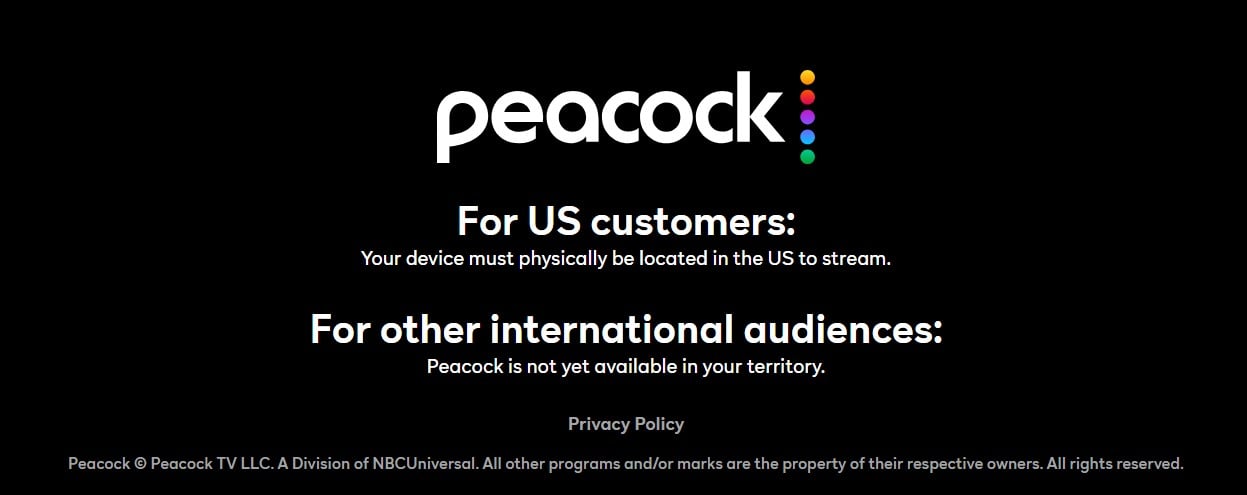
Peacock primarily works in the USA due to complicated licensing agreements. Copyright holders whose content is on Peacock dictate how and where that content will be displayed. So far, it’s impossible to watch Peacock outside the US, except in a few countries like Puerto Rico, Guam, American Samoa, the Northern Mariana Islands, and the US Virgin Islands. So, how to unblock Peacock abroad?
With a VPN. There’s no two-way about this. You need a US IP address from a good VPN to watch Peacock TV abroad. During my stay in the UK last month, I tested 15 VPNs to try to watch Peacock in the UK cities (London and Manchester). I realized that NordVPN was the best option for unblocking, watching videos in high resolution, and usability on all devices that support Peacock streaming.
Peacock Unblocked: How to Watch Peacock Abroad
First, get NordVPN. You can subscribe below and get a 75% discount on a 2-year plan with 4 free months. From here, it’s easy: Download, install, and run NordVPN on the device you’ll use for Peacock streaming. Simply sign in with your credentials made during subscription, and you’re all set.
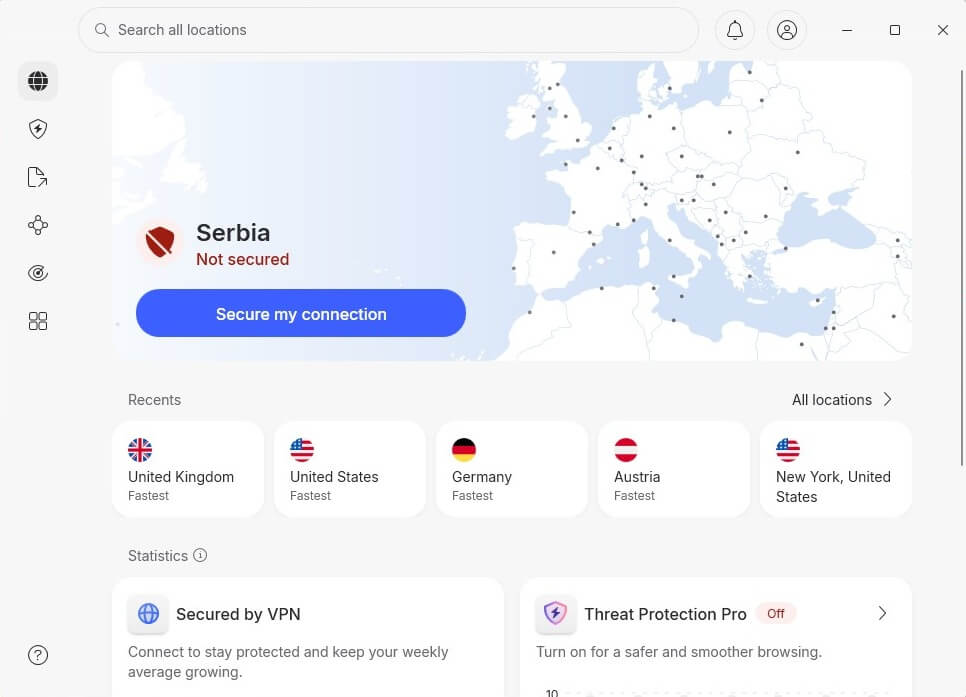
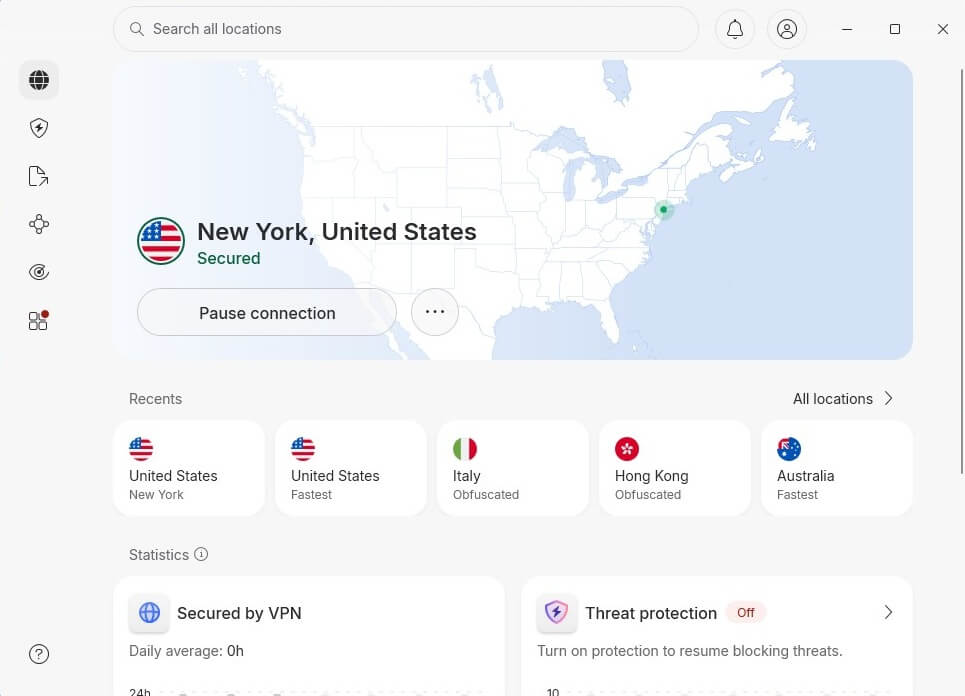
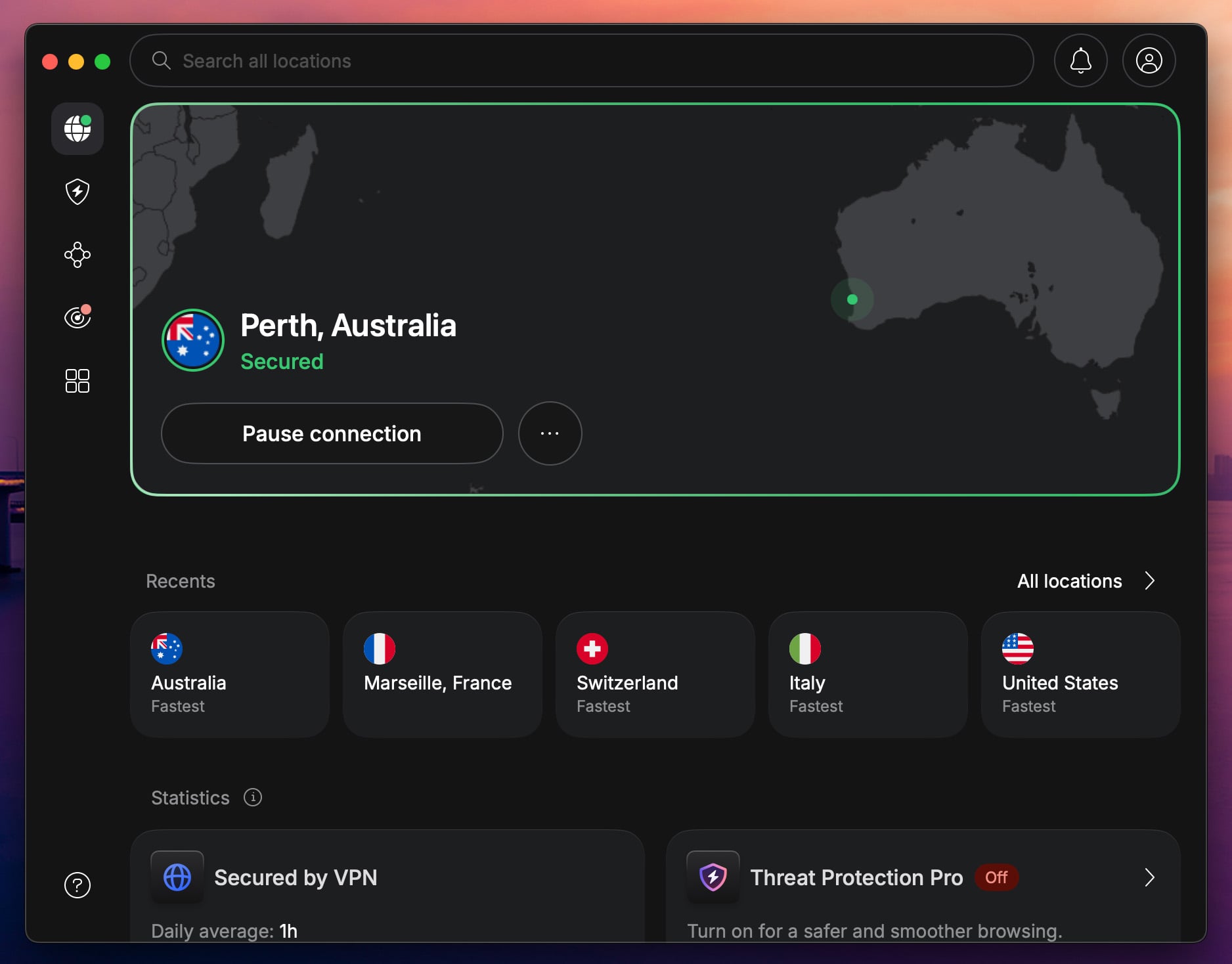
Peacock works in the USA, so to watch it, get a US IP address. Click All Locations in NordVPN, and the USA should be up top. Click on it to connect.
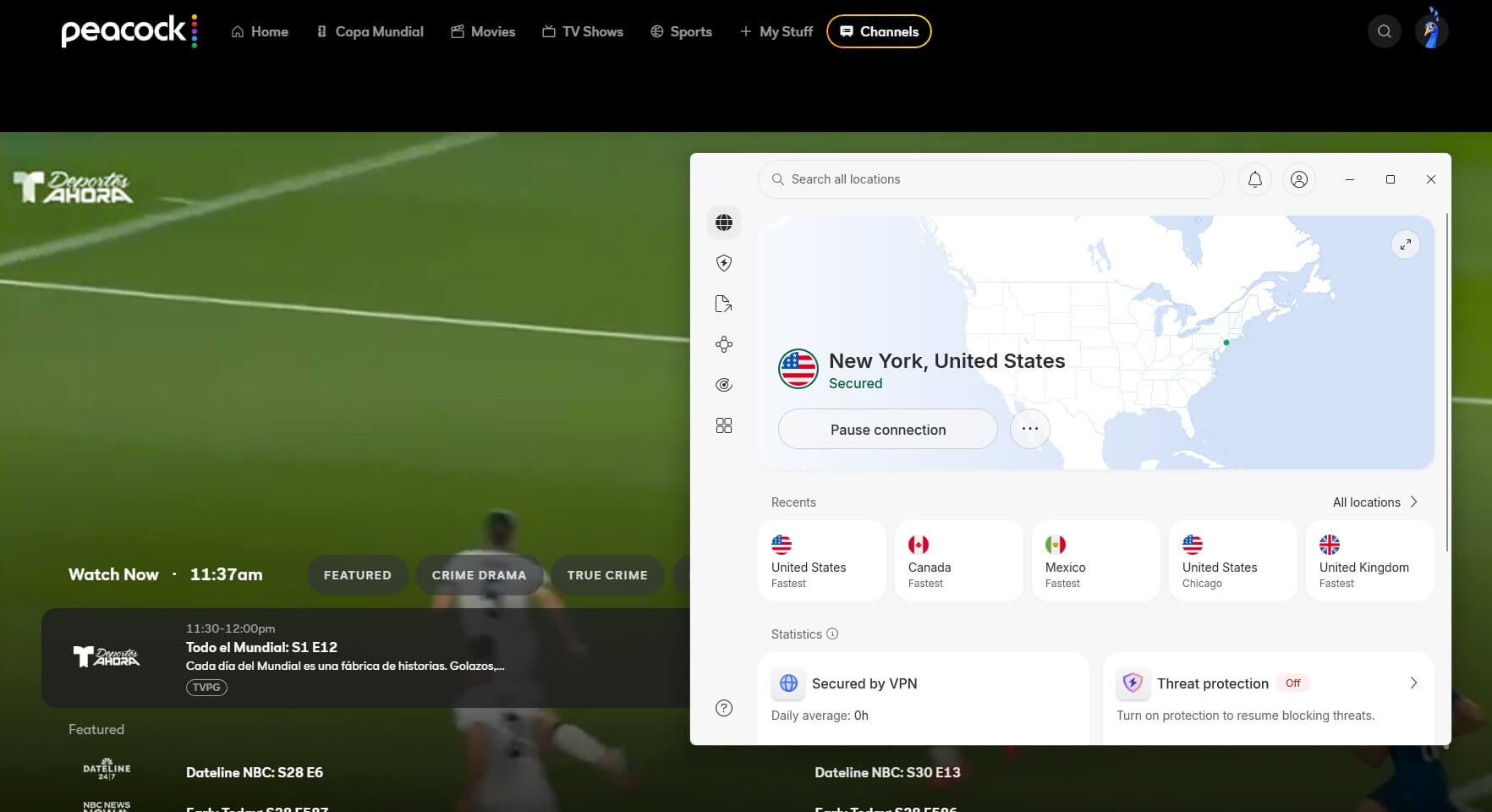
It’s time to go to Peacock and sign in to your account. Instead of the usual error message, you’ll see the home screen. After signing in, you can watch all the movies and series from before. Even sports live streams will work, and my screenshot of Peacock unblocked below shows you everything.
Peacock Outside the US: Will it Work Elsewhere?
It will, but only in certain U.S. territories. That’s why most people struggle to watch Peacock outside the USA. At the time of writing, this streaming service works in the United States and its territories, such as:
- Guam
- Northern Mariana Islands
- American Samoa
- Puerto Rico
- US Virgin Islands
If you’re there, you don’t need a VPN for Peacock. Simply register an account, subscribe, and you’re good to go. It’s worth explaining that Peacock’s library in these countries may differ from that in the United States. However, you’ll still get most of the content, especially content belonging to the NBC, Peacock’s parent company.
Best Peacock VPN to Unblock it Outside the USA
With a VPN, you can watch US TV in Mexico (Peacock won’t work there), stream Netflix, and download torrents. Good VPNs are hard to come by, so I don’t advise using any random VPN for this scenario. I tested 15 while I was in the UK, and these 3, including NordVPN, checked all the boxes, and more.
1. NordVPN: Best Streaming VPN Overall
Pros
- Many US servers
- Fastest VPN in tests
- NordLynx protocol
- Traffic obfuscation
Con
- Higher prices
My #1 VPN for Peacock streaming is NordVPN, due to its SmartPlay technology that blends Smart DNS with a VPN for easy unblocking and smooth streaming. I tested this VPN even on Netflix US in the UK, and it just worked flawlessly. Speeds are on point, and from the UK, I used the NY VPN server, losing only 9% of the initial speed. That’s more than enough for 4K streaming on any platform.
During tests, NordVPN also blocked trackers and ads for me, though some content on this streaming service politely asked me to turn off my ad-blocker. NordVPN offers no data cap, and with its NordLynx protocol, speeds are consistent. One huge plus was its compatibility with all devices, allowing Peacock streaming even on my Galaxy S26. NordVPN also protects 10 devices at a time in every plan.
It starts at $3.49/mo for the Basic plan, which I found to be sufficient for this case. While its higher plans offer more security features, to unblock Peacock TV outside the USA, you don’t really need them. What you may need is a free trial VPN, and NordVPN has a 3-day offer for those who sign up on Android.
2. Proton VPN: Fast and Secure VPN for Unblocking US Platforms
Pros
- Stealth obfuscation
- 6,000+ US servers
- Audited no-log policy
- Streaming optimization
Con
- No SmartDNS
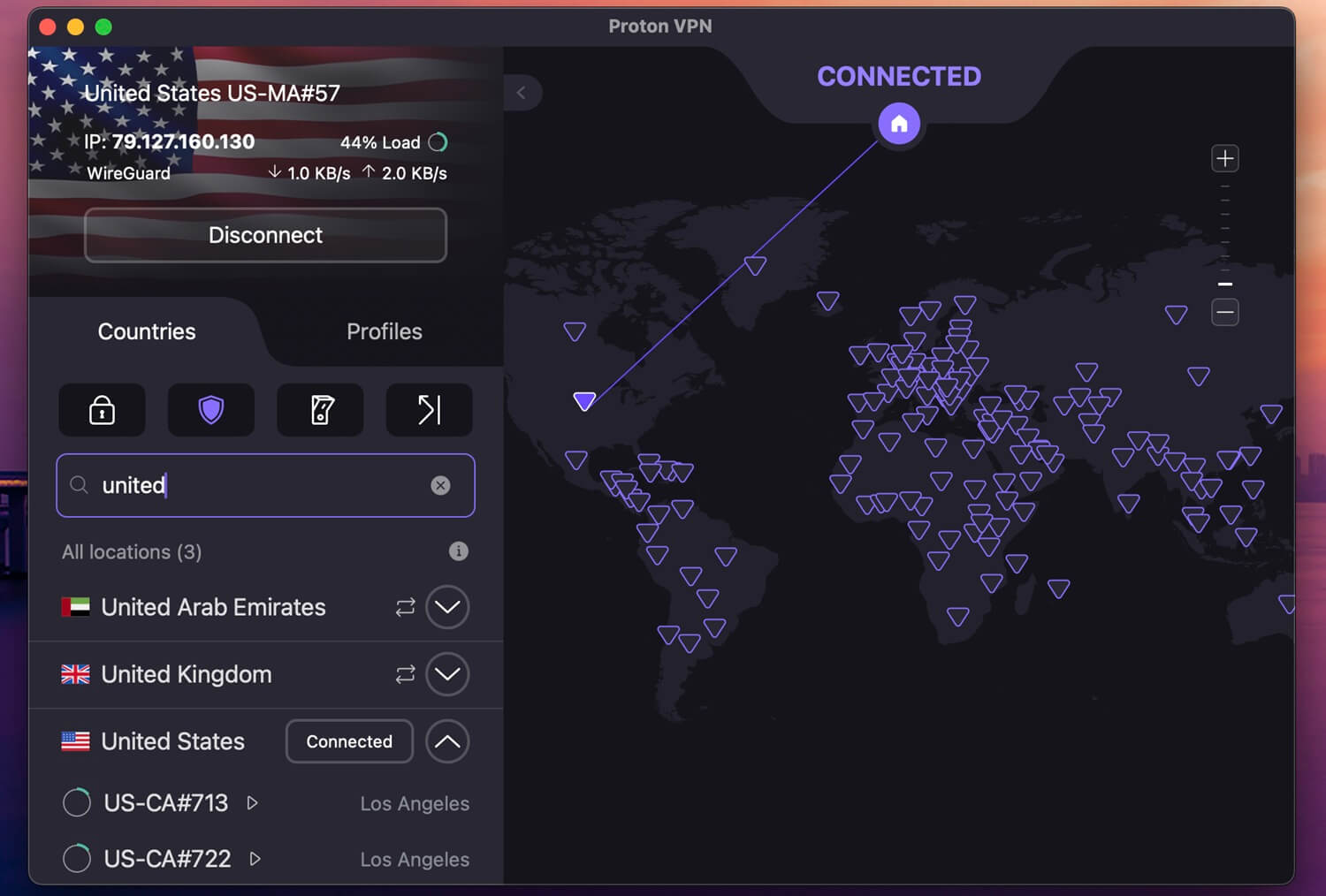
Proton VPN is mostly privacy-focused, but its streaming prowess is undeniable. You get over 6,000 servers in 22 locations in the USA, all optimized for streaming, unblocking, and very fast speeds. I tested the NY server again, using WireGuard + VPN Accelerator, and I lost only 11% of the initial speed. That’s a solid result that Proton VPN replicated during my multiple attempts, so it was very consistent.
Proton VPN’s apps are simple to set up, and while a bit complex for beginners, it’s something you get used to after a while. The VPN lets you optimize connections for streaming, P2P, or even gaming, by prioritizing specific servers and settings. It’s a good VPN for gamers, but I also find it great for overall privacy, thanks to Secure Core servers and a no-log policy. The price isn’t that high, either.
It starts at $2.99 per month for the 2-year plan, offering a 30-day money-back guarantee and a free plan with US servers, though it can’t get Peacock unblocked. But even then, at $3/mo, you don’t spend a fortune.
3. ExpressVPN: Top Option for Smooth Ultra HD Streaming

Pros
- Cheap introductory deals
- SmartDNS is included
- Stable and fast speeds
- Blocks ads on all sites
Cons
- Lacks advanced features
- Higher-priced renewals
ExpressVPN is a cheap VPN for Peacock that simply works. Lightway Turbo, a fast protocol, is built for 4K streaming. On the NY VPN server from the UK, I lost 9% of the initial speed, on par with NordVPN. When I tried to watch Peacock TV abroad, I unblocked it easily, and with no buffering on the screen, the experience was peak. ExpressVPN offers 62 locations in the USA alone, so finding a server is easy.
One of my favorite features, Advanced Protection, blocks ads and trackers on streaming sites. Meanwhile, there’s SmartDNS optimized for US streaming services, usable on all devices that don’t natively support VPNs. ExpressVPN lacks advanced features, but to stream Peacock in the UK or abroad, you don’t need them. Thankfully, the price isn’t high for what you get, and there are some good discounts.
I specifically recommend the 2-year Basic plan with 4 free months at $2.49/mo. ExpressVPN offers only the basics, but that’s all you really need. If you’re unsatisfied, you have 30 days to get a refund and lose nothing.
Peacock Subscription: How Much Does it Cost?
If you’re willing to subscribe, it’s one of the least expensive US-based streaming services. The Select plan at $7.99/mo or $79.99/year is the least expensive, but limited and supported by ads, so the experience isn’t optimal. My personal favorite is Premium at $10.99/mo or $109.99/year with live sports, NBC content, Hit Films, and many other premium perks.
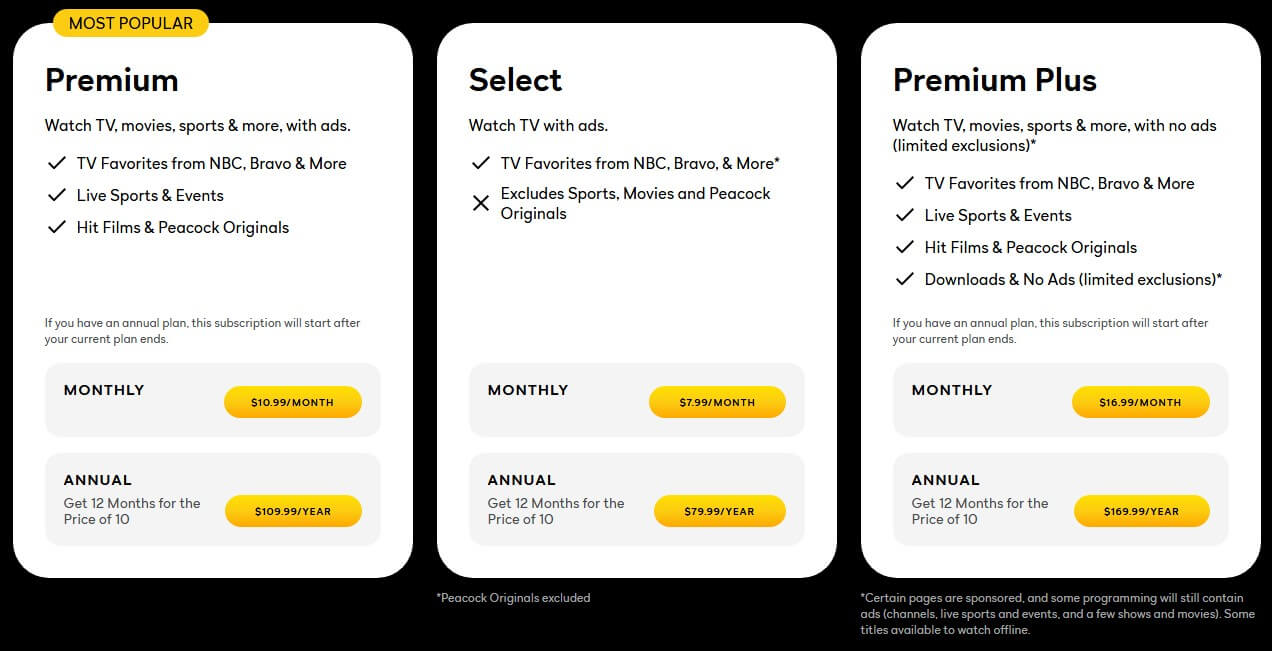
The highest-tier plan is Premium Plus, at $16.99/mo or $169.99/year, entirely without ads, and with the ability to download content for offline use. The streaming site includes a few bundles. For example, you can get it with Apple TV, which includes Apple Originals without ads and new releases every week.
Conclusion
Peacock is available in the USA, and the situation won’t change. The only way to watch it elsewhere is to use a VPN, and I’m afraid it’s non-negotiable. NordVPN is the best Peacock VPN you can use, with fast US servers, consistent unblocking, and unlimited data. My other favorites are Proton VPN and ExpressVPN, all built for HD streaming, security, and with the ability to bypass strict geo-blocks. Don’t forget that you can test all three for 30 days with no financial risk (money-back guarantee).
Watch Peacock Abroad With NordVPN
Frequently Asked Questions
💂♂️ How to watch Peacock in UK?
With a VPN. Since it works only in the USA and some of its territories, you must have an IP address from one of them. It's recommended to use a US IP address to unblock the service and access all of its content. The best VPN that truly works here is NordVPN. It unblocks the site and lets you stream smoothly, even in the highest possible video quality.
🪇 Does Peacock work in Mexico?
No, it doesn't. If you're in Mexico, you still must use a Peacock VPN to unblock it. Use it by connecting to a US server to get this IP address. Now, you can sign in or sign up and watch anything you like. Keep in mind that you'll need a US credit card to subscribe, though you can also use a US gift card.
🆓 Is Peacock free? How much does it cost?
No, it's not free for new users, but some content can be accessed for free. The majority of its content, including movies, TV shows, sports, and live channels, is premium, with plans starting at $7.99/mo for Peacock Select with ads, but no sports and movies. To get the best experience, you'll need a Premium Plus plan, which costs $16.99 and is completely without ads.