
Frustrated by the limited library on Netflix UK? You’re not alone. While Netflix offers great content, the US version has even more to offer, from blockbuster movies to exclusive shows. Here’s the good news: you don’t need to pack your bags and move stateside to access it.
With the right tools, such as a reliable VPN, you can unlock the full range of American Netflix content from the comfort of your home in the United Kingdom. In this guide, we’ll show you how to do it step by step. Let’s dive in!
What’s the Benefit of Unlocking US Netflix in the United Kingdom?
While Netflix UK boasts an impressive library, it doesn’t encompass all the content available on Netflix US. Due to licensing agreements and regional restrictions, certain movies and TV shows are exclusive to specific countries.
For instance, according to recent data, Netflix UK offers approximately 7,000 titles, while Netflix US provides around 6,600. However, it’s not just about the number of titles. Even the same content on the same streaming platform can vary significantly depending on your location.
Some popular shows and movies available on Netflix US may be absent from the UK library. By accessing Netflix US, viewers in the United Kingdom can enjoy a broader range of content, including exclusive series and films not available locally.
Unlocking the American Netflix catalog allows UK viewers to:
- Access Exclusive Content: Enjoy shows and movies available on Netflix US.
- Stay Updated: Watch the latest releases that might premiere earlier in the US.
- Experience Diverse Genres: Explore a wider array of genres and niche categories.
In essence, getting American Netflix from the UK enhances your streaming experience by providing a more extensive and diverse content library. Powered by a VPN for Netflix like NordVPN, you get dedicated 10 Gbps servers for streaming 4K content from “across the pond” with ease.
Note: The availability of specific titles can change due to Netflix’s content rotation and licensing agreements.
Step-by-Step Guide: How to Watch American Netflix in the UK
Accessing Netflix US from the UK is easier than you think. With NordVPN, a top-tier VPN service, you can bypass geo-restrictions and unlock an extensive library of content. Follow these simple steps:
Step 1: Subscribe to NordVPN
Visit the official NordVPN website and select a plan that suits your needs. NordVPN offers affordable long-term plans that cost less than a cup of coffee per month.
Access American Netflix with NordVPN
Step 2: Install the App and Set it Up
NordVPN is compatible with a variety of devices, including Windows, macOS, Android, iOS, and even smart TVs. It also offers the best VPN app for tvOS, according to our tests. Download the app from NordVPN’s website or your device’s app store.
Once installed, open the NordVPN app and log in with your credentials. The intuitive interface makes it easy to get started.
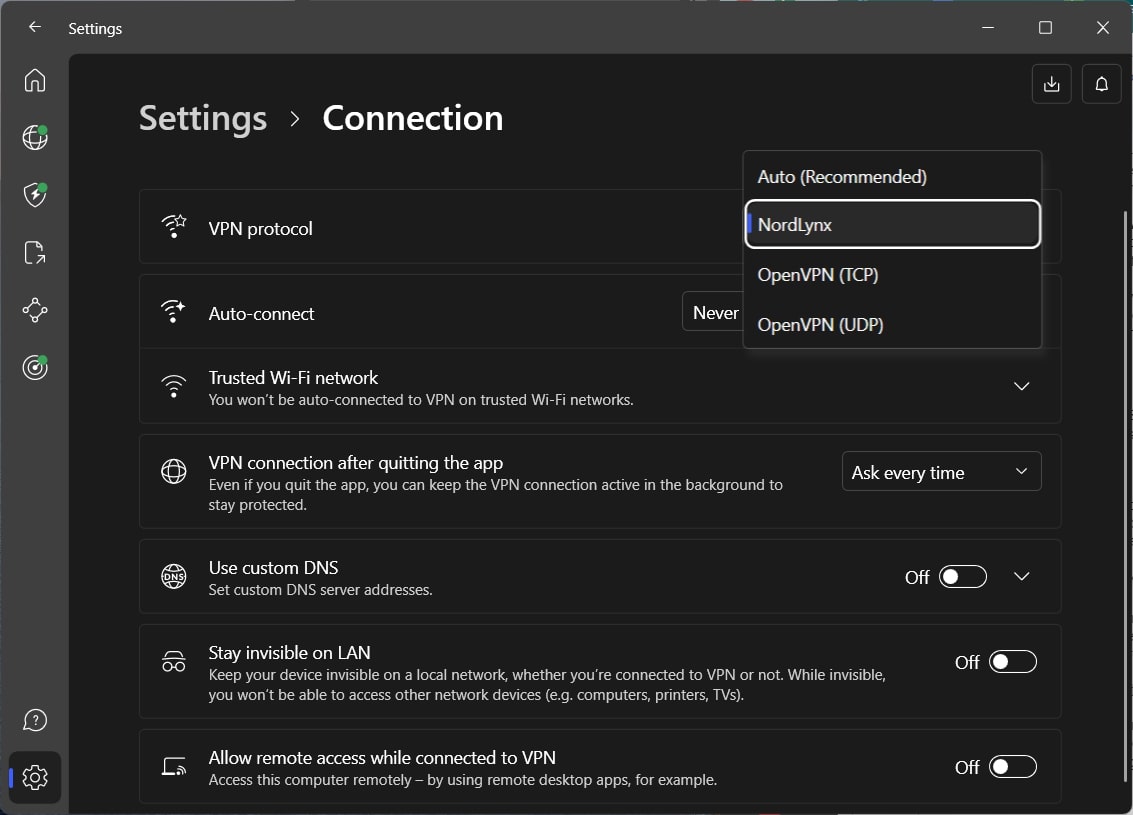
Step 3: Connect to a US Server
In the app, navigate to the server list or map. Choose a server located in the United States. NordVPN’s Quick Connect feature can automatically connect you to the best streaming server.
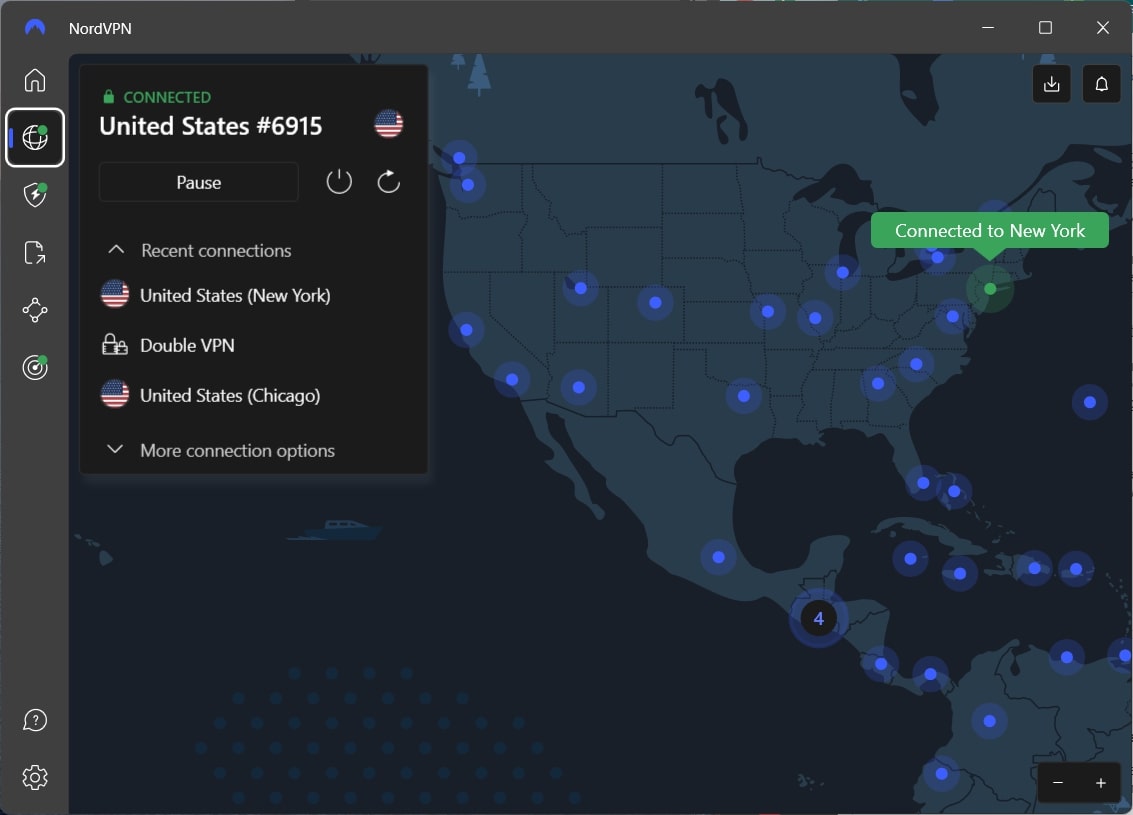
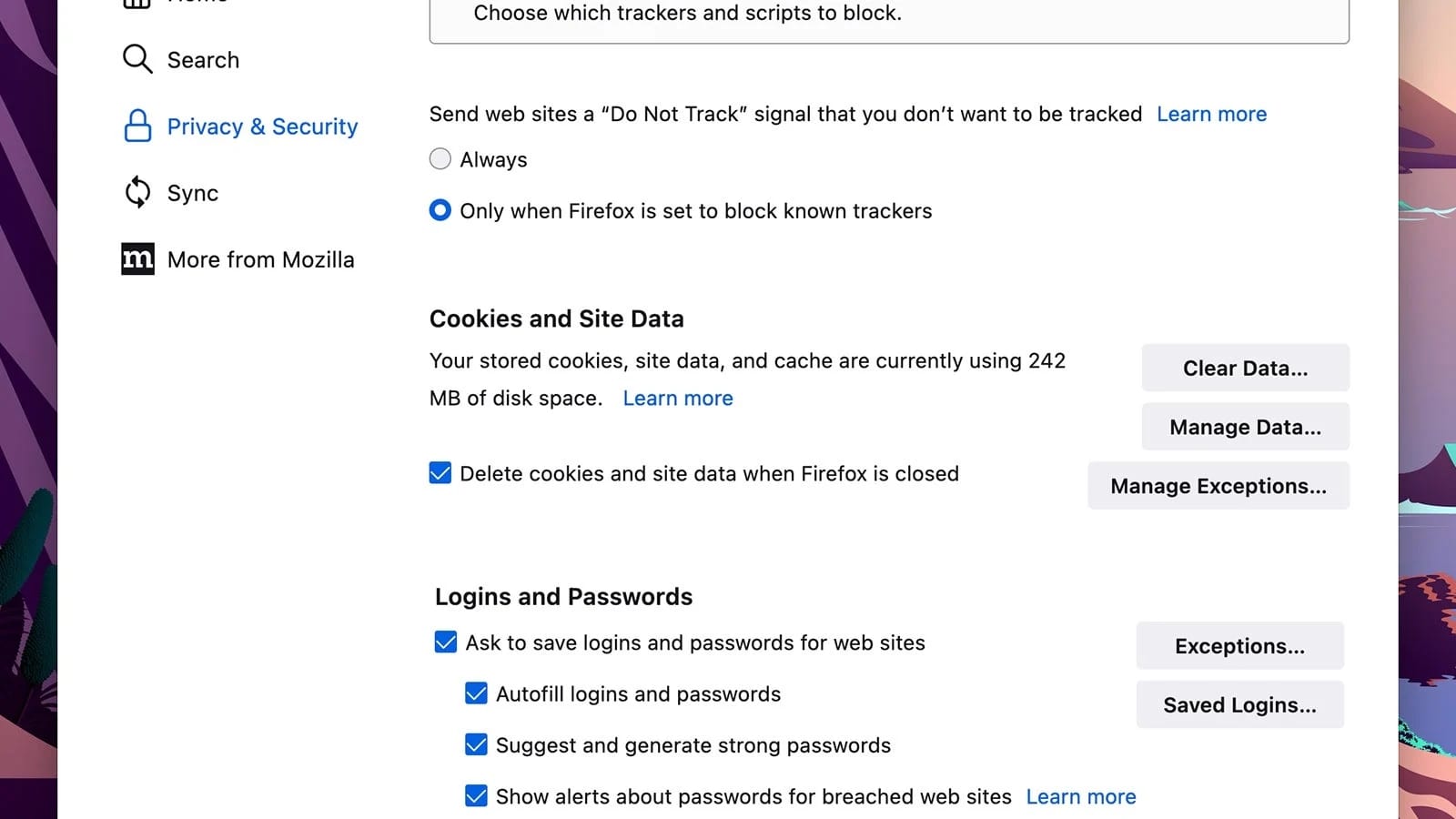
Step 4: Clear Browser Cache and Cookies
If you’re using Netflix in a browser, clear your cache and cookies. This step prevents Netflix from detecting your previous location.
Step 5: Open Netflix and Enjoy the U.S. Catalog
Log in to your account as usual. You’ll now have access to the American library. Sit back, relax, and enjoy exclusive shows and movies not available in the UK.
Best VPNs to Get American Netflix in the UK in 2026
Not all VPNs are created equal, especially when it comes to streaming. The streaming platform’s tough geo-blocking measures often catch subpar VPNs off guard, leaving you stuck with error messages instead of enjoying your favorite shows. That’s why choosing the right VPN is crucial.
For this guide, we’ve handpicked the best VPNs that excel in bypassing Netflix restrictions with lightning-fast speeds and a smooth streaming experience.
1. NordVPN – Most Reliable VPN for Netflix
Pros
- Extensive US server network
- SmartPlay feature for streaming
- Super-fast speeds with NordLynx
- Advanced privacy features
- Apps for all major platforms
- Affordable long-term plans
Cons
- Free trial limited to Android
If you’re serious about accessing US Netflix from the UK, NordVPN is the tool you want in your corner. It’s fast, reliable, and makes switching regions on Netflix effortless. With its SmartPlay technology and a massive network of US servers, NordVPN is tailor-made for streaming enthusiasts who want access to more content.
Effortless Access with SmartPlay
Here’s the thing about Netflix—it’s really good at spotting VPNs. But NordVPN’s SmartPlay feature makes sure you slip past Netflix’s geo-blocks without breaking a sweat. You don’t need to fiddle with settings or jump through hoops. Just connect, open the streaming service, and you’re in.
The icing on the cake is that, thanks to its Meshnet feature, you can rely on NordVPN to bypass Netflix’s account sharing ban.
No Buffering, Just Binge-Watching
Streaming doesn’t work if it’s slow. Luckily, NordVPN is built for speed. Its NordLynx protocol keeps things moving fast, even when you’re streaming in 4K. During our tests, there wasn’t a single buffering moment, just uninterrupted episodes and crystal-clear quality.
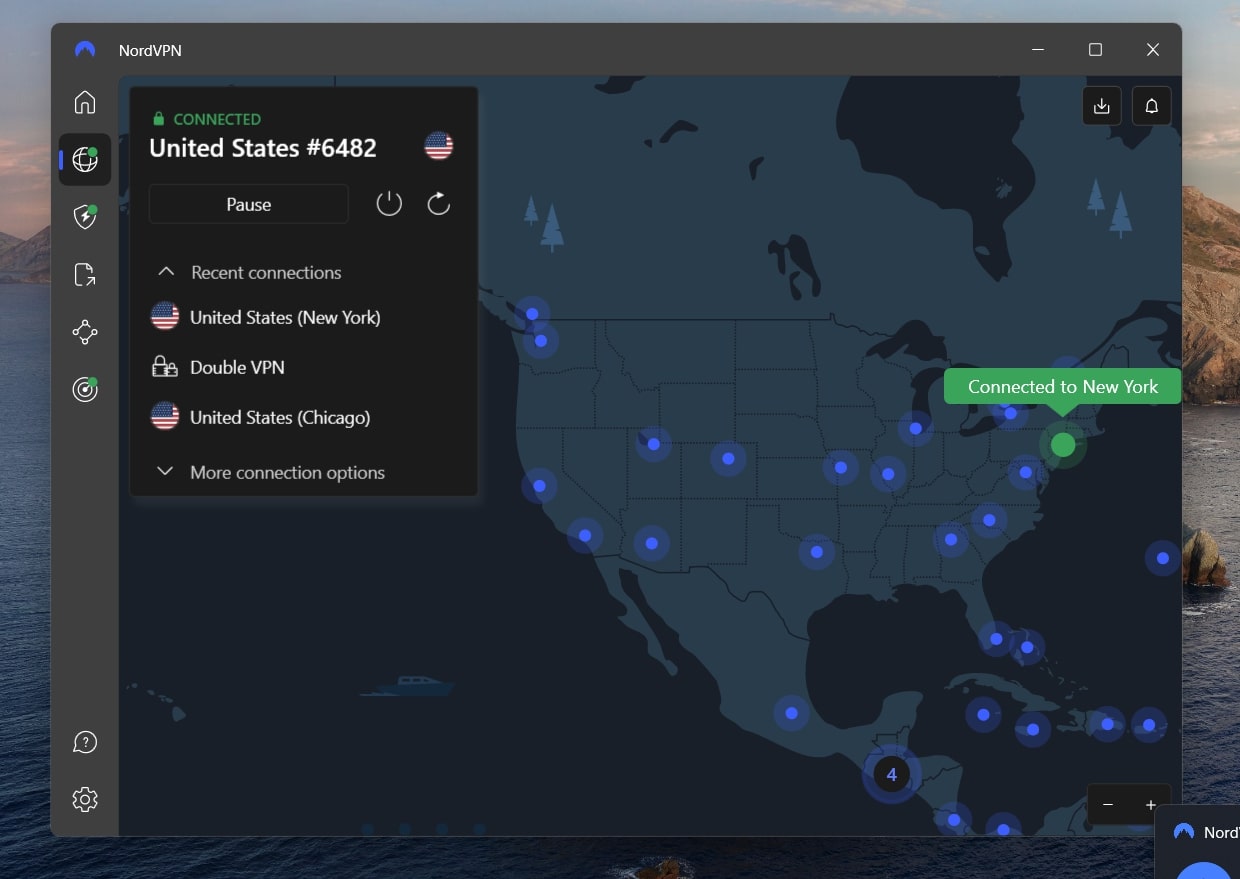
US Servers That Deliver
With 1,900+ servers in the US, you’ll always find a fast and stable connection. Whether you’re watching new Netflix originals or catching up on hidden gems exclusive to the US library for smooth streaming every time.
Easy to Use, No Tech Expertise Needed
NordVPN’s apps are straightforward. Whether you’re on your phone, laptop, or smart TV, it takes just a couple of clicks to connect. The Quick Connect feature is especially handy, as it automatically picks the best server for you, so you can skip the guesswork.
Affordable and Risk-Free
Here’s the kicker: NordVPN’s long-term plans cost around $3/ month. For a premium service that unlocks American Netflix and secures your data, it’s a bargain. And with the 30-day money-back guarantee, you can try it out without risking a penny.
2. ExpressVPN – Blazing-Fast Speeds for Streaming
Pros
- Fast speeds with Lightway protocol
- Wide server coverage in the US
- User-friendly apps for all platforms
- Robust privacy with a no-logs policy
- Simplified user interface
Cons
- Higher cost compared to NordVPN
- Only 8 simultaneous connections
If you’re after speed and smooth streaming, ExpressVPN is hard to beat. With lightning-fast speeds, a massive server network, and its unique MediaStreamer feature, it’s a top-tier option for accessing American Netflix from the UK without a hitch.
MediaStreamer for Streaming Without the VPN App
One of ExpressVPN’s standout features is MediaStreamer. Unlike traditional VPN setups, MediaStreamer works as a Smart DNS service, allowing you to unblock US Netflix directly on devices that don’t support VPN apps, such as older smart TVs and game consoles. It’s a handy addition that allows you to stream on any device, no matter its limitations.
Lightning-Fast with Lightway Protocol
ExpressVPN’s Lightway protocol is optimized for speed and stability. During our tests, it maintained blazing-fast connections, even when streaming in 4K. You won’t have to deal with buffering or lag, even during peak hours, based on our review of ExpressVPN.
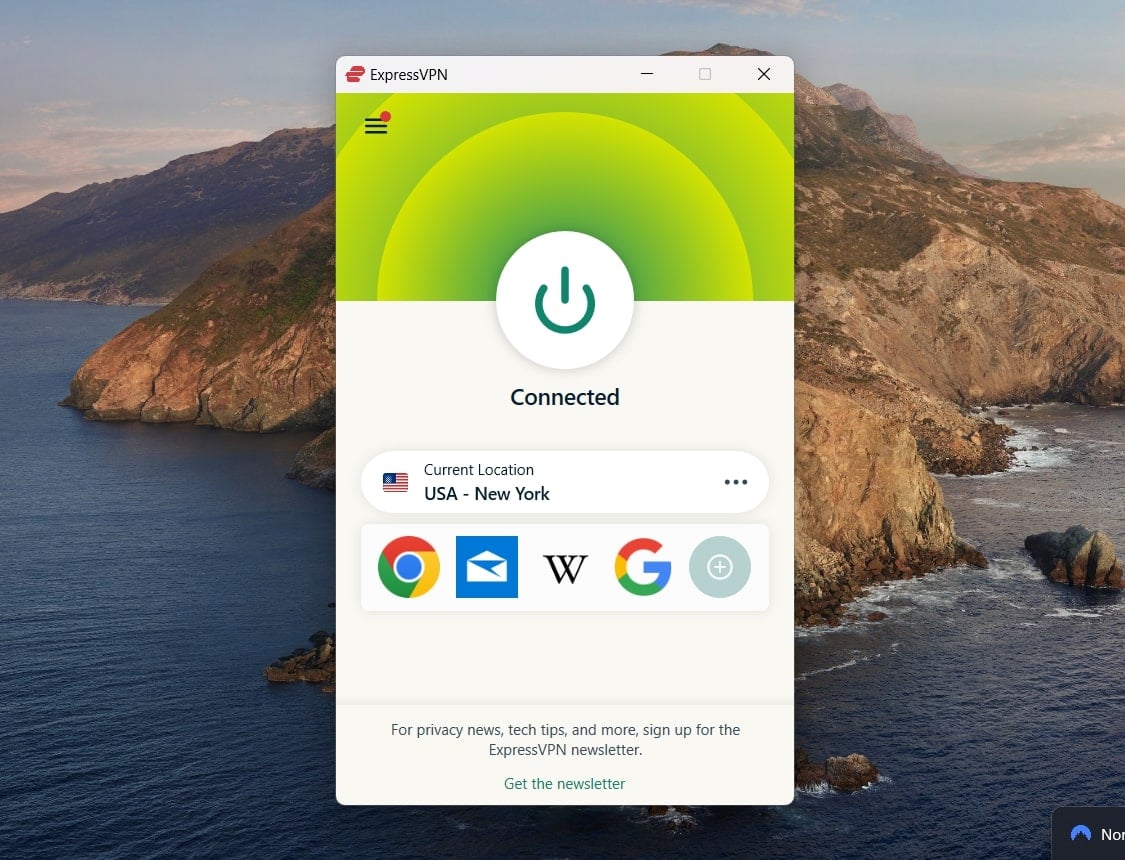
Extensive US Server Network
With servers in over 20 US locations, ExpressVPN guarantees reliable access to the American Netflix catalog. Whether you want to watch regional exclusives or unlock the full US library, ExpressVPN ensures you’ll always have a fast, stable connection.
User-Friendly and Versatile
ExpressVPN’s apps are incredibly easy to use, and its compatibility with a wide range of devices makes it a great choice for multi-platform households. You can connect up to 8 devices simultaneously, so everyone in the family can stream at the same time.
A Premium Service Worth the Price
ExpressVPN is slightly pricier, starting at just over $5/month. However, the inclusion of features like MediaStreamer and its unmatched speed make it a great investment for serious streamers. Plus, its 30-day money-back guarantee lets you try it without risk.
3. Private Internet Access – Servers in All 50 States
Pros
- Servers in all 50 US states
- Unlimited simultaneous device connections
- Affordable pricing with a risk-free trial
- Proven no-logs policy and strong encryption
Cons
- Slower compared to NordVPN
- No advanced security features
If you’re looking for an affordable VPN with extensive US server coverage, Private Internet Access (PIA) is an excellent choice. Its massive server network, affordability, and strong privacy features make it a dependable option for accessing American Netflix from the United Kingdom.
Unmatched Server Coverage Across the US
One of PIA’s biggest strengths is its servers across all 50 US states. This nationwide coverage provides consistent and reliable connections for accessing US Netflix.
Note that this is partly what makes Private Internet Access one of the best VPNs to use with Netflix.
Streaming Without Buffering
While PIA isn’t the absolute fastest, it delivers reliable speeds that are more than enough for streaming in HD or 4K. In our tests, PIA maintained a steady connection with minimal buffering, even during peak streaming hours. Its NextGen servers are optimized for speed and security and offer a smooth experience.
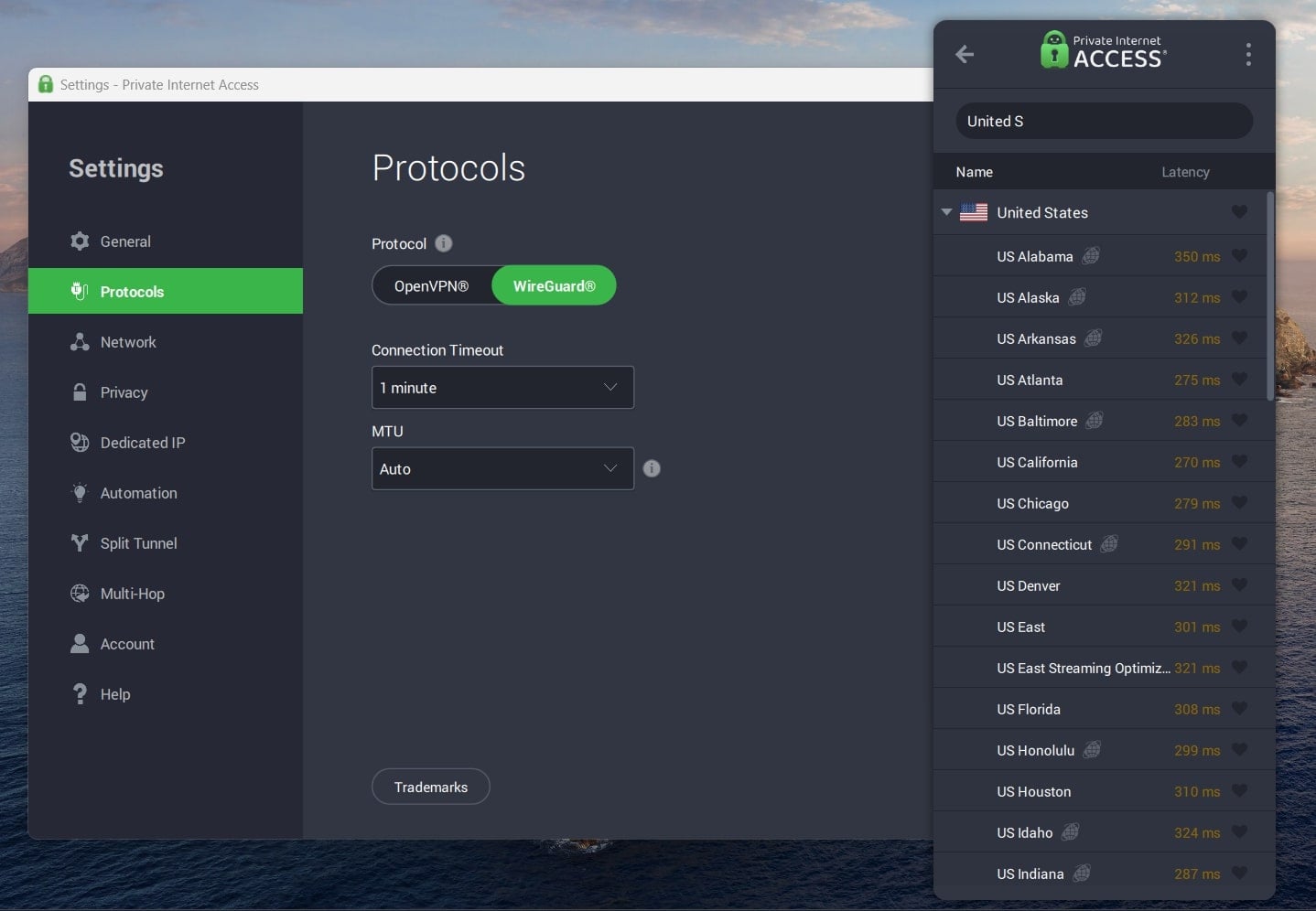
Customizable Features for Streaming
PIA gives you control over your connection settings. You can choose between WireGuard or OpenVPN protocols, allowing you to prioritize speed or security based on your needs. It also includes a Smart DNS feature, which can help you unblock streaming platforms on devices that don’t support VPN apps.
Multi-Device Compatibility
Private Internet Access supports unlimited device connections, making it perfect for households with multiple streamers. Whether it’s your laptop, phone, smart TV, or gaming console, PIA has an app for almost every platform.
Affordable Pricing with Risk-Free Testing
Starting at just over $2/month, PIA is one of the most budget-friendly VPNs available. It’s perfect for those who want a reliable service without breaking the bank. Plus, its 30-day money-back guarantee gives you a chance to try it out and see if it fits your streaming needs.
Final Verdict
When it comes to unlocking US Netflix from the UK, NordVPN combines everything you need: fast speeds, dependable server options, and an easy-to-use app. Watching US Netflix isn’t just about bypassing geo-blocks; it’s about seamless streaming in HD or 4K without buffering or connection drops.
NordVPN’s SmartPlay technology makes accessing Netflix US effortless, while its NordLynx protocol ensures your speeds remain stable, even for data-heavy streaming sessions. With over 1,900 servers in the US, you’ll always have a reliable option to connect.
At the end of the day, unlocking US Netflix in the United Kingdom isn’t just about having a VPN; it’s about having the right one. NordVPN’s performance, ease of use, and affordable pricing make it the ideal choice to elevate your streaming game. With a 30-day money-back guarantee, you can see the results for yourself risk-free.
FAQs
Curious about how VPNs can help you unlock Netflix or troubleshoot common issues? Here are some answers to the most frequently asked questions:
Can I use a free VPN?
While free VPNs exist, they’re often unreliable for streaming Netflix. Most free services have limited servers, slow speeds, and are easily detected by Netflix, leading to access errors.
Instead, consider a premium option like NordVPN, which offers a 30-day money-back guarantee, effectively letting you try it for free.
Is it legal to get American Netflix in the UK with a VPN?
Using a VPN to access US Netflix is not illegal. However, it may go against Netflix’s terms of service. No legal penalties exist for doing so, but Netflix may block your access if it detects a VPN.
Will using a VPN affect my streaming quality?
A VPN may slightly reduce your internet speed due to encryption, but premium services like NordVPN and ExpressVPN minimize this impact. Their high-speed protocols provide smooth streaming in HD or 4K without buffering.
Why does Netflix show me an error when using a VPN?
Netflix actively blocks VPN servers to enforce its regional content licensing. If you see an error, try these steps:
- Switch to a different server in the same region.
- Clear your browser cache and cookies.
- Use a VPN like NordVPN, ExpressVPN, or PIA, which are known for bypassing Netflix geo-blocks.