Norton vs Malwarebytes puts two different products side by side. Malwarebytes Free is a cleanup tool with no always-on protection. Malwarebytes Premium is a lighter suite. Norton is a full suite at every tier. In Norton antivirus vs Malwarebytes, Norton wins for most people, and Malwarebytes Free can run alongside it.
Malwarebytes vs Norton: Category Winners
| Category | Winner 🏆 | Why 📝 |
| Real-time protection | Norton | Resident on every Norton tier |
| Removal of existing infections | Malwarebytes | Default scan removed every sample |
| Lab test record | Norton | Higher scores, more consistent participation |
| System impact | Draw | Lighter at rest, slower scanning |
| Features | Norton | Firewall, backup, VPN, parental controls |
| Price | Malwarebytes | Free tier, no renewal increase |
| Ease of use | Malwarebytes | One dashboard, nothing to configure |
| Support | Norton | Chat, phone, and an active forum |
Norton antivirus vs Malwarebytes finishes 4 categories to 3 with 1 draw. Norton takes the categories that decide whether a machine stays clean, and Malwarebytes covers cost and daily use. Malwarebytes vs. Norton only looks close if you ignore what the free tier leaves out.
These Two Products Do Different Jobs
Malwarebytes Free is an on-demand scanner. It finds and removes what’s already on the machine, and it does nothing in the background. Quick Scan and Custom Scan are free on Windows and Mac. Threat Scan, the default and the fastest useful sweep, is paid. Scheduled scanning is paid, except for one complimentary monthly scan on Windows. Real-time protection and exploit protection are paid on both platforms.
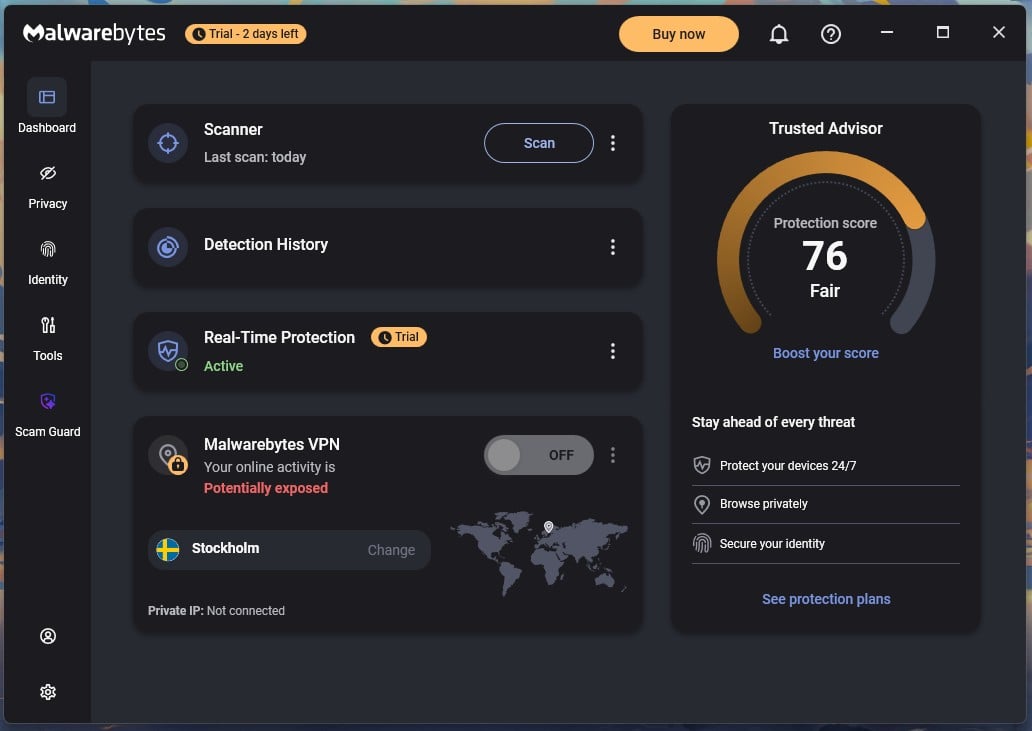
Installing Malwarebytes grants a 14-day Premium trial, so the first fortnight looks like always-on cover. On day 15, the app says the trial ended and asks you to upgrade. That is fair, and it’s also the moment most people stop noticing what changed.
What That Means for a Machine Running Only Malwarebytes Free
An on-demand scanner targets what’s resident: adware, browser hijackers, spyware, trojans, and infostealer families that arrived before any protection went on. After day 15, a computer running only Malwarebytes Free is unprotected between scans. Browser Guard still blocks malicious and scam sites, which is free and useful, though it only covers what passes through the browser. It’s the reason Malwarebytes appears in my free antivirus rankings despite having no resident engine.
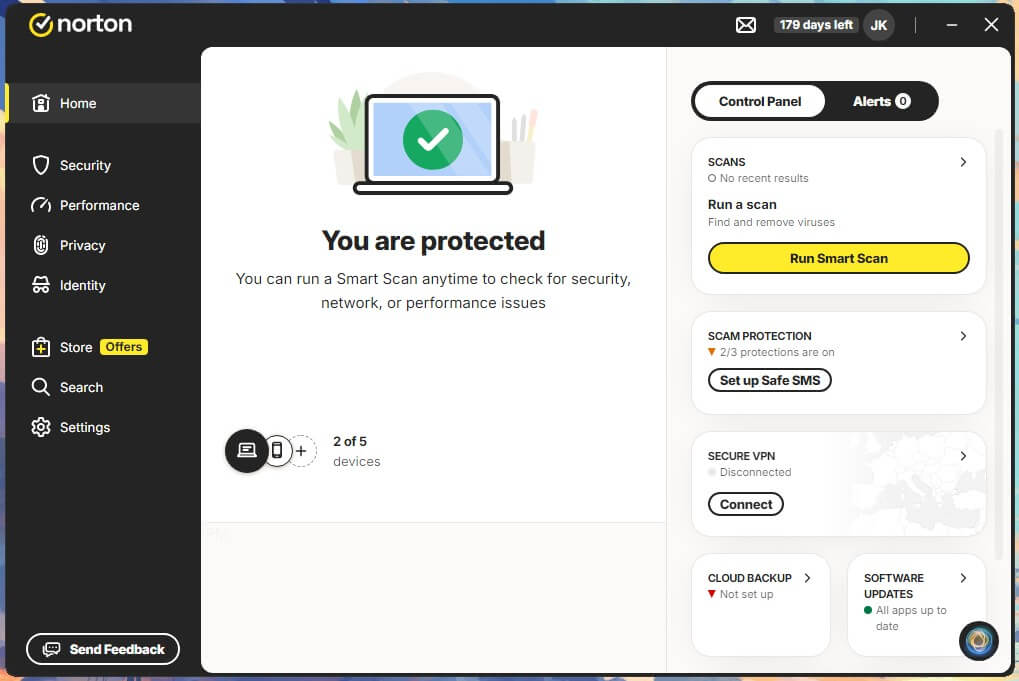
Norton works the other way. Every tier from AntiVirus Plus upward runs a resident scanner with SONAR behavior monitoring, and Smart Firewall is included on all of them. There’s no free version. Norton alone suits most households. Malwarebytes Premium suits people who want a small app with few settings and will accept fewer features. Norton plus Malwarebytes Free is the belt-and-braces option.
Can You Run Norton and Malwarebytes Together?
Yes. I’ve run Norton and Malwarebytes on the same Windows 11 machine with no conflicts. The rule making it safe is simple: one resident scanner, plus as many on-demand scanners as you want. Norton stays resident. Malwarebytes Free runs when you tell it to. The combo to avoid is Norton plus Malwarebytes Premium.
Two resident engines both hook file system activity, quarantine, and try to register as the primary antivirus in Windows Security. The result is duplicate alerts, slower file operations, and standoffs over the same detection. Norton 360 and malware detection work better with one engine in charge.
How to Set It Up
Install Norton and let it finish registering. Then install Malwarebytes and turn Real-Time Protection off in Settings. That keeps it out of the primary slot during the trial. After day 15, the free tier stops competing on its own. To check which product Windows treats as primary, open Windows Security, Virus and threat protection, then Manage providers. A manual Threat Scan once a week covers most cases.
Run one immediately if the browser starts redirecting, if new extensions appear, or after installing something from an unfamiliar source. Switch rootkit scanning on first, since it arrives off, under Settings, Security, Scan for Rootkits. This pairing suits people who’ve been infected before, and people sharing a computer with less cautious users. A single careful user on Norton 360 doesn’t need it.
Protection: Lab Scores and Detection
| Norton | Malwarebytes | |
| AV-TEST, most recent round | 6.0 / 6.0 / 6.0, June 2026 | 5.5 / 6.0 / 6.0, March to April 2026 |
| AV-TEST badge | Top Product | Top Product |
| AV-Comparatives offline detection | 96.3%, March 2026 | 92.4%, March 2026 |
| AV-Comparatives online protection rate | 99.97% | 99.59% |
| AV-Comparatives false alarms | 9 | 23 |
| My detection result | 99.8% | 99.57% |
| My false alarms | 3 | 14 |
| My phishing block rate | 95% | 89% |
Malwarebytes Premium earned a Top Product badge and 17.5 out of 18. That’s a strong total built on protection rows that trail the field. Its zero-day figures were 98.9% in March and 97.7% in April, against a 99.4% industry average. Its usability score came from zero false detections in AV-TEST’s set, against an industry average of 3. That’s hard to square with its 23 false alarms at AV-Comparatives and my own 14.
Malwarebytes also appears less consistently. It’s absent from AV-TEST’s June 2026 Windows round, where Norton scored a perfect 18. AV-Comparatives ran it through the Real-World Protection test in February and March 2026. It blocked 100% of live cases there, with 20 false positives. So the record exists, and it’s mixed, with false positives as the recurring weakness.
Removing an Infection That’s Already There
I ran both against 6 samples executed on a Windows 11 image with no antivirus present. The same infected snapshot was restored for each product. Malwarebytes caught and cleaned all with a Threat Scan.
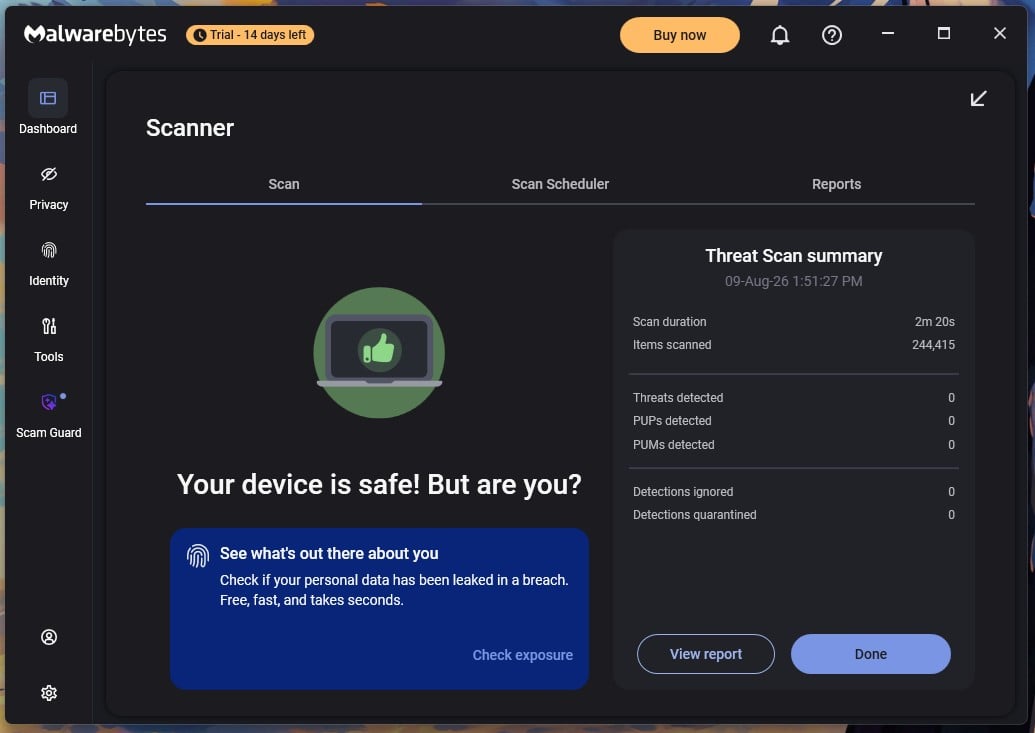
Norton detected all 6 on a quick scan straight after installing on the infected image. It resolved them and stayed clean through every later scan type. Both removed everything in my most recent tests.
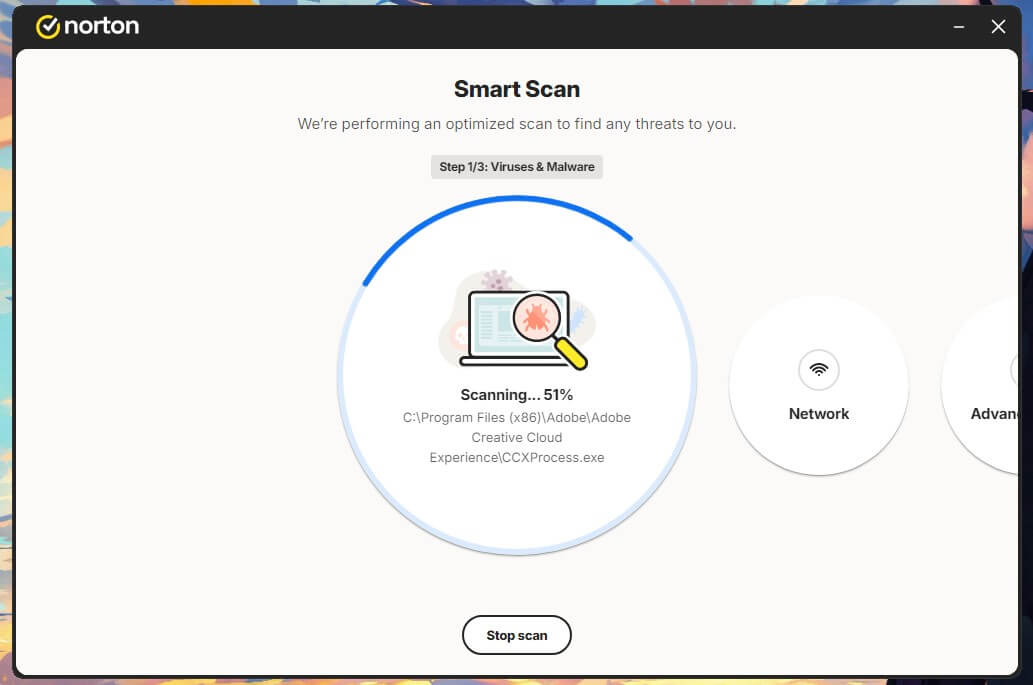
Malwarebytes gets this round because cleanup is the job it’s built for, and its default scan covers everything in one pass, though it’s a paid feature.
Features: Suite vs Specialist
| Norton only | Malwarebytes only |
| Smart Firewall on every tier | A free version |
| Cloud backup, 2 GB to 250 GB | Browser Guard, free |
| Norton Family parental controls | Trusted Advisor settings audit |
| Dark web monitoring | File Shredder and startup manager |
| Safe Web browser rating | Scam Guard |
| Virus Protection Promise | Firewall management layer |
| Deepfake protection | Simpler interface |
Both include real-time protection, web filtering, a VPN, and identity tools, though Malwarebytes puts the first behind Premium and the last two behind its higher tiers. Norton Secure VPN comes with every 360 plan with no data cap. Both cover Windows, macOS, Android, and iOS, though the macOS picks rank them differently. Neither matches dedicated ransomware protection on file recovery. The Virus Protection Promise requires auto-renewal to be on.
A Norton expert attempts the cleanup, and if that fails, you get the current subscription refunded. Norton Power Eraser was discontinued on April 30, 2026, with no replacement. Norton Rescue Disk is now the heavy-duty option for a machine too infected to start, and my full Norton review goes through the rest.
This is Norton’s widest margin. Malwarebytes has no firewall of its own, no backup, and no parental controls at any price.
Malwarebytes VPN vs NordVPN
Malwarebytes bundles a VPN on Plus and Total. Both were measured from the same 190.36 Mbps baseline on the same day.
| Malwarebytes VPN | NordVPN | |
| UK download | 172.88 Mbps | 184.73 Mbps |
| US download | 158.71 Mbps | 181.50 Mbps |
| Japan download | 143.39 Mbps | 160.47 Mbps |
| Average download loss | 16.8% | 7.8% |
| Servers | 153, owned and diskless | 9,500+ |
| Coverage | 62 locations, 36 countries | 149 countries |
| No-logs audit | X41 D-Sec, April 2026 | Deloitte, 6th in February 2026 |
Malwarebytes VPN runs on AzireVPN infrastructure, acquired in November 2024, and collects a license key, a unique ID, the software version, and a WireGuard public key. Owning every server is a genuine privacy argument. As a bundled extra, it’s fine, and as a replacement for a standalone service, it gives up more than twice the speed and most of the location choice.
Speed and System Impact
| Norton | Malwarebytes Premium | Malwarebytes Free | |
| Idle RAM | 180 MB | 147.3 MB | 150 MB |
| Idle CPU usage | 0.2% | 0% | 0% |
| Boot time added | 12 seconds | 8 seconds | 8 seconds |
| Default scan | 0:58 quick scan | 2:20 Threat Scan | No Threat Scan |
| Full sweep | 13:22 | 28:43 | 28:43 |
| Peak CPU during scan | 23% | 18.2% | 18.2% |
| Peak RAM during scan | 384 MB | 645 MB | 645 MB |
Malwarebytes has a reputation for being light, and the idle figures support it. It uses 33 MB less RAM than Norton at rest and adds 4 seconds less to boot time on an 18-second baseline. Sitting still, it’s quieter. Scanning inverts that. A full Malwarebytes sweep across both drives took 28 minutes 43 seconds against Norton’s 13 minutes 22 seconds, and peaked at 645 MB of RAM against Norton’s 384 MB.
Norton finishes in under half the time while using less memory. I expected the free version to idle lighter than Premium, since it runs no resident component. It doesn’t. On a clean install with no account and no trial, it stayed at 150 MB, within 3 MB of the paid app, which surprised me. CPU and disk both read 0%. The free tier loses Threat Scan, so a full check means a Custom Scan pointed at every drive.
Price: What Each One Costs Over Two Years
| Plan | Devices | Year 1 | Renewal | 2-year total |
| Norton AntiVirus Plus | 1 | $29.99 | $59.99 | $89.98 |
| Norton 360 Standard | 3 | $39.99 | $94.99 | $134.98 |
| Norton 360 Deluxe | 5 | $49.99 | $124.99 | $174.98 |
| Malwarebytes Standard | 1 | $44.99 | $44.99 | $89.98 |
| Malwarebytes Standard | 3 | $59.99 | $59.99 | $119.98 |
| Malwarebytes Standard Family | 10 | $119.99 | $119.99 | $239.98 |
Malwarebytes charges the same price in year 2 as in year 1. Norton 360 Deluxe goes from $49.99 to $124.99, an increase of 150%, and Standard rises 138%. Across everything I tested, only Malwarebytes is publishing an intro price that doesn’t move. At 3 devices, Malwarebytes Standard costs $119.98 over 2 years against Norton 360 Standard’s $134.98. At 5 devices, Norton 360 Deluxe covers all 5 for $174.98.
Malwarebytes jumps to its 10-device family plan at $239.98, because its ladder goes from 3 to 10 with no step in between. Per-device cost falls as the count rises: $44.99 at 1 device, $20.00 at 3, and $12.00 at 10 per year. The tiers aren’t like-for-like either. Norton bundles storage and family tools that Malwarebytes doesn’t sell. For a single user, Malwarebytes Free beside Microsoft Defender costs nothing, a legitimate setup neither company will recommend.
Norton 360 vs Malwarebytes Premium
These are the 2 paid tiers most people weigh. Malwarebytes vs Norton 360 puts $59.99 for 3 devices against $49.99 for 5, so Norton is cheaper in year 1 and covers more machines. Both run real-time protection. Only Norton adds a firewall, cloud backup, an uncapped VPN, and parental controls, and only Malwarebytes offers a 60-day money-back guarantee.
Year 2 reverses it, since Norton 360 Deluxe more than doubles while Malwarebytes stays put. Norton 360 vs Malwarebytes Premium is a question of whether those extra tools justify the climbing bill. For most households, they do. For a 1- or 2-device home that wants a predictable charge, Malwarebytes Standard is better.
Apps, Interface and Support
Malwarebytes takes the interface category, and it isn’t close. One uncluttered dashboard shows protection status, a scan button, and the tools. Installation took 38 seconds. Norton splits itself between a local app and a web account.
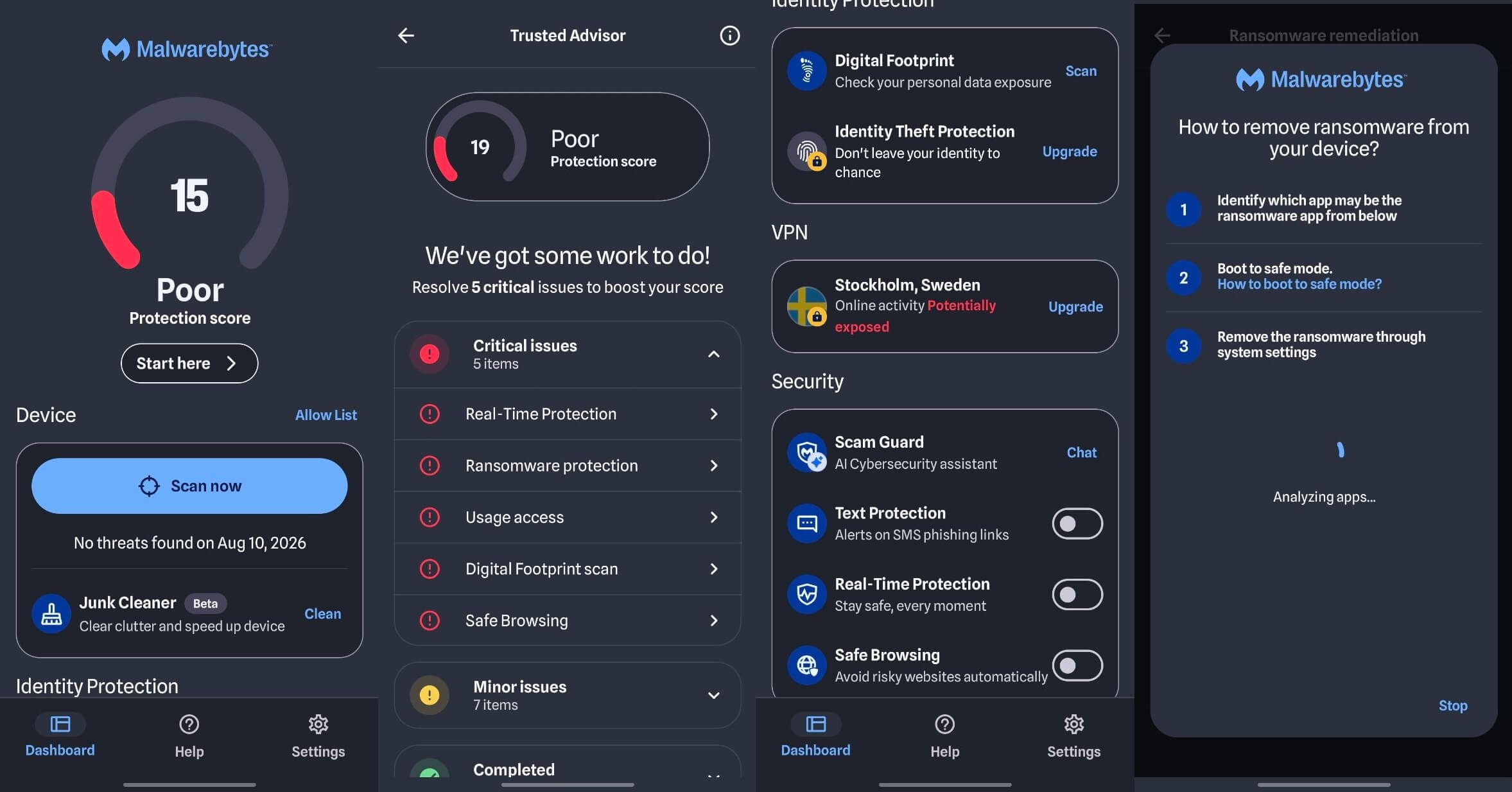
Dark web monitoring and subscription management open in a browser, while scans and settings stay in the app. Its install took 2 minutes 43 seconds.
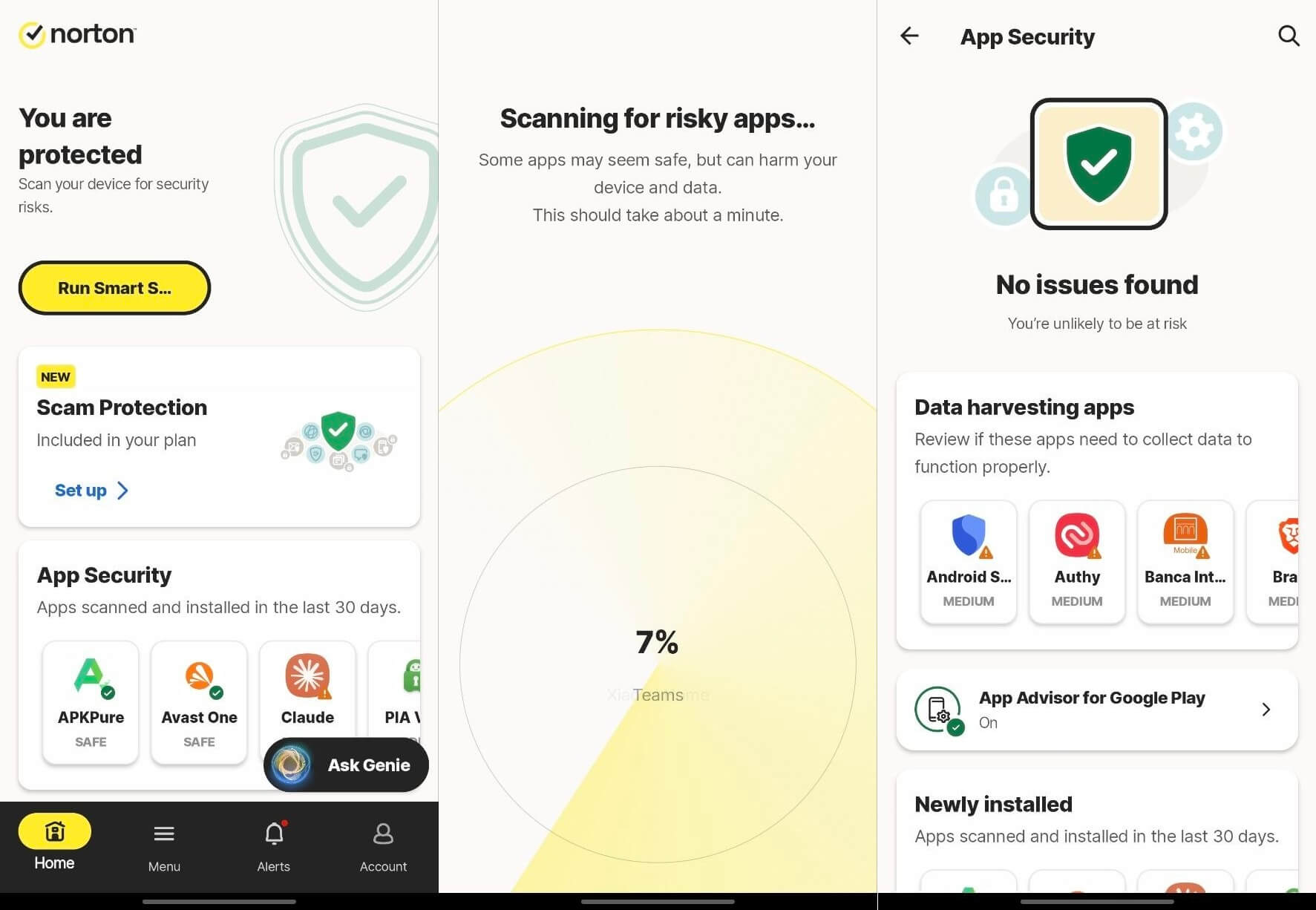
Both Android apps are good. Each one is clean to look at, takes no learning to navigate, and neither slowed the phone down while I was using it.
Getting Help
Both start with a chatbot. Norton offers 24/7 chat, 24/7 phone, and a busy community forum. A human joined my chat in about 2 minutes with an accurate answer. Its in-app support link returns an HTTP 400 error, a small but persistent annoyance. Malwarebytes has chat and a deep help center organized by product. Its virtual assistant was useful on its own.
When I pushed for a person, they arrived in a minute and answered without hesitation. A refund request went through the same chat and was processed quickly. Norton takes support on channels, since Malwarebytes offers no phone line. On response quality, the 2 were a draw, and Malwarebytes was quicker to a human.
How Malwarebytes and Norton Compare With Other Brands
🆚 Malwarebytes vs AVG
AVG or Malwarebytes is easy, and the AVG review has the details. AVG AntiVirus Free includes real-time protection at no cost, and Malwarebytes Free doesn’t, which decides it for a machine that needs always-on cover for free. Also, AVG shares a detection engine with Norton under Gen Digital, and the two post identical AV-Comparatives rows.
AVG vs Malwarebytes flips if the job is cleaning an infection that’s already running, where Malwarebytes is the stronger scanner. Malwarebytes vs AVG is decided by which of those 2 jobs needs doing.
✅ Verdict: AVG, unless a scanner is going in beside an antivirus already installed.
🆚 Malwarebytes vs Kaspersky
Kaspersky posts excellent lab numbers, including the lowest false-alarm count in the AV-Comparatives March 2026 round. The obstacle is regulatory, however: the US Commerce Department banned its sale in the USA in June 2024. Malwarebytes vs Kaspersky is settled by availability in the US market, and the product’s technical quality isn’t the reason.
✅ Verdict: Not a live choice for US buyers.
🆚 Norton vs PC Matic: Is PC Matic Better Than Norton?
PC Matic works by blocking everything that isn’t on a known-good list, instead of identifying what’s bad. That stops novel malware a signature-based engine hasn’t seen. It also blocks legitimate software waiting for approval. The question is difficult to answer with evidence, as neither AV-TEST nor AV-Comparatives has published current consumer results for PC Matic, while Norton is tested in every round.
✅ Verdict: Norton, on the strength of a testable record.
🆚 Malwarebytes Competitors Worth a Look
- Bitdefender is the lightest product I’ve measured, peaking at 11% CPU and 183 MB during a full scan, which suits older hardware.
- Avast Free Antivirus offers unlimited free installs with real-time protection. Both appear in my antivirus rankings; the malware removal guide covers what to do once something is already running, and the Malwarebytes review has the full tier breakdown.
How I Tested Norton and Malwarebytes
I tested Malwarebytes and Norton on the same rig, against the same sample set, on the same day. Here’s my PC configuration:
| Processor | Ryzen 7 5800X |
| Memory | 32 GB DDR4-2666 |
| Storage | 2 M.2 SSDs |
| Operating system | Windows 11 Pro |
| Boot baseline | 18 seconds to a usable desktop, no antivirus installed |
Scan durations are wall-clock. Detection, false alarms, and phishing were measured on clean systems. Removal was measured on deliberately infected images, with a restart afterward to check whether threats came back. Lab results come from AV-TEST and AV-Comparatives, with the round date in each case. Renewal figures come from each company’s own published second-year price.
Verdict: Why I Chose Norton Over Malwarebytes
Norton wins the Malwarebytes vs Norton comparison on protection, features, lab record, and support, and Norton 360 Deluxe is the tier to buy for most homes. It covers 5 devices, includes a firewall, backup, and an uncapped VPN, and removed every infection I pointed it at. Malwarebytes Free earns a place beside it as a second opinion. It costs nothing and coexists with Norton with no conflicts.
Its default scan finds things a resident engine has already waved through. Malwarebytes Premium is the pick for one profile: a 1- to 3-device home wanting a small security suite, few settings, and a flat annual bill. Norton vs Malwarebytes turns on device count and whether the extra tools get used. Among Malwarebytes competitors, Bitdefender and Avast are next to weigh.
Common Questions Answered
⚔️ Is Malwarebytes Better Than Norton?
No, for overall protection, since the free tier has no always-on scanning. Yes, for removing an infection that's already running, which is what the Malwarebytes scanner was built to do.
▶️ Can You Run Norton and Malwarebytes at the Same Time?
Yes, with Malwarebytes Free set to run on demand. Two resident engines conflict, so Norton keeps the always-on role and Malwarebytes scans manually when asked.
🆓 Is Malwarebytes Free Enough on Its Own?
No. Real-time protection ends with the 14-day trial, so threats arriving afterward stay on the system until somebody runs the next manual scan.
🎯 Do You Need Norton if You Have Malwarebytes?
It depends on the tier. Malwarebytes Premium includes real-time protection and can stand alone. Malwarebytes Free cannot and needs a resident antivirus behind it.
⚖️ Norton 360 or Malwarebytes Premium: Which Should You Buy?
Norton 360 is for households covering several devices or wanting a firewall, backup, and parental controls. Malwarebytes Premium suits a small setup where a flat renewal price is the priority.
📊 Which One Is Cheaper, Malwarebytes or Norton?
Malwarebytes at 1 to 3 devices, because its price never rises. Norton at 5 devices or more, since Malwarebytes has no mid-sized plan between its 3- and 10-device tiers.
🔎 Does Malwarebytes Detect Everything Norton Misses?
Sometimes, and that's the argument for a second opinion. Different engines flag different things, particularly adware and potentially unwanted programs that a suite may permit by default.
💻 Malwarebytes vs Norton Antivirus: Which Is Better for a Mac?
Malwarebytes has a strong Mac reputation because most Mac infections are adware and browser hijackers, which its scanner handles well. Norton offers broader macOS features.