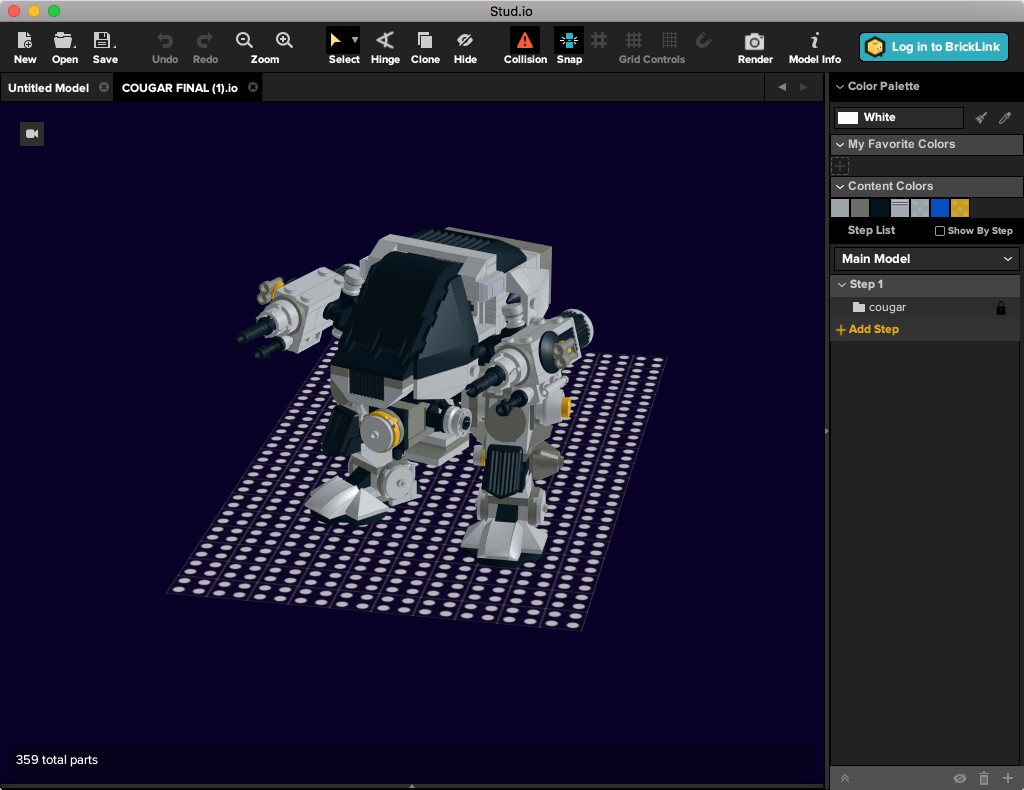
BrickLink Studio, often just called Studio, is basically the digital playground for LEGO® fans. If you’ve ever sat staring at a pile of bricks, wishing you had more pieces or a way to test a design before spending money, this software steps in and saves the day. It’s a free, computer-based program that lets you build with virtual LEGO bricks, experiment with different shapes and colors, and see how your designs would look in the real world.
What makes Studio special is how realistic it feels. The pieces behave like they would in your hands. Bricks snap together cleanly, collision detection tells you when something doesn’t quite work, and you can rotate your builds from every angle. It feels a little like playing with physical LEGO, only with unlimited parts and a reset button that doesn’t involve tearing apart a tower you worked on for hours.
Studio isn’t just about freeform play, either. It has tools to create step-by-step instructions, the kind that look surprisingly close to official LEGO booklets. You can also render polished images of your models so they look like catalog photos, which is great for showing off your work online. And because it ties into the BrickLink marketplace, you can generate a parts list and even estimate how much it’ll cost to build your design in real life. That mix of creativity and practicality is what makes Studio stand out among digital building tools.
Why should I download BrickLink Studio?
There are a bunch of reasons to give Studio a try, and they go beyond just “it’s fun.”
First, it opens the door to unlimited creativity. In real life, you’re limited by how many bricks you own. Maybe you don’t have enough roof tiles for that castle, or you’re missing the perfect hinge piece for a spaceship. In Studio, every part is available, and you can try out endless combinations without worrying about running out.
Second, it saves time and money. If you’ve ever ordered LEGO parts online, you know how frustrating it is to realize later that your design doesn’t actually fit together. Studio’s collision detection helps prevent that, giving you a chance to test builds digitally before buying pieces. It’s like having a safety net that makes big projects more doable.
Third, Studio is a fantastic tool for sharing. Whether you’re part of an online LEGO community, teaching students, or just showing off your latest creation to friends, you can use Studio to create professional-looking instructions and photo-quality renders. Instead of explaining, “Imagine this tower with red pieces instead of gray,” you can just show them.
And finally, it’s easy to use. While it has advanced tools for serious builders, beginners can jump in quickly. The interface is clean, and because it’s free, there’s no risk in downloading it and playing around. You might be surprised how quickly you get hooked once you start experimenting with your first design.
Is BrickLink Studio free?
Yes, it’s 100% free. No subscription, no premium version hiding extra features, and no hidden charges waiting after a trial ends. You download it once, and you’re good to go. You’ll only pay if you order Lego bricks.
That’s one of the biggest appeals of Studio. Many design programs cost a fortune or require complicated licenses. Studio doesn’t. It’s accessible to kids, adults, teachers, hobbyists, or professional builders without asking for money. LEGO fans across the world use it because it’s easy to get started and costs nothing.
The free aspect also makes it ideal for classrooms or group projects. Teachers can let students work on digital builds without needing tubs of real LEGO for everyone. Families can plan large builds before deciding which sets or pieces to buy. Even advanced builders benefit from the lack of a price tag because they can test multiple versions of a design without financial pressure.
In short: free means freedom. Studio gives you the full experience right from the start.
What operating systems are compatible with BrickLink Studio?
Studio works on both Windows and macOS; therefore, the vast majority of computer users are accommodated. With a Windows computer or a Macintosh laptop, you can obtain the installer from the BrickLink website and start.
Neither is the program heavy. You do not have to have an ultra gaming computer. Simple constructs and architecture are not problematic with small machines. When you intend to do large-scale renders of large projects, then a better graphics card is always a benefit, but when you want to do something simple, even quite advanced, it can be done with average hardware.
At this moment, Studio has neither an iOS nor an Android mobile version. That may be disappointing to those who would like to construct a tab, but it is understandable given the degree of accuracy involved. It is easier to construct huge digital sets using a keyboard, mouse, or trackpad.
Then, with either Windows or macOS, you are good. Occasionally, workarounds are available to Chromebook users, but the documented support is directed at desktop systems.
What are the alternatives to BrickLink Studio?
Brickit App is an app that is mobile-first and performs something unique. You lay out your LEGO parts, aim your phone camera at them, and Brickit reads the parts to propose what you can make. It is wonderful when you do not know what to prepare, or you need a boost without purchasing new sets. It’s being less detailed than designing and more creative, using what you already have.
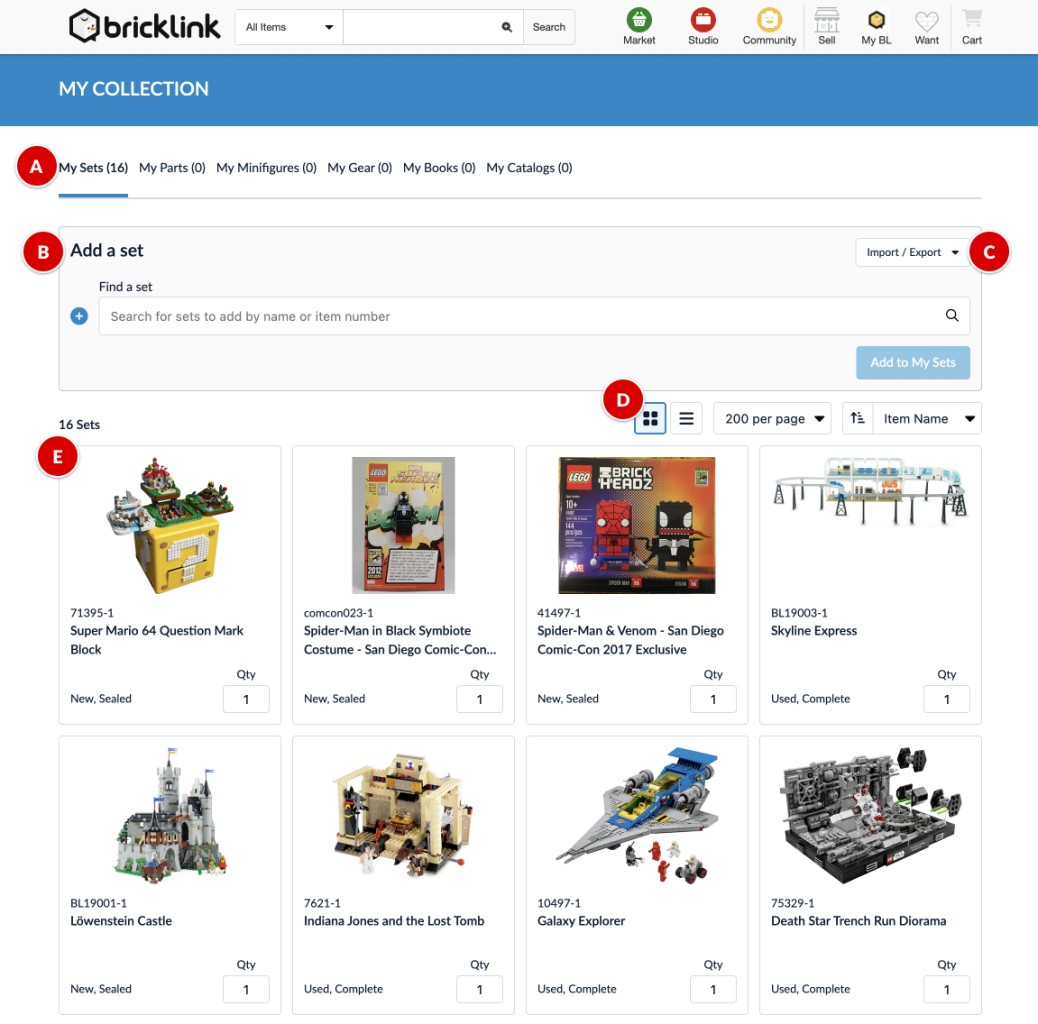
BrickSearch for LEGO Sets is designed more to suit the needs of collectors and organizers. Rather than allowing you to create models, it allows you to track LEGO sets, find certain ones, and even compare prices. It is not digital construction, but it is quite helpful in the case you are fond of cataloging and organizing your collection.
LEGO® Builder is the official app of LEGO, where attention is paid to digital building instructions. It does not provide you with the same level of freedom as Studio to make your own models; however, it is great to lead you through actual sets. The 3D interactive directions are usually more understandable than paper booklets, and you can turn around or zoom on a step should you become confused.